
Inspiration
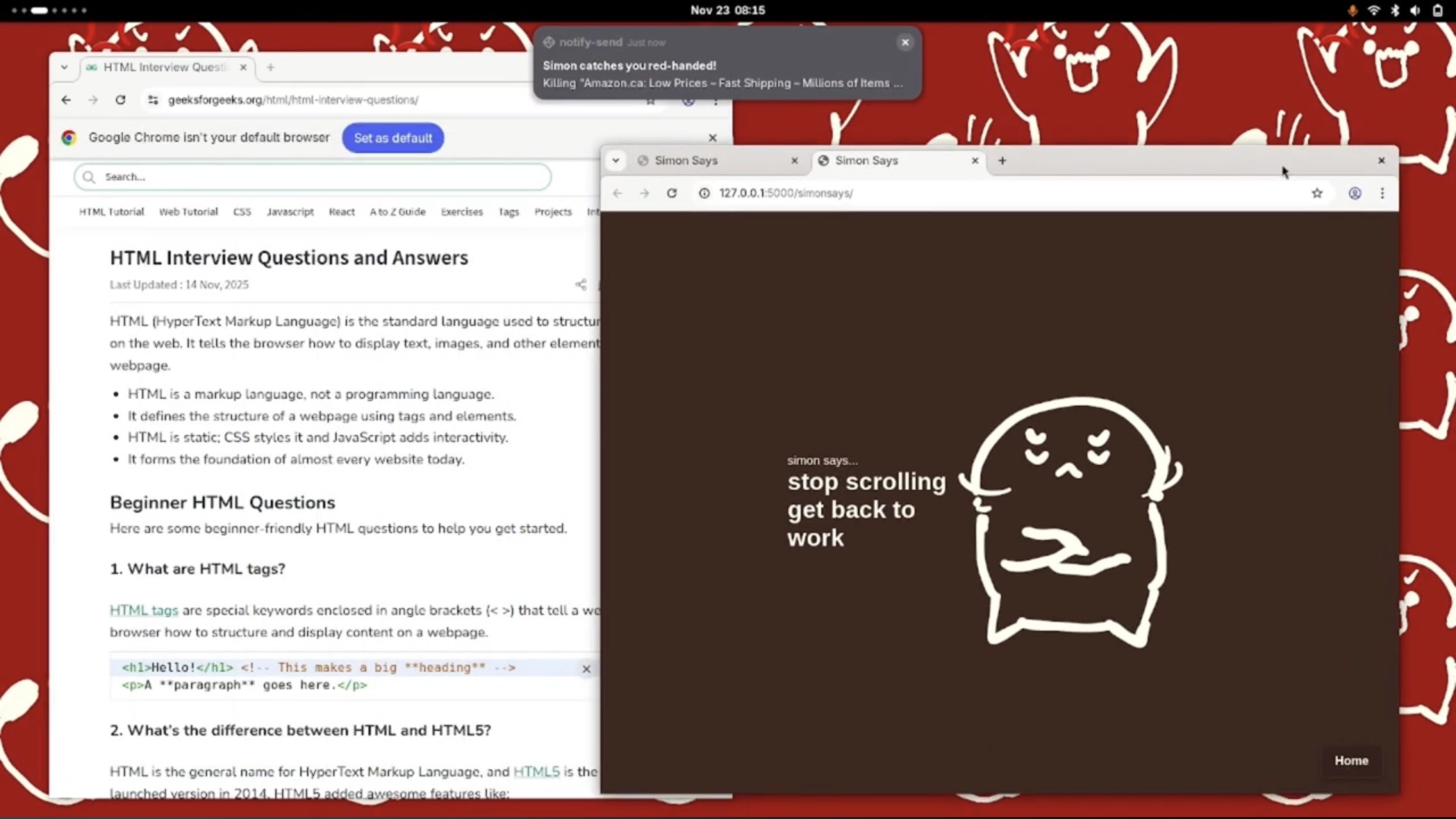
Productivity apps usually only ask users for task inputs and rarely go further when it comes to pushing them to get it done. Simon will not only be your friend, but also your supervisor. He will guide you throughout the day as you complete your to-do list with "screen checks" to make sure you stay on task. If you disappoint Simon and get caught, Simon will close the webpage/app for you.
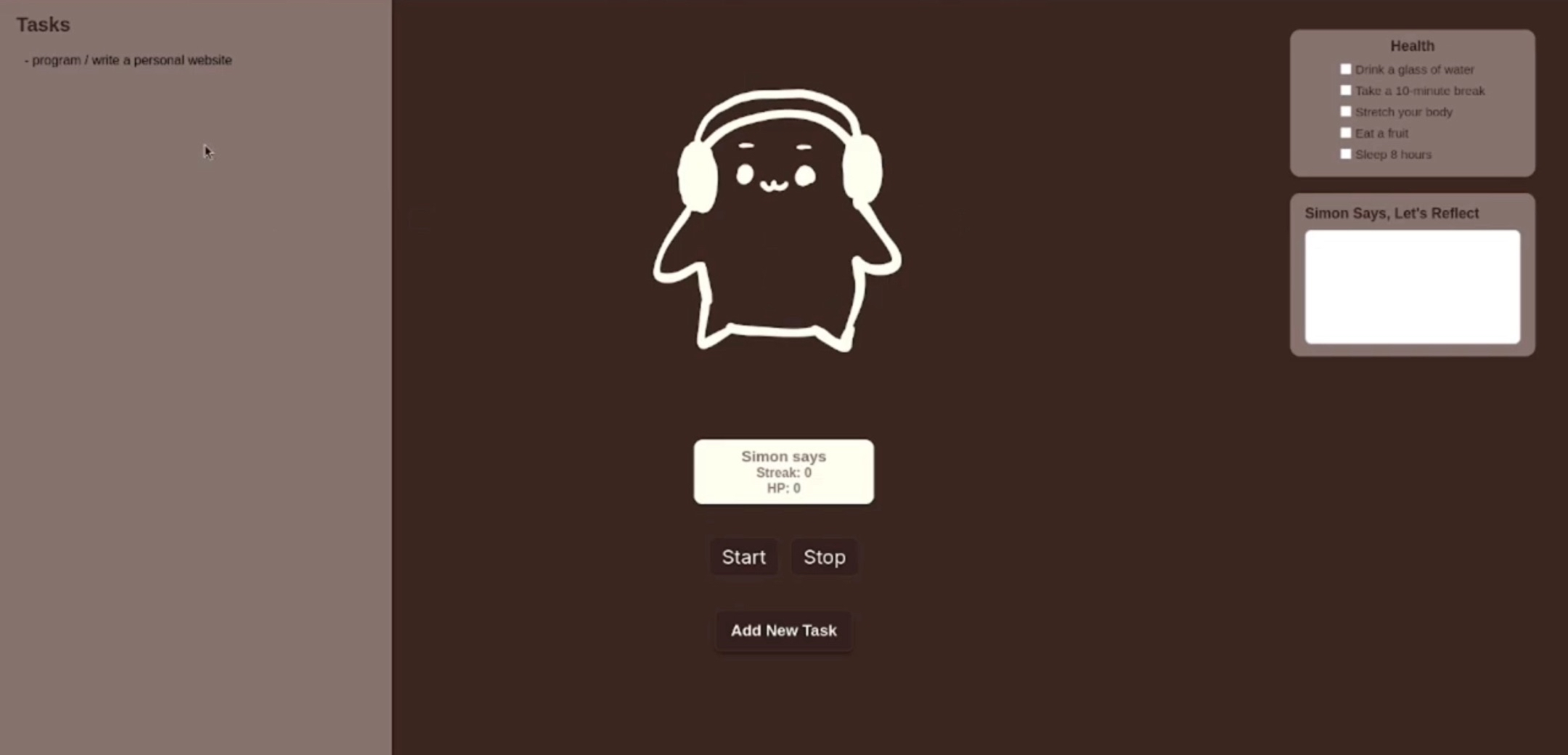
But Simon also wants you to be healthy. While productivity apps encourage you to focus on your daily tasks, there’s not enough emphasis on how productivity and health work hand-in-hand. With a checklist, reminder for breaks, and reflection centre, your health is just as crucial to your productivity. Users will find having Simon around already makes for a great stress reliever as we know how having a pile of tasks to complete can take a toll on our physical and mental health. Staying in the zone and knocking those off throughout the day is gratifying and relieving, and we think Simon can help. This is Simon Says.
What it does
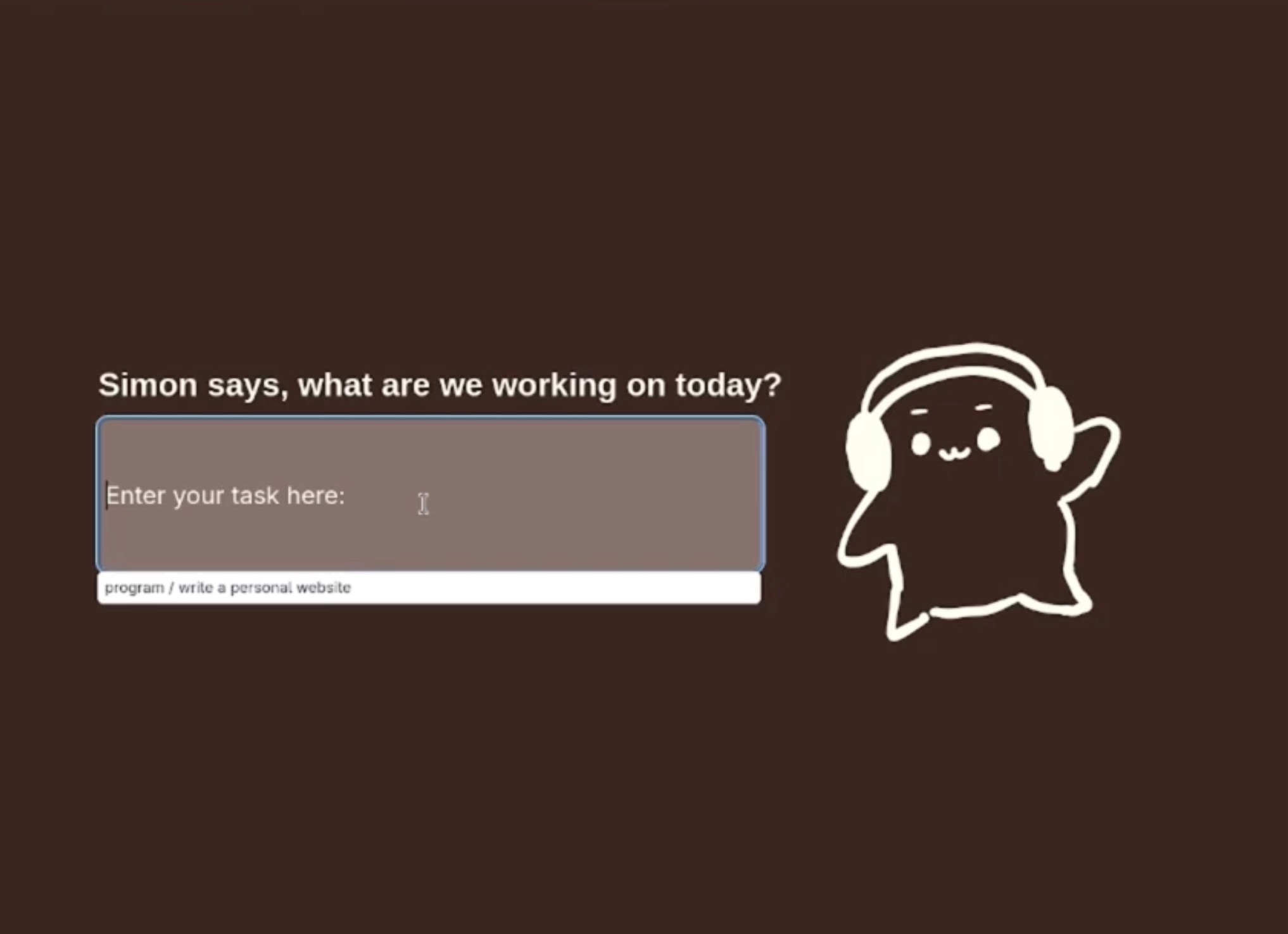
The user will provide a list of their tasks for the current work session. When ready, they can hit the "Start" and start working, and Simon will start watching for what applications and web browsers they open. If an offending browser is opened, Simon will automatically close it after some time and let the user know that they're off track. Users can see tasks compiled in the dashboard along with break reminders.
The Building Process
Tech Stack
Front End
- Hosted using Flask, pages designed and formatted using HTML/CSS/JS. Back End
- Created using Python and various libraries and APIs to interact with Gemini, the user's system, and to connect to the front end.
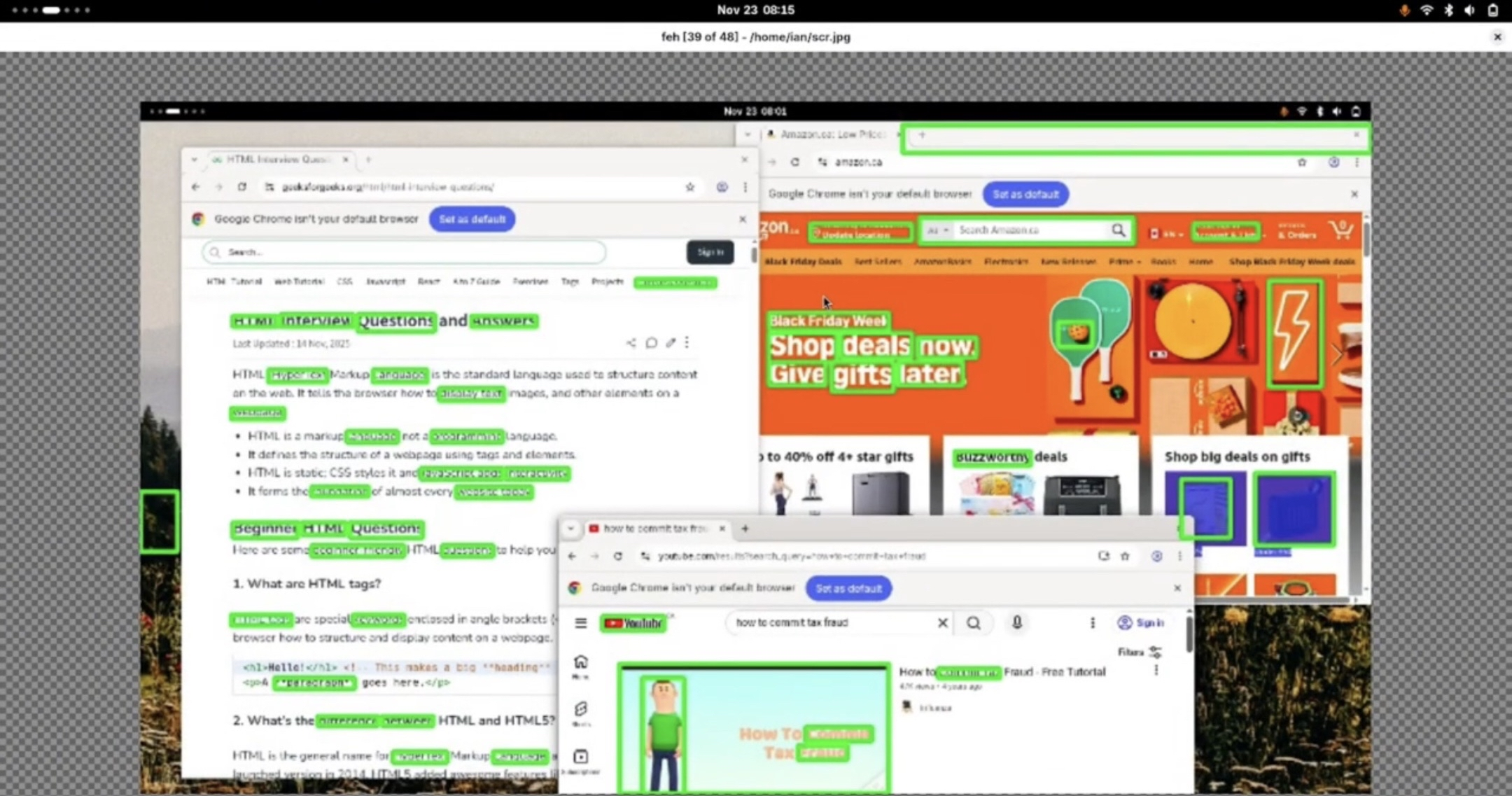
- The logic for the image and text detection was done using the OpenCV library in Python. The text is then sent to Gemini using their API for a quick, in-expensive, light-weight, yes/no response, which the program uses to decide to either continue monitoring or close the browser.
Challenges Along The Way
The obvious challenge is being able to do appropriate image and text detection to form sensible clusters from a picture/screenshot with positional information on the clusters. Navigating Python Flask in order to create a functioning app and getting familiar with how page redirects worked was a concept that was unfamiliar to some members of the team, and there was a learning curve there as well. And as always, integrating smoothly and efficiently is hard.
Learning Moments
It was truly an experience merging multiple separate ideas into one cohesive product. For some, many tools were learned/revisited. For all, it was a lot of on-the-fly troubleshooting practice. Many concepts from prompt engineering, computer vision and image detection, and general full stack web app development were applied in this project. Of course, this project also provided lots of opportunities to practice effective teamwork, organization, and leadership, leaning into our strengths to deliver results.
Future Features
Simon Says is a demo product. Should we endeavor to go live on the market, the following elements would be added.
- More user-interactive Simon avatar.
- Include summary visuals and analyses of user activity on the dashboard.
- Points system to award healthy behaviours and task completions.
- Improved OpenCV analysis.
- Remain a light-weight tool.

Log in or sign up for Devpost to join the conversation.