-
-
Banner
-
Pipeline
-
Labeling
-
Scene
-
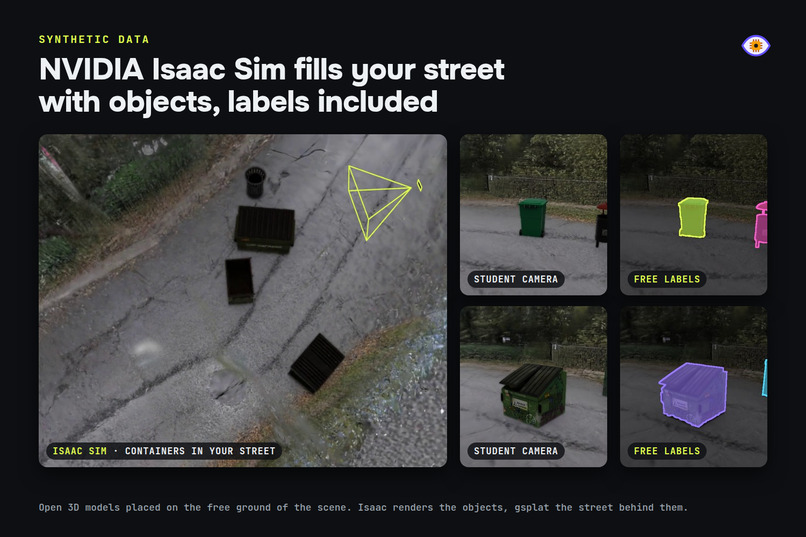
Nvidia Isaac Sim + Omniverse Replicator
-
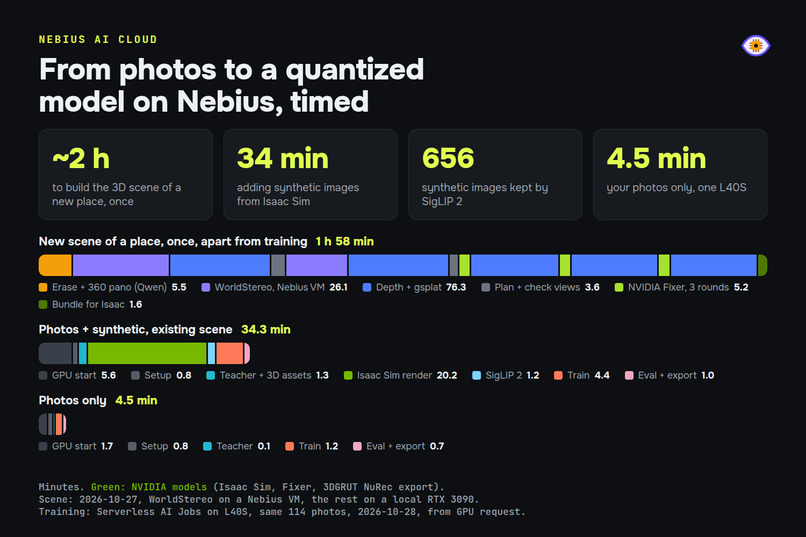
Timings
Inspiration
I build a privacy-first alarm for cycling races: an ESP32-CAM at a road crossing spots an incoming vehicle, throws the image away on the chip and sends a few bits over LoRa. Training the model was the easy part. Getting the data was not: hundreds of labeled photos per class, taken at the right height, in the right light, and a new round of photos and labels every time the model failed somewhere new. Makers who build lawn robots, cat flaps or wildlife cameras hit the same wall and end up labeling by hand for weeks.
I wanted the whole loop in one place, and in my pocket: describe what the camera should see, take a few photos, get a model, test it live and fix it where it fails, all from the phone. And since nobody can photograph every angle and position, the place itself should fill the gaps: one photo of it becomes a 3D scene where the objects you care about are placed and rendered.
What it does
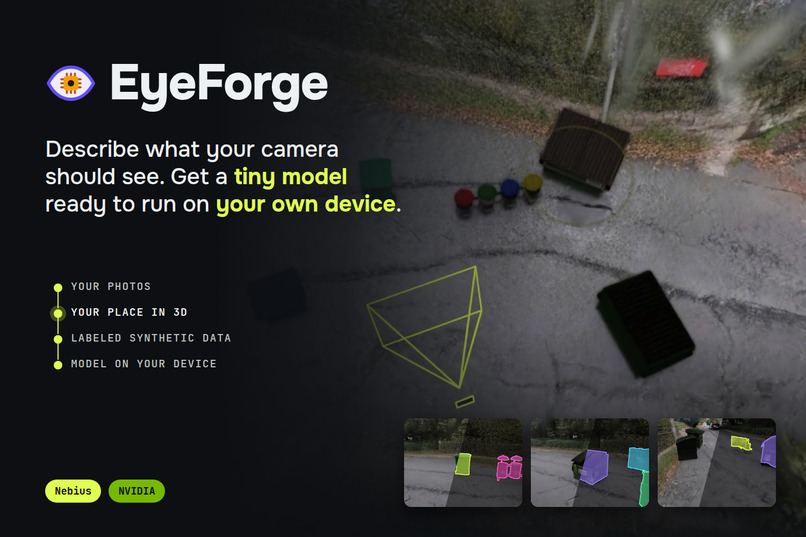
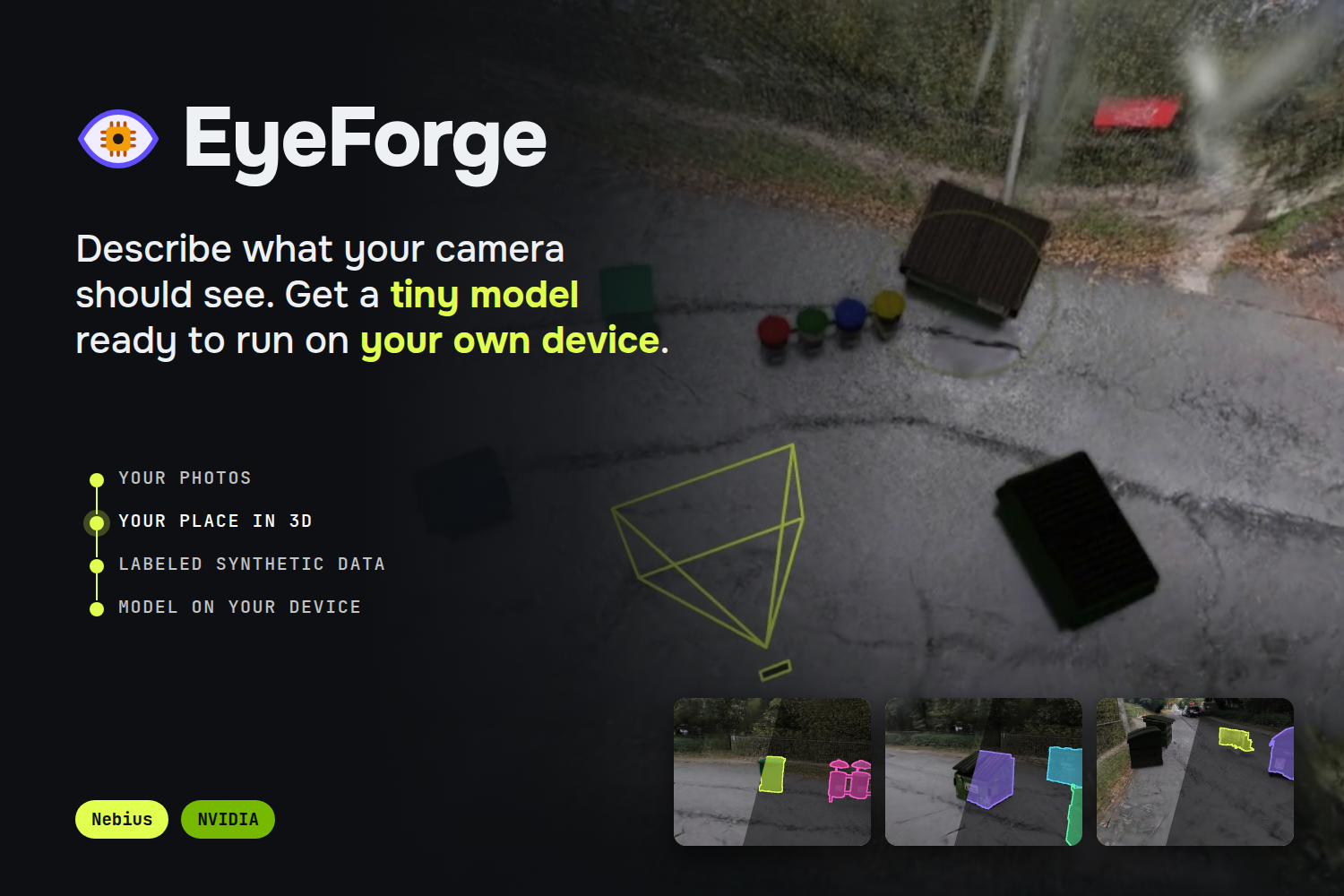
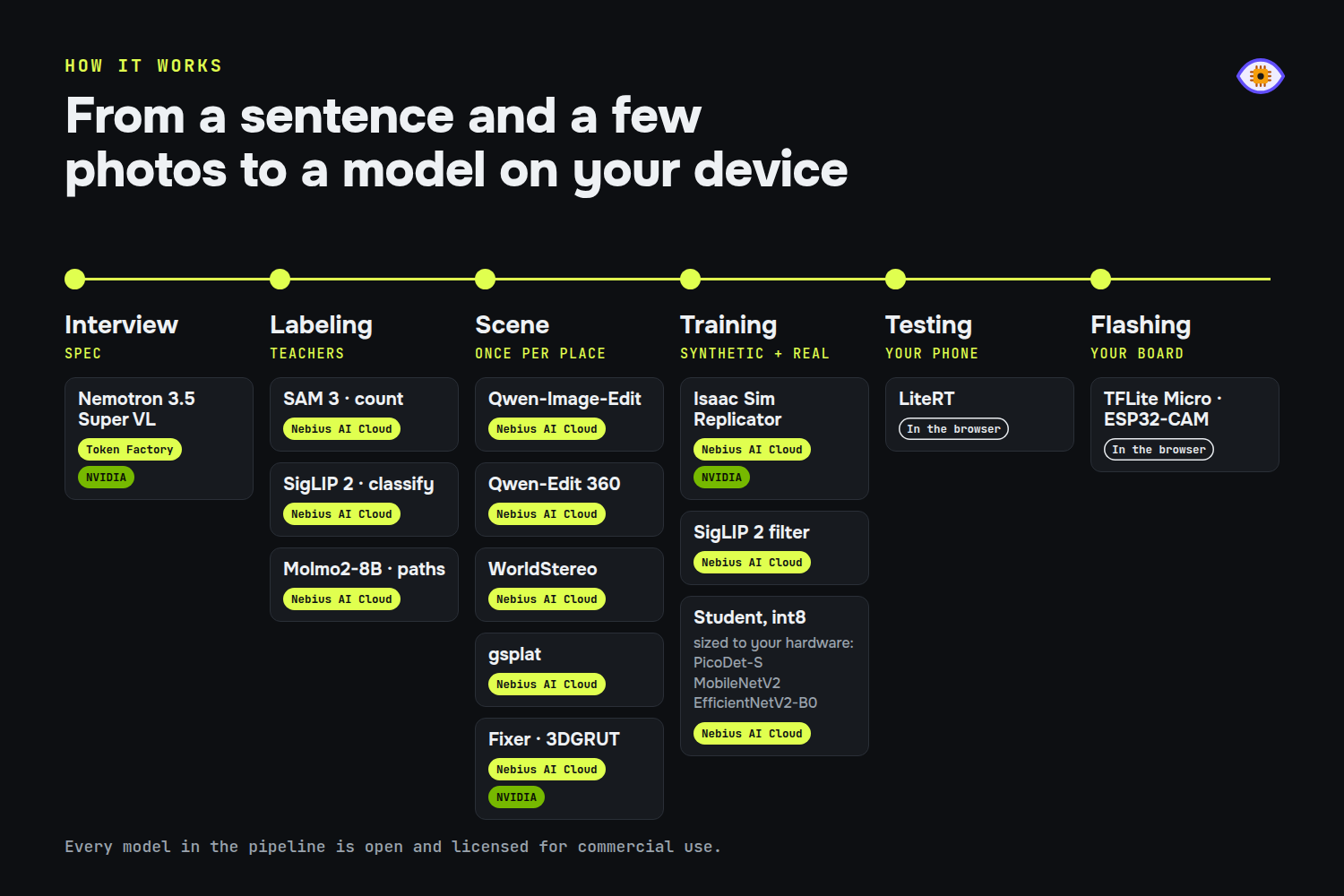
EyeForge is an end-to-end pipeline you can run entirely from your phone. It turns a conversation and a few of your photos into an on-device vision model, trained with synthetic images rendered in a 3D scene of your own place, and lets you retrain it until it does what you need.
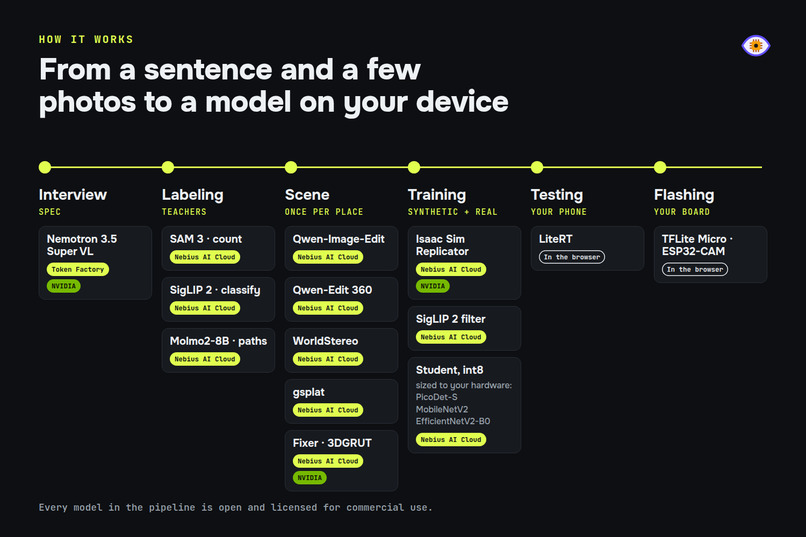
- Interview. Nemotron 3.5 Super VL asks what the camera should see, looks at a sample of your photos and writes a dataset spec: task (classify, count or follow a path), classes, camera height, lighting, target hardware, and which mistakes you would rather avoid. When it needs a fact it should not guess (the real size of an object, its technical name), it searches the web with Tavily.
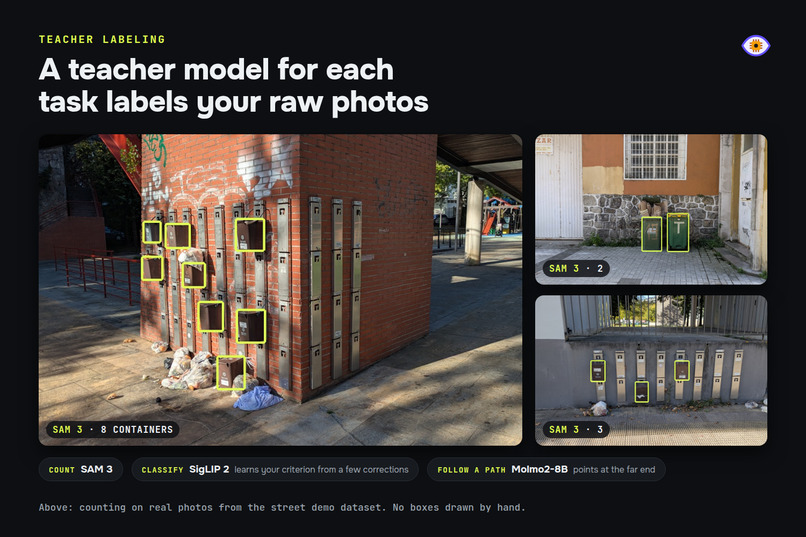
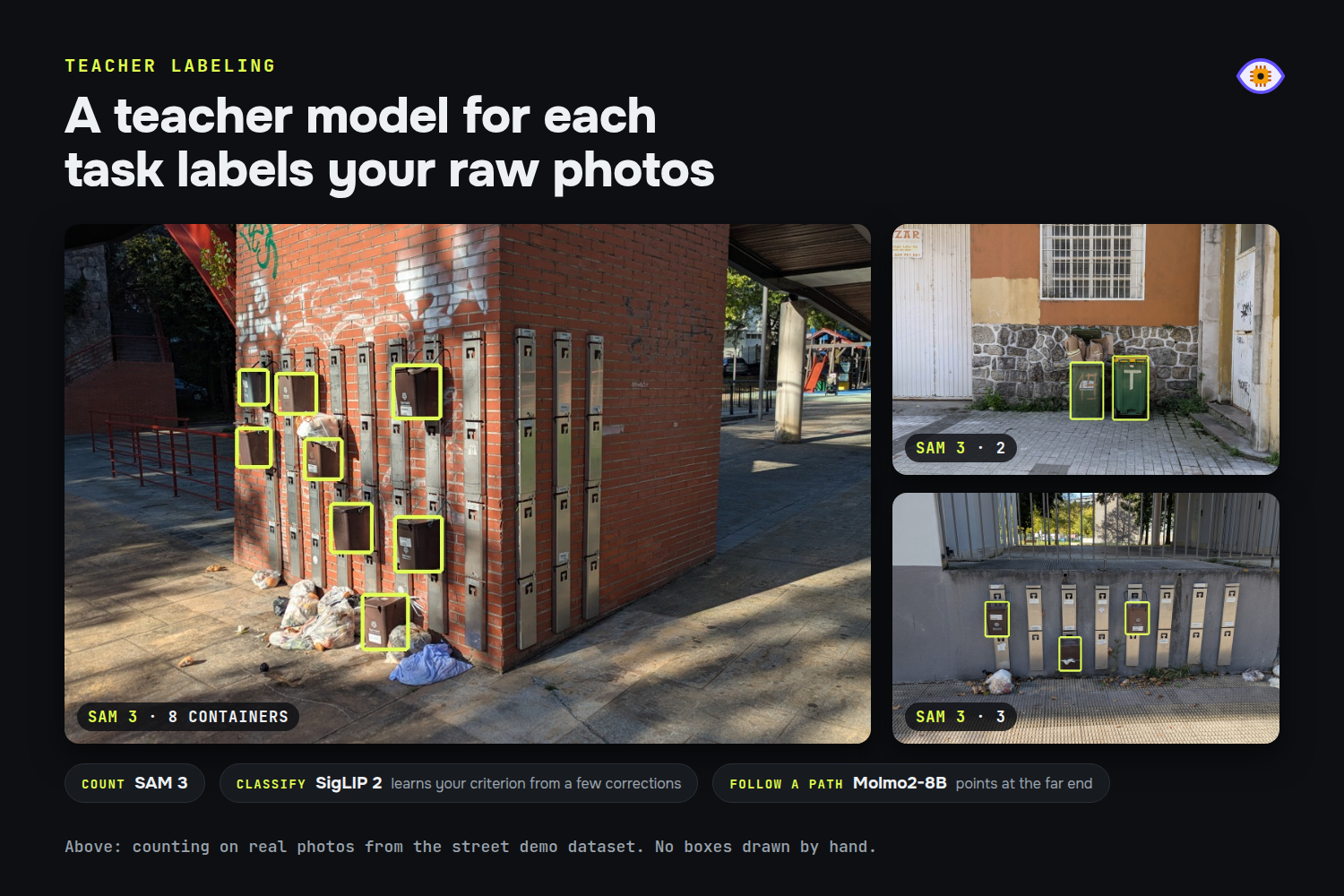
- Teacher labeling. Big foundation models know a bit of everything but need a data center, so EyeForge uses them as teachers and distills a specialist the size of your hardware. Your raw photos are labeled by the best open teacher for the task: SAM 3 for counting, SigLIP 2 for classification (it learns your criterion from a few corrections), Molmo2 for paths.
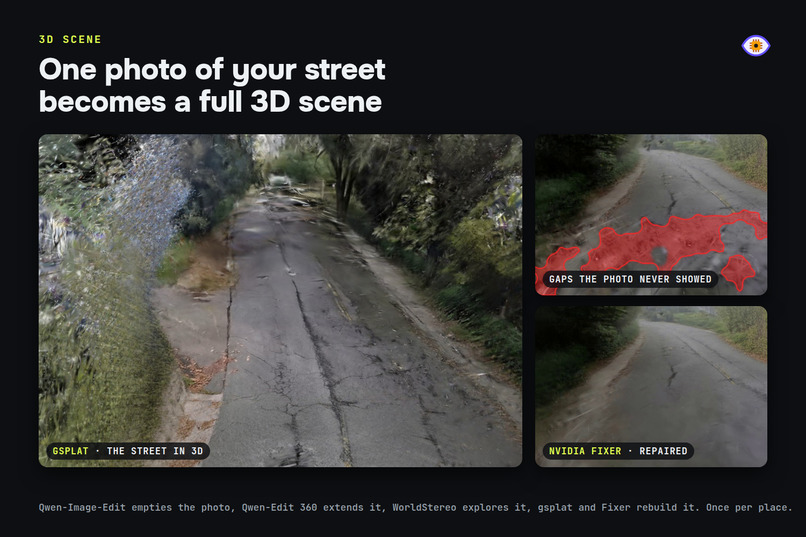
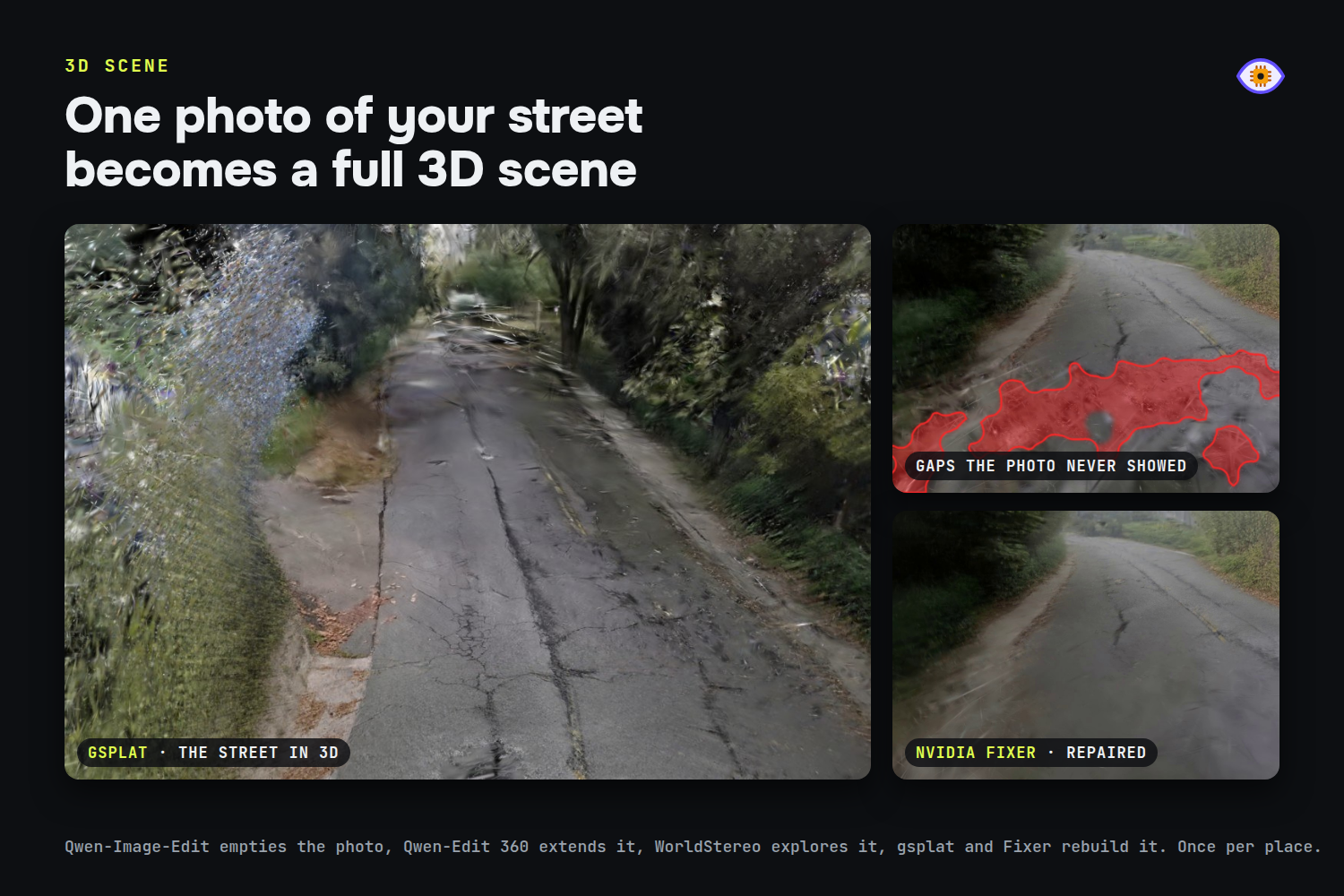
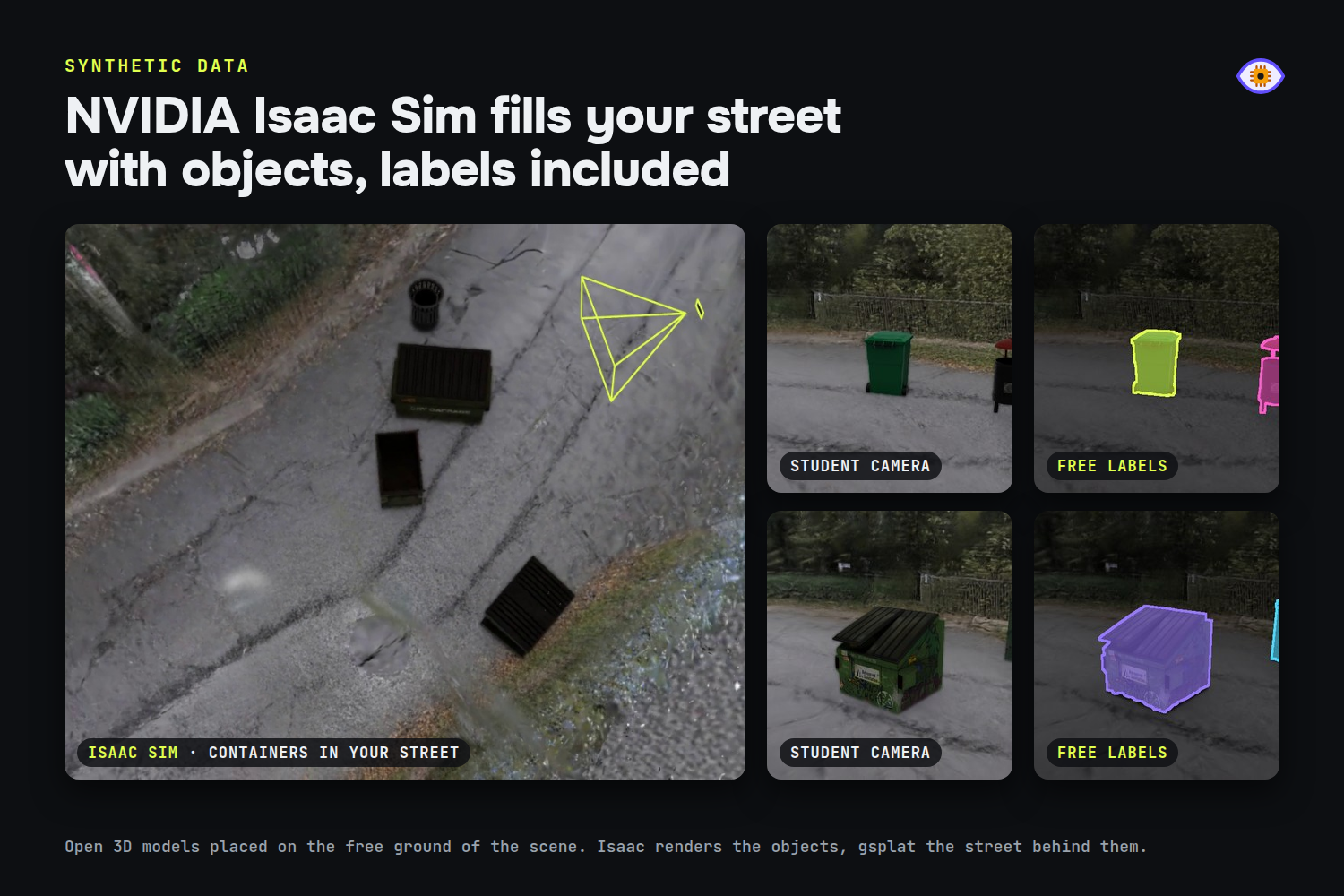
- Synthetic scenes from a single photo. One of your photos becomes a 3D scene of your own place that you can walk through. Open 3D models of your classes are placed on its free ground: NVIDIA Isaac Sim renders the objects, gsplat renders the scene behind them, and every image comes with its labels. Synthetic data completes your photos (new angles, positions and backgrounds); it does not replace them.
- Student training. A small model sized for your hardware (MobileNetV2 or PicoDet-S for the ESP32-CAM, EfficientNetV2-B0 for phones) is trained, quantized to int8 and tested on your held-out real photos.
- Deploy. Flash the ESP32-CAM from the browser over USB, or run the model live on your phone.
- Test and retrain. Try the model live on your phone or on the board, tap the mistakes, add photos of the cases where it fails and retrain with one button. Only the steps that depend on the new photos run again (the synthetic images are reused), and the app shows the accuracy before and after on the same test photos.
How I built it
- Web app (React PWA) and API on a small server; photos go straight from the browser to Nebius Object Storage.
- Nebius Token Factory serves Nemotron for the interview; the app picks a model per role from the live
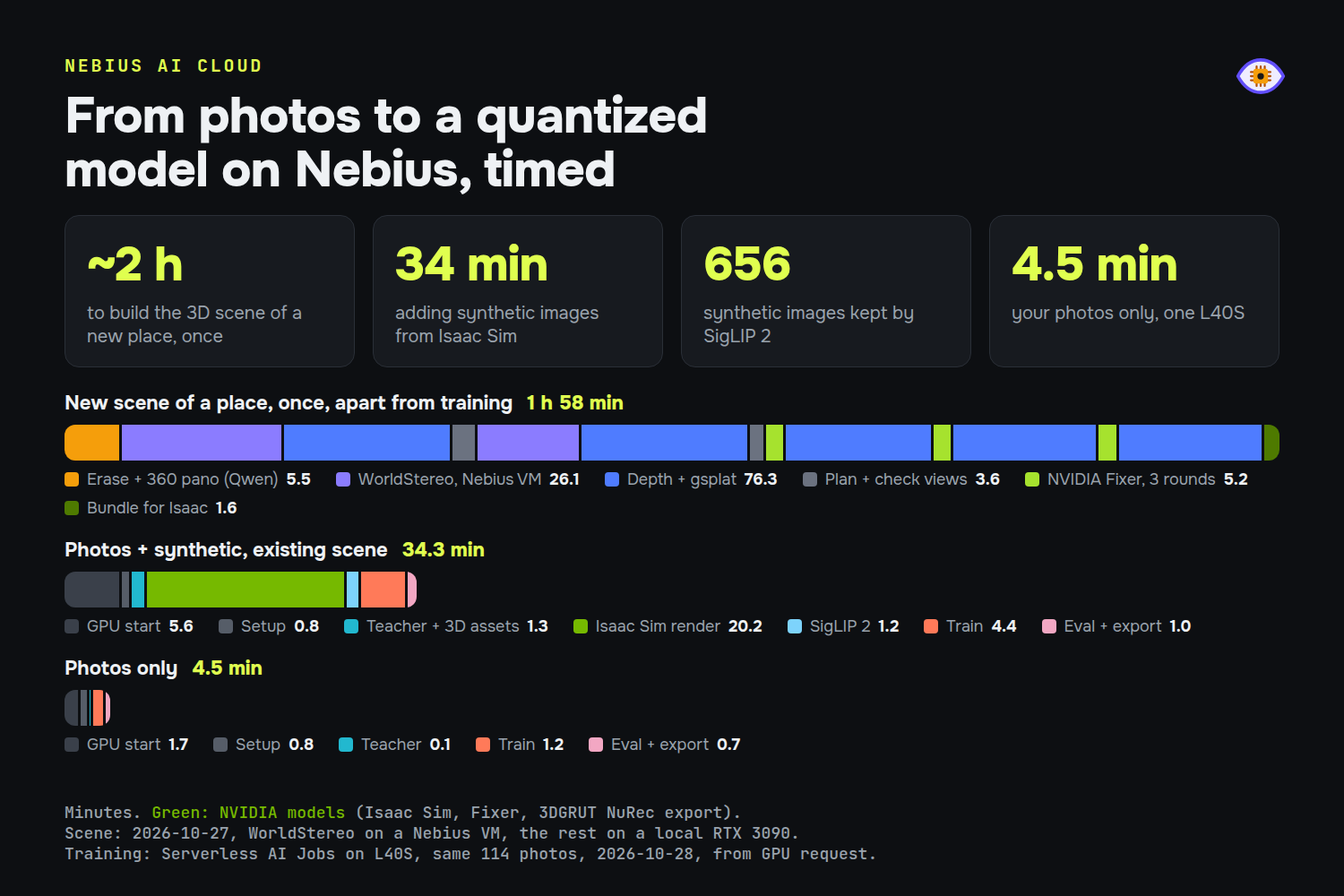
/v1/modelslist and shows the cost of every step. - Nebius Serverless AI Jobs on L40S run each training: teacher labeling, Isaac Sim rendering, training and export, then the GPU shuts down. A warm shared GPU handles short tasks for several users at once.
- The scene job runs apart from training (about 3 hours, about $5 on the VM): Qwen-Image-Edit erases cars and clutter from the photo, Qwen-Edit 360 extends it into a full 360 panorama, WorldStereo generates camera walks on a Nebius RTX PRO 6000 VM, MapAnything recovers the camera poses and geometry, and a Gaussian splat is fit and repaired with NVIDIA Fixer (3DGRUT also exports it as USDZ, to open the scene in Isaac Sim). Scenes contain only the place, so one scene works for any class.
- Every choice of model, recipe and setting comes from a benchmark I can rerun: simulated users for the interview, open datasets (FSC-147, HOPE, MIO-TCD) for teachers and students.
Challenges I ran into
- Synthetic data alone is not enough. In my first test, synthetic images alone reached 54% on real traffic photos. Badly built scenes hurt more than good ones help, so quality control became a required stage.
- 3D assets for anything. About 30% of the open 3D models I fetched were unusable (wrong object, broken mesh, wrong scale), so a vision model checks every asset first.
- Rebuilding a whole street from one photo. This is where I spent the most time, and the biggest challenge of the project: going from any photo to a scene you can walk through, using only open-source models and code licensed for commercial use. My first path tried to rebuild the photo piece by piece: segment every object, turn each one into its own 3D model, erase it from the photo, measure the light and place the objects back one at a time to imitate the original. It worked on a table with a few bottles, but it fell apart on real scenes: stacked objects slid apart, half-hidden boxes came out as open shells, and a street holds far too many objects to place one by one. I dropped it and moved to rebuilding the whole place at once, empty, and placing only the target objects.
- Licenses ruled out some of the best tools. Several models that worked well, or would have, could not ship in a paid product: FLUX.1 Fill (my first panorama model, replaced by Qwen-Edit 360), FlashWorld (a full scene from one photo in about 30 s, CC BY-NC-SA), Lyra 2.0 (NVIDIA internal research license), HunyuanWorld and Voyager (their license excludes the EU), FLUX.2 klein and Gimbal360 panorama LoRAs (non-commercial), Krea 2 (commercial only under $1M revenue), and the mesh reconstruction methods SuGaR, GOF, PGSR and MILo (non-commercial). Others failed on my photos: Matrix-3D blurred and morphed, LingBot-World invented a different street on the way back. In the end I tried meshes, panoramas, 360 spins and many repair methods before landing on WorldStereo walks plus targeted Fixer repairs.
- Cold starts in the cloud. The Isaac Sim image is 13 GB; I moved Python environments and weights to cached bucket kits and a lighter image (92 s to start instead of 226 s).
- Fine distinctions at 96 pixels. On a microcontroller the model is tiny, so the classes have to fit the hardware. The interview sizes them for it.
Accomplishments that I'm proud of
- A complete loop that anyone can run from their phone. A maker, a researcher or a small business can describe what their camera should see, add a few photos and get a model that runs on their own hardware, for a little Nebius GPU time. No labeling team, no GPU of their own and no machine learning background needed, whether it is for a demo, a prototype or a real deployment.
- The full loop runs end to end: a user photo becomes a 3D scene, the scene trains a model, and the model runs on the device.
- Built only on open models with commercial licenses, so whatever people train is theirs to use.
- Private by design: once trained, the model runs on the device, so the images it sees never have to leave it.
- Real, cheap hardware: the same flow targets an ESP32-CAM, flashed from the browser over USB, or the phone in your pocket.
What I learned
- Pick the teacher per task. No single foundation model labels everything well.
- Generalization comes from the architecture, not from per-class tuning: a new object goes through the same spec, teacher, scene and student with no manual tweaks.
- Measure before deciding. Many ideas that looked better (bigger models, more synthetic frames, longer prompts) were worse once measured.
- Synthetic data is best at filling the gaps in your photos, not at multiplying them.
What's next for EyeForge
- More hardware profiles, sized automatically by the interview.
- More tasks beyond classify, count and follow.
- A public library of scenes and 3D models that every user can reuse.

