Inspiration
SilverGuide was inspired by a simple gap we kept seeing: many senior citizens want to use phones, websites, video calls, and AI tools more confidently, but most tech-learning tools feel too fast, too cluttered, or too technical.
At the same time, seniors are disproportionately targeted by scams, fake popups, phishing texts, and social engineering. We wanted to build something a senior center could realistically use right away: not a flashy demo, not a toy chatbot, but a calm and practical teaching tool.
That led us to build SilverGuide: a senior-friendly interactive web coach for everyday technology skills, scam detection, and safe AI use.
What it does
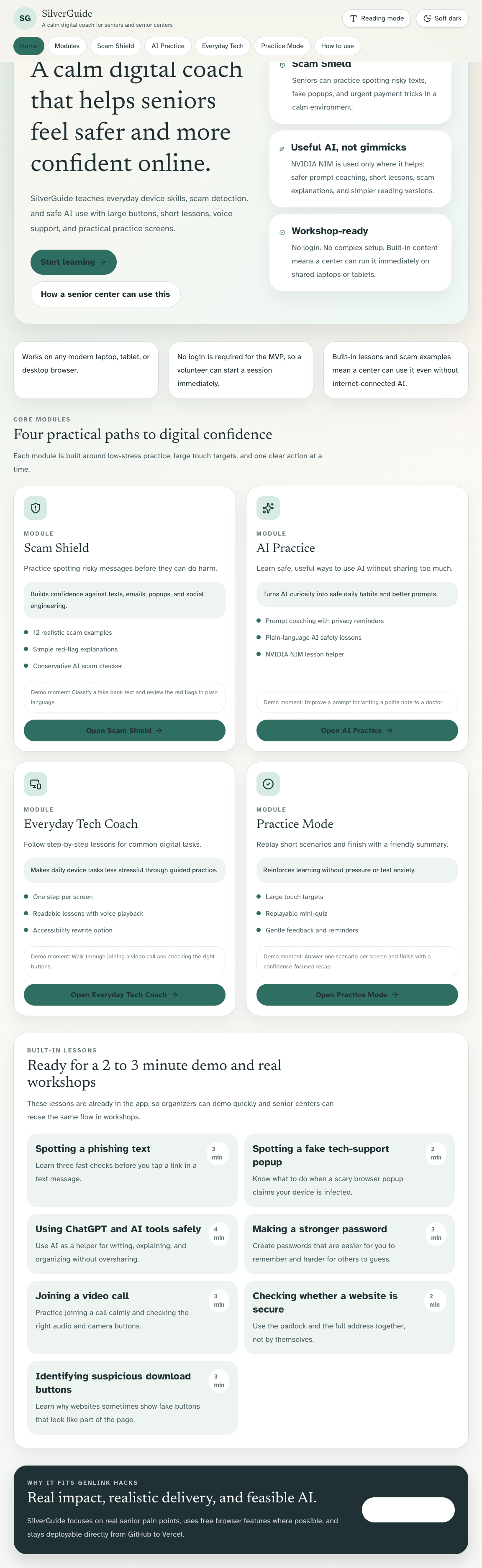
SilverGuide helps older adults practice real digital skills through four simple modules:
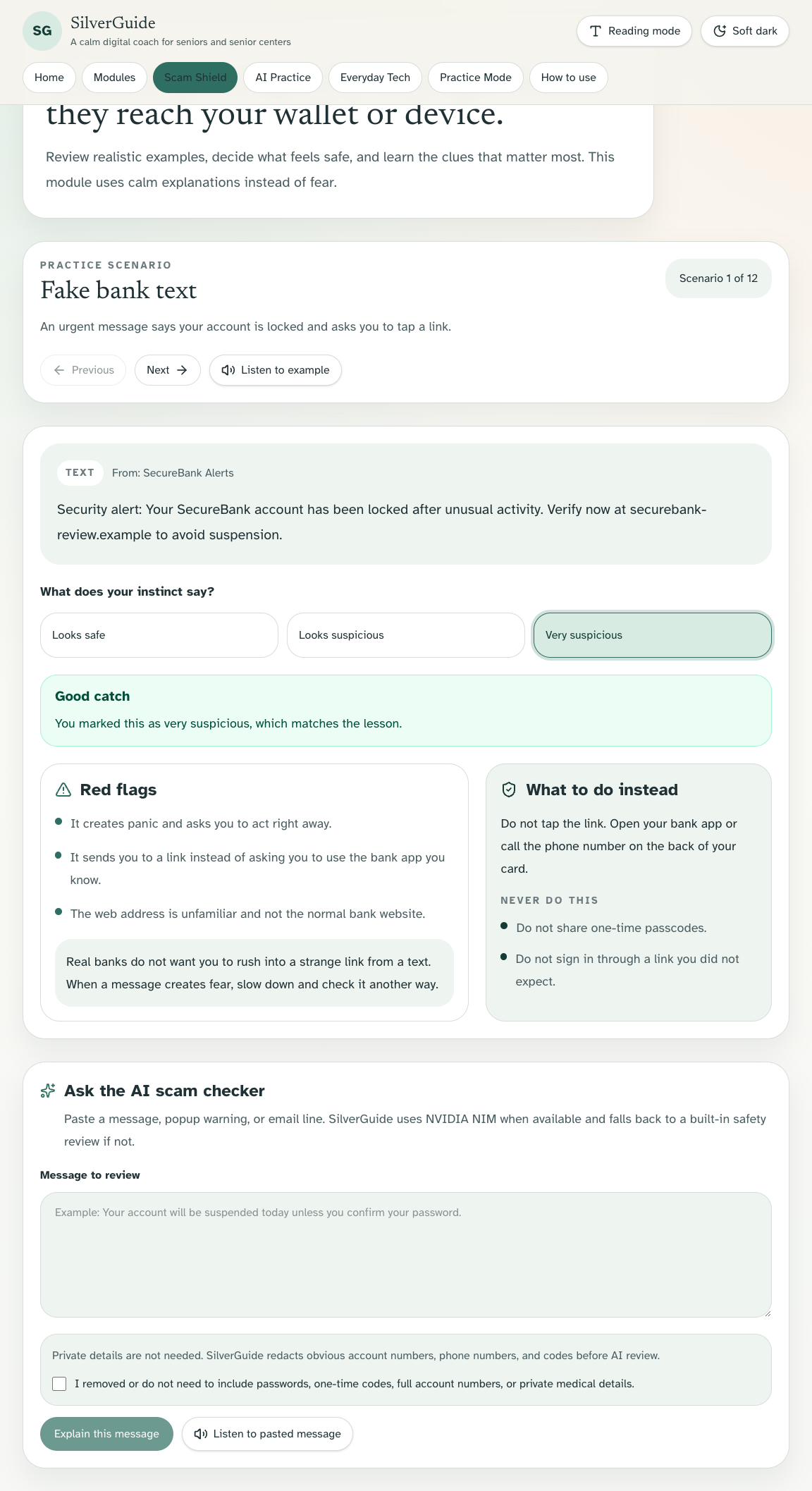
- Scam Shield: realistic scam texts, emails, popups, and suspicious messages with plain-language red flags
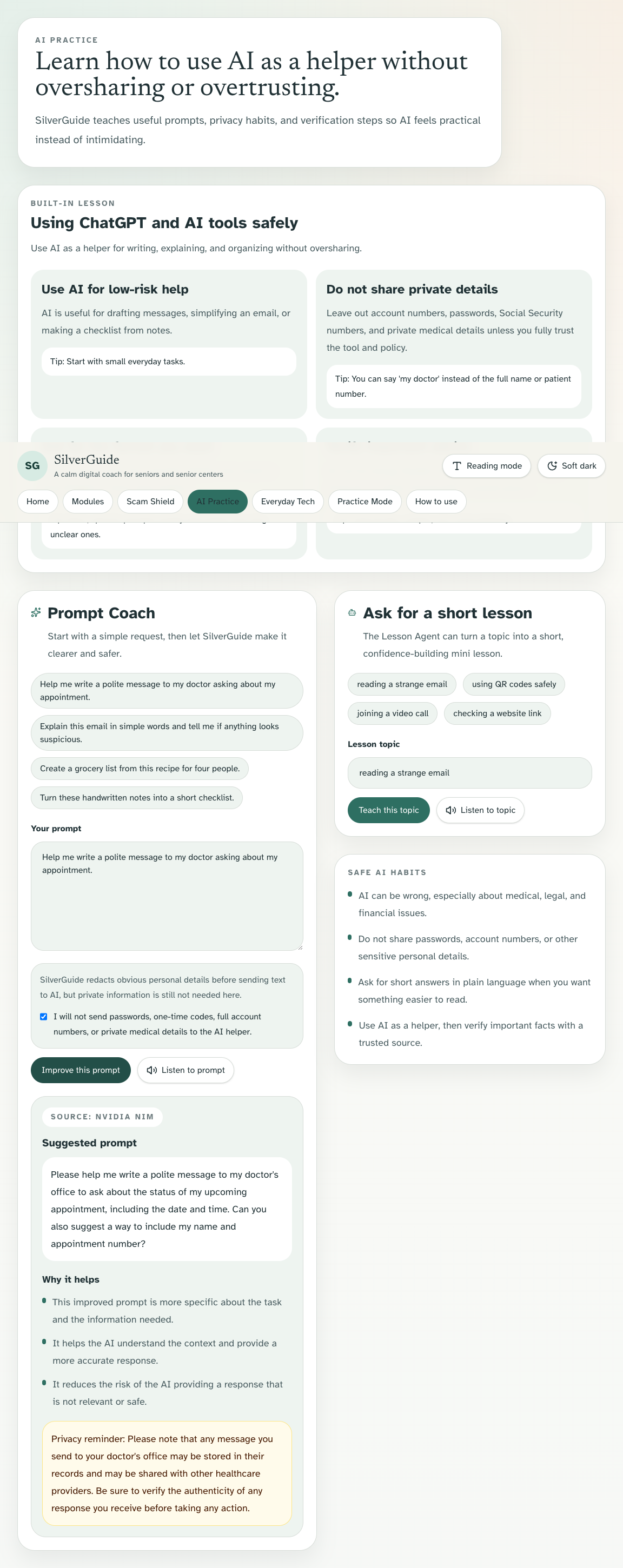
- AI Practice: safe ways to use AI for real life, like writing a message to a doctor or simplifying an email
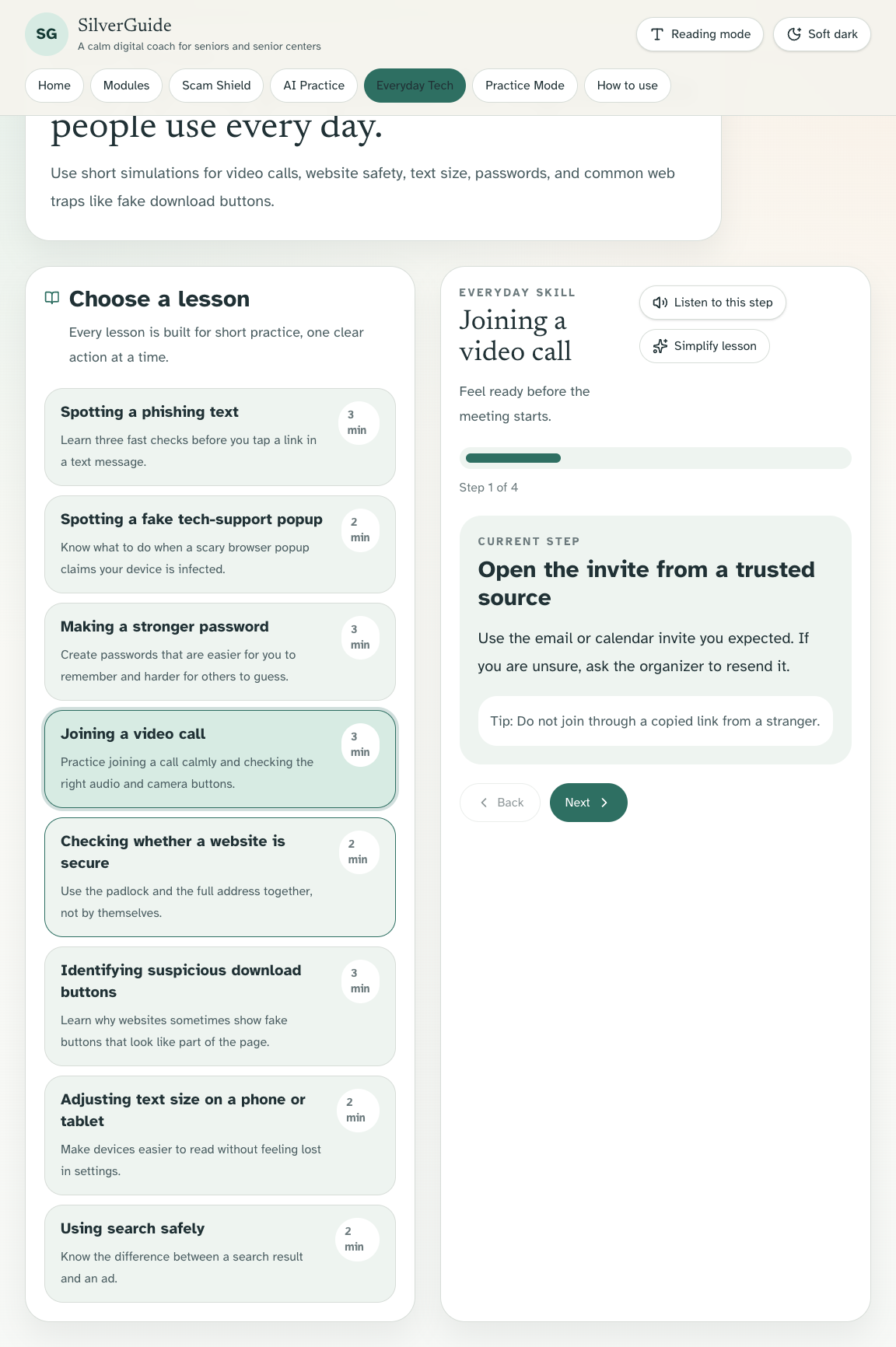
- Everyday Tech Coach: step-by-step lessons for tasks like joining a video call, checking whether a website is secure, and spotting fake download buttons
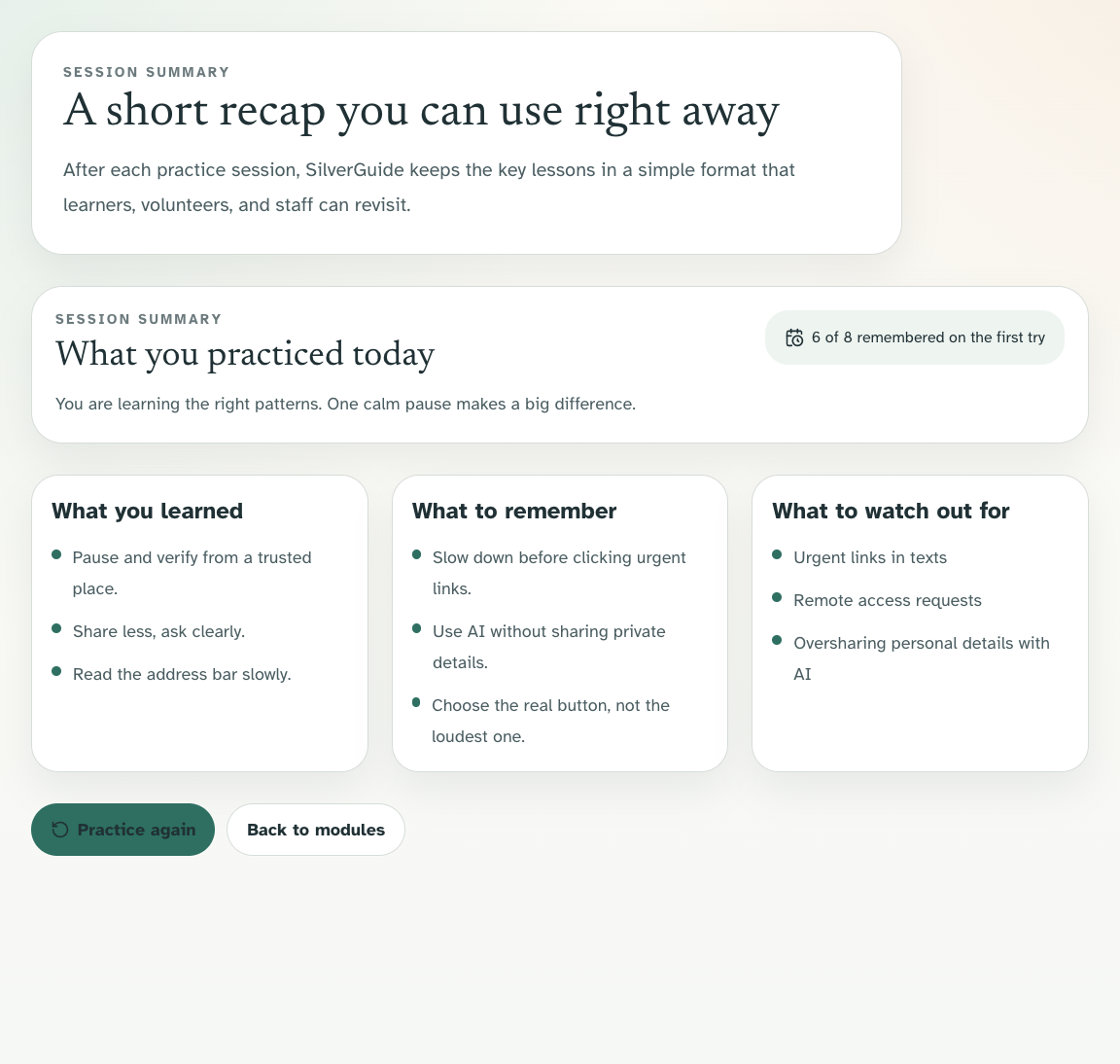
- Practice Mode: one-question-per-screen scenarios with gentle feedback and a friendly session summary
The product is designed specifically for low-confidence users:
- large buttons
- readable text
- clear spacing
- one primary action per screen
- optional voice playback
- no login required for the MVP ## How we built it We built SilverGuide as a Next.js + React web app with a senior-friendly interface using Tailwind CSS and Lucide icons, then deployed it on Vercel through GitHub.
For AI features, we used NVIDIA NIM only where it clearly added value:
- a Lesson Agent for short, plain-language mini-lessons
- a Scam Explanation Agent for structured scam analysis
- an AI Prompt Coach Agent to help seniors write safer, clearer prompts
- an Accessibility Agent to simplify reading level and support large-text learning
We also built strong fallback behavior so the app still works even if AI is unavailable. Built-in lessons, scam examples, and practice scenarios are included in the repo, which makes the product much more feasible for real senior center use.
Challenges we ran into
One of the biggest challenges was making the app feel genuinely useful for seniors instead of accidentally becoming another overcomplicated “AI demo.”
We had to keep asking: Would a senior center realistically use this? That forced us to simplify constantly:
- reducing clutter
- shortening lesson flows
- making every screen understandable within a few seconds
- using AI as support, not as the entire product
We also worked through technical challenges around:
- reliable NVIDIA NIM response handling
- graceful fallback behavior when AI is unavailable
- safe redaction and privacy guardrails before sending user text to AI
- accessibility improvements like reading-mode support, keyboard access, and voice narration
- browser-side stability and deployment hardening for a production-ready demo ## Accomplishments that we're proud of We are proud that SilverGuide is:
- directly aligned with senior citizen impact
- feasible for immediate use in a senior center
- simple enough for a 2 to 3 minute demo while still feeling real
- built with practical AI instead of gimmicky AI
- deployable from GitHub with no complex setup
- useful even when AI services are down ## What we learned We learned that designing for accessibility is not just about compliance. It changes product decisions at every level: wording, pacing, layout, button size, feedback tone, and error handling.
We also learned that the best hackathon AI use is often the least flashy. In SilverGuide, AI works best when it quietly improves clarity, safety, and accessibility rather than trying to replace the entire learning experience.
Most importantly, we learned that technology literacy for seniors is not just a usability problem. It is also a confidence problem. A calm, respectful interface can make a real difference.
What's next for SilverGuide
Next steps for SilverGuide would include:
- multilingual lessons and narration
- facilitator mode for volunteers and senior center staff
- printable take-home handouts after each workshop
- more region-specific scam examples
- optional analytics for workshop organizers without collecting sensitive learner data
SilverGuide was built to help older adults feel safer, more capable, and more confident using technology in everyday life.

Log in or sign up for Devpost to join the conversation.