-
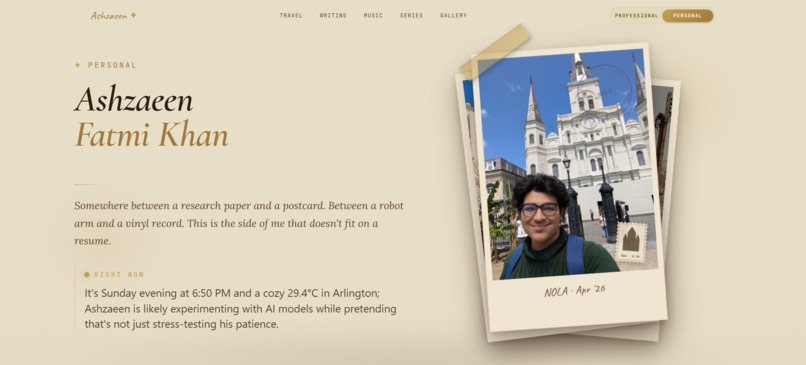
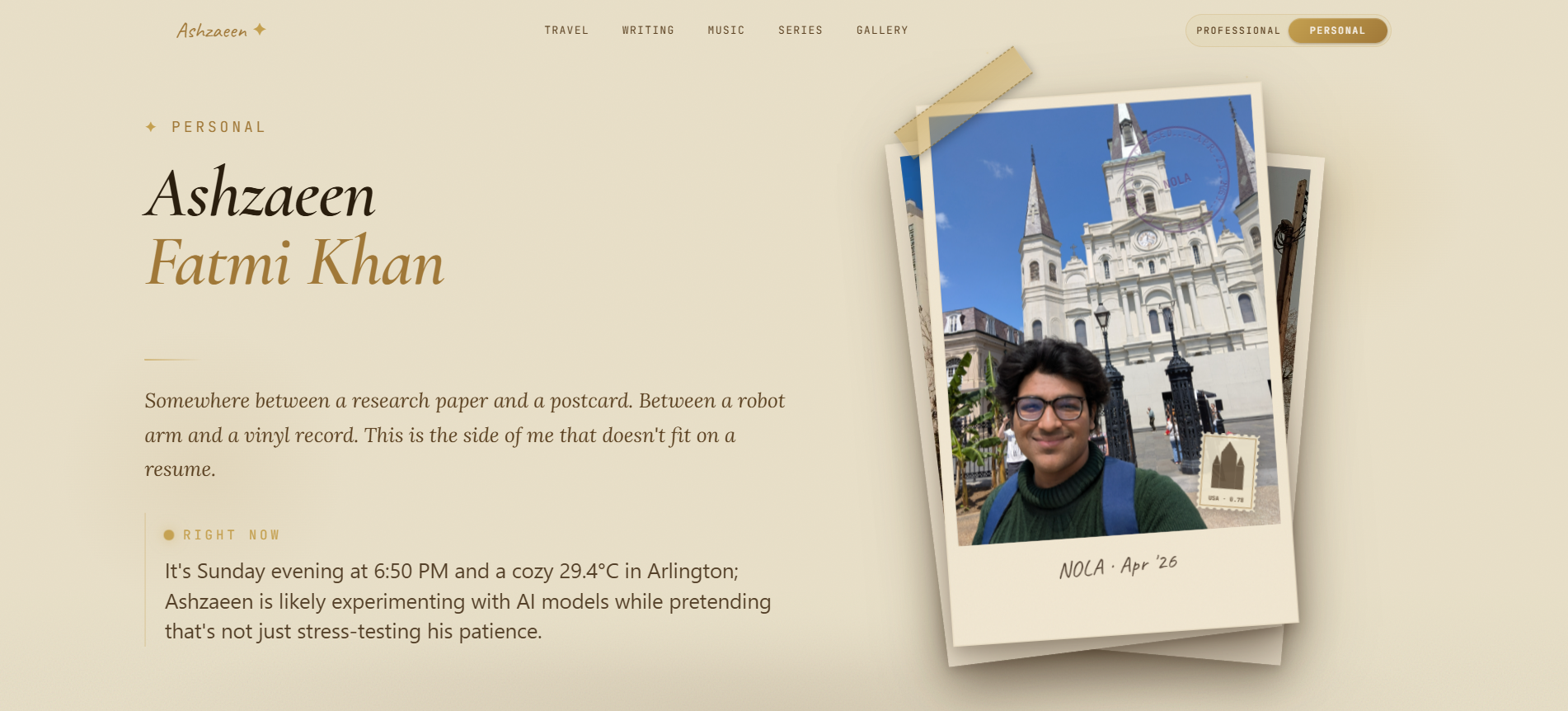
Personal Side Hero
-
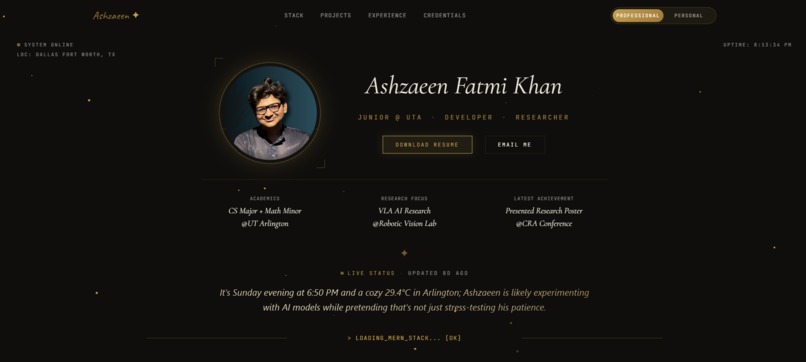
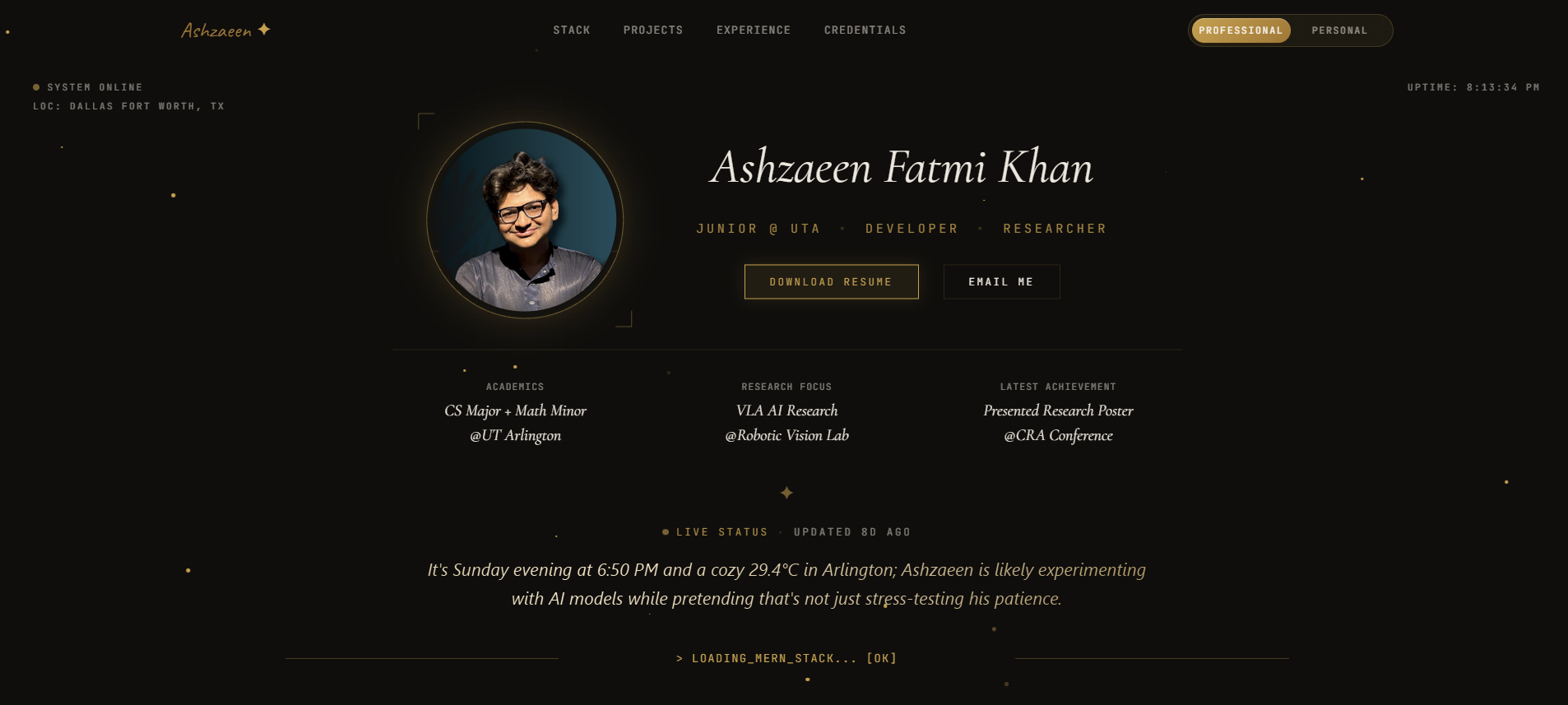
Landing Page / Professional Side Hero
-
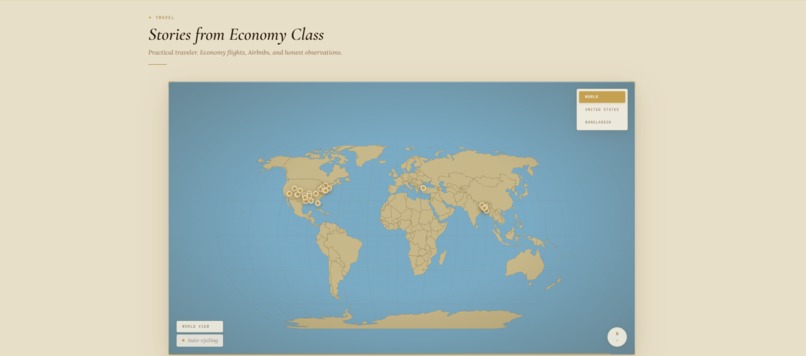
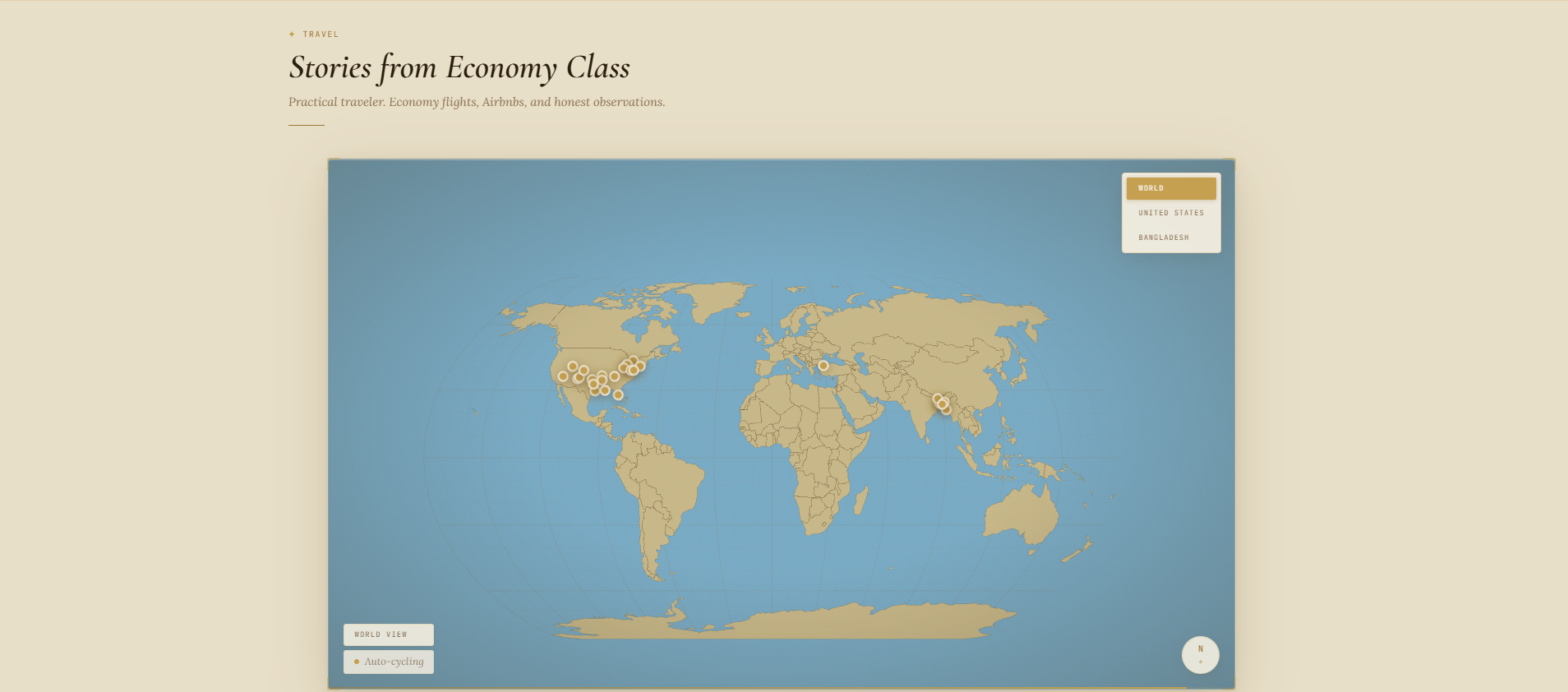
Travel
-
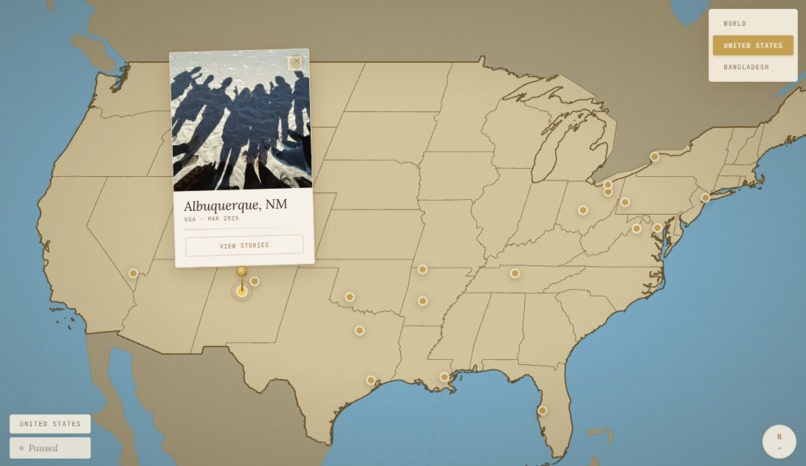
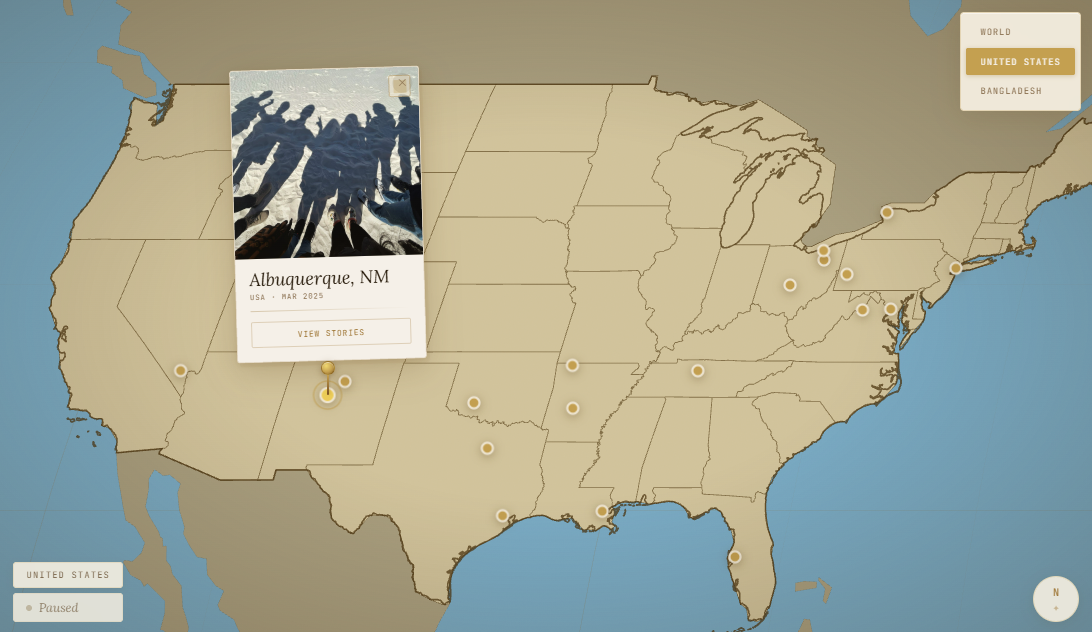
Travel - Postcard Pinned
-
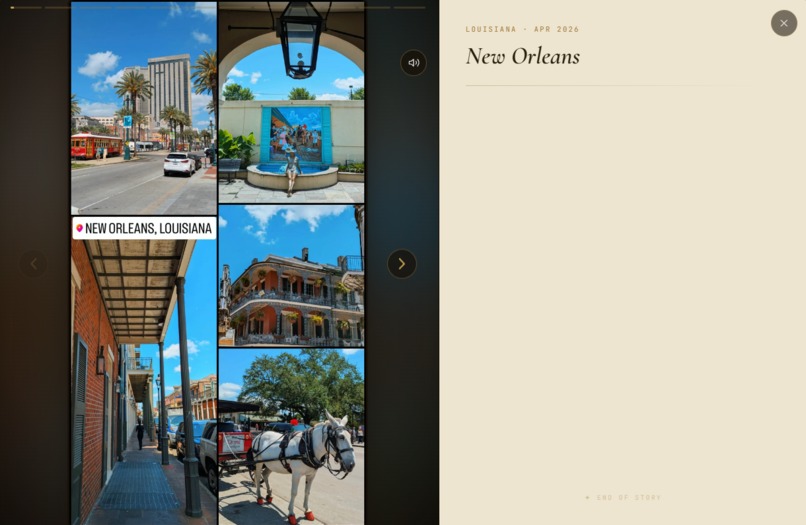
Travel - Story Modal Opened
-
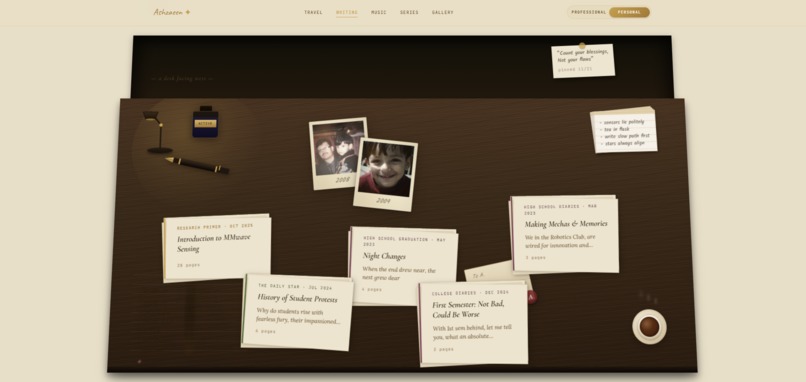
Writing
-
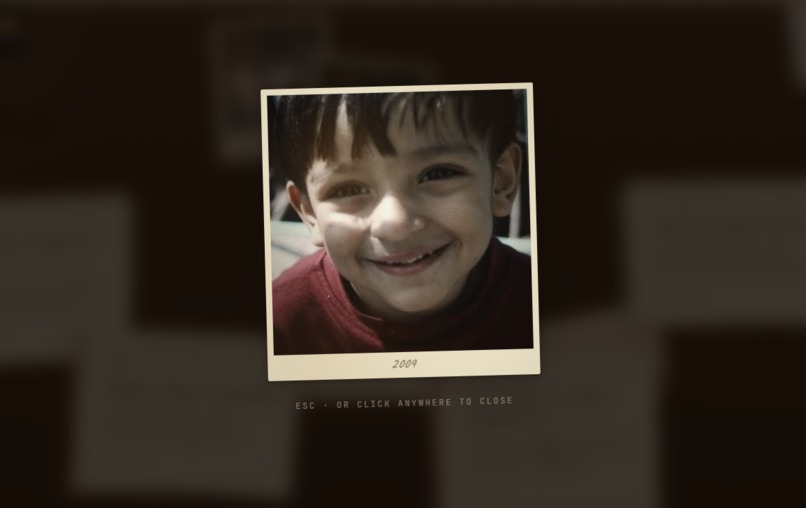
Writing - Polaroid Opened
-
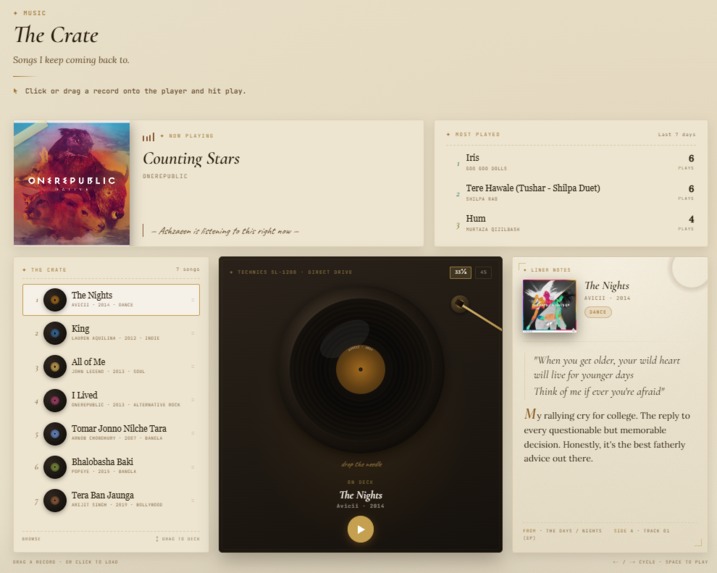
Music
-
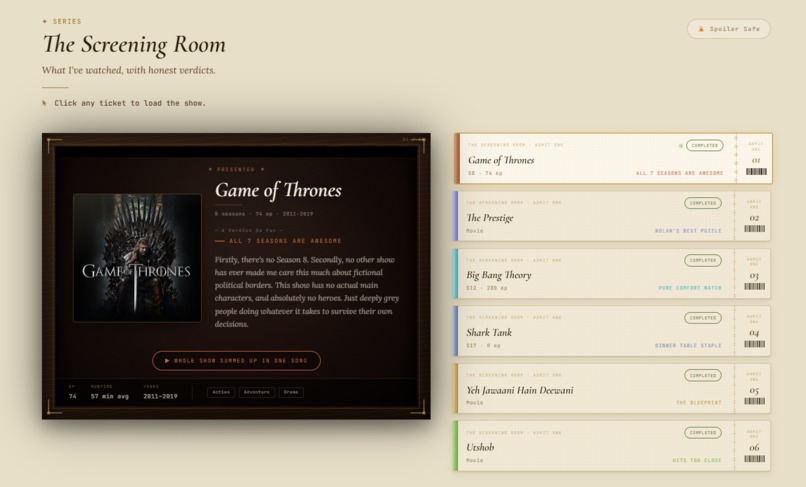
Series
-
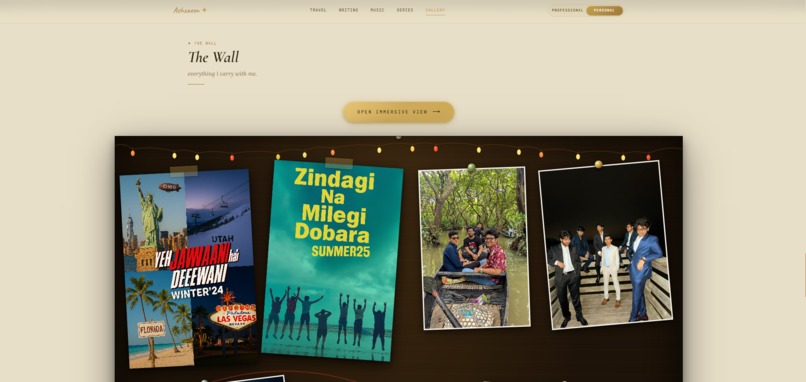
Gallery
-
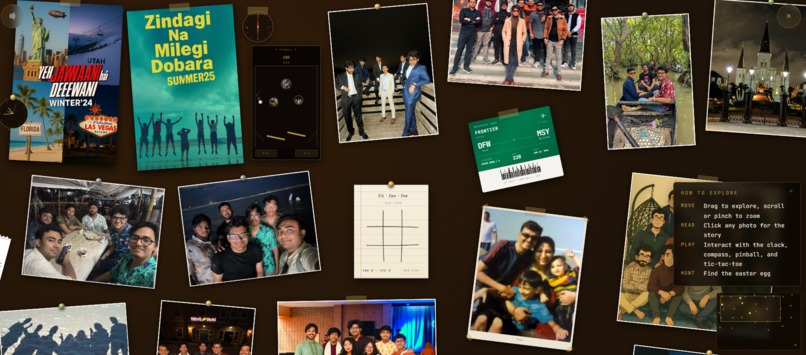
Gallery - Immersive View
-
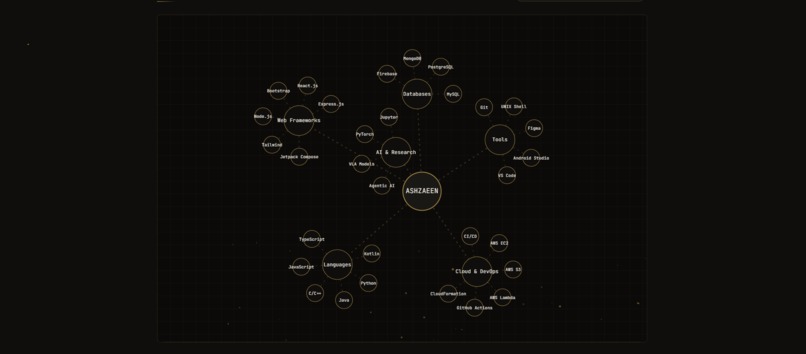
Tech Stack
-
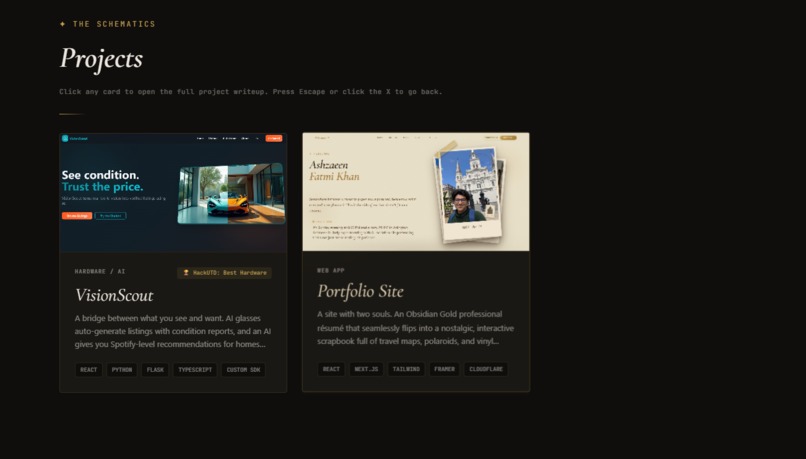
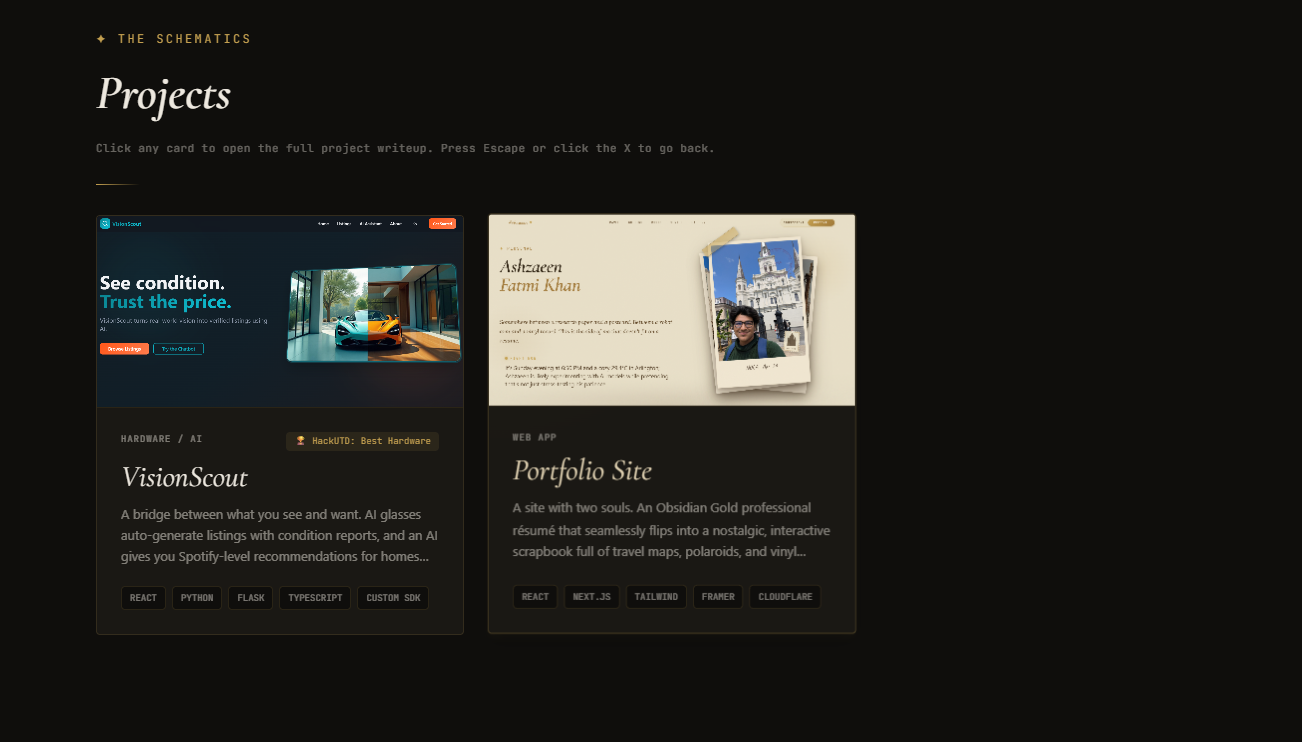
Projects
-
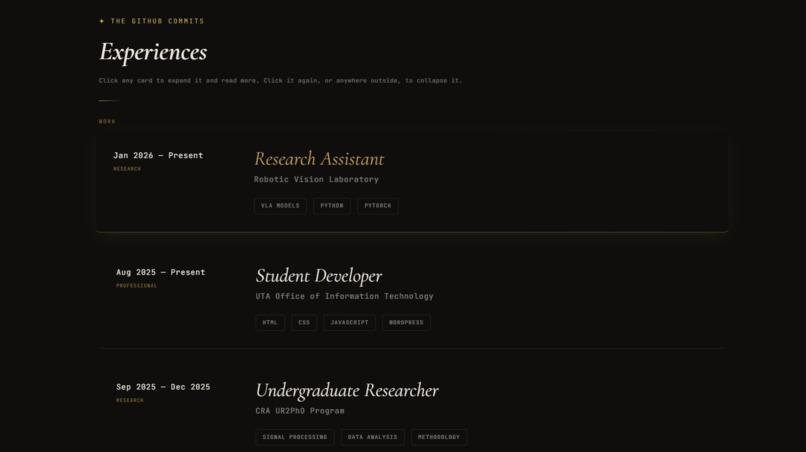
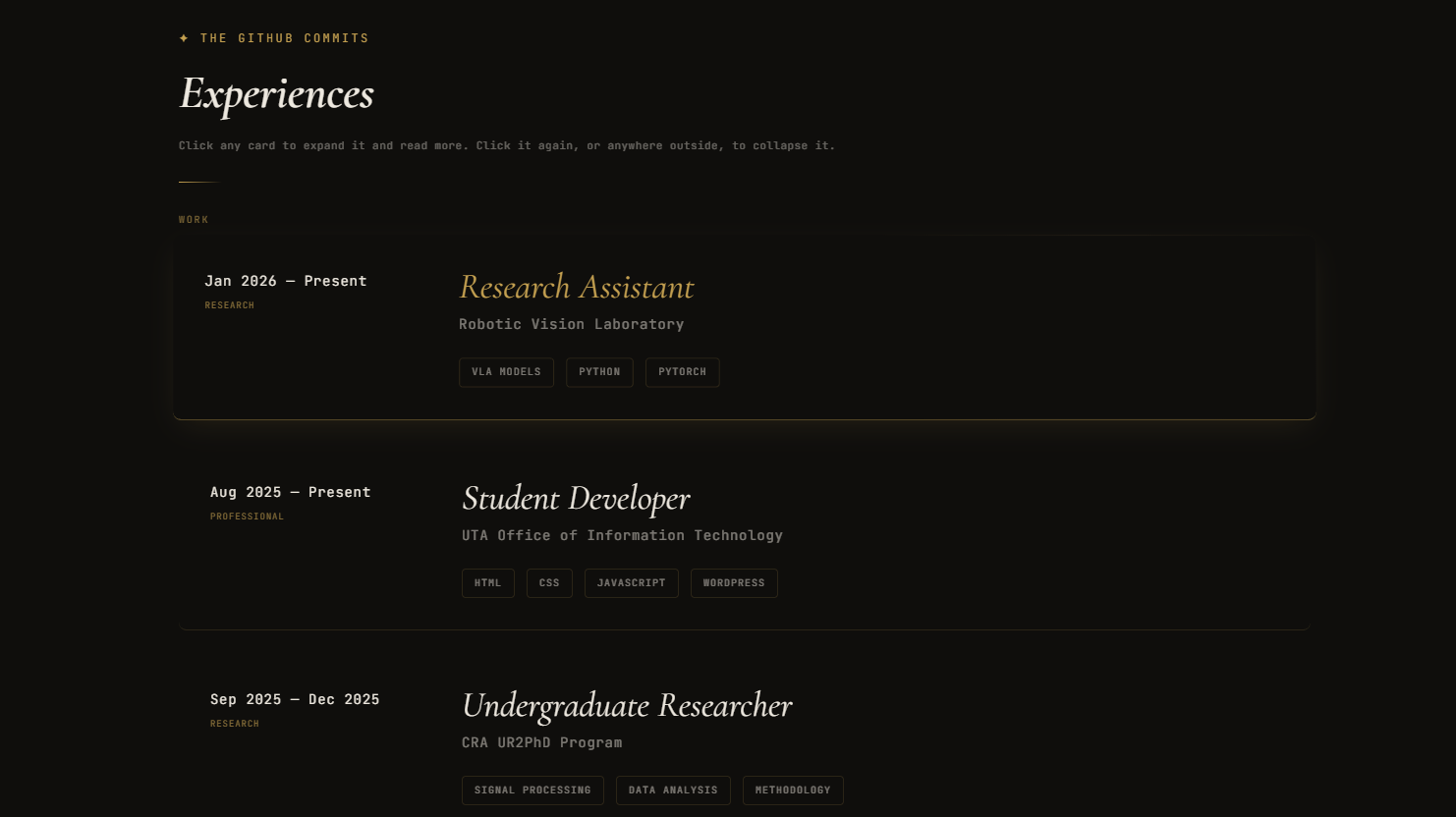
Experiences
-
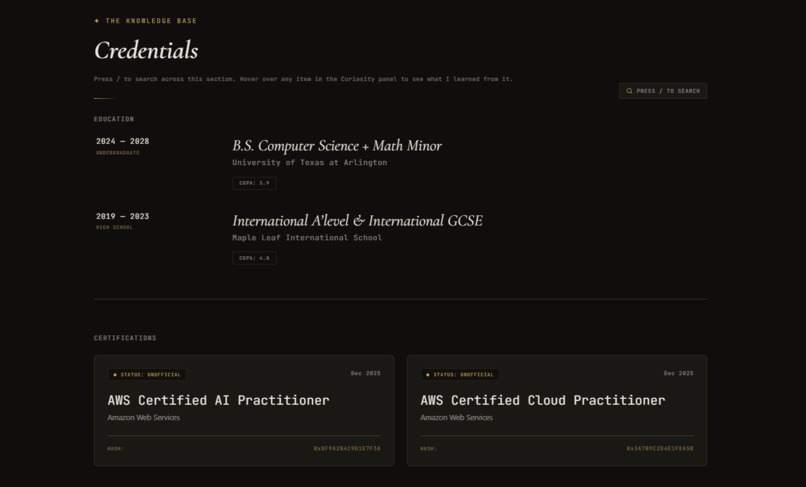
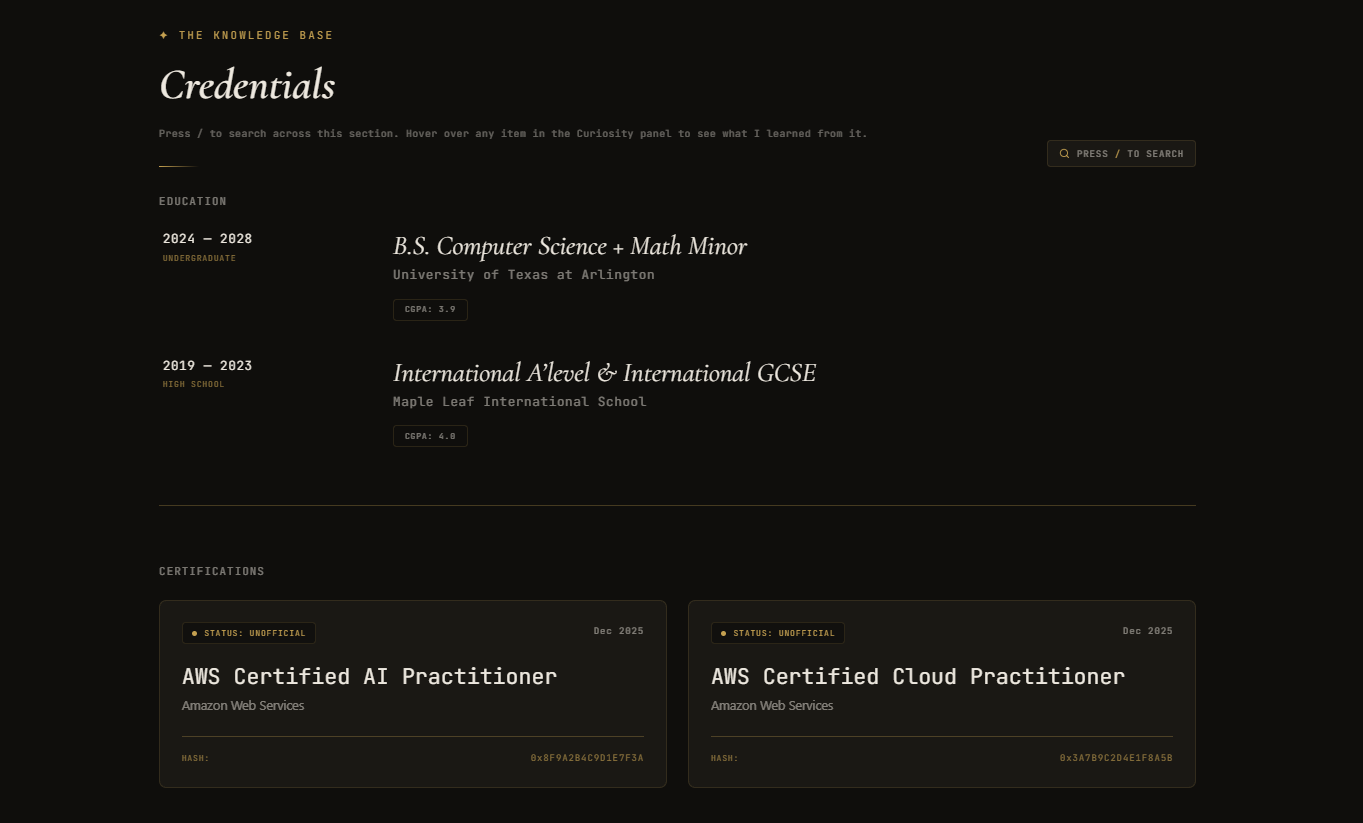
Credentials
-
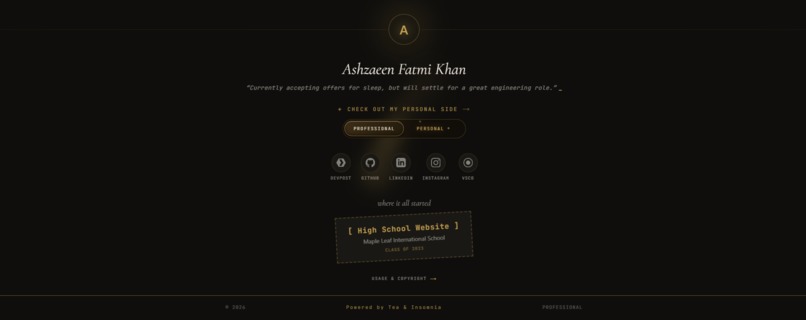
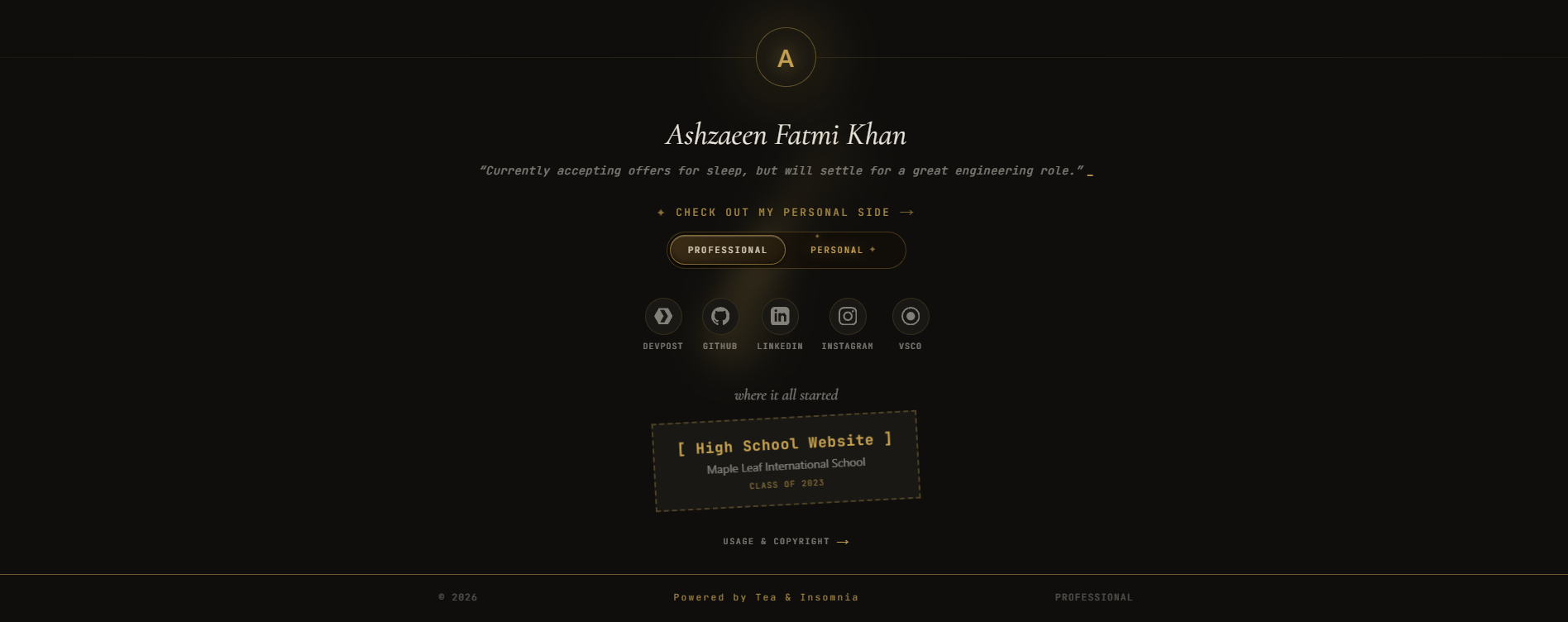
Professional Side Footer
Inspiration
Most portfolios force you to pick a lane: are you polished-and-corporate, or playful-and-personal? I completely refused to choose, but I also knew I had to respect my audience.
The core design philosophy was built around a harsh truth: recruiters and hiring managers are in a rush. They don't have time to play a web based video game just to find out if I know Python or React. The professional side had to be blazing fast, dead simple to navigate, and immediately scannable. All the content needed to be right there, zero friction.
But for the personal side, I threw the rules out the window. I leaned heavily into tactile, skeuomorphic, and nostalgic aesthetics—using physical metaphors like travel maps, vintage desk, vinyl records, and corkboards. I wanted every button and interaction to be meticulously crafted. I actually baked in subtle, indirect nudges throughout the professional side to tempt visitors to toggle over to the personal side. Once they get there, it’s a sandbox.
What it does
That’s how this site was born: two complete experiences sharing one codebase, stitched together by a single gold thread (#c4a050).
Professional Mode
Designed for speed and clarity. No fluff, just facts.
- Hero Section: Features a live "right now" status line. Since I'm limited to one Vercel Cron job a day, I had to get creative. Every morning, the system feeds my schedule and local weather (from Open Meteo) to GPT, which generates 6-10 status updates for the entire day. These are cached in Notion, letting the site rotate fresh, context-aware statuses every few hours without triggering new API calls or slowing down the page.
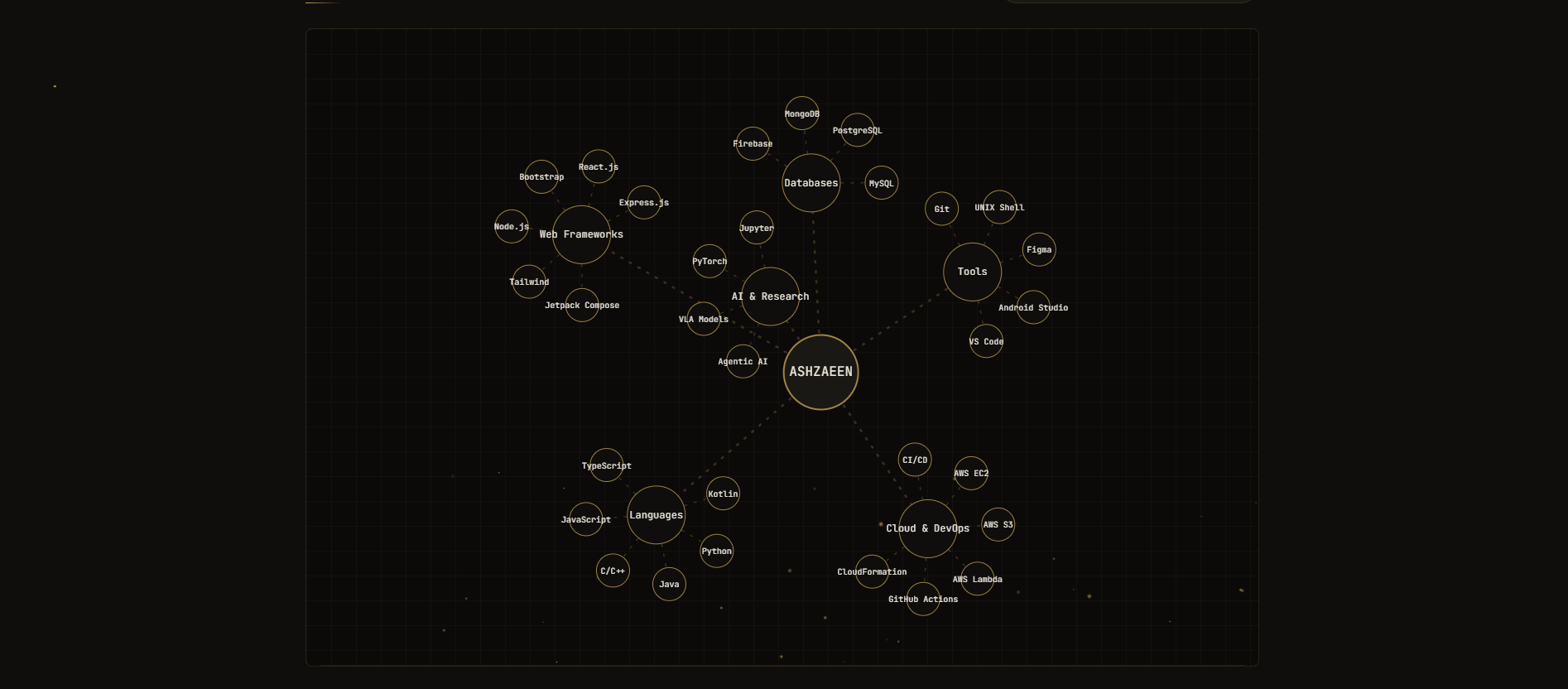
- Tech Stack: Built with the rushed recruiter in mind, this section offers three distinct toggles. A physics-based Graph view and a structured Architecture view, both rendered with D3.js as a live force-simulation of interactive, draggable nodes (charge, link, and centering forces holding the layout together). Along with this, there's a simple List view so a hiring manager can verify my MERN, Python, or Java experience in exactly three seconds.
- Projects & Experiences: Devpost inspired case studies with deep dives into the architecture, challenges, and code behind what I've built. They open via App-Router intercepting routes for seamless modal overlays that share URLs perfectly (click → modal; refresh → full page; both shareable). The case-study bodies are authored entirely in Notion and rendered through a custom block engine that handles headings, tables, quotes, copy-able code blocks, lightbox images, and file/link buttons.
- Credentials: A holistic look at my learning - covering my university education, official certifications, extra coursework, and even the self taught skills from YouTube.
Personal Mode
A playground of physical metaphors.
- The Hero: A stack of develop-in polaroids that open into a swipe-able photo carousel.
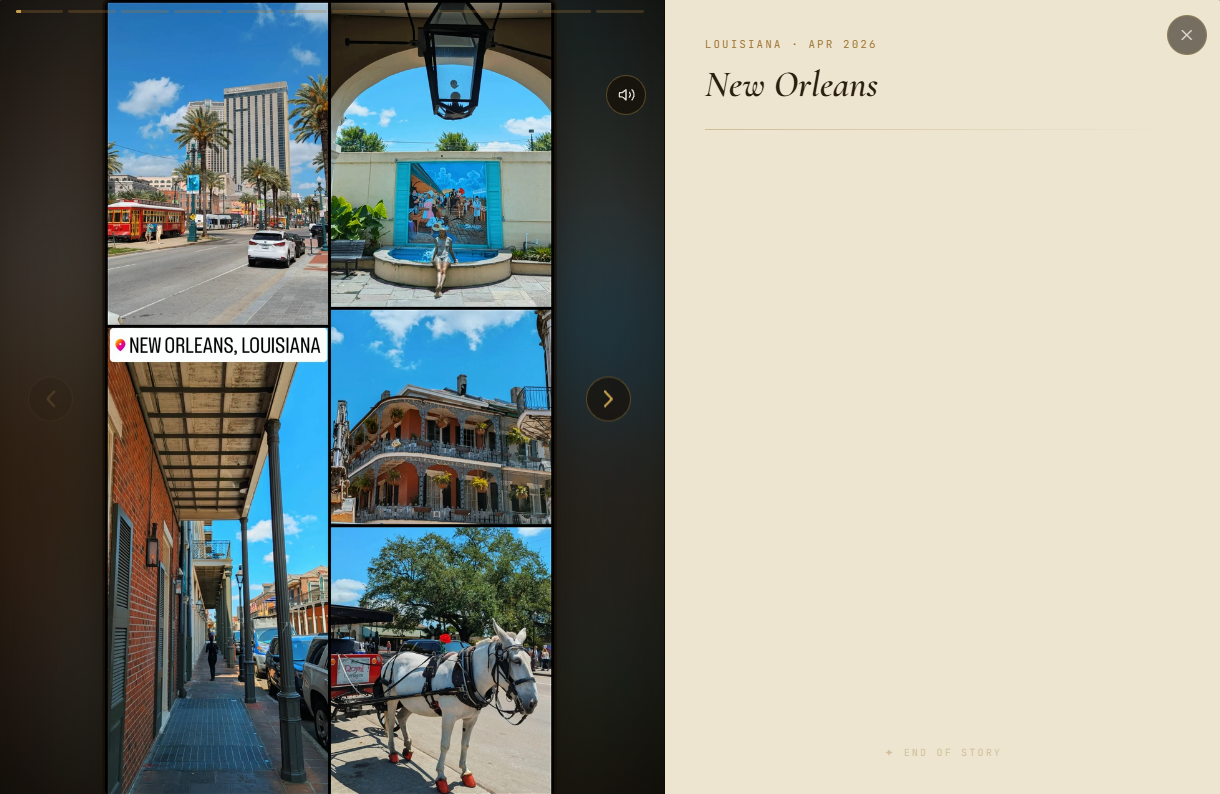
- Stories from Economy Class (Travel): A D3 + topojson world map populated with pinned postcards. It slowly auto-pans and zooms between regions on its own (hover or tap to pause and lock a pin), with markers plotted from real latitude/longitude coordinates that the content pipeline geocodes automatically. Each story opens through an intercepting route as a stacked, shareable modal, with actual video stories pulled from Cloudflare CDN and writings pulled from Notion. At the end, there’s a "field journal" book which collects every stop.
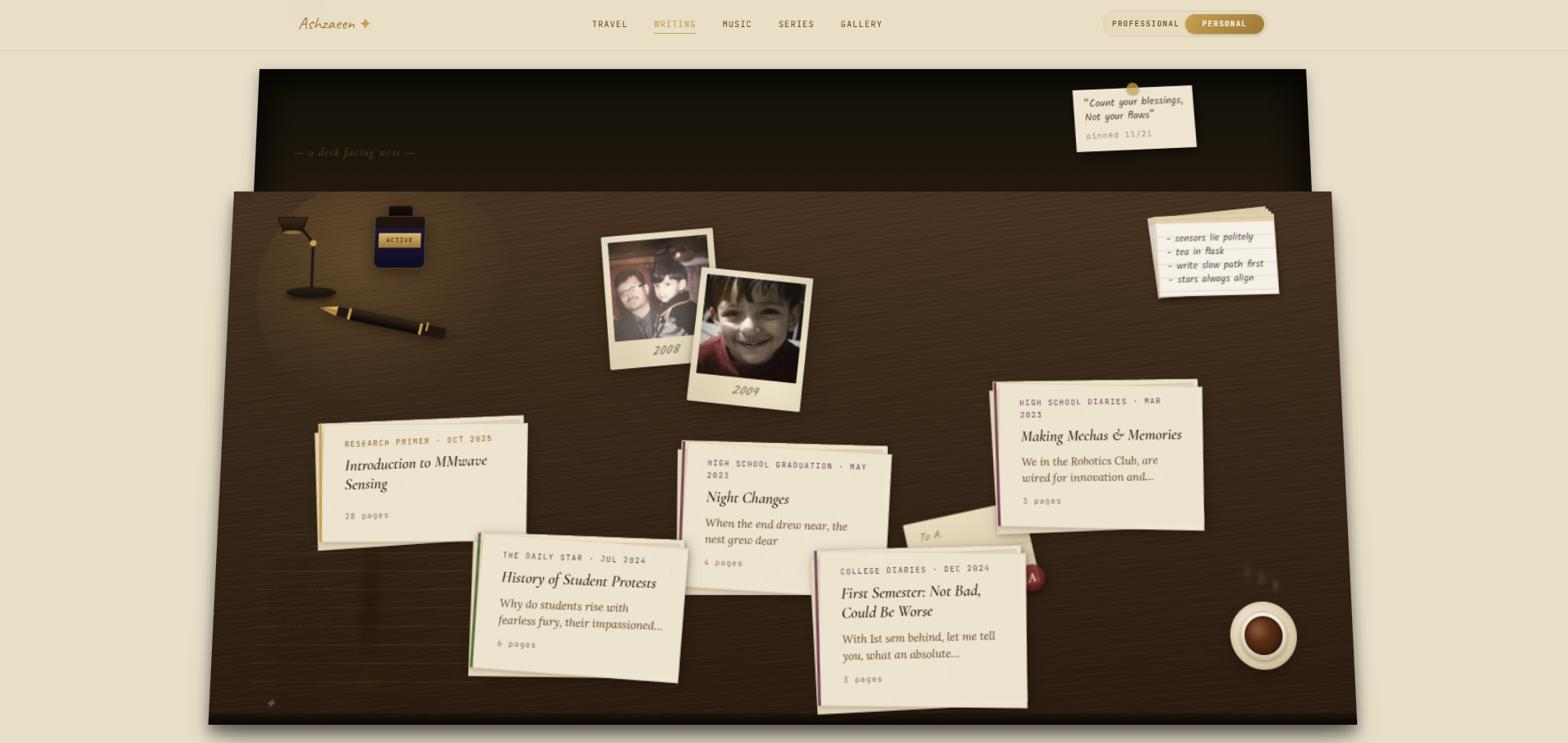
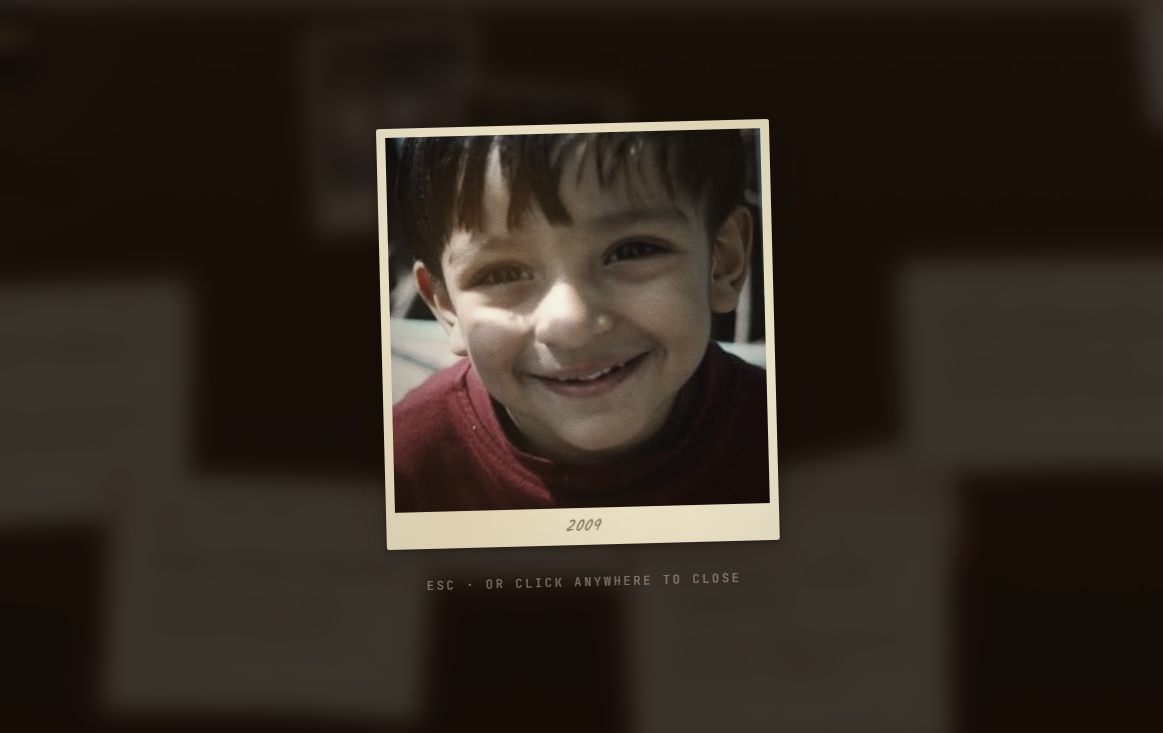
- The Desk (Writing): An interactive desk where you can flick the lamp, drain a cup of tea, lift polaroids, and pick up scattered papers to read my full written pieces. The polaroids overlap, are rotated, and live in a 3D-transformed scene, so I drive hover detection with real pointer geometry (
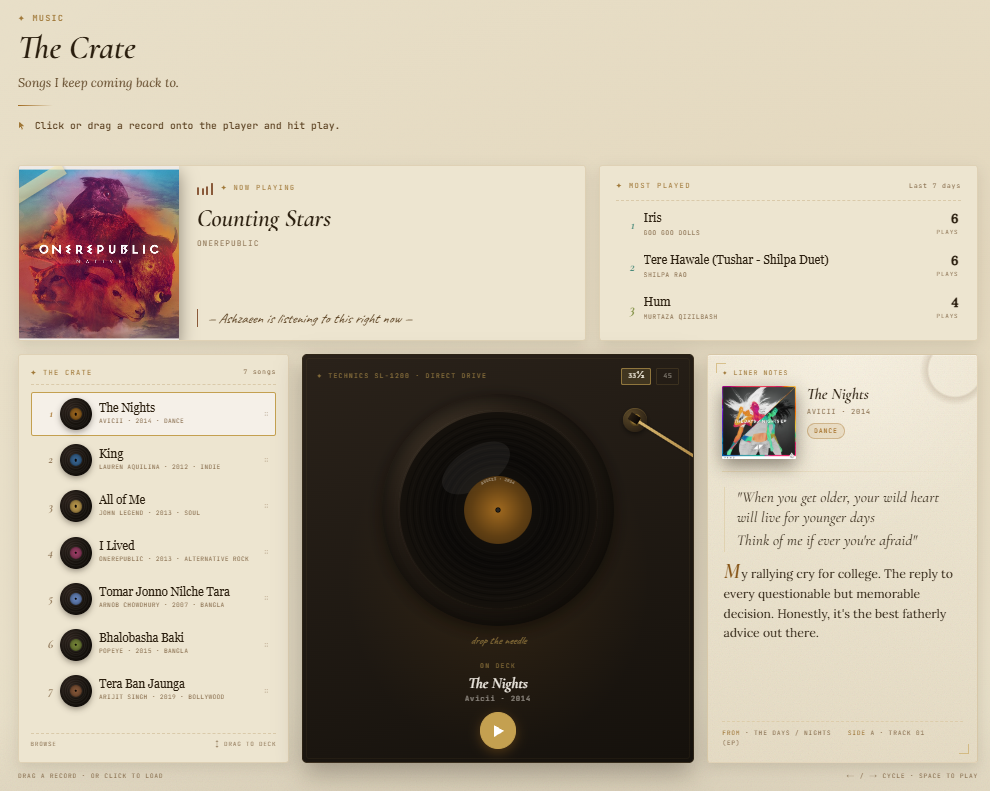
elementsFromPoint) instead of naive hit-boxes…whatever pixel is actually under your cursor is what lifts. Picking up a paper opens a reader that renders the piece from Notion blocks, drop cap and image lightbox included. - The Crate (Music): A fully working, Technics-style turntable. You physically drag a record onto the deck, drop the needle, and play music via the YouTube IFrame API. The trick that makes it feel real: the moment you pick a record, the track is silently buffered in the background (muted, then parked paused), so hitting play is *instant…*no loading lag! It features a 33⅓/45 speed switch with a swinging tonearm, liner notes pulled from Notion, and a live Last.fm panel showing what I'm currently listening to and my top 3 most played songs.
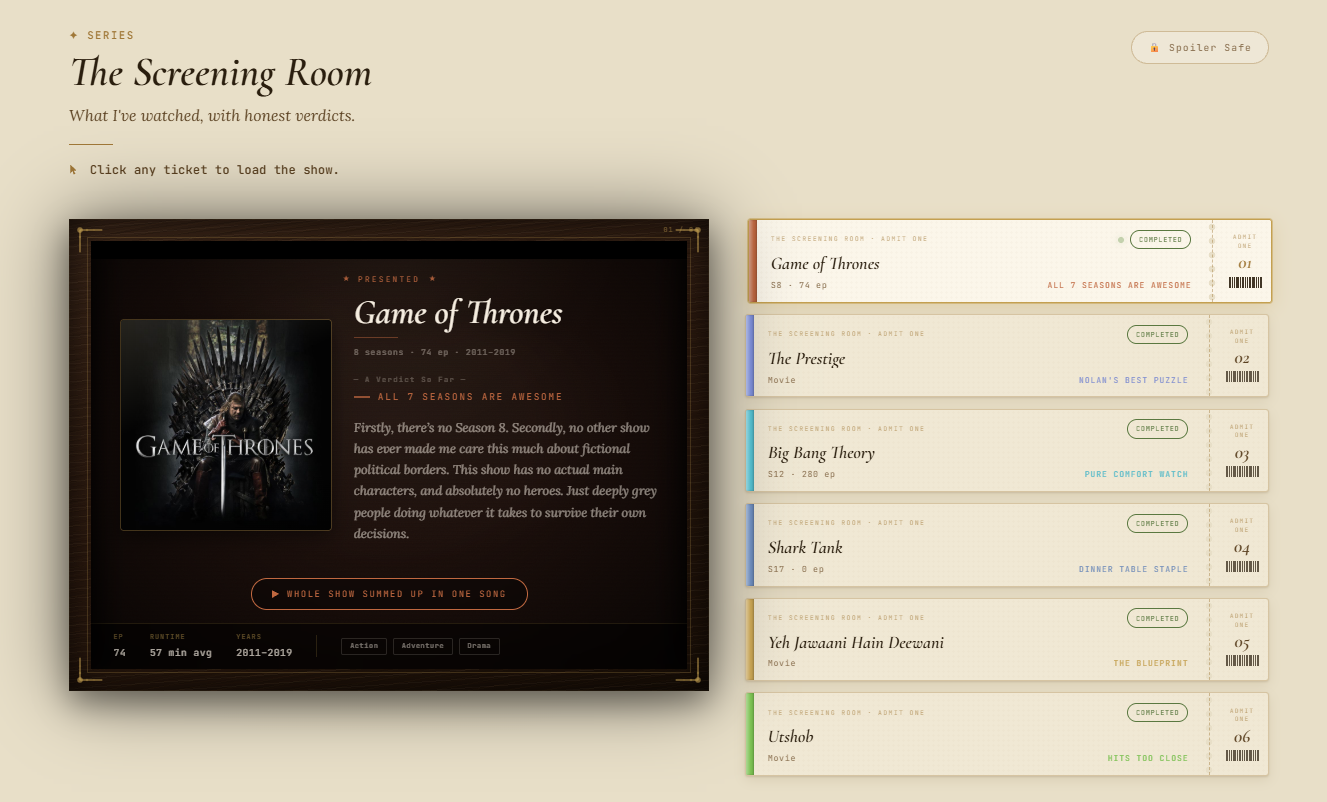
- The Screening Room (Series): A cinema projector with velvet-curtain transitions between titles, ticket-stub navigation, and a spoiler-safe blur toggle for hot takes. The genuinely fun part is automated: drop a show's name in Notion and the pipeline pulls episode/runtime metadata from OMDb, then asks GPT-4o-mini vision to look at the poster and derive a matching background + accent color palette for that show's card.
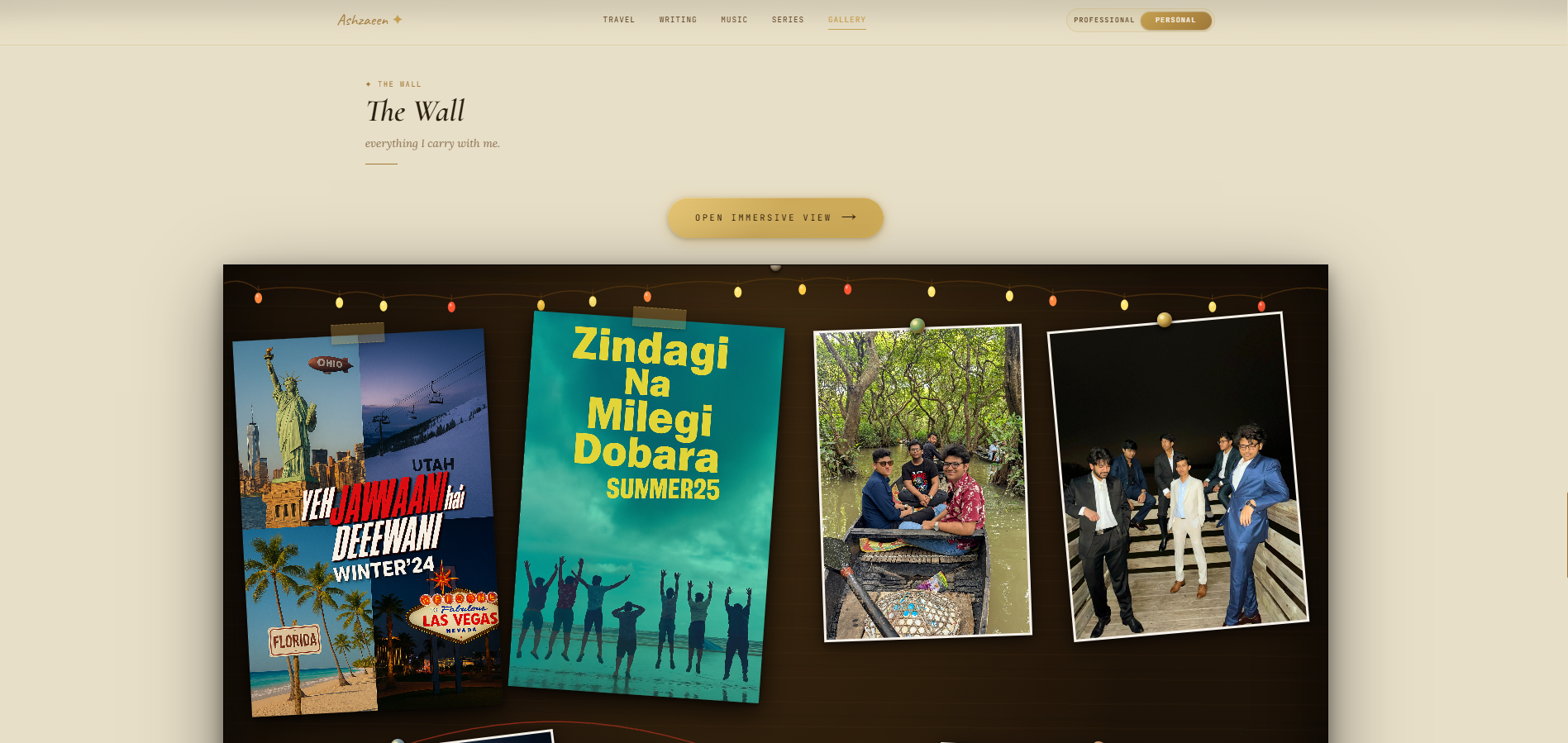
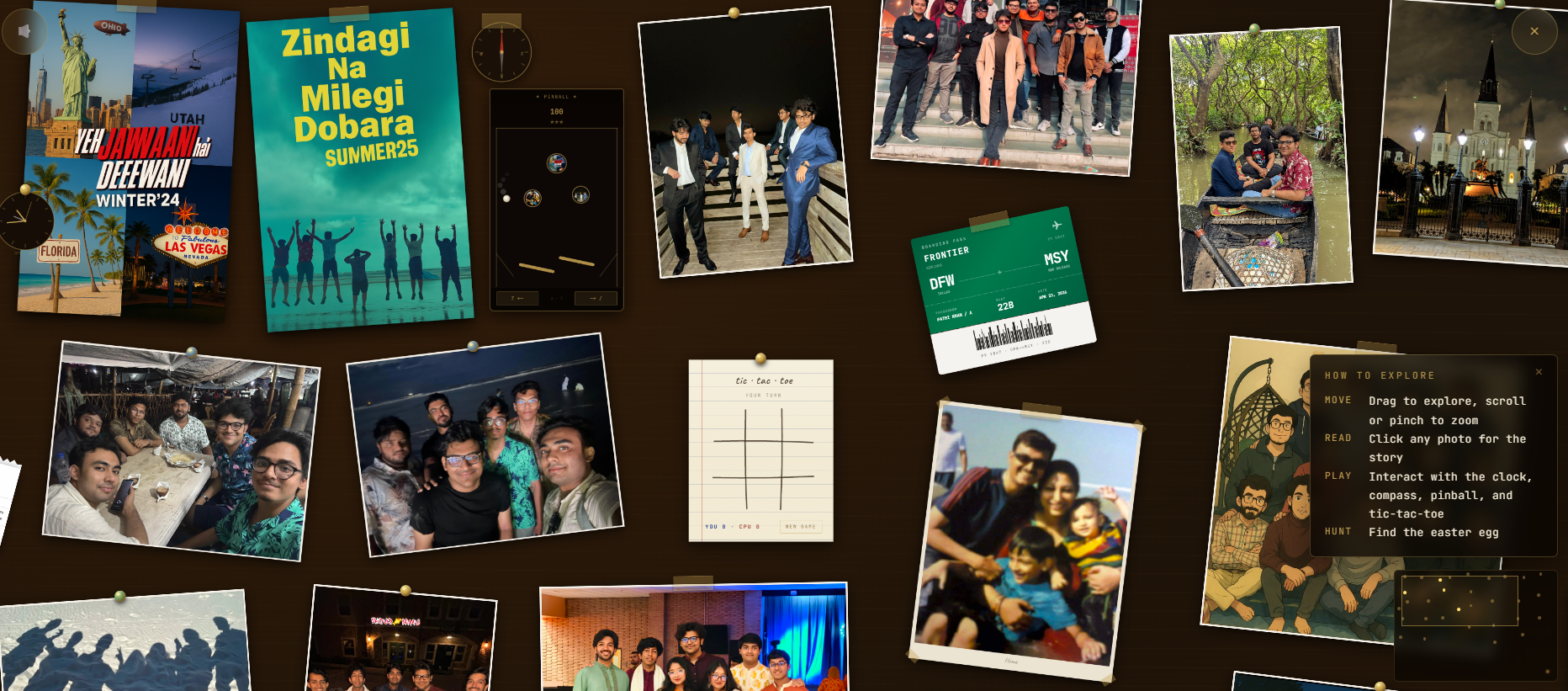
- The Wall (Gallery): A corkboard that opens into a fully pannable, zoomable immersive canvas, with one unified gesture system handling mouse, touch, trackpad, and pinch (plus momentum). A radar minimap keeps you oriented while you explore self-contained toys: a compass, a clock, a physics driven pinball machine, and tic tac toe. You can also hunt for hidden easter eggs (complete with confetti). New photos are dropped onto the board by an auto-placement algorithm that packs them in without overlapping the currently curated photos, and a hidden in-browser editor (built on
dnd-kit) lets me reposition everything by hand.
Tech Stack, Architecture & Constraints
- Frontend: Built with Next.js 14 (App Router, RSC), React 18, and Tailwind CSS, brought to life with Framer Motion. Data visualizations use D3 +
topojson-client. - CMS & Resilient Data Layer: The site is powered by the Notion API (
@notionhq/clientv5). Crucially, every section falls back to hand-written data in a local/datafolder if Notion is unreachable—nothing ever 404s. On top of that, even the section copy (eyebrows, titles, intros, instructions) is editable from a Notion database, so the wording changes without a deploy. - Zero Latency Pre Rendering: Every page, including dozens of individual story, project, and gallery pages, is statically pre rendered at build time so visitors never wait on a server round trip. The catch is that this would normally hammer Notion's rate limit during the build, so I added a build only request-dedup layer that fetches each database exactly once and shares it across every page. ISR keeps it all fresh afterward.
- The Data & Delivery Layer: To keep costs down while ensuring lightning fast global delivery, I paired Backblaze with Cloudflare. Backblaze let's me host 10 GB of media for free and Cloudflare's edge network serves assets on demand with almost zero latency.
- Calculated AI & API Usage: LLMs and external APIs are expensive, so the site only calls them when absolutely necessary. Right now, we're mostly calling OpenAI for auto-generating slugs, color palettes, photo classifications, and the live hourly status line.
- Analytics: PostHog, reverse proxied through
/ingestso ad blockers don't drop the events.
Challenges I ran into
This build was an exercise in balancing opposing forces and testing the limits of front-end interactivity.
- The Dual UX Problem: Building a site that is simultaneously a rigid, highly accessible professional document and a chaotic, draggable, interactive sandbox was an architectural nightmare. State between the two "souls" had to be perfectly isolated.
- Mobile Compatibility: The personal side is packed with wide canvas, tactile metaphors. Making a massive corkboard and a world map feel immersive on a tiny, vertical phone screen was a massive UX challenge. I had to completely rethink the touch controls: building custom “pinch to zoom” logic for the D3 map so tiny pins remained tappable, and ensuring the Immersive Wall remained fully pannable so mobile users could still interact with all the hidden toys without breaking the layout. I’m proud of how it all turned out.
- The Notion Image Expiration Problem: Notion's uploaded file URLs expire in roughly an hour. To fix it, I built a custom image proxy (
app/api/notion-image) that keeps a stable URL in the markup and re-mints the signed link on demand, so cached pages never show broken images (or broken download buttons). - The Instant Playback Problem: YouTube's player has a real buffer delay, which kills the illusion of a physical record player. Solving it meant pre buffering each track silently the instant it's selected, then resuming from that buffer on play.
- Content Automation: Manually updating data is exhausting. I wrote an auto-fill pipeline (
lib/notion-autofill.mjs) that geocodes locations via Nominatim, pulls metadata from OMDb/YouTube/Deezer, and enriches data with OpenAI before writing it all back to Notion. It's runnable as a local watcher or fired on demand from a Notion button in production. - Optimizing the Sandbox: Figuring out how to guide users to interact with everything on the personal side, without plastering "CLICK HERE" everywhere, took a lot of meticulous UX iteration.
- Building a Resilient Fallback: Ensuring every single component could gracefully switch from the live Notion API to the local
/datafolder without breaking the UI took serious architectural planning.
Accomplishments that I'm proud of
- Building a completely bespoke, interactive UI from scratch: the map, the desk, the turntable, the cinema, and the corkboard are all hand crafted, not templates.
- Downloading, curating and writing massive amounts of content to fill the entire site while still ensuring it feels honest and personal. Many thing may or may not be vibe written.
- An intelligent Vercel Cron job (
app/api/cron/regenerate-status) that uses GPT and Open-Meteo weather to dynamically write my "right now" status line every hour and cache it back into Notion. - Letting AI design for me: GPT-4o-mini reads each show's poster and TV/film metadata to generate its color palette, so a new addition styles itself.
- A complex drag-and-drop immersive wall (
dnd-kit+ a custom auto-placement algorithm) that feels natural and fun to play with. - Pre rendering the entire site for zero visitor latency while keeping the Notion powered build comfortably under the API's rate limit.
- Crafting a UI that seamlessly transitions between an editorial corporate deck and a nostalgic, skeuomorphic desk environment.
What I learned
- How to become AI Native: I used Claude Code throughout the entire build to accelerate development, while constantly bouncing ideas off Gemini to deeply understand concepts and brainstorm architecture.
- Full-cycle Solo Engineering: I learned to architect, design, build, test, deploy, and analyze an end-to-end project from scratch. I wore every hat: designer, writer, coder, tester, and analyst.
- How to master Next.js 14 App Router features: specifically intercepting routes and React Server Components for complex shared URL UI states.
- The profound importance of edge networks and CDNs in modern web performance.
- The power of D3 +
topojson-clientfor building custom data visualizations. - How to blend a headless CMS (Notion) with AI automation to create a site that practically manages itself.
- How to design UI interactions that are discoverable through natural curiosity rather than explicit instructions.
- That you don't have to compromise personality for professionalism…you just have to organize them properly.
What's next for Silicon & Sepia
- The Ledger (Live Finance): I am expanding personal side to include an antique banker's desk built with Framer Motion. It’ll feature a grid paper ledger charting my live Robinhood portfolio performance, compared against popular ETFs like VGT and SPDR. You’ll also be able to explore scattered manila folders for my financial opinion pieces (credit cards to take, long term 401k strats, etc) and 2-3 interactive, useful tools like a
- Adding more interactive desk objects and tactile elements to the Aged Parchment theme.
- Continuing to hide incredibly obscure easter eggs across the site. (And no, I'm still not spoiling where the current ones are.)

Log in or sign up for Devpost to join the conversation.