-
-
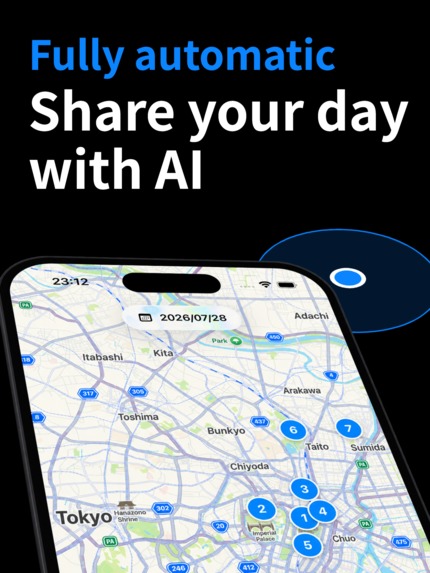
Share your day with AI through automatic Markdown and Notion exports.
-
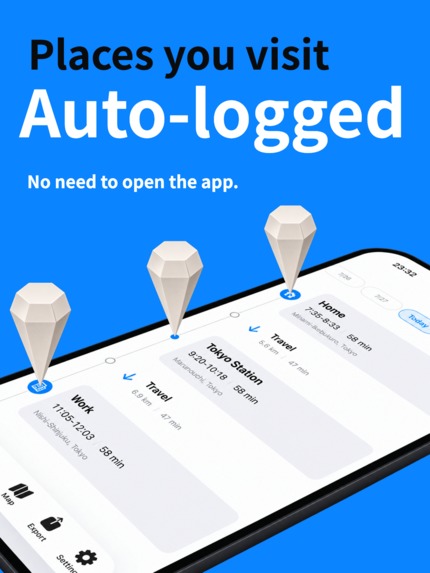
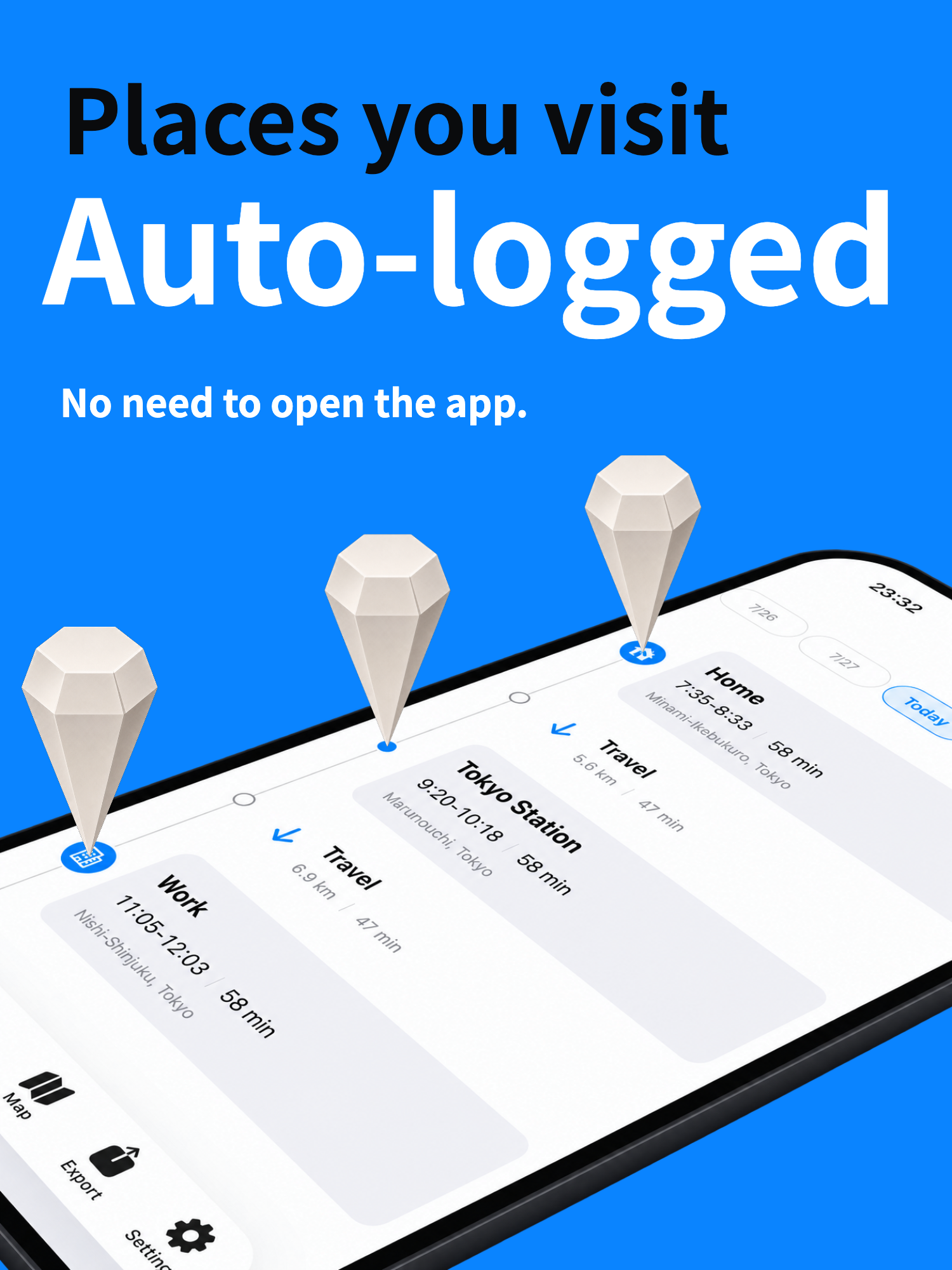
Automatically record the places you visit, without opening the app.
-
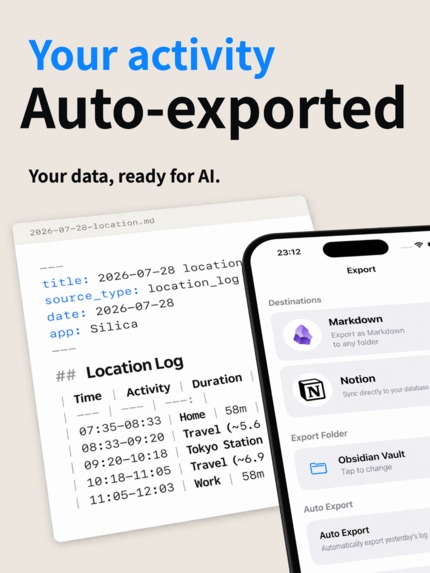
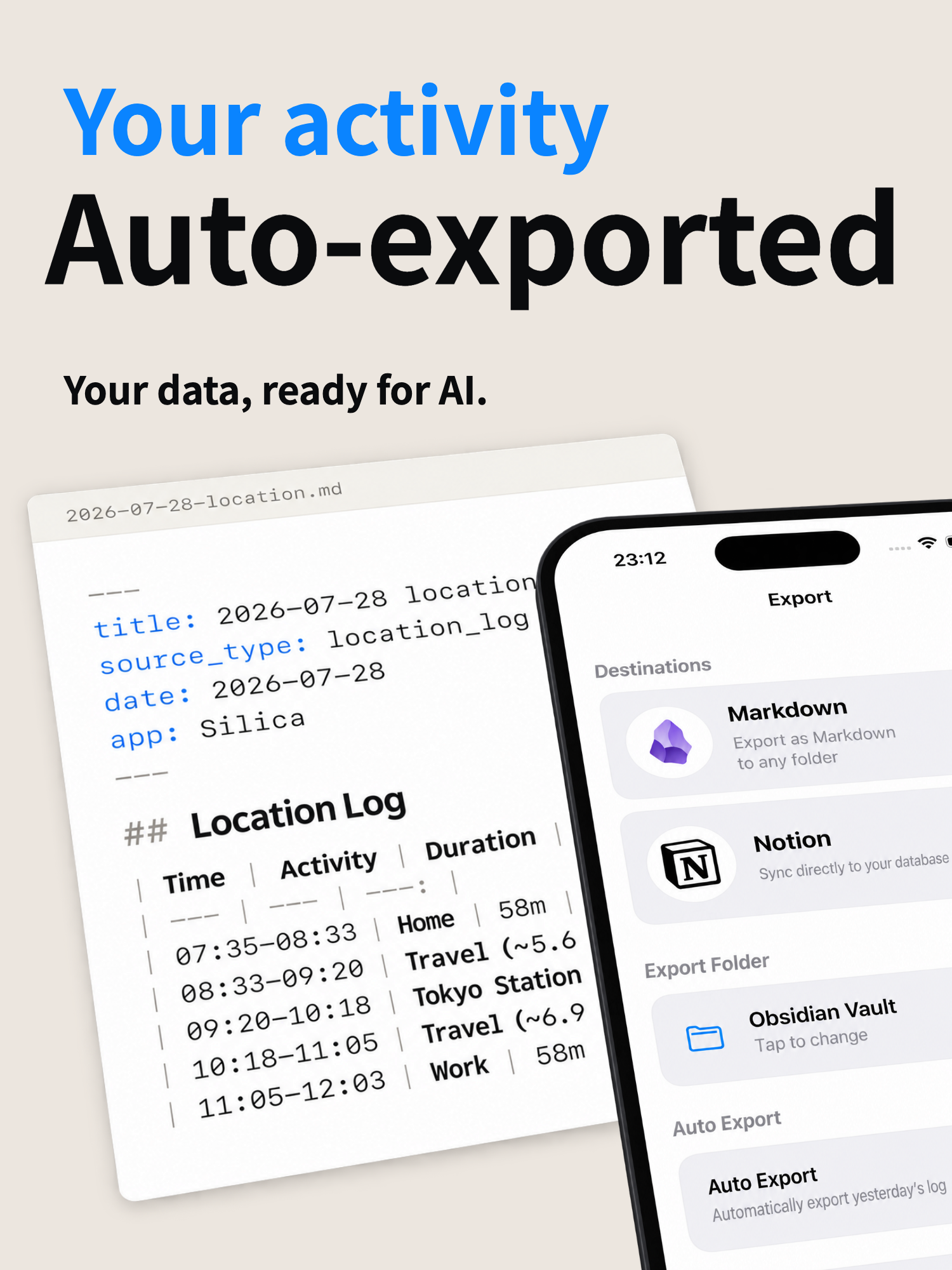
Your activity, automatically exported to Markdown or Notion, ready for your AI.
-
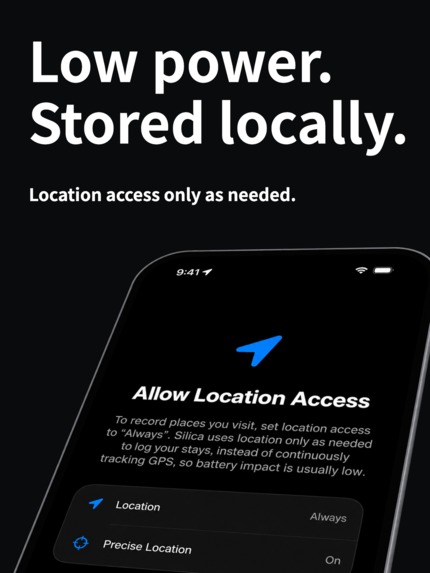
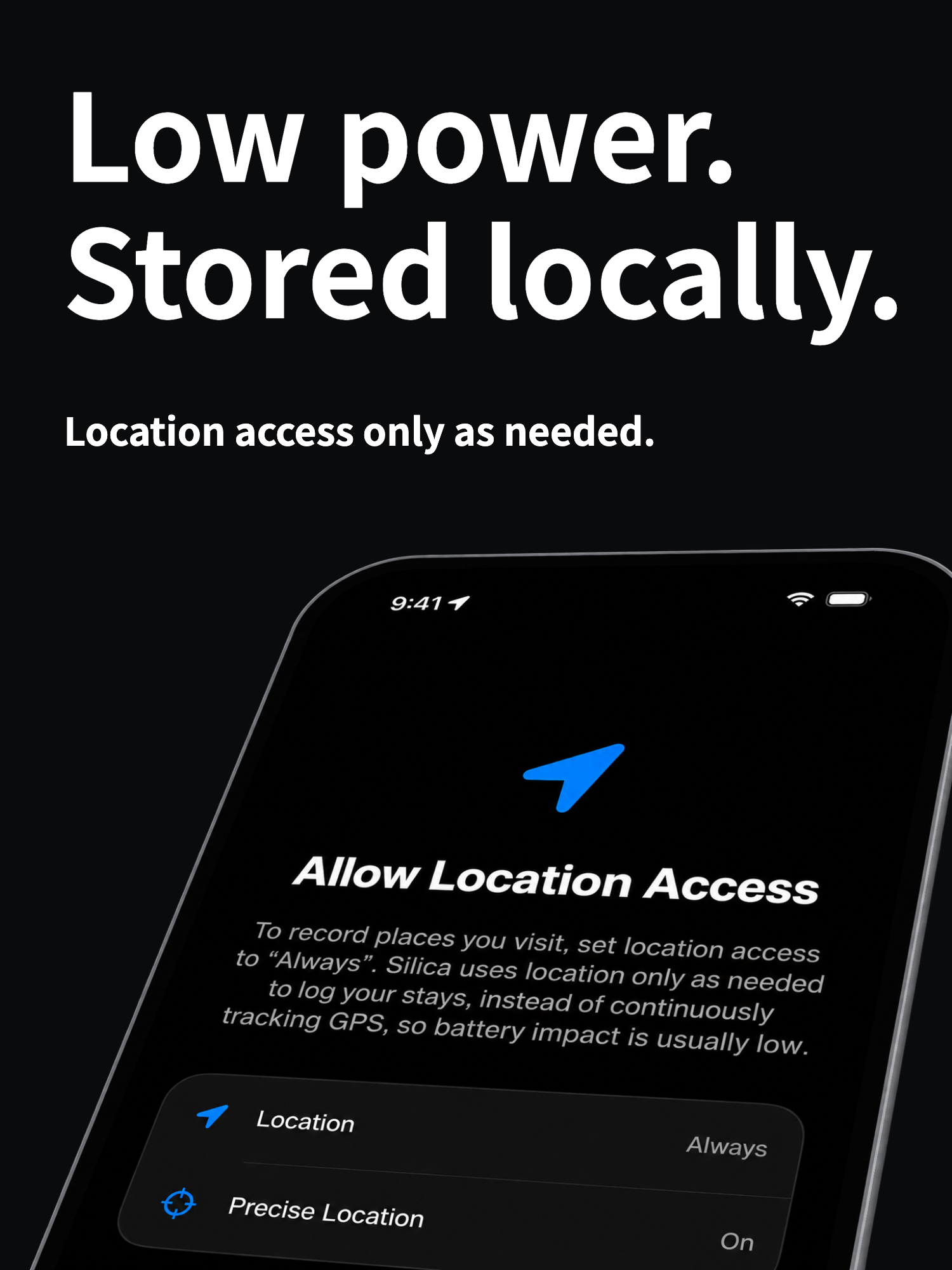
Low-power recording with location history stored on your iPhone.
-
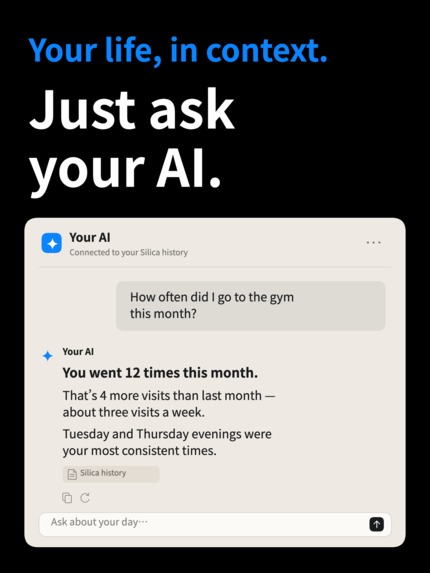
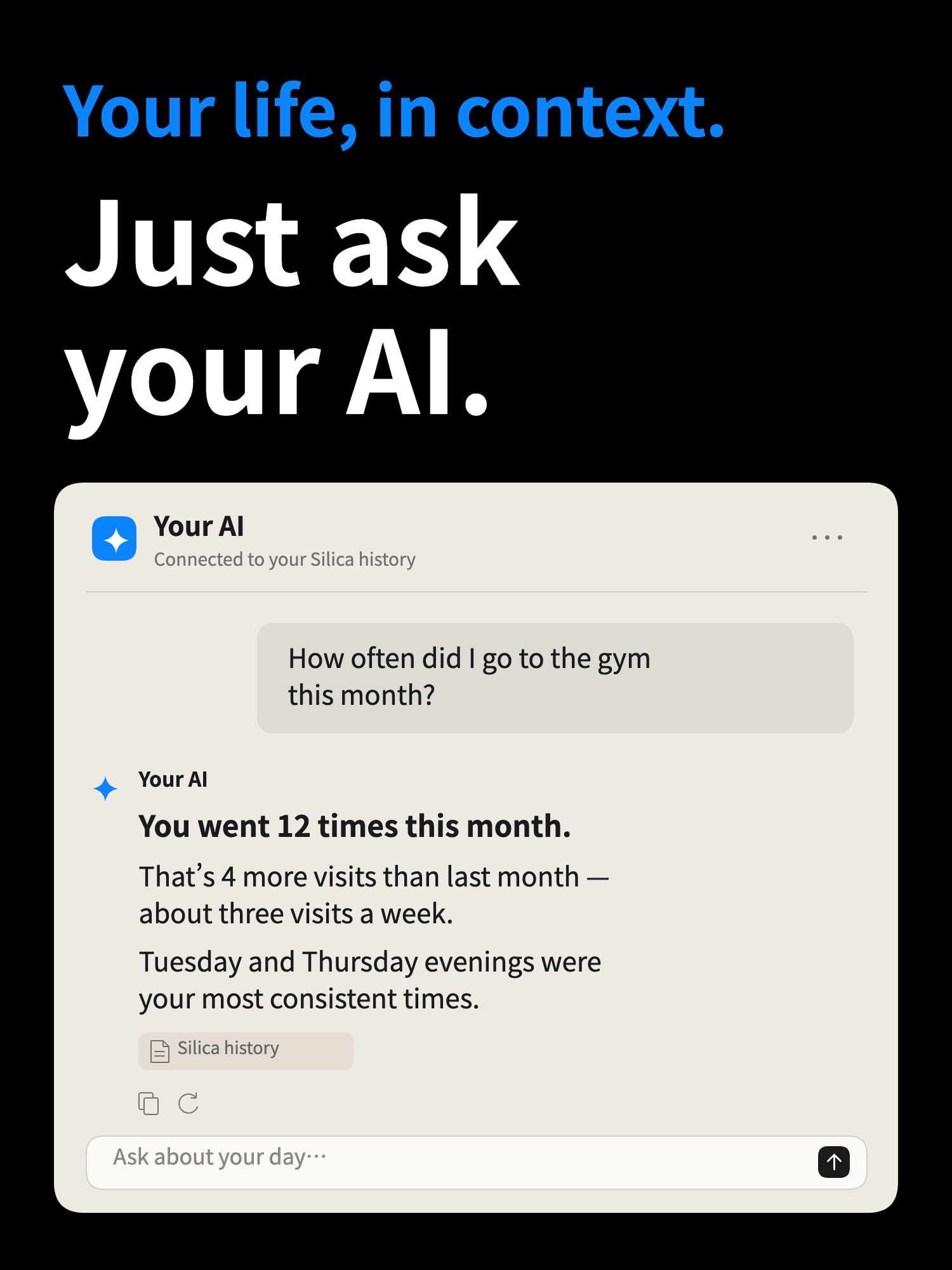
Turn your Silica history into a conversation with your AI.
-
Silica app icon
-
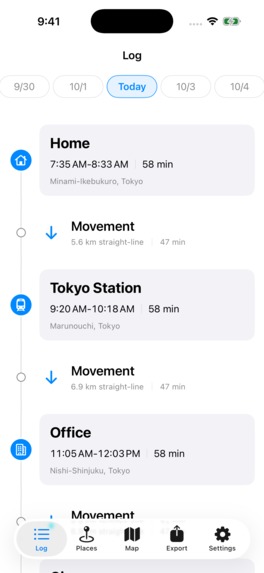
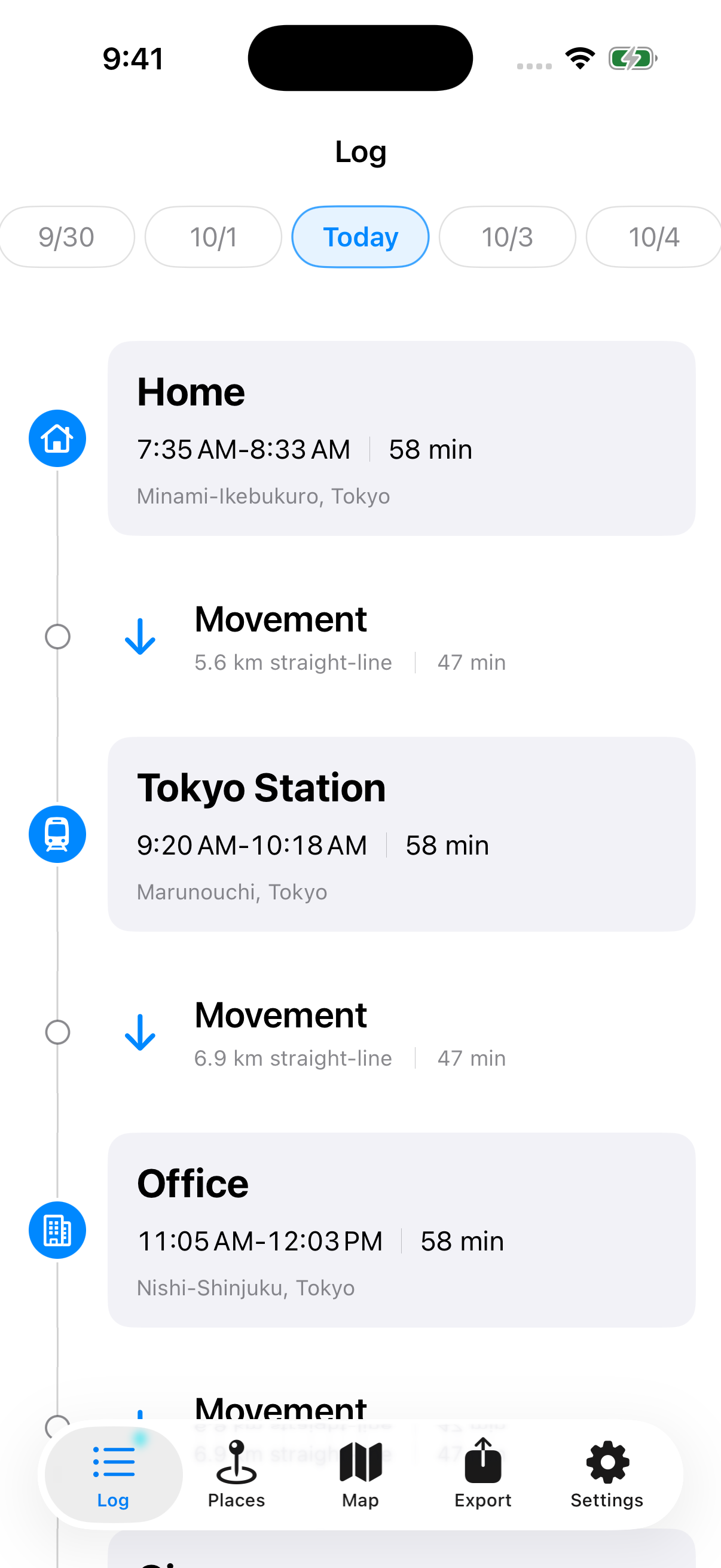
Daily timeline with named stays, durations, and movement between places.
-
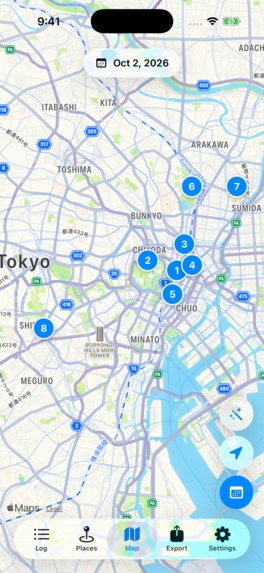
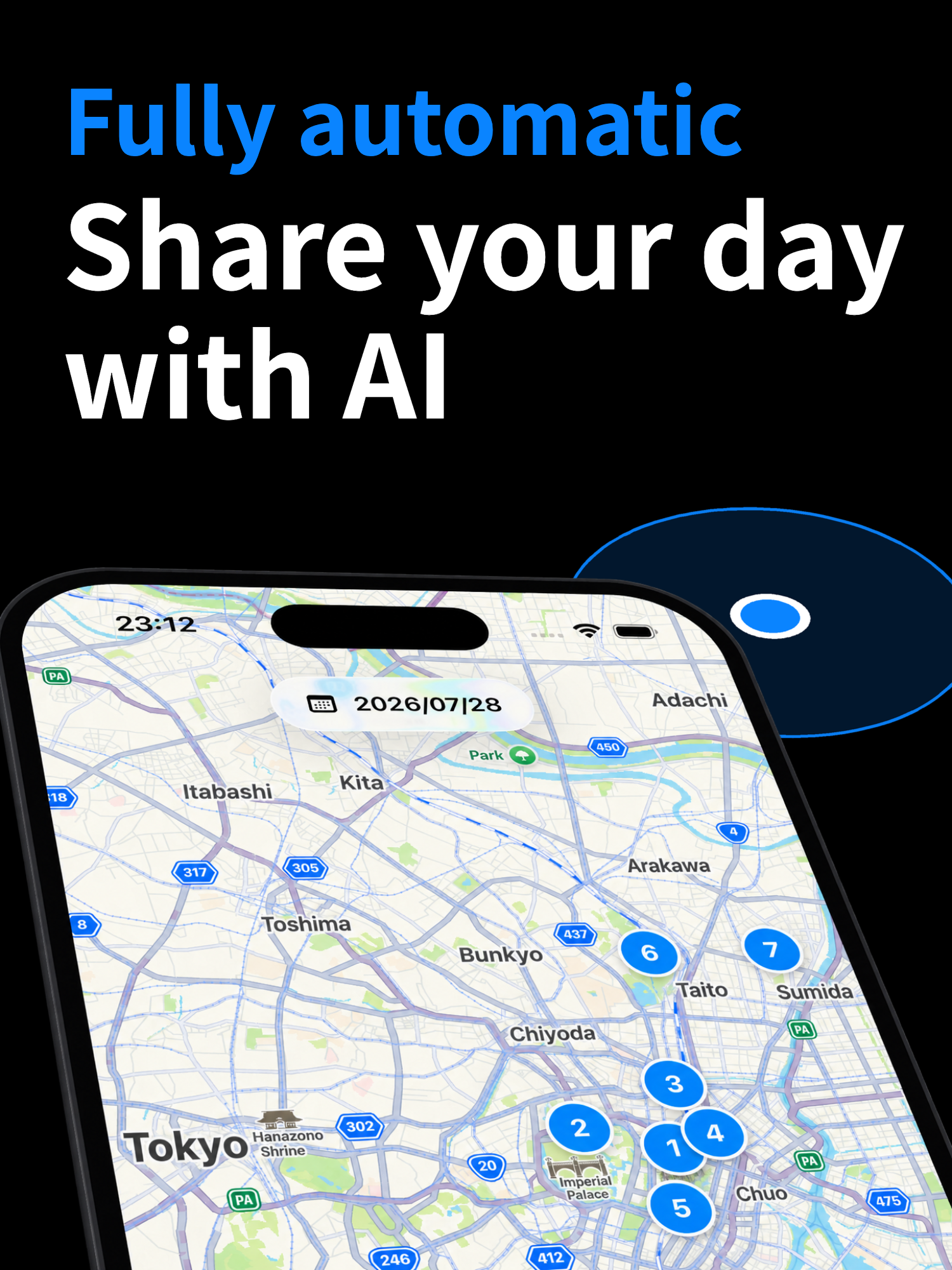
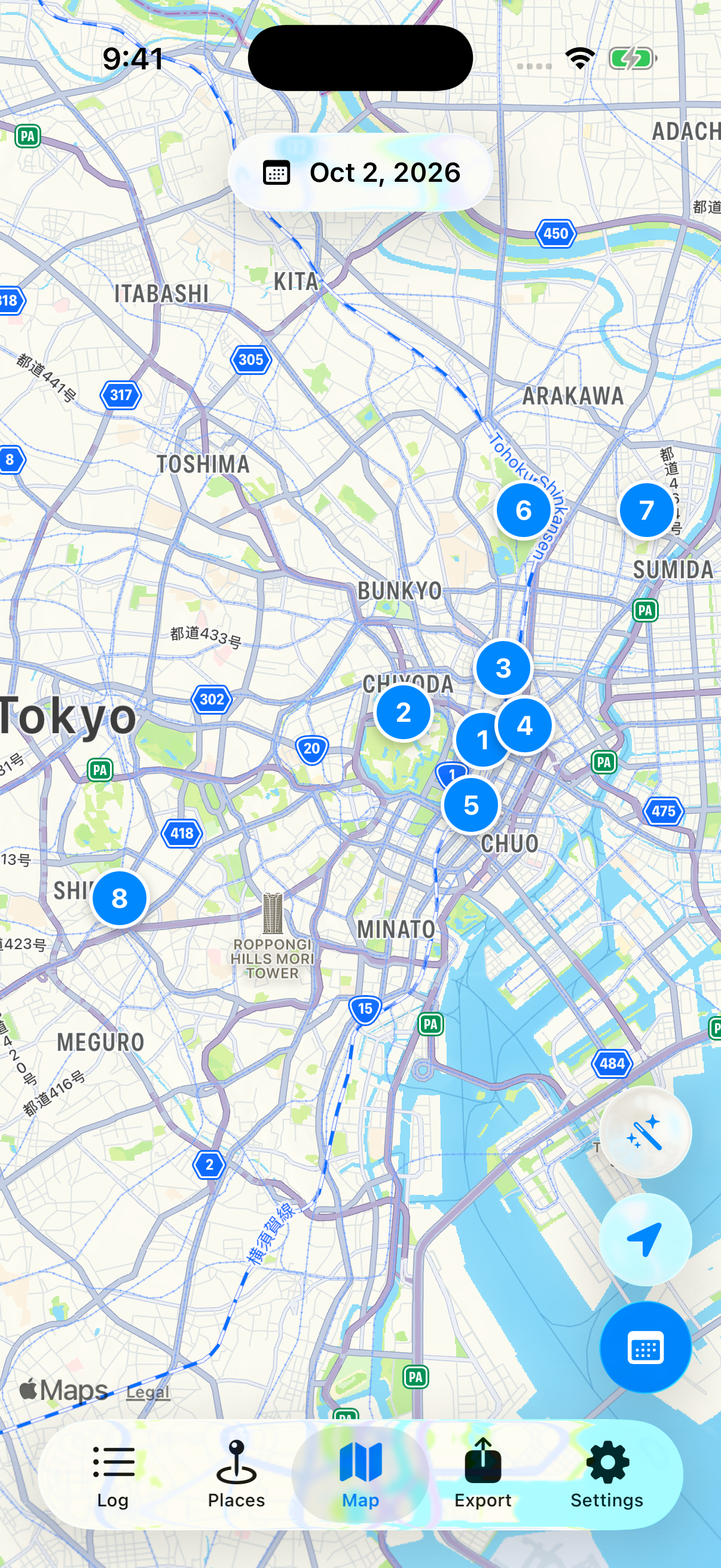
Review eight recorded visits on the map, numbered in chronological order.
-
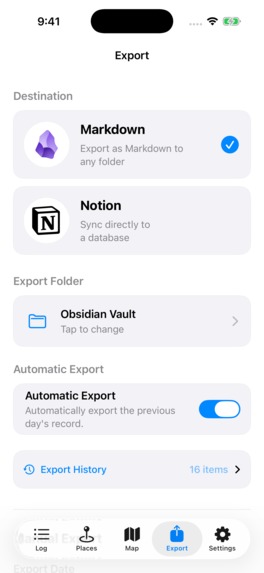
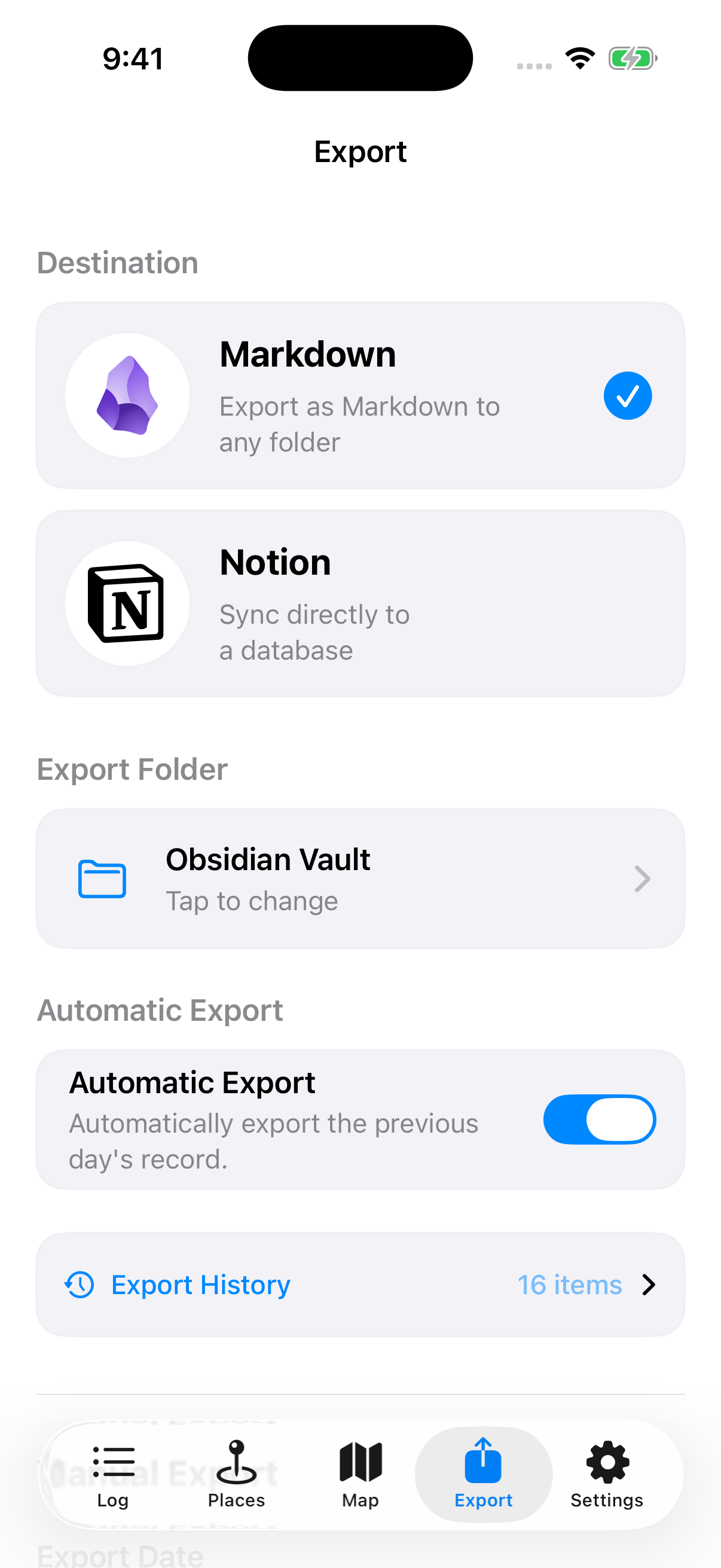
Automatically export daily history to Markdown or sync it directly to Notion.
-
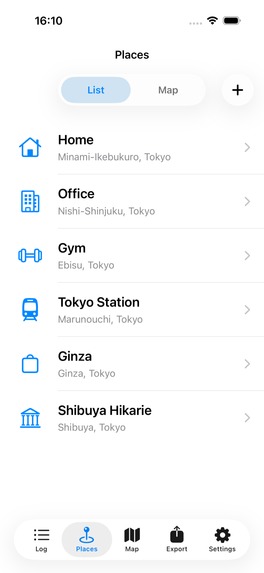
App screenshot without a device frame.
-
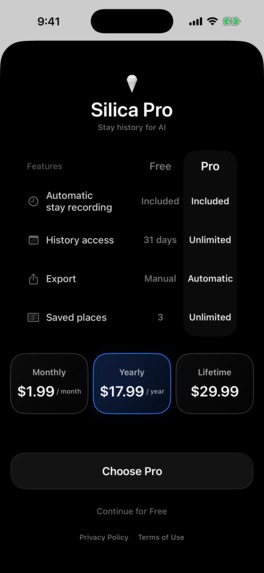
Silica Pro is powered by RevenueCat, with monthly, yearly, and lifetime plans.
Inspiration
People spend every day somewhere: at home, at work, at the gym, at a clinic, at a friend’s house, at a favorite bar, at McDonald’s, at a neighborhood supermarket, and so on. A record of those stays is a record of that person’s life itself. I record many different things in my notes and use them as context for AI to build a personal AI agent, but I had always regretted that there was no easy way to record where I had been. I could not give AI the signal that most powerfully represents my life. If I could, I would be able to ask AI for more personalized advice about my daily behavior and the way I live. That is why I developed Silica.
Silica uses your phone to record where you stay, capturing both stays and movement. It then exports those records in Markdown format. All of this happens automatically. With Silica, users can save a record of when and where they were in any location they choose. By connecting Silica to an AI agent through Notion or iCloud, they can share their history of stays with AI. This allows their preferred AI to answer questions such as “How many times did I go to the gym this month?” or “Maybe I’ve been staying at home too much lately” based on actual data.
The name Silica comes from Obsidian, the app where I have been accumulating notes for years. Silica—silicon dioxide—is a component of obsidian, the volcanic glass. I connect Silica to Obsidian through iCloud, but even if you do not use Obsidian, many other integrations are possible.
Try sharing your location history with AI through Silica. I am sure you will find it useful.
What it does
AI has become indispensable not only for work, but also for supporting our everyday lives. However, the records of our daily lives are not readily accessible to AI. Where we stay and how we move changes throughout the day, and recording all of it by hand is unrealistic. Silica solves this problem by automatically recording stays and movement and exporting the history in Markdown format, allowing users to make it available to the AI tools they choose.
Silica is for anyone who wants to preserve and look back on a record of where they spend their time without manually documenting each stay. Users can review their history directly in Silica as a timeline or map. Silica works on its own, but it becomes especially powerful when connected to tools such as Obsidian, Notion, or an AI agent, turning everyday movement into useful context.
- Silica automatically builds a history of stays and movements.
- Each day can be reviewed as a timeline or on a map, showing where users stayed, how long they stayed, and how they moved between places.
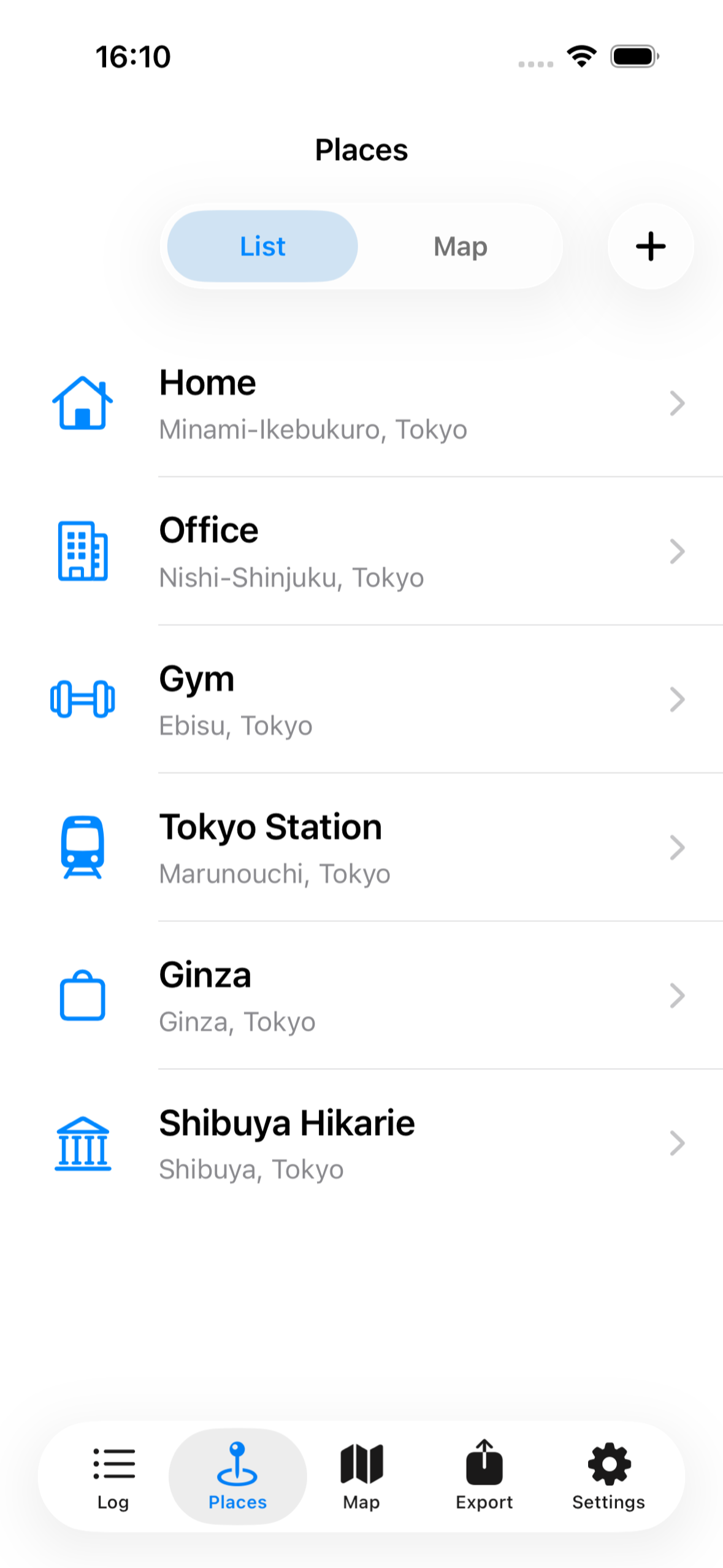
- Users can name frequently visited places, correct a stay when the phone’s location data is imperfect, and export their history to Markdown or Notion.
The exported data can be saved wherever the user chooses. When that history is used as context for an AI agent, users can ask questions such as:
- “How many times did I go to the gym this month?”
- “How much time did I spend at the office last week?”
- “Have I been staying home more than usual?”
- And many other questions about their life.
The AI can summarize routines and changes using actual stay data instead of relying on memory.
How we built it
Silica is a native iOS app built with SwiftUI. It combines Core Location with Core Motion to distinguish meaningful stays and movement from noisy phone sensor data. MapKit presents each day spatially, while SwiftData stores the history on the device.
Daily history can be exported as human-readable Markdown through iCloud or sent to Notion through the Notion API. RevenueCat manages the seven-day Silica Pro trial, monthly and annual subscriptions, and the lifetime purchase. I also used Codex and Claude Code throughout development to help implement features, investigate edge cases, debug behavior, and strengthen the test suite. After all, this project does not contain a single line of code written by hand.
Challenges we ran into
The largest technical challenge was the instability of Core Location. A single location signal is not reliable enough to decide whether the user actually stayed somewhere. I had to compare location events with Core Motion data and repeatedly refine the algorithm so that Silica could produce a high-quality history without requiring manual tracking.
Another challenge was making the entire flow reliable while keeping it invisible: background recording, low-power operation, automatic export, and Notion authentication all have to work without asking the user to manage the process every day.
This was also the first mobile app I had ever built. Setting up the development environment was extremely difficult, but I built it mainly with the help of Codex. Vibe coding is amazing.
Accomplishments that we're proud of
I am most proud of creating a new, seamless experience that does not require users to open the app. After the initial setup, Silica can record stays and movements, export the history, and make it available to a connected AI tool automatically.
The result is not simply another map or manual journal. The entire flow—from living your day to turning it into useful personal context—can happen in the background.
What we learned
I learned that location data is inherently probabilistic. Accuracy comes not from trusting one framework, but from combining signals, testing real movement patterns, and giving users a clear way to review and correct the result.
I also learned that AI context becomes far more useful when it is structured, portable, and controlled by the user. Silica does not need to be an AI app itself; it can make everyday life legible to the AI tools people already choose.
Business model
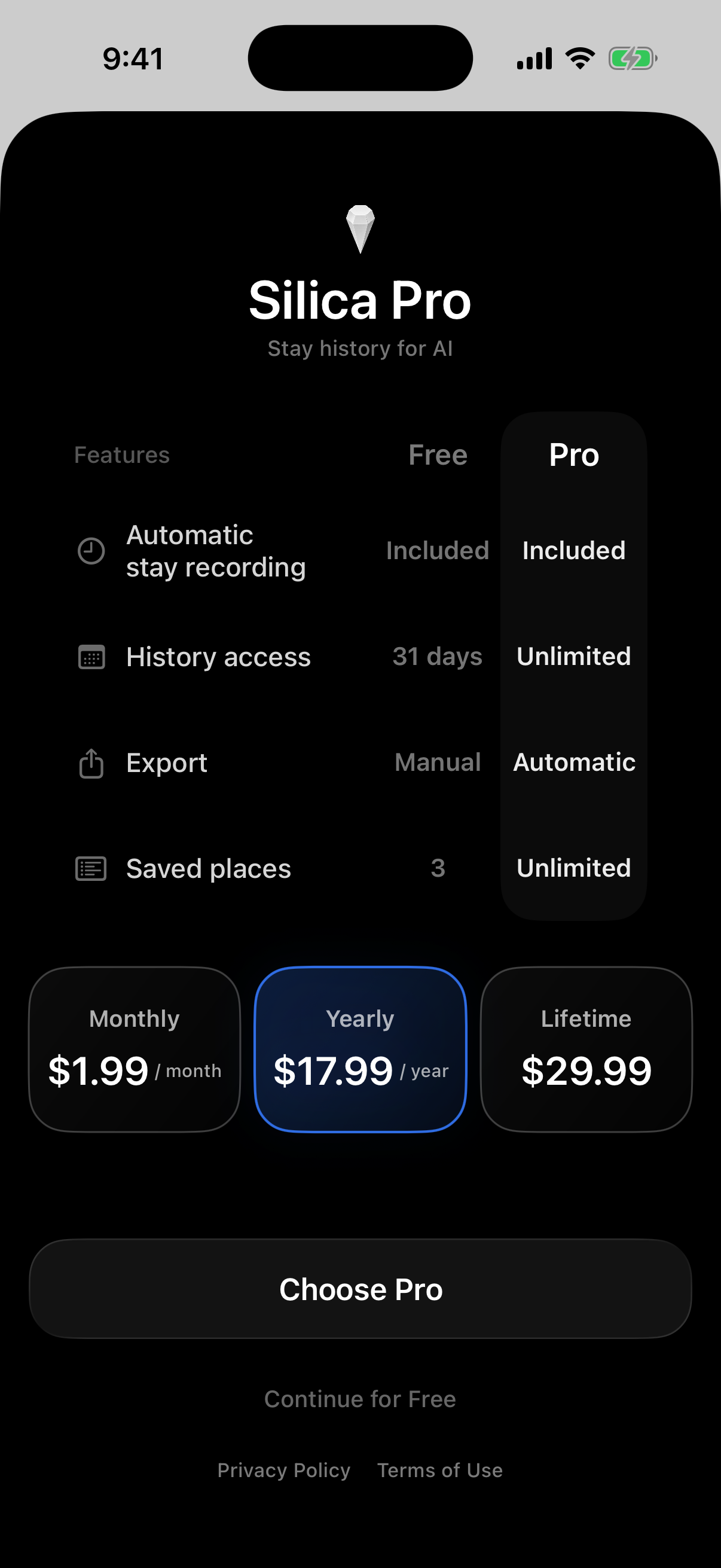
Every user receives full access to Silica Pro for seven days when they start using the app. After the trial, they can continue using Silica for free or pay to keep the Pro features.
- The free version includes the core recorder, the most recent 31 days of history, up to three saved places, and manual exports.
- Silica Pro unlocks unlimited history, unlimited saved places, and automatic exports.
Pro is available as a monthly subscription, an annual subscription, or a lifetime purchase, all managed through RevenueCat. Silica has no ads.
Why Silica is different
After the initial setup, users do not even need to open Silica. It records stays and movements in the background and automatically exports the history to Markdown or Notion. Once the export destination is connected to an AI agent, new location history continues to become available to that AI without manual logging, copying, or uploading.
The AI can then answer questions such as “How many times did I go to the gym this month?”, “How much time did I spend at the office last week?”, or “Have I been staying home more than usual?” It can also summarize routines and changes using the user’s actual stay history. The entire flow—from living your day to making it useful to AI—is automatic.
What's next for Silica
Next, I want to keep improving stay detection, support more export destinations, and make long-term changes in a user’s routine easier to understand. I also plan to actively expand Silica to other platforms, including Android.
The principle will remain the same: Silica should be useful on its own, while making personal history available to the tools and AI agents the user chooses.
Award category
Next Gen Award and HAMM Award.
Built With
- codex
- core-location
- coremotion
- mapkit
- notionapi
- revenuecat
- swiftdata
- swiftui

Log in or sign up for Devpost to join the conversation.