The Problem:
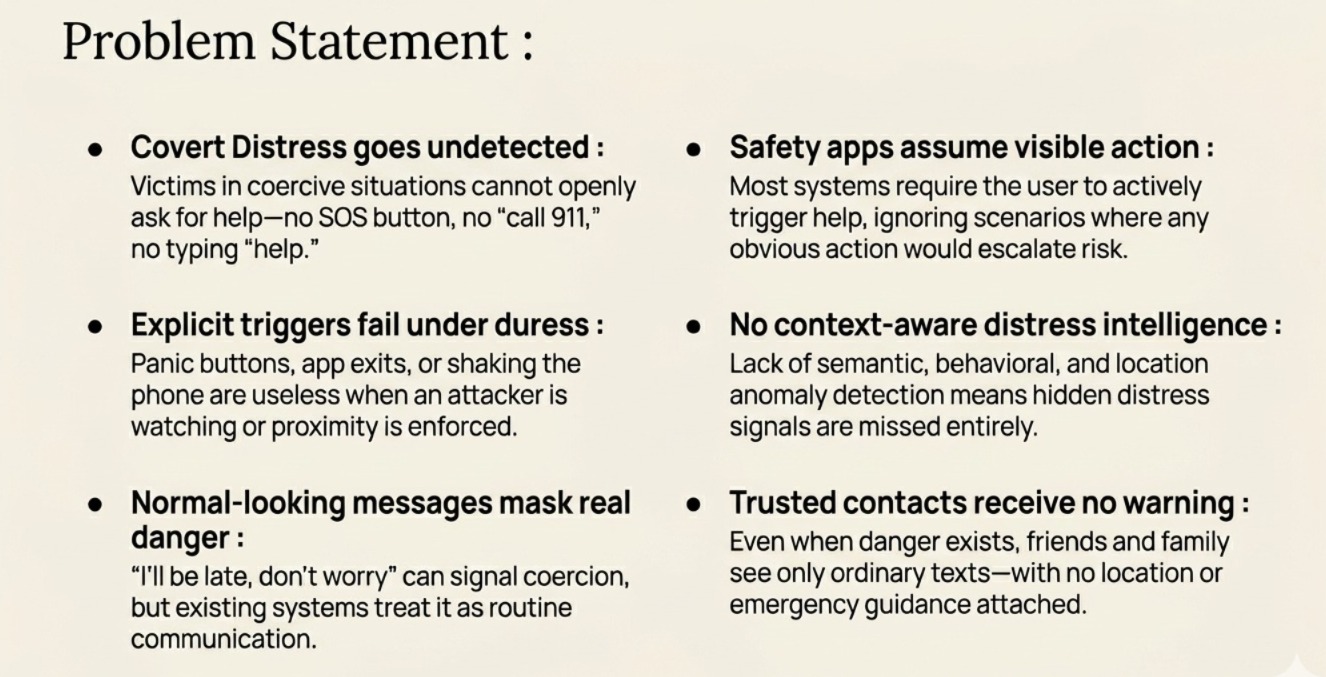
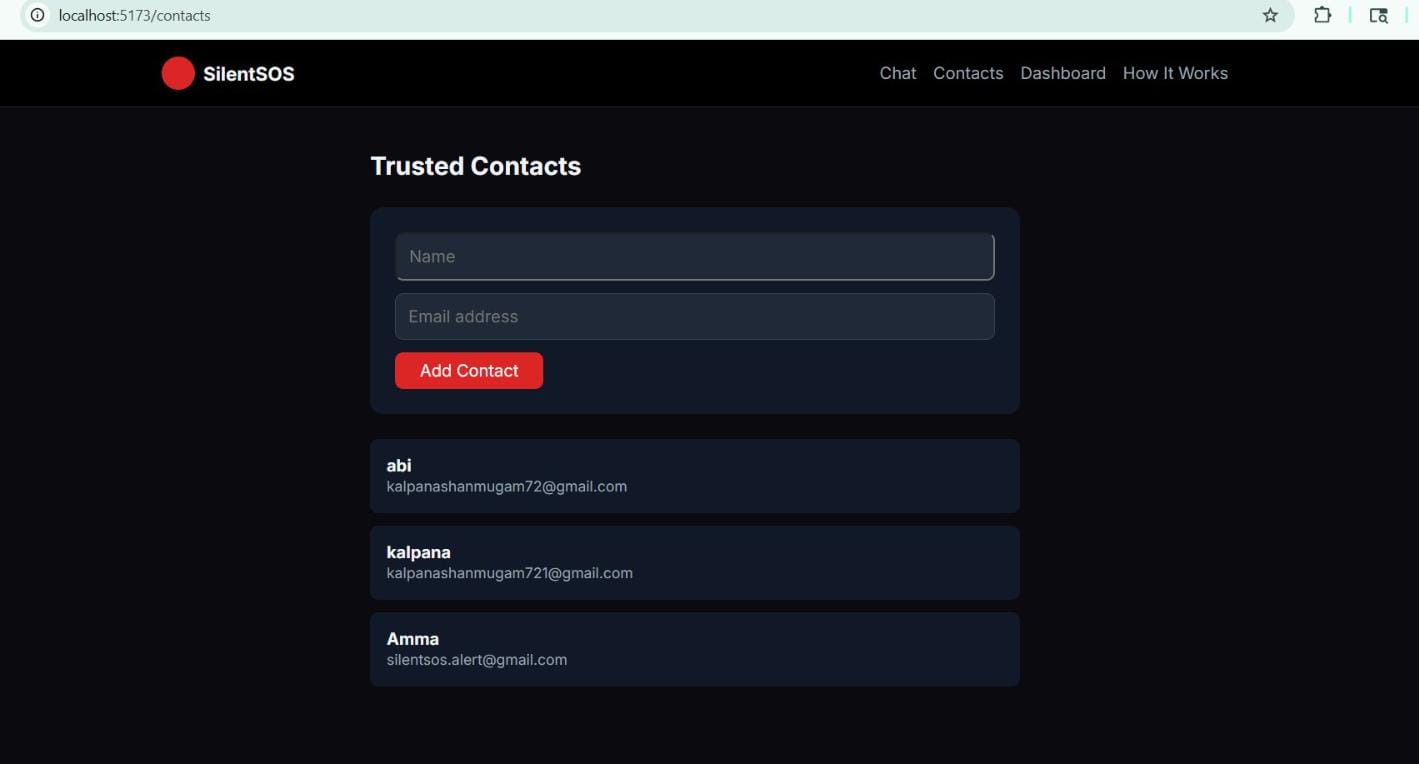
       Most emergency tools assume that a person in danger can unlock their phone, open an app, and explicitly ask for help. In real situations, that is often the one thing they cannot do.
       For someone under coercion, being watched, or in an unsafe environment, tapping an SOS button, shaking their phone, or even typing "help" can escalate danger immediately. The attacker may be nearby, watching the screen, or monitoring their communication.
The Solution:
       SilentSOS is a voice-activated safety co-pilot that detects distress hidden inside normal-looking text and silently escalates through trusted contacts.
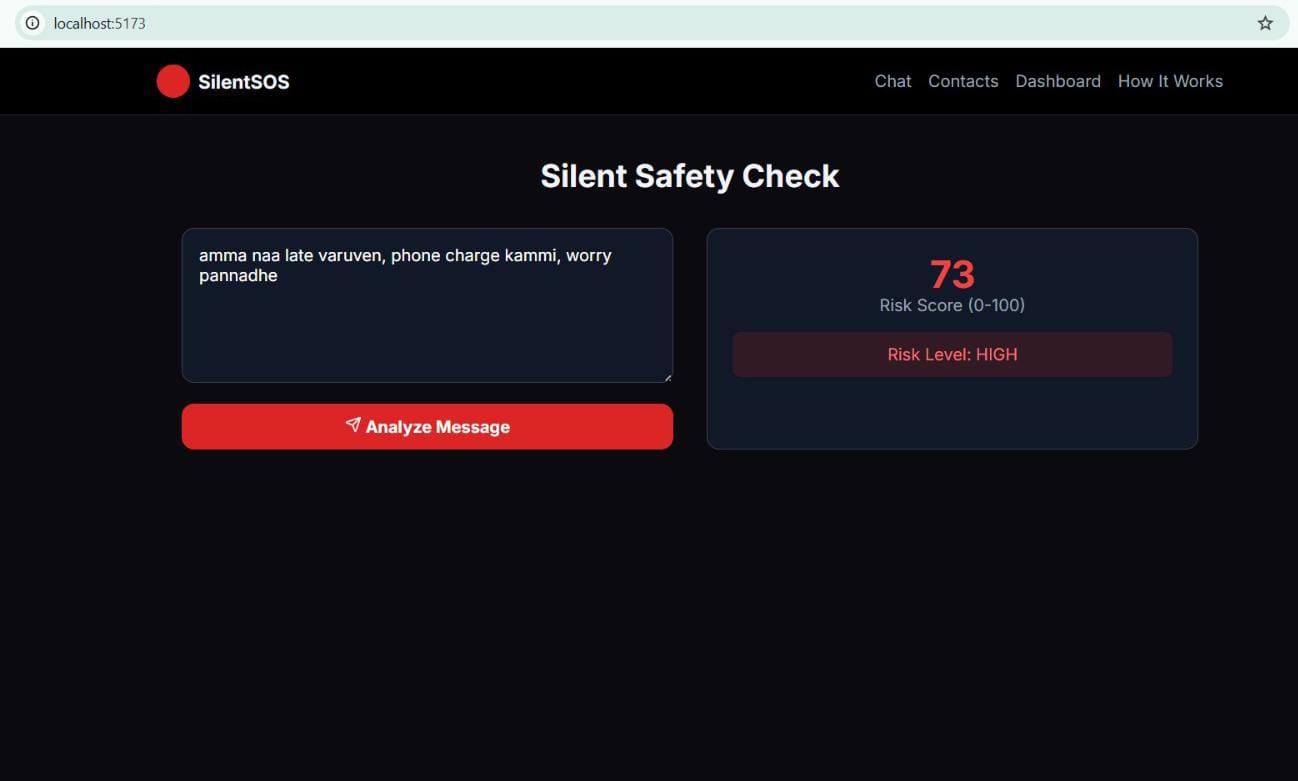
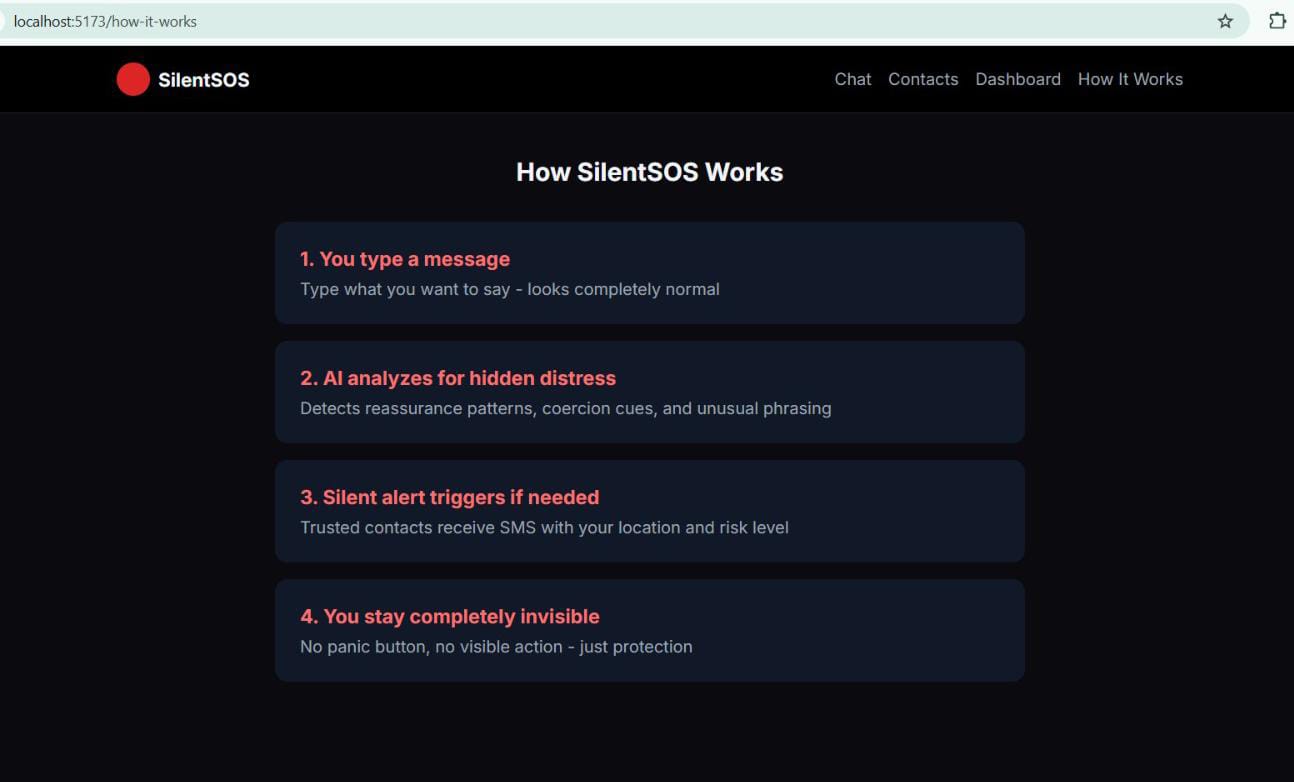
        The core insight: distress often hides inside ordinary communication. A user can signal danger without the attacker ever knowing — by simply typing a routine message that sounds normal on the surface but contains hidden intent.
SilentSOS analyzes every message for:
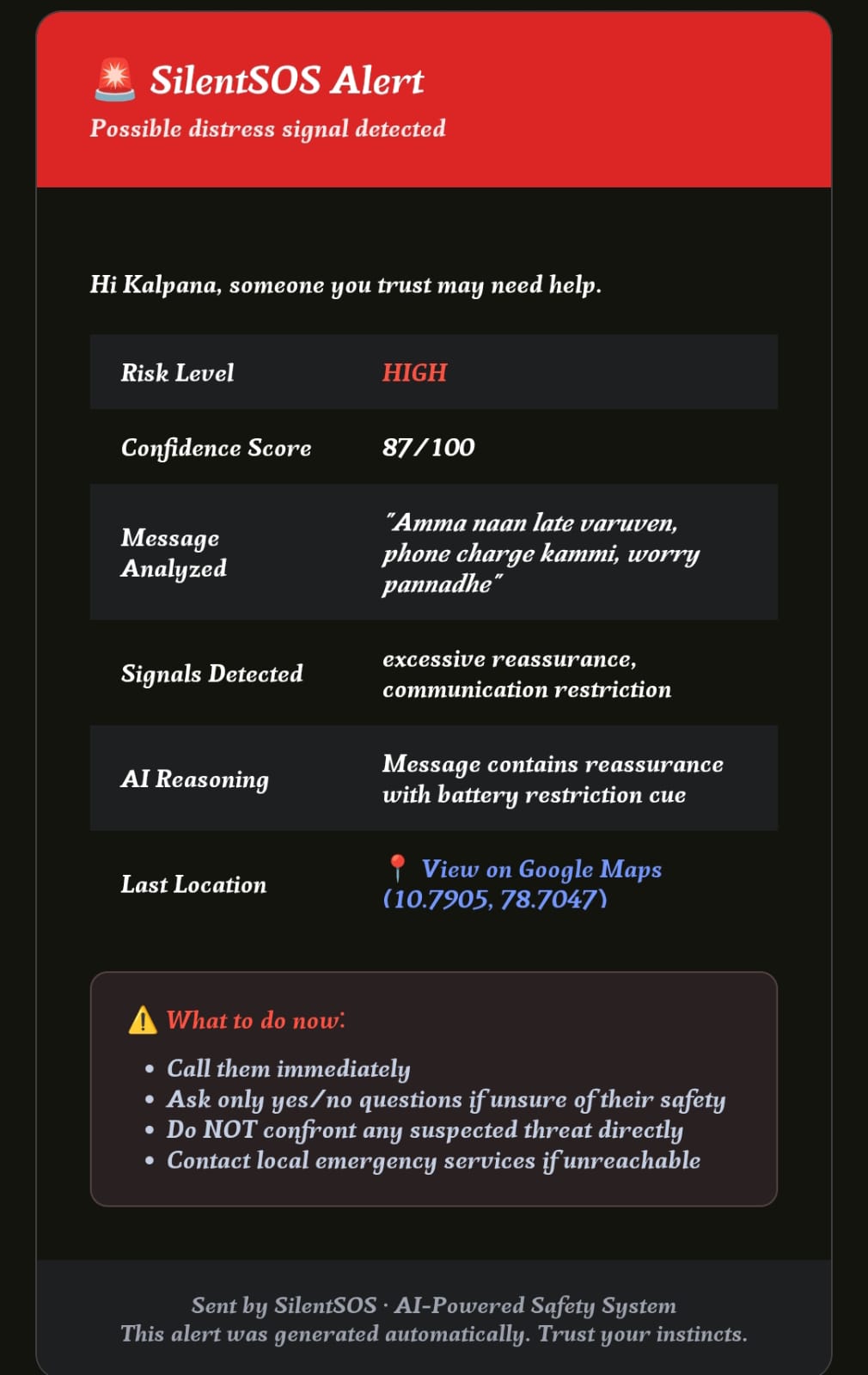
🚨 Excessive reassurance — "don't worry," "I'm fine," "everything is okay" 📵 Communication restrictions — "phone battery low," "can't talk now," "won't be able to call" 🏃 Distancing language — "don't come," "don't wait for me," "I'll stay here" 🌙 Time anomalies — late-night messages outside normal patterns 📍 Location anomalies — unexpected stops or route deviations
When the risk score crosses the threshold, SilentSOS silently:
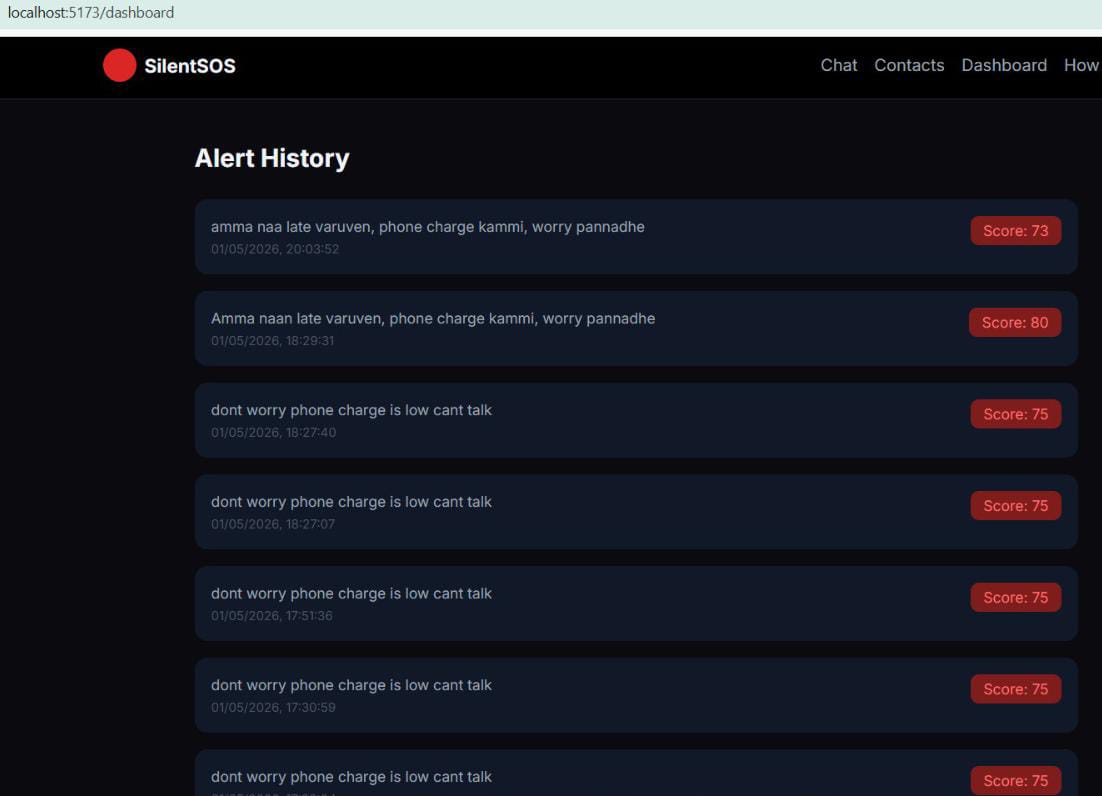
📧 Emails trusted contacts with risk level, detected signals, and live location 🗺️ Shares current coordinates via Google Maps link 📋 Logs everything in an alert dashboard for later review 🎭 Shows only a stealth confirmation like "Message delivered" — never "SOS triggered"
The attacker never knows help has been requested.
How We Built It:
We built SilentSOS as an AI-assisted safety workflow with a clean frontend-backend split.
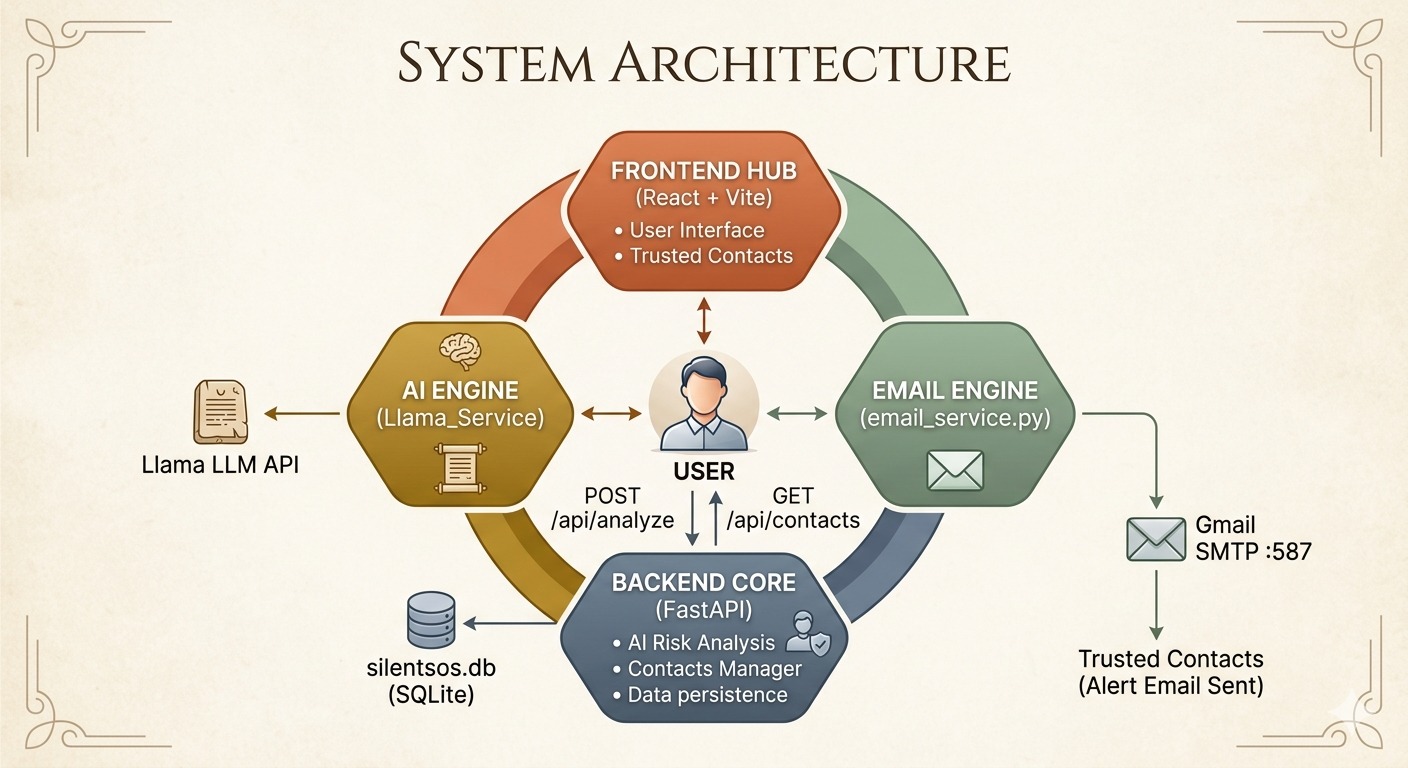
Backend Architecture
Component Technology API Framework FastAPI (Python) AI Model Ollama Llama 3 fallback Database SQLite for alerts and trusted contacts Email Alerts Gmail SMTP (Twilio-ready for SMS) CORS & Middleware FastAPI CORSMiddleware
Frontend Architecture
Component Technology UI Framework React + Vite Styling Tailwind CSS Location Services Browser Geolocation API State Management React Hooks
AI Intelligence Layer
The entire system uses a hybrid scoring approach — not just keyword matching:
final_score = (0.55 × semantic_score) + (0.45 × context_score)
Semantic Score (AI/ML) : Analyzes message content for coercion cues, reassurance patterns, urgency, and hidden distress intent.
Context Score (Rule-based) :Adds bonuses for: Late night/early morning (22:00-05:00) : +35 Location anomaly : +30 Communication restriction detected : +25 Excessive reassurance detected : +20 Distancing language detected : +20 Repeat pattern : +15
Risk Levels:
🟢 Low (0-39) : Monitor only — no alert 🟡 Medium (40-69) : Alert trusted contacts 🔴 High (70-100) : Immediate alert + live location sharing
Multi-Agent Architecture
User Message → Analyze Endpoint → Ollama Analysis → Risk Engine → Alert Dispatcher ↓ ↓ ↓ ↓ ↓ Chat Input Semantic Score Context Score Final Score Email/SMS ↓ ↓ ↓ ↓ ↓ Stealth UI Detected Signals Time/Location Risk Level Contact Alert
What It Does:
Features:
✅ Covert distress detection — Not keyword search; semantic + behavioral analysis ✅ Multi-signal risk fusion — AI + time + location + behavior scoring ✅ Silent email alerts — Trusted contacts notified without visible confirmation ✅ Live location sharing — Current coordinates with Google Maps integration ✅ Stealth mode UI — Looks like normal messaging/notes app ✅ Alert dashboard — Complete history with explainability ✅ Personalizable safe phrases — User-registered triggers for specific contexts ✅ Evidence timeline — Logs message, score, timestamp, escalation status ✅ Fake call decoy (stretch) — Optional overlay to help exit dangerous situations
Accomplishments We're Proud Of:
✨ SilentSOS works as a complete flow — not just a disconnected prototype. A message can be analyzed, scored, stored, and used to trigger a real email alert to a trusted contact. This makes it feel like a usable safety product instead of just an ML demo. ✨ We adapted quickly when our first AI path failed — Moving from a broken external Gemini flow to a working local Ollama-based solution kept the project alive and gave us a more dependable demo. Shipping a functioning end-to-end system under time pressure is something we genuinely feel good about. ✨ Multi-signal risk fusion is genuinely novel — Most safety apps use keyword matching or manual SOS buttons. Our combination of AI semantic analysis + behavioral context + time/location anomalies creates something that doesn't exist in consumer safety apps today. ✨ The stealth mode UI is production-ready — The interface looks like a normal chat application. No red panic buttons, no obvious "SOS triggered" messages. The attacker would never know help was requested.
What We Learned:
Building AI for safety is not only about model output quality. It is equally about reliability, explainability, fallback handling, alert delivery, and making sure the system still works when one dependency fails. Safety workflows demand graceful degradation, because a broken alert chain is often worse than an imperfect model.
We learned how much backend integration matters in practice: Configuring local model serving (Ollama) Connecting analysis with persistent storage (SQLite) Handling email infrastructure (Gmail SMTP + App Passwords) Debugging real deployment friction under a deadline
More than anything, we learned how much product thinking matters when building AI systems for real-world use. A perfect model with broken alerts is useless. An okay model with reliable delivery saves lives.
What's Next for SilentSOS:
Short-term (Next iteration): 📍 Location history tracking — Detect route deviations and unexpected stops automatically 🔐 Safe phrase personalization — Users register codes like "I'll sleep at akka's place" to mean danger 🌐 Multilingual distress detection — Especially for code-mixed conversations (Tamil-English, Hindi-English) 📱 Mobile app — PWA or React Native for true always-available access
Medium-term: 🎭 Fake call / decoy action integration — Trigger a fake incoming call overlay to help user exit situations 📊 Admin dashboard with analytics — For campus safety teams, NGOs, and enterprise deployments 🔄 Two-way alert confirmation — Trusted contacts can acknowledge receipt
Long-term: 🏥 Campus safety platform — Expand to universities, hospitals, and corporate campuses 👵 Elder care integration — Detect distress in elderly family members' communication patterns 🤝 NGO/public sector partnerships — Deploy to domestic violence shelters and support organizations 🎙️ Voice distress detection — Analyze tone, pitch, and hesitation in live calls
Built With:
Category Technology Backend Framework FastAPI, Python 3.11+ Frontend Framework React, Vite, Tailwind CSS AI Models Ollama + Llama 3.2 Database SQLite Email Alerts Gmail SMTP SMS (Ready) Twilio API Deployment Render / Railway Version Control GitHub Web Server Uvicorn
Team:
Name Role Responsibilities
Kalpana S Full Stack + AI Integration Backend, AI/LLM integration, Risk engine,
Deployment, API design
Harshini T Frontend Developer React UI, Dashboard, Location services,
Stealth mode design


Log in or sign up for Devpost to join the conversation.