-
-
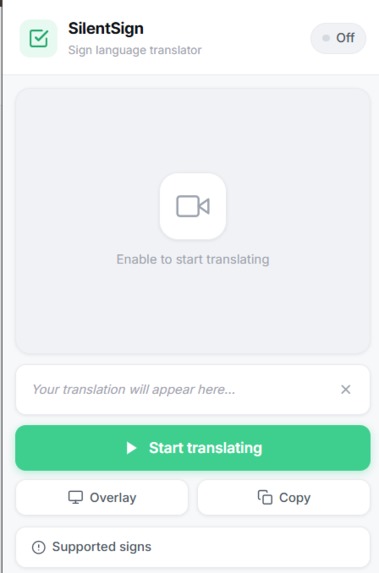
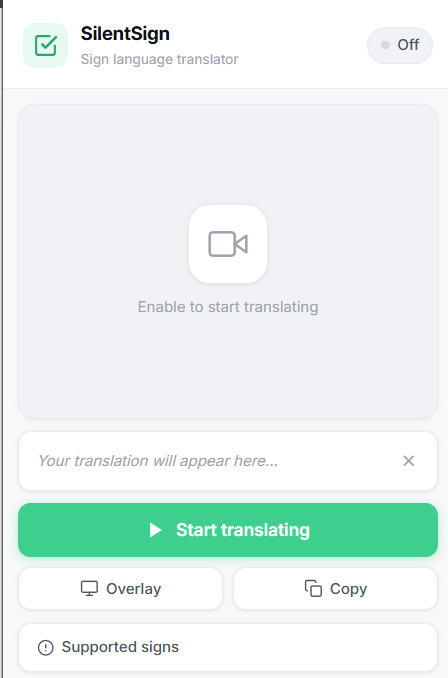
Extension tab
-
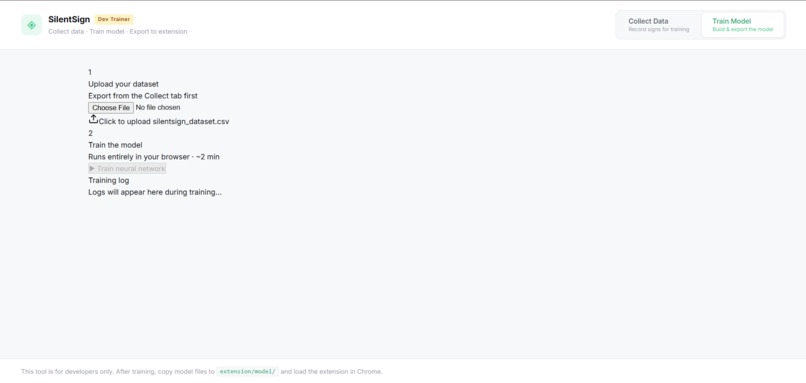
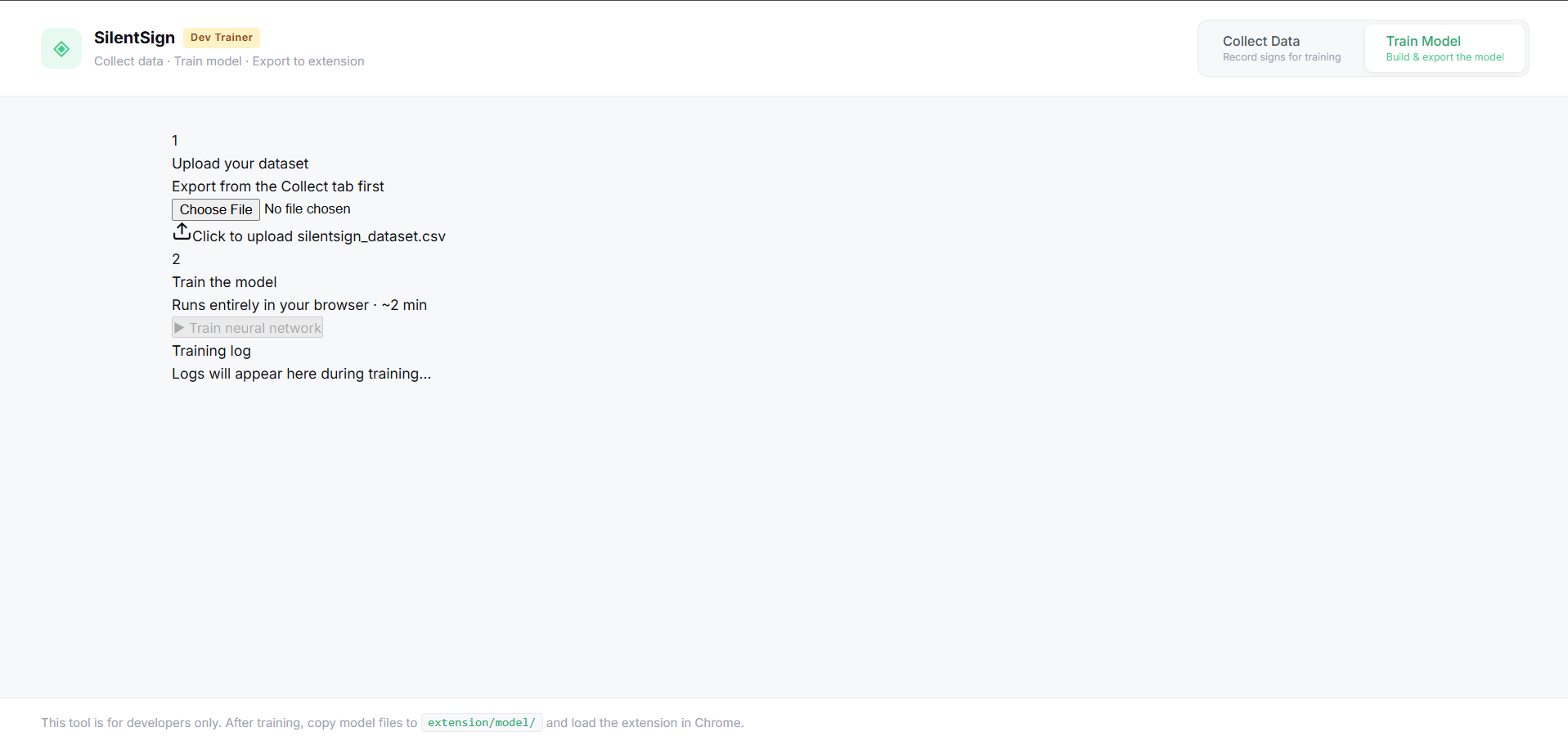
Data training tab
-
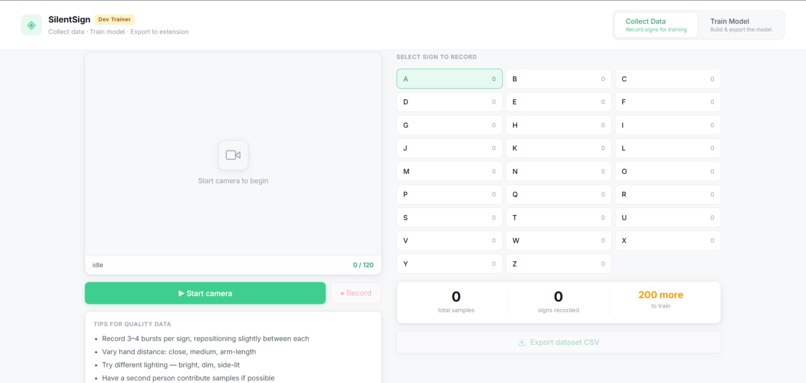
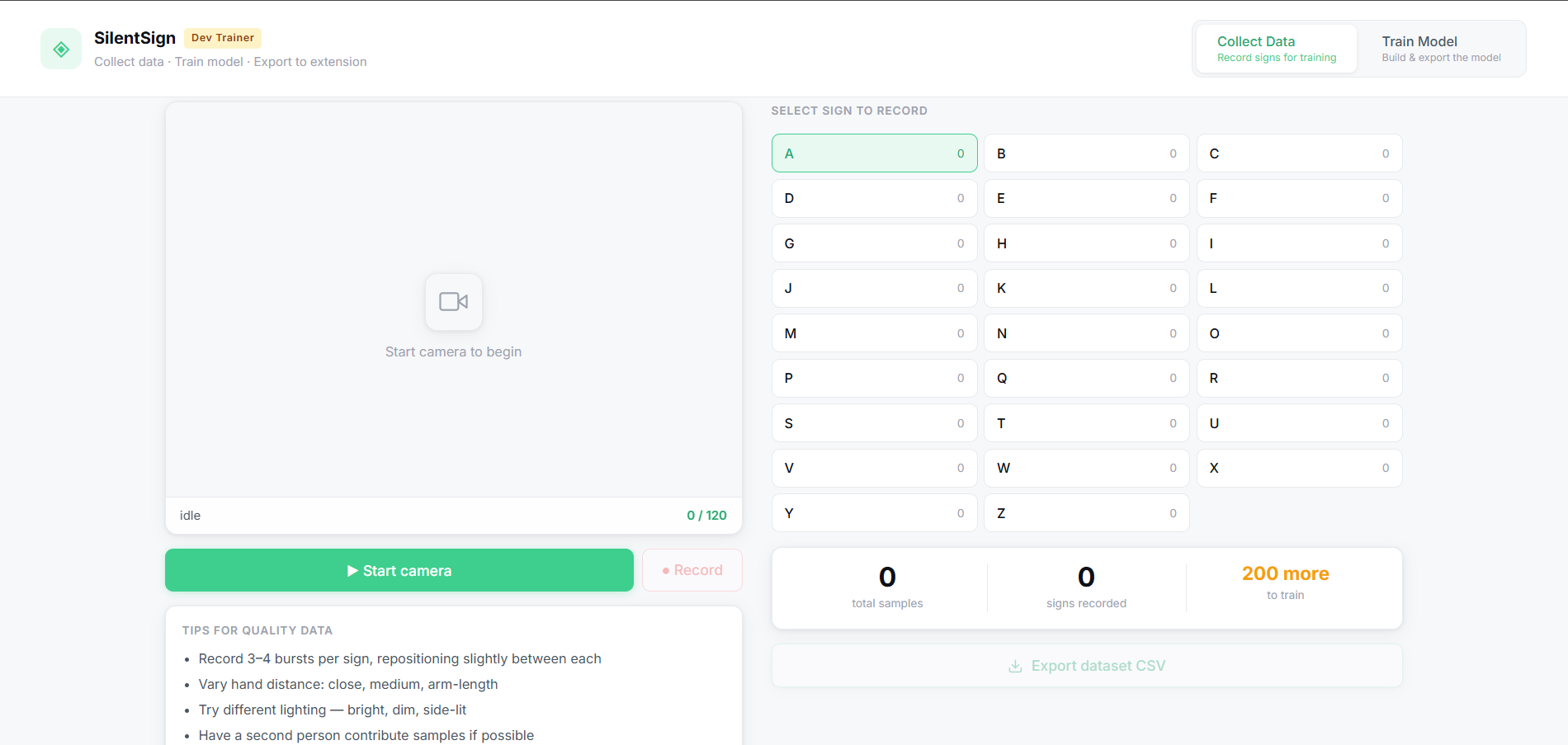
Data collection tab
-
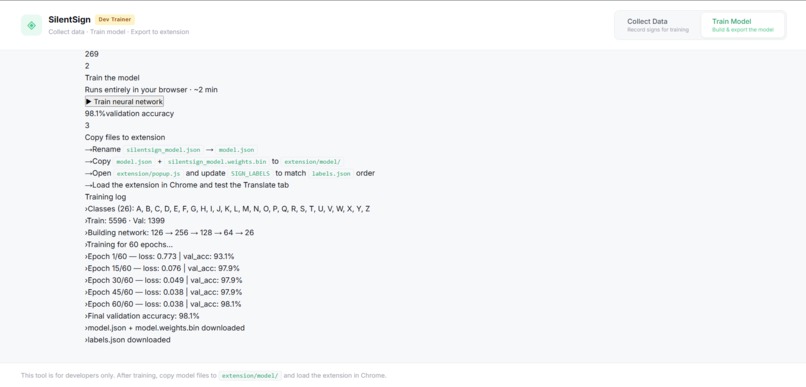
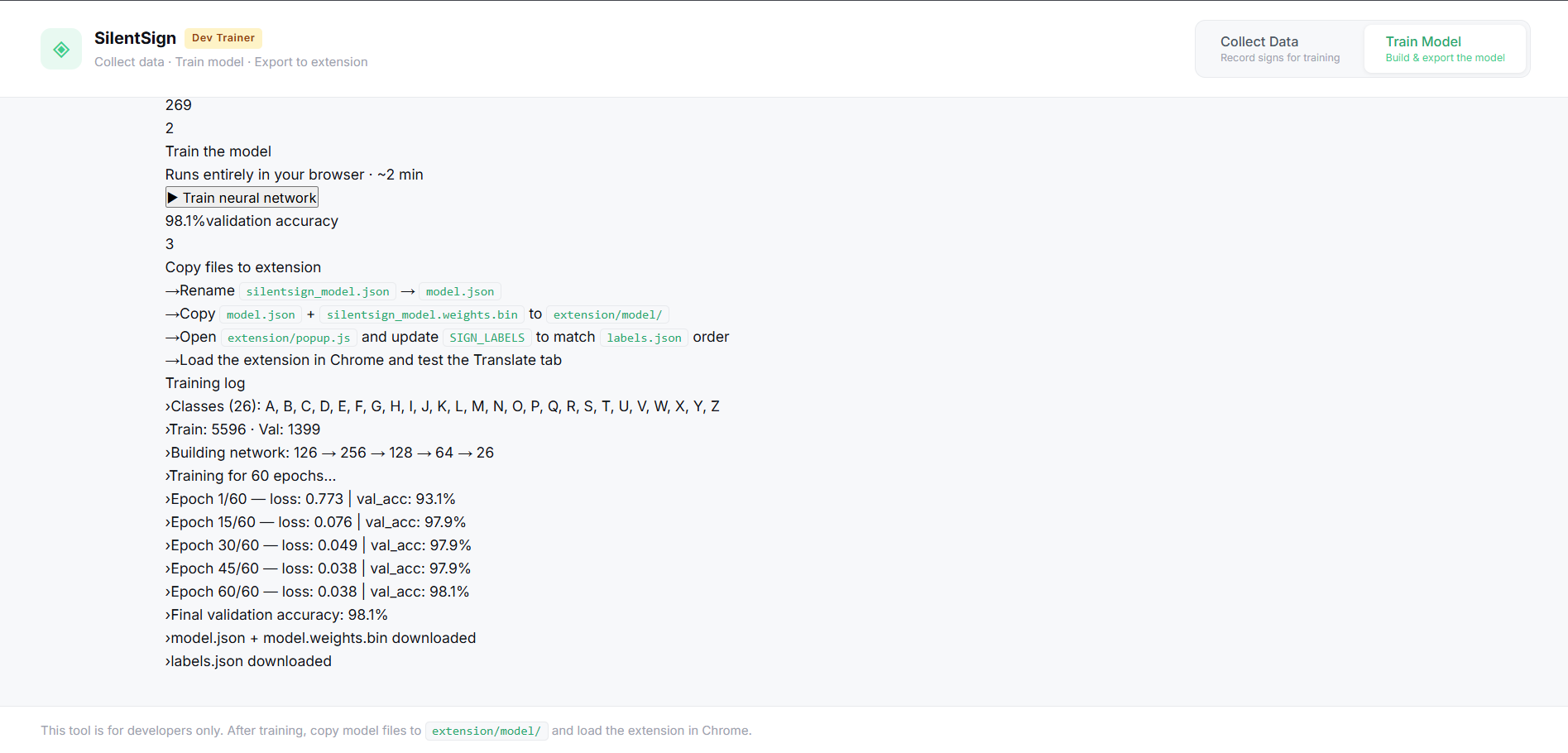
Training the model
Inspiration
We wanted to build something that actually matters. Over 70 million people worldwide use sign language as their primary form of communication, yet almost every digital tool: video calls, browsers, productivity apps treats them as an afterthought. We kept thinking: what if you could just sign, and the computer understood you? No interpreter needed. No switching to a keyboard mid-conversation. That question became SilentSign.
What it does
SilentSign is a Chrome extension that translates American Sign Language (ASL) finger spelling into text in real time, directly inside your browser. You click the extension, allow camera access once, and start signing. The extension detects your hand landmarks frame by frame, runs them through a neural network, and builds up letters into words as you hold each sign. Translations appear inside the popup and as a live subtitle overlay on any webpage including Google Meet. You can copy the full transcript with one click.
It also ships with a built-in Dev Trainer — a web app where you can record your own hand sign data, train a custom neural network entirely in the browser, and export the model directly into the extension. No Python. No cloud. No GPU. Everything runs locally on your device.
How we built it
The pipeline has three layers:
1. Hand tracking — We use MediaPipe Hands running locally in the browser to detect 21 landmarks per hand at up to 30fps. We normalize the landmarks by subtracting the wrist position and scaling by the distance to the middle finger base, making the model robust to hand size, distance from camera, and position in frame. Each frame produces a 126-dimensional feature vector 63 values per hand.
2. Classification — A fully connected neural network built with TensorFlow.js takes the 126 features and outputs a probability distribution over 26 ASL letters. We apply temporal smoothing over a sliding window of frames and require a sign to be held consistently before accepting it, which dramatically reduces false positives.
3. Chrome extension — Because Manifest V3 extensions cannot call getUserMedia directly in popups or offscreen documents, we architected the camera pipeline to run inside a dedicated browser tab that has real camera access. The tab streams annotated frames and predictions back to the popup via the background service worker. The popup is pure UI.
Challenges we ran into
Getting the camera to work inside a Chrome MV3 extension was by far the hardest part. The Content Security Policy blocks dynamic script injection, offscreen documents cannot acquire camera permission, and getUserMedia is silently dismissed in extension popups. We went through multiple architectures before landing on the camera-tab approach. We also hit WASM compilation errors from MediaPipe being blocked by MV3's CSP until we added wasm-unsafe-eval to the manifest.
Accuracy on visually similar signs (H/M, U/V, N/M) required us to rethink our data collection strategy using varied angles, lighting, and hand distances matter far more than raw sample count.
Accomplishments that we're proud of
- The entire ML pipeline consisting of data collection, training, and inference runs in the browser with zero backend
- We built a custom trainer that anyone can use to personalize the model to their own hands
- The extension works on any website, not just a demo page
- We went from camera not working at all to a live real-time translator through a lot of debugging and persistence
What we learned
- Chrome MV3 extension architecture is significantly more restrictive than MV2 and requires creative workarounds for anything involving media devices or WASM
- MediaPipe's landmark normalization is powerful but the feature engineering choices (which hand is "right" vs "left", how to handle absent hands) directly impact model accuracy
- In-browser ML with TensorFlow.js is genuinely viable for this class of problem (no server needed)
- Data diversity beats data quantity 250+ varied samples per sign outperforms 1000 identical ones
What's next for SilentSign
- Expand beyond finger spelling to full ASL words and phrases using sequence models (LSTM/Transformer) over time
- Add support for other sign languages (BSL, ISL, ASL variants)
- Improve accuracy on similar signs using a larger, more diverse dataset processed from raw images via MediaPipe
- Publish to the Chrome Web Store so anyone can install it without developer mode
- Add a live mode that types directly into text fields on any webpage
Built With
- api
- camera
- chrome-extensions-api
- css
- html
- javascript
- manifest-v3
- mediapipe-hands
- react
- tensorflow.js
- vite
- web
- webassembly

Log in or sign up for Devpost to join the conversation.