-
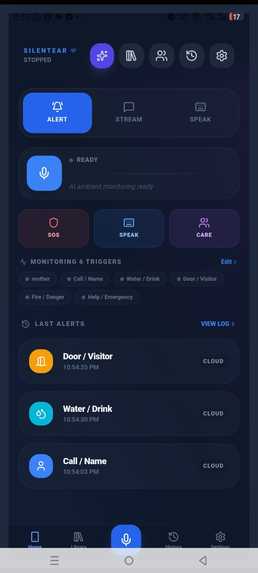
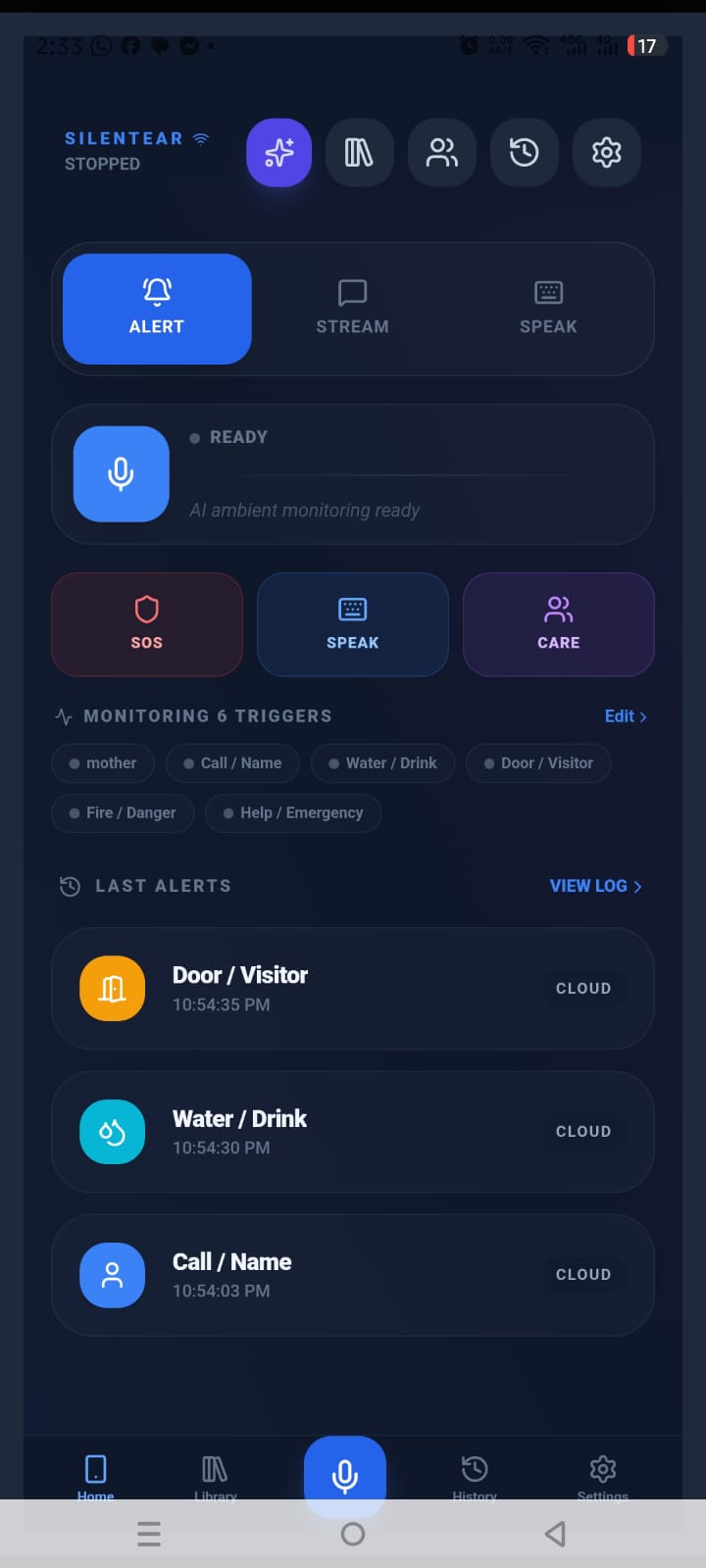
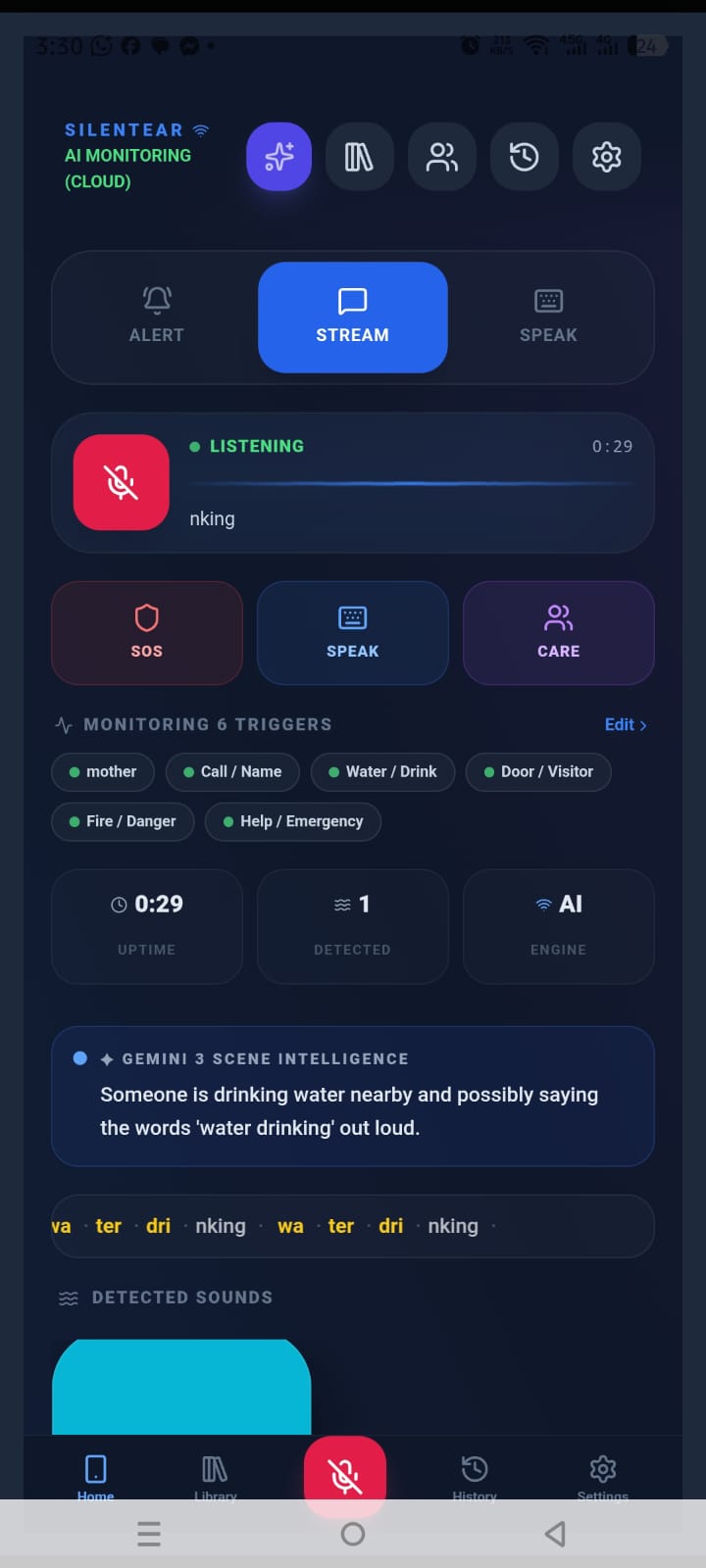
first view - user tap mic for start listening/ sound detection
-
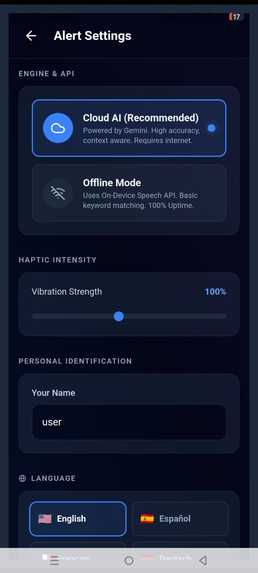
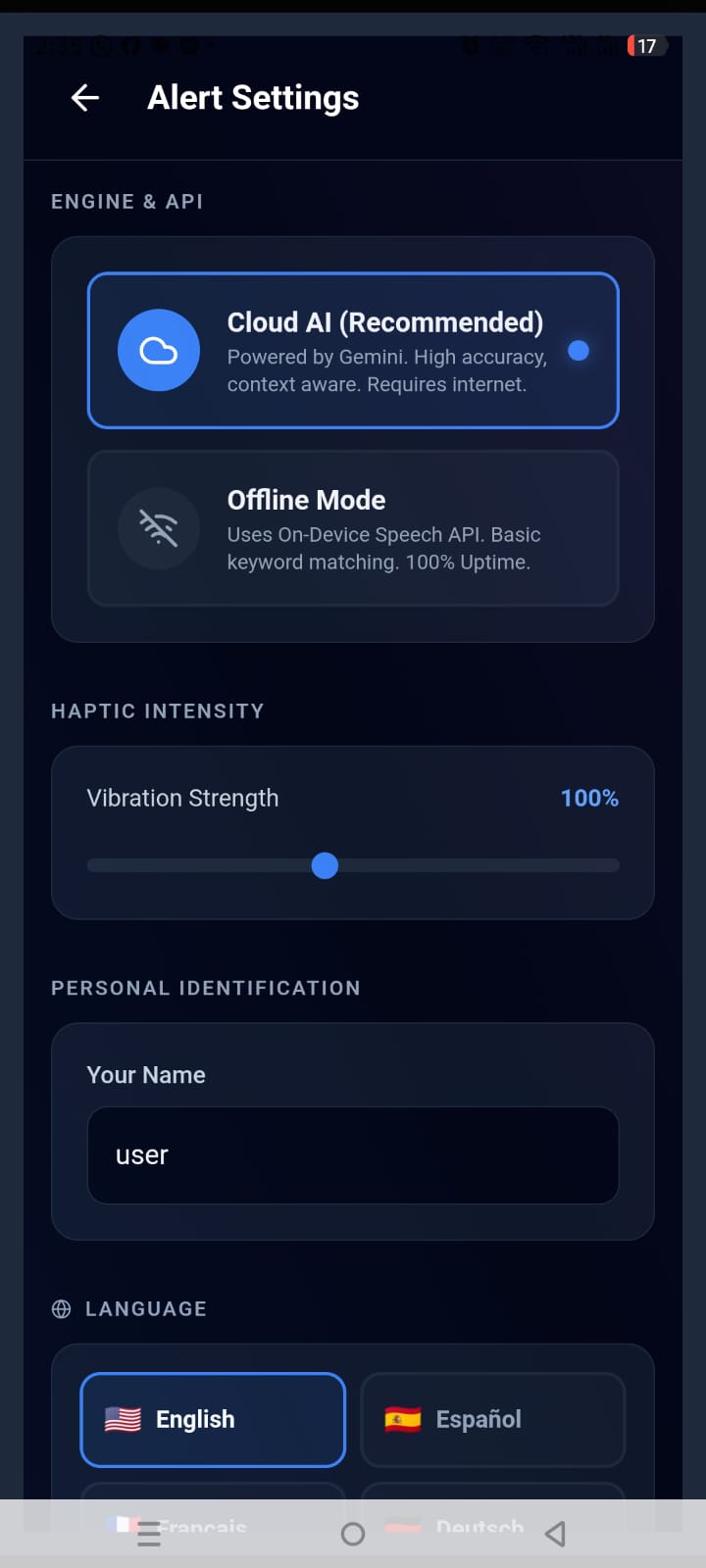
user can be set to any name which will be detected upon calling
-
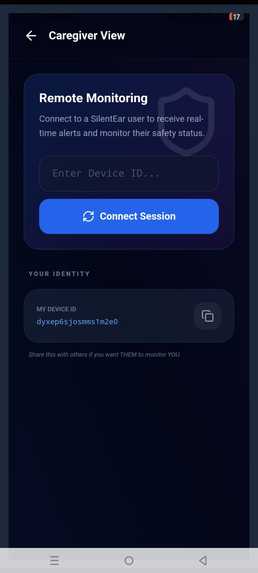
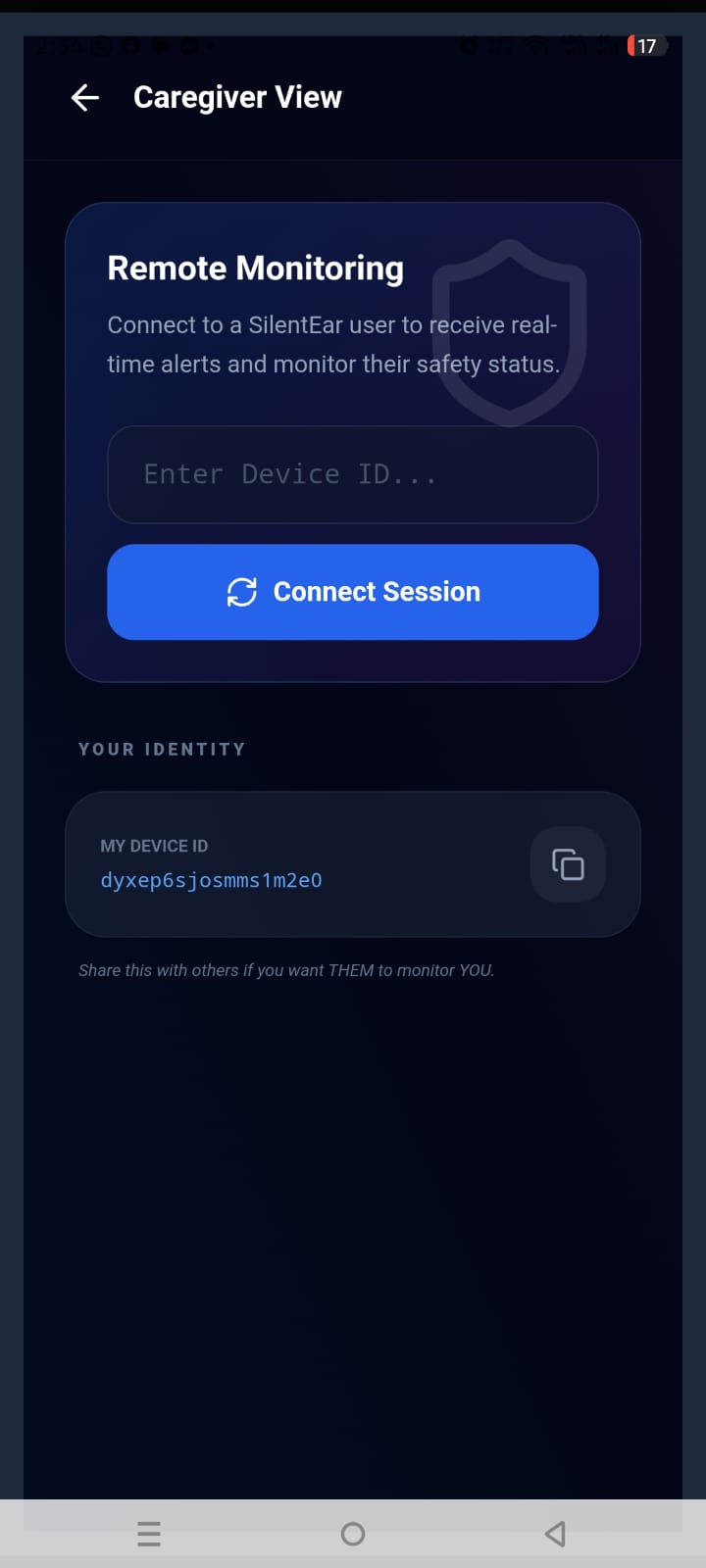
caregiver monitoring
-
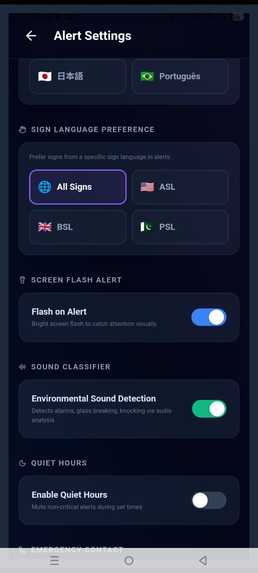
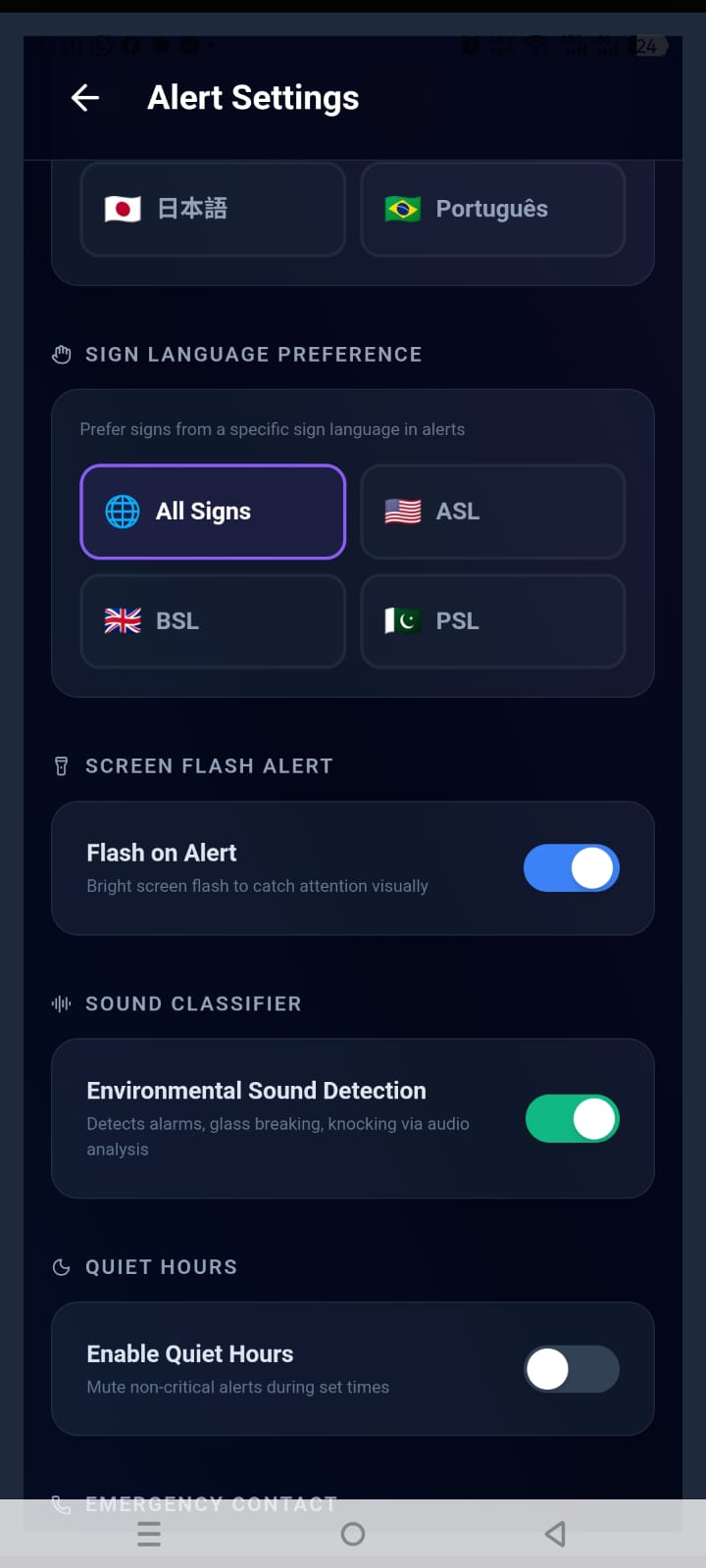
settings for different options and languages.
-
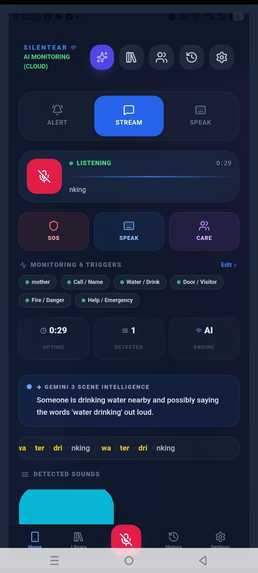
context and environment is working
-
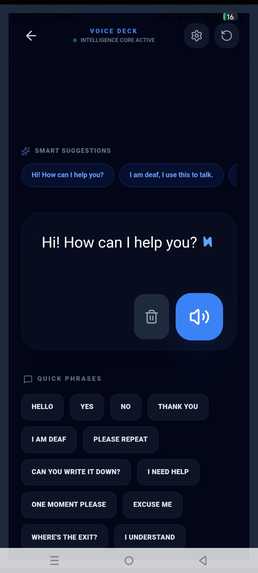
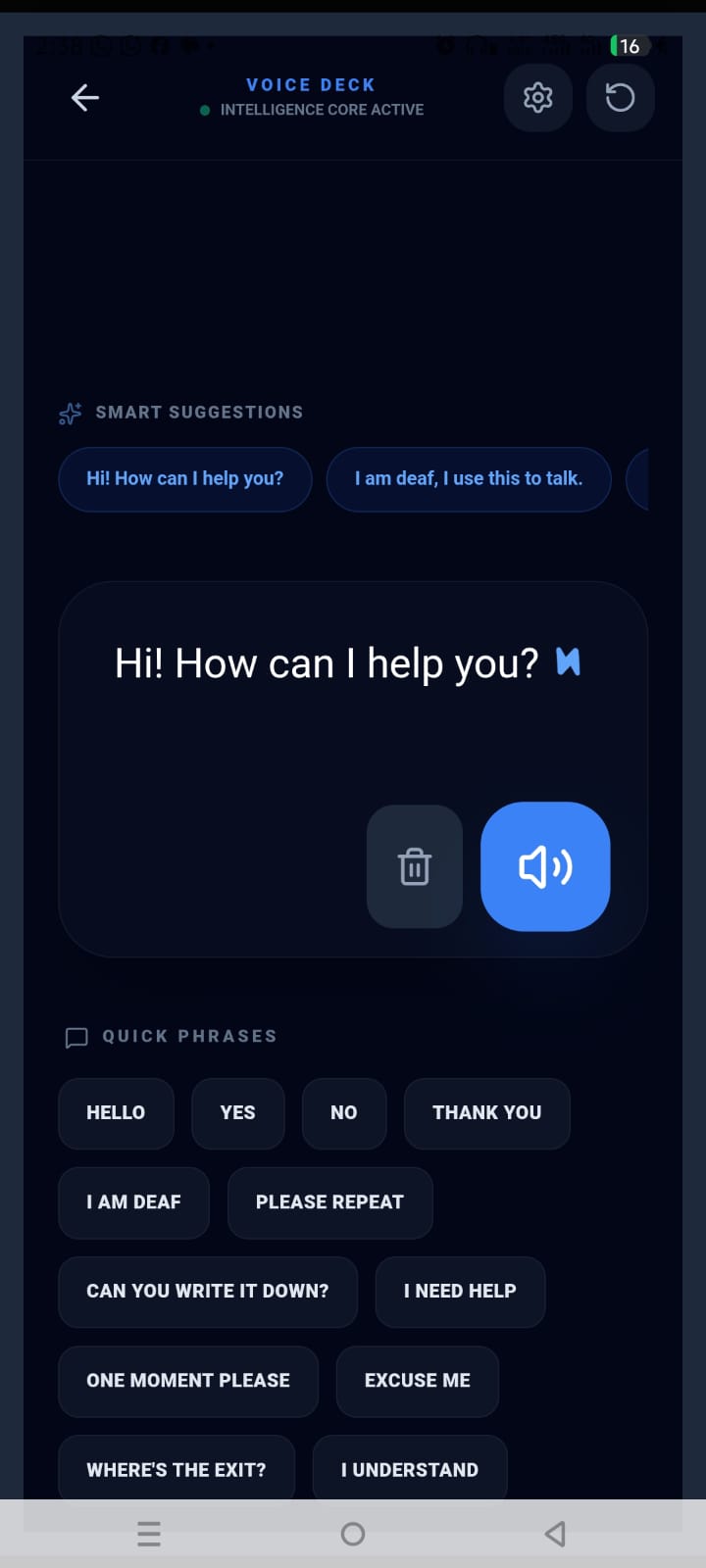
voice deck with auto suggestions to respond as per conversation going around. this will provide loud answer.
-
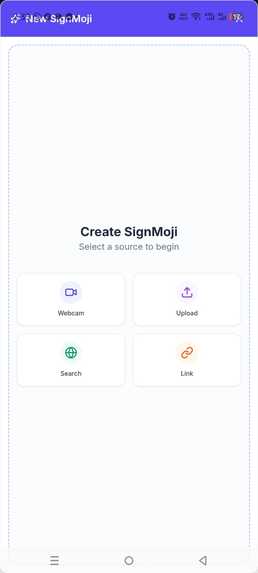
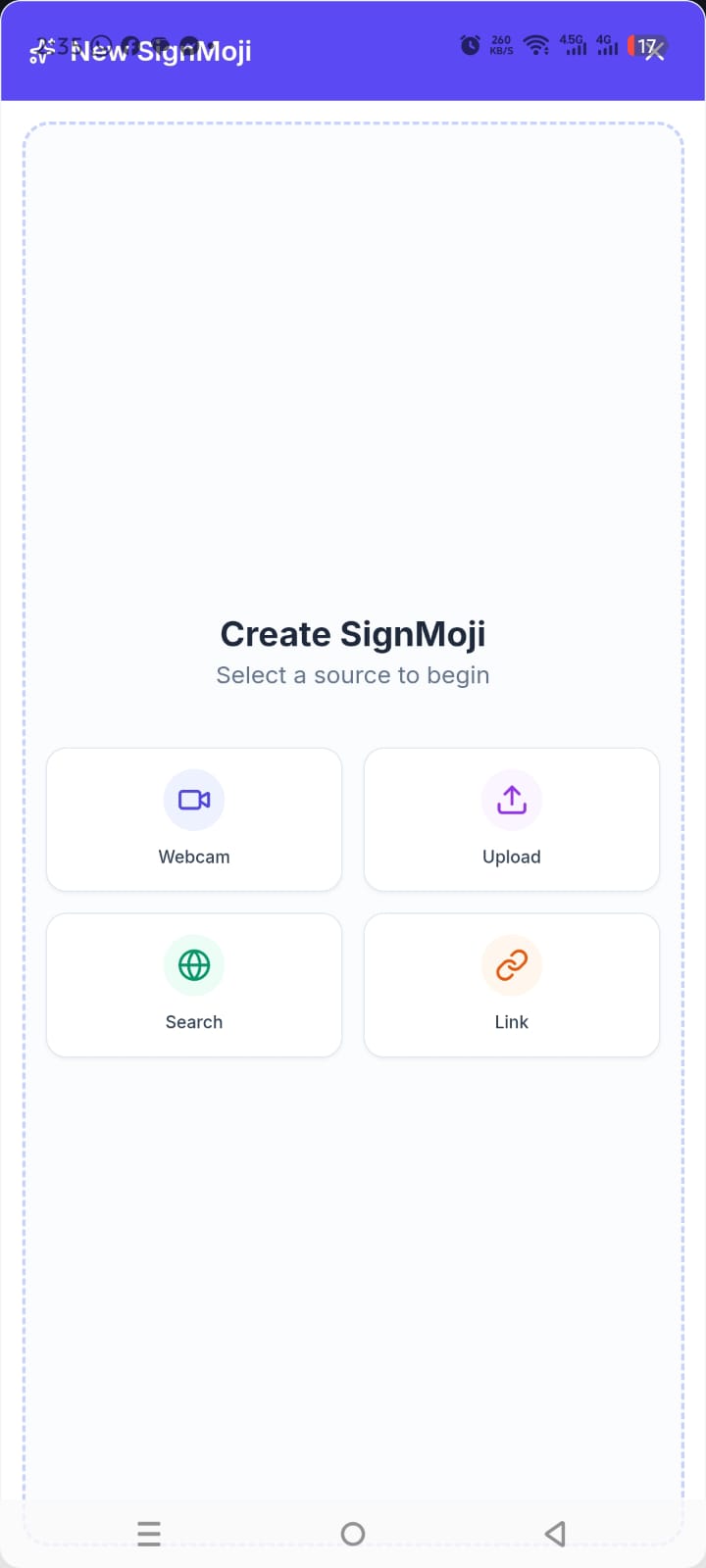
after recording, uploading or selecting new sign video, it will search for relevant icon, or ai generate it or user can add themselve.
Inspiration
This project is deeply personal to me. My son is profoundly deaf by birth, and as he began learning Pakistan Sign Language (PSL) at school, I joined basic training to learn alongside him. During this ongoing journey, I observed firsthand how challenging daily life can be for the Deaf community and their families. Often, deaf individuals feel irrelevant or isolated in gatherings, struggle to communicate smoothly with hearing people, or face physical danger because they cannot hear critical environmental alerts.
While we’ve seen incredible advancements in AI, accessibility tools have largely stagnated around simple speech-to-text transcription. I realized that transcription misses the most crucial part of environmental awareness: the context. A fire alarm, a knock on the door, or a baby crying are critical sounds that text on a screen does not adequately convey in time-sensitive situations. Inspired by my son’s experiences and the powerful capabilities of the Gemini Live API, I set out to build an agent that doesn’t just transcribe words, but actively listens and interprets the world—providing life-saving cues in the formats Deaf users actually need, including haptic feedback, screen flashes, and visual sign language.
What it does
SilentEar is a real-time environmental audio interpreter with core functionality that goes far beyond a simple context-aware app. It continuously monitors ambient sounds, speech, and conversational flow, helping users understand their surroundings and actively participate in conversations.
When critical sounds are detected (such as a dog barking, doorbell, siren, or conversational triggers), it immediately alerts the user through customized vibration patterns, visual alerts, and on-screen cues. The system is designed not only for basic signs but also to support advanced triggers, keywords, and a full conversational vocabulary range. Users can expand or update triggers themselves, similar to SignMoji workflows, ensuring flexibility across different environments and languages.
Crucially, it includes SignMoji, an integrated application and custom library that displays relevant sign language videos corresponding to alerts. If a user needs a specific sign, they can create a custom SignMoji by recording a video, providing a URL, searching the web, or adding triggers manually. The system automatically generates an icon and syncs it across devices via Supabase.
For two-way communication, SilentEar provides an AI-powered Voice Deck, allowing users to trigger text-to-speech with smart, context-aware phrase prediction powered by Gemini 3 Flash. This enables fast and natural communication without typing every word individually. It also includes an emergency caregiver monitoring dashboard where trusted contacts can view live alerts and device status remotely.
How I built it
I architected a full-stack solution bridging mobile web and backend cloud infrastructure:
- Frontend: A responsive React + TypeScript PWA styled with Tailwind CSS, integrating the Web Audio API for local FFT sound classification to reduce latency for high-frequency alarms.
- Backend: A Node.js + Express backend deployed on Google Cloud Run. I implemented a WebSocket proxy to manage bi-directional streaming audio required by the Gemini Live API.
- AI Integration: Using the
@google/genaiSDK, I stream live audio into Gemini with defined tools (function calling) such astrigger_alert. When Gemini detects critical sounds or phrases, it triggers events pushed through WebSocket directly to the frontend. Gemini 3 Flash via REST handles transcript refinement, environmental context interpretation, trigger grouping, and Voice Deck predictions. - Data & Media: Supabase (PostgreSQL + Realtime + Storage) manages user profiles, custom SignMoji libraries, triggers, and caregiver dashboard synchronization.
Accomplishments that I’m proud of
I’m especially proud of how seamless the SignMoji integration feels. Allowing users to instantly search the web, record their own sign language videos, and sync them securely into their trigger system makes the platform deeply personal and culturally meaningful. Achieving ultra-low latency alerts through Gemini Live function calling also feels transformative in real-world testing.
What I learned
I gained deep experience working with the Web Audio API and real-time streaming constraints in modern browsers. More importantly, building accessibility-first technology taught me about the nuance of Deaf culture—especially why transcription alone is insufficient, and why combining environmental intelligence, visual signals, haptics, and sign language is essential for inclusion.
What’s next for SilentEar
Next, I plan to package SilentEar natively using Capacitor for iOS to enable continuous background listening—something PWAs currently struggle with. I also aim to integrate SilentEar with smartwatches for faster and more discreet alerts.
In the future, I plan to introduce a live interpreter pipeline capable of translating sign into audio/video output and converting spoken audio into signing avatars after training on large multimodal datasets. I also want to expand SignMoji into a global, community-driven repository where users can share localized sign language triggers (PSL, BSL, ASL, and others) worldwide.
Built With
- docker
- express.js
- gemini-3-flash
- gemini-live-api
- google-cloud-build
- google-cloud-run
- google-genai-sdk
- node.js
- react
- supabase
- tailwind
- typescript
- vite
- web-audio
- web-vibration-api
- websockets


Log in or sign up for Devpost to join the conversation.