Inspiration
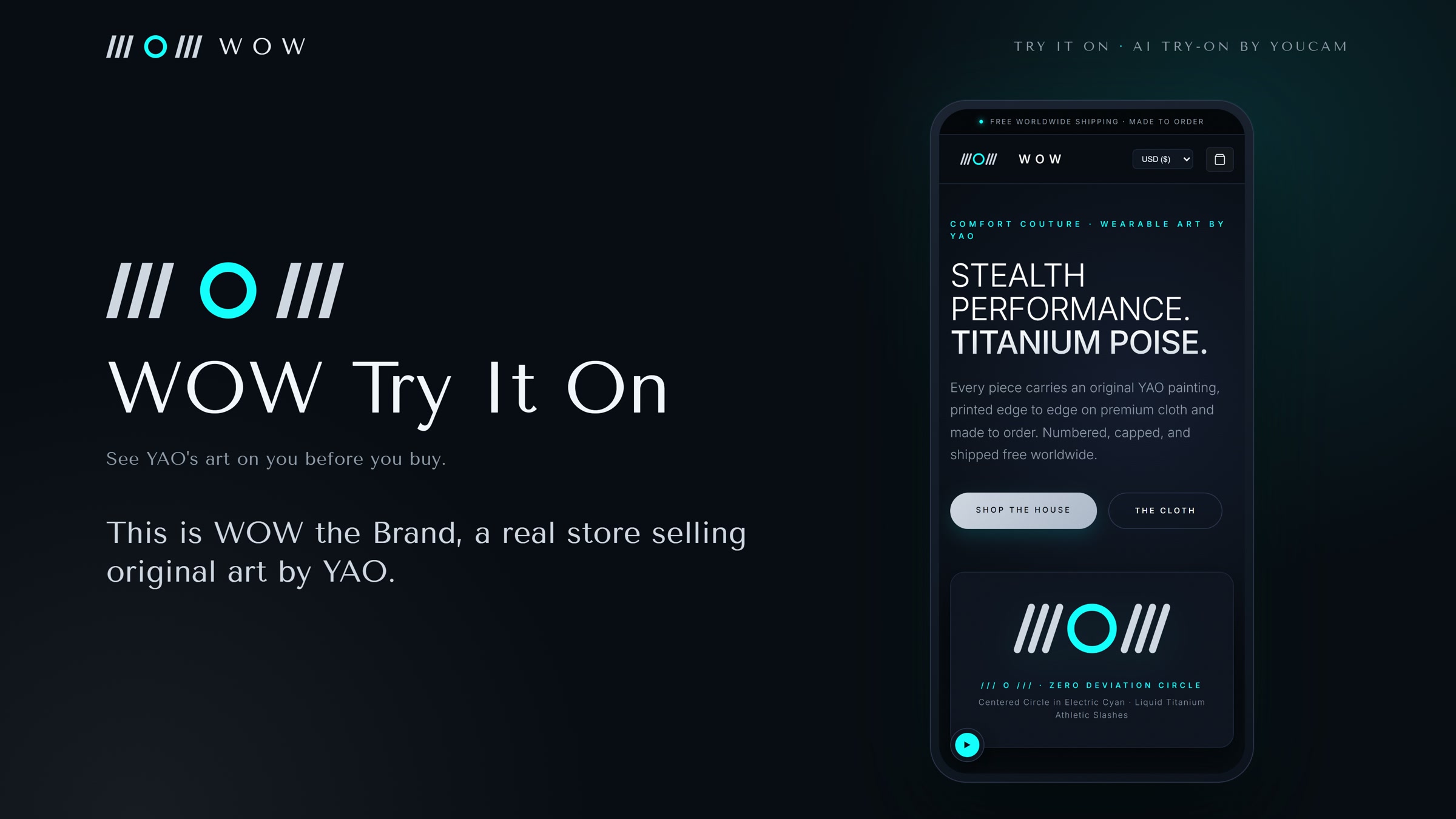
WOW by YAO is a real print-on-demand apparel store selling original art by YAO across two storefronts, wowthestreets.online and wowthebrand.com. Every piece is made to order, so there is no fitting room, no shop floor and no second chance at a first impression. A buyer sees a flat product photo and has to imagine the rest.
Bold, all-over art prints are the hardest thing to imagine on yourself. The question we kept hearing was simple: "what would it look like on me?" We wanted the store to answer that before the buyer leaves the page.
What it does
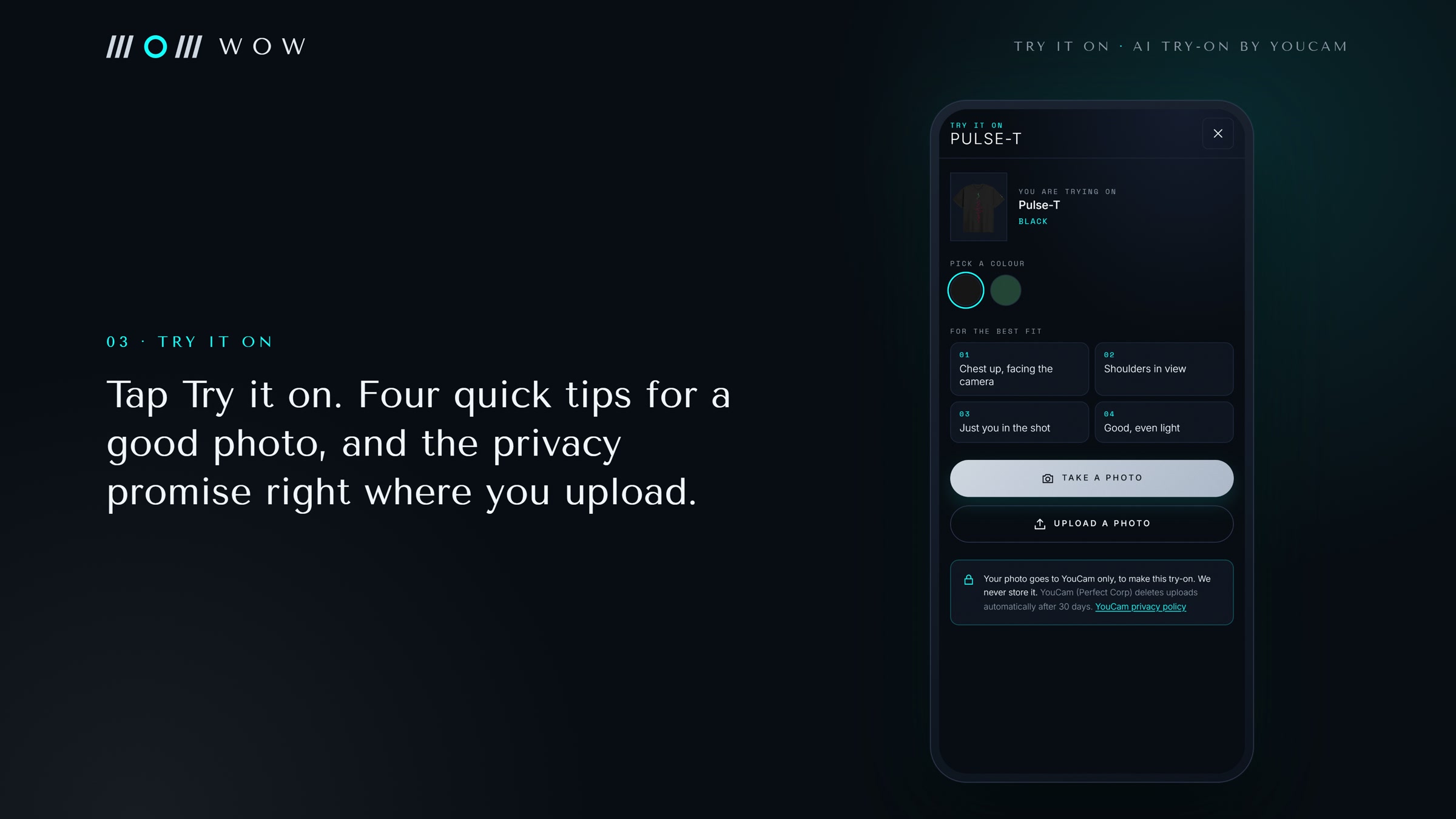
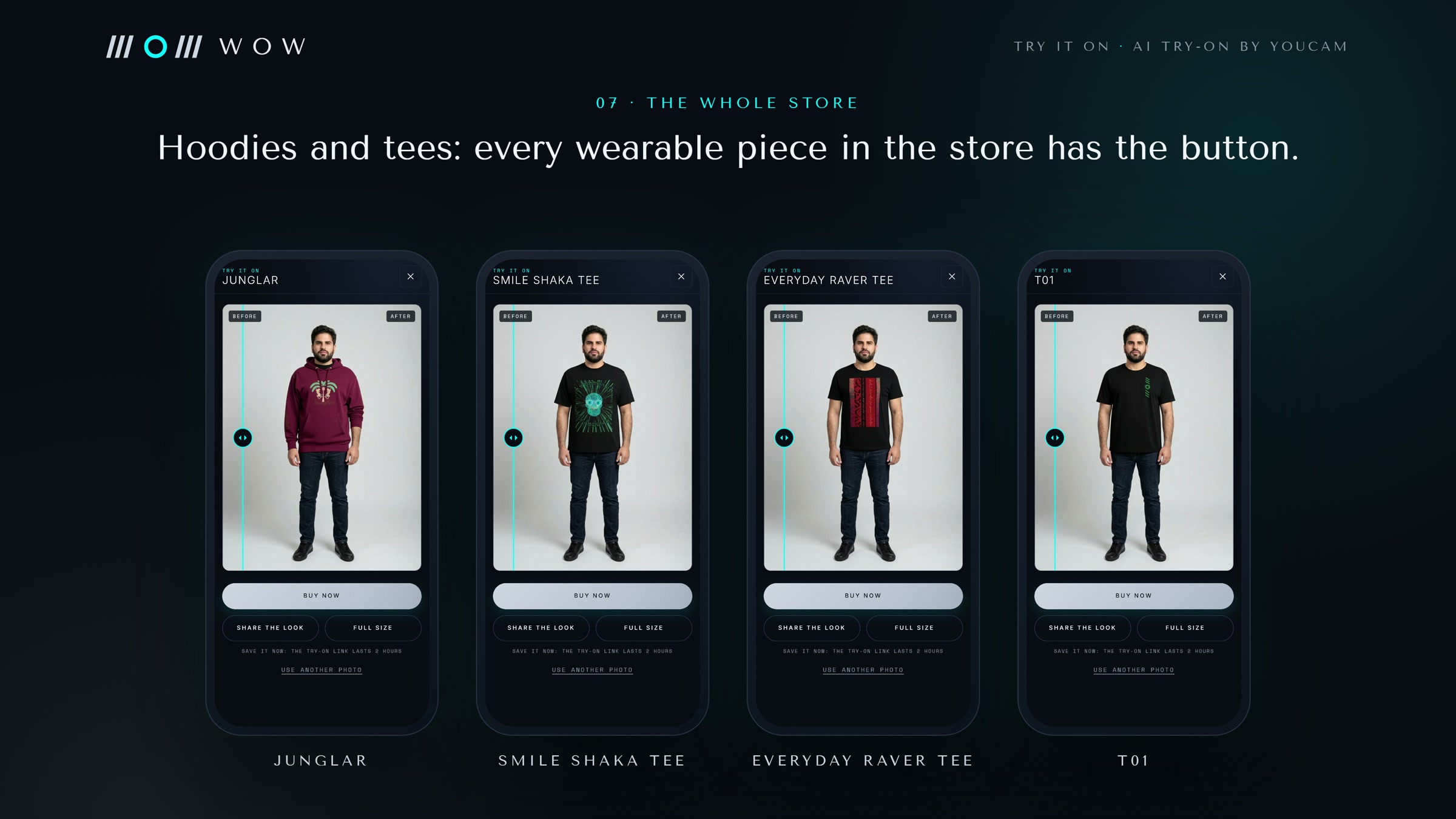
Every wearable product page now has a Try it on button.
- The shopper takes a photo on their phone or uploads one. The sheet shows four tips for a good result: chest up, shoulders in view, just you in the shot, good light.
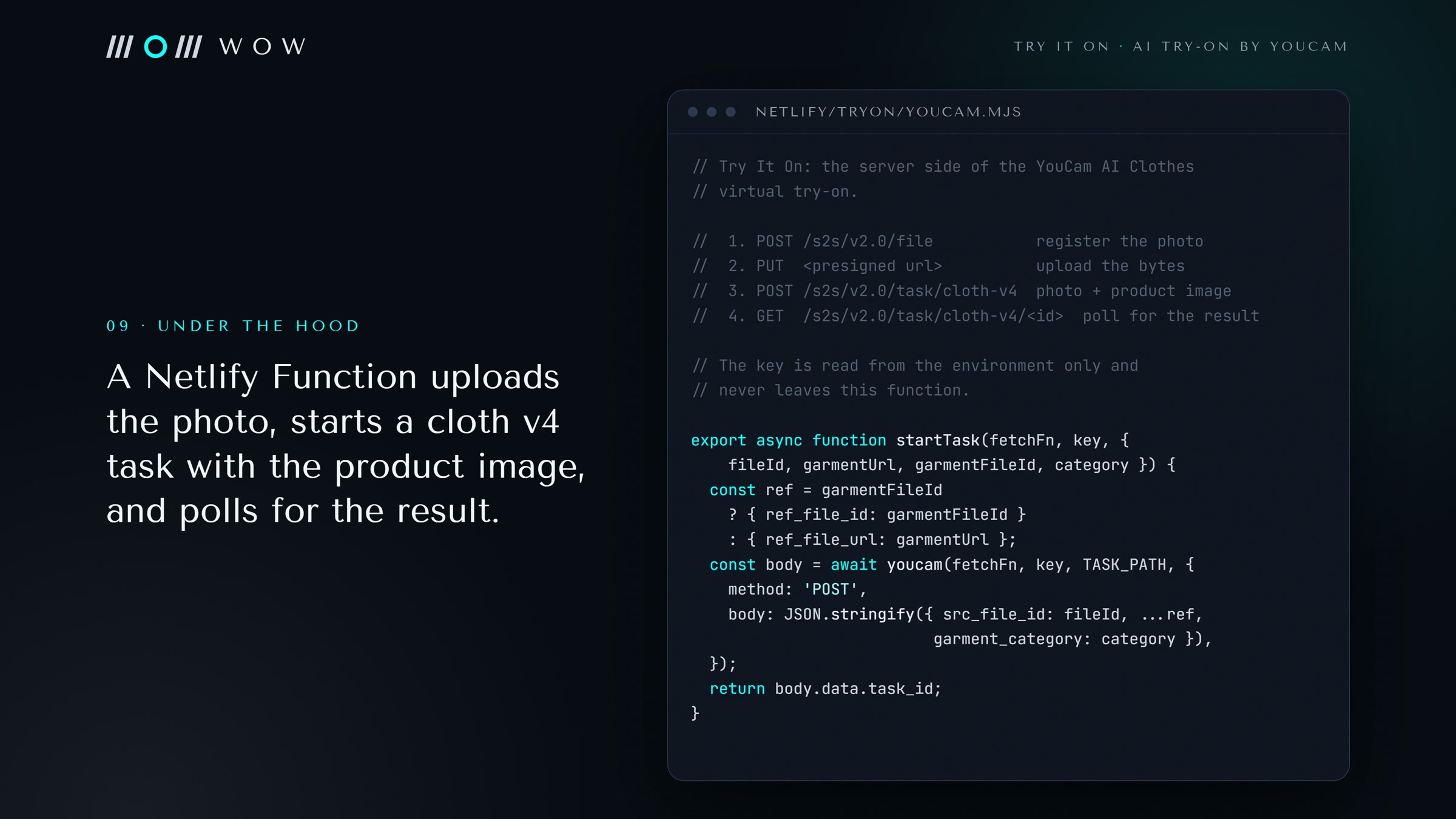
- The photo and the product's own garment image go to the YouCam AI Clothes API, which dresses the shopper in that exact piece.
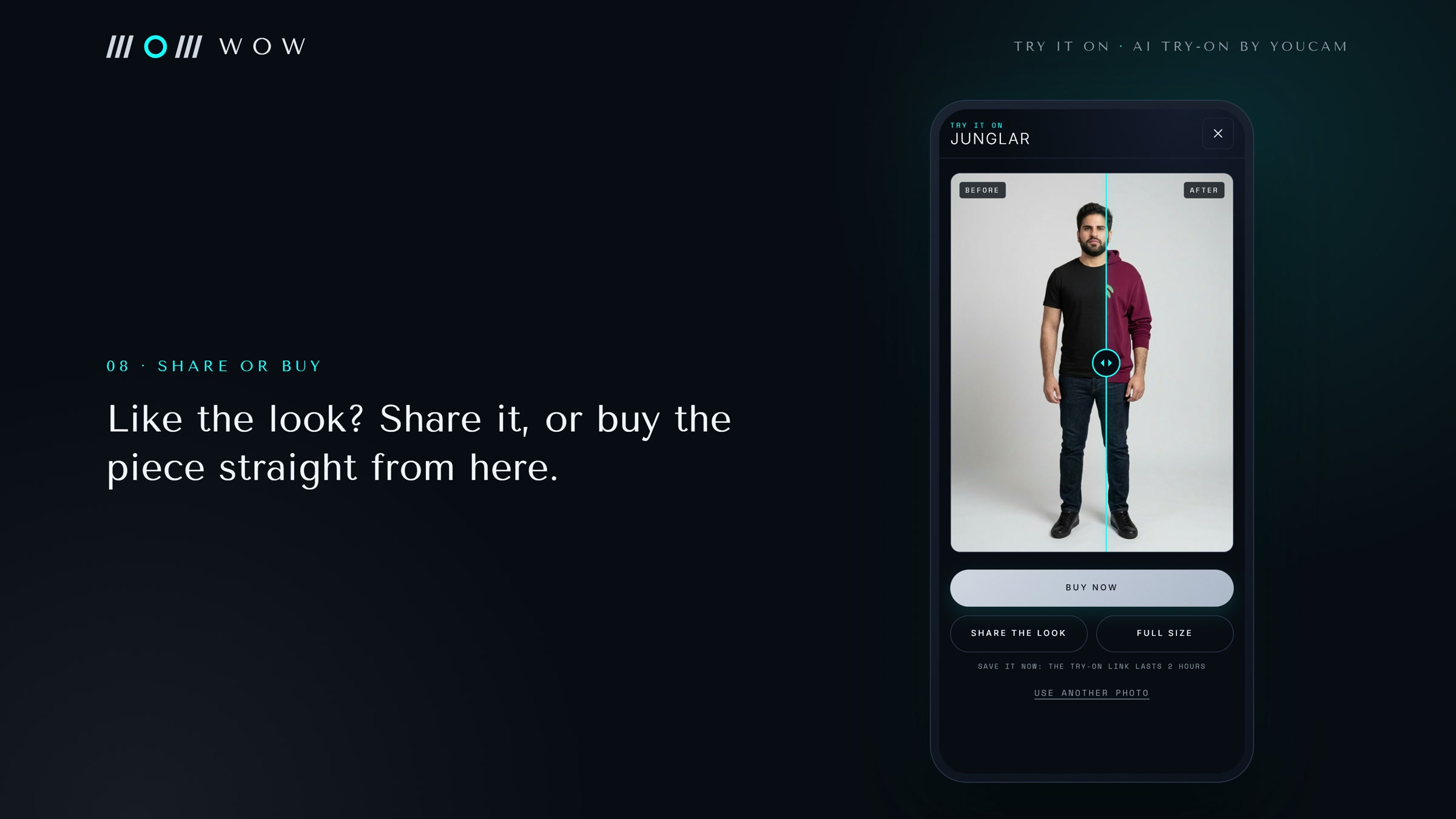
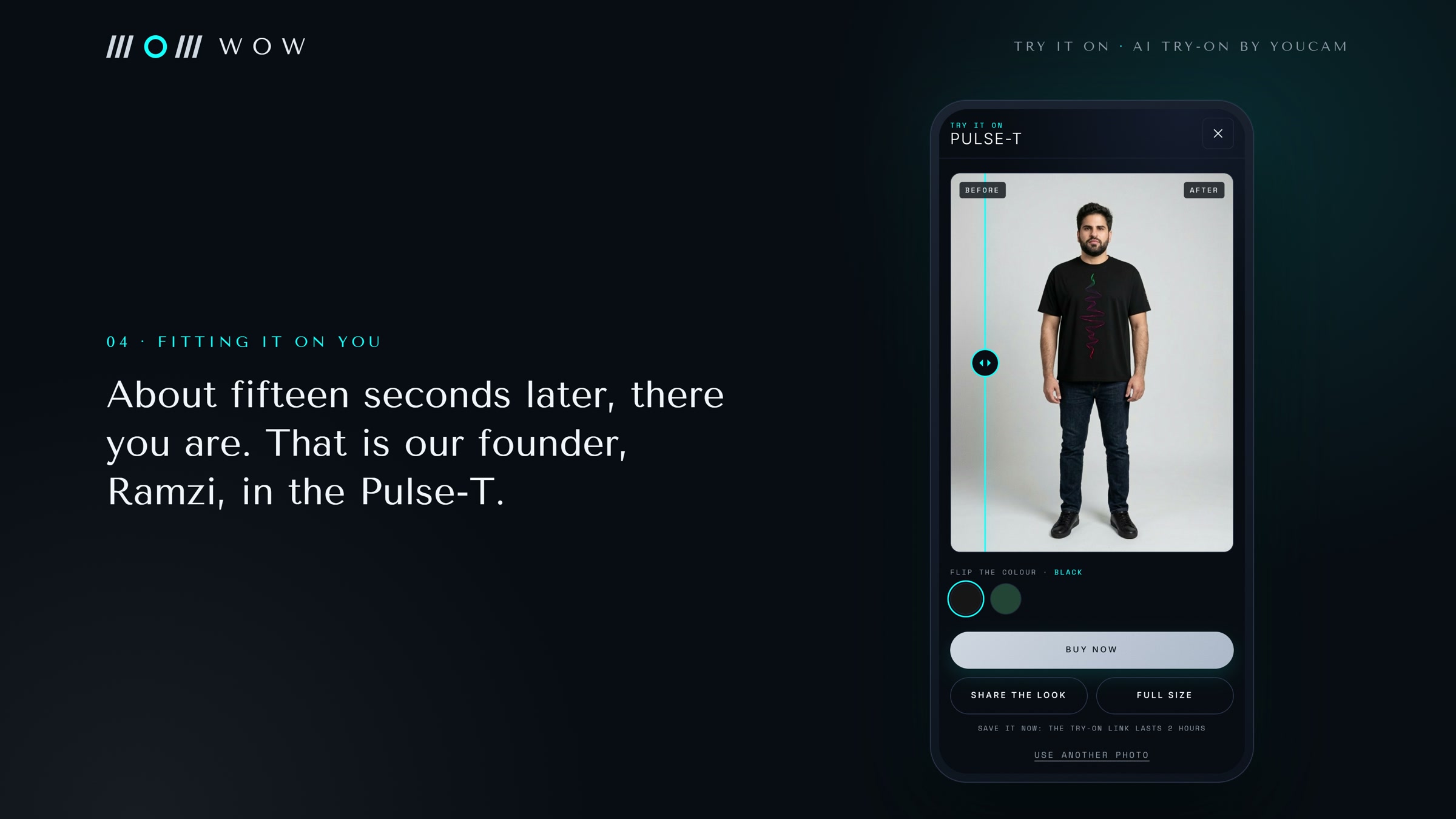
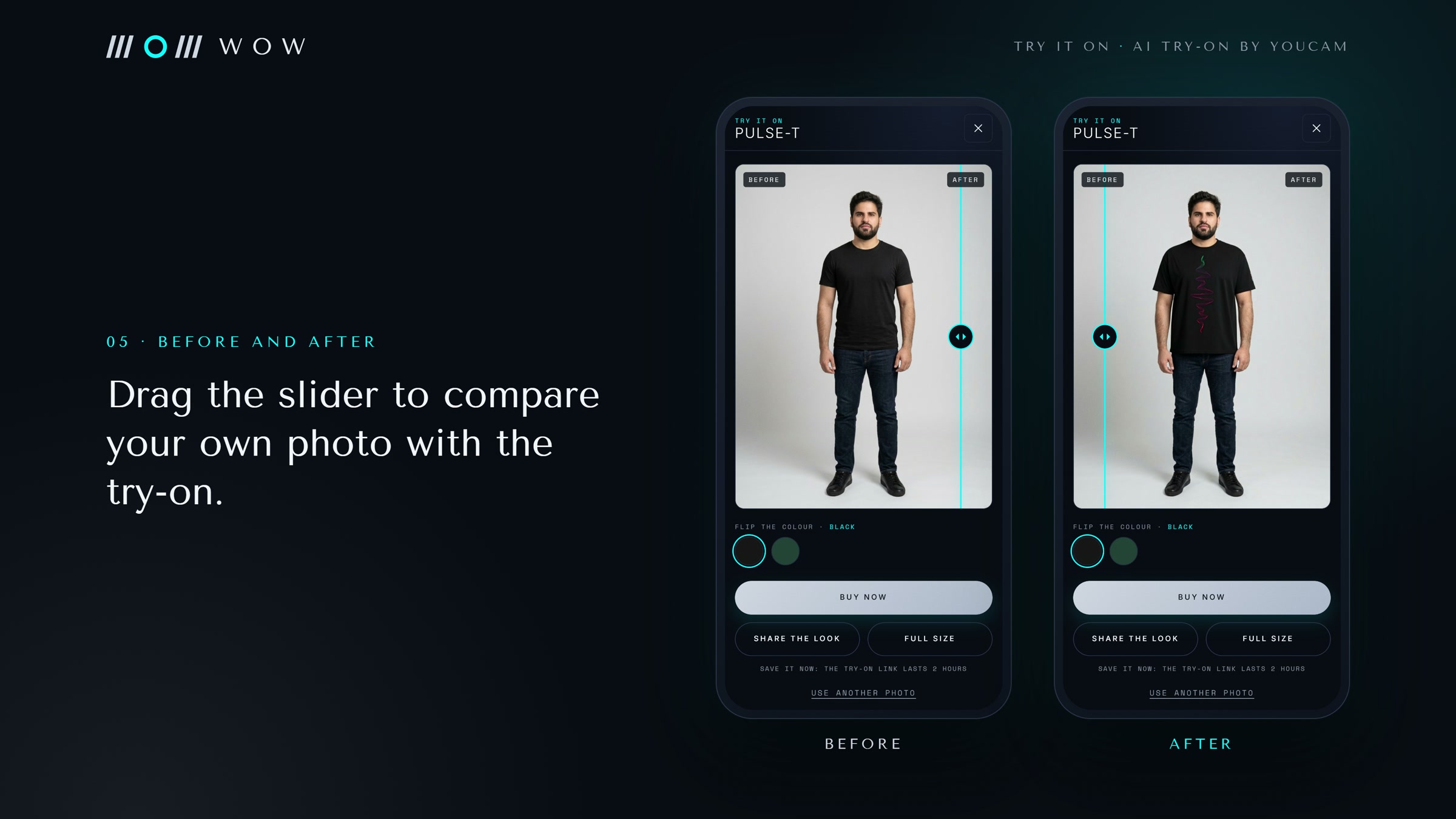
- The result opens in a before and after slider, so the shopper can drag between their own photo and the try-on.
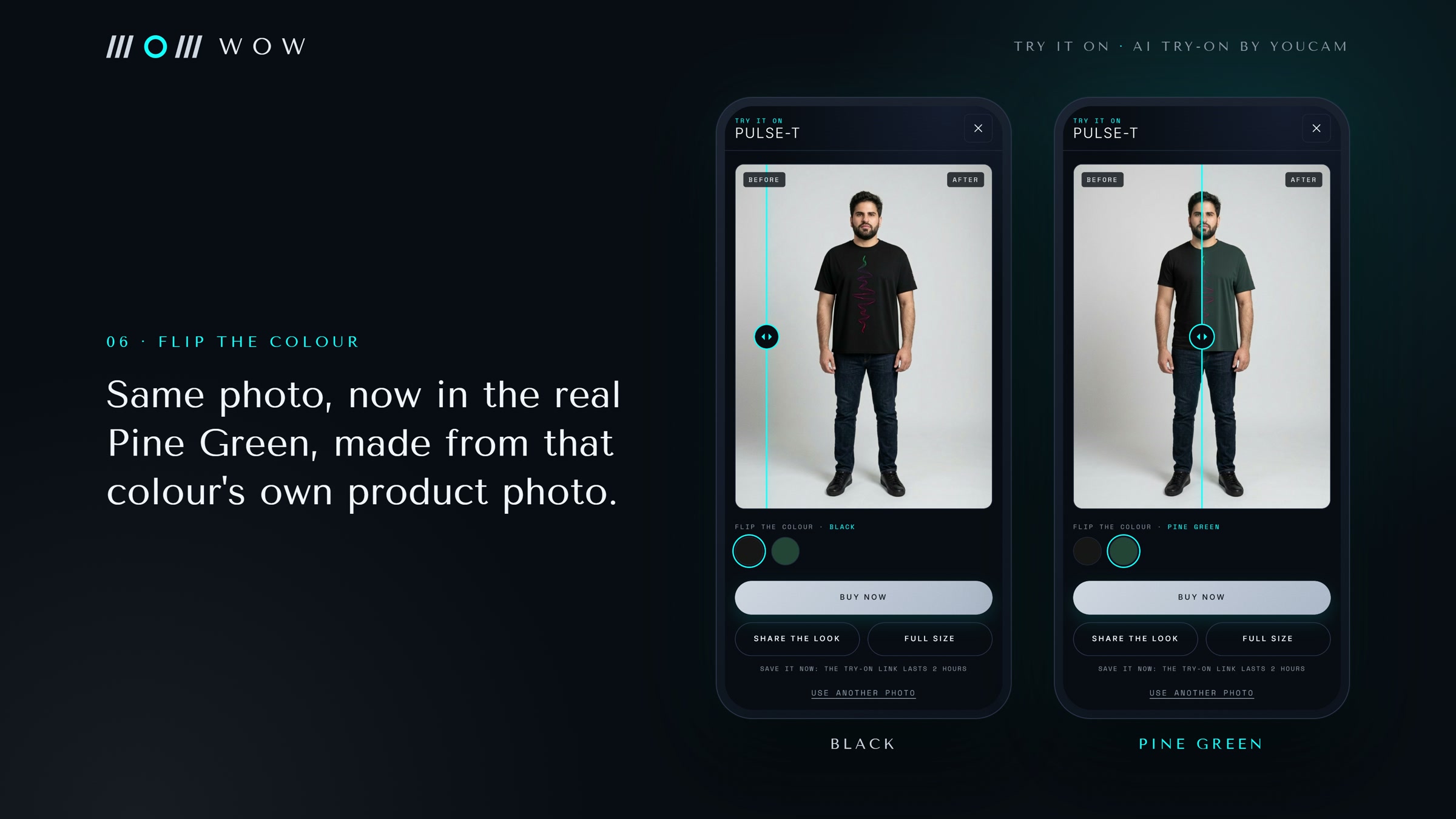
- Flip the colour: the photo uploads once and every colourway starts at the same time, using each colour's real product photo, so a flip is instant once the results are in. The Pulse-T flips between Black and Pine Green.
- See it head to toe: a chest up selfie is enough for tops. One more tap extends the result into a full length look with the YouCam AI Image Extender.
- From the result the shopper can buy now, share the look (the image itself where the phone allows, otherwise the product link), or open the full size image.
Privacy is stated at the point of upload, not buried: the photo goes to YouCam only, we never store it, and YouCam deletes uploads automatically after 30 days. The store's privacy policy says the same.
It works on both storefronts and in both looks: the dark street and rave look of WOW by YAO and the Midnight Titanium look of WOW the Brand (navy, titanium and electric cyan; only black, dark and white pieces). It is built for phones first, because that is where the store's TikTok and Instagram traffic lands.
How we built it
- Store: Astro and Tailwind CSS, one codebase that builds both storefronts, hosted on Netlify.
- Try It On function: a Netlify Function at
/api/tryon, Node.js with no extra packages. It runs the documented YouCam flow:POST /s2s/v2.0/fileregisters the shopper photo and returns a presigned upload,- the photo bytes go up with a
PUTto that URL, POST /s2s/v2.0/task/cloth-v4starts the try-on withsrc_file_id, the product image (asref_file_urlfor CDN photos, or uploaded asref_file_idwhen the image lives on the store itself), and agarment_categoryworked out from the product type (tops toupper_body, joggers and pants tolower_body, sleepwear sets tofull_body),GET /s2s/v2.0/task/cloth-v4/<task_id>is polled until the task succeeds and returns the result image,- for head to toe,
POST /s2s/v2.0/task/out-paintextends the result onto a tall canvas (about 11 seconds, 2 units).
- Measured live: every one of our 22 real try-ons succeeded, in 12 to 18 seconds, at 2 units each.
- Short calls: the function waits up to 4 seconds for a quick finish, then hands polling to the page, so no single call gets near the serverless time limit. The result screen only opens once the try-on image has loaded, so the slider never shows an empty side on slow mobile data.
- In the browser: the photo is resized to at most 2048 pixels on the long side and turned into a JPEG before upload, which keeps it inside YouCam's limits (512 to 4096 pixels, under 10 MB) and fast on mobile data.
- Colourways come straight from the store's own variant data, so every new colour added to the shop is available to try on with no extra work.
- Safety: the API key lives only in the server environment. The function only sends garment images from the store's own image hosts, so the key cannot be used to process arbitrary images. YouCam errors such as "no pose found" or "more than one person" come back as plain-English advice on what photo to use instead.
- Tests: 19 automated tests run the whole flow against a fake YouCam server (endpoints, auth header, upload, polling, every error path, size limits, mock mode), and run on every pull request.
Challenges we ran into
- The API moved while we built. Our plan was written against the older
file/clothandtask/clothendpoints. The current documentation uses the generals2s/v2.0/fileupload and thecloth-v4task, and the documented file retention changed from 24 hours to 30 days. We built to the current docs and wrote the privacy copy to match what YouCam says today. - Serverless time limits. A try-on can take longer than a serverless function is allowed to run, so we split it: start the task, return quickly, let the page poll.
- Product images are not studio flats. Our catalogue mixes print-on-demand mockups and on-model shots. Mapping each product type to the right
garment_categorymattered more than any other setting. - A "success" that changed nothing. Our first Junglar hoodie try-on came back as a success with the shopper unchanged. The cause was ours: the hoodie's photo on our checkout host renders as a blank white image. We now send a clean JPG of the hoodie made from the store's own artwork, uploaded straight to YouCam through the File API.
- Format limits. YouCam takes JPG and PNG; some of our hero images are WebP, so a design can name a separate try-on photo.
- Two brand looks, one feature. The same sheet had to feel native on a near-black street site and on the navy and titanium couture site.
Accomplishments that we're proud of
- It is in a real store with real products, not a demo shop.
- Colour flip turns one photo into a whole colour range, which is exactly the decision a buyer is stuck on.
- Privacy is designed in: nothing about the shopper's photo is kept by the store, and the shopper is told so before they upload.
- Full test coverage of the API integration without spending a single API unit, and 22 out of 22 live try-ons successful across tees, hoodies and joggers.
What we learned
- Clear photo guidance up front does more for result quality than anything after the fact.
- Mapping store data (garment type, colourway images) onto the API's parameters is most of the integration work.
- A mock mode that behaves like the real flow let us finish the whole experience, design and tests before the live key was in hand.
What's next for WOW Try It On
- A branded "share the look" card for TikTok and Instagram Stories, with the product link built in.
- Try It On on the new drops the day they launch.
- YouCam AI Hat and AI Bag for accessories as the catalogue grows.
- Measure try-on to purchase rate per product, and use it to choose which designs to print next.
Updated during the hackathon
WOW by YAO existed before the hackathon as a working store. Try It On did not. Every line of the try-on feature was written after the submission period opened on 29 Sep 2026. Before the hackathon the store had no virtual try-on, no YouCam integration, no serverless functions and no photo upload of any kind.
What changed, with commit dates (branch feat/try-it-on):
| Date | Commit | Change |
|---|---|---|
| 24 Oct 2026 | 124cb77 | YouCam AI Clothes Netlify Function (upload, cloth-v4 task, polling), mock mode, 16 tests, tests added to CI |
| 24 Oct 2026 | 96e21bf | Try it on button, photo sheet, before and after slider, colour flip, both storefront themes |
| 24 Oct 2026 | 9733c6c | Privacy policy updated for try-on photos, README for the feature |
| 24 Oct 2026 | 40ad0df | Fixes from the first live YouCam runs: store-hosted garments uploaded as ref_file_id, tryOnImage for WebP heroes, result waits for its image, 19 tests |
| 24 Oct 2026 | 5767074 | Real colourway photos for Pulse-T and Dad Jogger, clean Junglar try-on photo, live timings documented |
| 24 Oct 2026 | 2c0e5b6 | WOW the Brand product, design and room pages and the Try It On sheet restyled in Midnight Titanium to match the new home page |
| 25 Oct 2026 | c6cd346 | Brand palette rule (only black, dark and white pieces and colourways on WOW the Brand); new pieces T01 and Smile Shaka Tee with Try It On |
| 25 Oct 2026 | f02251e | Brand colour pages limited to the dark lanes |
| 26 Oct 2026 | 5396e4d | Brand labels and copy no longer name light colours (Elevated Tee shows /// ELEVATED) |
| 26 Oct 2026 | 956b085 | Selfie friendly try-on, all colourways start in parallel for instant flips, head to toe view with the YouCam AI Image Extender |
The last commit on the store before this work was 260c3ba on 9 Oct 2026 (a fix to the colour pages), which is unrelated to try-on.
YouCam API used
AI Clothes virtual try-on (cloth-v4), with the File API for the shopper photo and for store-hosted garment images, and the AI Image Extender (out-paint) for the head to toe view.
Try it
- Demo store: https://try-it-on--wowthebrand.netlify.app/
- Pulse-T with the colour flip: https://try-it-on--wowthebrand.netlify.app/designs/everyday-pulse-t/
- Junglar hoodie: https://try-it-on--wowthebrand.netlify.app/designs/art-fufu-junglar/
- Smile Shaka Tee: https://try-it-on--wowthebrand.netlify.app/designs/smile-shaka-tee/
- T01: https://try-it-on--wowthebrand.netlify.app/designs/essentials-t01/
Built With
- ai-clothes
- ai-image-extender
- astro
- javascript
- netlify
- netlify-functions
- node.js
- perfect-corp
- tailwindcss
- typescript
- virtual-try-on
- youcam-api

Log in or sign up for Devpost to join the conversation.