-
-
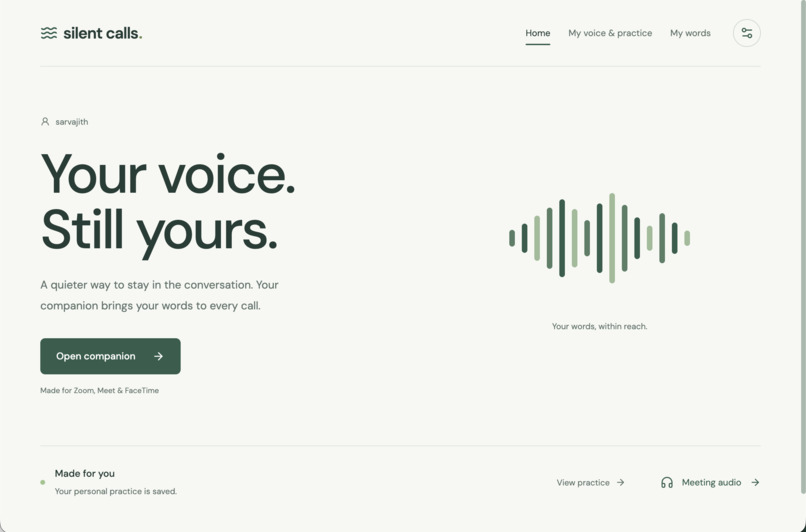
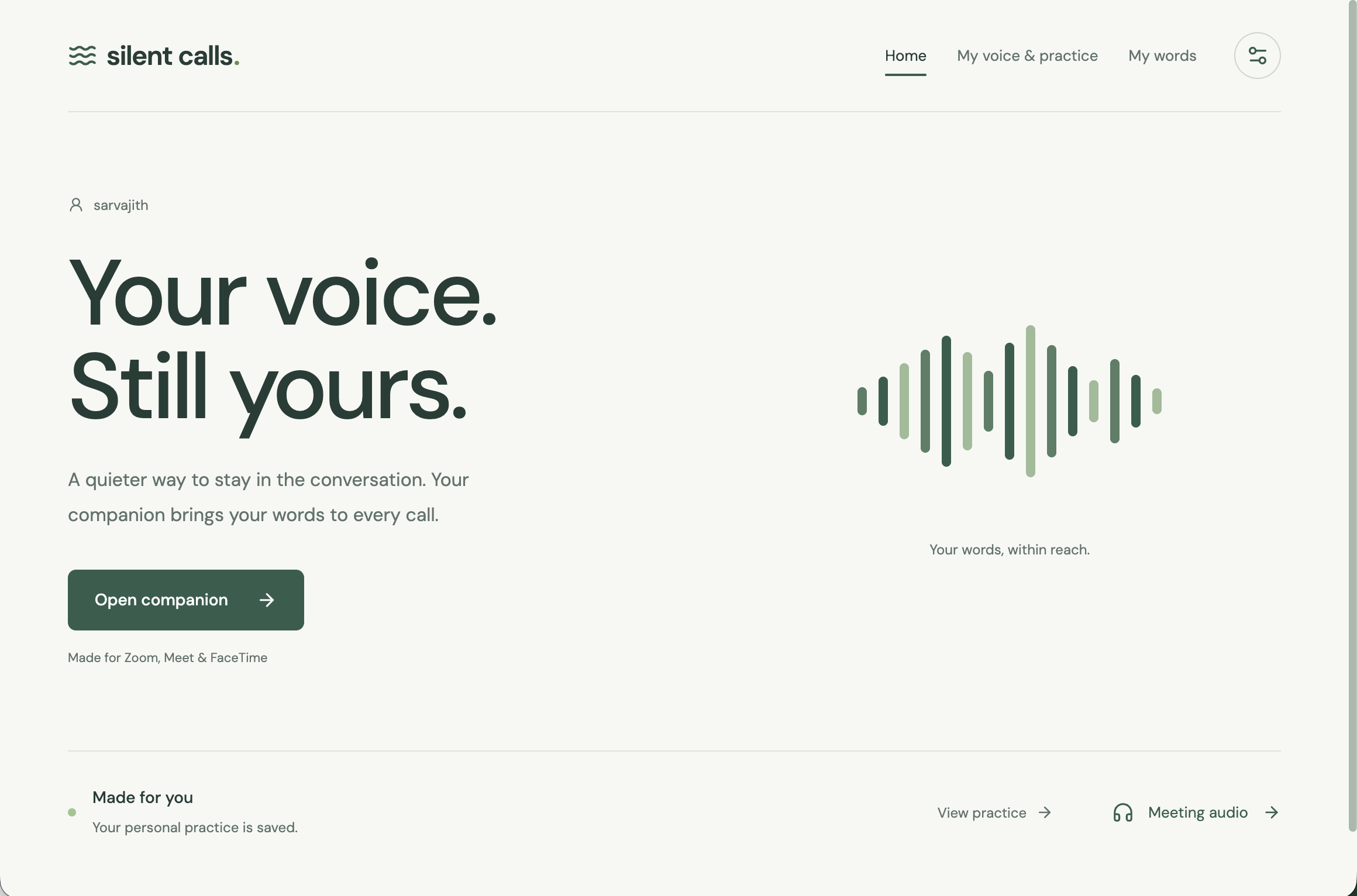
Home page
-
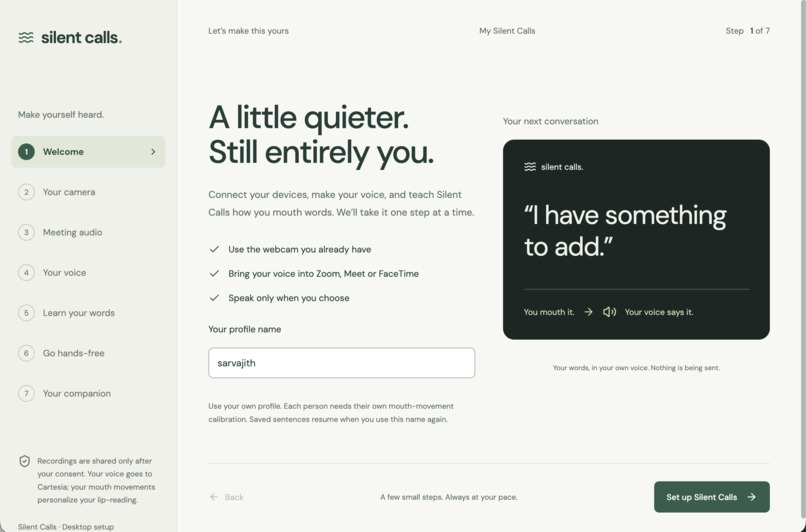
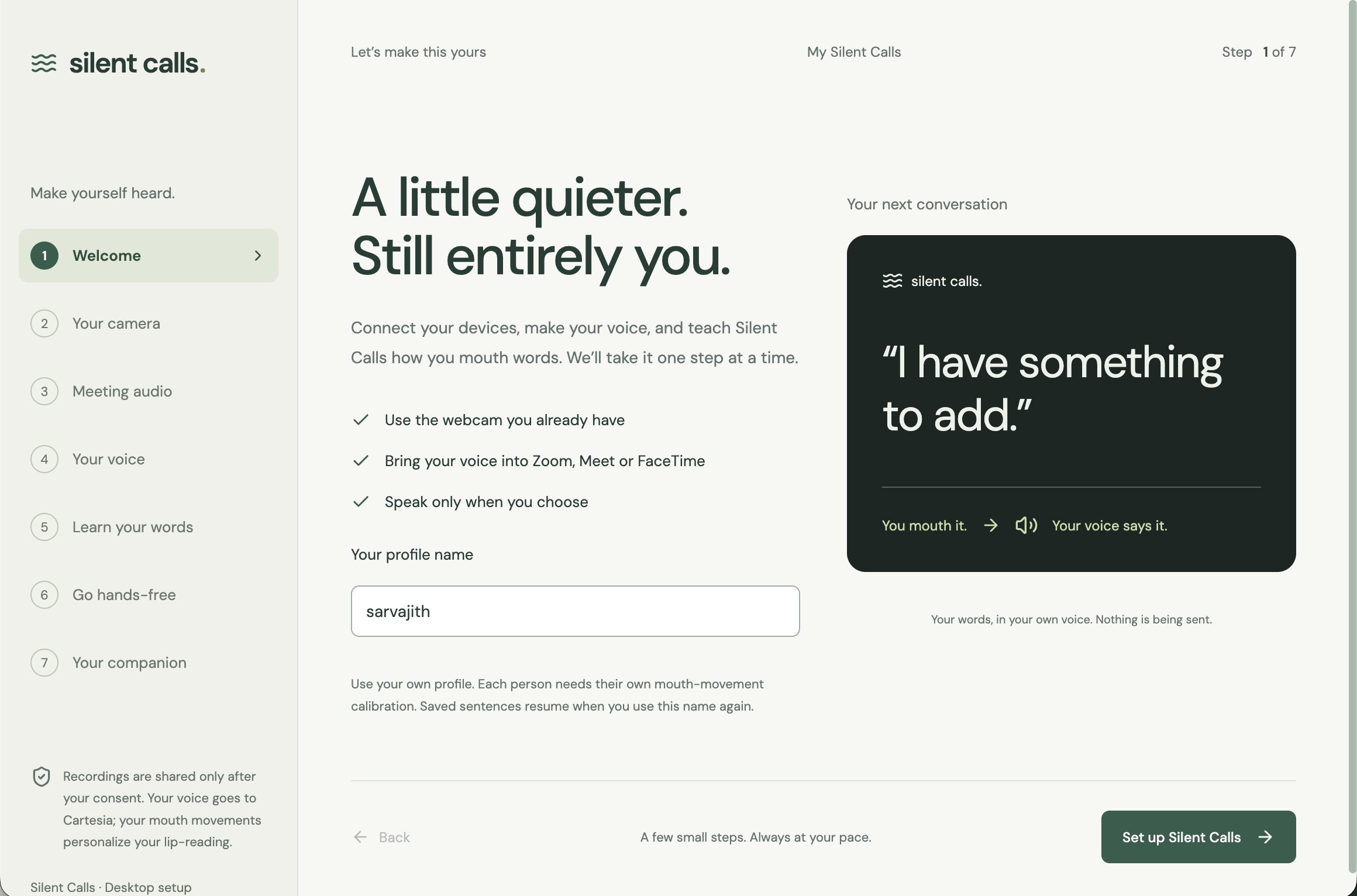
Onboarding welcome step
-
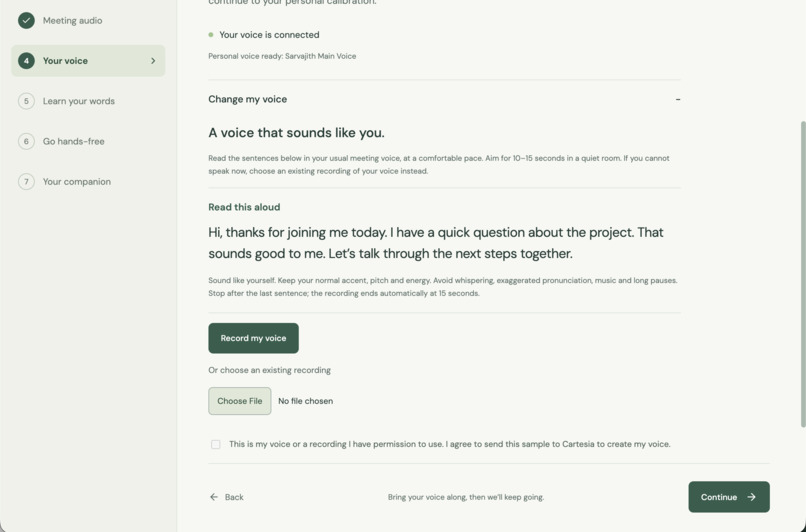
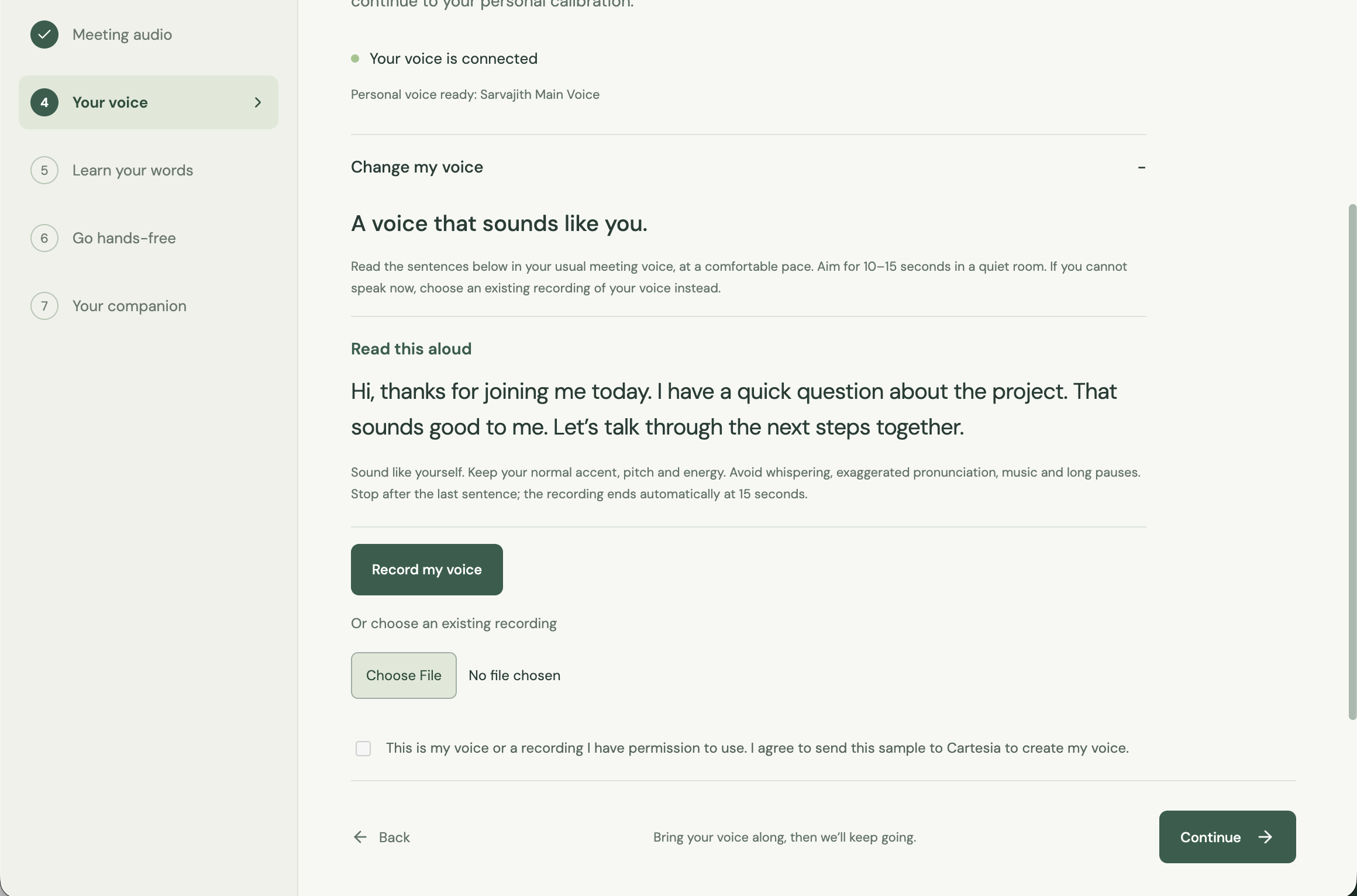
Initial voice recreation step
-
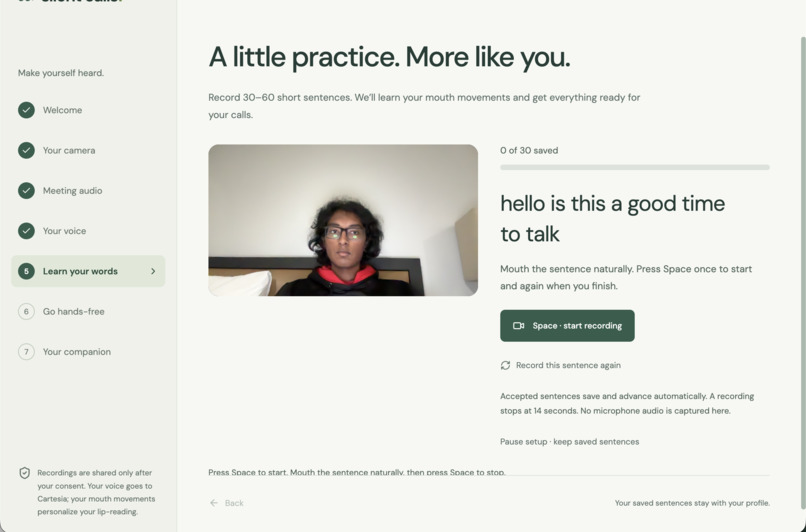
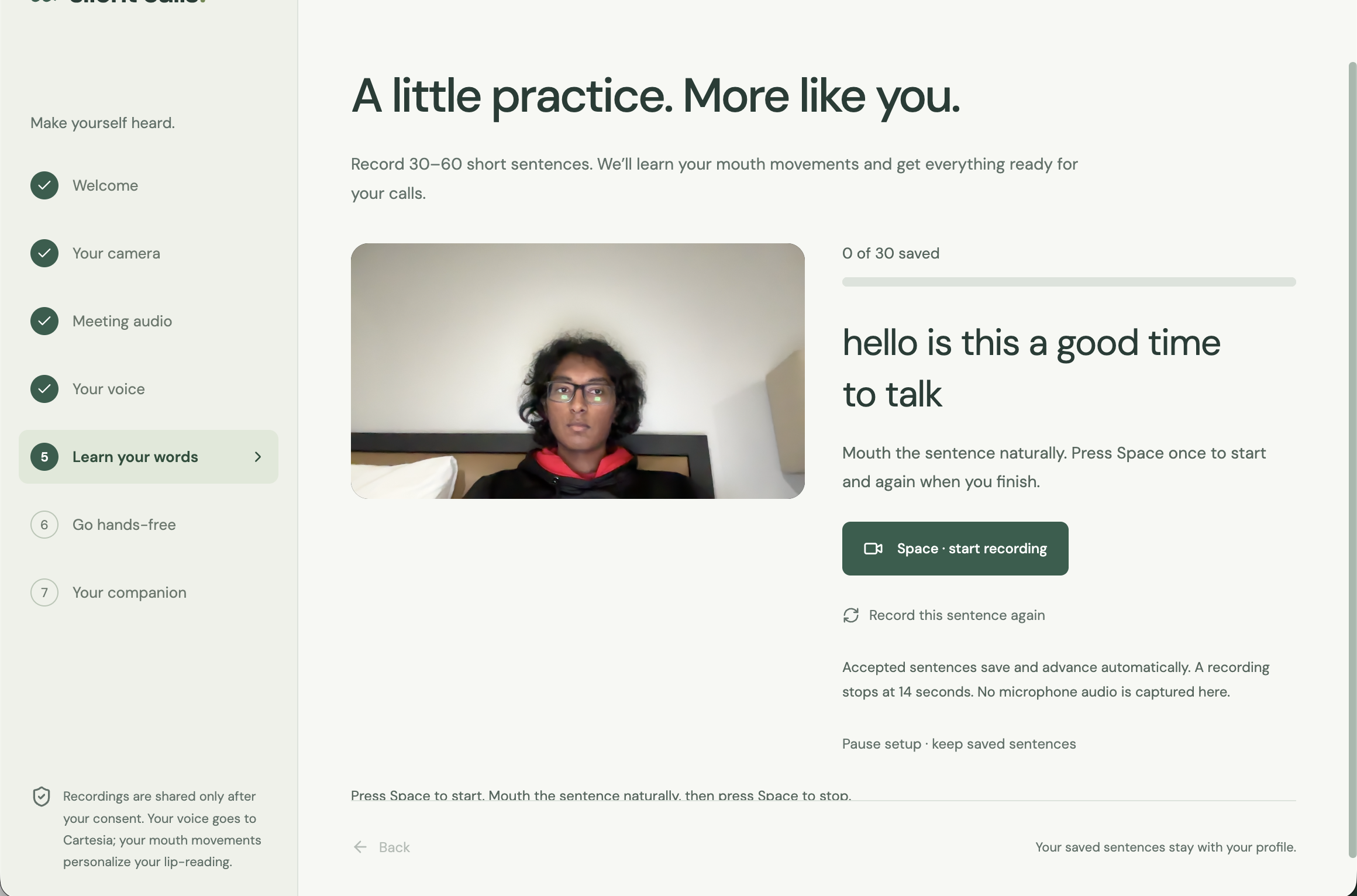
Lip-reading model tuning and personalization
-
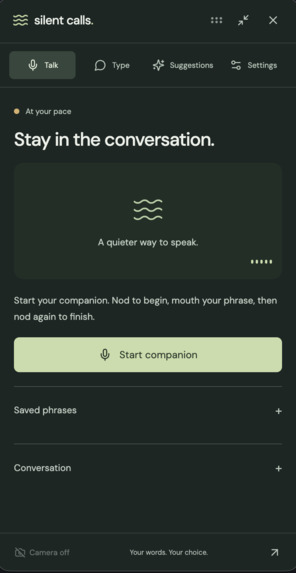
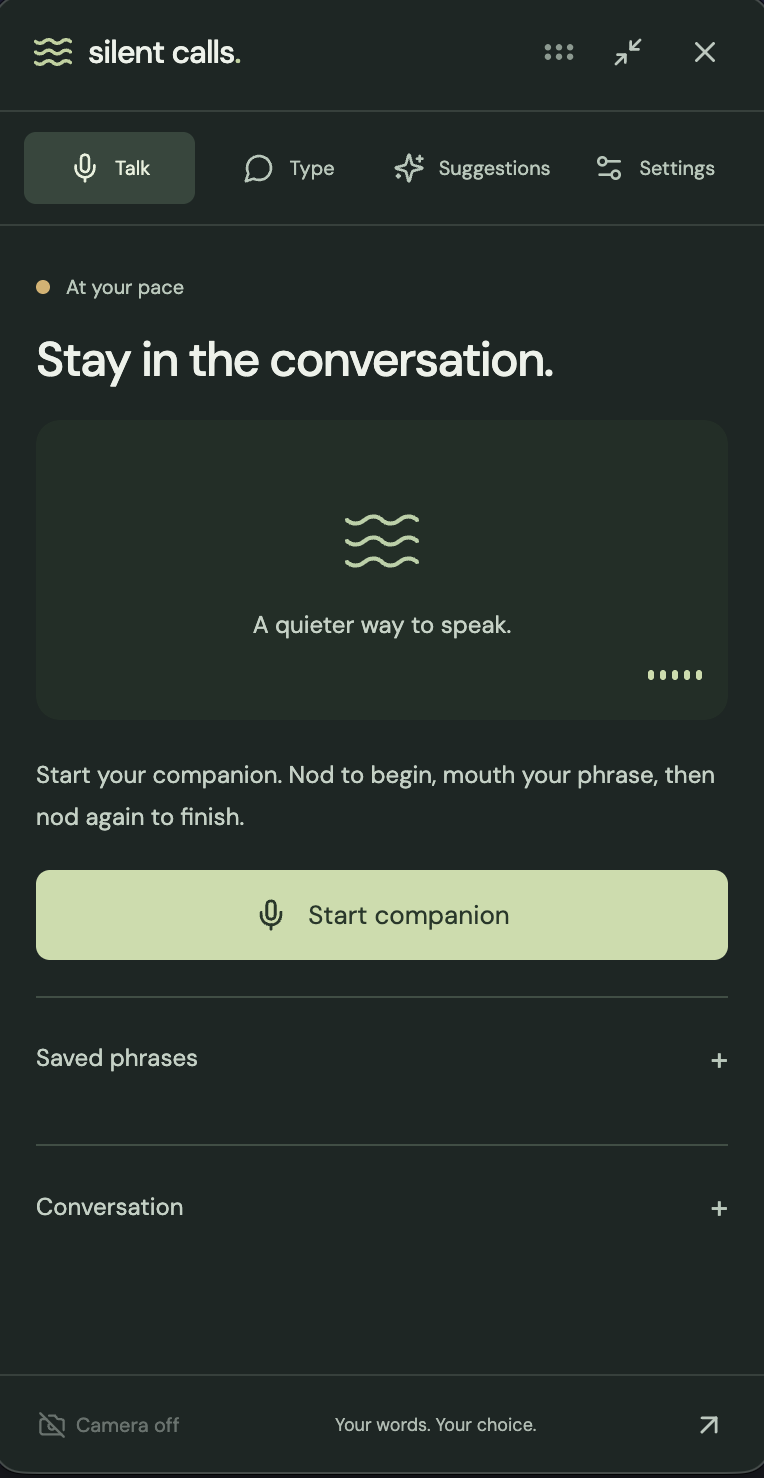
Start page of large on-screen widget
-
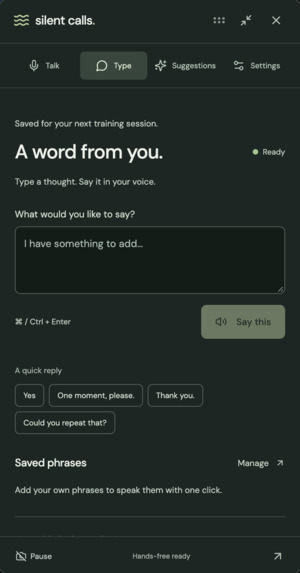
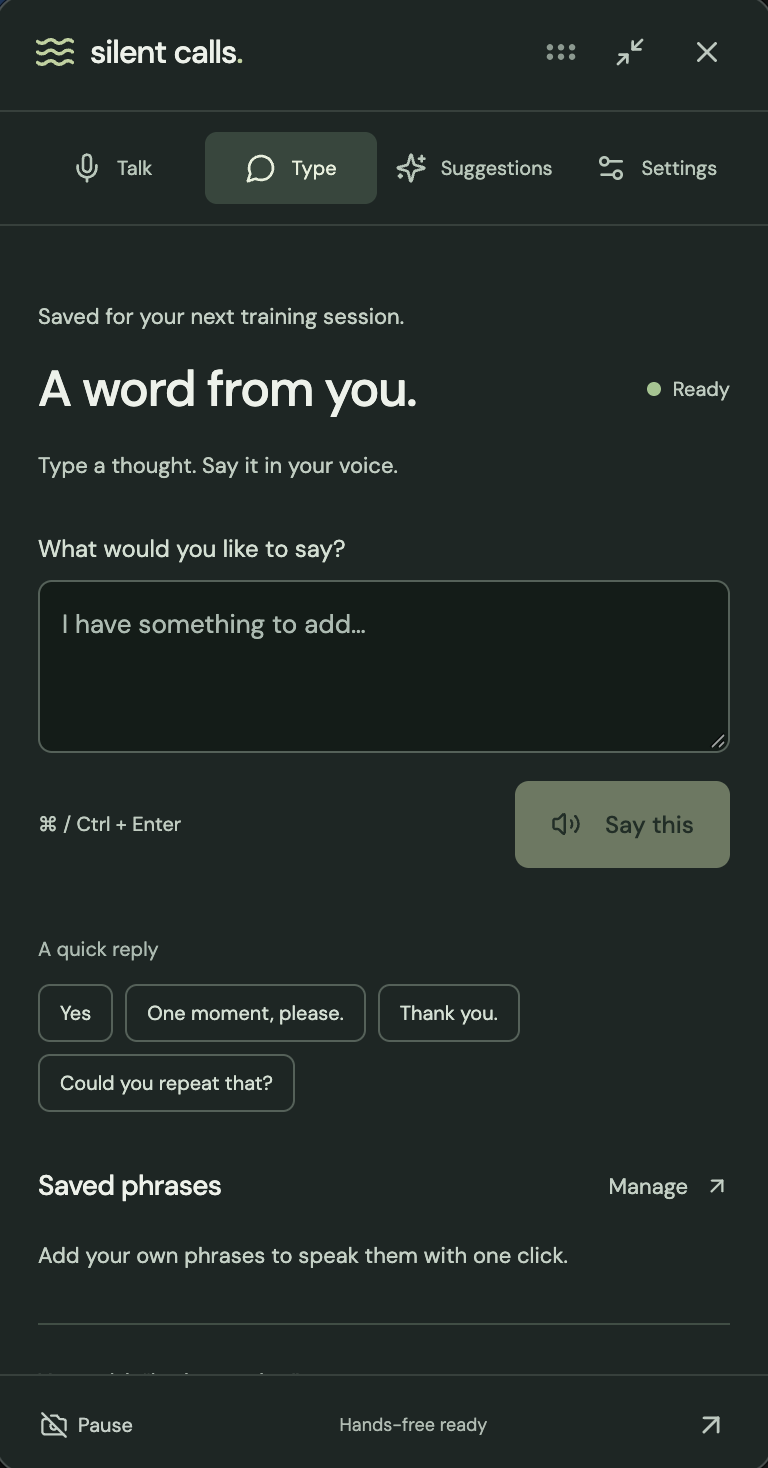
Type custom sentence page on large on-screen widget
-
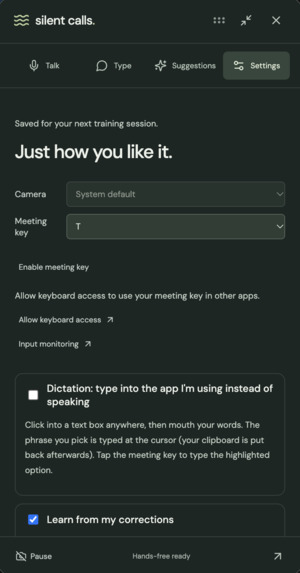
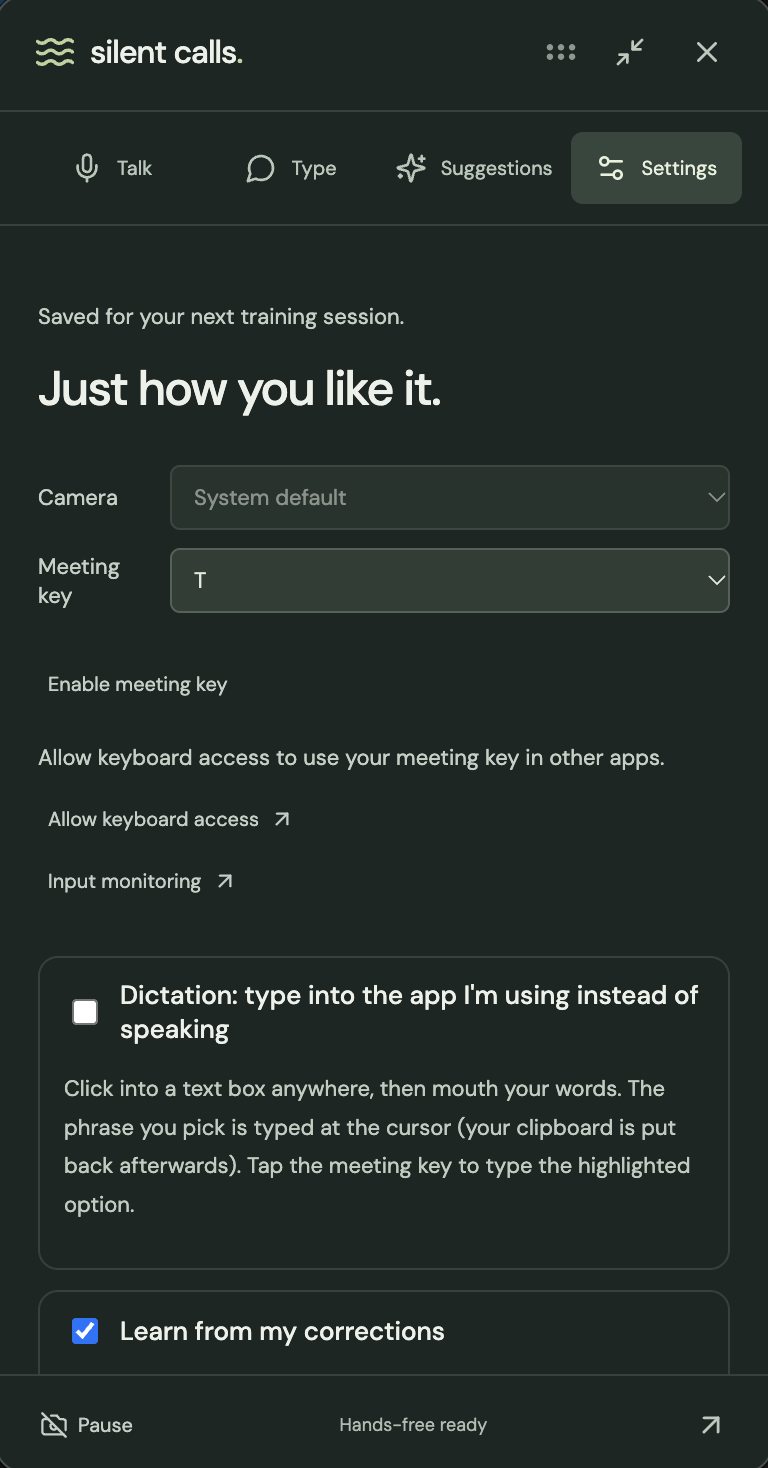
Settings page on large on-screen widget
-
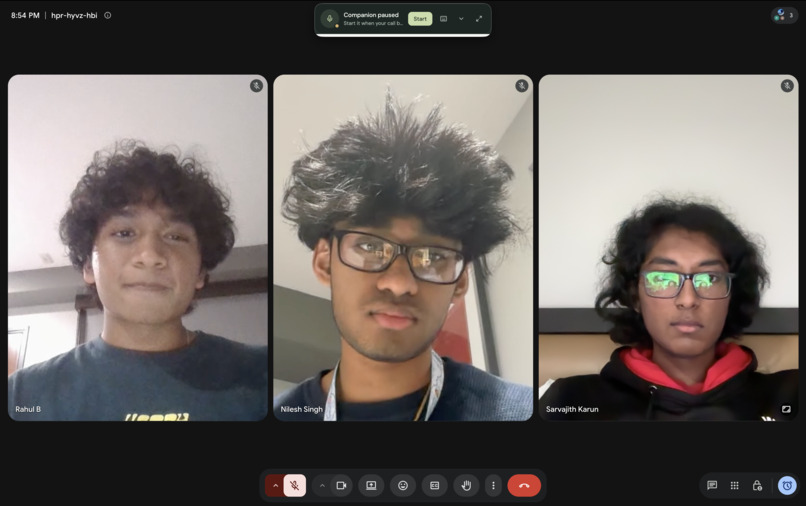
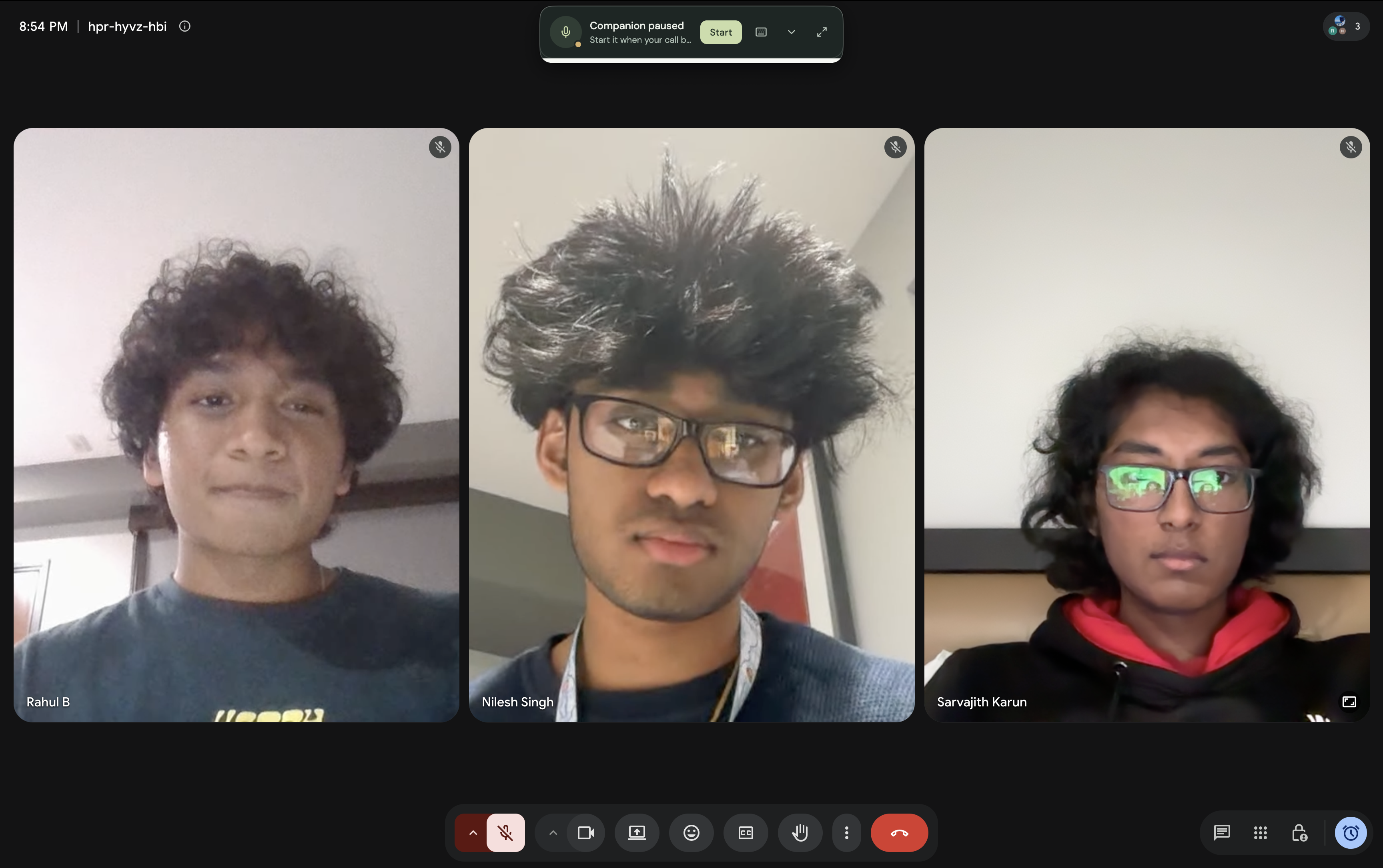
Minimized on-screen widget on video call
-
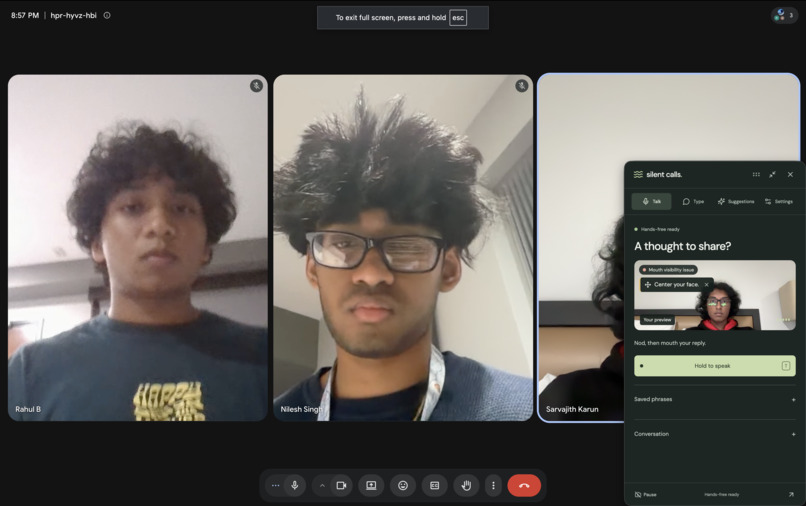
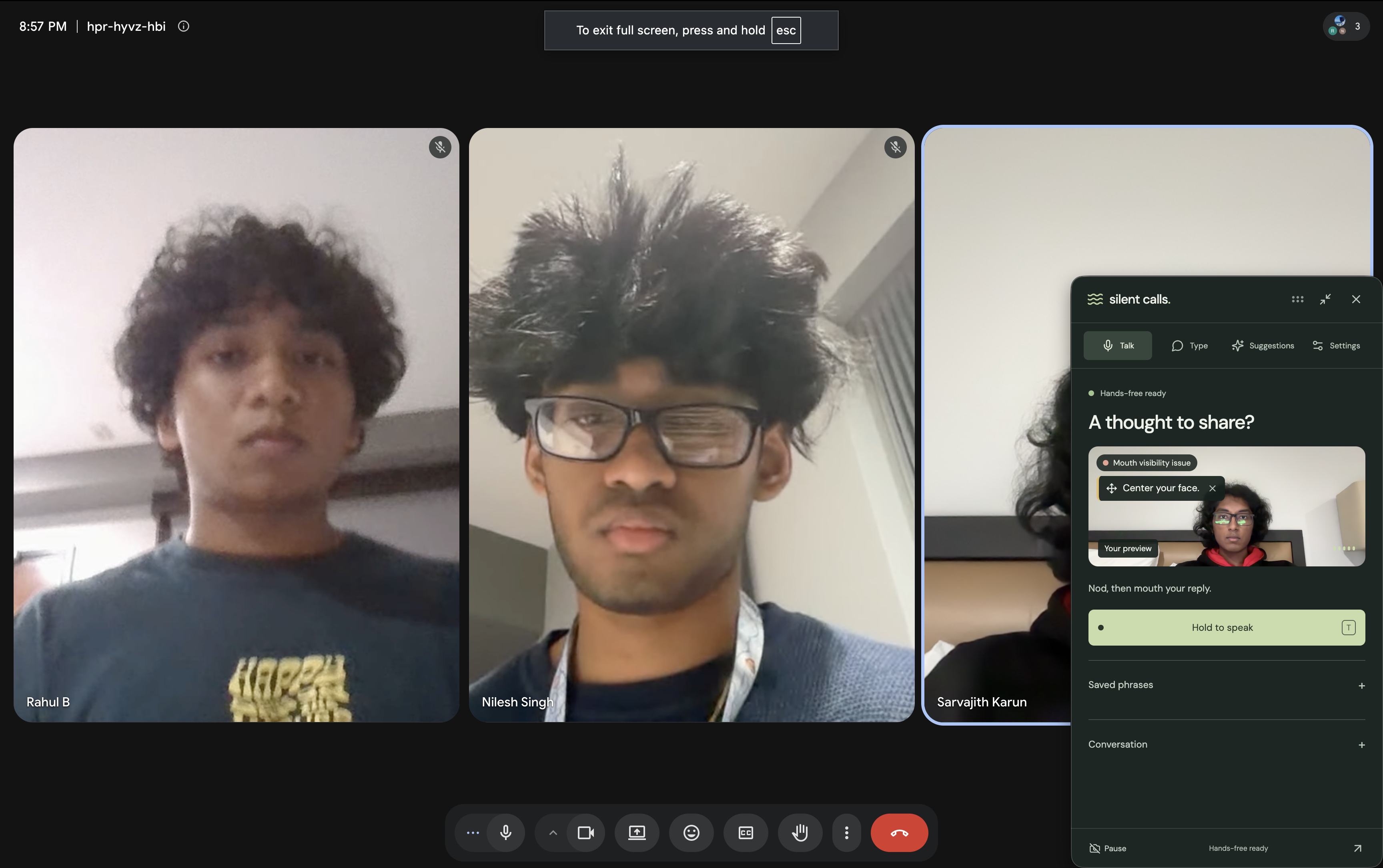
Large on-screen widget on video call
-
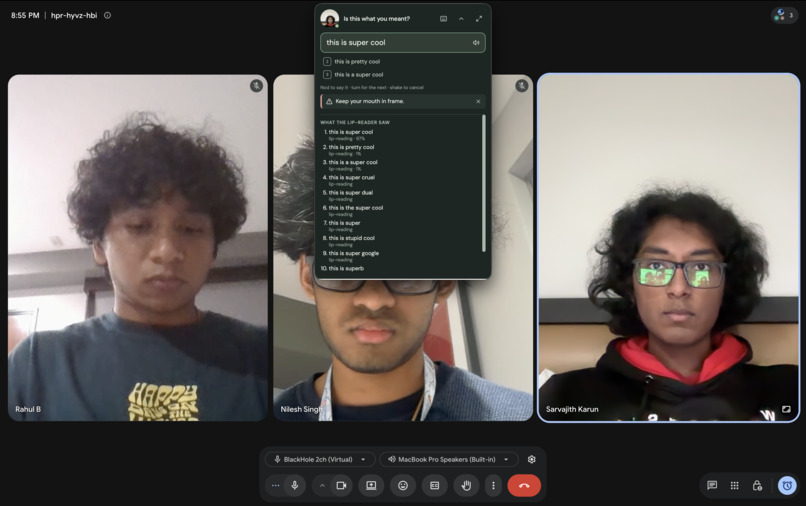
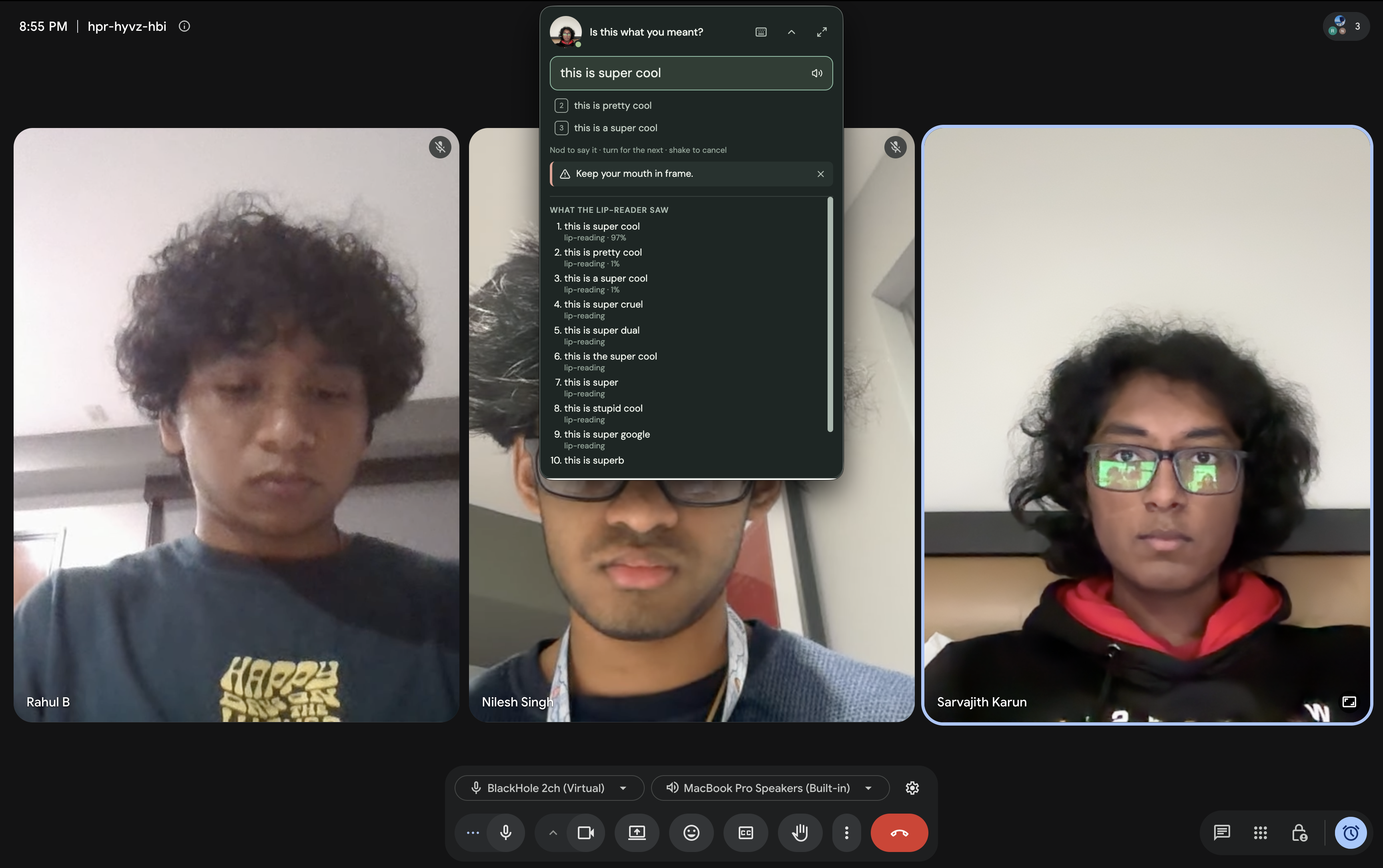
Expanded minimized on-screen widget on video call
Inspiration
Just imagine this, you are joining a call that could potentially be life-changing. You can hear every word. You know exactly what you want to say. But you can't speak out loud.
For someone who is on voice rest or recovering from a vocal-cord surgery, this barrier can last far beyond one meeting. For other people, it happens in a library or beside a sleeping baby.
Our goal is to make it possible to stay in the conversation using the call apps people already have, a basic webcam, and a voice that sounds truly like them. People shouldn’t lose the ability to connect just because of their voice.
This inspired us to make Silent Calls. You take a call without making a single sound.
What it does
It's simple! Silent Calls turns silently mouthed words into your own voice in Zoom, Google Meet, FaceTime, or any application that accepts voice input.
The interaction is completely hands-free:
| Step 1 | Nod to start capturing. |
| Step 2 | Mouth your reply, then nod again to finish. |
| Step 3 | Turn your head left or right to choose a suggested sentence. |
| Step 4 | Nod to speak, or just shake your head to cancel. |
Another important feature is that it learns how you mouth words. After you record the preliminary calibration sentences, Silent Calls trains a personal lip-reading adapter in just around 35 seconds. With your permission, it can continue to learn through corrections you explicitly approve.
While the other person is speaking, a co-pilot uses the conversation and optional read-only calendar (Google Calendar) and email (Gmail) access to prepare likely replies. The lip-reader scores those replies against your actual mouth movements, helping distinguish words that look alike and retrieve details like meeting times.
A small desktop companion keeps your choices near the webcam so you can keep eye contact with the other user. You can inspect guesses and sources, get camera guidance, or switch to dictation to type your selected words into another app like Google Docs.
Nothing is spoken or typed until you specifically choose it.
How we built it
We built Silent Calls by combining a desktop app, a local Python service, and a cloud GPU backend.
| 1 | Electron and React - handles onboarding, calibration, gesture practice, and the always-on-top companion. |
| 2 | MediaPipe - tracks facial landmarks for mouth cropping and local head gestures. |
| 3 | AutoASVR + ESPnet on PyTorch - gives the pretrained lip-reading foundation. We extended this with a personal Low Rank Adaptation (LoRA) model, vocab biasing, and scoring of anticipated replies against the same video. |
| 4 | Vultr NVIDIA A16 GPUs - they serve lip-reading requests for inference and train personal adapters on separate GPUs. |
| 5 | Cartesia Ink - transcribes the other side of the conversation. |
| 6 | Cartesia Sonic - speaks selected replies in a voice cloned during onboarding. |
| 7 | TypeSafe Jev - ranks lip-reading candidates using conversation context. |
| 8 | Claude - handles likely replies, offers repairs for near misses, and proposes post-call practice. |
| 9 | Google Calendar and Gmail - supply optional read-only facts and relevant names to the Claude agent. |
| 10 | Moss - adds opt-in memory of past exchanges so suggestions can reflect the user’s phrasing and past interactions. |
| 11 | BlackHole or VB-CABLE (depending on Mac or Windows) - routes generated speech into existing call apps through a virtual microphone. |
Each personal adapter updates about 1.18 million parameters (just 0.5% of the base model). We keep the rest frozen, allowing quick personalization without retraining the entire network.
Challenges we ran into
Lips don’t reveal every sound. Different words can look almost identical, and names and numbers are especially difficult. We combined personal adapters, vocabulary, and conversation context, then presented choices so users could confirm their intended words.
A fast GPU couldn’t fix slow Wi-Fi. Sending JPEG frames produced a median wait of 10.7 seconds on the CalHacks network. Switching to compressed VP8 video brought that down to about 1.3 seconds in our measured configuration.
Hands-free controls needed careful timing. Early attempts to detect mouthing were easily confused by smiles or tracking changes. We moved to calibrated nods and turns, then added a brief pause after candidates appear so the nod that ends capture cannot accidentally select a reply.
Personalization could overfit. Too few training sentences made results worse. We tested adapter sizes, training durations, and calibration amounts, using held-out sentences and other people’s clips to check whether improvements were personal.
Suggestions had to preserve user control. A plausible sentence is not necessarily what someone meant. We made confirmation mandatory, exposed the model’s guesses and sources, and required separate approval before using corrections as training data.
Accomplishments that we're proud of
With Silent Calls, we connected silent mouthing, personalized lip reading, hands-free selection, and cloned speech into one working desktop experience.
In our evaluation of 90 silently mouthed sentences from three people:
| 1 | Personal adapters reduced word error rate from 37% to 31% on sentences excluded from training. |
| 2 | Applying those adapters to other people’s clips left word error rate at 37%, supporting that the improvement was personal. |
| 3 | When the anticipated-reply list contained the intended sentence, scoring it against the video increased first-choice sentence accuracy from 36% to 77%. |
We also measured approximately 35 seconds to train an adapter, 1.3 seconds to display candidates over venue Wi-Fi, and 90 milliseconds from selection to the first generated audio.
These are early results from a small test set, and gains varied across testers.We published the evaluation details, including unsuccessful approaches and known limitations, in our README.
What we learned
Personalization needs evidence. An adapter improving on its training sentences tells us little. Testing unseen sentences and other people’s faces helped us understand what it actually learned.
Context helps most when it stays grounded. A calendar can supply a meeting time that lips cannot reliably convey. Scoring suggested replies against mouth movements connects that context to what the user is trying to say.
The whole interaction determines usability. Video compression, gesture timing, camera placement, and audio routing mattered as much as model speed. Every extra second interrupts a conversation.
On top of all of this, we learned to build around uncertainty. Showing alternatives and making correction easy lets users stay in control when the model gets something wrong.
What's next for Silent Calls
Our next priority is testing with a broader range of users, including people who can mouth words but cannot speak aloud, to understand their needs and evaluate where the interaction helps.
We also want to:
| 1 | Improve recognition across different faces, lighting conditions, speaking speeds, and vocabularies. |
| 2 | Shorten calibration while preserving measurable improvements on unseen sentences. |
| 3 | Make installation and virtual microphone setup easier. |
| 4 | Extend this tool to phone calls. |
| 5 | Explore more efficient inference and local processing. |
| 6 | Expand gesture customization and alternative controls. |
| 7 | Strengthen authentication and deployment beyond the hackathon prototype. |
Our goal is to make Silent Calls dependable enough that someone can open their usual call app, mouth a reply, and keep participating in their own voice.
Built With
- anthropic
- autoavsr
- blackhole
- cartesia
- claude
- electron
- espnet
- fastapi
- gmail
- google-calendar
- lora
- mediapipe
- moss
- nvidia-a16
- python
- pytorch
- react
- typesafe-jev
- typescript
- vb-cable
- vite
- vultr
- websockets


Log in or sign up for Devpost to join the conversation.