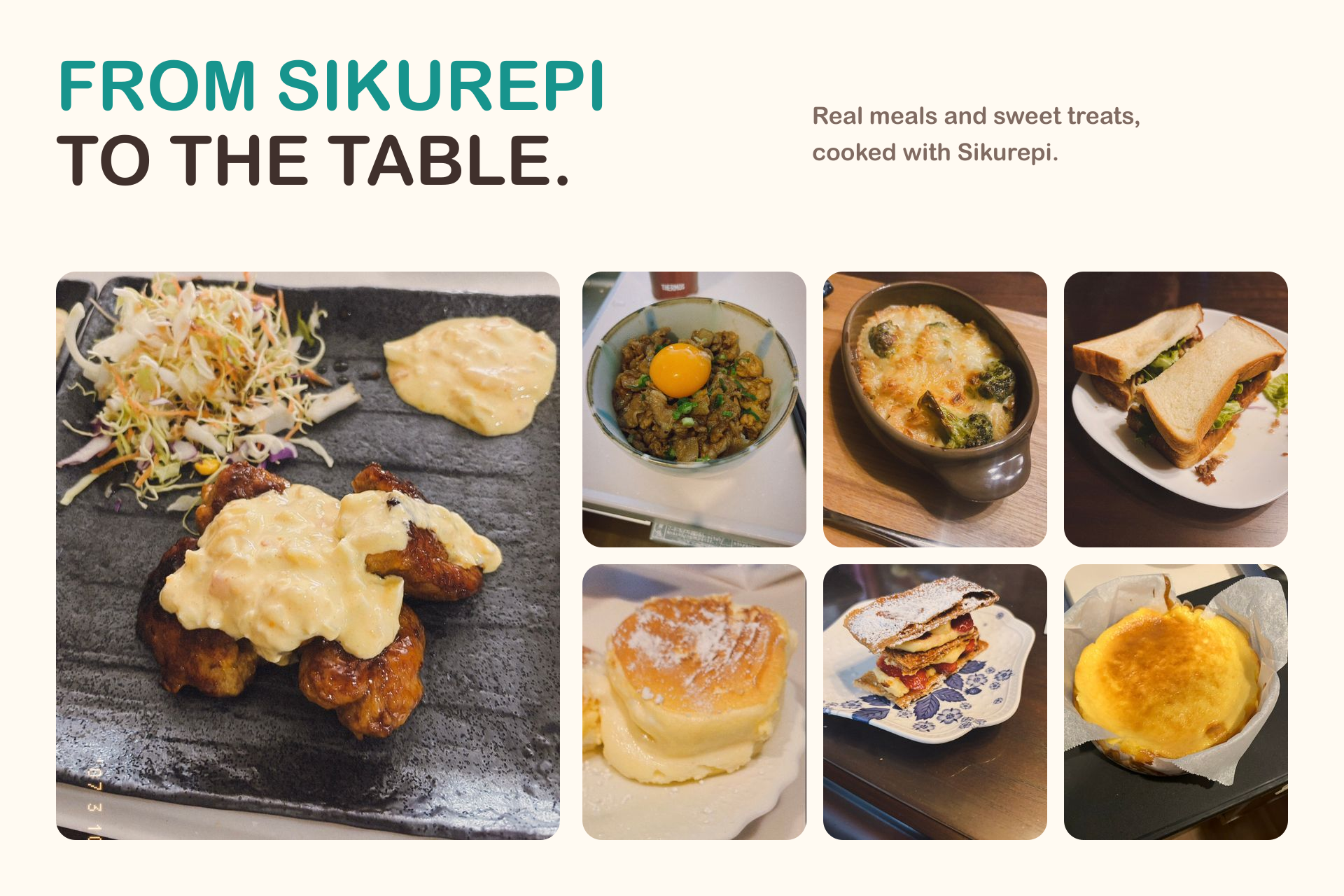

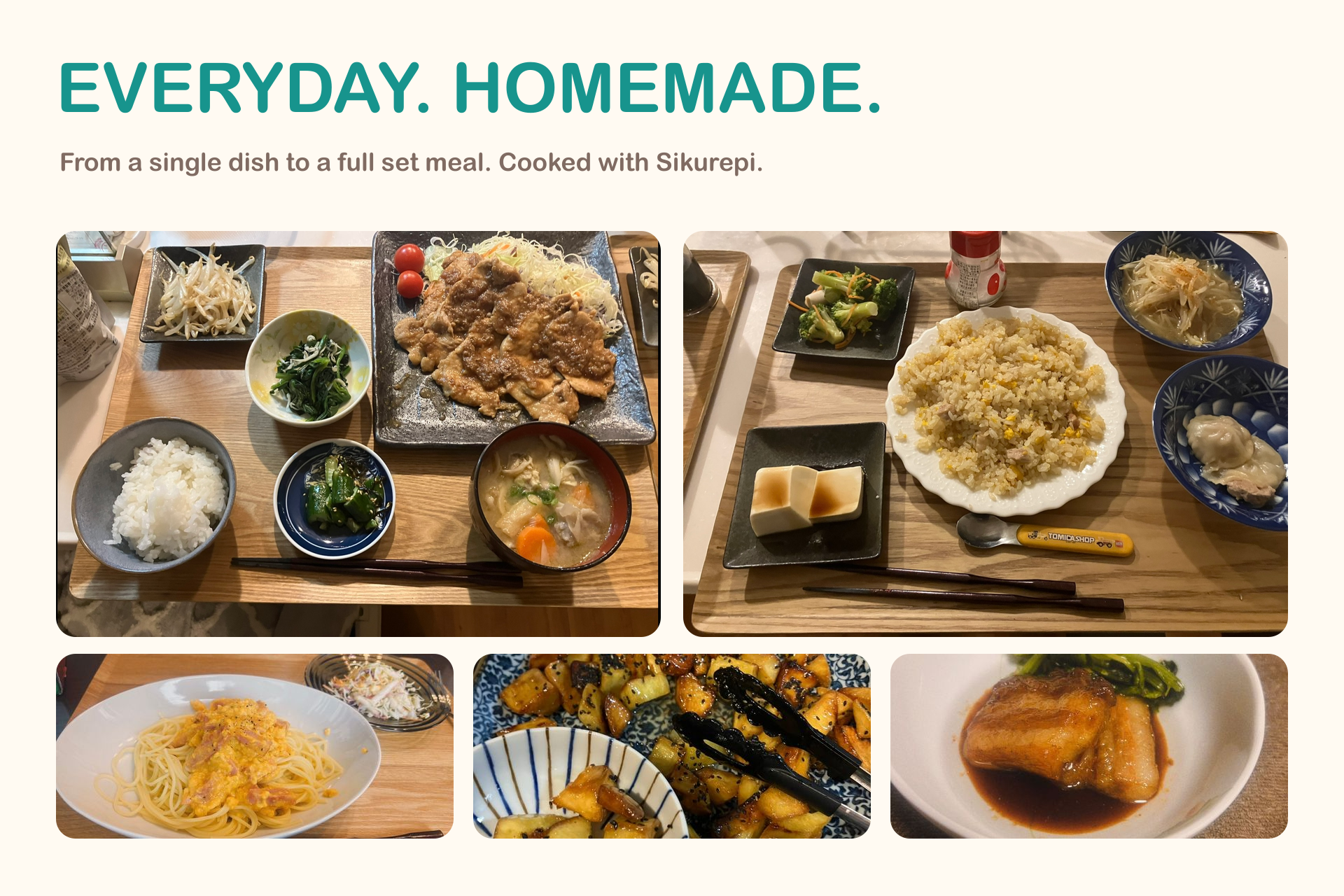


Sikurepi
Submitted for the Next Gen Award.
Sikurepi is an AI-powered cooking app for everyday home cooking. It connects pantry management and recipe generation with weekly meal planning, shopping, cooking assistance, and cooking records. The app supports Japanese and English.
Inspiration
I watched my mother worry every day about “what to cook tonight,” and she was often worn out. One day I saw her throw away expired tofu and say, “I forgot I had bought it.”
She had already spent time choosing and buying the ingredients, but they were forgotten before becoming a meal. Deciding what to cook was another task waiting for her every day.
I built Sikurepi to help with the whole routine, from remembering what is in the pantry to preparing a meal and recording the result. My goal is to help people around the world cook at home more often, supporting their health while reducing food waste.
What it does
From receipts to pantry ingredients
Users can photograph a receipt and let AI extract likely food items. They review the results, remove anything unnecessary, and confirm what enters the pantry. The recognition process is instructed to exclude non-food products and simplify product names.
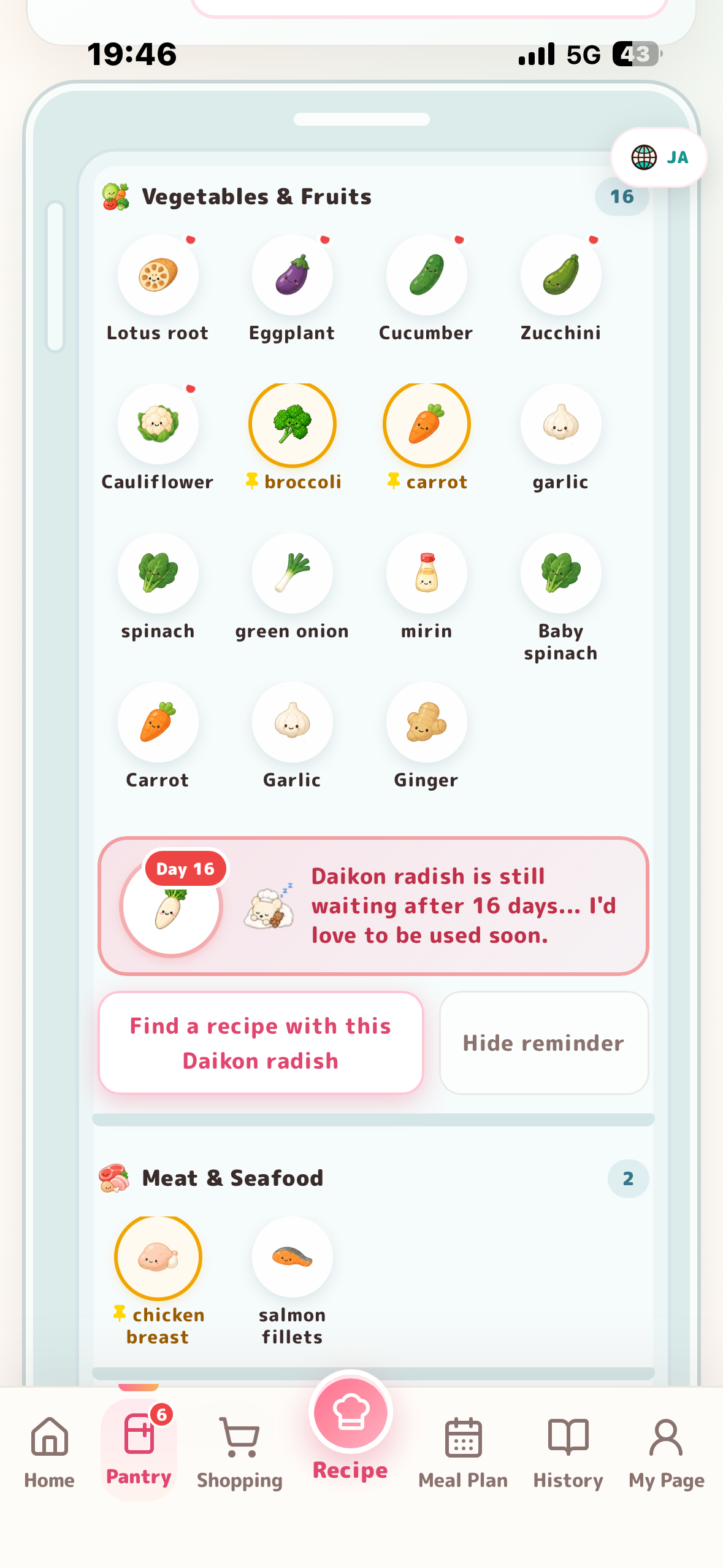
Ingredients appear in a refrigerator-inspired interface where users can add items manually, inspect their details, mark them for preservation, or remove them. Common ingredients use rule-based classification, with AI handling names those rules cannot match.
Recipes that fit the cook
The AI chef uses pantry ingredients, serving counts, preferences, nutrition targets, and dietary requirements alongside the user's request.
Users can generate a single dish or a set meal. Free Creation also allows meals that require ingredients they do not yet own. Missing items can be added directly to the shopping list, and serving counts can be adjusted afterward.
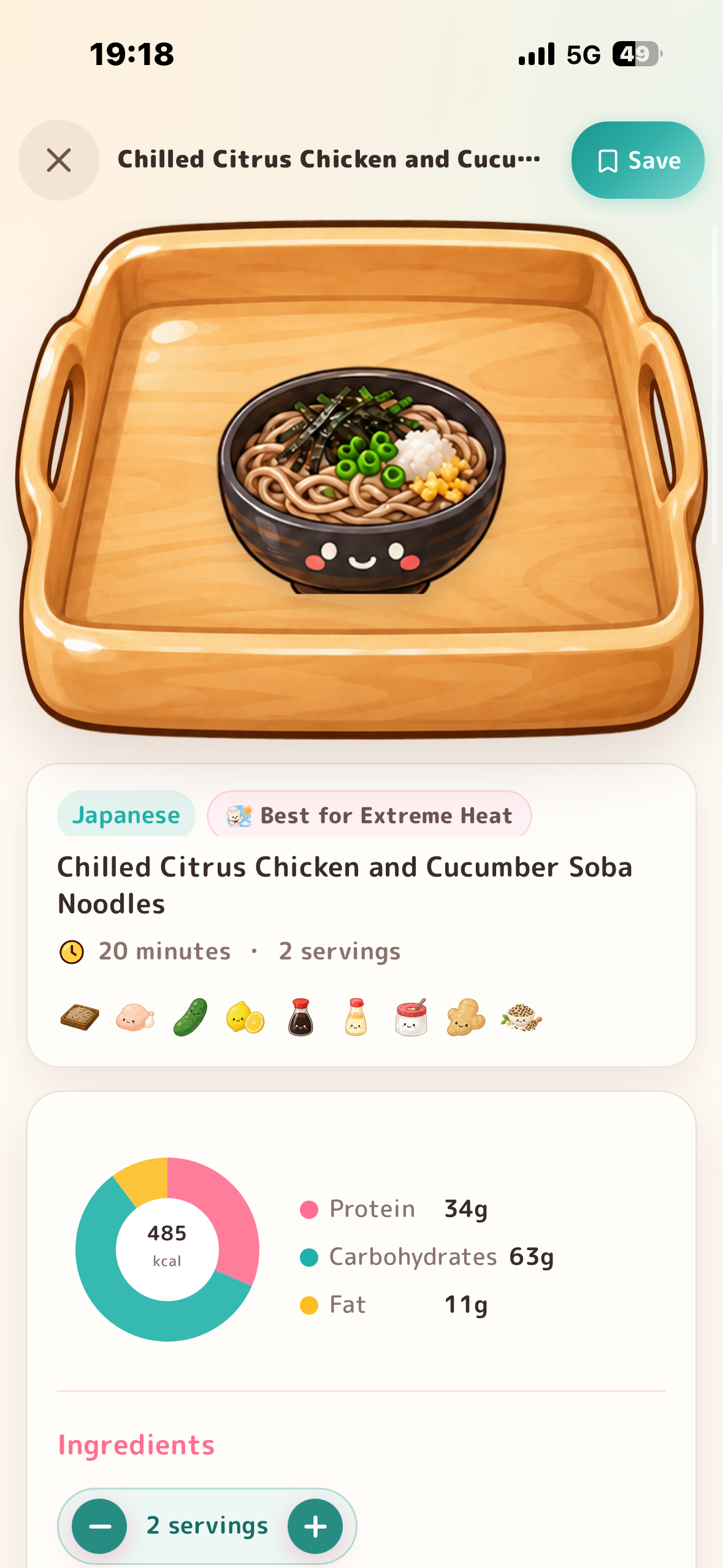
Recent results are retained automatically, while users can save recipes they want to revisit. Recipe details include cooking tips, storage advice, and ingredient coverage based on the current pantry.
A plan for the week
The Weekly Meal Planner creates meals for selected days and lunch or dinner slots. It prioritizes useful ingredients already available while allowing additional ingredients where needed.
Users can regenerate an individual meal without replacing the whole plan and add missing ingredients to the shopping list together. Purchased items can then be transferred into the pantry.
Help during cooking
Cooking Mode presents one focused step at a time, with ingredients and timers accessible from the recipe.
Users can ask the AI chef a short question about the current dish and step. It provides practical guidance on substitutions, heat, seasoning, excess liquid, and other cooking problems. When it cannot determine whether something is adequately cooked, it tells the user what to check.
Learn from every completed meal
After cooking, users can update the pantry and record their impressions. This feedback becomes context for future suggestions.
When sharing is enabled, completed recipes can be submitted to Community Recipes for others to discover and cook. Users can also revisit recent and saved recipes from History.
How I validate AI-generated recipes
Gemini generates a recipe candidate, which the application parses and validates before accepting it.
The checks cover required fields, ingredient quantities and units, consistency between ingredients and steps, cooking instructions, nutrition values, and supported dietary constraints. Set meals and weekly plans also receive composition checks.
When validation fails, the application supplies the specific errors to a bounded correction attempt. A weekly plan can be repaired by replacing the affected meals while retaining the accepted entries.
Serving adjustments support fractions and mixed numbers while preserving expressions such as “to taste.” Longer operations show progress, and failed requests provide a way to retry.
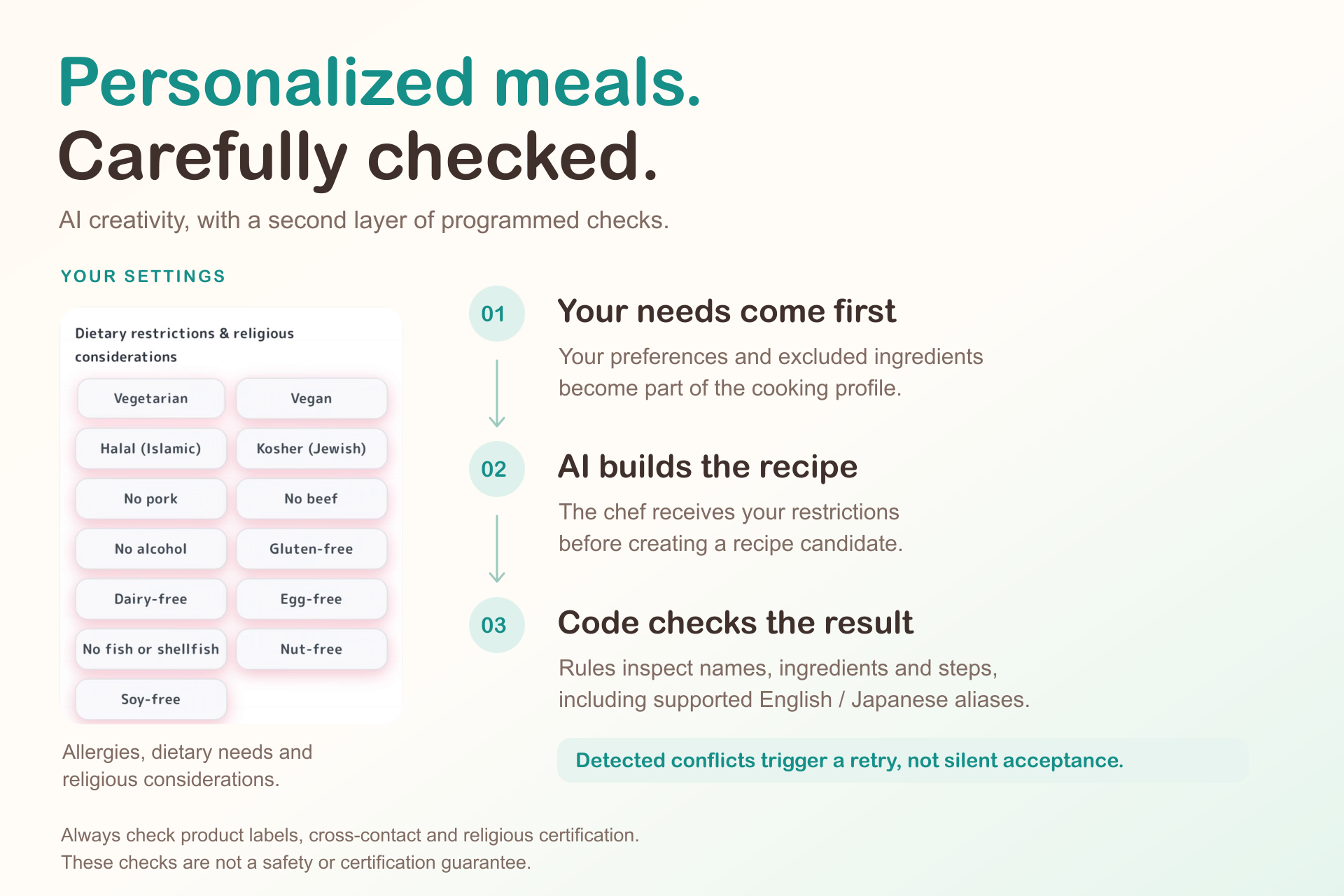
Dietary restrictions, allergies, and religious considerations
The user's requirements are supplied before generation and checked again in the returned recipe. The application examines ingredient names and relevant text in the title and steps, using aliases in Japanese and English.
Simple keyword matching is not enough. Soy milk should not be flagged as dairy, and egg-free mayonnaise should not be flagged as egg. I added exceptions for these expressions so that the checks distinguish them from the ingredients being excluded.
Detected violations cause a recipe candidate to be rejected. The same dietary profile is used for cooking assistance and substitution suggestions. These checks are available to both free and Plus users.
Sikurepi cannot verify product labels, manufacturing cross-contact, religious certification, or conditions in the user's kitchen. Users still need to confirm those details themselves.
Security and privacy
Cooking preferences and dietary profiles can contain sensitive information. The implementation includes the following measures:
- Gemini credentials remain on the server.
- RevenueCat secret keys are never included in the app; only public SDK keys are used.
- Image uploads have file-type, file-count, and size restrictions.
- API requests have input limits, origin checks, and bounded request budgets.
- Private API responses are excluded from the service-worker cache.
- Supabase Authentication and Row Level Security control access to account-owned synchronized data.
- Public recipes use an explicit set of allowed fields, excluding private profile metadata.
- Free-text cooking feedback is not returned through public recipe queries.
Users can work locally as guests or connect an account for cloud synchronization.
Food rescue and cooking progress
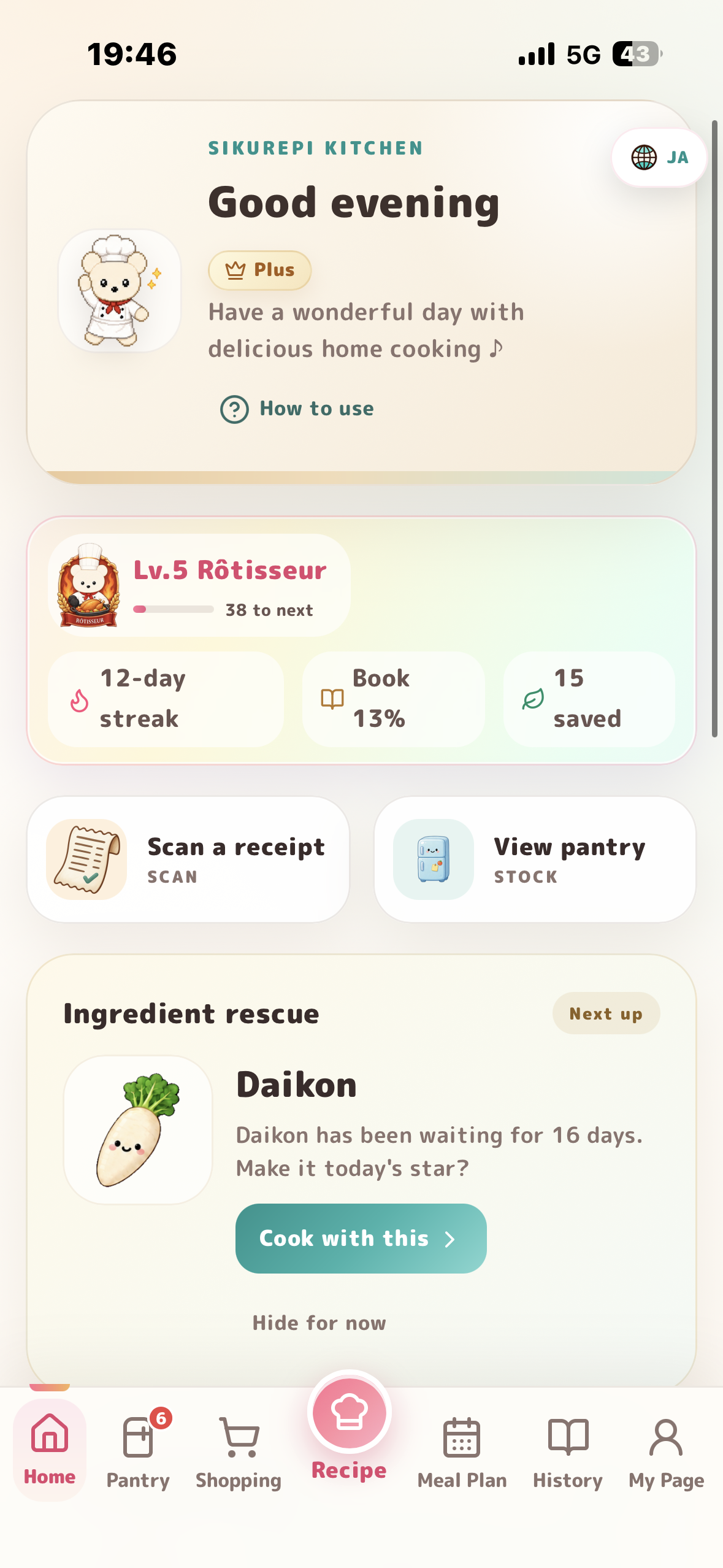
Sikurepi identifies ingredients that may have been forgotten using their time in the pantry and ingredient-specific thresholds. When eligible ingredients are used up during cooking, they are recorded as “rescued.” This is an activity record, not an expiry or food-safety assessment.
Ingredients used in completed meals enter the Ingredient Collection. Users can revisit the dishes associated with each ingredient and see its usage and rescue counts.
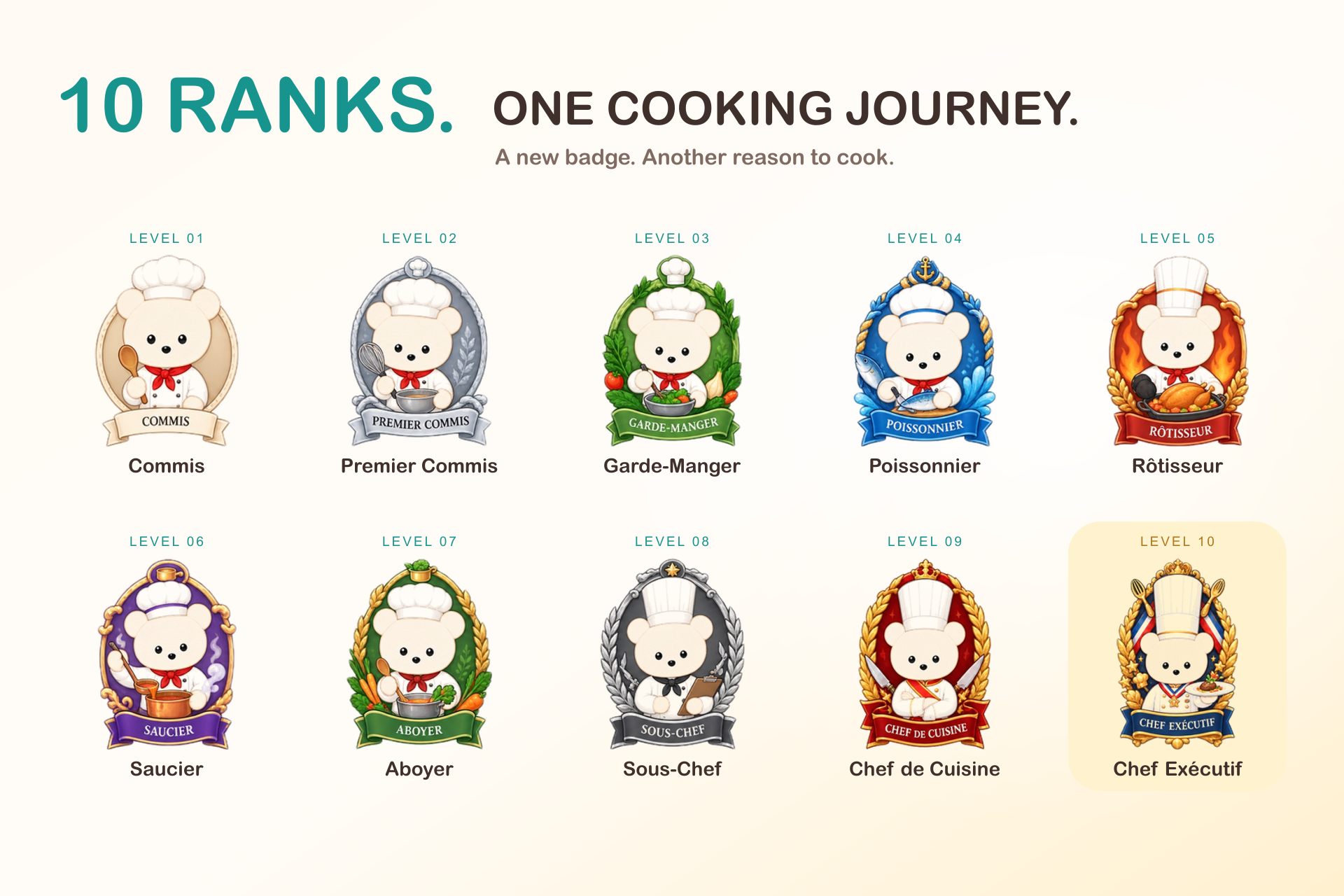
Cooking activity also contributes to streaks and ten chef ranks with collectible badges. I wanted people to notice the ingredients they had used and the meals they had made without making food waste a source of guilt.
Monetization with RevenueCat
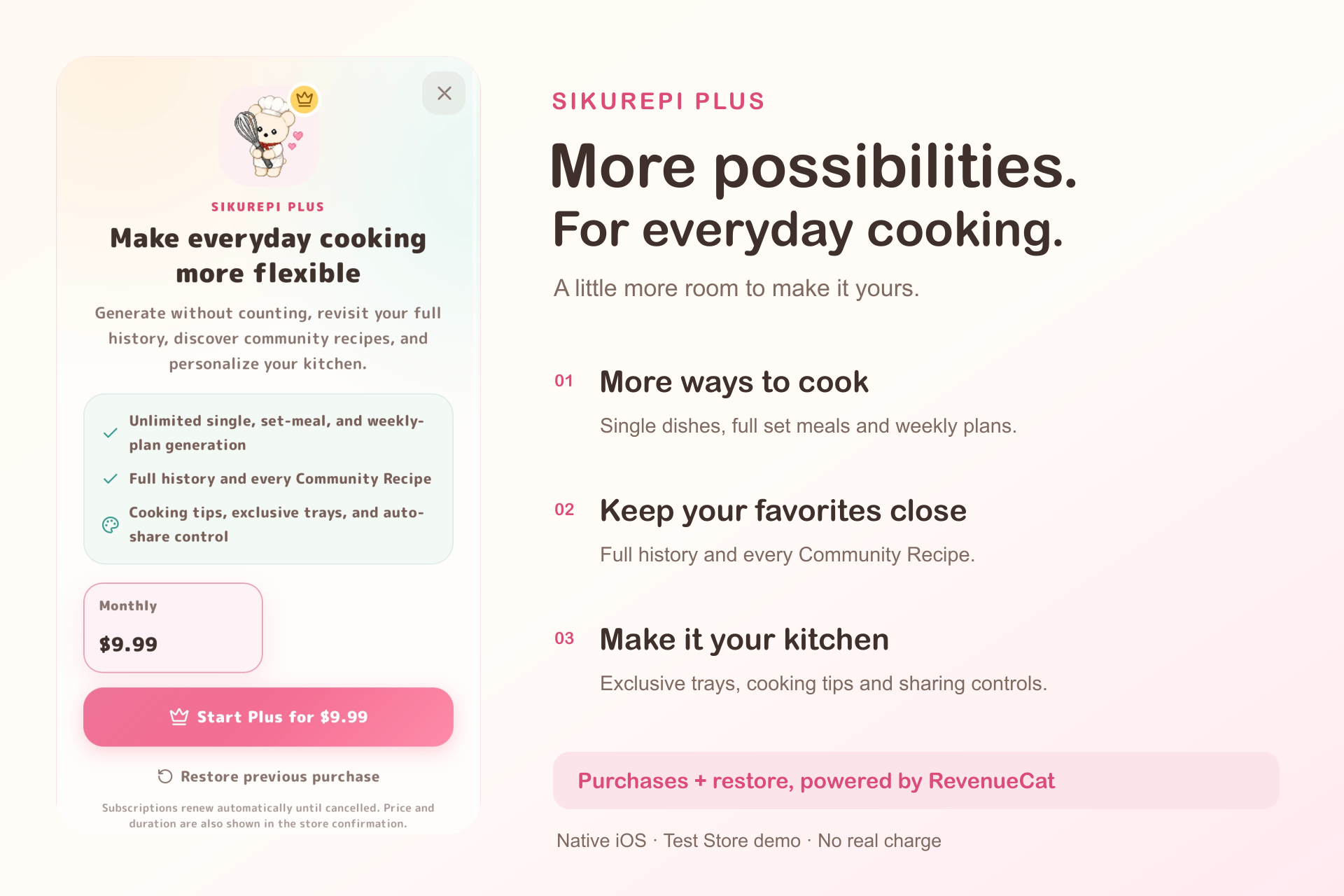
Sikurepi Plus uses RevenueCat through its Capacitor SDK. The custom paywall loads products and prices from RevenueCat Offerings. For store-backed purchases, access is determined by the active premium entitlement.
The free plan includes the core cooking experience. Plus expands generation limits and access to history and Community Recipes, along with customization options for regular users.
The integration handles purchase cancellation and errors, listens for entitlement updates, reports custom paywall impressions, and connects the Restore Purchases action to the RevenueCat SDK. Test Store and production API-key configurations are separated, and entitlement-verification failures do not grant purchased access.
Purchase-to-Plus activation has been verified on an iOS device using RevenueCat Test Store.
A reviewer password is provided privately in the Devpost submission so reviewers can try Plus features without completing a store purchase. This access is separate from the RevenueCat purchase flow.
How I built it
Sikurepi is a web app packaged for mobile devices with Capacitor. I tested the iOS build by installing it directly on an iPhone.
- Next.js, React, and TypeScript — interface, server routes, and application logic.
- Google Gemini API — recipe generation, meal planning, receipt analysis, classification, translation, and cooking assistance.
- Supabase — authentication, optional account synchronization, and community data.
- RevenueCat — purchases and Plus entitlements.
- Capacitor — iOS and Android packaging.
- Vercel — web application and API hosting.
- Serwist and Framer Motion — PWA caching behavior and interface transitions.
Working data is stored locally. Account synchronization uses snapshots, while community uploads have a separate persistent queue.
Challenges I faced
Recipe validation without excessive failures
Some early checks rejected reasonable recipes because they treated wording improvements as cooking problems. I separated blocking errors from warnings so that usable results were not discarded unnecessarily.
Retries needed their own controls. I centralized retry handling to prevent SDK and application retries from multiplying each other. Attempts share an overall deadline, and cancellation stops further requests.
The on-device model that crashed the browser
I tried an in-browser embedding model for ingredient classification, but loading it exhausted the phone's available memory and crashed the tab.
I switched to local rules for common ingredients and a lightweight Gemini API call for unmatched names. Returned categories and icon IDs are checked against the app's existing lists.
One ingredient, several names
A receipt product name, a Japanese pantry entry, and an English recipe ingredient may all refer to the same food. I built shared normalization and alias rules so those names could be matched across features.
The rules also need to preserve meaningful differences, such as chicken breast versus thigh. Measurement handling has similar exceptions because pieces, slices, grams, and milliliters are not interchangeable.
Translation must preserve the recipe
Comparing numbers alone would miss a swap between a temperature and a cooking time. Translation checks therefore compare numbers with their units and recognize equivalents such as “大さじ1” and “1 tbsp.”
Translations that alter these values are rejected. The original recipe remains available if translation fails.
A screen that stays awake during cooking
I use the Screen Wake Lock API while a recipe or Cooking Mode is open. The app handles reacquisition after returning from the background and releases the lock when the view closes. Unsupported devices or denied requests do not prevent recipe use.
Interrupted community uploads
Community recipes enter a persistent local queue before upload and leave it only after confirmation. If the server saves a recipe but its response is lost, the app reconciles pending entries with the server's list. Coordinating concurrent queue processing helps avoid duplicate sends.
Accomplishments I'm proud of
I'm proud that I use Sikurepi in my own cooking routine. Ingredients added from a receipt can become a meal plan, missing items can go into a shopping list, and the finished meal becomes part of my cooking history and ingredient collection.
I wrote regression tests for ingredient mismatches, changed quantities in translations, interrupted requests, and stale cached data. These give me a way to check whether a later change brings an old problem back.
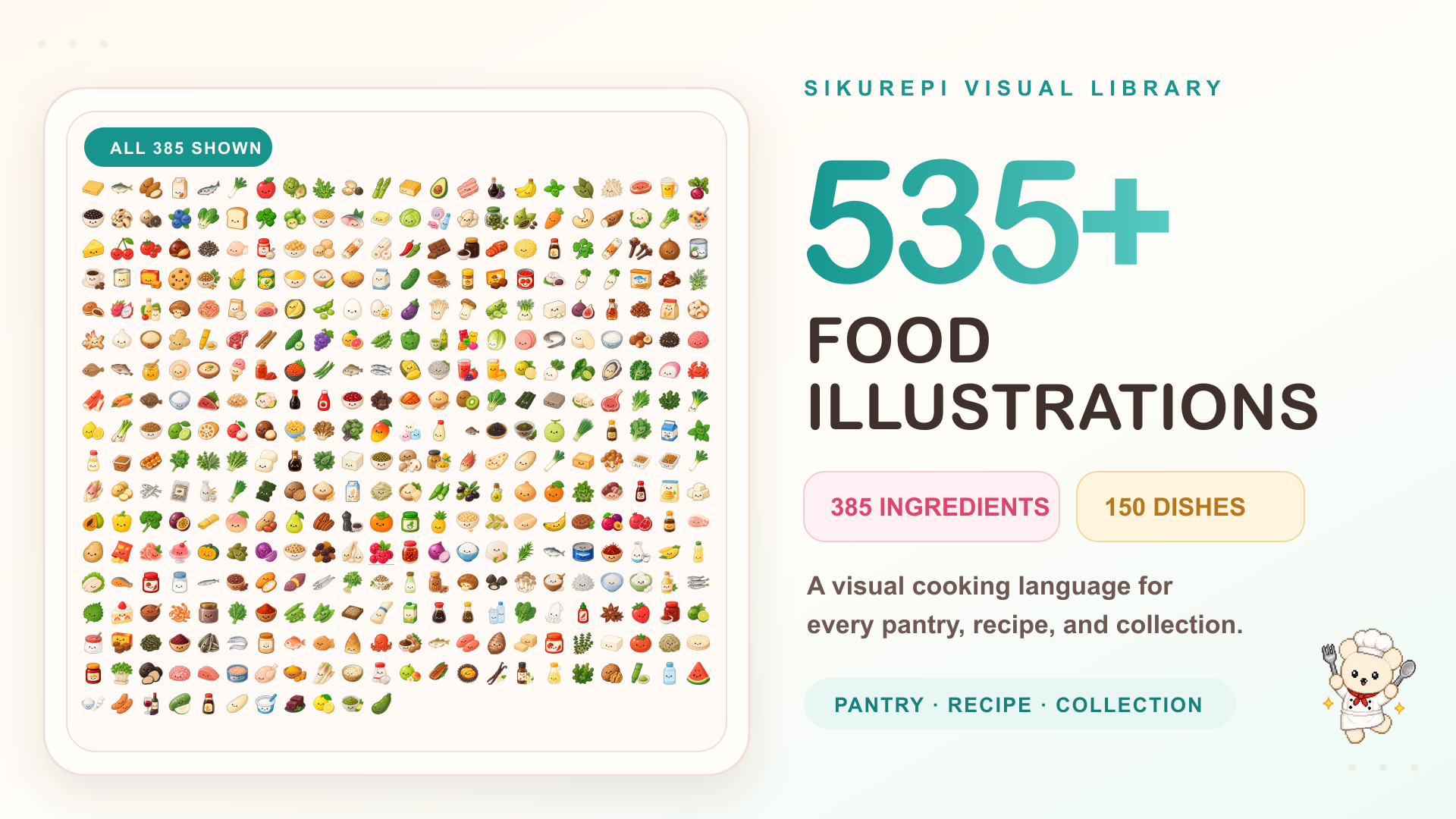
The visual side took substantial work too. Sikurepi now has 200 dish icons and 385 ingredient icons. I expanded the matching rules after seeing different dishes repeatedly receive the same illustration, and added asset checks and smaller thumbnails to support the larger collection.
Applying what I learned
To build Sikurepi, I studied UI/UX design, human–computer interaction, and behavioral economics.
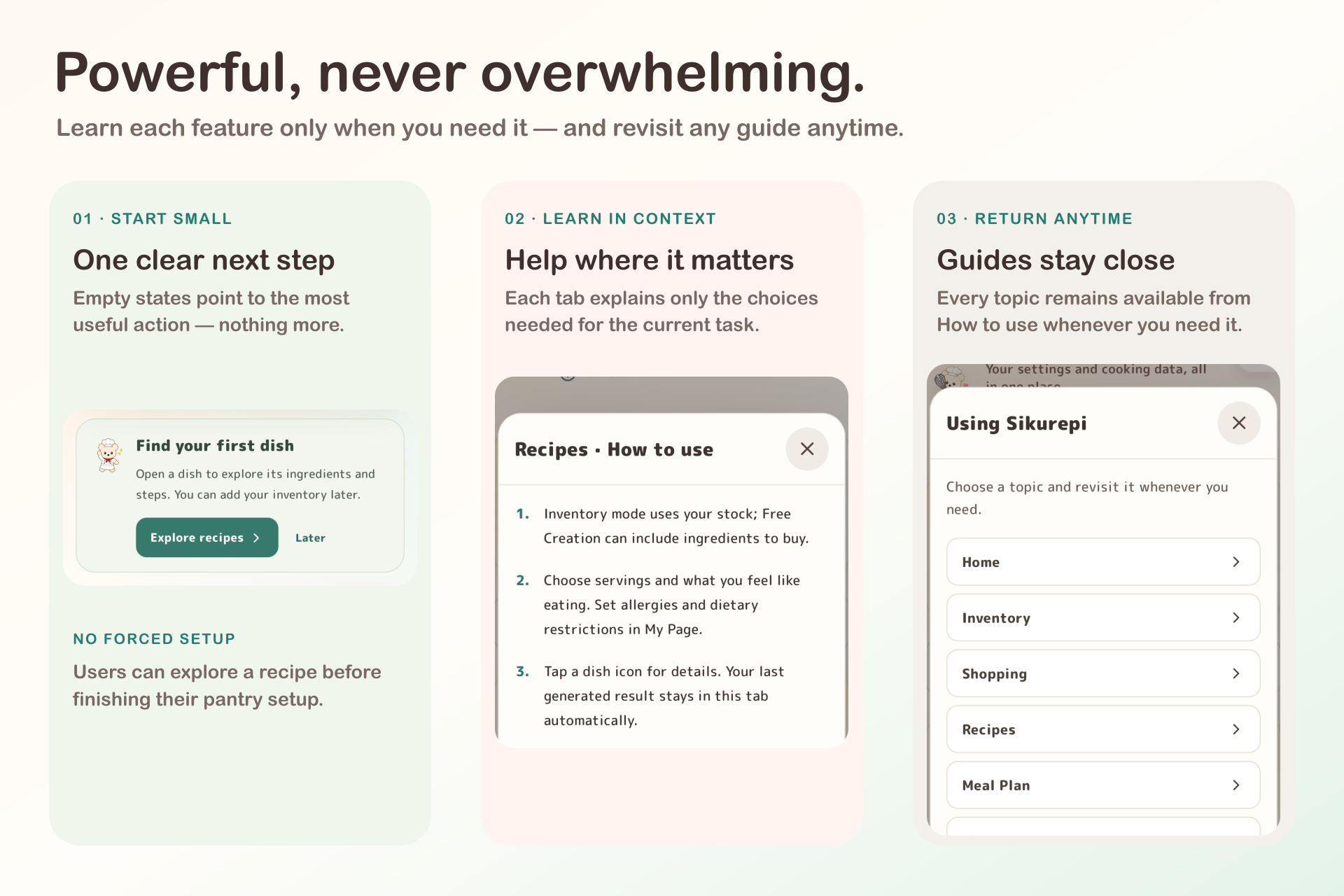
That influenced how I approached the first session. Users can explore a recipe before entering their entire pantry. The introduction is short, and each tab has a guide they can open when they need help.
It also shaped how progress is presented. The collection and chef ranks make cooking activity visible over time. I designed them to give users a small sense of achievement after a meal, rather than adding more setup or explanation before they can begin.
What's next
I want to improve how suggestions use each person's cooking history and feedback, especially when helping them use ingredients already in their pantry.
I also plan to broaden ingredient and food-culture coverage, add more languages, and improve accessibility and hands-free assistance during cooking.
Built With
- android
- api
- capacitor
- framer
- gemini
- ios
- motion
- next.js
- pwa
- react
- revenuecat
- supabase
- typescript
- vercel

Log in or sign up for Devpost to join the conversation.