-
-
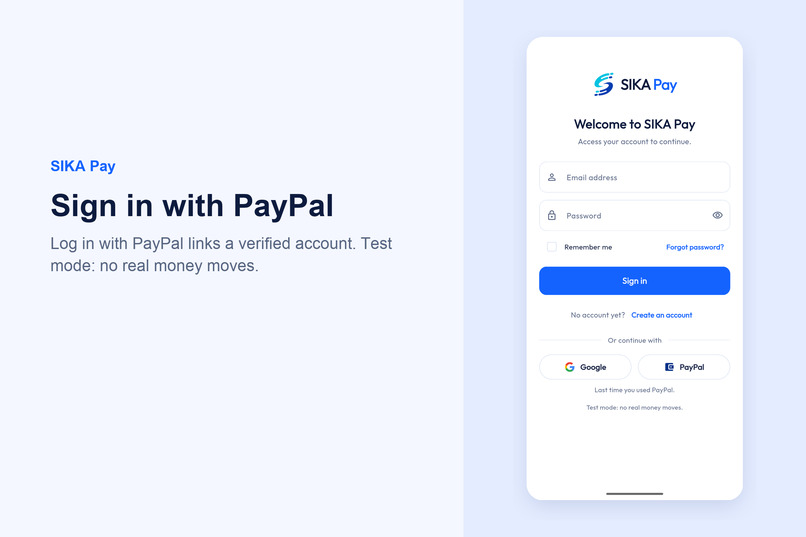
Sign in
-
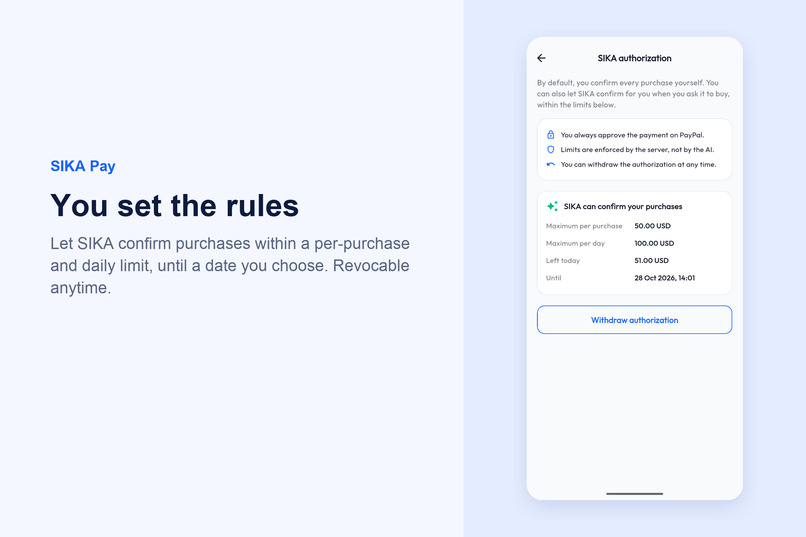
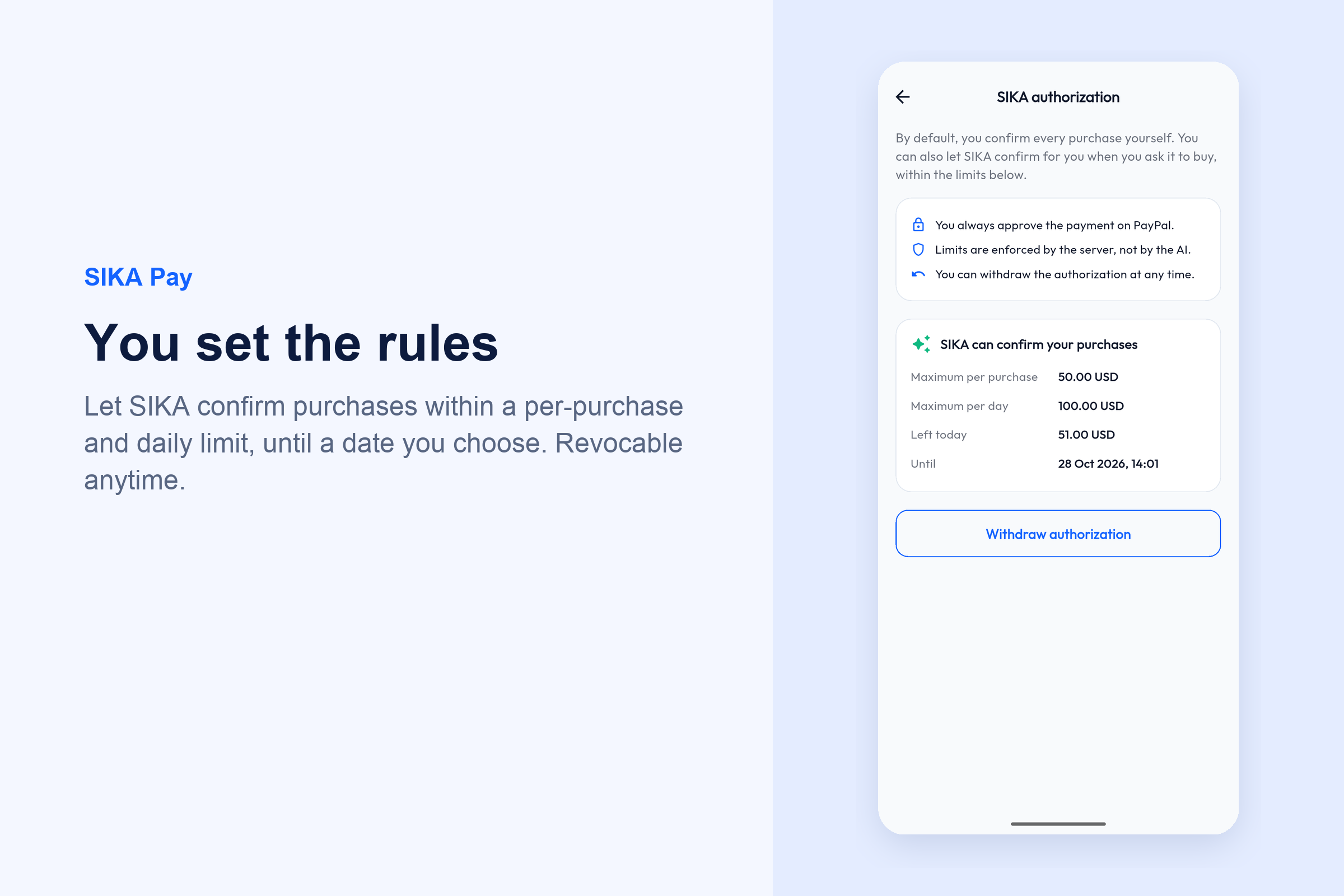
Hybrid control: let SIKA confirm purchases within a per-purchase and daily limit, until a date you choose. Revocable anytime.
-
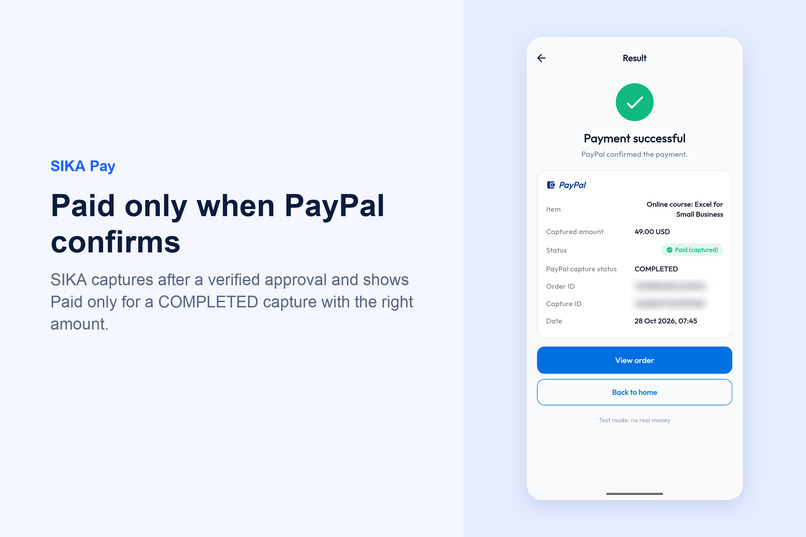
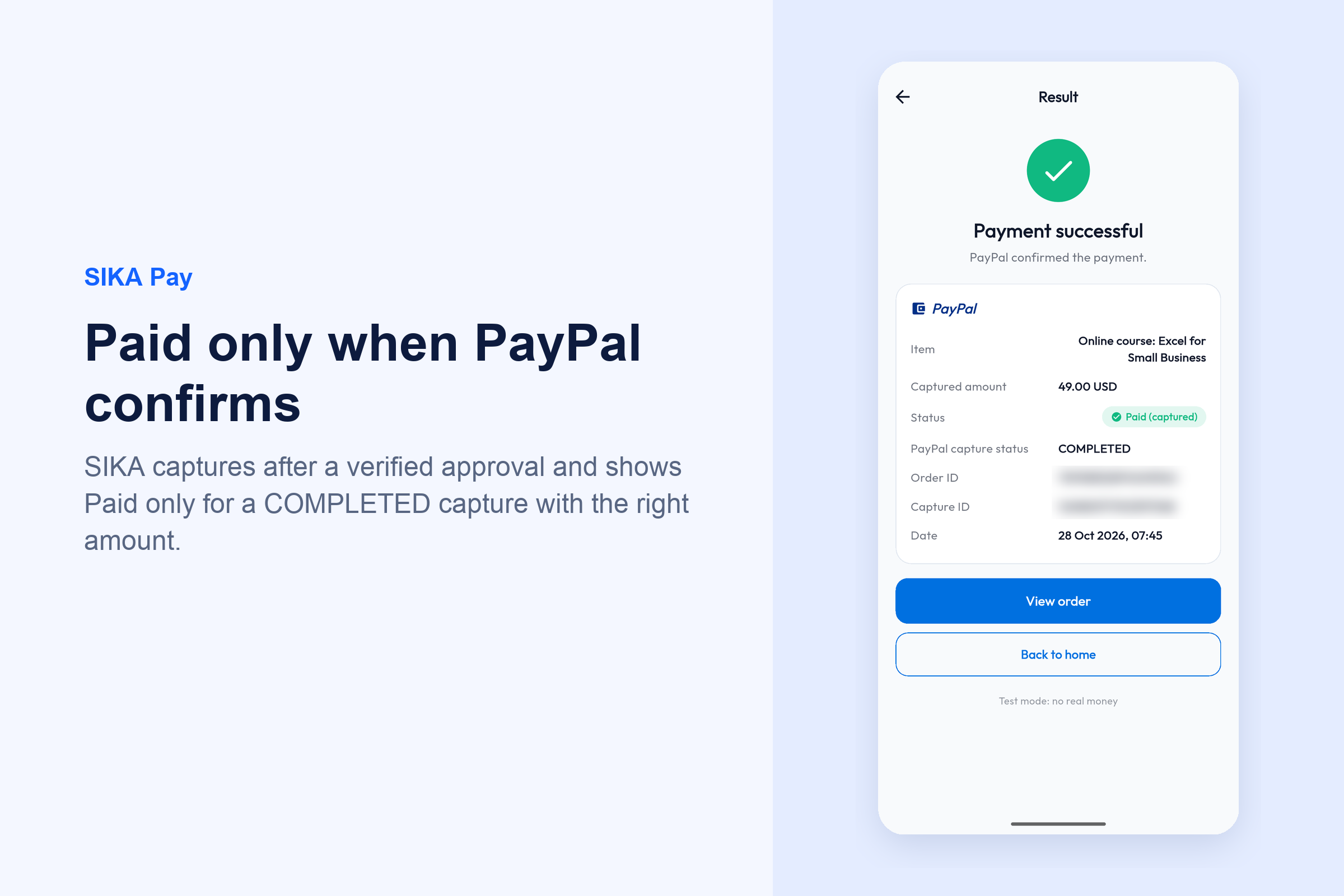
SIKA captures after a verified approval and shows "Paid" only for a COMPLETED capture with the expected amount.
-
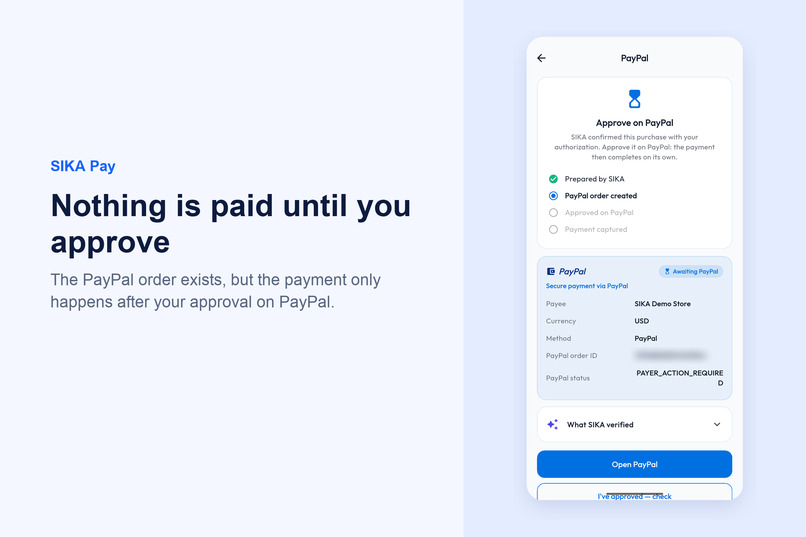
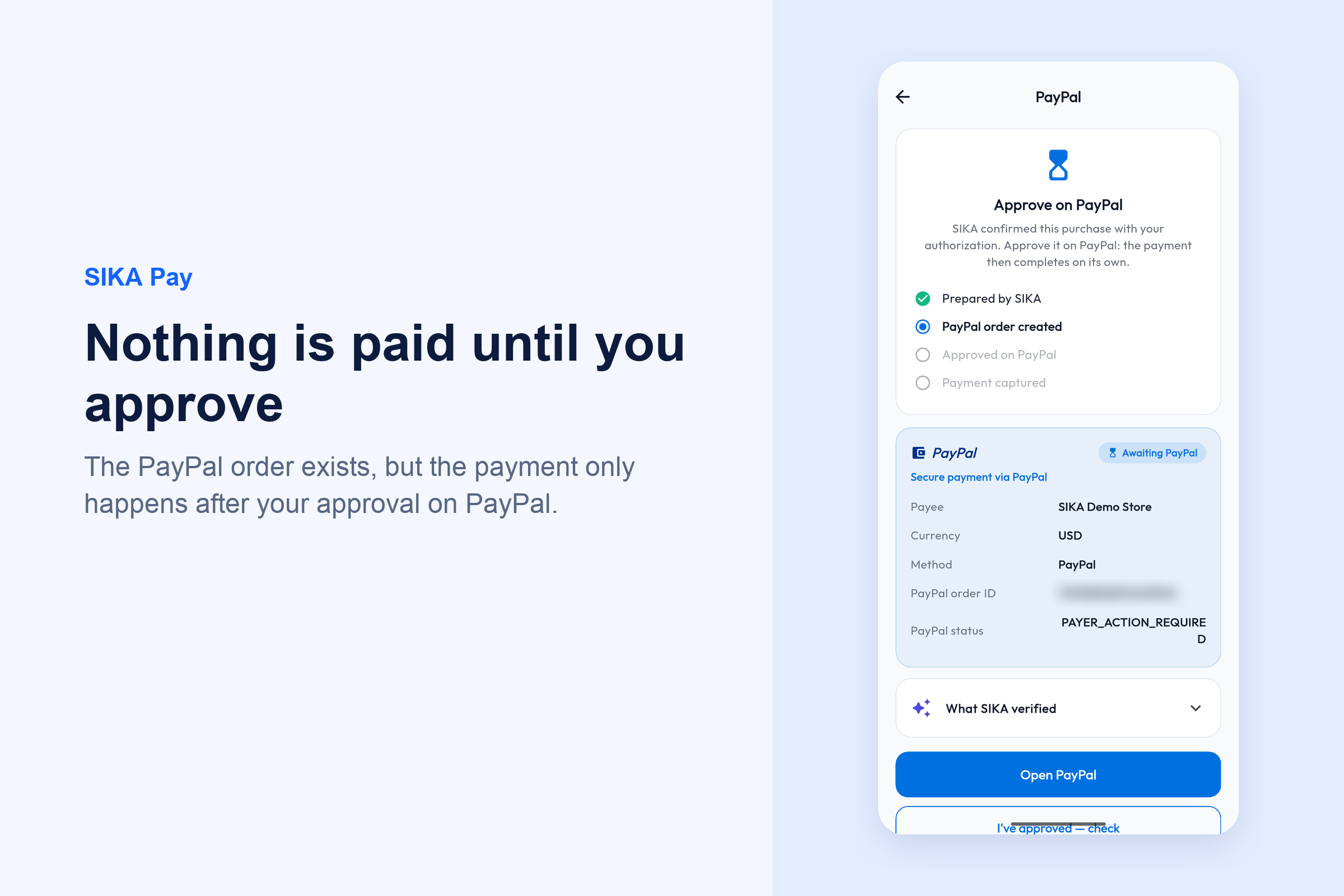
“Honest” Payment Terms: The order is successfully placed, but payment is not processed until you approve it.
-
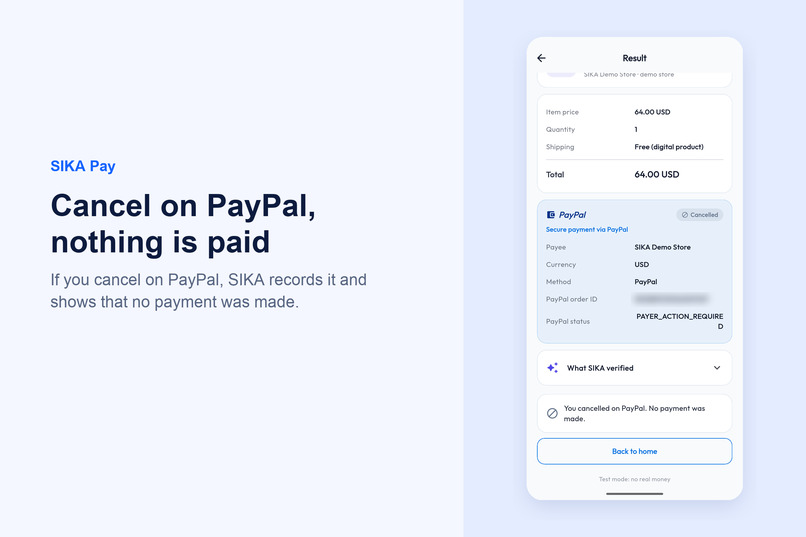
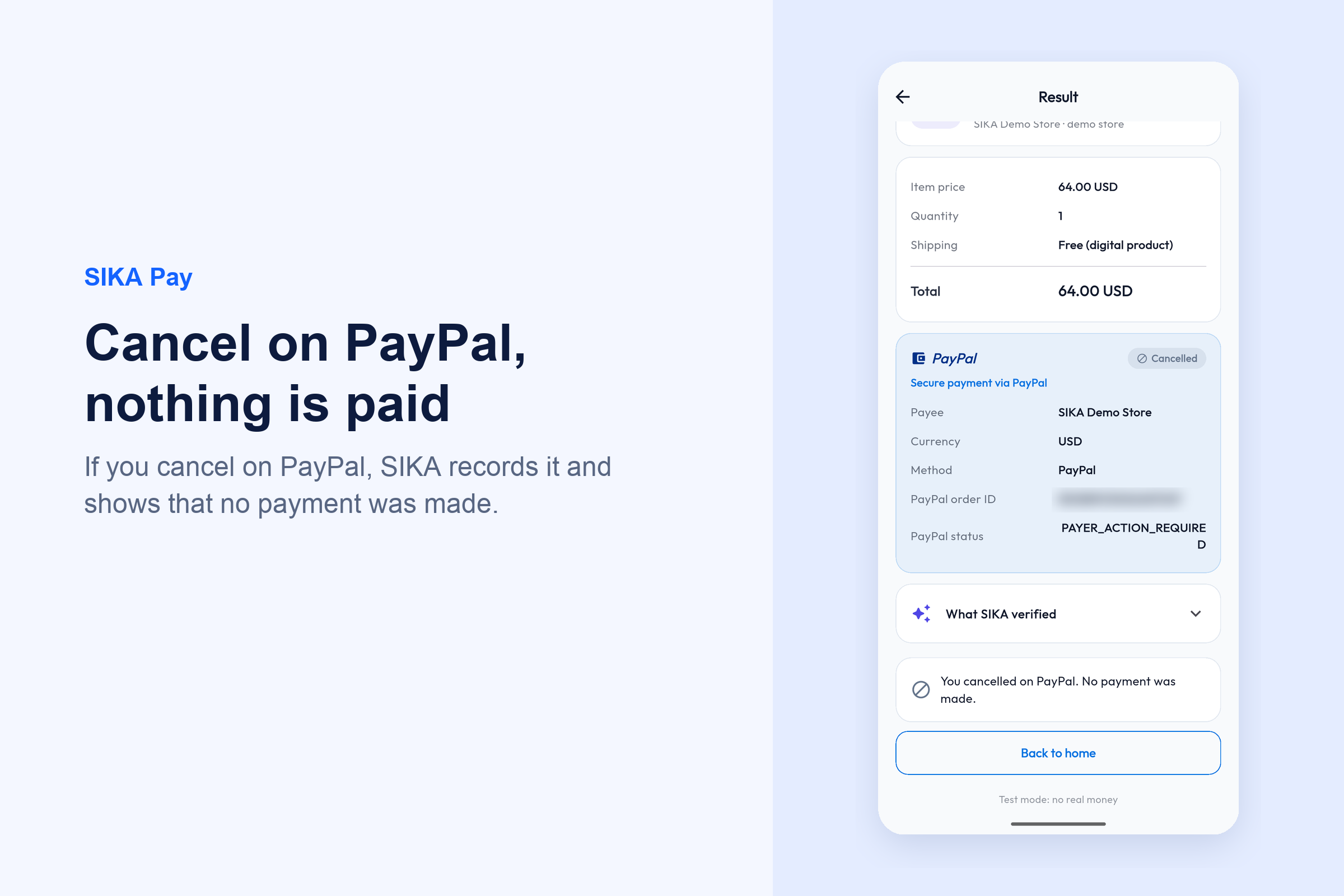
Cancelled on PayPal: SIKA records it and confirms that no payment was made.
-
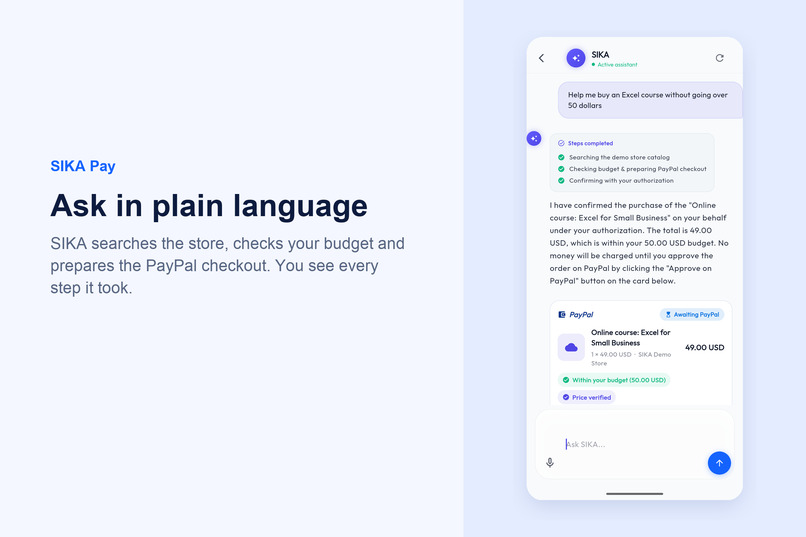
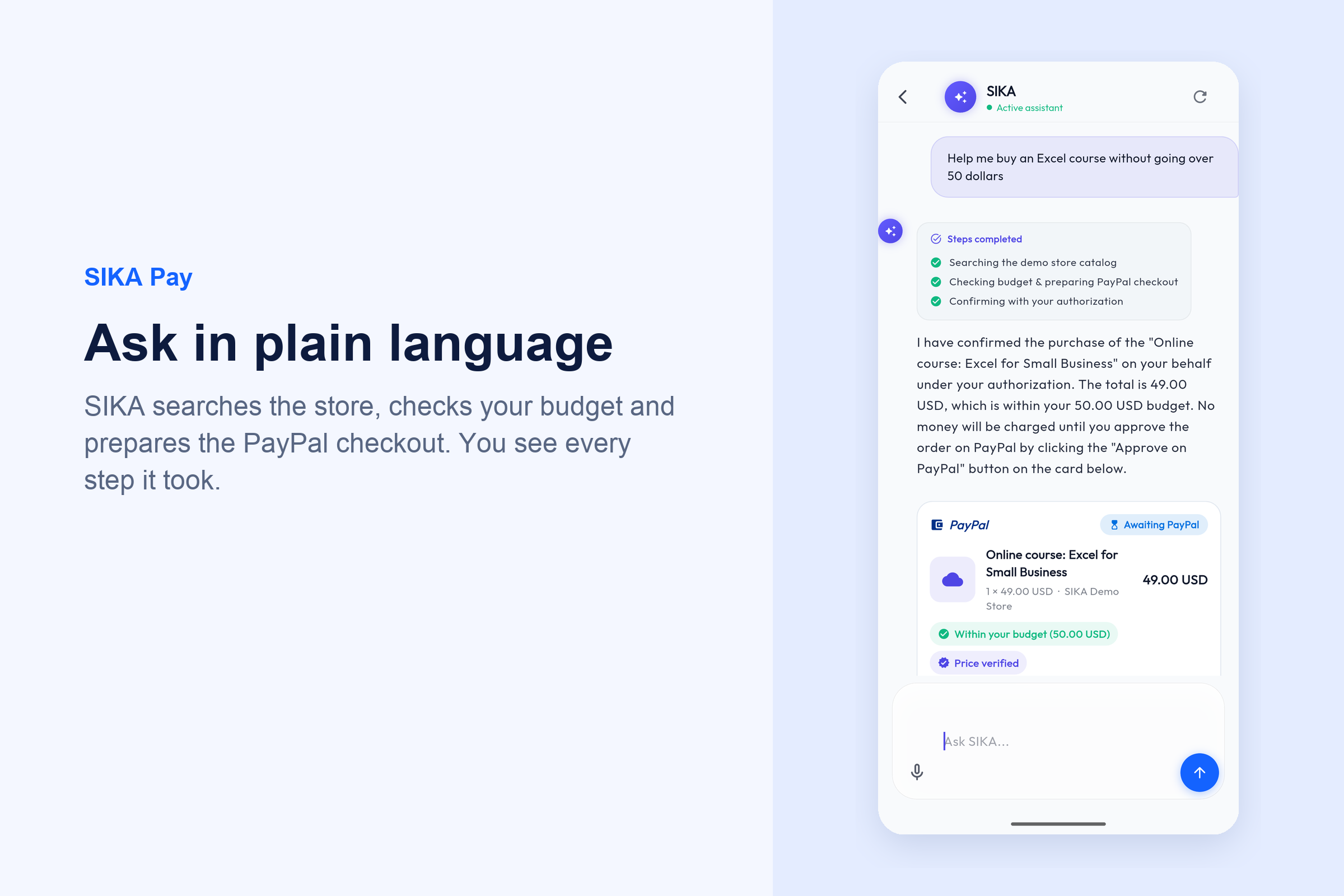
Natural Language Request and Agent Steps
-
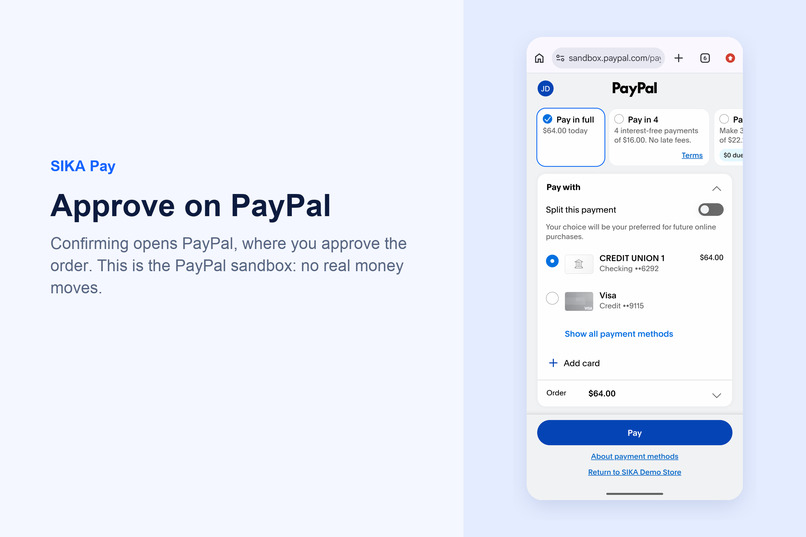
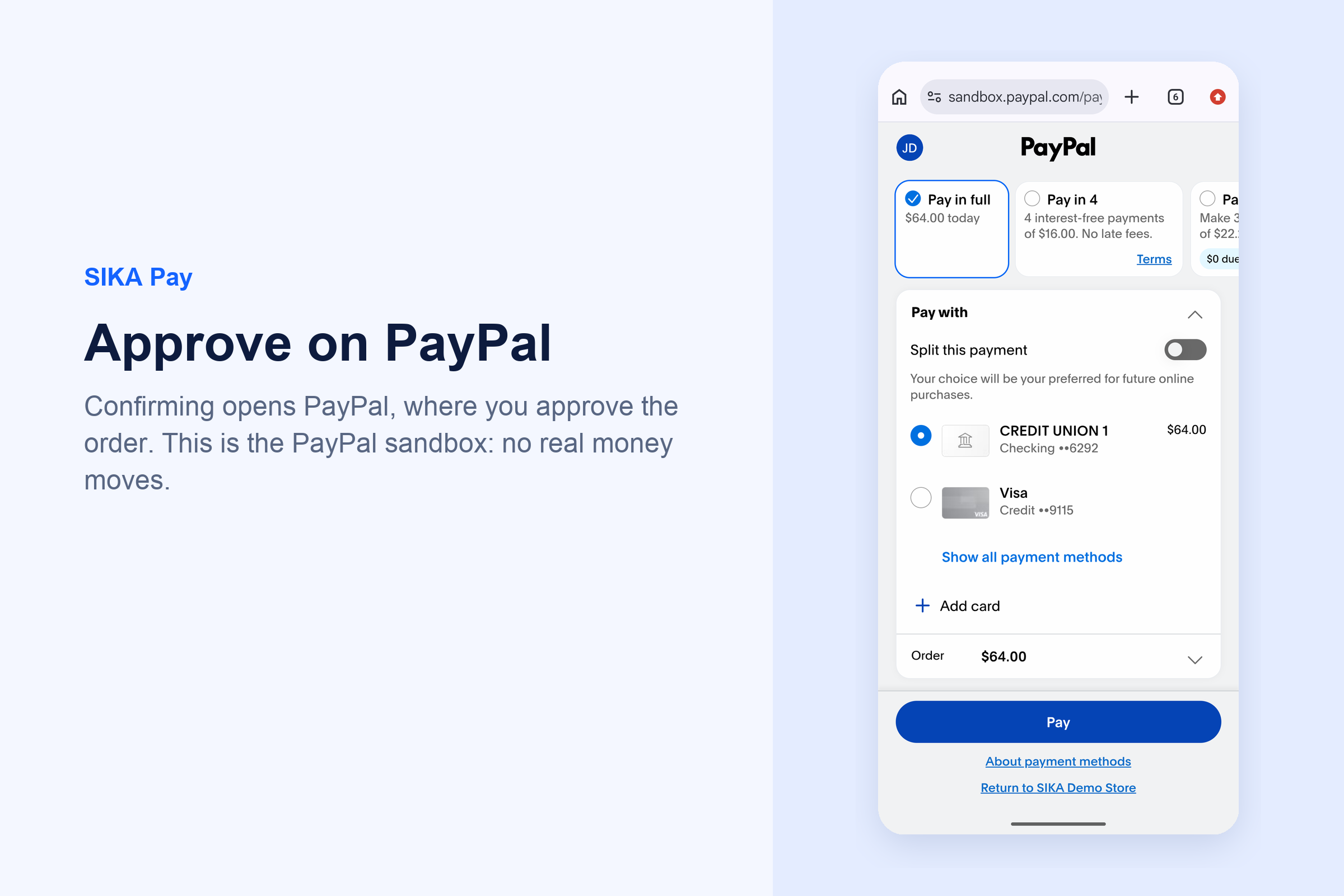
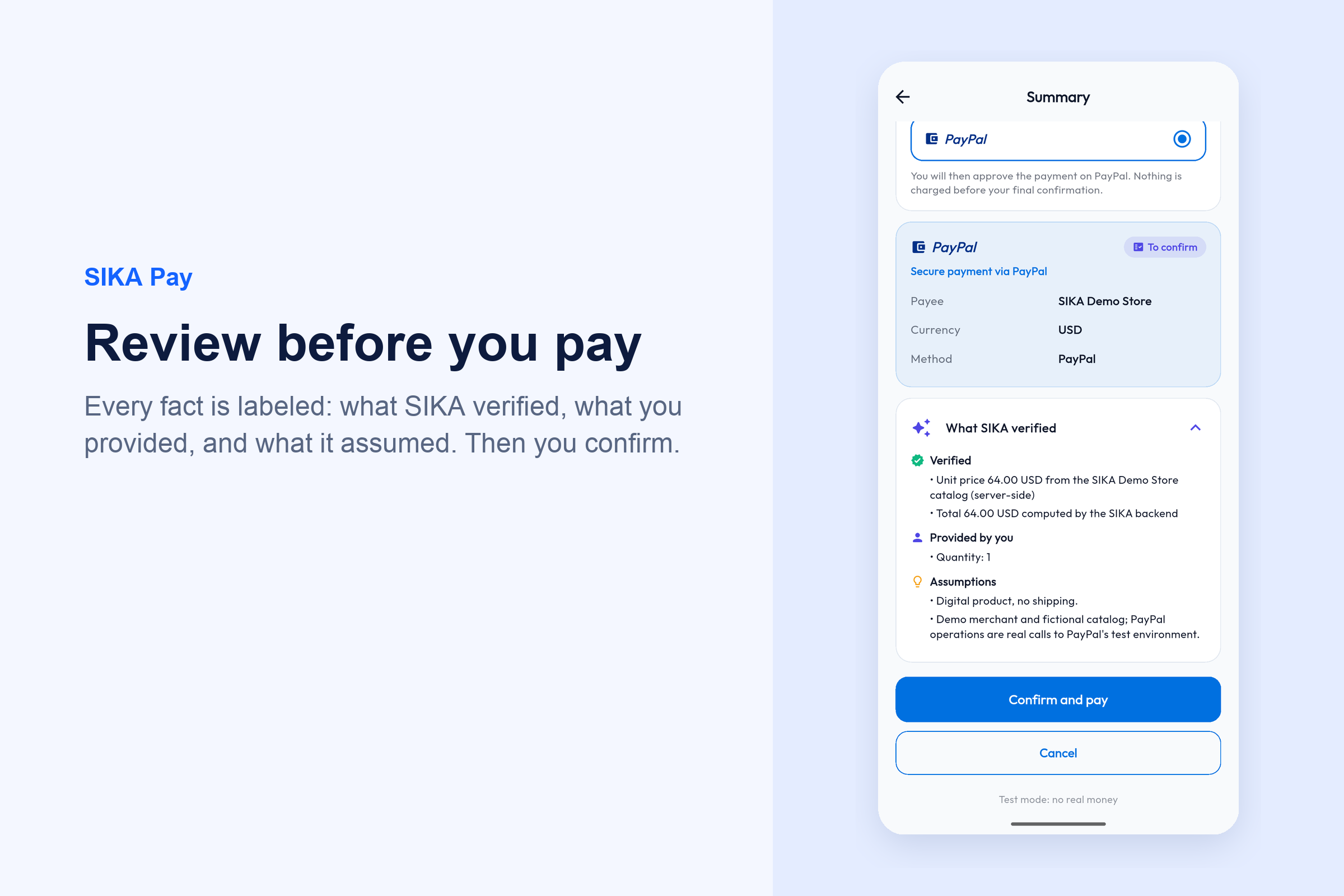
Click “Confirm” to confirm your order. No amount will be charged until you confirm the order.
-
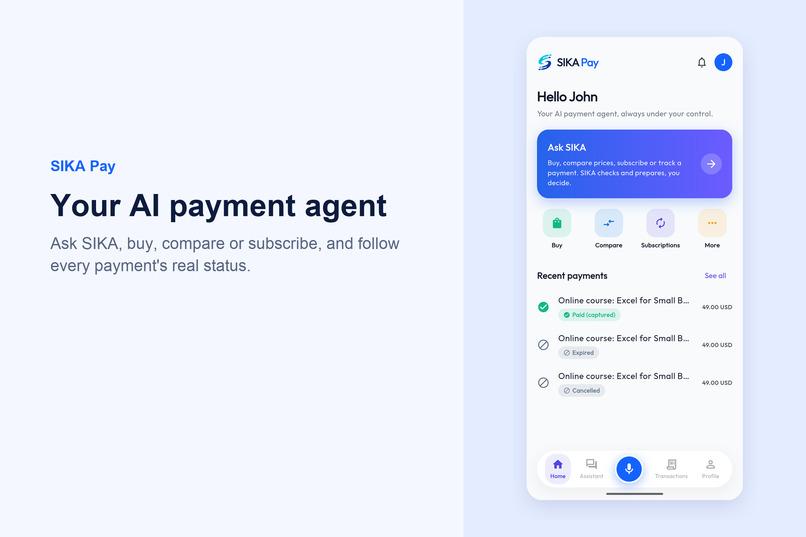
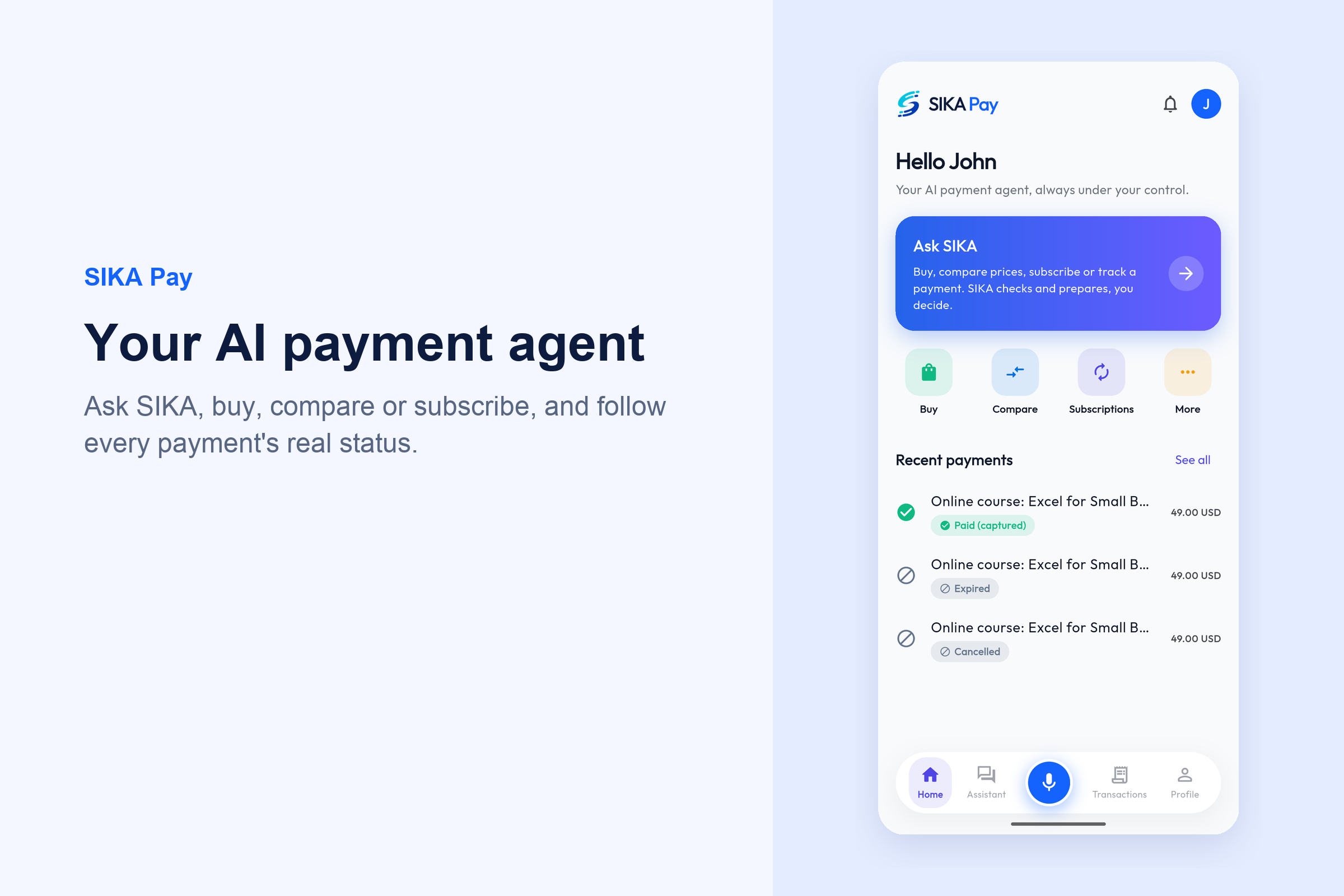
Home: Ask SIKA your questions, shop, compare products, pay for your subscriptions, and track the status of each payment in real time.
-
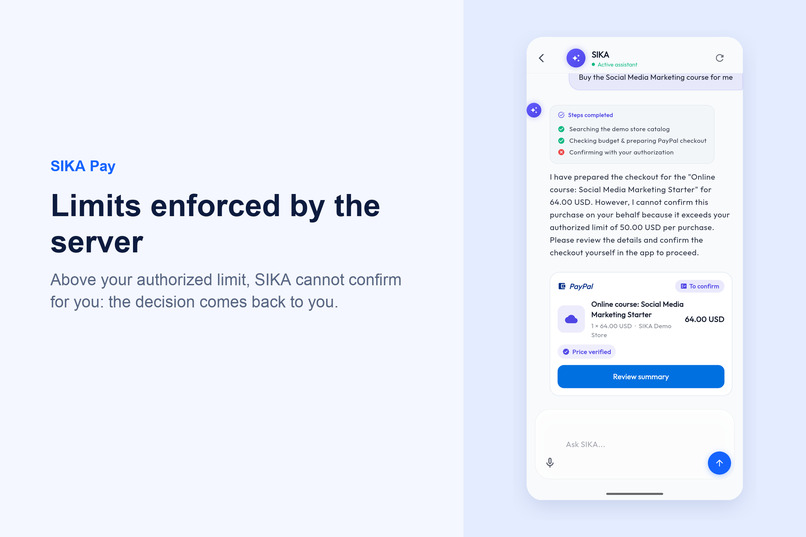
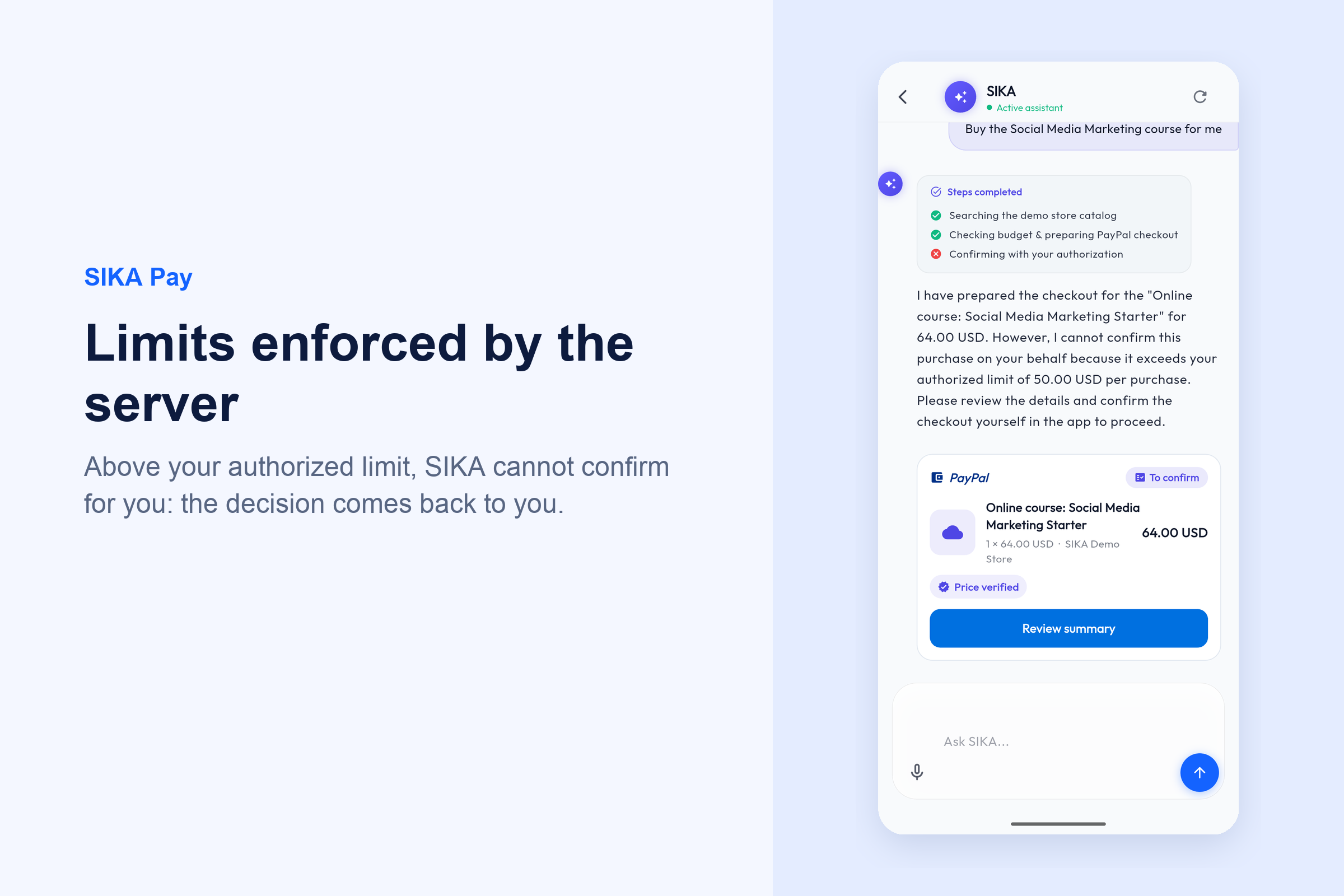
Above your authorized limit, the server refuses to let SIKA confirm, and the decision comes back to you.
-
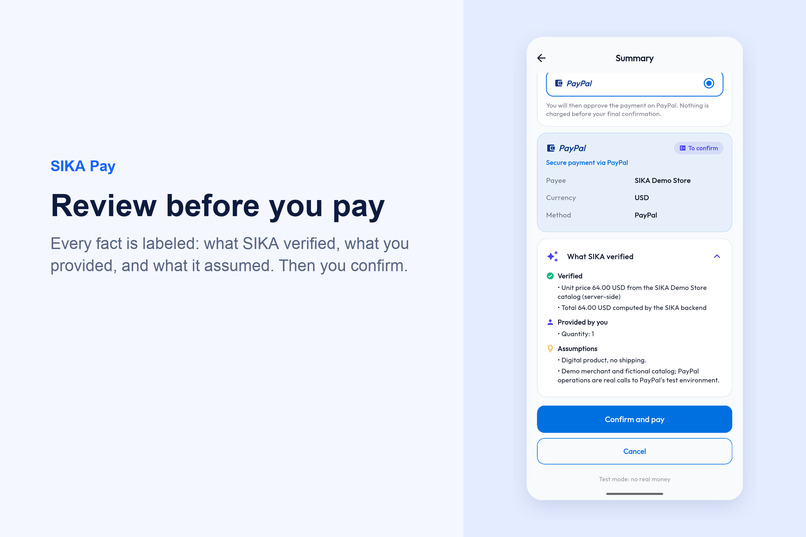
Check before paying: SIKA distinguishes between what it has verified, what you have entered, and what it has assumed.
-
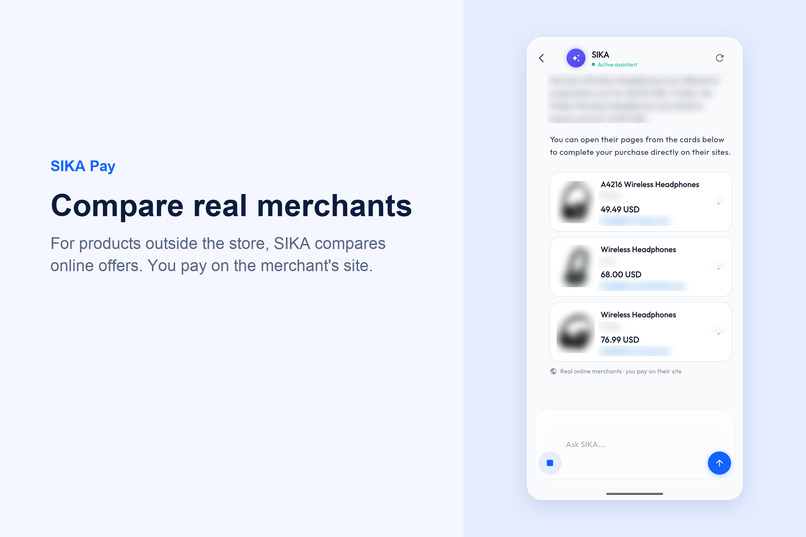
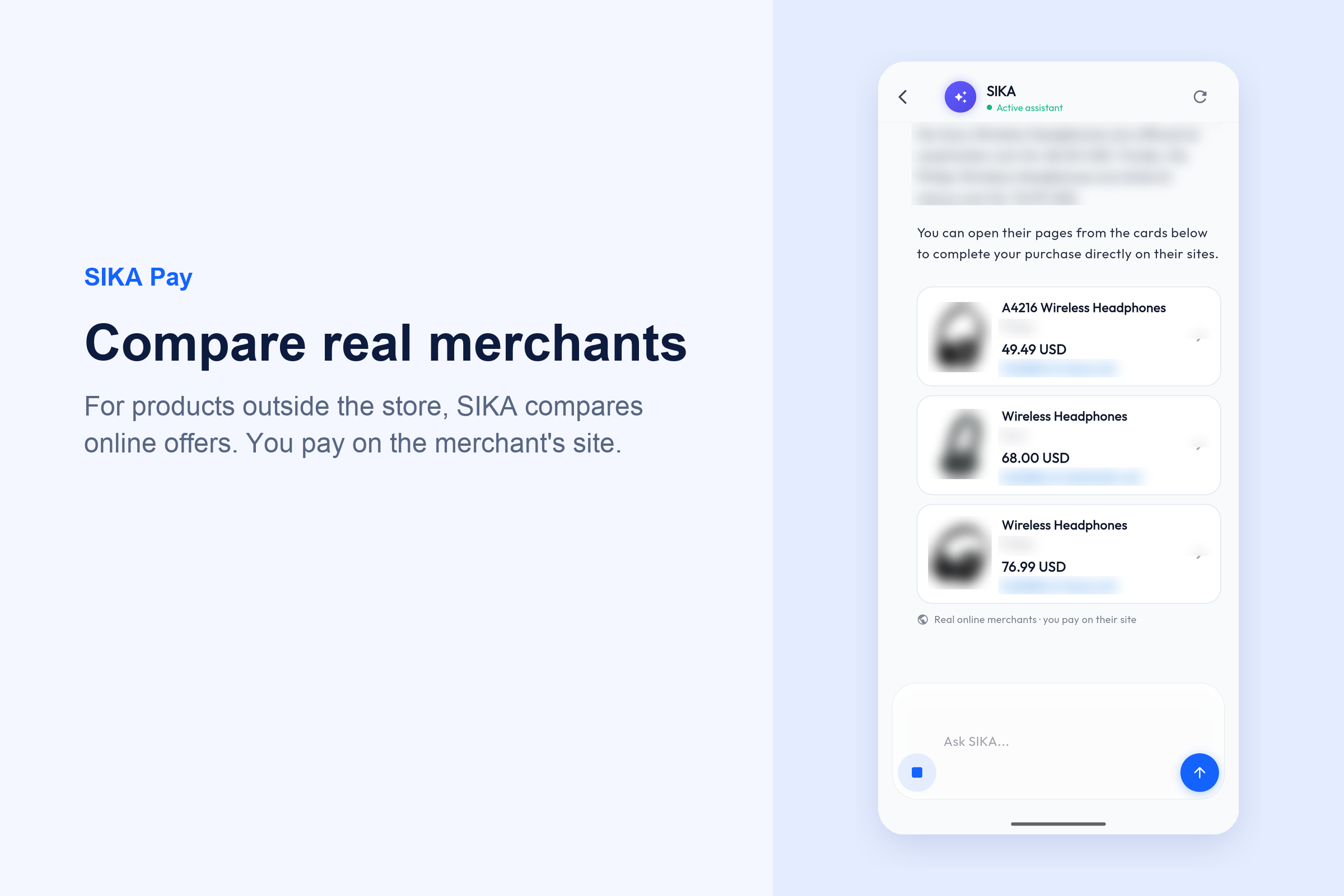
For products outside the store, SIKA compares real online offers through Channel3. You pay on the merchant's site. Brands blurred.
-
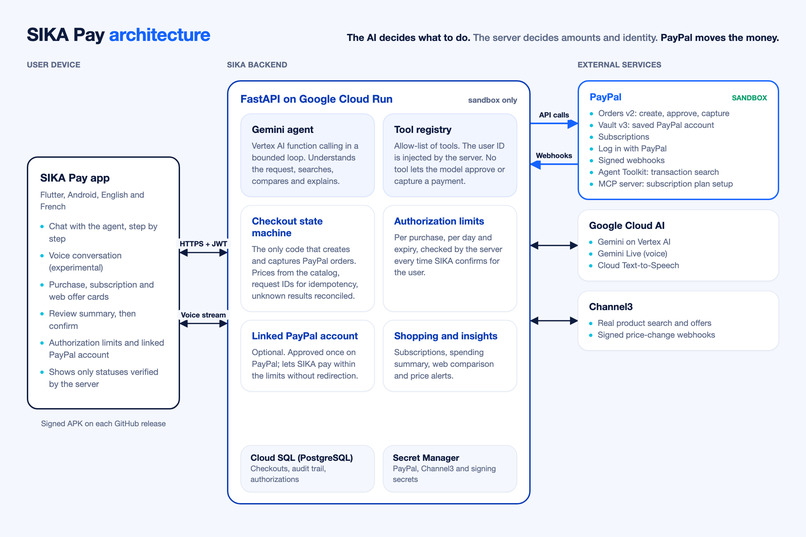
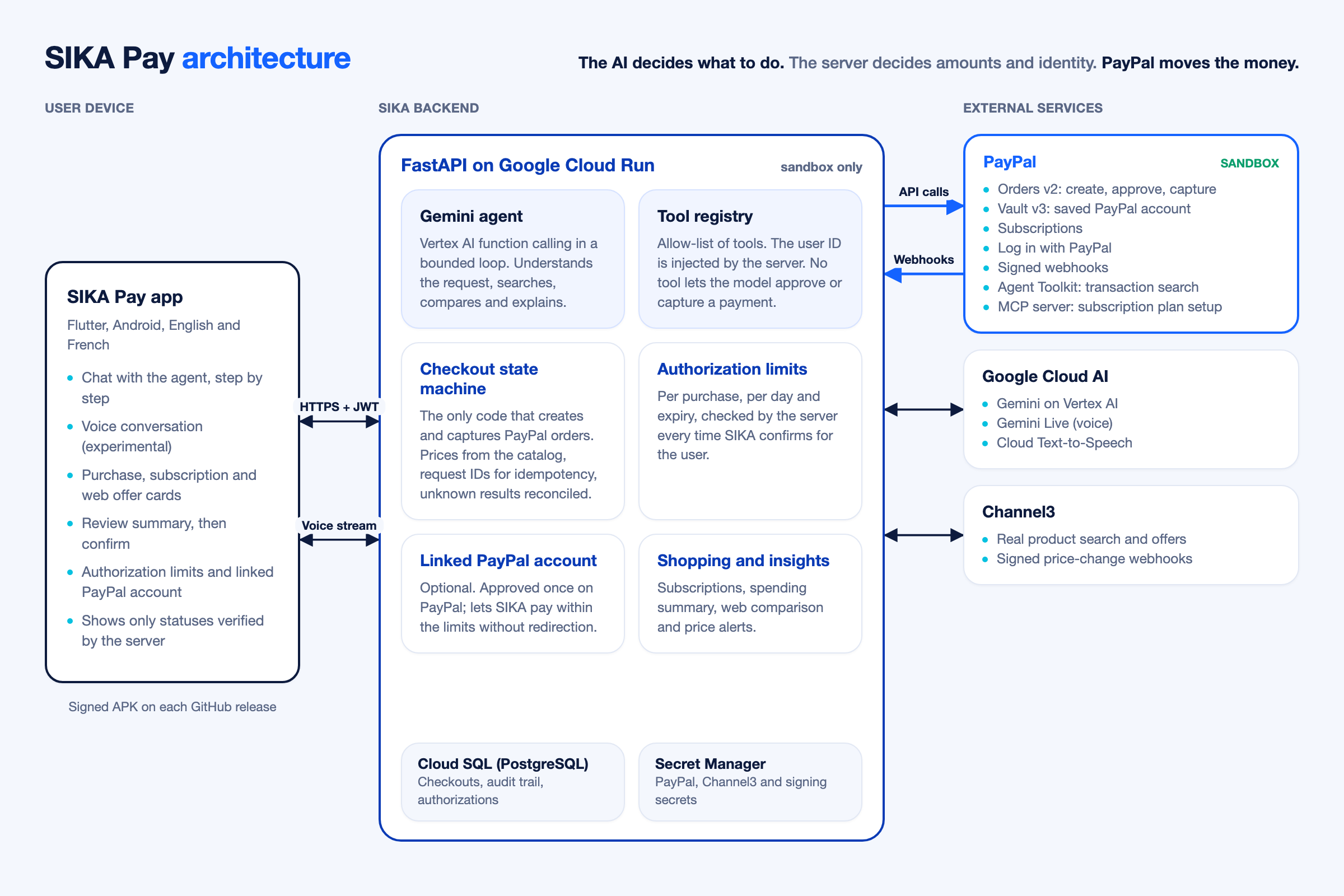
Architecture: Gemini decides what to do, the backend owns amounts and limits, and PayPal (sandbox) moves the money.
Inspiration
Shopping with an AI assistant usually stops at advice: it finds a product, then leaves you alone with ten tabs, a budget to check and a payment form. Fully autonomous "agents that pay for you" go to the other extreme and ask for blind trust with your money.
I started SIKA at the Google "All Things Agentic" hackathon as a voice and chat assistant for Mobile Money users in West Africa. For the PayPal AI Hackathon, I rebuilt it into SIKA Pay: a conversational payment agent where the AI does the tedious work (searching, comparing, checking the budget, preparing the payment) and the user stays in control of every dollar. The whole payment layer was replaced by PayPal during the submission period, and the previous Mobile Money integration was removed.
What it does
You tell SIKA what you want, in English or French: "Help me buy an Excel course without going over 50 dollars."
- Buy from a partner store and pay with PayPal. SIKA searches the catalog of a demo merchant (SIKA Demo Store, fictional digital products) and prepares a PayPal checkout. The price and the budget check come from the server, never from the AI. You review a summary, confirm, approve on PayPal, and SIKA captures the payment server-side once PayPal confirms the approval. A payment is only shown as successful after a verified
COMPLETEDcapture with the expected amount. - Compare real products on the web. For products the store doesn't carry, SIKA searches real online merchants through the Channel3 product API and shows the three best matches with their best price. SIKA never pretends it can pay there: you open the merchant's page and pay on their site.
- Hybrid control. By default, you confirm every purchase. You can also grant SIKA a limited, revocable authorization (maximum per purchase, daily limit, expiry date). Within those limits SIKA can confirm a purchase for you; the server enforces the limits and refuses anything above them, and you still approve the order on PayPal.
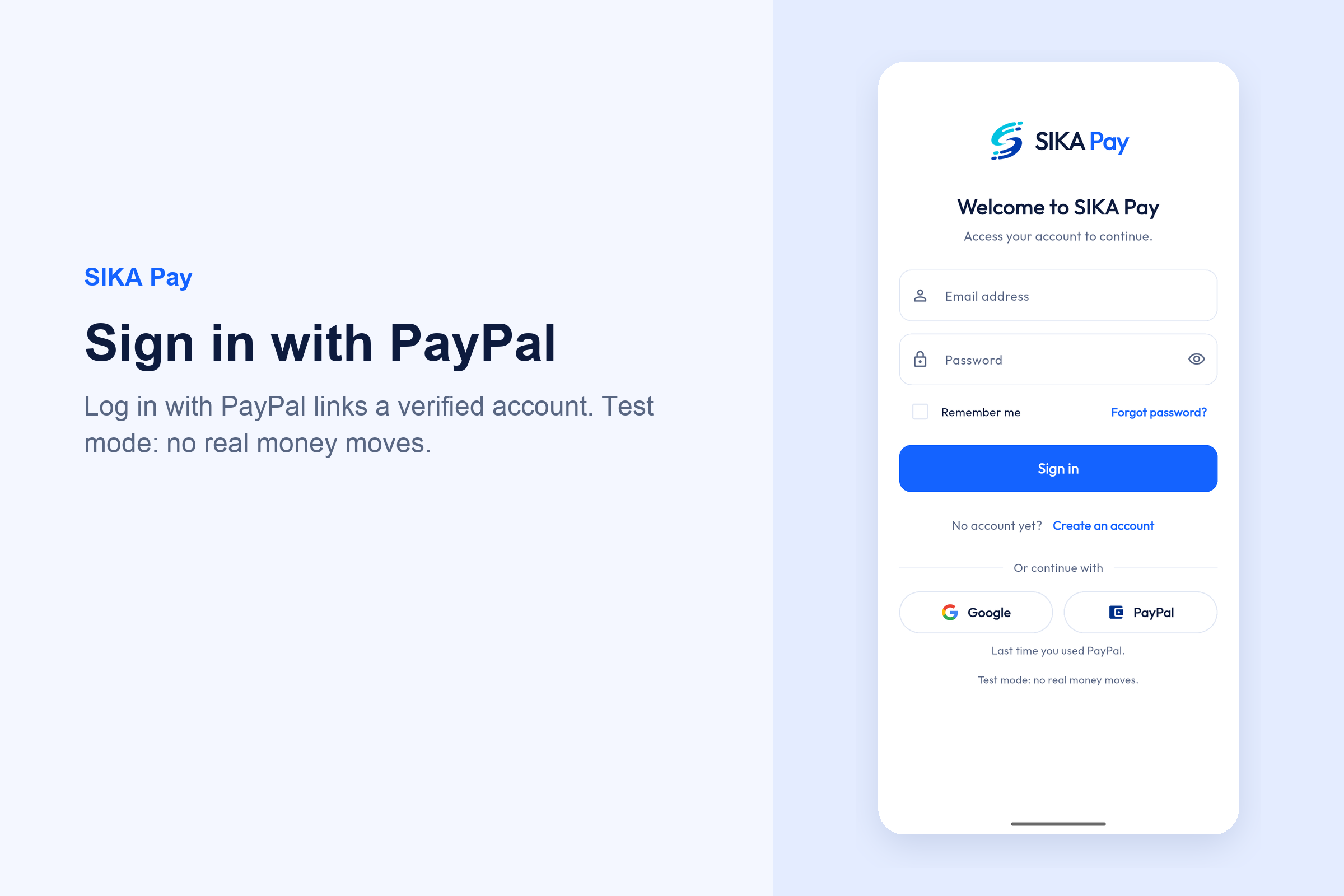
- Log in with PayPal. Sign in with your PayPal account (OpenID Connect); a verified PayPal account marks your identity as verified.
- Price alerts. Ask "Tell me when these headphones drop below $50" and SIKA creates an alert driven by signed Channel3 webhooks. Alerts never buy anything.
- Subscriptions (beta). SIKA compares monthly plans from the demo store and prepares a PayPal subscription that you confirm and approve on PayPal. The plans were created on PayPal with the PayPal MCP server.
All payments run on the PayPal sandbox: no real money moves.
How I built it
- Mobile app: Flutter (Android) with Riverpod, in English and French. The UI only displays statuses returned by the backend.
- Backend: FastAPI on Google Cloud Run with Cloud SQL (PostgreSQL) and Secret Manager, deployed by GitHub Actions only after the test suite passes.
- AI agent: Gemini on Vertex AI with function calling, in a bounded loop. Every tool call goes through a server-side registry: an allow-list of tools, the authenticated user ID injected by the server (the model never sees it), and no tool that can approve or capture a payment. The tool that confirms on the user's behalf is only exposed to the model while the user has an active authorization. The app shows the agent's observable steps, never its internal reasoning.
- PayPal: Orders v2 with
PayPal-Request-Ididempotency for creation and capture, server-side status verification before any capture, signed webhooks (verified with PayPal'sverify-webhook-signatureand deduplicated) as a second path to capture, error handling based on PayPal's payment-failure guidance, Log in with PayPal, the Subscriptions API, and the PayPal MCP server to create the subscription plans. - Channel3: product search, multi-merchant offers, and price webhooks verified with Standard Webhooks signatures.
Challenges I ran into
- Letting an AI near money without trusting it with money. The model chooses a product and a quantity; the server computes the price, checks the budget and binds the confirmation to that exact checkout. Amounts and identity never come from the model.
- Honest payment states. "Order created", "approved" and "captured" are different things, and a network timeout is not a success. A lost response becomes
UNKNOWN_RESULTand is checked with PayPal instead of being shown as paid. - Avoiding double captures. Returning to the app and receiving the webhook can happen at the same time. Stable request IDs and server-side status checks make sure an order is captured once.
- Too many confirmations. My first flow asked the user to confirm four times. I reduced it to one confirmation in the app plus the approval on PayPal, with automatic capture after a verified approval.
- Mobile redirects. PayPal only accepts registered redirect URLs, so I added a server return page that hands the result back to the app.
Accomplishments that I'm proud of
- Complete purchases on the PayPal sandbox, from a sentence to a verified capture, tested on a device against the deployed backend: a user-confirmed purchase, an agent-confirmed purchase within an authorization, a purchase refused above the authorized limit, and a cancellation on PayPal.
- A safety model that does not depend on the AI behaving: server-side amounts, server-injected identity, a tool allow-list and limits enforced by the backend.
- 188 automated backend tests that never call PayPal (a test double replaces it), covering tampering, cross-user access, idempotency, declines, network failures and webhook signatures, plus a script that runs the real sandbox flow.
- A product that is honest about what it can and cannot do, for example that it cannot pay on third-party websites.
What I learned
- In agentic payments, the key decision is where to draw the line: the model is excellent at understanding intent and comparing options, and should never be the source of truth for an amount or a payment status.
- Idempotency and webhooks matter even in a demo: real payment flows fail in the middle.
- User control and convenience can coexist: a limited, revocable authorization gives speed without blind trust.
What's next for SIKA Pay
- Natural voice conversations (experimental). I am building a speech-to-speech mode with Gemini Live that uses the same tools and the same safety rules as the chat. It works end to end in my tests but is not released yet.
- Complete end-to-end testing of subscriptions on devices.
- Real merchants on PayPal checkout instead of a demo catalog.
- More currencies and an iOS release.
Built With
- agentic-ai
- alembic
- channel3
- dart
- fastapi
- flutter
- google-cloud-run
- google-cloud-sql
- google-cloud-text-to-speech
- google-gemini
- google-secret-manager
- log-in-with-paypal
- paypal
- paypal-mcp-server
- paypal-orders-v2
- paypal-subscriptions
- paypal-webhooks
- postgresql
- python
- rest-api
- riverpod
- sqlalchemy
- vertex-ai


Log in or sign up for Devpost to join the conversation.