-
-
Conferensync Demo
Inspiration
Our main inspiration for this project is to make communication seamless for deaf and mute people in meetings. Currently, companies hire a human translator for meetings, but this is not scalable and very expensive. In fact, the FCC (Federal Communications Commission) requires that video conferencing services add specific features to their service, such as “speech-to-text capabilities, text-to-speech capabilities, and enabling the use of sign language interpreting.” This tool was created with the goal of making a scalable, reliable and user-friendly solution to improve communication for the differently-abled.
What it does
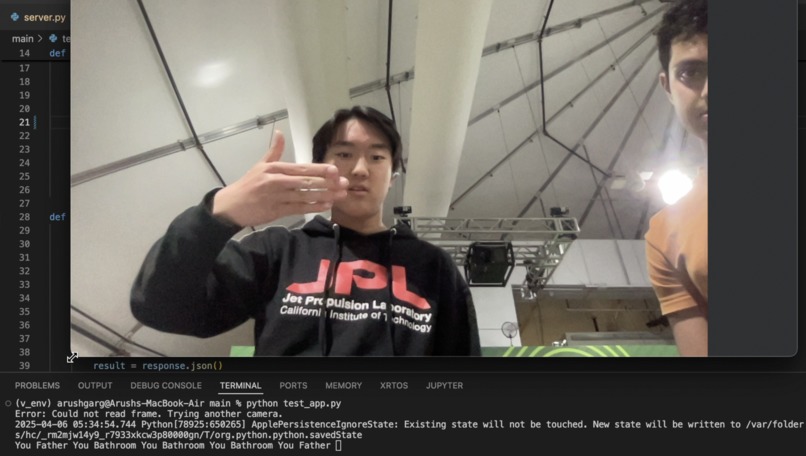
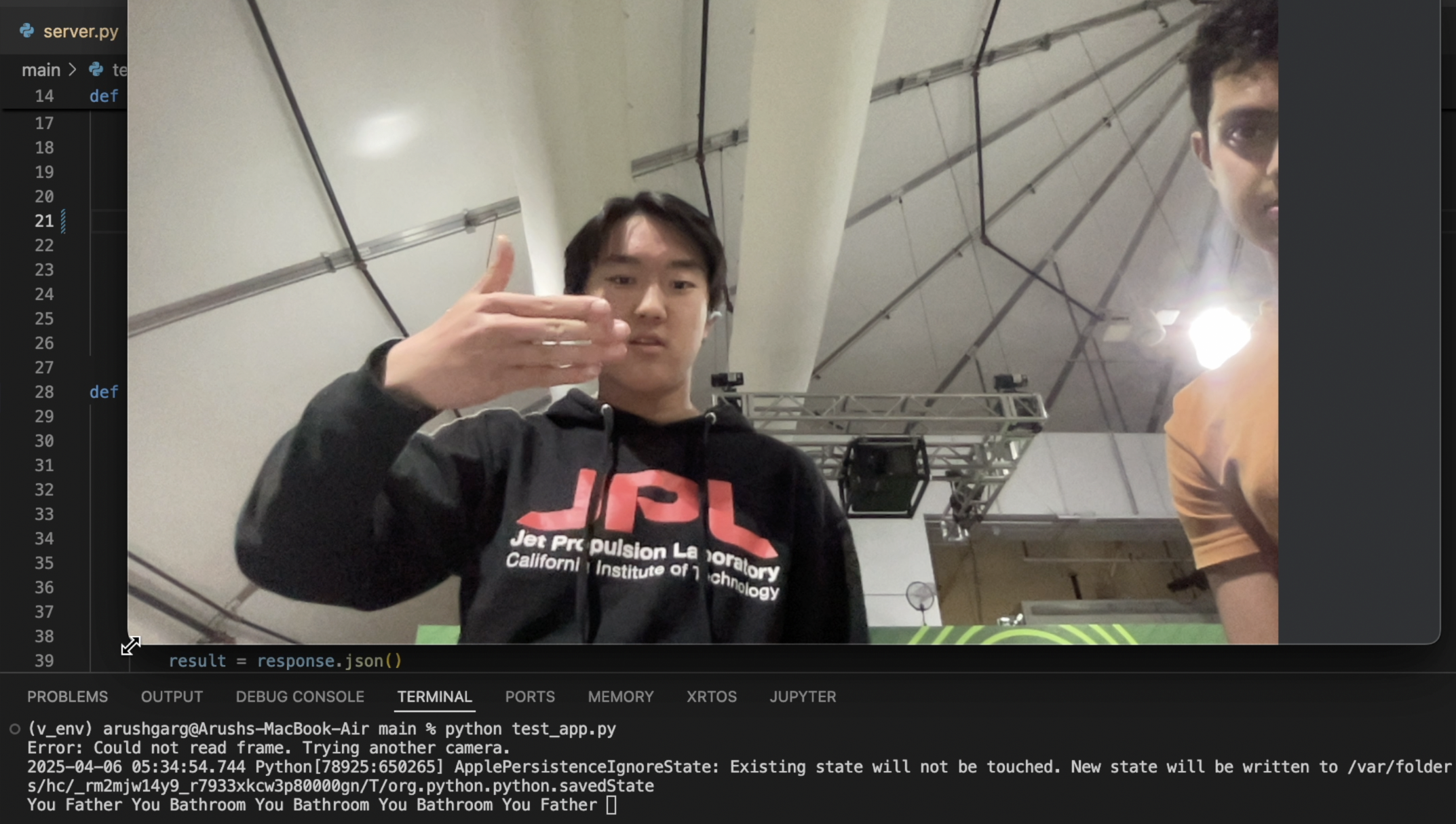
The prototype streams the camera input to a server. This server uses a Convolutional Neural Network (CNN) to classify the sign in the frame and sends that back to the client. The client prints out the word in a stream, like a live transcript.
How we built it
The project was built entirely using Python. There are a few parts to this project:
- Data collection: Using
opencvandmediapipe, we were able to build a system that saves the webcam input, detects hands, overlays key points and resizes the file. Images for each sign were saved under their respective subfolders once processed. - Model fine-tuning: Using tensorflow, we fine-tuned 3 different CNN architectures known for their low latency. Each of the models were evaluated on accuracy and latency, and we finally chose ResNet as the base model for our sign detection.
- Main application: The camera stream is sent to the server as a base64 using
opencvandrequests. The server is a Flask server, which loads the saved.kerasmodel to detect the sign in the image.
Challenges we ran into
Though exciting, the road for building this system was by no means easy. Some of the biggest challenges were:
- Managing overfitting for the CNNs - We found out that the model was performing poorly during real-time inference. To address this, we increased the amount and diversity of data and decreased the learning rate.
- Dependency conflicts: Mediapipe, Tensorflow and Streamlit all require different versions of Numpy, hence the initial idea of a Streamlit-based application was very difficult to implement. Therefore, we decided to ditch the Streamlit and use OpenCV to stream the frames to the server.
Accomplishments that we're proud of
Throughout the process, we implemented some clever solutions to make the system more effective:
- To improve data quality, we added hand key points to the processed images. This allowed the model to differentiate between hand and face, making it more accurate.
- When testing the main application, we noticed that the video became quite choppy due to the time taken for processing. Even though inference time was less than 100 milliseconds, that translates to 10 FPS, which is poor. Therefore, we implemented multi-threading to ensure the camera stream remains smooth while also accommodating for the model and network latency.
What we learned
Initially, we were considering running the entire fine-tuning process on Palantir. For this, we started learning how to use their development environment, and the tutorials highlighted that even no-code solutions can be used to build effective pipelines.
Even though we did not finally fine-tune the models on Palantir, learning about this was an important skill we gained during this hackathon. We look forward to using it for future projects and hackathons!
What's next for Conferensync
Our future plans with Conferensync is to expand our vocabulary and include a lot more words, as well as transcription to speech for a more meeting-like experience. In addition, more languages could be added so that the tool is useful for a global audience. Finally, the end goal would be to integrate this into video conferencing services, such as Zoom, Google Meets, etc.


Log in or sign up for Devpost to join the conversation.