-
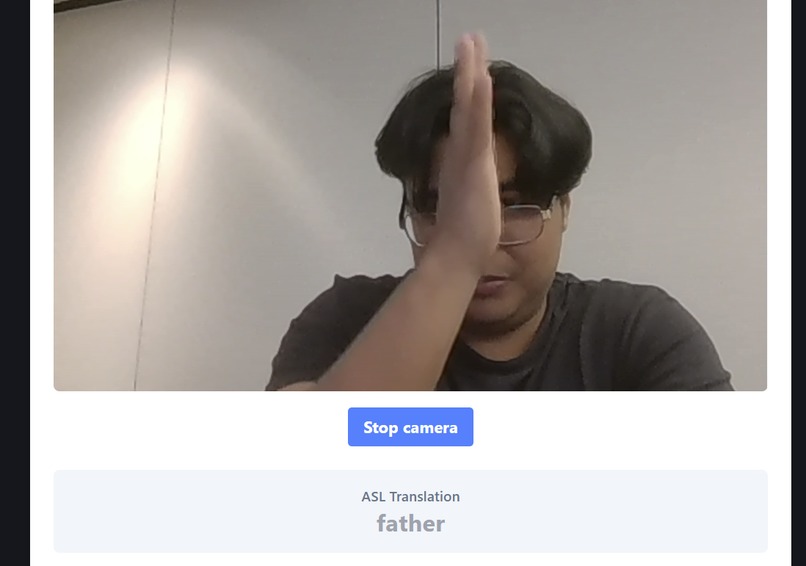
FATHER hand gesture in ASL!!!
Inspiration
We were inspired to create SignGuide because there are not many interactive resources for people who want to learn and practice American Sign Language. We wanted to create a platform that not only recognizes ASL gestures, but also helps users understand whether they are signing correctly and how they can improve their hand gestures.
What it does
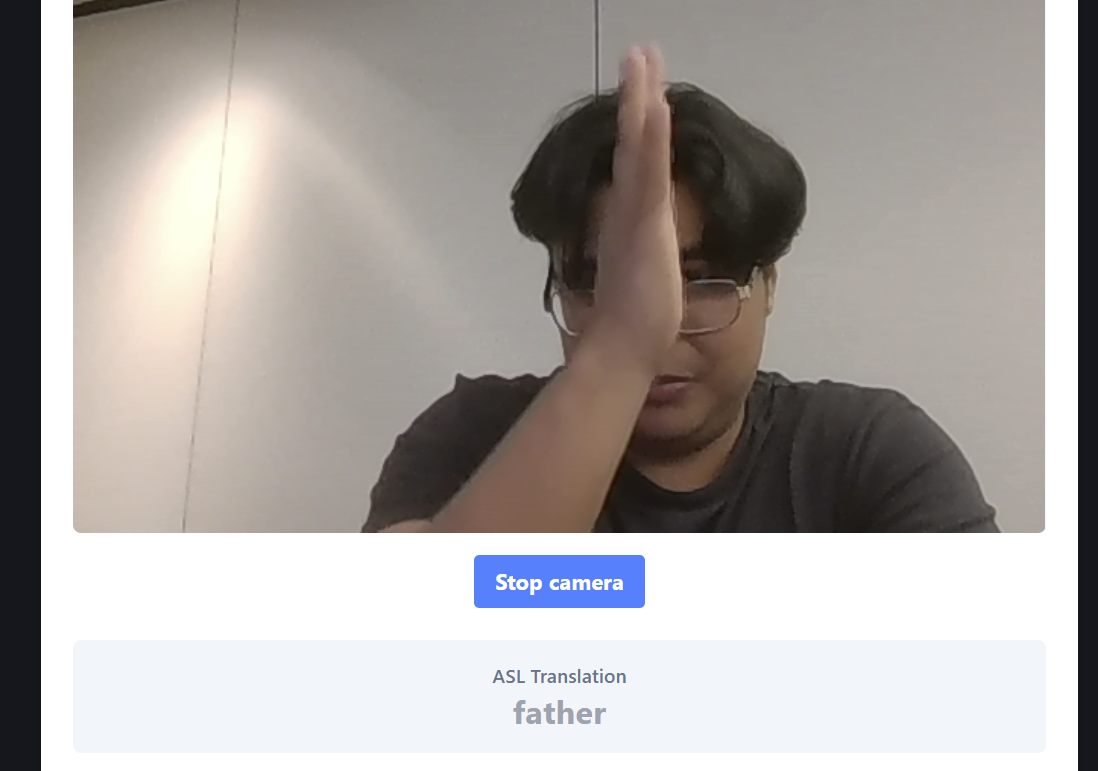
SignGuide uses a laptop camera to read a user's hand gestures in real time and recognize basic ASL words such as "Hello" and "Father." The platform then displays what the gesture means, giving users an interactive way to practice and learn ASL.
How we built it
We built SignGuide using Python and OpenCV to access the laptop camera and capture hand gestures. We connected our frontend and backend so images from the camera could be processed by our AI system. We also used Google's Gemini API to help analyze and recognize hand gestures.
Challenges we ran into
One of our biggest challenges was getting the camera, frontend, backend, and AI to work together. We also ran into Gemini API limits when trying to process many hand gestures. Another challenge was getting the AI to consistently recognize different hand positions correctly.
Accomplishments that we're proud of
We're proud that we were able to build a working prototype that recognizes basic ASL gestures such as "Hello" and "Father." We were also able to connect the camera, frontend, backend, and AI into one working application within the hackathon.
What we learned
We learned how to use the Google Gemini API with Python, access a laptop camera using OpenCV, and connect AI with a frontend and backend. We also learned more about computer vision and the challenges of recognizing hand gestures in real time.
Built With
- opencv
- python
- react
- tailwindcss
- typescript

Log in or sign up for Devpost to join the conversation.