Inspiration
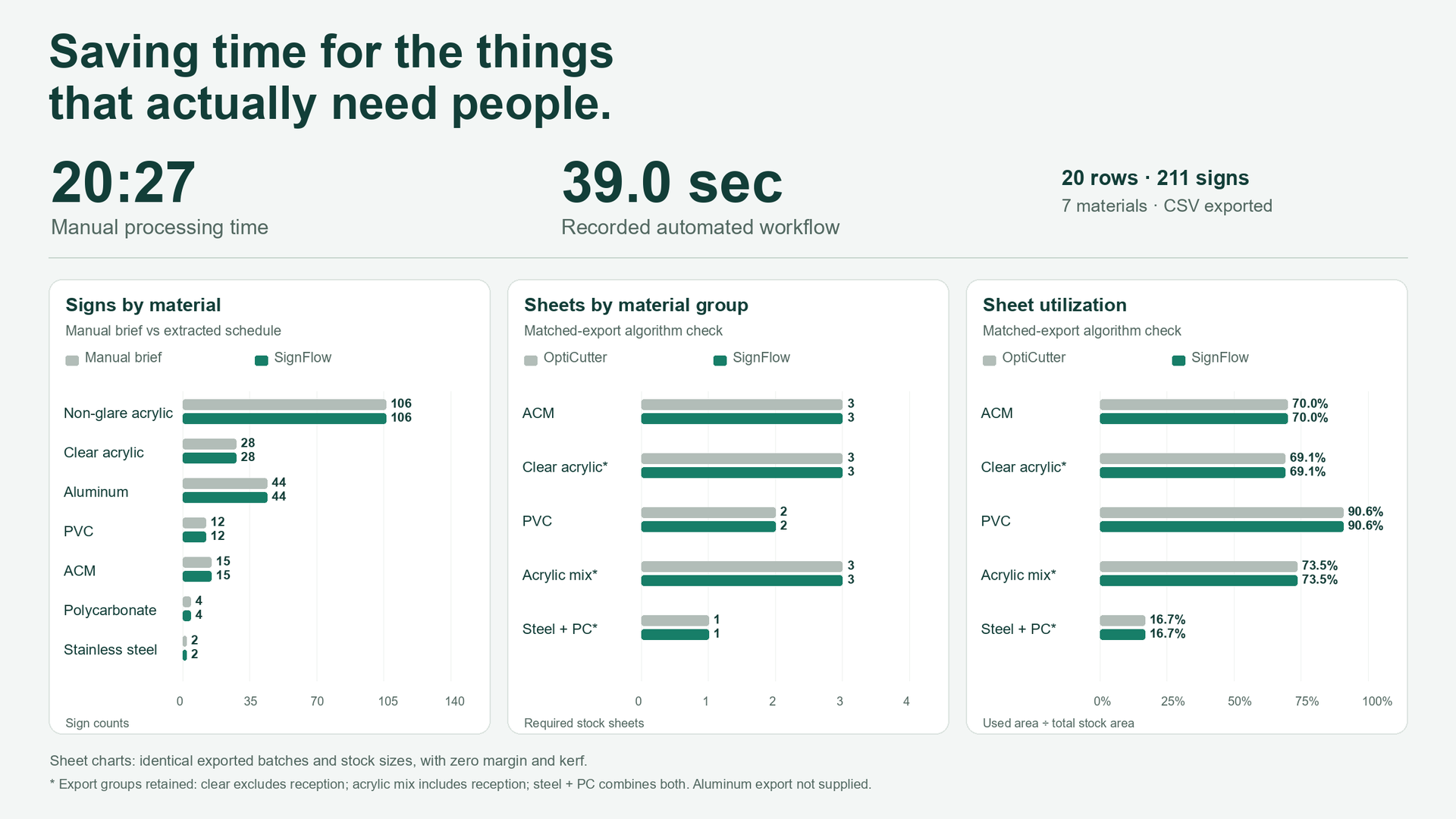
Until recently, I was a project manager in charge of managing architectural signage projects. A familiar part of the job was taking a project description, putting the dimensions and quantities into Excel, checking the numbers, and then typing much of the same information into a cutting tool to work out material requirements. For example in this, I recorded myself doing that process. It took 20 minutes and 27 seconds. I built SignFlow because I wanted a way to speed up the repetitive and time consuming parts of the workflow. There were still design questions to resolve, production teams to coordinate with, and decisions to make. I wanted to spend less time moving numbers between tools and more time doing the things that actually matter.
What it does
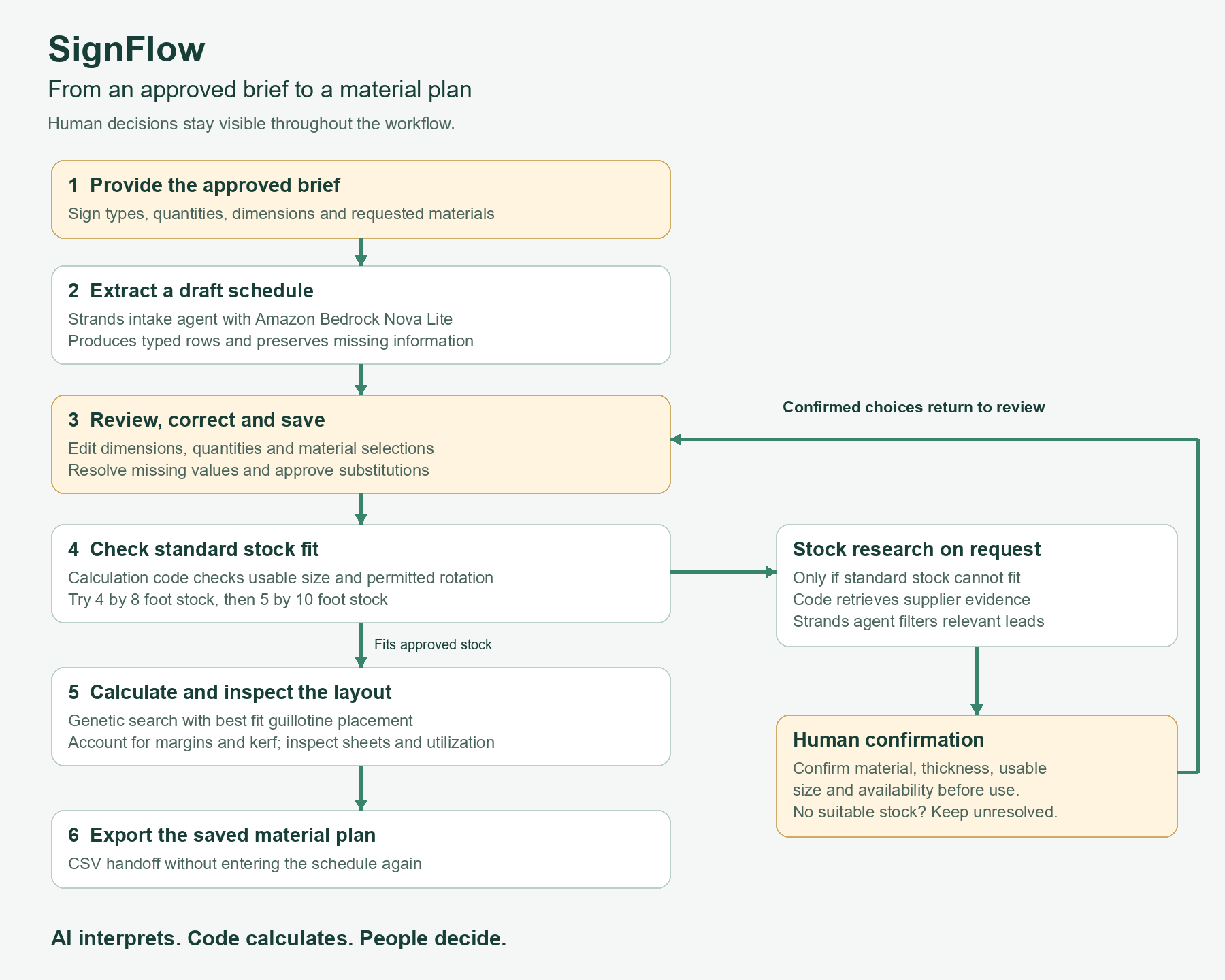
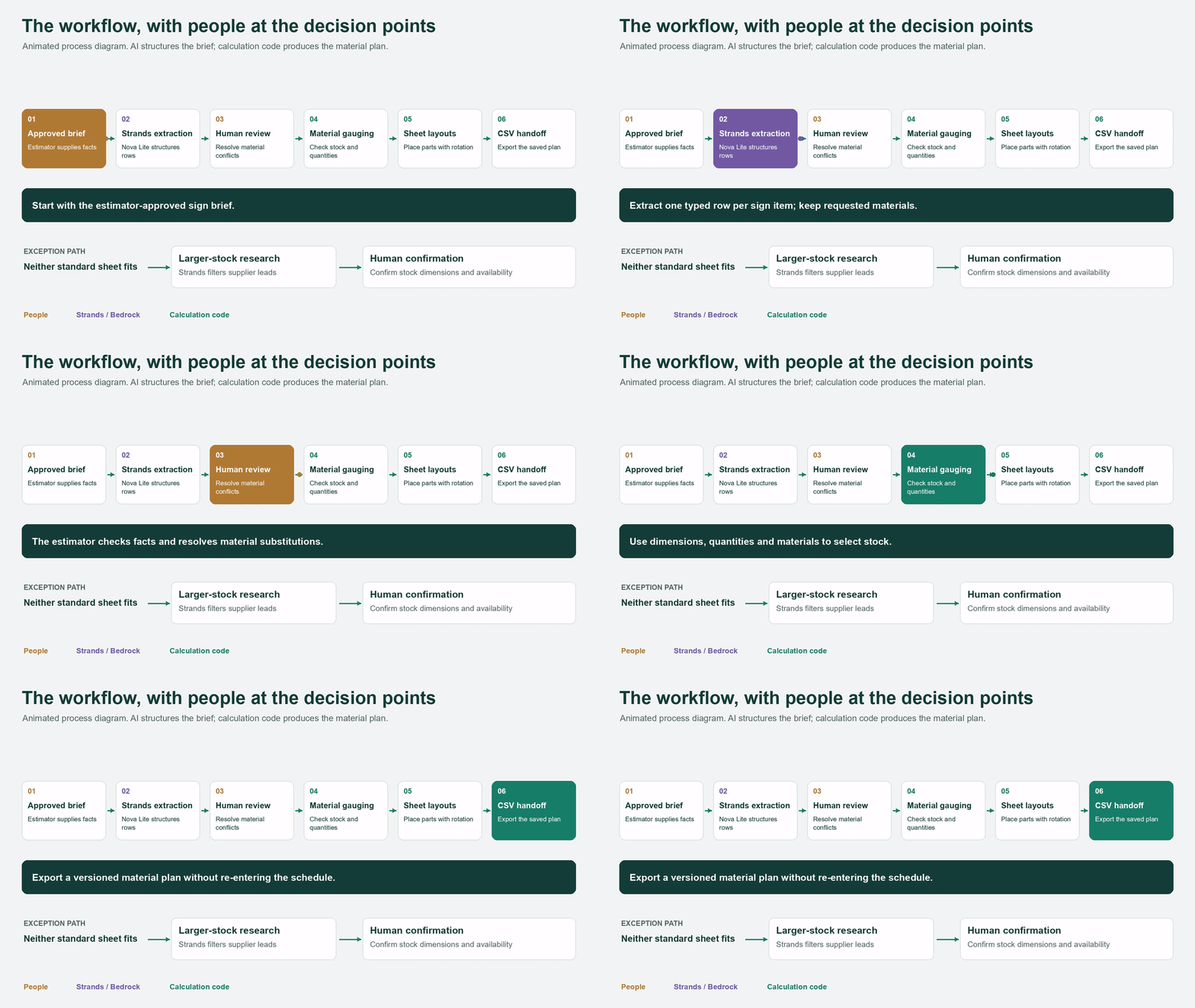
You give SignFlow a signage brief, and it creates an editable sign schedule with the information it can extract: sign types, quantities, dimensions, and materials. You can check the rows, correct mistakes, and fill in anything missing before calculating material requirements. SignFlow then shows how the panels fit onto stock sheets, how many sheets are needed, and how much material is used. You can export the plan as a CSV without entering everything again. If a panel is too large for the standard stock sizes, you can ask the research agent to look for larger sheets online. It returns supplier leads for you to check before adding a stock option.
How I built it
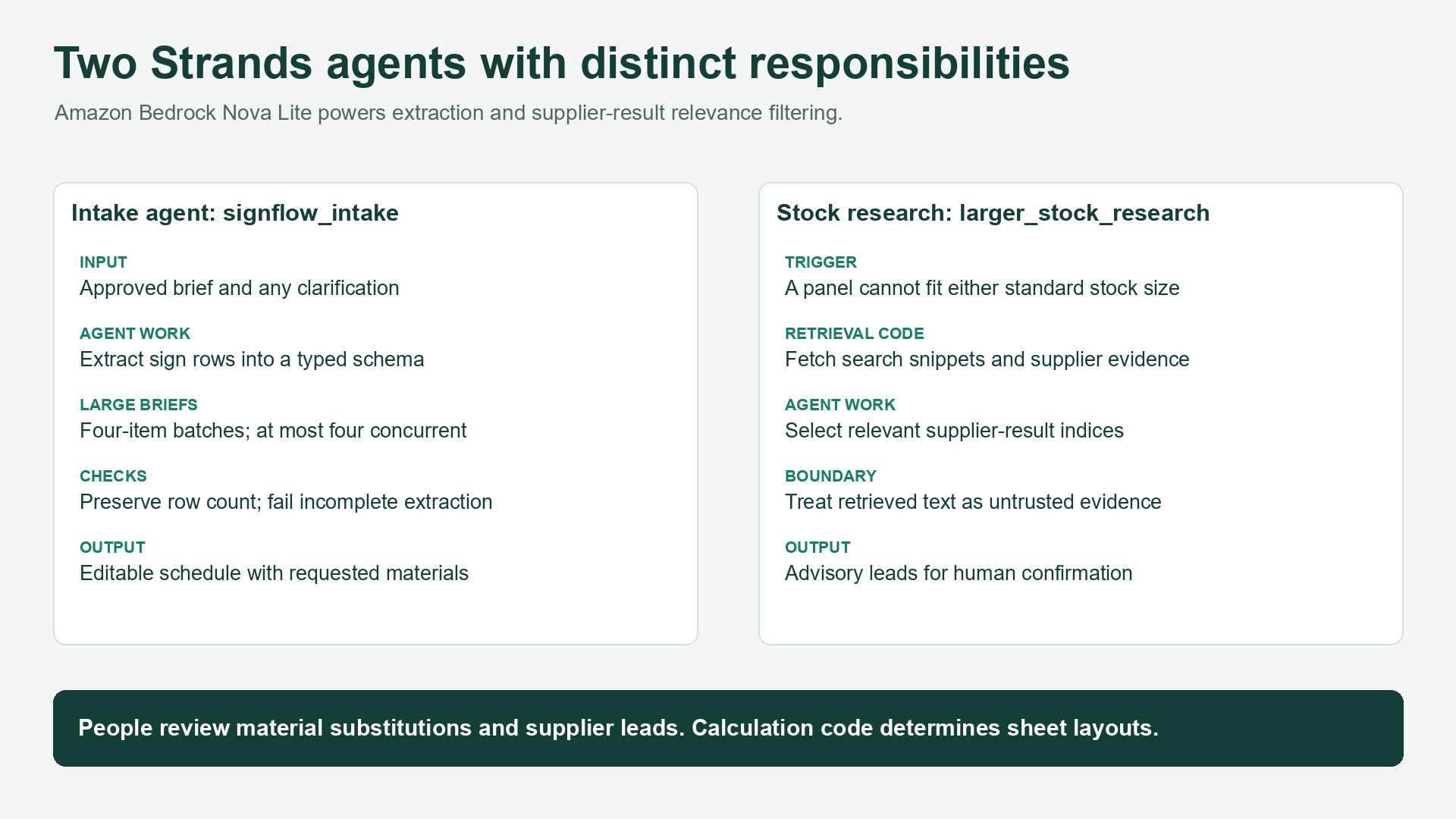
I built the interface with Next.js and the backend with FastAPI, then deployed them on AWS ECS Fargate. DynamoDB stores the projects and their revisions, and Cognito handles login. For the AI features, I used Strands Agents with Amazon Bedrock Nova Lite. One agent extracts the sign schedule from the brief. Another filters supplier leads when larger stock is needed. The sheet calculations happen in code. A genetic algorithm tries different panel orders and rotations, and a guillotine packing algorithm places the panels onto sheets. It looks for arrangements that use fewer sheets, then favors larger remaining offcuts. That division made sense for this problem: use AI to understand the description, use calculation code for the numbers, and let the estimator approve changes.
Challenges I ran into
Getting a neat spreadsheet from a paragraph was harder than it first looked. Material names vary, details can be missing, and a seemingly small substitution can change what gets manufactured. I had to make those differences visible instead of letting the app quietly choose something. Longer briefs also caused timeouts. I addressed that by processing clearly separated sign items in smaller batches and checking that no rows were lost when the results were combined. The sheet calculations needed careful testing too. In one case, a simple rotated arrangement used fewer sheets than the optimizer initially found. That led me to include basic arrangements as a baseline for the search. Comparing results with OptiCutter also taught me to check the inputs closely. Margins, cutting allowances, stock sizes, and material grouping can all change the answer.
Accomplishments that I'm proud of
The part I'm most proud of is seeing a task I used to do manually work from beginning to end in one application. For the demo, SignFlow took a brief with 20 sign types and 211 panels across seven materials and reached CSV export in about 39 seconds. My recorded manual process took 20 minutes and 27 seconds. An estimator still needs to review the result, but the repeated entry is handled. I also compared five supplied OptiCutter exports with SignFlow. The sheet counts matched when I used the same batches, stock sizes, and zero cutting allowances. That gave me a useful check on those cases, while also showing why comparisons need consistent settings. And when something is uncertain, the user can see it, correct it, or approve a change before moving forward.
What I learned
I learned that a quick answer is only useful if someone can check it. For signage work, the estimator needs to know whether a material came from the brief, whether something is missing, and whether a proposed change needs approval. Making that clear mattered just as much as making extraction faster. I also learned to give each part of the system a specific job. The language model helps turn descriptions into rows. The calculation engine handles layouts. The person using the app decides whether the plan makes sense for the project.
What's next for SignFlow
My next step is to put SignFlow in front of more estimators and try it on their actual project briefs. I want to learn where it saves time, where people still need to correct it, and what would make them comfortable using it regularly. I also want to move beyond flat panels into three dimensional signage, including dimensional letters, sign cabinets, and freestanding assemblies. That means breaking a structure into its components and working out the materials needed to build it, while keeping fabrication and structural decisions with the appropriate people. There is more to improve in sheet planning too: comparing different stock sizes together, considering material prices, and making use of leftover stock. Eventually, I'd like SignFlow to connect with inventory and production systems so the same project information can follow the job through the shop without being typed in again.
Built With
- amazon-bedrock
- amazon-cognito
- amazon-dynamodb
- amazon-ecs-fargate
- amazon-nova-lite
- amazon-web-services
- docker
- fastapi
- next.js
- python
- react
- strands-agents
- typescript

Log in or sign up for Devpost to join the conversation.