Inspiration
SignBridge AI was inspired by the communication gap between ASL users and people who do not understand sign language. In many everyday situations, a person may want to communicate quickly, but not everyone around them knows ASL. We wanted to build something that could help make communication more accessible using only a mobile phone.
Our original vision is a fully offline mobile app that can recognize ASL from a live camera feed and translate signs into English smoothly, locally, and without needing internet access. Since this is a hackathon, we started with a smaller but realistic first step: recognizing ASL alphabet signs from images.
What it does
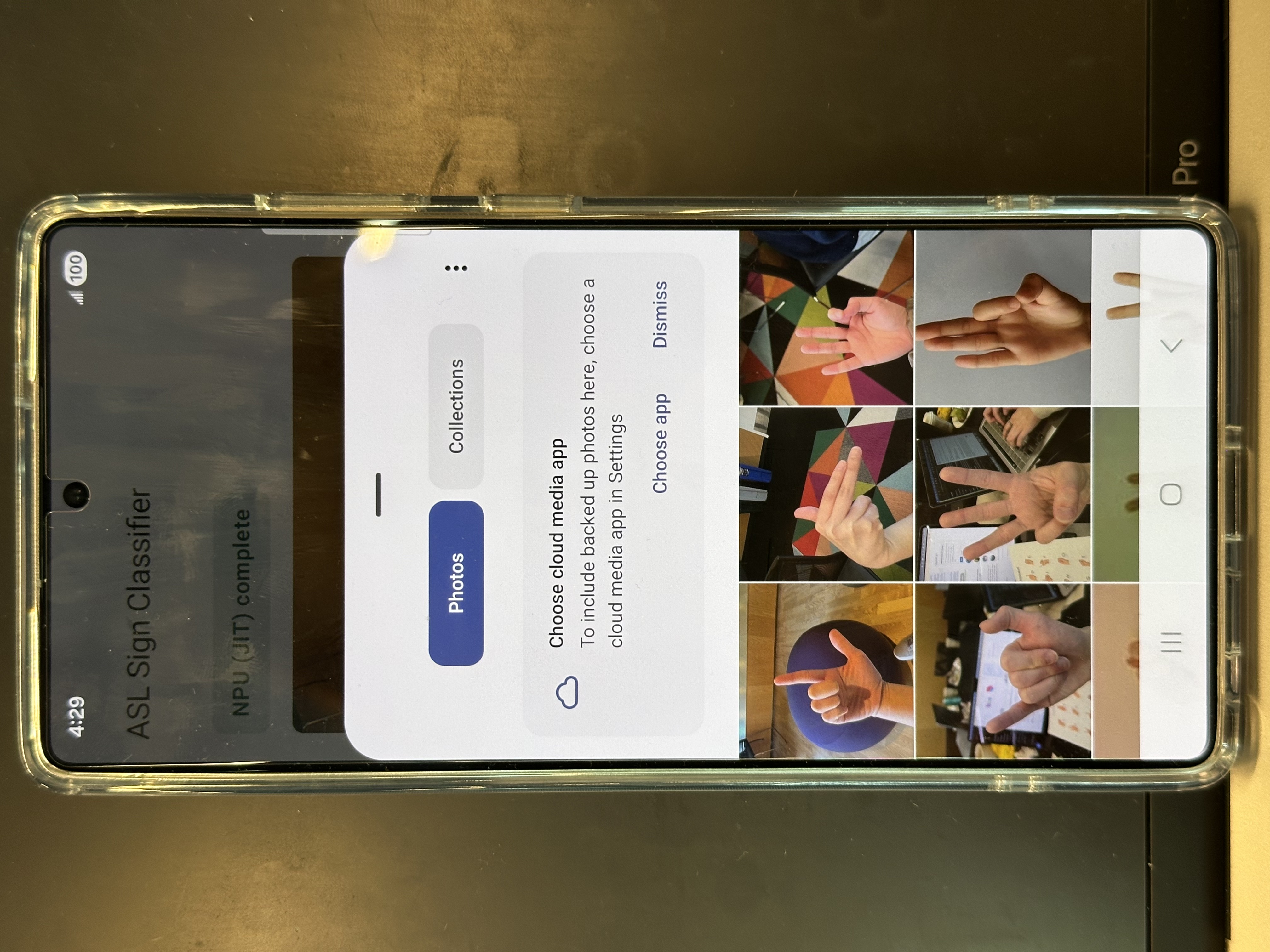
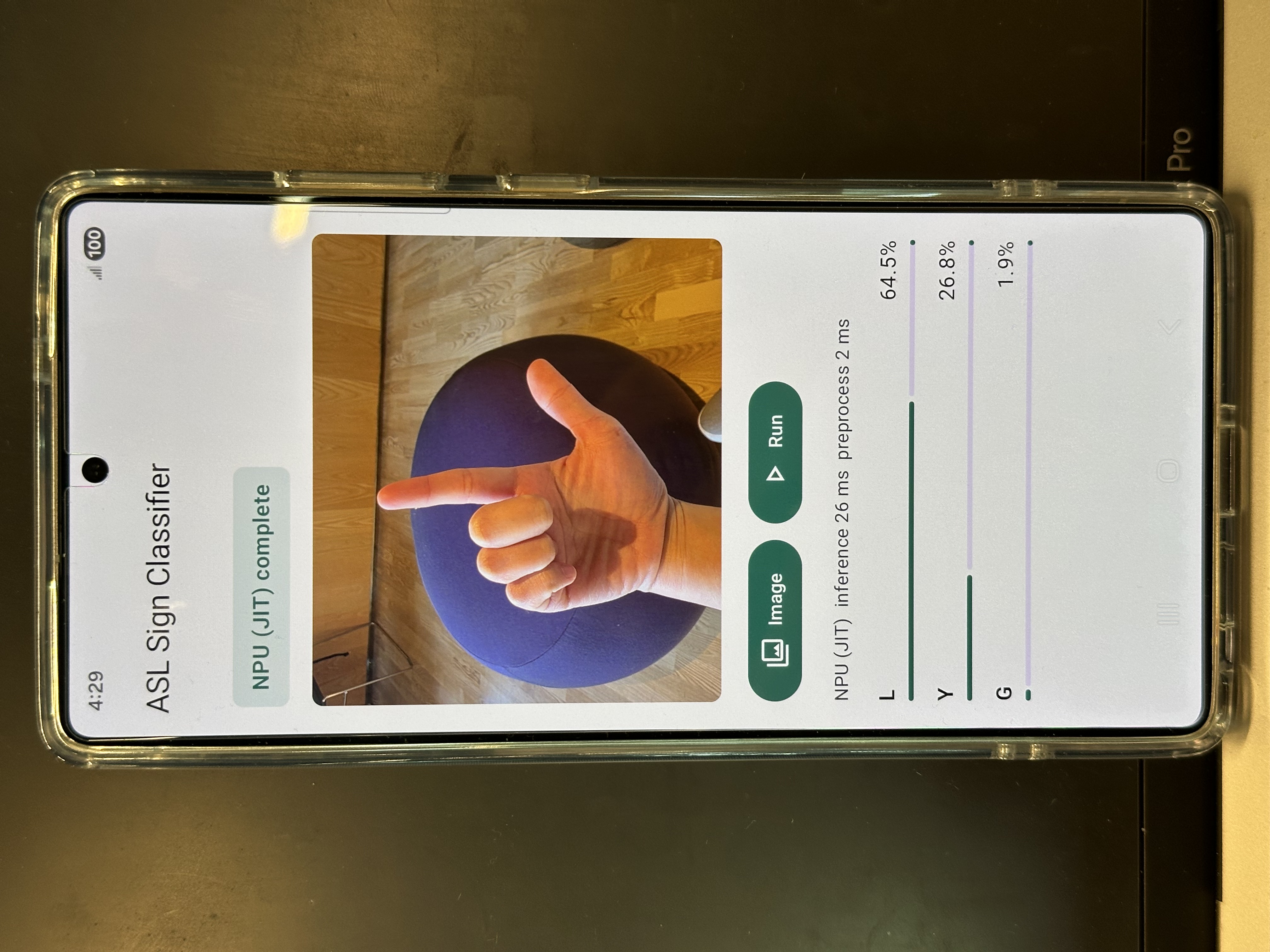
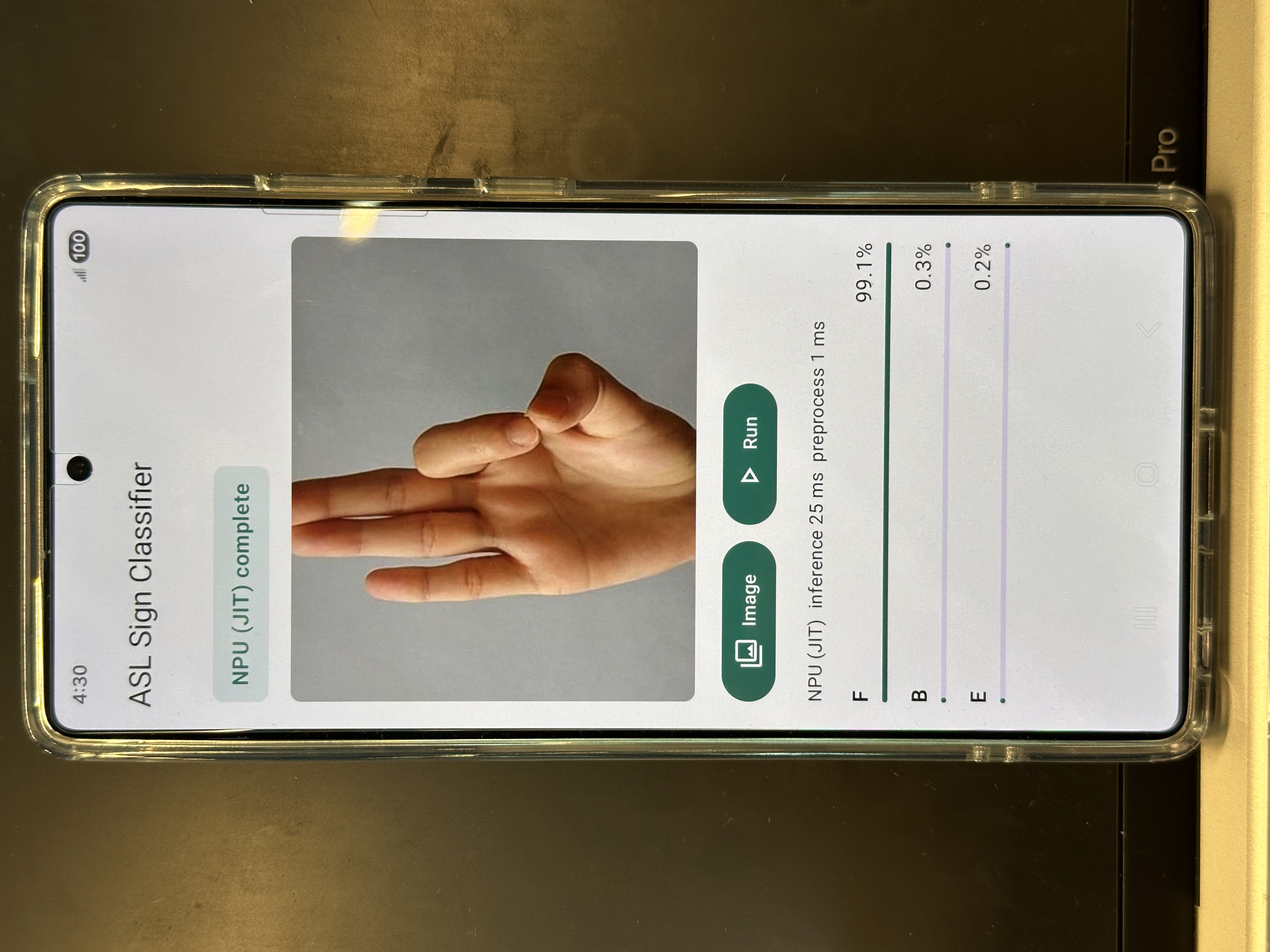
SignBridge AI is an on-device ASL recognition app. In the current prototype, the user can upload or capture an image of an ASL hand sign, and the app classifies it as one of the alphabet letters from A to Z.
The long-term goal is live ASL translation. Instead of uploading one image at a time, the user would sign in front of the camera, and the app would translate the gesture into readable English in real time. We also want the app to run locally on the phone, so it can work without internet access and protect user privacy.
How we built it
We used Google AI Edge’s LiteRT Qualcomm MobileNetV2 sample app as our starting point because it already included a working Android image-classification pipeline with LiteRT CompiledModel and a deployment path for Qualcomm NPU acceleration on Samsung S25 Ultra / Snapdragon SM8750 devices.
For the model, we used a trained ASL alphabet classification model from an external source (Hugging Face). However, the original model was too large to run efficiently on a mobile device, especially if we wanted to target Qualcomm NPU acceleration. To solve this, we worked on compiling and quantizing the model so it could become smaller, faster, and more suitable for on-device inference.
Our pipeline is:
- Take an ASL sign image as input.
- Preprocess the image for the model.
- Run image classification locally on the phone.
- Output the predicted ASL letter.
- Use this as the foundation for future live camera translation.
We focused on Track 2 because our project is based on computer vision and classical machine learning. Our goal is to use LiteRT and Qualcomm AI tools so the model can eventually run efficiently on the device’s NPU instead of relying only on CPU or GPU.
Challenges we ran into
One major challenge was the size of the model. The model we found was trained on ASL alphabet data, but it was too large for smooth mobile deployment. This forced us to think about optimization, quantization, and the tradeoff between model accuracy and speed.
Another challenge was understanding the full mobile AI pipeline. It was not just about having a trained model. We also had to think about Android integration, model format, inference speed, device compatibility, and how to make the app run locally.
We also learned that full live ASL translation is much more complex than simple image classification. ASL is not just static hand shapes. It can include motion, hand position, facial expression, and context. Because of that, we chose to start with A–Z recognition first instead of overpromising a complete ASL translator in one hackathon.
Accomplishments that we're proud of
We are proud that we turned a big idea into a realistic first prototype. Instead of trying to build everything at once, we broke the problem down into a smaller starting point: ASL alphabet classification.
We are also proud that we explored on-device AI deployment instead of relying on cloud APIs. Our goal is not just to make the model work, but to make it work locally, efficiently, and eventually on the Qualcomm NPU.
Another accomplishment is that we learned how important optimization is for mobile AI. A model that works on a computer is not always ready for a phone. We had to think about model size, speed, quantization, and hardware acceleration.
What we learned
We learned that building AI for mobile devices is very different from only training a model. A good model still needs to be compressed, converted, compiled, and tested before it can run well on-device.
We learned about the tradeoff between model complexity, accuracy, and speed. A larger or more complex model can improve recognition, but it can also make inference slower and harder to deploy on mobile hardware.
Most importantly, we learned to start small. Full live ASL translation is the bigger vision, but A–Z sign recognition is a strong foundation. It lets us test the model pipeline, mobile app, and on-device inference before moving into real-time video.
What's next for SignBridge AI
Next, we want to move from image upload to live camera recognition. Instead of classifying one image at a time, the app should process camera frames continuously and recognize signs in real time.
We also want to expand beyond ASL alphabet letters into common words and phrases such as “hello,” “thank you,” “help,” and “yes.” To improve live recognition, we may combine image classification with hand landmark or pose detection, so the app can better understand hand shape and movement.
Our long-term goal is to make SignBridge AI a fully offline, NPU-powered mobile ASL translator that is fast, private, and accessible.
Built With
- android-studio
- github
- hugging-face
- jetpack-compose
- kotlin
- litert-compiledmodel-api
- qualcomm-ai-hub
- qualcomm-ai-workbench
- qualcomm-npu
- samsung-galaxy-s25-ultra
- snapdragon-8-elite
- tensorflow-lite


Log in or sign up for Devpost to join the conversation.