Inspiration
“We can’t hear you” interrupts a stream, but it does not identify the microphone setting or tell a creator whether a later “sounds good” refers to the current state. We wanted to turn that complaint into a short, clear recovery interaction while keeping the creator in control.
What it does
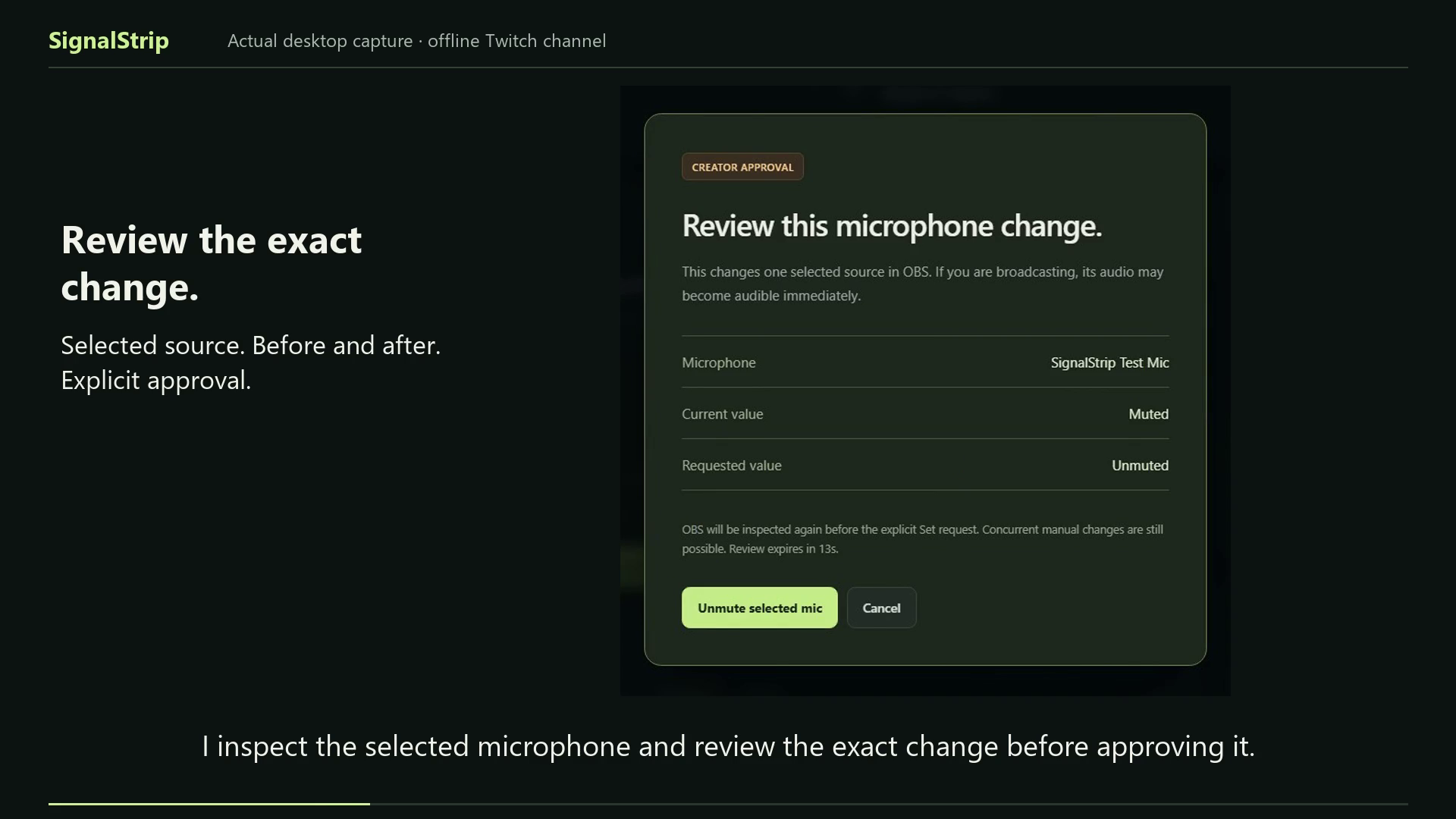
A viewer sends !signal audio in Twitch chat. SignalStrip opens a private incident and inspects one creator-selected OBS microphone. The creator reviews its exact source and before/after values before approving a supported correction. The app rechecks the source, sends an explicit Set request and reads the value back. Chat never changes the microphone automatically.
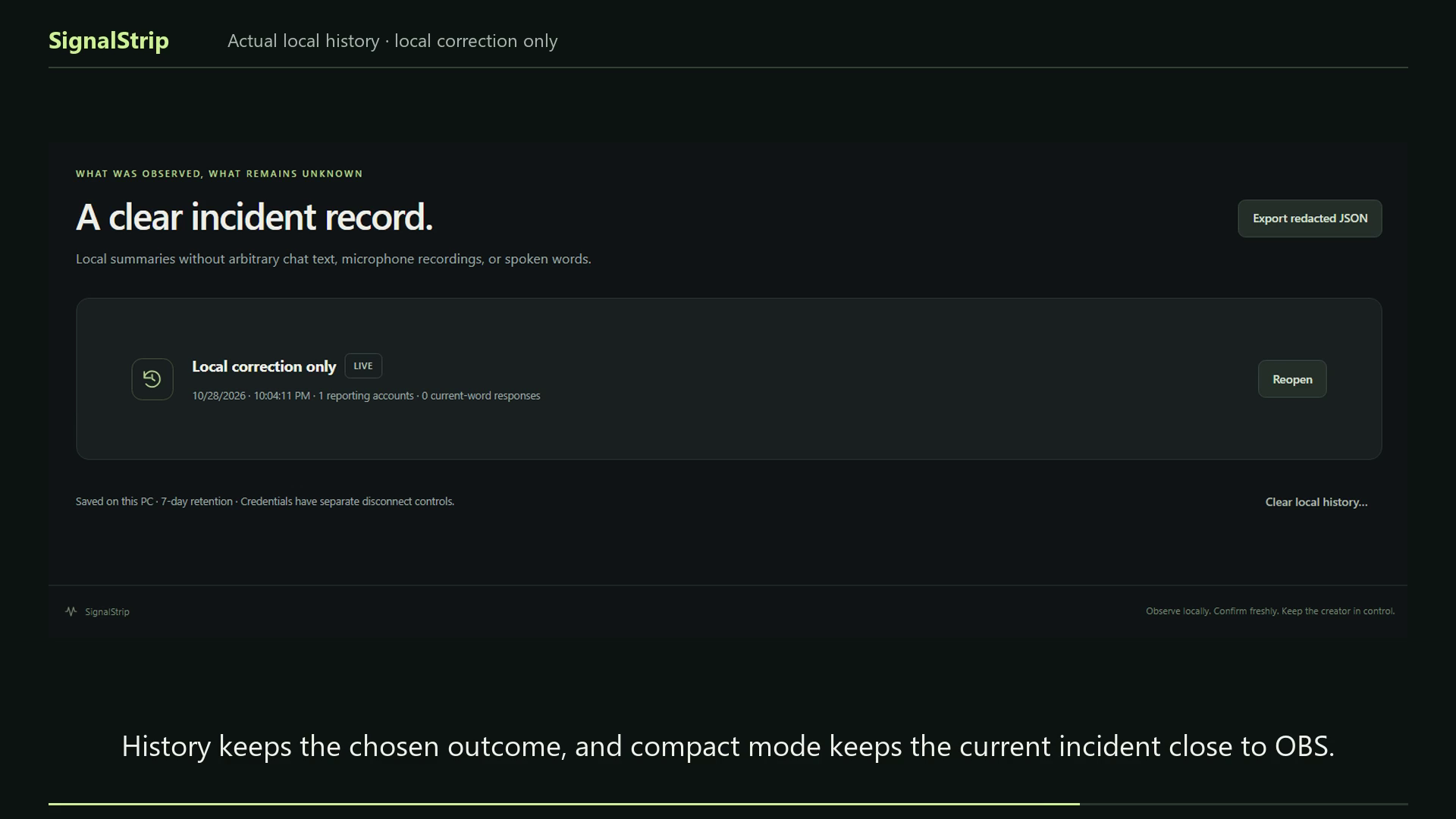
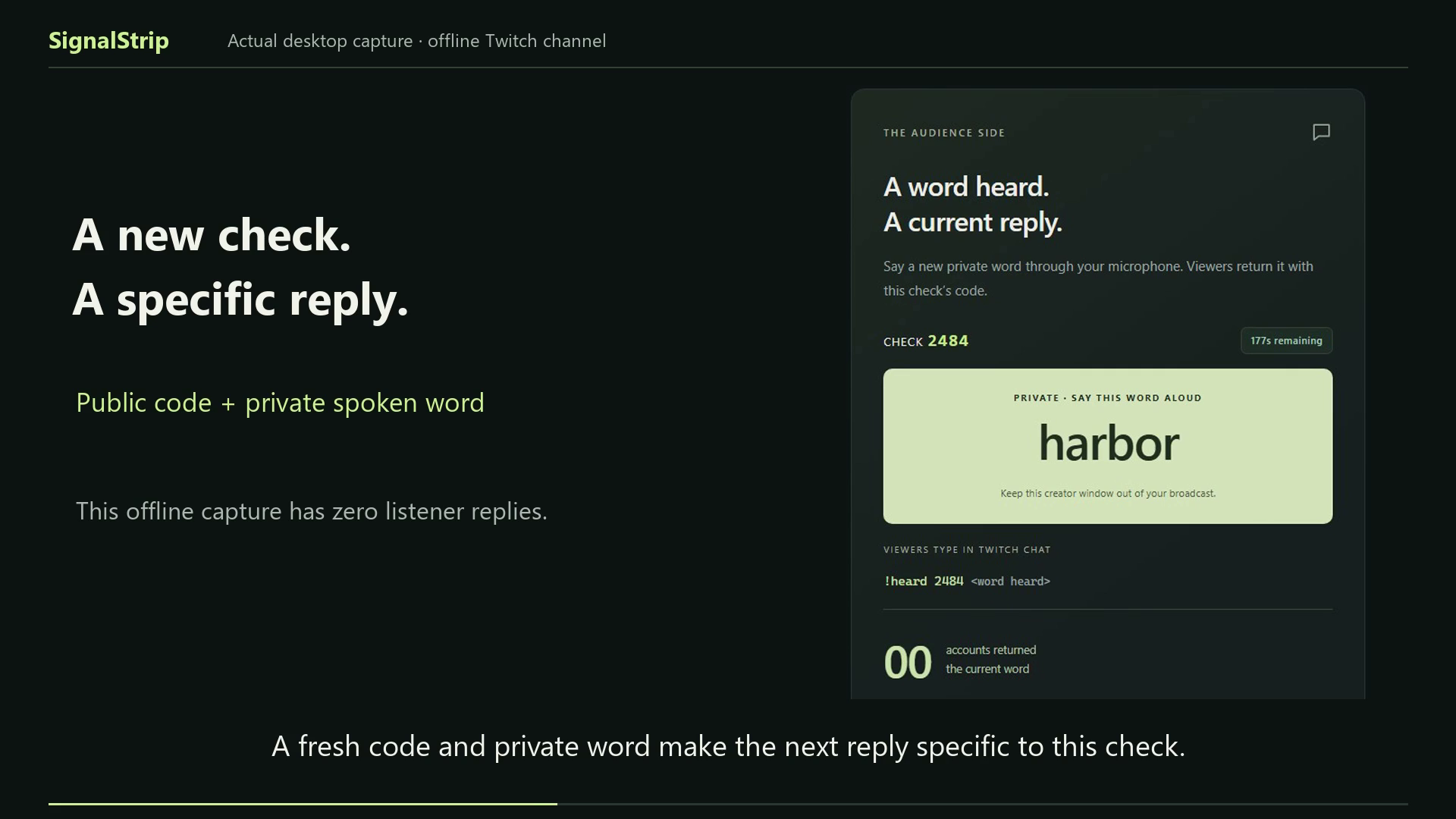
Local state cannot establish what a viewer hears. The creator can start a fresh check, speak a private word through the microphone, and ask viewers to return !heard CODE word in chat. The optional OBS card exposes instructions and the code, never the word. Only current matching replies count; contrary reports remain visible. The creator records an explicit outcome in History. Compact mode keeps the current state close to OBS.
Viewers need no separate installation. Creators use a Windows desktop app and their own Twitch/OBS connections. An account-free, visibly labelled local rehearsal is available to reviewers.
How we built it with Codex
I directed the product and used Codex to implement the Electron/TypeScript app, React interface, deterministic incident reducer, Twitch Public-client device authorization and EventSub lifecycle, OBS WebSocket adapter, protected local storage, loopback public card, automated checks and packaging.
Actual capability checks changed the build. OBS 33's monitoring compatibility API no longer represented the older Monitor Only output behavior, so the app disables that legacy correction on OBS 33+ and uses the selected-microphone mute/readback path. A real readback race led to retrying only the read after an OBS event, never blindly repeating the setter. The video includes genuine saved Codex build excerpts and the resulting source.
Challenges
The hard boundary is between a local setting and the audience experience. A successful OBS readback is not delivered-audio proof. Replies can be copied, chat can disconnect, a review can become stale, and an unknown write result must be reconciled. The app keeps those states explicit rather than turning them into a blanket “fixed” status.
Accomplishments
The real offline-channel Twitch report opened an incident, and the isolated OBS test microphone was explicitly unmuted and read back during the recorded integration run. Labelled rehearsal demonstrates old-reply rejection and current matching. All 34 automated tests, TypeScript checking and the production build passed on 28 October 2026.
The contribution is the connected report → selected-source inspection → reviewed correction → fresh-word acknowledgment interaction. Existing alerts, OBS controls and manual soundchecks remain useful; this entry does not claim to have invented those tools or prove a measured advantage over them.
What we learned
Version checks need installed-system evidence. An event arriving during readback should not cause another write. Local observations, simulated inputs and audience responses need different labels. A clear unresolved outcome is more useful than an unsupported claim of success.
What's next
Run creator trials against a manual-control baseline, measure time and confusion during recovery, test audience scale and older installed OBS versions, and complete a signed Windows distribution path.
Demo and review scope
The 1:41.5 video uses actual desktop captures, synthetic narration and synchronized captions. It shows a real owner-account Twitch report against an offline channel and actual OBS unmute/readback. The response-matching section is visibly labelled local rehearsal. No independent listener or delivered broadcast audio test has passed. The genuine Codex excerpts are reformatted for readability.
The final unsigned standalone EXE was blocked by Windows Application Control on the development PC. Use the documented source launch for judging; no security setting needs to be disabled. The project currently targets Windows x64. No runtime AI, paid hosting, viewer app or microphone transcription is required.
Links and required identifier
- Repository: https://github.com/kathir-iTech/SignalStrip
- Source download: https://github.com/kathir-iTech/SignalStrip/archive/refs/heads/main.zip
- Judge guide: https://github.com/kathir-iTech/SignalStrip/blob/main/docs/JUDGE_GUIDE.md
- YouTube URL: https://youtu.be/uZQPvFm90pU
- Principal Codex build session ID:
01a1761d-0799-7a62-b548-8411a217cf1d
The session ID was recovered from the local principal build record. The event FAQ instructs entrants to check it with /status in that build chat. A public private-chat share link is not listed as a submission requirement.
Built With
- electron
- node.js
- obs-websocket
- openai-codex
- playwright
- react
- twitch-eventsub
- twitch-oauth
- typescript
- vite
- vitest
- windows

Log in or sign up for Devpost to join the conversation.