-
-
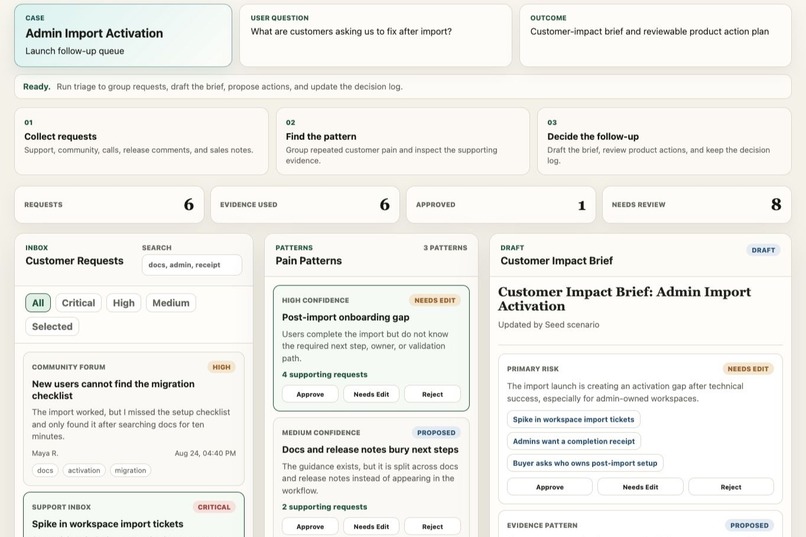
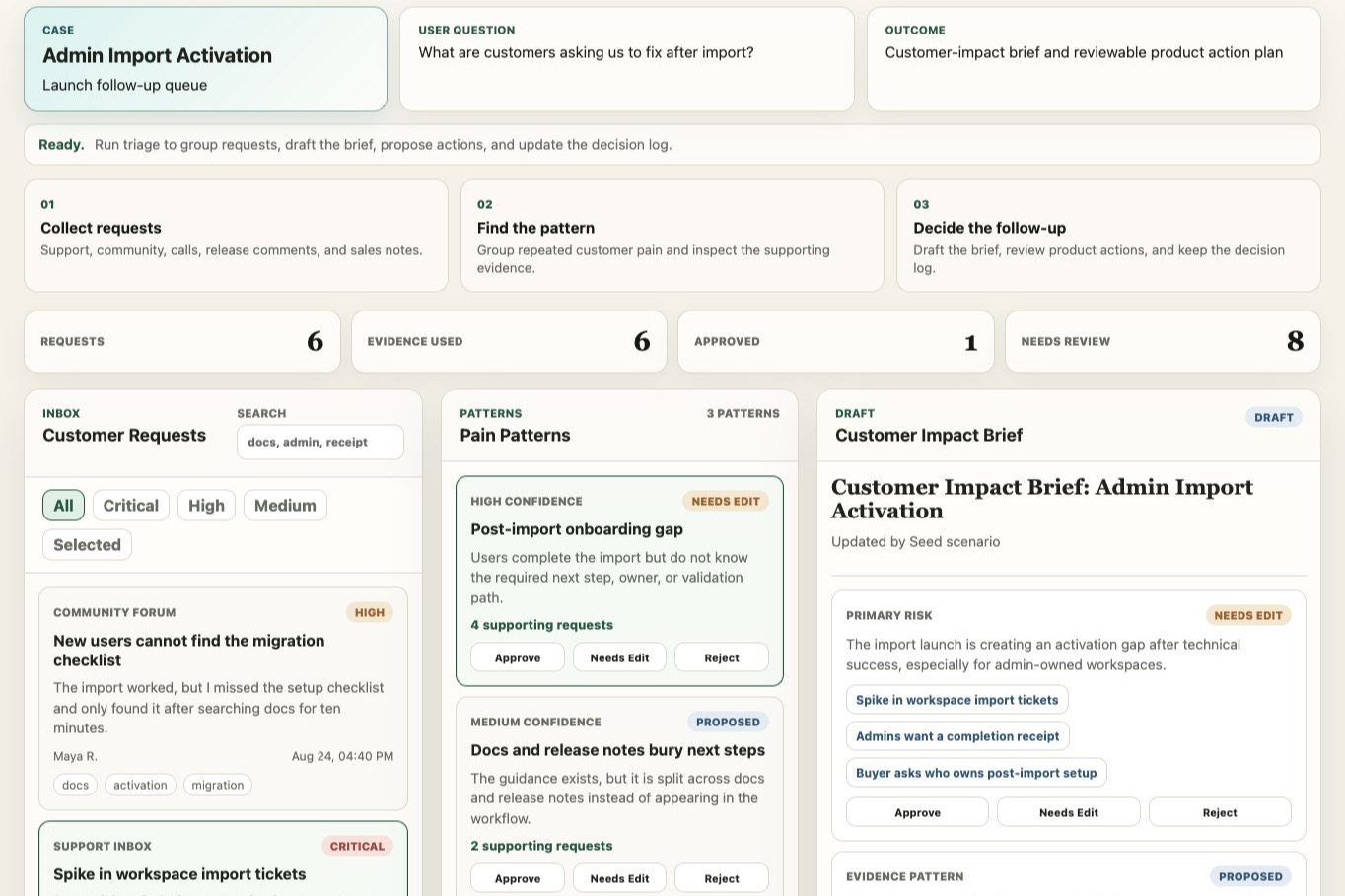
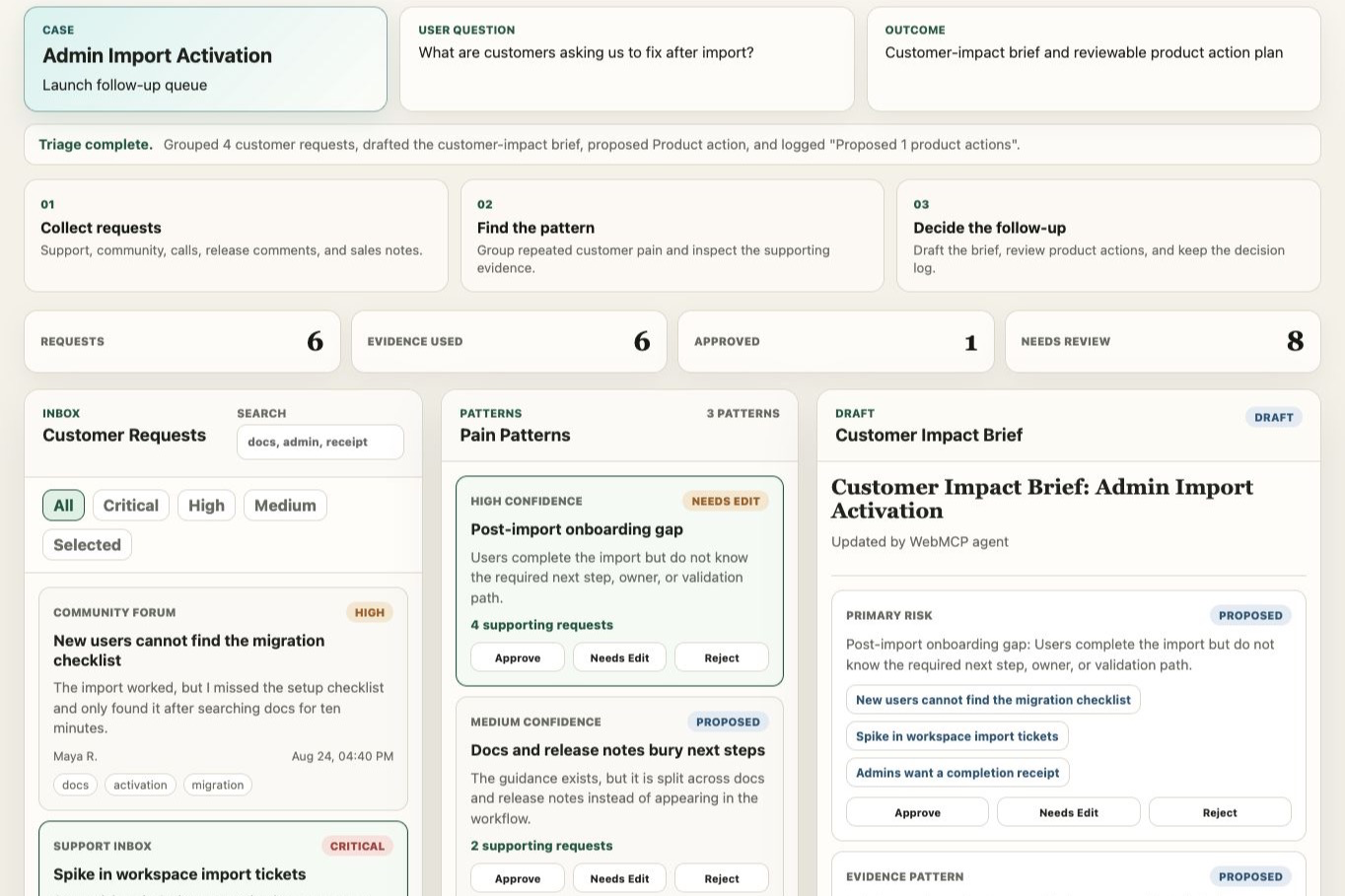
Signal Desk workspace showing customer requests, pain patterns, customer-impact brief, product actions, and decision log.
-
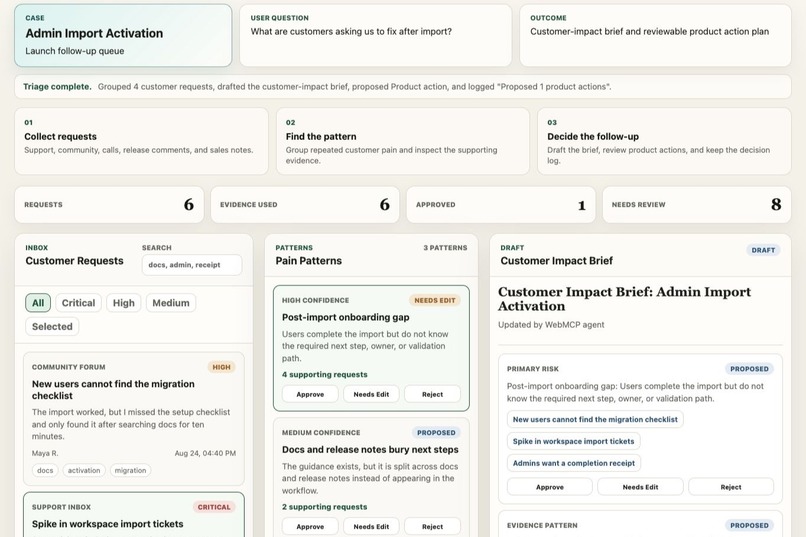
After triage, Signal Desk drafts evidence-linked claims and proposes a product-owned follow-up action for review.
-
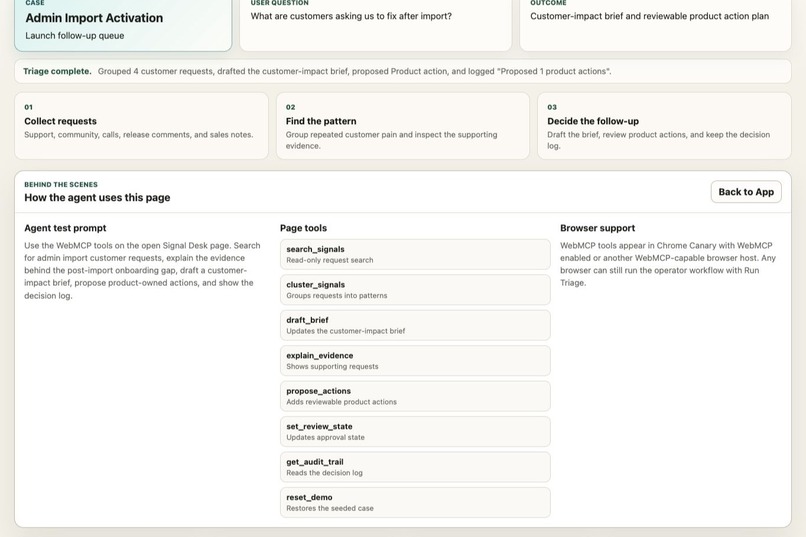
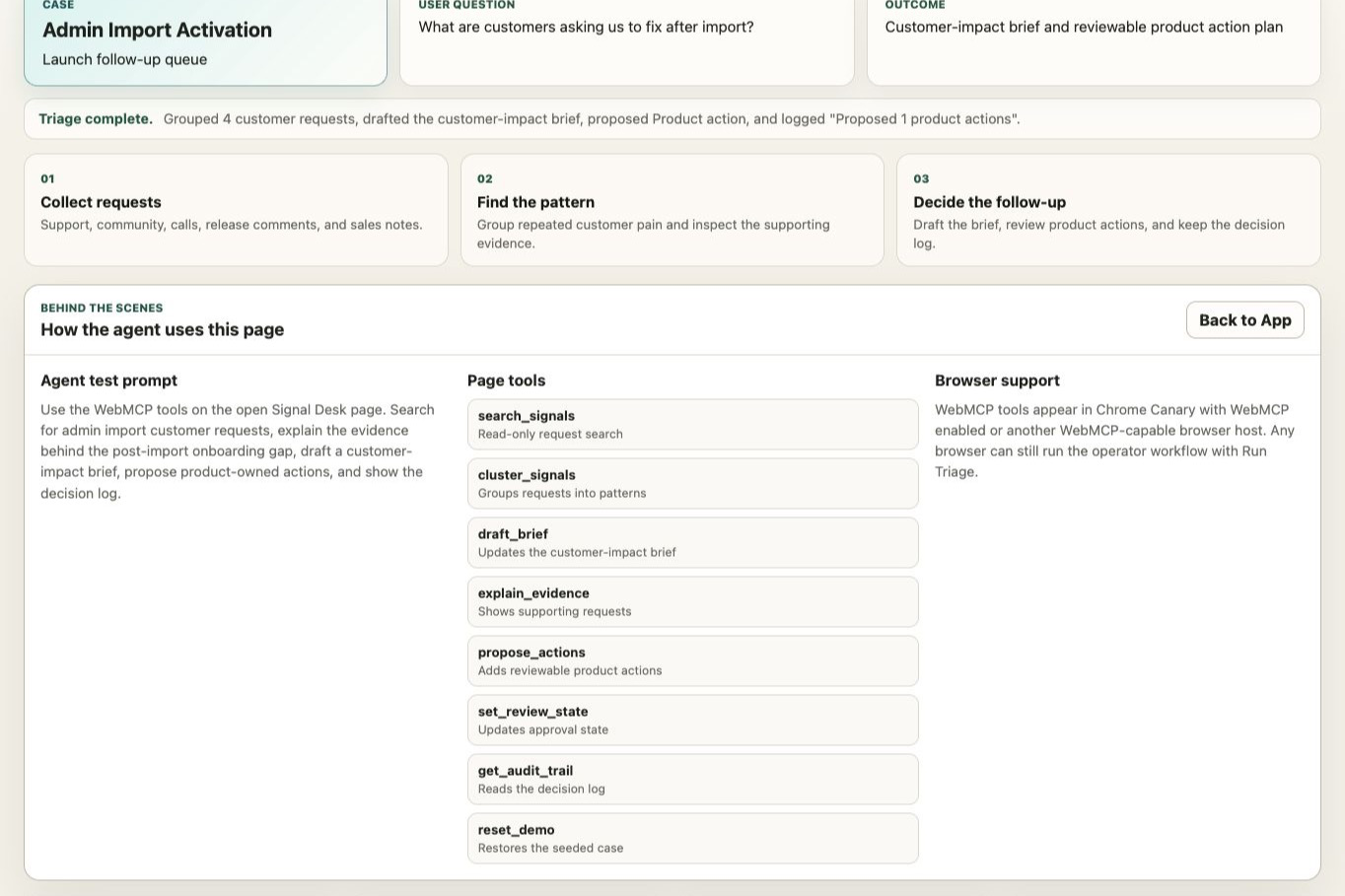
Behind the Scenes panel showing the 8 WebMCP tools exposed by the page for browser agents.
Inspiration
Most WebMCP demos answer "can an agent operate this page?" We wanted to answer the harder question that follows: once an agent can operate your app, what stops it from quietly doing the wrong thing?
Product and support teams get launch feedback from everywhere — support tickets, community posts, sales calls, release comments. The hard part is never reading one message. It is finding the repeated pain, proving it with evidence, deciding what product should do next, and being able to show later who decided what.
That workflow is a good stress test for agent governance, because every step produces a claim someone will eventually be held to.
What it does
Signal Desk is a customer-request triage workspace where a human and an agent share one visible surface.
The agent can search requests, group them into pain patterns, explain the evidence behind a pattern, draft a customer-impact brief, and propose product-owned actions. What it cannot do is decide.
Three properties hold no matter who is driving:
- Every claim is traceable. Each brief claim links back to the specific customer requests supporting it. There are no unsourced assertions.
- Writes are approval-gated. The agent proposes product actions into a review queue. A human approves before anything is treated as decided.
- One shared decision log. Human and agent changes land in the same audit trail — what changed, who changed it, when.
The demo case is an admin import launch: customers import their workspaces successfully, then stall because nobody knows the next required admin step, the owner, or the validation path.
How WebMCP is used
Signal Desk registers 8 tools on the page, split deliberately between reads and gated writes:
| Tool | Type |
|---|---|
search_signals |
read |
explain_evidence |
read |
get_audit_trail |
read |
cluster_signals |
write |
draft_brief |
write |
propose_actions |
write — lands in an approval queue, never auto-applied |
set_review_state |
write — records an audit event |
reset_demo |
write |
The design decisions that matter:
- Tool calls mutate the same state the UI renders. There is no shadow model. A human watching the screen sees exactly what the agent did, as it happens.
- Calls are idempotent. Re-running
propose_actionsorset_review_statedoes not duplicate proposals or double-apply approvals — important when an agent retries. - Writes are separated from decisions. The agent's most consequential tool,
propose_actions, deliberately cannot finalize anything. - Every state change emits an audit event, tagged by actor, so agent activity is reconstructable after the fact.
Tools are registered through document.modelContext.registerTool with a navigator.modelContext fallback.
What this enables that was hard before: an agent can run a real multi-step operational workflow inside a business app — not by scraping the DOM or driving synthetic clicks, but through typed tools with schemas — while a human keeps veto power over every consequential write.
What makes it useful
The interesting claim is not that an agent can triage faster. It is that you can let an agent into a workflow with real consequences and still answer, afterwards, three questions auditors and managers actually ask:
- What did the agent change?
- What evidence was that based on?
- Who approved it?
Most agent integrations cannot answer any of the three. Signal Desk is built so all three are answerable by construction rather than by logging bolted on afterwards.
How we built it
A lightweight static web app — HTML, CSS, and vanilla JavaScript — with a small Worker wrapper for hosting. Synthetic, public-safe customer-request data; no private accounts, no external services, no local background process. State lives in browser localStorage and is resettable via reset_demo.
Deployed as a public HTTPS app on ChatGPT Sites. Full source is on GitHub under the MIT license.
It also works without WebMCP. In a browser with no WebMCP host, the app degrades to a normal operator UI, and a Run Triage button exercises the identical workflow locally. The agent path is an enhancement to a product that stands on its own — not a demo that collapses without a special browser.
Challenges
The main challenge was resisting the pull toward a technical proof of concept.
A WebMCP demo is easy to build as a page with buttons wired to tool handlers. Making it behave like a product meant adding the things that are unglamorous but load-bearing: review states, evidence links, idempotent tool calls so agent retries do not duplicate work, a fallback path for non-WebMCP browsers, and an audit trail that treats human and agent actions as equal citizens.
The second challenge was drawing the write boundary in the right place. The first version let the agent apply actions directly, which demoed well and was exactly wrong. Splitting propose_actions from set_review_state — proposal from decision — is what turned it from an automation demo into something you could imagine shipping.
What's next
- Real connectors (support inbox, community forum, CRM notes) behind the same evidence contract
- Per-tool permission scopes, so an operator can grant an agent read and draft access without proposal rights
- Exportable decision records for teams that need the audit trail outside the app
Built With
- chatgpt
- css
- github
- html
- javascript
- sites
- webmcp

Log in or sign up for Devpost to join the conversation.