-
-
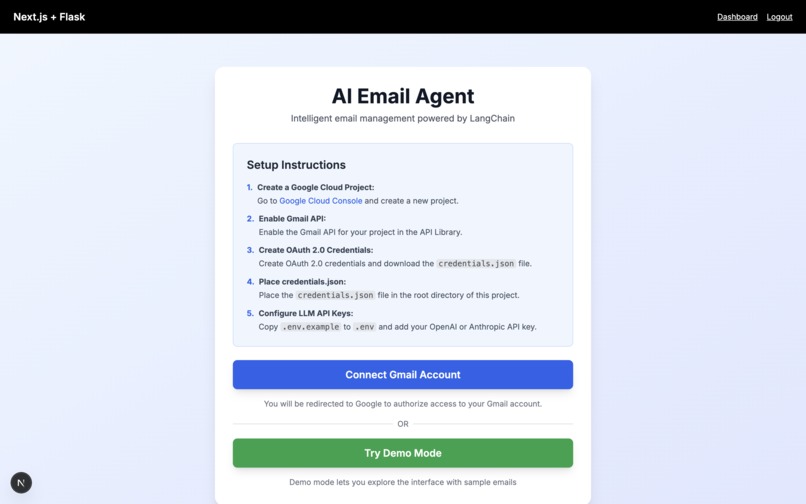
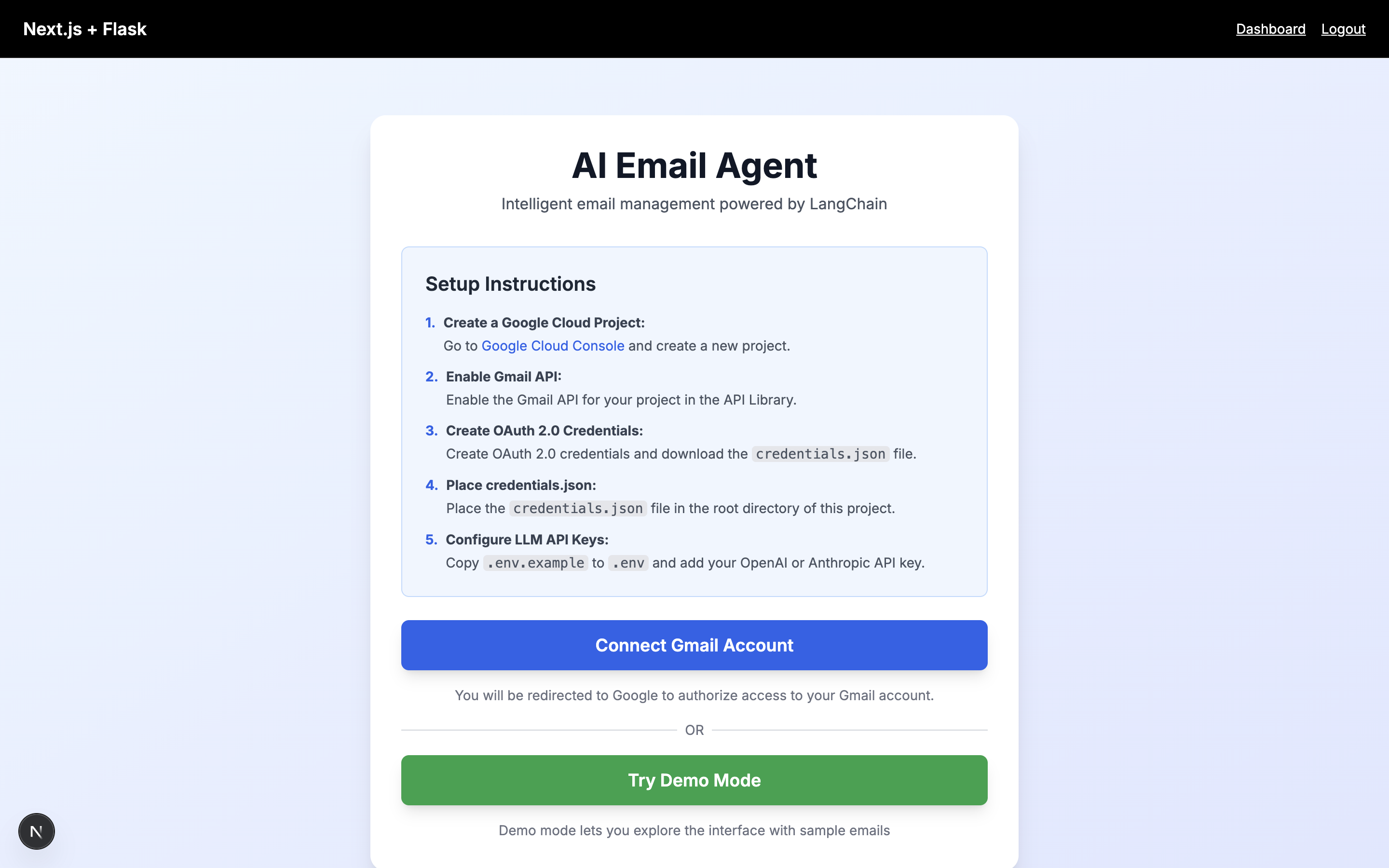
Landing page of our project. Users can sign in with Google or view a demo version
-
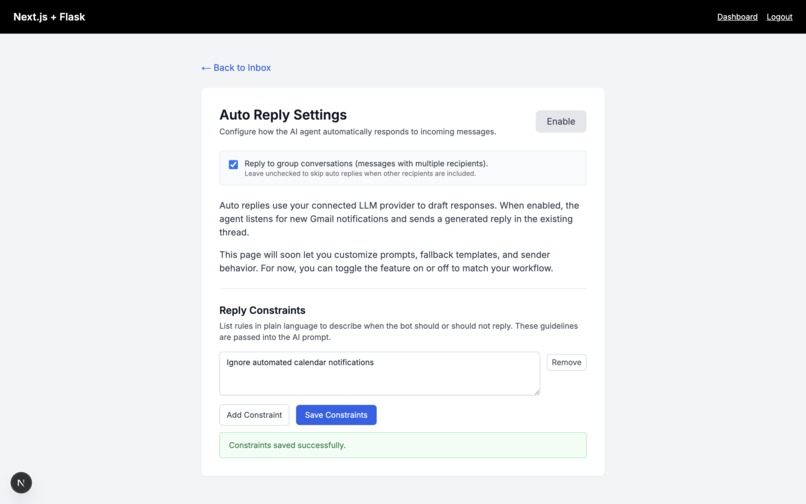
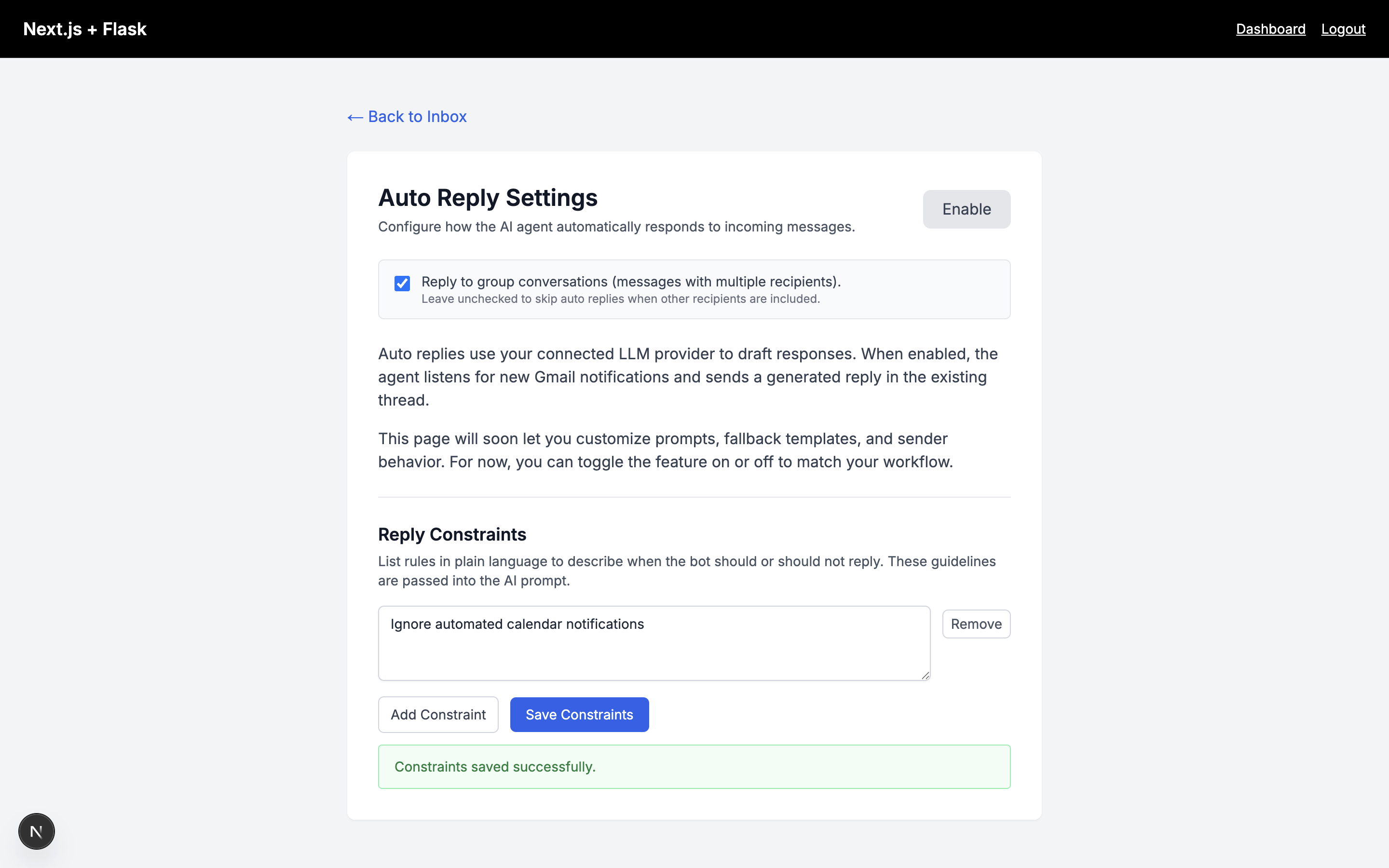
Settings for email Auto reply feature. Users can fine tune how and if the system automatically responds to emails.
-
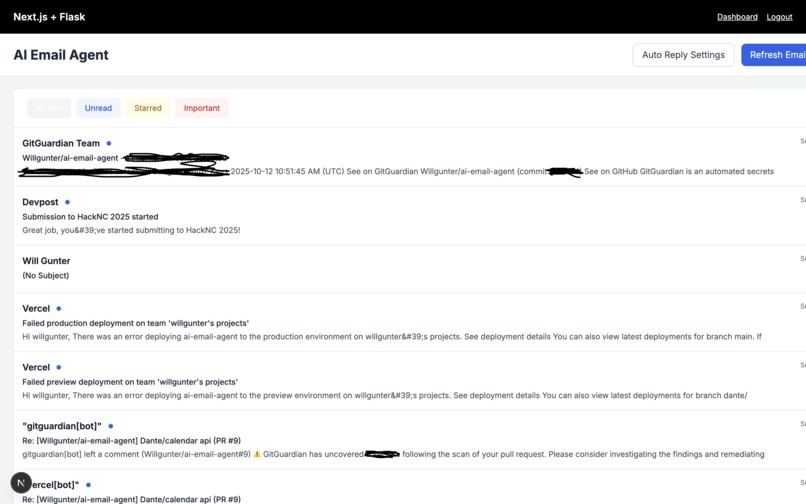
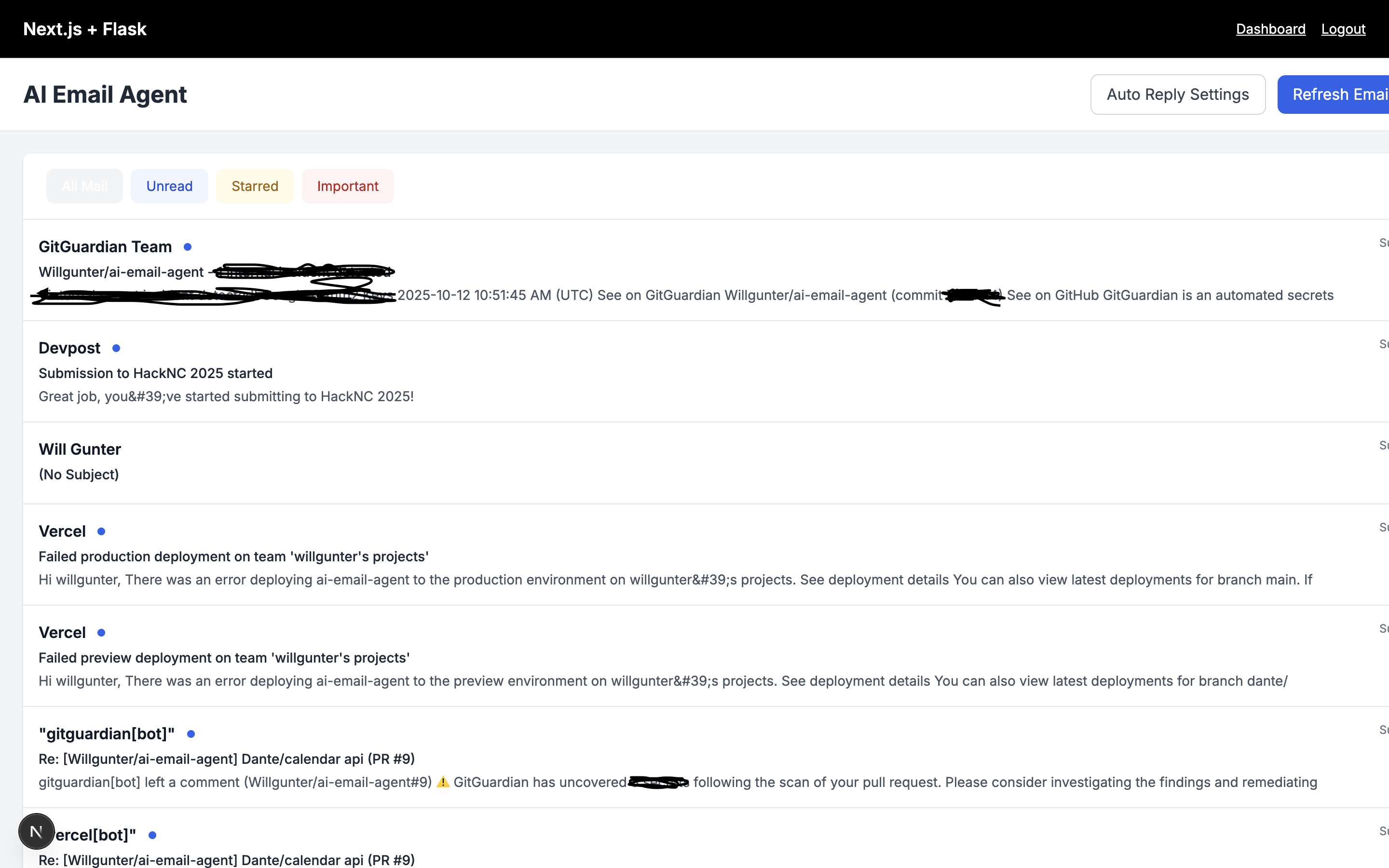
This is the list of the user's most recent emails for their account. Users can sort their emails and view and edit their auto reply settings
-
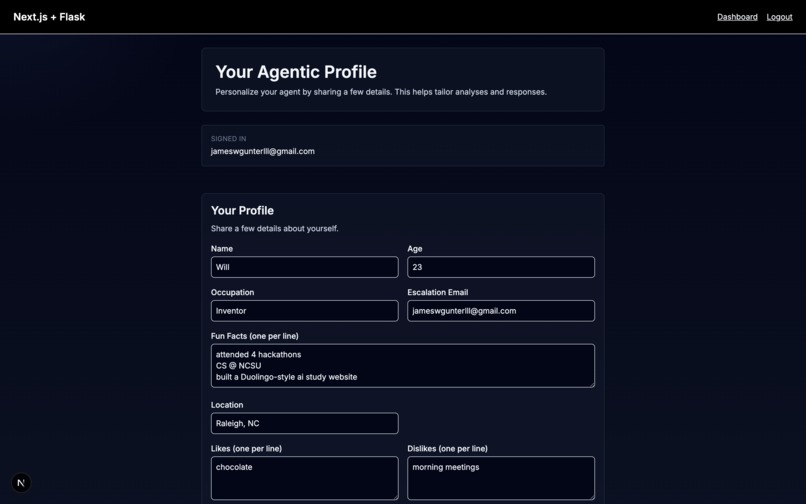
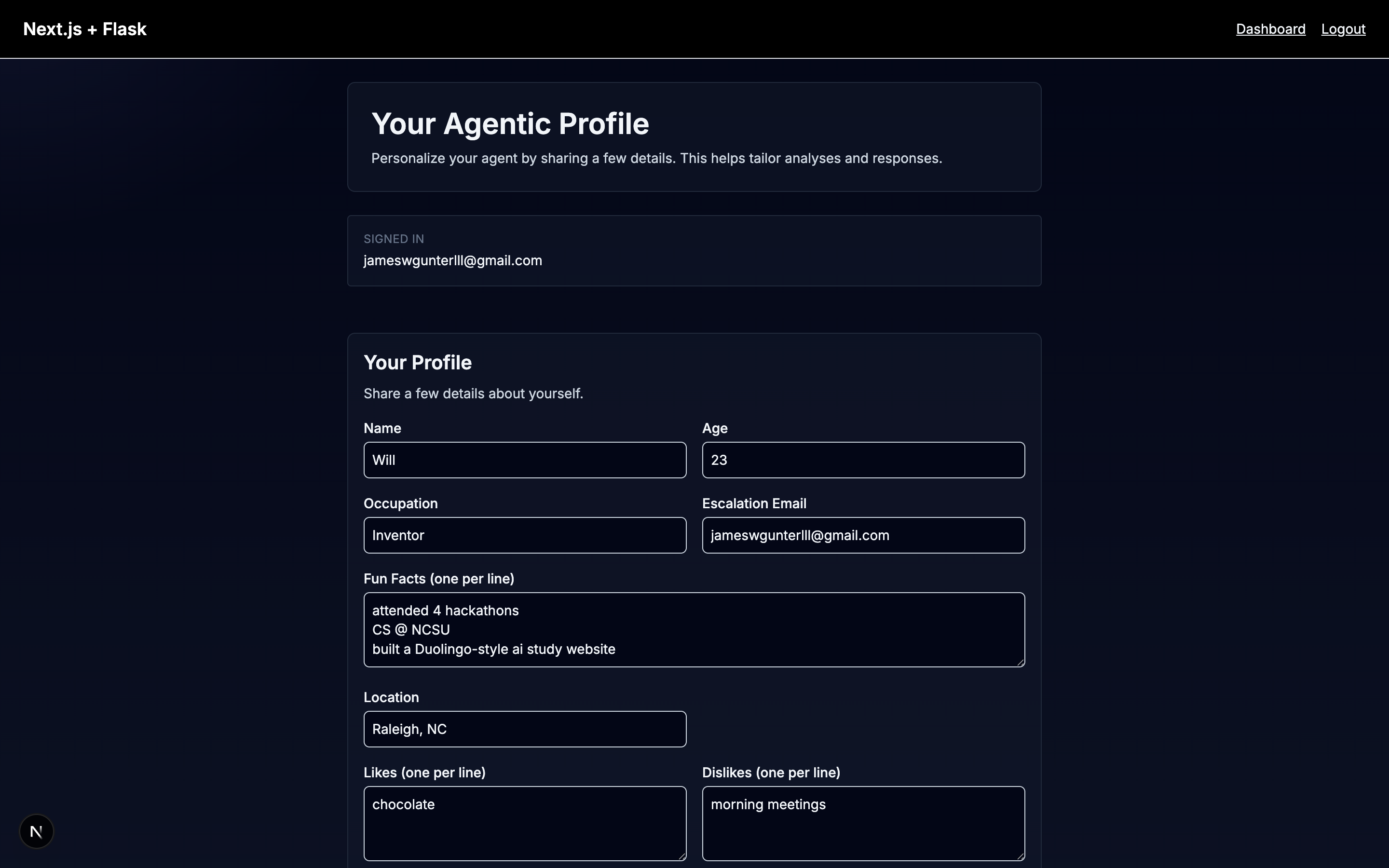
Personal Profile Page 1 where a user can specify information about themselves in order to tune how the AI email responds a.
-
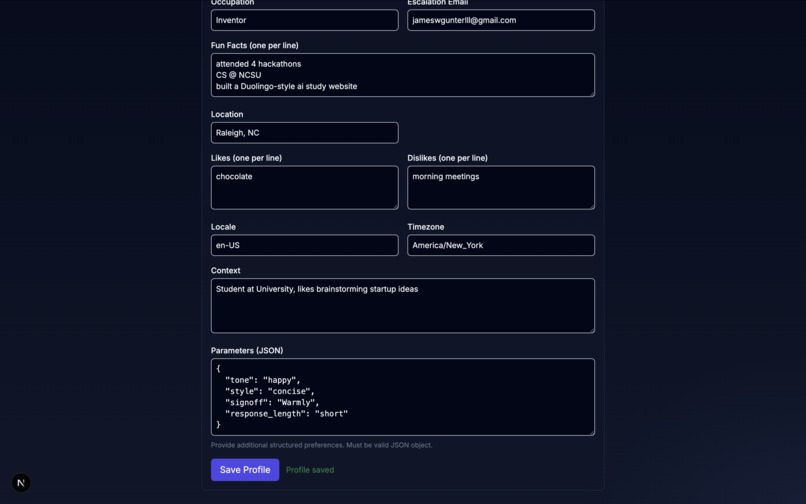
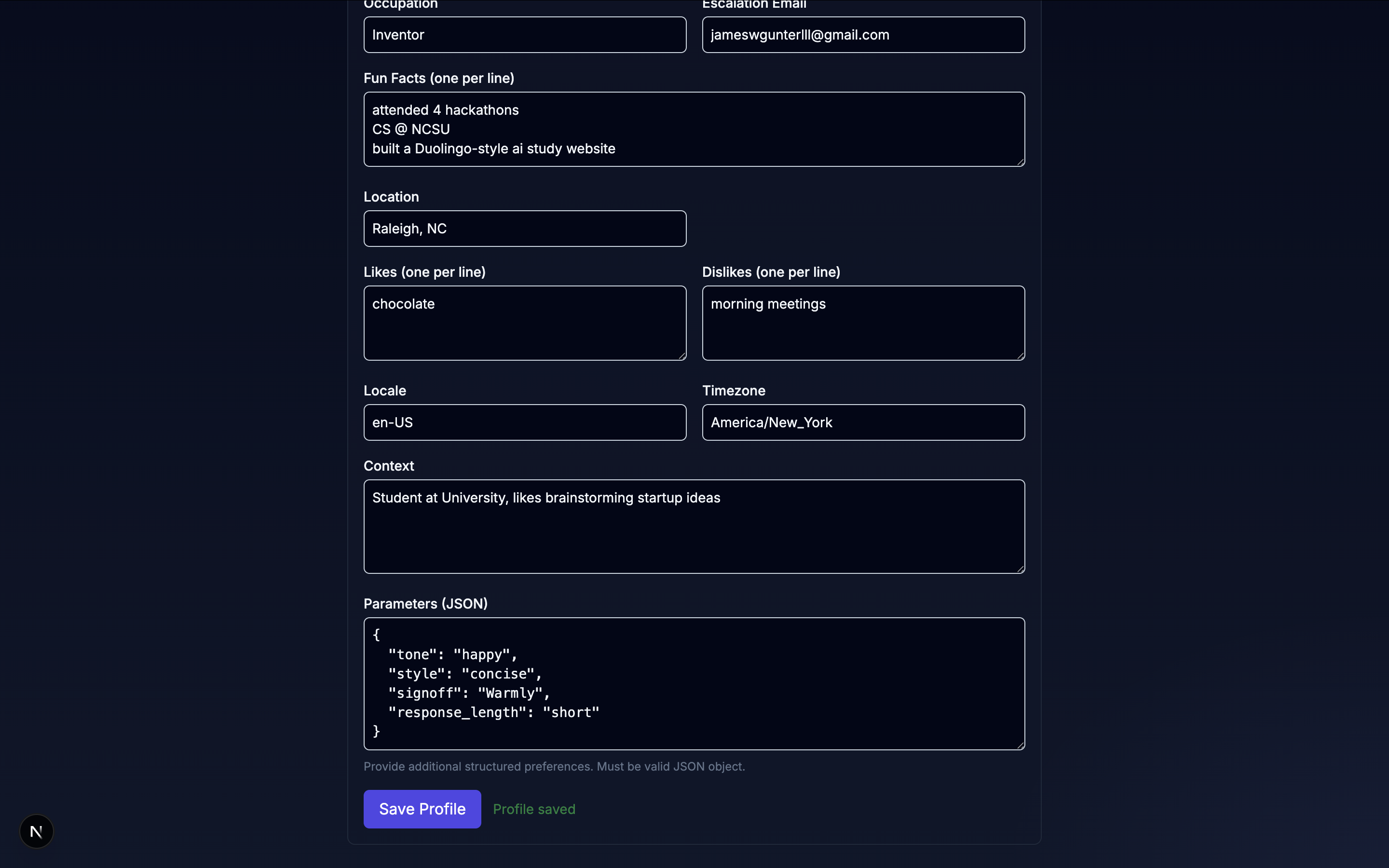
Personal Profile Page 2
-
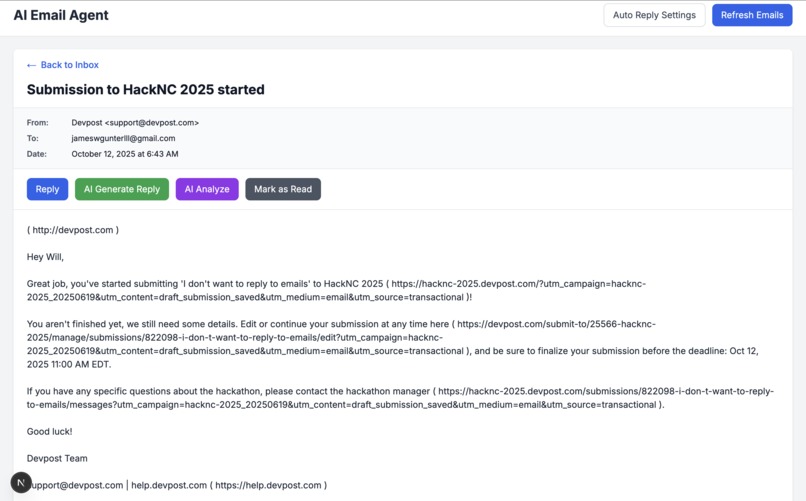
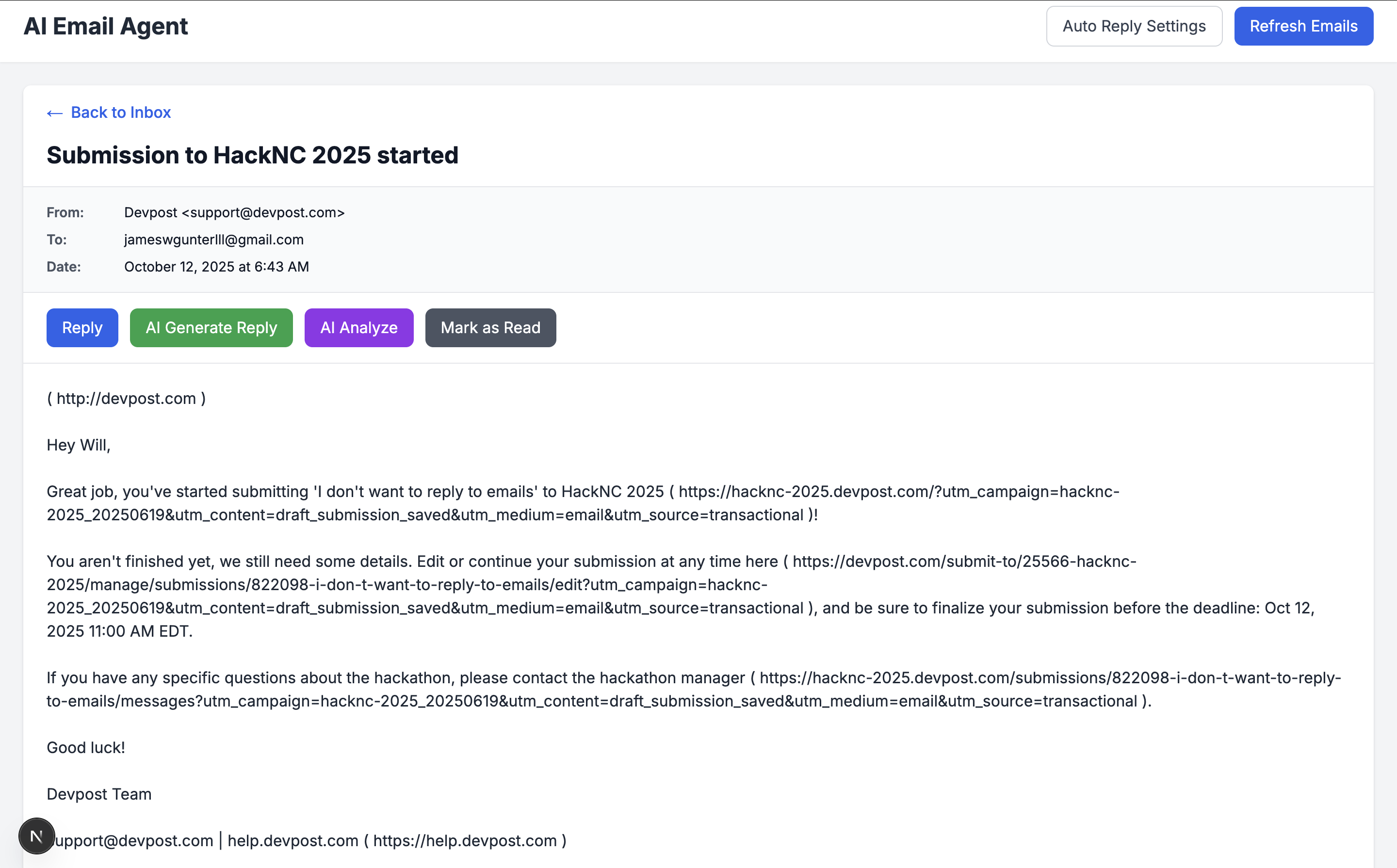
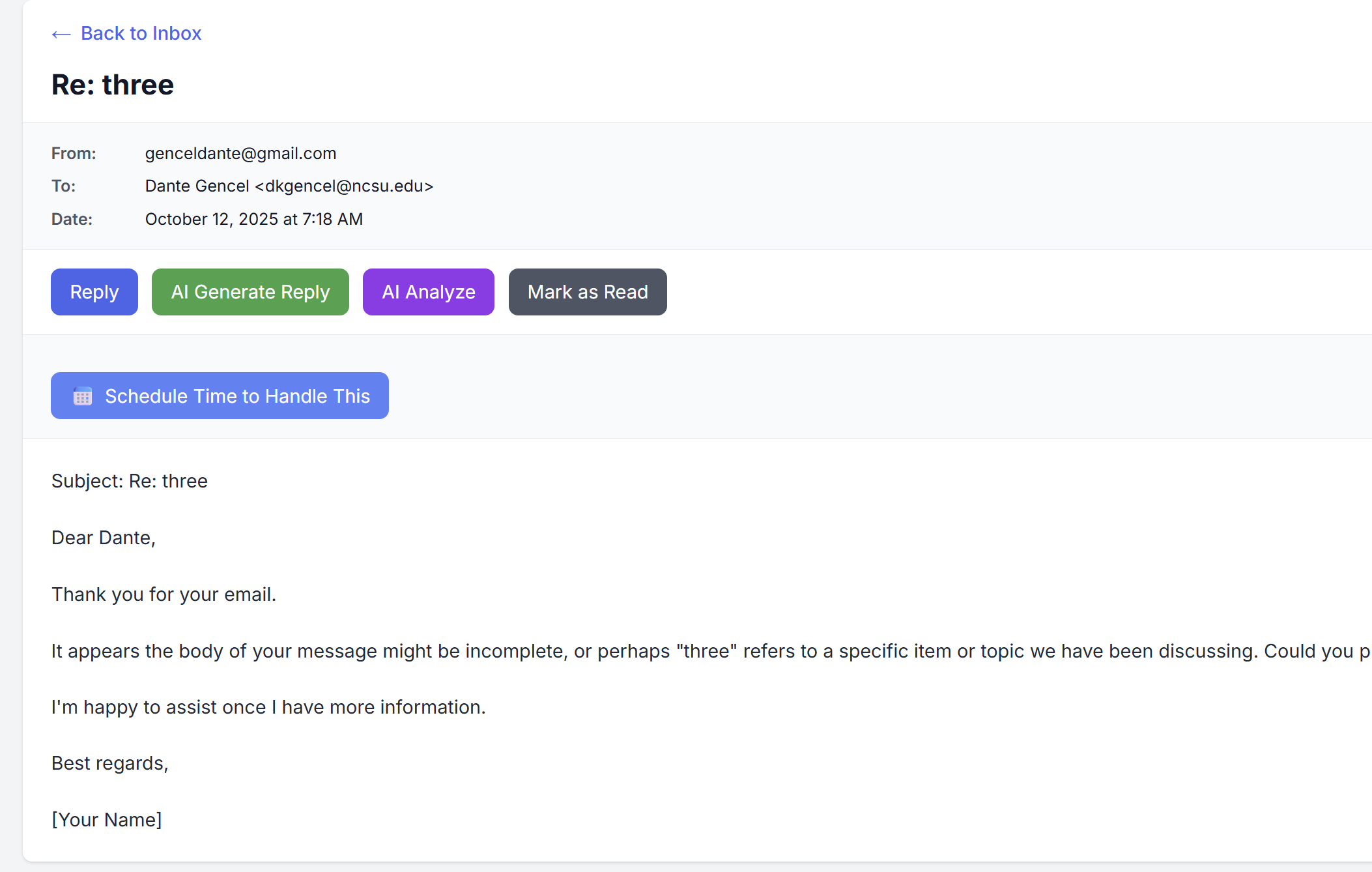
Once you click on an email you are brought to this page with lots of options for emails.
-
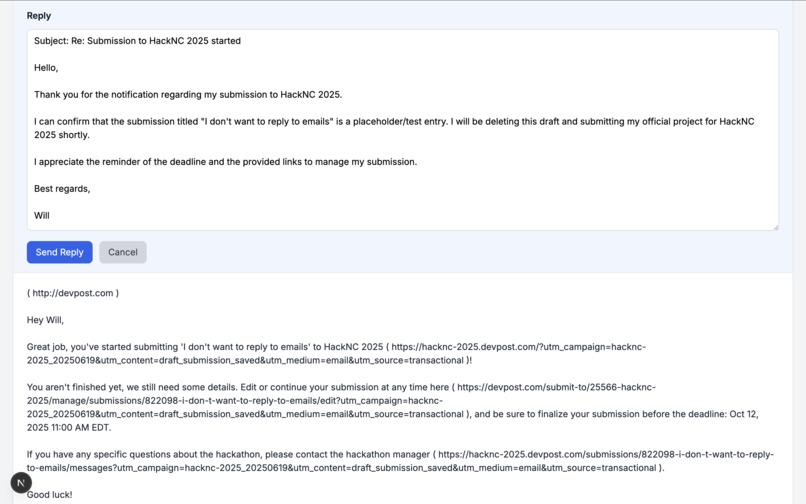
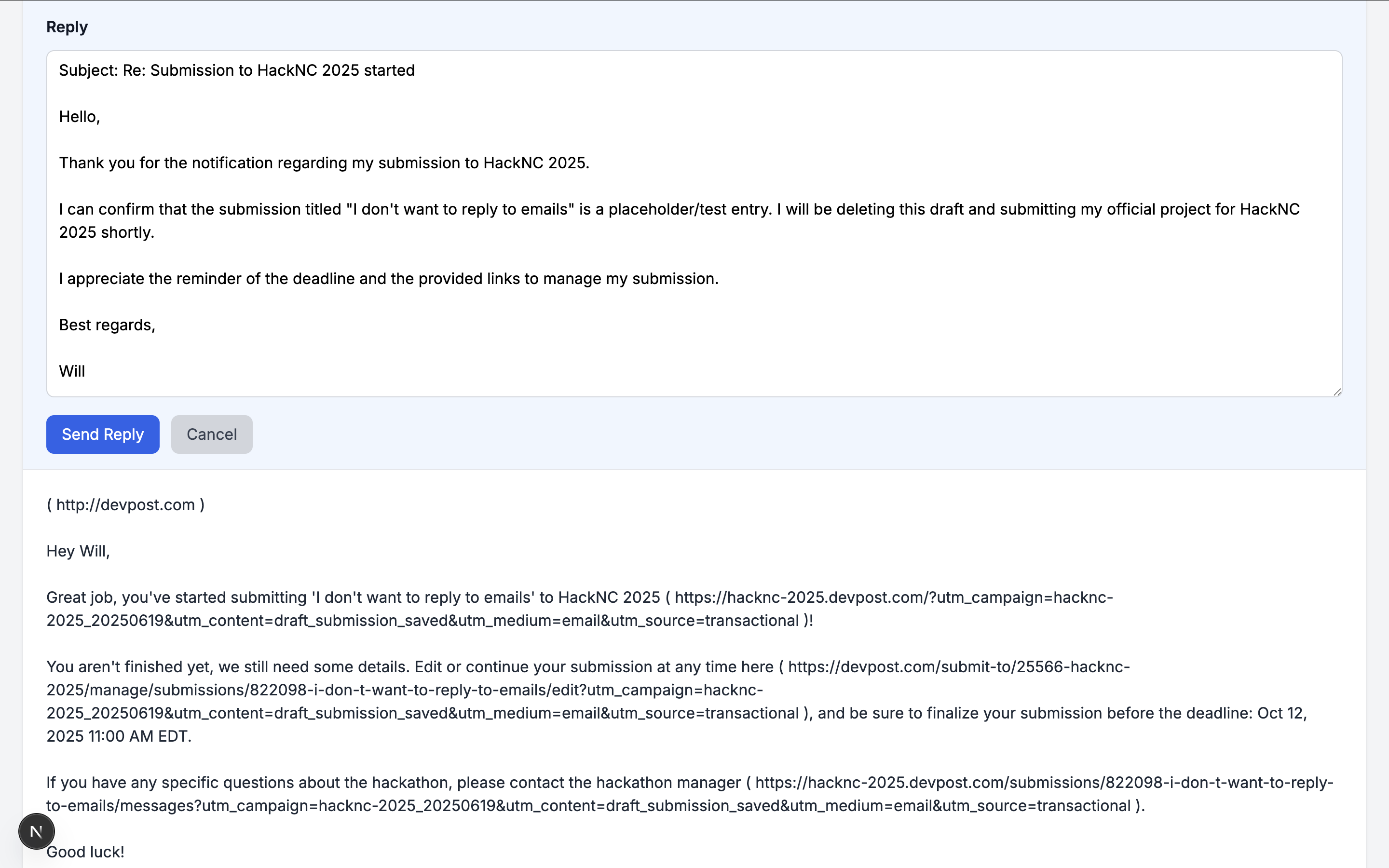
An AI Generated Reply to an original email
-
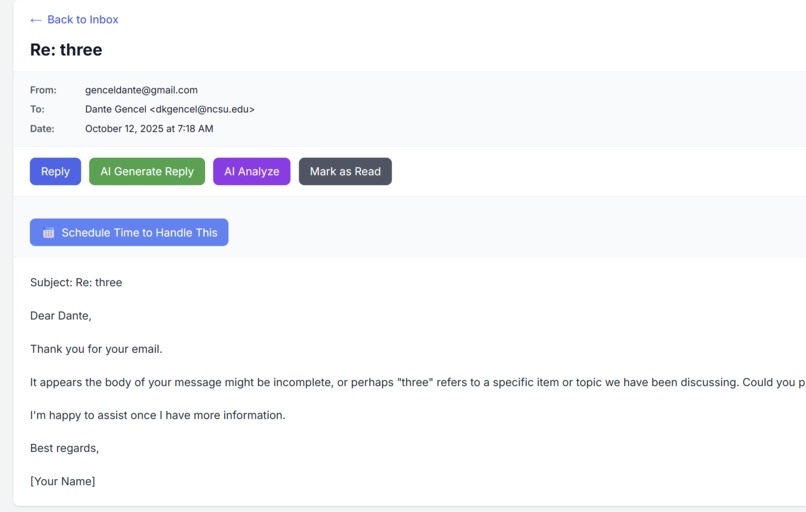
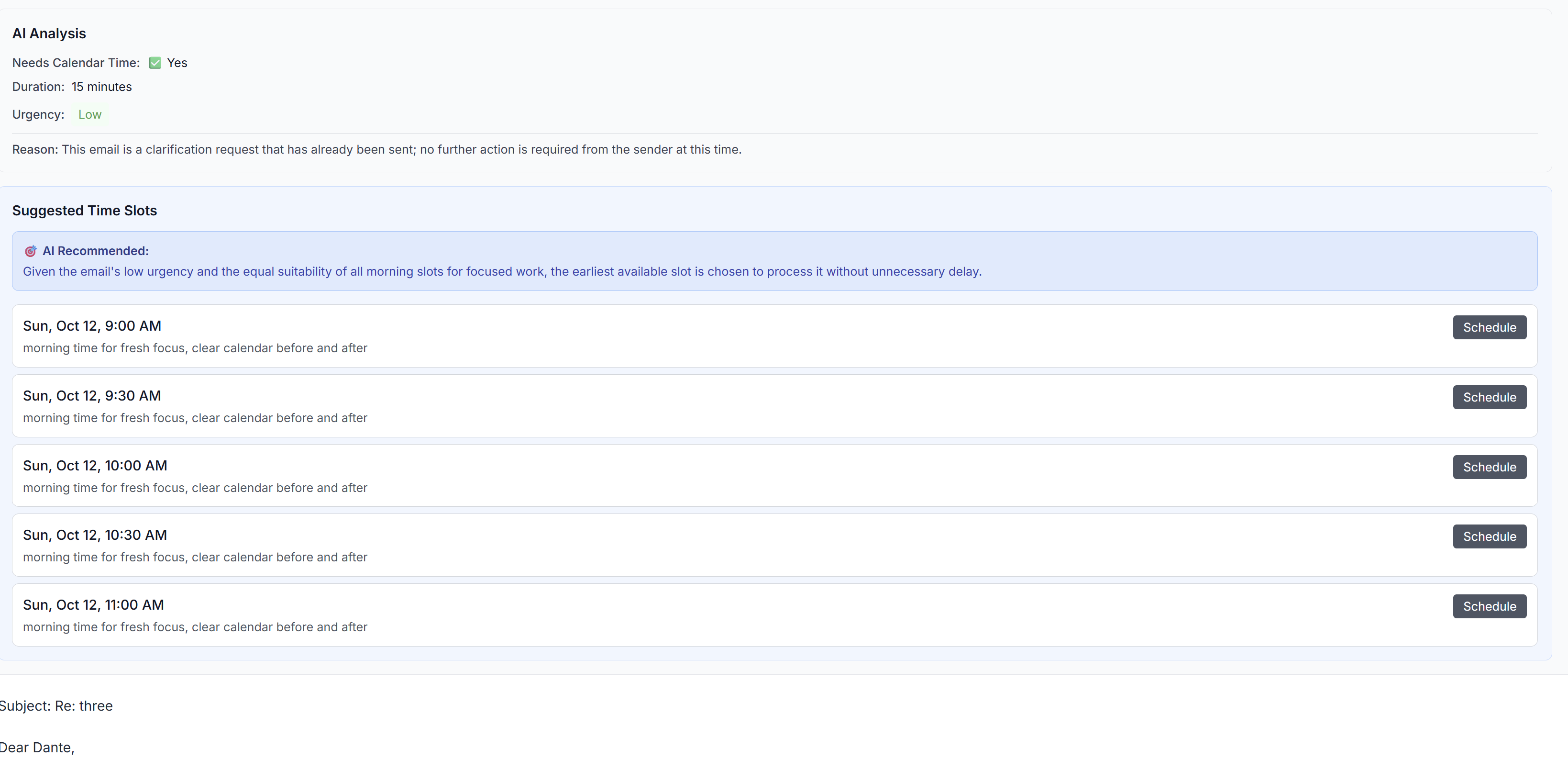
Email where the Ai utilized the Google Calendar API to schedule a meeting.
-
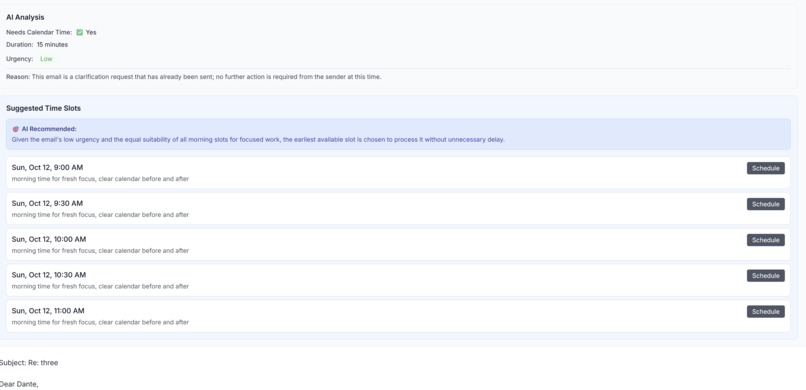
Suggested times the Ai suggested using the Google Calendar API
Inspiration
We know that email is used by billions of people every day, but at the same time we know of people of nearly all occupations that drown in all of the countless emails they receive.
What it does
Our Agentic email inbox can mimic your conversational style to auto-reply to emails. Additionally, we can rank, categorize, sort, and organize all emails in your inbox and sync with your google calendar to auto-schedule meetings and add them to your google calendar.
How we built it
We used Next.js and Flask with a Supabase Backend for authentication. We used a GCP stack for email authentication with Google OAuth 2.0, a message publish / subscribe system, and integration with Gmail and Google Calendar APIs, and Vercel and ngrok for backend hosting
Challenges we ran into
By far the biggest challenge we ran into was authenticating our backend API which was hosted on ngrok. In order to test our application locally, we used normal localhost, but when it came to deploying our project to production, we struggled terribly when we started to use ngrok. After putting all three of our minds together for 3 hours straight and trying every idea we could possibly think of. But as we dug more into the issue, we realized our google callback url that we stated in our code was inconsistent with the google callback url that Google Cloud Platform expects. Recognizing this was not easy because our exact same environment worked on 2 of our team members environments, but not the third teammates. As we displayed more and more detailed error messages, we reasoned through every single spot our code could fail except for one we weren't sure of. As we found out, our team mate did not put the nGrok url in the Google Cloud Platform console, which means google Oauth was not able to authenticate. Fortunately, we managed to find this out and fix it so we could advance in our project.
Accomplishments that we're proud of
- Fully working read + write to google calendar API
- Fully working GCP Pub / Sub function to auto-reply to emails given a user's profile
- Fully deployed app (frontend) on vercel + hosted backend to ngrok
- Working Authentication with Google Oauth 2.0 integrated in Supabase Auth
What we learned
- How to use ngrok to locally host a backend api, how to create Pub / Sub functions for message queues, how to debug effectively in a small team in a time-sensitive environment when there are stakes (prizes) on the line. How to balance progress to persevere vs discipline to keep going in a time-sensitive environment.,
What's next for I don't want to reply to emails
- We want to see people use our project. If we get enough positive interest, we will continue pursuing this project and grow it to acquire users so we can make significant improvements to the project, both UI and actual features.
Built With
- codex
- flask
- gcp
- gemini
- gmailapi
- google-gmail-oauth
- googlecalendarapi
- langchain
- langgraph
- next.js
- pub/sub
- supabase


Log in or sign up for Devpost to join the conversation.