-
-
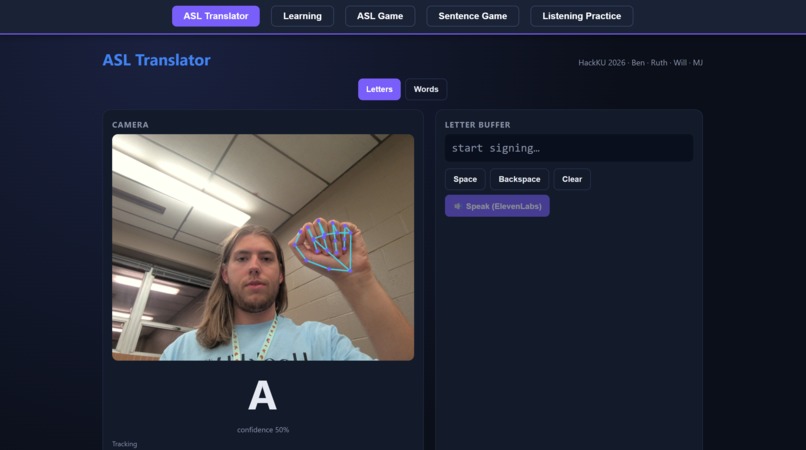
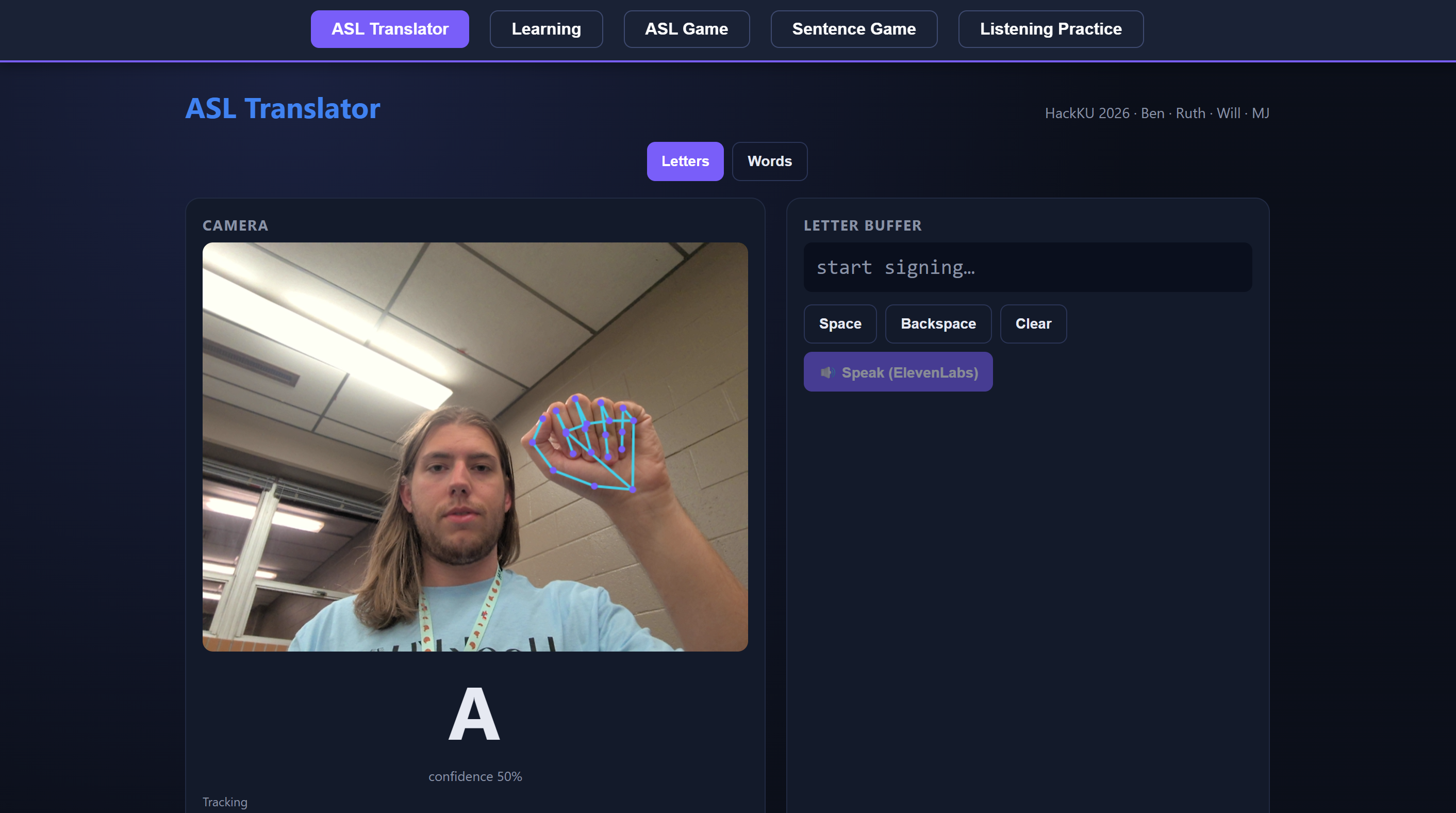
Demonstration of the ASL Translator Feature
-
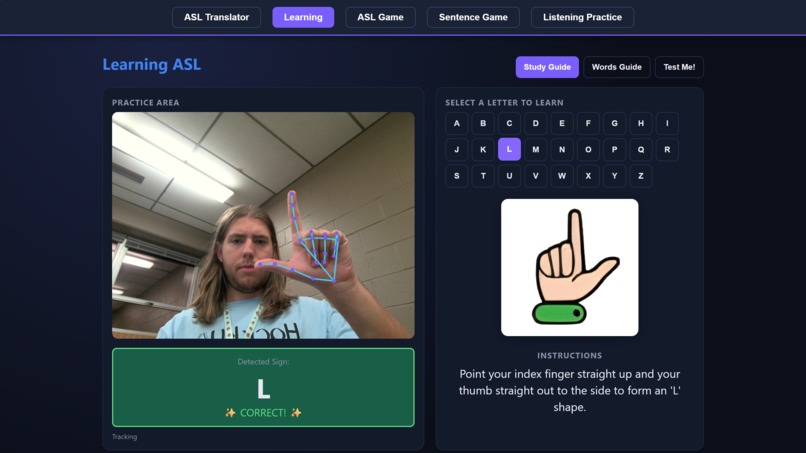
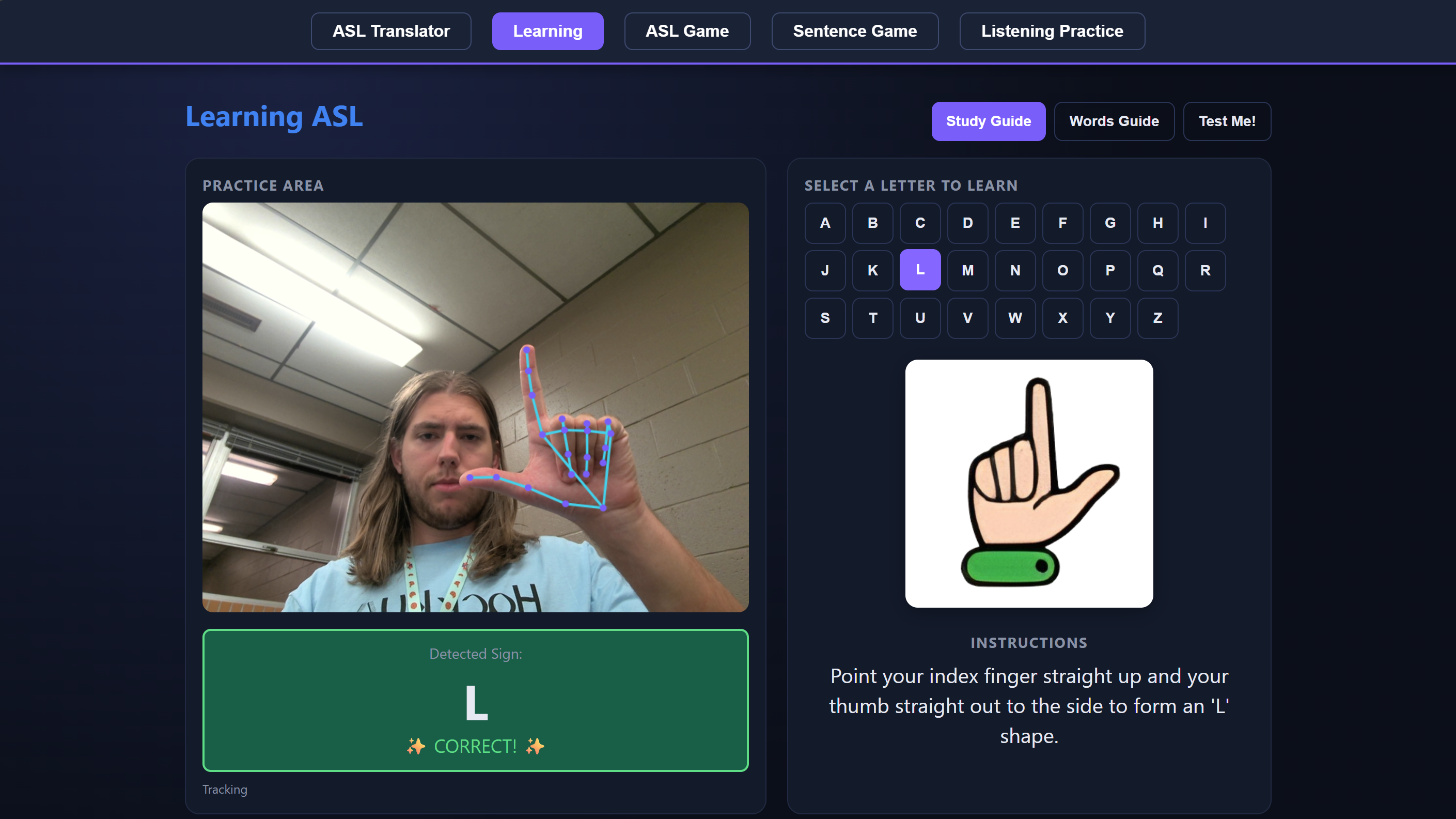
Demonstration of the Learning Feature
-
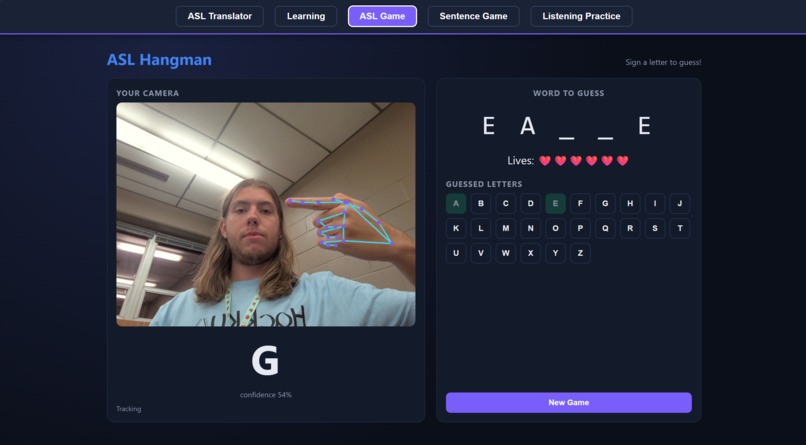
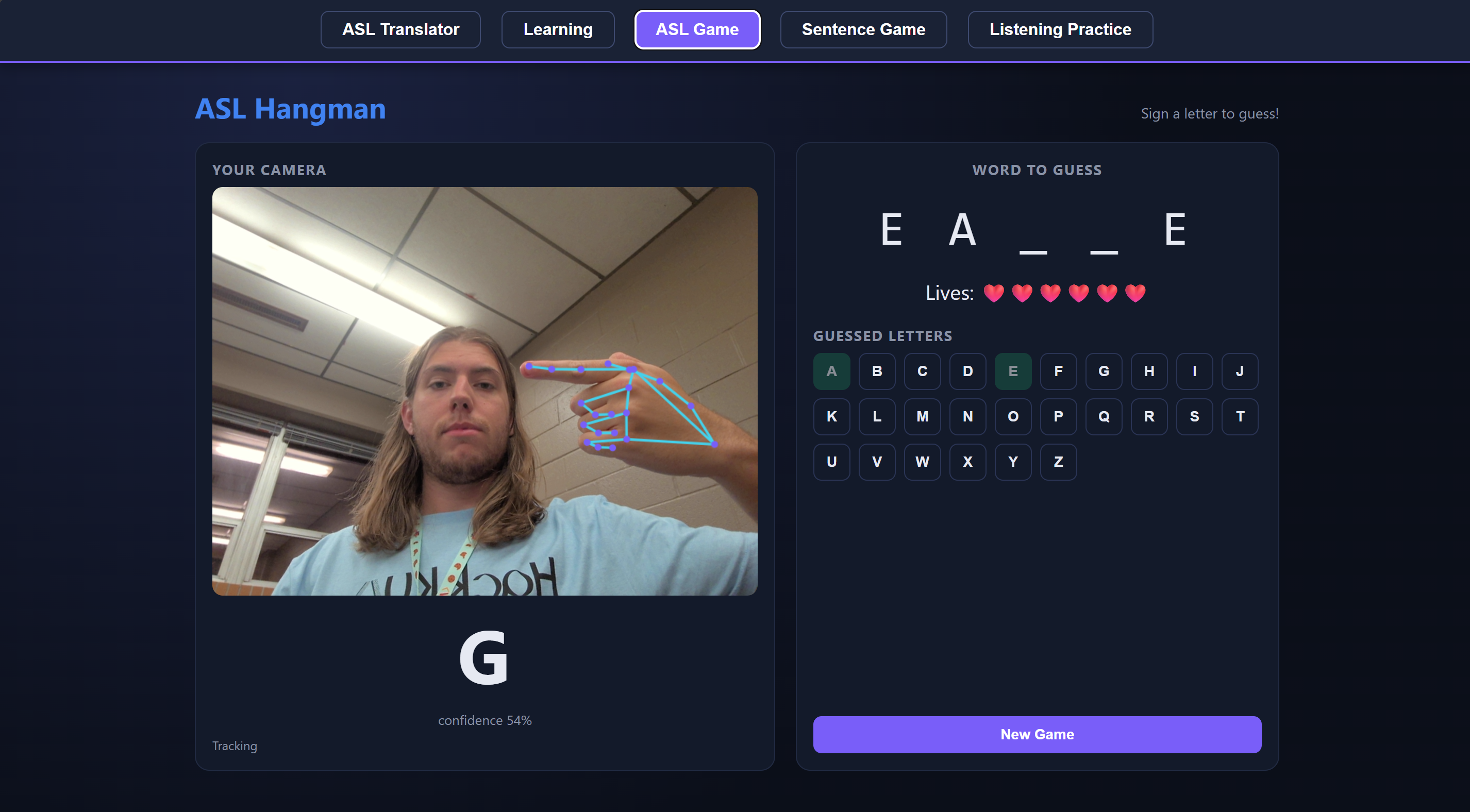
Demonstration of the ASL Game Feature
-
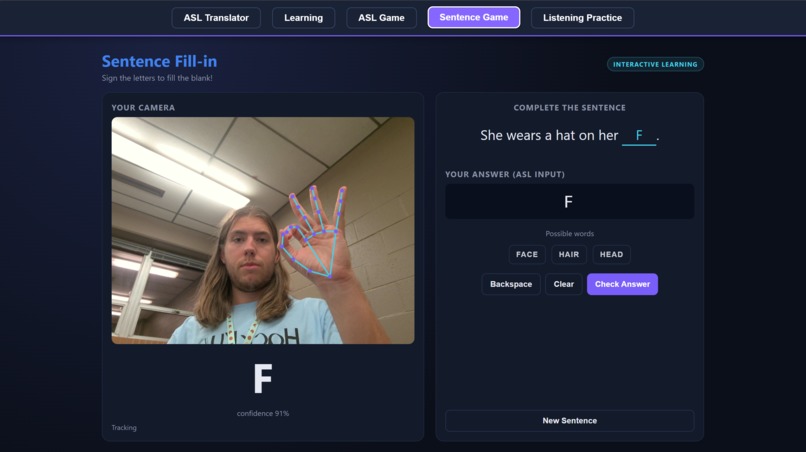
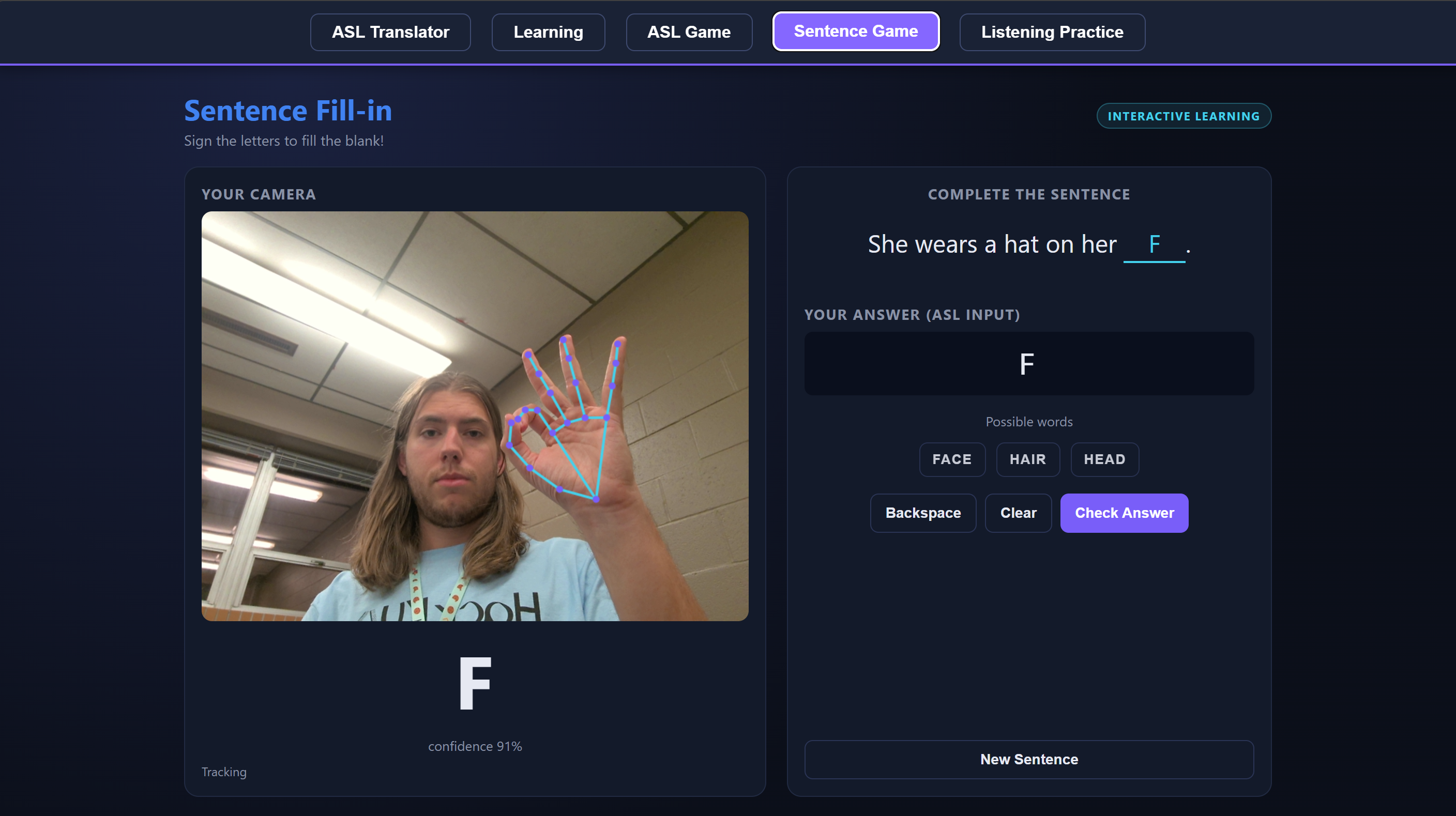
Demonstration of the Sentence Game Feature
-
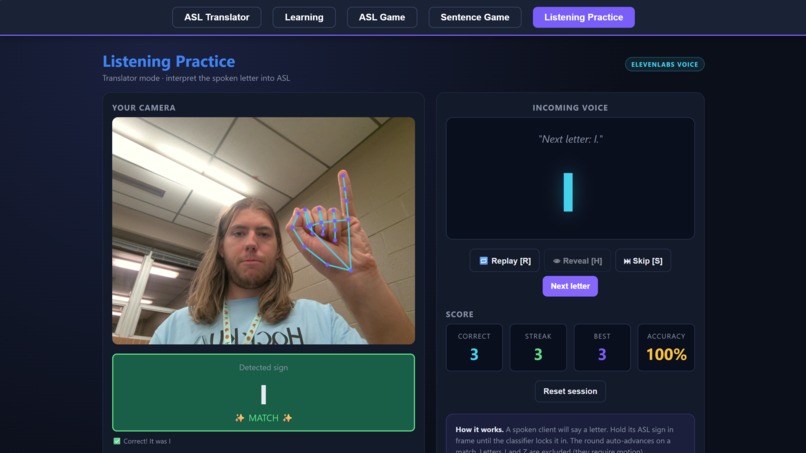
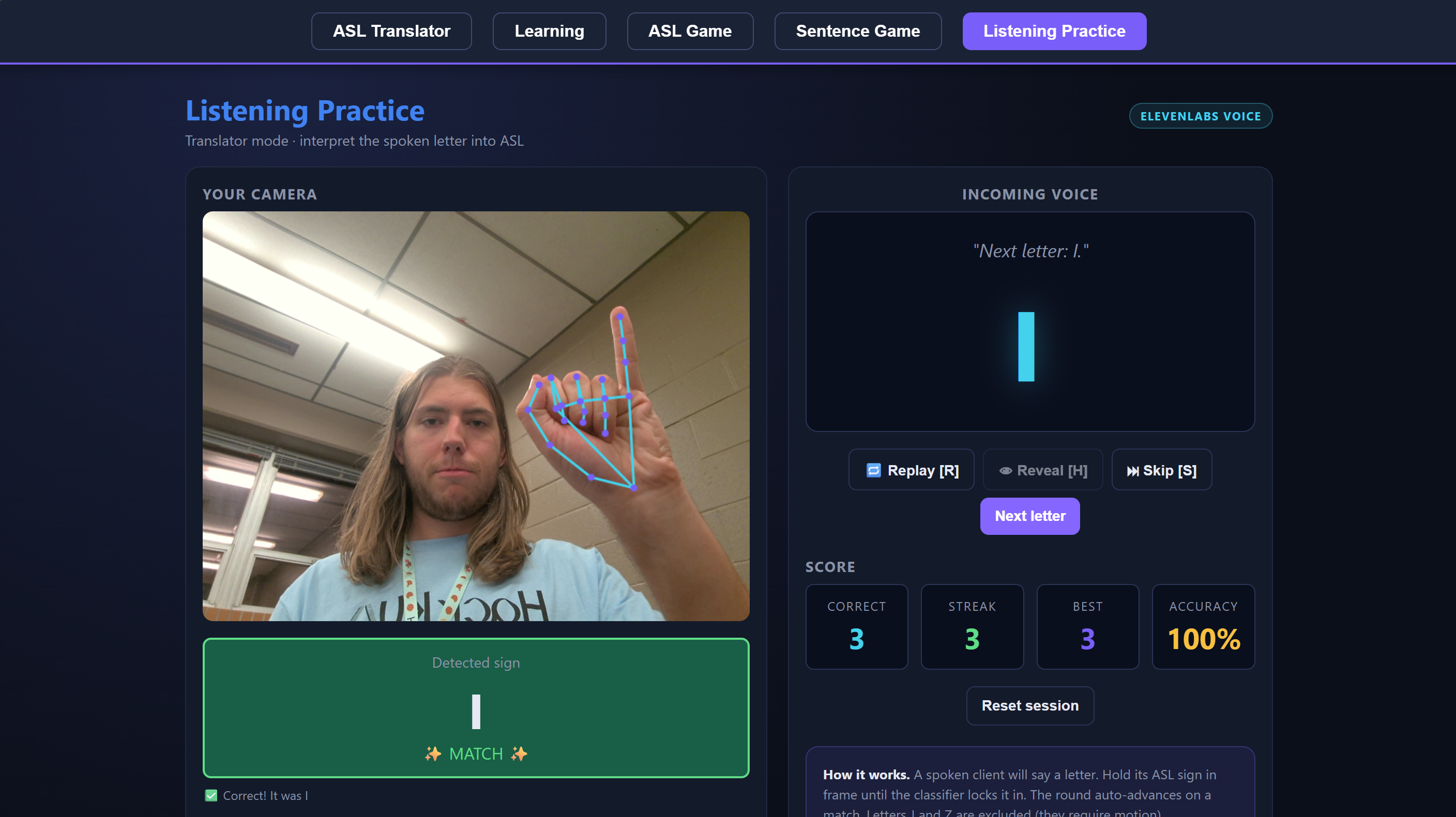
Demonstration of the Listening Practice Feature
Inspiration
Over 70 million people worldwide use sign language as their primary form of communication, but most hearing people don't know a single sign. We wanted to shrink that gap using nothing more than the webcam already built into every laptop. The idea was to build something that works in both directions: a tool that translates ASL into English, and also helps hearing users learn to sign themselves. A one-way translator felt like half a product, so we set out to build both sides.
What it does
Sign Language Live is a browser-based ASL suite with five modes.
The Translator lets you sign letters or full words into your webcam, assembles what you sign into an English sentence, and then reads it out loud. Learning is a guided walkthrough of the alphabet and 20 common signs, with written instructions for each handshape. ASL Game is Hangman, except every guess is a sign. The Sentence Game gives you a fill-in-the-blank puzzle you solve by signing the missing word. And Listening Practice flips the usual direction: the app speaks a letter and you sign it back, which is how hearing users actually get better at signing.
Everything runs in the browser, and your video never leaves your device. The only thing the backend ever sees is 21 anonymized coordinate points from MediaPipe.
How we built it
The stack is a React + Vite frontend with a FastAPI backend. Hand tracking runs entirely in the browser using MediaPipe Tasks Vision (compiled to WASM), and the landmarks it produces are the only thing we send to the server.
The core of the project is a landmark-based classifier, not an image model. Once MediaPipe gives us 21 (x, y, z) points per hand, we normalize them so that position and distance from the camera don't matter. Every landmark gets translated so the wrist sits at the origin, and then scaled by the distance between the wrist and the base of the middle finger. That one step is what lets the same model work whether your hand is six inches or six feet from the lens.
On top of those features we trained a RandomForest with 300 trees on around 300 samples per letter from the Kaggle ASL Alphabet dataset, mixed with our own webcam captures weighted 50x so the model leans toward hands it actually sees in a demo. The forest trains in seconds and handles the static alphabet reliably once it has enough of our own hands in the training set.
Word-level signs like HELLO, THANKS, and LOVE use a second model. Each 90-frame clip is collapsed into a fixed-size feature vector built from evenly spaced keyframes and a summary of how the wrists moved, which is enough to keep multi-phase two-handed signs separable without needing a full RNN.
Challenges we ran into
A lot of the ASL alphabet is genuinely hard to tell apart, even for a human. A, E, M, N, S, and T are all variations of a closed fist with the thumb in slightly different positions, and U, V, R, and K are all two-finger shapes that only differ by whether the fingers are crossed, spread, or touching the thumb. Our classifier kept confusing them until we went out and recorded hours of our own training footage, sign by sign, across all four of us. Every letter meant sitting in front of the webcam, holding a pose, tapping a key, nudging a wrist a few degrees, tapping again, and doing that twenty or thirty times per letter per person. Across four people and the full alphabet plus words, that was thousands of individual captures, and the model only started behaving once we had that volume and variety in the training set. None of us knew any sign language going in, so the first few rounds of captures were basically us fumbling through a reference chart. By the end of the weekend we could sign the alphabet from memory, which was a genuinely weird side effect of building the model.
Letter commit stability was another surprise. Continuous classification produces a lot of jitter during finger transitions, so reading letters straight off the classifier gave nonsense words. We ended up only committing a letter once it had held steady for 4 or more frames above 60% confidence, which cut misreads dramatically.
Training data drift hit us too. The Kaggle dataset on its own underperformed badly on our actual webcams because of lighting, camera height, and hand shape differences, and nothing about the studio-lit Kaggle hands looked like any of ours. The fix was a hybrid set that merged Kaggle images with our own captures, weighted heavily toward the local data.
Word mode had its own headaches with two-handed signs and frames where one or even both hands briefly disappeared. The frontend now duplicates the last frame when the hand is lost, so the clip's timing stays aligned with the training distribution instead of getting shorter.
The biggest constraint on everything was that we wanted a zero-install demo. Judges should be able to open a link and sign, so MediaPipe had to run in the browser and our ML had to stay CPU-friendly.
Accomplishments that we're proud of
Getting five genuinely different modes working in one app, not just a translator with a few extra buttons bolted on.
Real-time recognition that runs on a CPU without any video ever leaving the user's machine.
Enough self-collected training data, from four people taking turns at the webcam all weekend, to make the classifier work on our actual hands instead of only on studio-lit stock photos.
A training workflow tight enough that any teammate can record samples and retrain the model in a few minutes, which we leaned on heavily over the weekend.
A two-way accessibility story. The app helps a deaf user be heard, and it also helps a hearing user learn to sign.
Zero-install. Opening a link is the entire setup.
What we learned
For a small domain with CPU-only inference, landmark-based classification beat image-based classification every time we tested it. A RandomForest on 63 normalized features outperformed the heavier image models we started with.
Geometry matters more than architecture. Normalizing landmarks properly did more for our accuracy than any amount of tree tuning.
Temporal signs need temporal models. Our word classifier had to consume the whole clip at once, since there's no clever single-frame shortcut for a sign that unfolds over a second.
Real-time UX is its own engineering problem, separate from ML. We spent time tuning stability thresholds, debouncing commits, and keeping the frontend responsive.
Accessibility tools need to work in both directions to feel like bridges instead of demos. The listening practice mode ended up being the one that convinced us this was a real product.
What's next for Sign Language Live
We want to expand the word vocabulary past the starter 10 signs toward something closer to WLASL scale. Continuous word recognition with a sliding window would let users stop pressing a button to record. First-class two-handed support would replace the current patch on top of the single-hand pipeline. Mobile support is probably the biggest accessibility win, since a phone camera is far more available than a laptop webcam. And user-specific fine-tuning, where anyone can add a few samples of their own signing style and have the model adapt, would make it feel personal instead of generic.
Built With
- fastapi
- huggingface
- mediapipe
- python
- scikit-learn
- vite


Log in or sign up for Devpost to join the conversation.