-
-
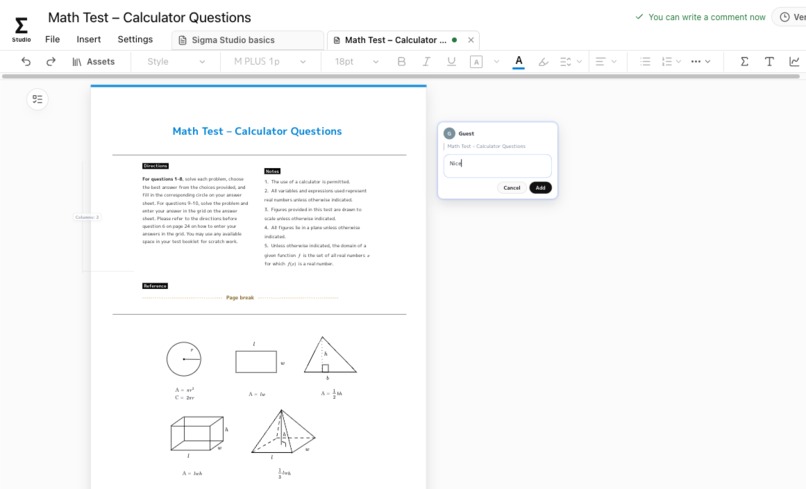
math test template amde by this app
-
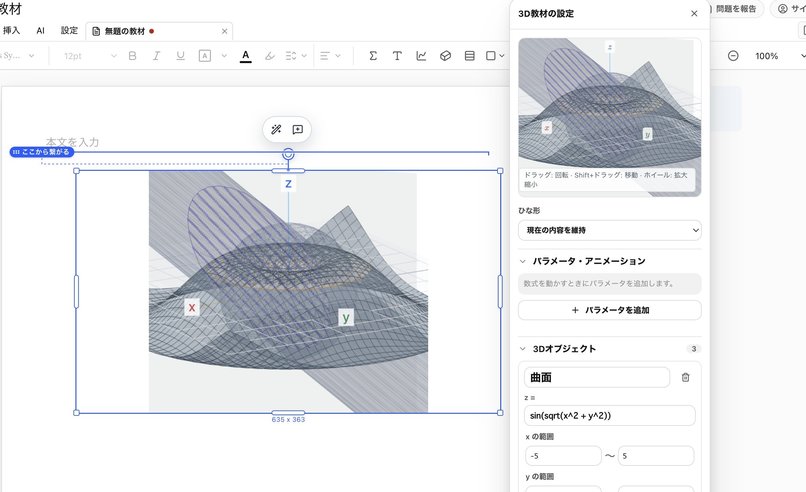
rich 3d math editor
-
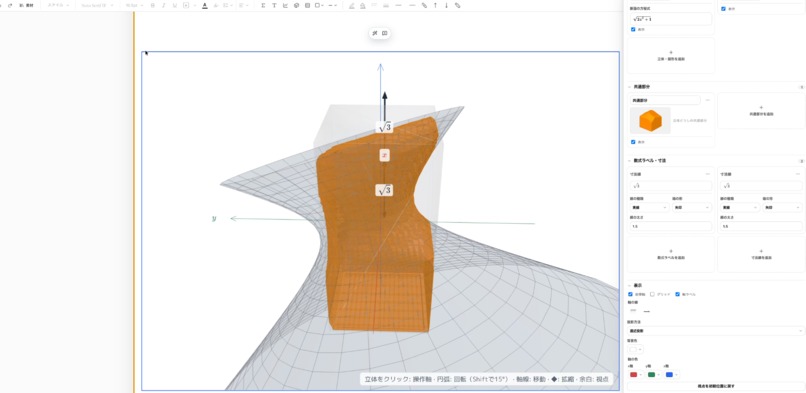
rich 3d math editor
Inspiration
Making educational materials has long been a fight against fragmented tools. TeX for equations, Word or Notion for layout, PowerPoint for diagrams, and an AI trapped inside a chat window. On top of that, there are vested commercial interests baked into the software used in education.
When a teacher makes a single worksheet, they type \( \int_0^1 x^2\,dx = \frac{1}{3} \) in TeX, draw a parabola in a different program and paste it in as a screenshot, and every time a single number changes, they have to redo everything from scratch. Generative AI was supposed to help, but all it does is turn into an endless cycle of copy-pasting from a chat UI.
Teaching materials are not just text. They are publication-quality "page space" where paragraphs, TeX equations, geometric figures, and two-column problem layouts must line up without a millimeter of drift.
Until the day the picture in someone's head can be beamed straight into an AI, there's no way for an AI to nail 100% of what a human is picturing on the first try.
That's why we designed Sigma Studio around a simple, honest principle of collaboration: "Let AI handle the tedious 90% of the heavy lifting, and let the human quickly polish the crucial final 10% by hand, guided by intuition."
What it does
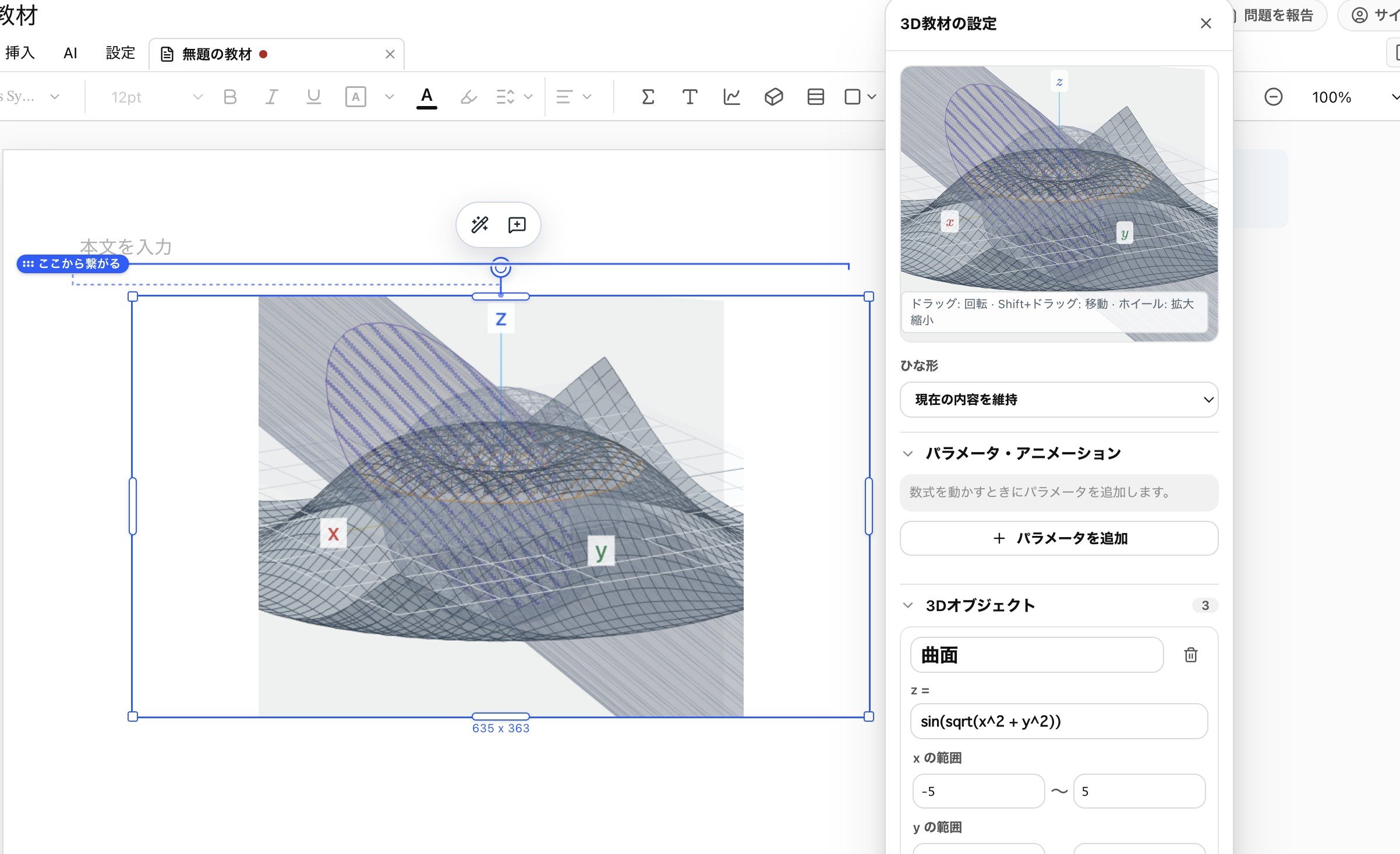
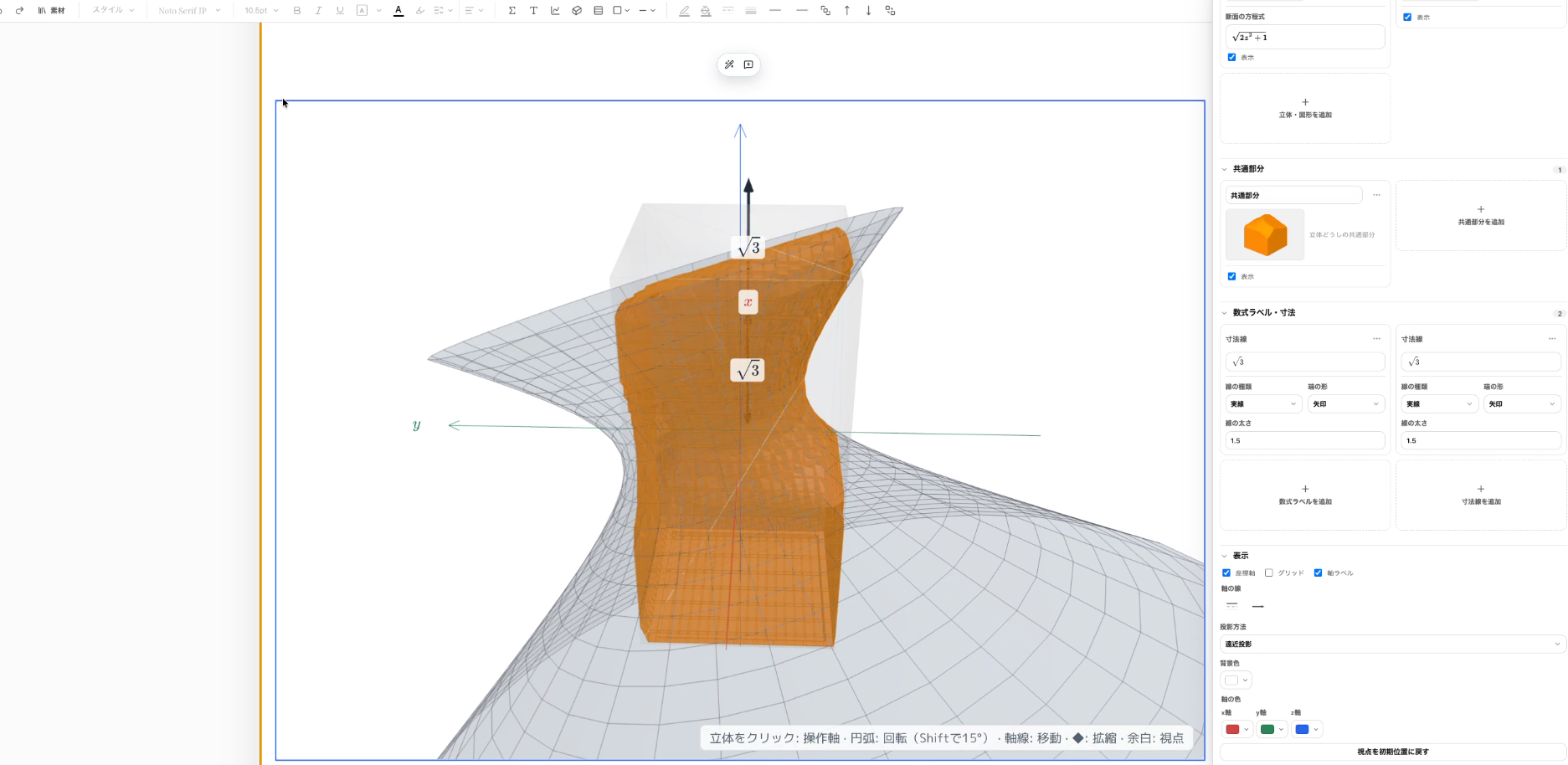
Sigma Studio is an open-source, agent-native document editor where an entire piece of teaching material lives on a single responsive page.
- Write like Word or Notion: paragraphs, headings, auto-numbered problems, and a two-column layout that reflows in real time as you type.
- Typeset beautifully at TeX quality: TeX-quality equations rendered via KaTeX, visually editable. We obsessed over baseline alignment, line spacing, and margins to achieve the precise typesetting that educational materials demand.
- Draw intuitively like PowerPoint (fully parametric): shapes, guide lines, angle arcs, labels, and 2D/3D graphs sit on an overlay canvas directly above the text. Nothing is ever rasterized into an image — everything remains a vector you can re-edit at any time.
- Toggle "problems only" / "answers only" from a single source document: instantly switch one document between a "problems only" view/printout for class or exams and an "answers only" view/printout for self-grading and explanation.
- A "90% + 10%" collaborative workflow with AI: when a teacher says "draw the triangle formed by the intersection points of the parabola and the line in problem 3," the AI solves the equations and coordinates via WebMCP and instantly draws the graph and the three lines (that's the 90%). The teacher just reaches for the mouse and nudges a vertex label "A" that's overlapping something, to make it more legible (that's the 10%) — and it's done.
- Approval-gated proposals (human-in-the-loop): the AI never overwrites the document on its own. Its changes are drawn on the canvas as a preview diff (a Draft), which a human can approve or discard with one click. Even after applying, it can be undone in a single step.
- Pixel-perfect vector PDF export: produces high-quality PDFs that match the editor screen down to the pixel.
It is provided completely free of charge as MIT-licensed open source.
How we built it
Built with Next.js, React, and TypeScript. The body text uses Tiptap/ProseMirror, equations use MathLive and KaTeX, and diagrams are built on a custom overlay canvas plus Three.js for 3D.
Exposing semantic document operations via WebMCP
At the core of the architecture is exposing operations on the editor's own document model (SigmaDoc) to AI as first-class tools via WebMCP (document.modelContext.registerTool). Inside ChatGPT's in-app browser or on Chrome, the AI directly executes structured tools such as:
insert_body_content,replace_block,move_blocksinsert_shape,update_shape,align_shapesinsert_graph,update_graph,insert_graph3dbegin_visual_edit_session,inspect_visual_edit_session,propose_visual_edit_session
Instead of fragile DOM scraping or guessing at screen coordinates, the AI reads a semantic document tree and injects parametric vector objects directly into the runtime.
Challenges we ran into
- Shape anchors that follow the flow of text: the hardest engineering challenge was making diagrams follow the body text as it wraps and reflows. The instant a teacher hits Enter in the body text, a shape placed with absolute coordinates gets left behind. We built an anchor-binding mechanism that ties each shape to a specific body block ID with a relative offset, so shapes naturally follow along even as text grows, shrinks, or moves across columns.
- Two-column layouts and dynamic pagination: serious teaching materials require two-column layouts. We built a custom pagination engine from scratch that precisely measures actual rendered DOM heights so that paragraphs, equations, and anchored shapes break cleanly across page boundaries instead of being cut off mid-element.
- Relentless attention to precise typesetting: to reproduce genuine print-grade typesetting on the web DOM, we tuned equation baselines, Japanese line spacing, problem-number indentation, and line weights down to the millimeter to achieve layout quality comparable to a professionally published textbook.
- Resolving conflicts between simultaneous human and AI edits: while the AI is busy computing a complex geometric figure, the teacher keeps typing on the keyboard. We validate block IDs and version hashes so that a stale AI proposal for a spot the human has since touched is safely rejected and rebased, preventing accidental overwrites of what was just typed.
- A PDF pipeline with zero print drift: rather than maintaining a separate print engine, we unified everything around slicing the editor's actual rendered DOM page-by-page via Chromium and stitching the pages together with pdf-lib, achieving a 100% match between what's on screen and what comes out on paper.
Accomplishments that we're proud of
- An intuitive feel for polishing that final 10%: we obsessed over drag handles, snapping, bounding boxes, and block-editor interactions so that refining an AI-generated first draft with the mouse feels as natural and effortless as sketching with a pencil and eraser on paper.
- Vector persistence (no images): even when importing TeX or legacy materials, everything lives on as editable vector shapes and coordinate axes rather than static images. Keeping shapes editable in place is essential for teaching materials.
- A complete, self-contained OSS web app: because everything needed to create teaching materials lives in this one open-source web app, clients can freely modify and use the application with confidence — there is no vendor lock-in to worry about.
What we learned
Giving AI an "MCP" to manipulate a structured document alongside a human turned out to be a challenge on an entirely different level.
Since AI cannot read a human's mind, expecting it to produce something perfect in a single shot is an illusion. We learned that true human-AI collaboration isn't about getting a complex prompt to deliver 100% — it's about providing instant undo, a visual preview, and extremely smooth direct manipulation, so that a human can intuitively carry the AI's 90%-finished foundation the rest of the way to the goal.
What's next for Sigma Studio
- Extending to a learning workspace for students: beyond teachers authoring materials, evolving toward a learning environment where students can converse with AI and visually experiment with geometric proofs or calculus graphs through trial and error.
- Multi-agent collaborative authoring: building an environment where multiple specialized WebMCP agents — one for equation verification, one for geometric drawing, one for curriculum consistency, and more — can simultaneously propose changes on the same canvas.
- Google Docs-style real-time collaboration, enabling:
- students and teachers to learn together in the same document
- teachers to co-author materials together

Log in or sign up for Devpost to join the conversation.