-
-
Intro
-
App Description
-
Modes of Operation
-
Dynamic Hitboxes for accessibility
-
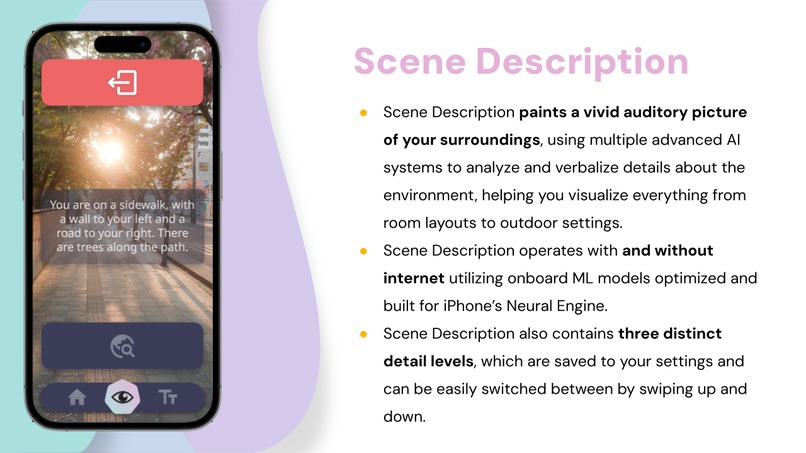
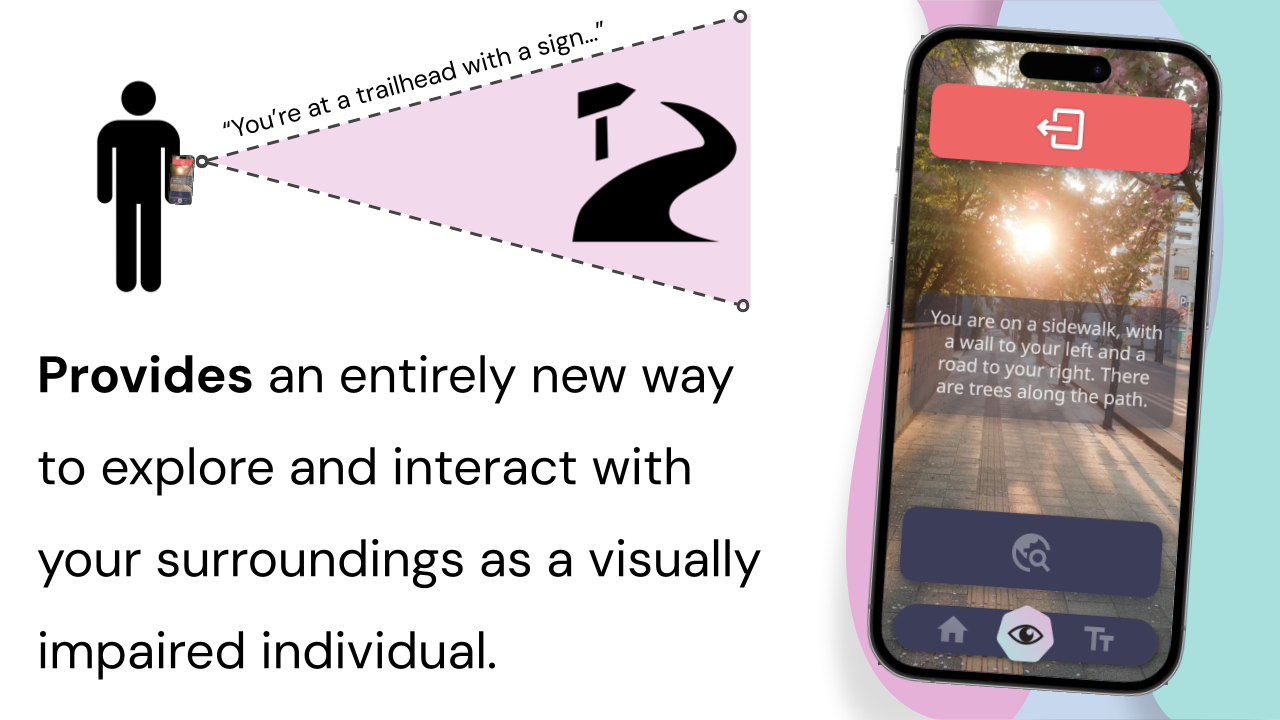
Scene Description
-
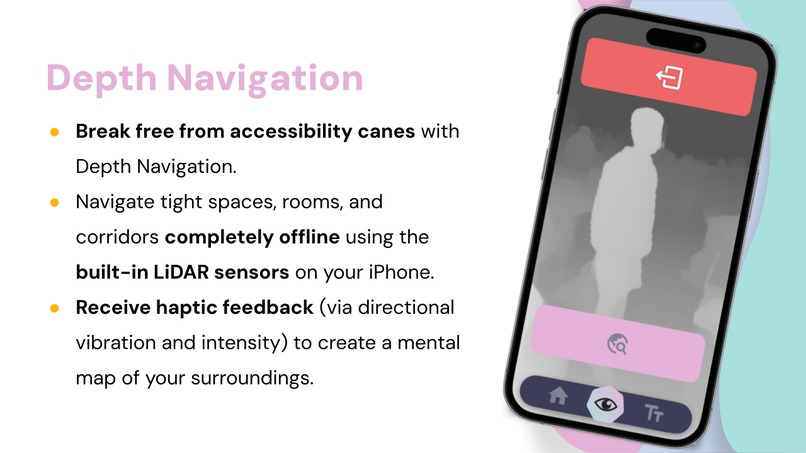
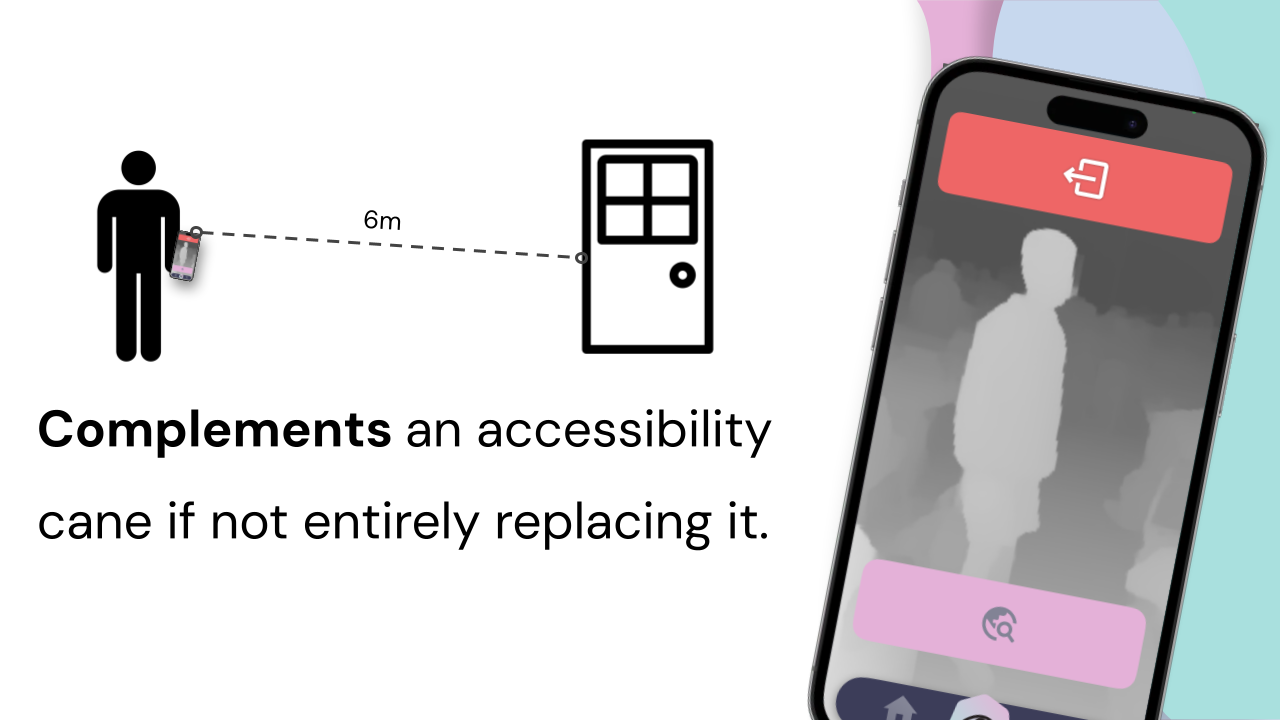
Depth Navigation
-
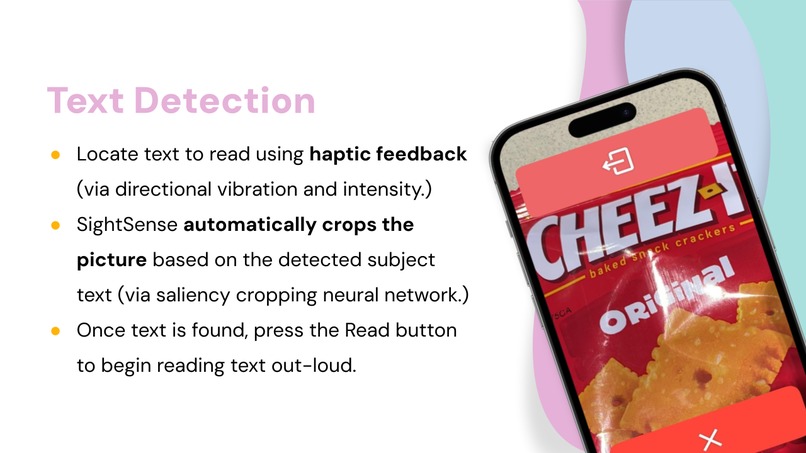
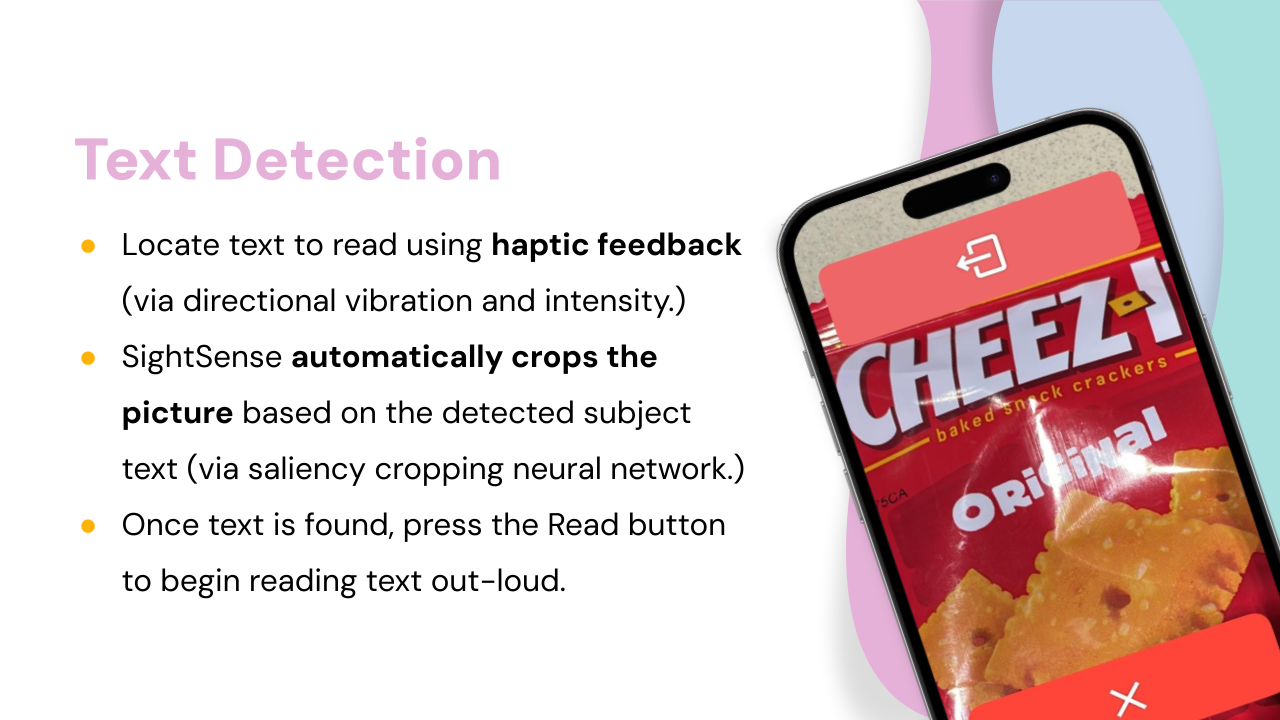
Text Detection
-
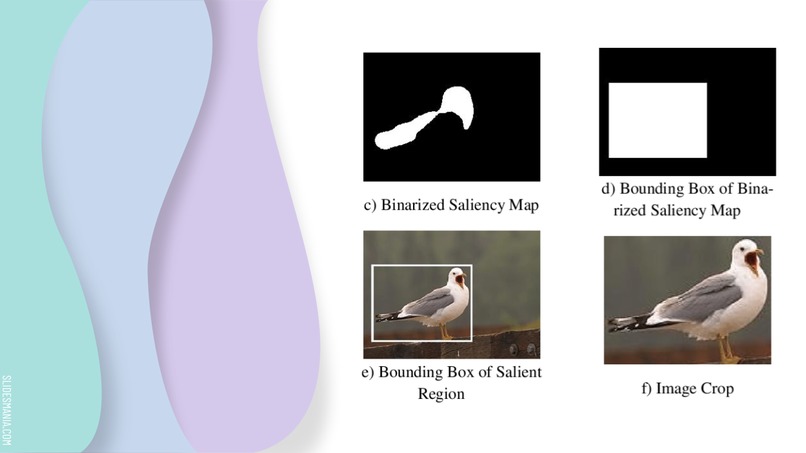
Saliency Cropping
-

What SightSense can do for the visually impaired...
-
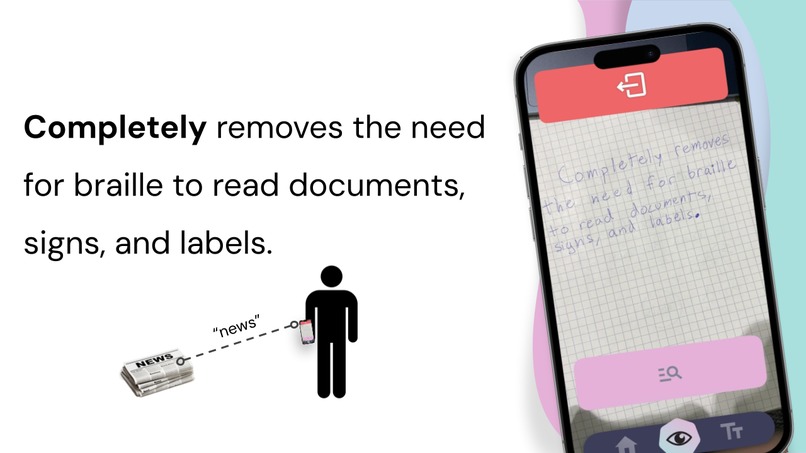
Remove the need for braille
-
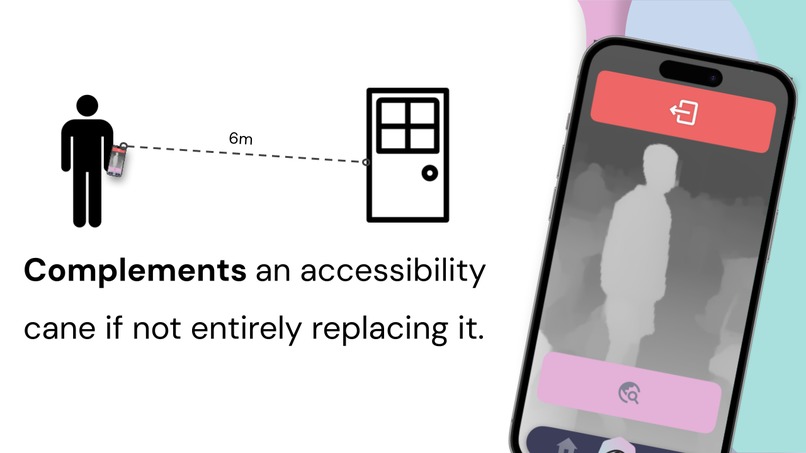
Complement an accessibility cane
-
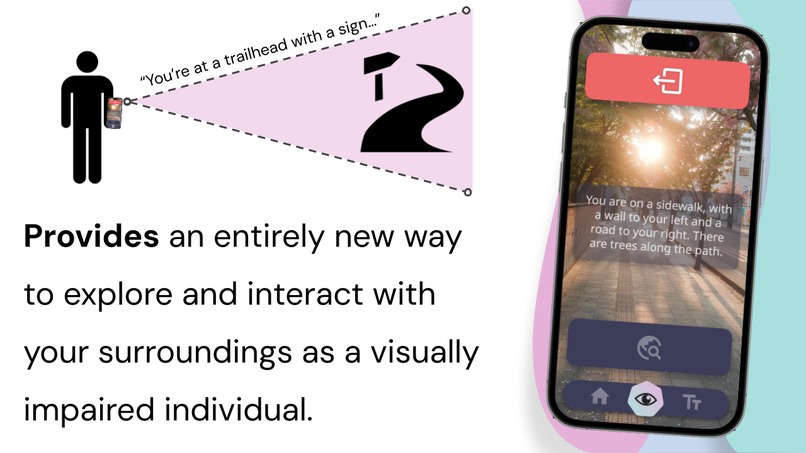
Interact with your surroundings like never before





Inspiration
We’ve always wanted to improve the lives of others in a field related to accessibility and technology. Considering the incredible amount of new research and interest behind Artificial Intelligence and Machine Learning, we saw a golden opportunity in a field where advanced AI had yet to make an entrance. Specifically, we observed that radical improvements in Computer Vision manifested the perfect environment for us to create an accessibility app that could meaningfully impact the lives of its users. And so, the idea for SightSense was born.
What it does
SightSense is an innovative blind visual assistant AI smartphone (iOS) app designed to revolutionize the world of the blind and visually impaired. We're powered by state-of-the-art AI and machine learning technologies, such as Convolutional Neural Networks and Vision Transformers, to offer an unprecedented level of accessibility and independence. SightSense is not just an app; it's a new way to perceive your surroundings. We're committed to functionality without an internet connection, so all of our features are available offline. Using Apple Vision and custom Vision Transformers, our app processes data onboard the device, to ensure privacy and security. Our advanced algorithms & convolutional neural networks deliver accurate and reliable object recognition, text reading, and spatial navigation. We also employ a powerful combination of OpenAI tools, image segmentation models, and other large language models to enhance our app and provide an interactive human-like voice assistant.
How we built it
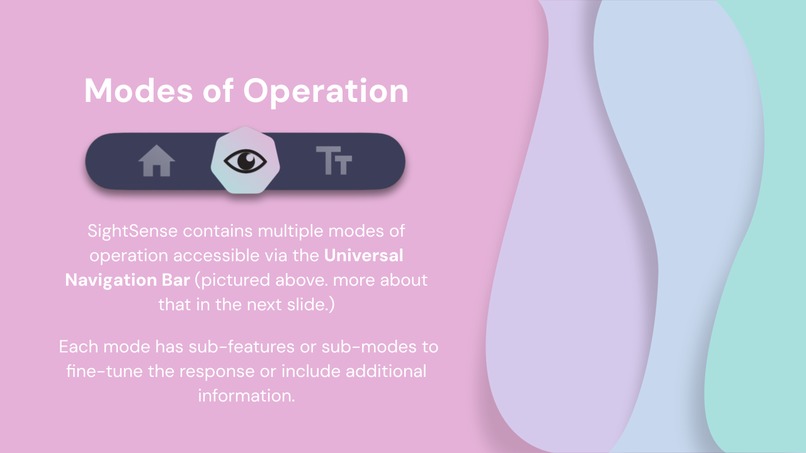
Our app is built for iOS with Swift and SwiftUI. We make use of a wide range of machine-learning models, customized and optimized to run directly on the built-in Neural Engine hardware on the latest iPhones. These models include SegFormer (custom build), MIT FastDepth, GoogleNet Places, and a custom build of YoloV8. Each of our features includes multiple fall-backs and safeties for when the phone's functionality is limited. In depth detection, for instance, we will first check for the existence of a LiDAR scanner. If it exists, we will use it. Otherwise, we will check to make sure the phone includes more than one camera. If it does, we will triangulate depth by comparing the image from each camera. However, if you are running SightSense on a much older phone, you'll still need a different solution. Luckily, we have an additional last fallback which will use MIT FastDepth (an ML model) to detect metric depth in the scene. In Text Detection, we utilize both fast and slow text detection models. The fast model is less accurate but is needed for real-time haptic feedback. When you capture an image, the app will use the slower, but more accurate, text detection model. To change between views quickly, we wanted an additional hands-free means of navigation. Our solution was the Voice Assistant, a built-in voice processor running constantly when using the app. The Voice Assistant can be triggered at any time by saying "Hey SightSense," and will interpret the spoken command to convert it to an action. Through this method, you can navigate anywhere within the app.
Challenges we ran into
While there were countless minor issues during our development process, we'll highlight the cornerstone struggles for our app.
- Text Detection: False positives occurred frequently in Text Detection. This is because the real-time haptic feedback text locator must compromise accuracy to run in real-time on iPhone hardware. So, we use a less accurate but much faster model to deliver haptics. It frequently recognized random characters and letters in places where they did not exist. To fix this, we used the Levenshtein distance algorithm to cross-reference the strings read in the current frame with the last frame. If the similarity between the two frames is less than 35%, we will consider the latest frame erroneous. The Levenshtein distance algorithm runs in O(n*m) time (where n is the input string A, and m is the comparison string), which is ideal for our use case.
- CNN (Convolutional Neural Network) De-noise for Scene Description and Text Detection: To clean up the image before providing it to the ML models, we perform many post-processing tasks that optimize the image input. One of these post-processing tasks is our de-noising feature. Unfortunately, we found that de-noising would take too long to execute. Instead of removing the de-noising, we instead decided to migrate all our image post-processing tasks to a separate thread and execute them asynchronously before providing them to the ML model.
- CameraBase Angular Rotation Optimization: We found that during our testing, the ML models perform best when provided with an image that is oriented vertically. To optimize the output of our models, we programmatically detect the orientation of the phone and rotate the images accordingly. This provides the user with the best possible output from the models. However, our image preview would crop and snap the image in strange ways when showing it to the user. While this won't be an issue for visually impaired individuals, we still wanted to fix it. To mend this issue, we implemented a gyroscopic camera preview that always faces upright for the user.
- PID (Proportional-Integral-Derivative) & Debounce (kIn + kOut) Haptic Controller: Our Haptic Feedback controller suffered from significant jittering when models would detect something for a short amount of time and then quickly stop detecting it. To fix this, we modified our Haptic Controller to utilize a PID control loop and smoothly transition between values. We also added a debouncer to prevent rapid unnecessary state-switching and improve the experience.
- etc...
Accomplishments that we're proud of
While we came into the hackathon with an extremely ambitious vision for this project, we're happy to say we executed our plan. We implemented nearly all of the features planned and kept a clear set of objectives from start to finish. We are particularly proud of the consistency and speed of our custom Voice Assistant, along with our Scene Description.
What we learned
Through the development of SightSense, we improved our Swift and SwiftUI capabilities, learned to optimize our models, and improved our understanding of accessibility needs and how to address them through technology. We also gained invaluable experience in integrating various AI and machine learning technologies to create a seamless and user-friendly app. This project has taught us the importance of multidisciplinary collaboration, the power of AI to make a positive impact in the world, and the need for inclusive design in technology development.
What's next for SightSense
We're proud of what we accomplished here in a single day but have no plans to finish our work here. The next feature that we plan to implement is Locate. If you'd like to know more about Locate, please ask us personally.


Log in or sign up for Devpost to join the conversation.