-
This is our mascot
-
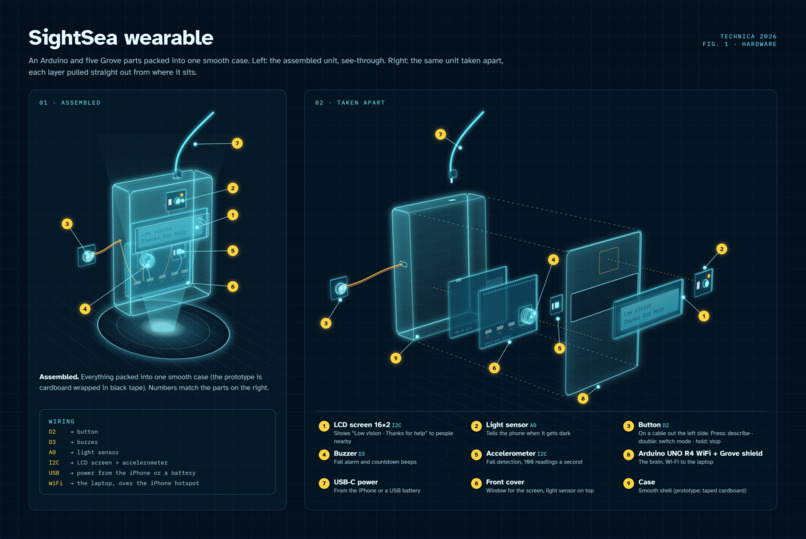
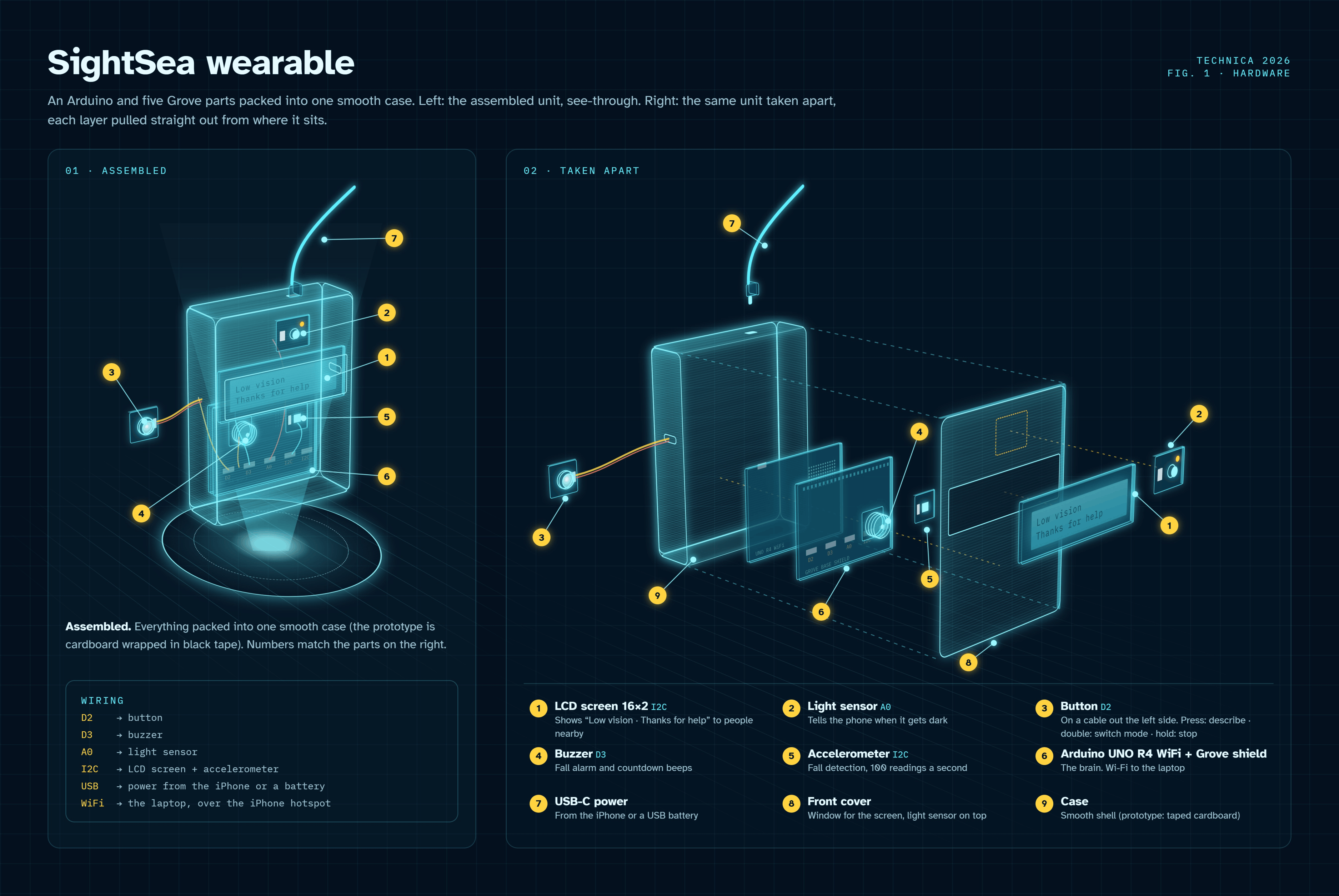
Description of our Arduino controller
-
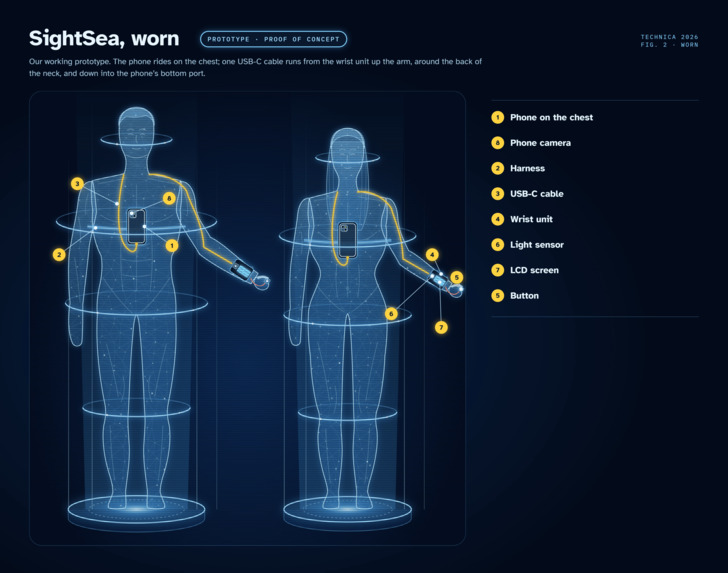
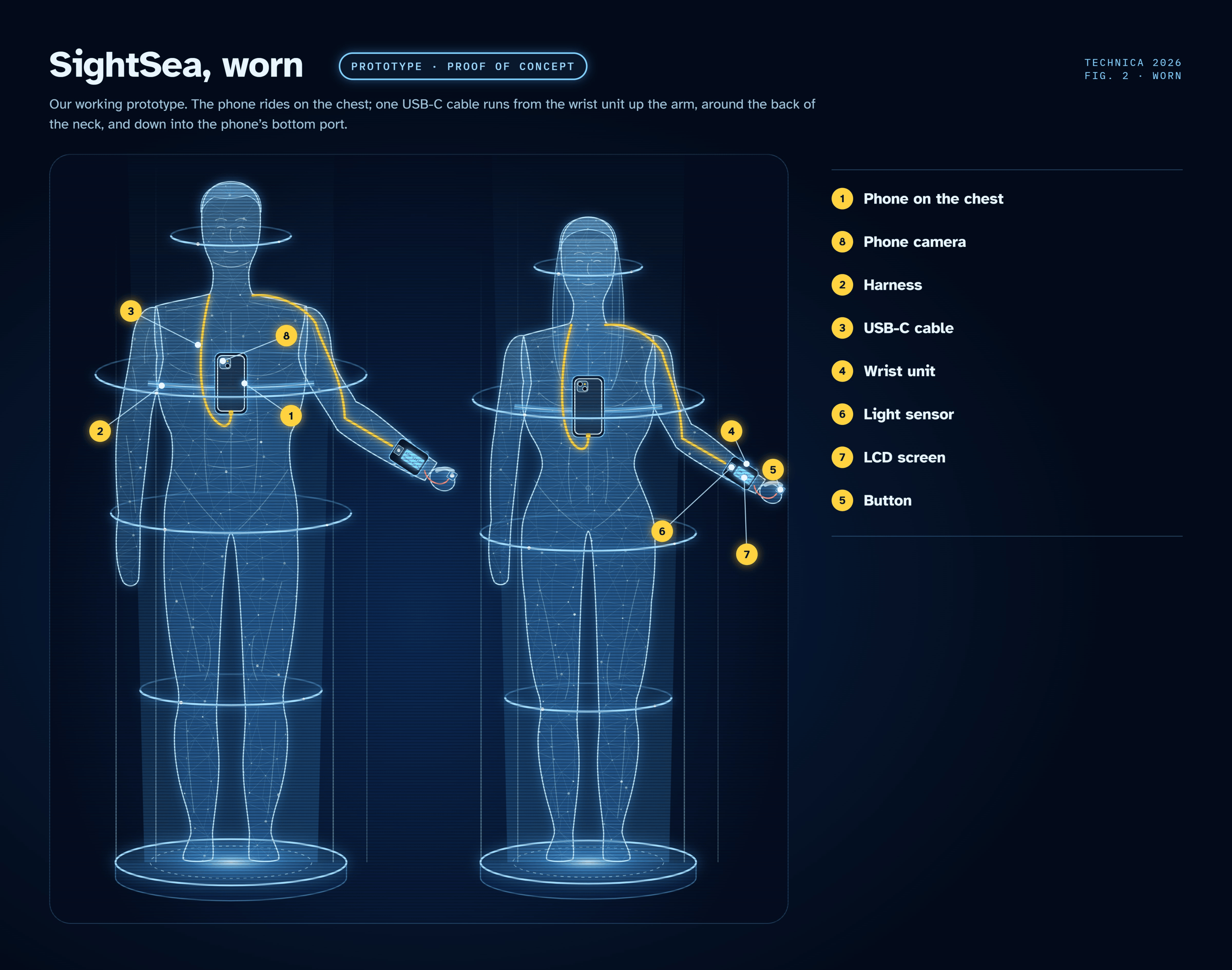
Proof-Of-Concept. A demonstration of how our prototype operates.
-
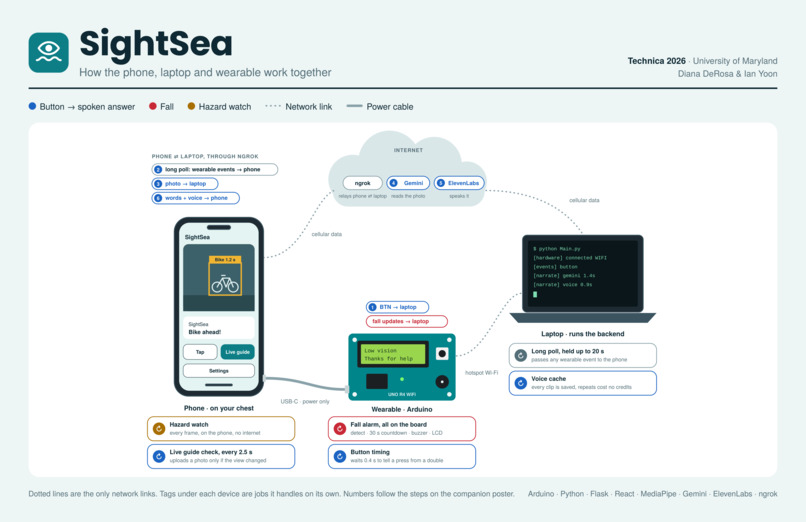
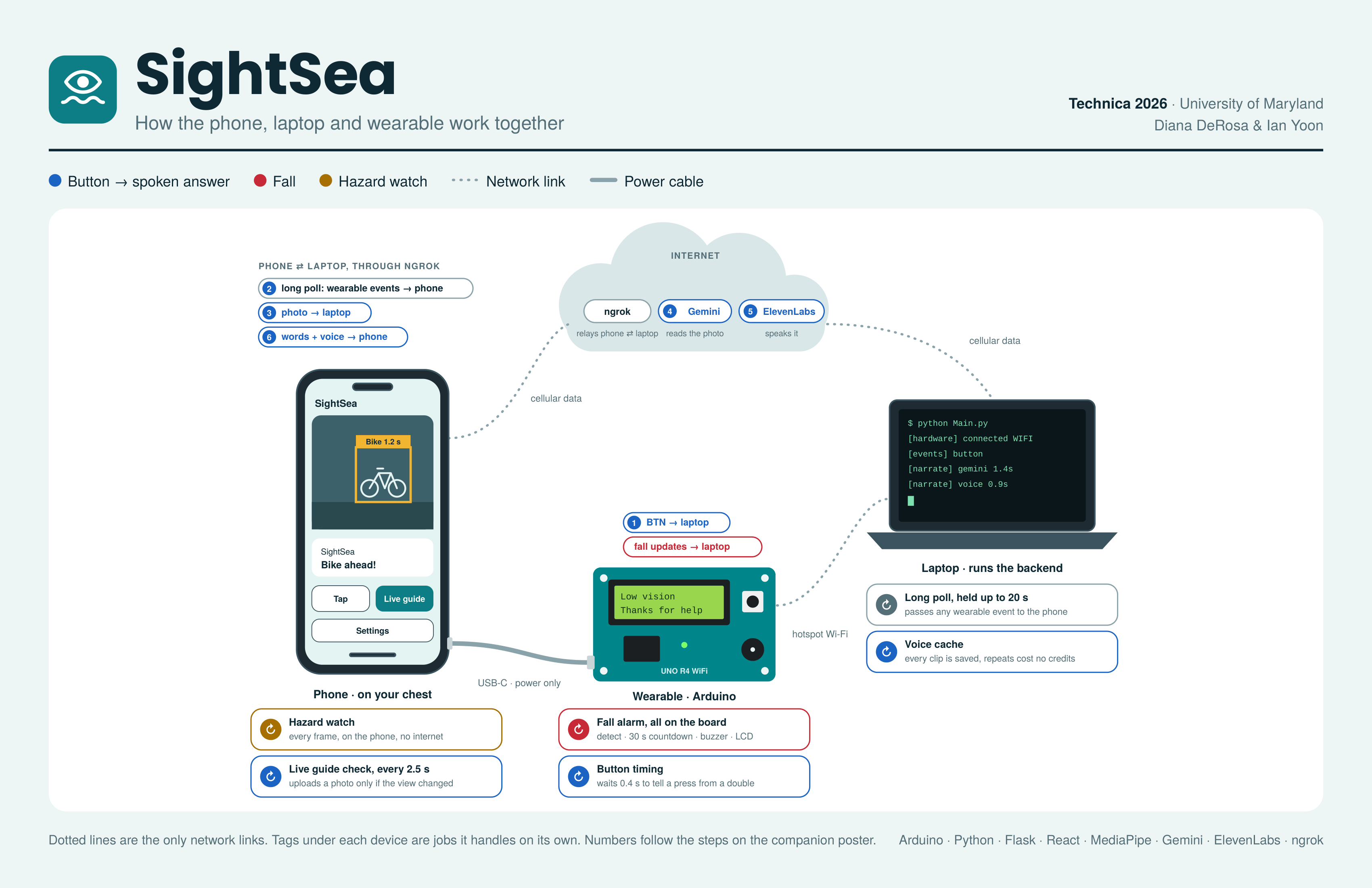
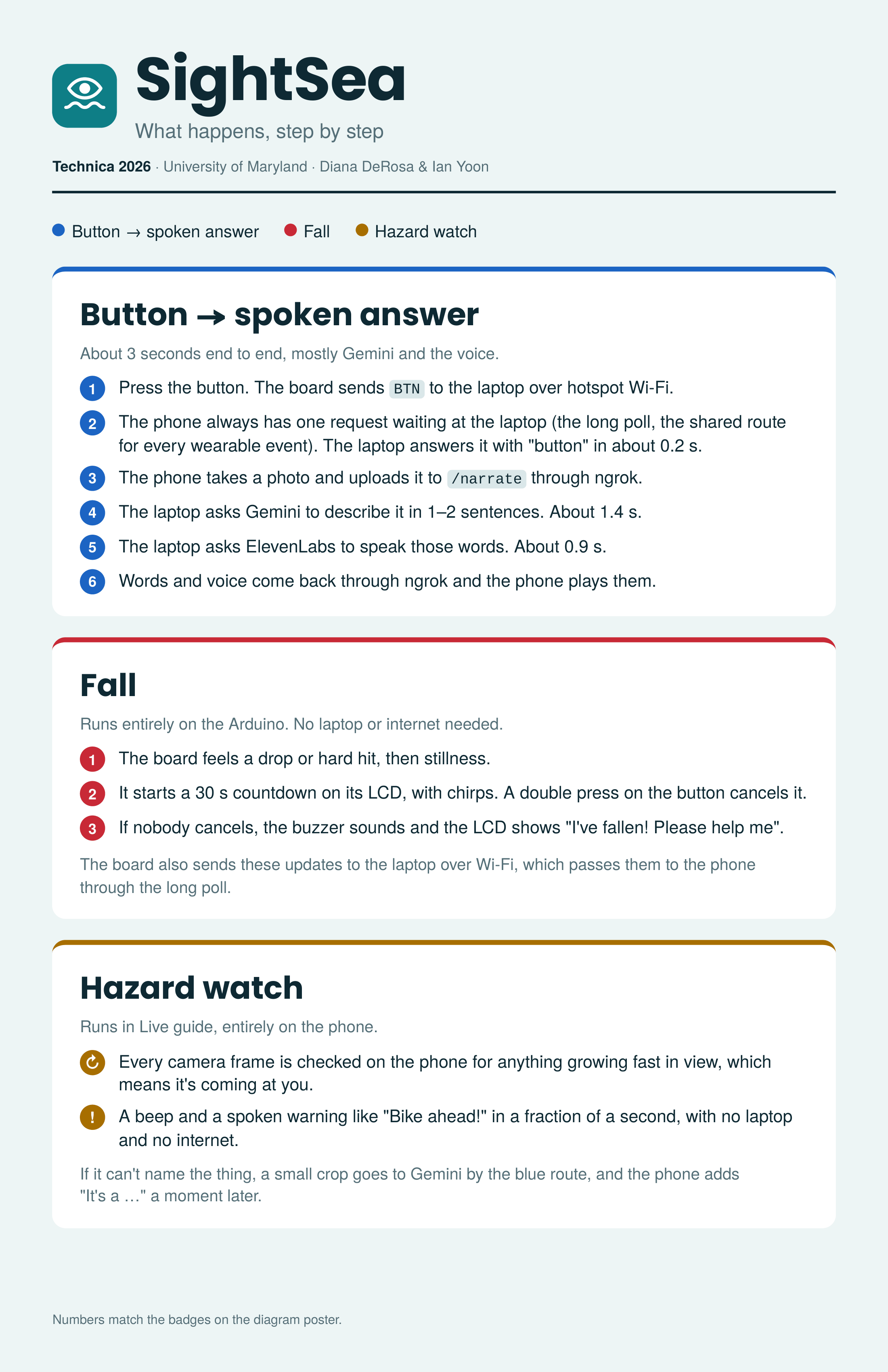
Device Intercommunication. Shows the different response-request lifecycles different actions take
-
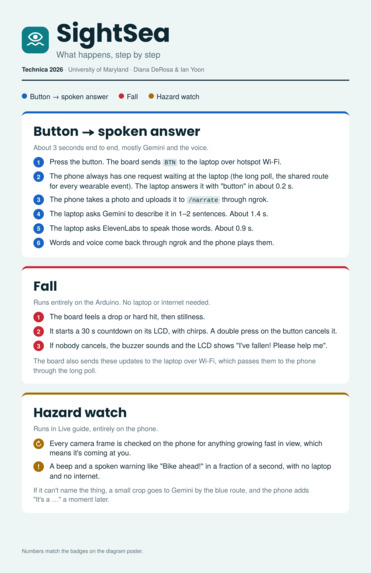
Description of Intercommunication. Describes device intercommunication.
-
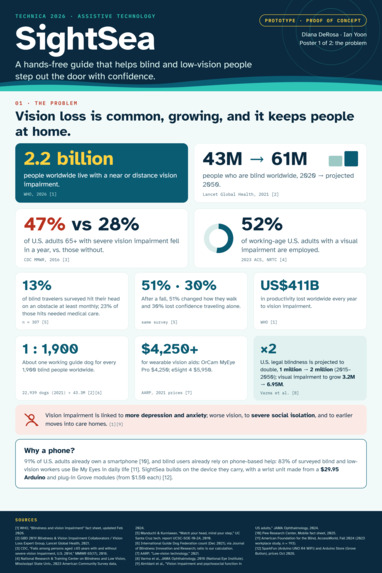
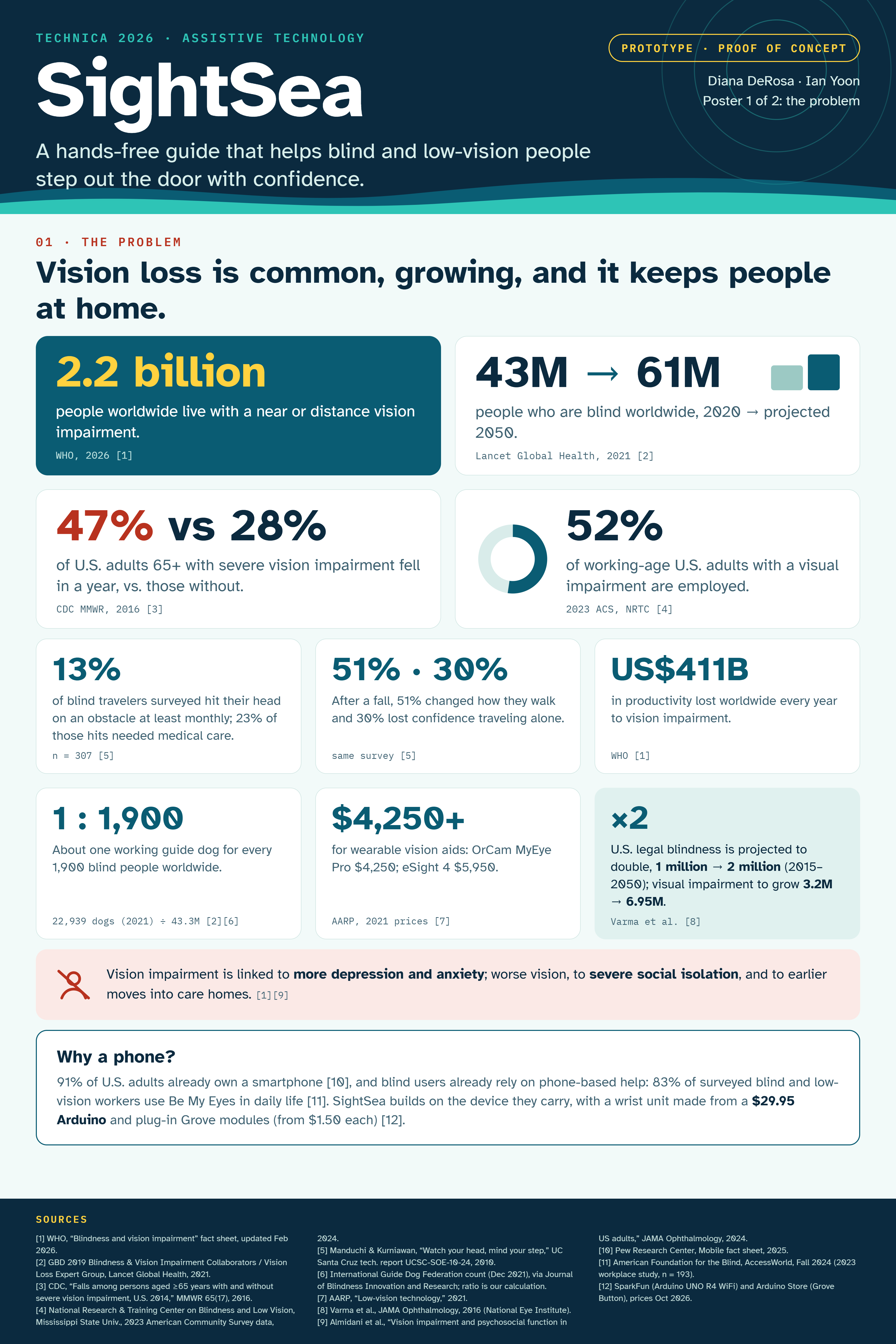
Impact Outline #1
-
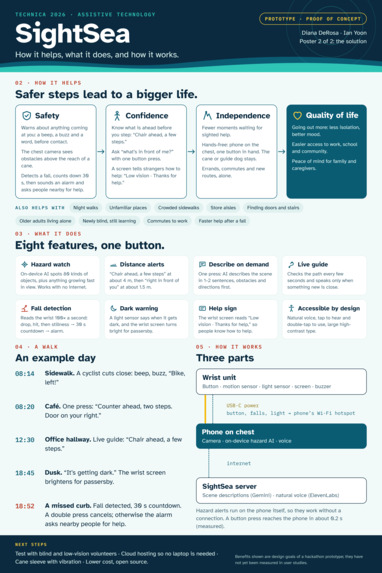
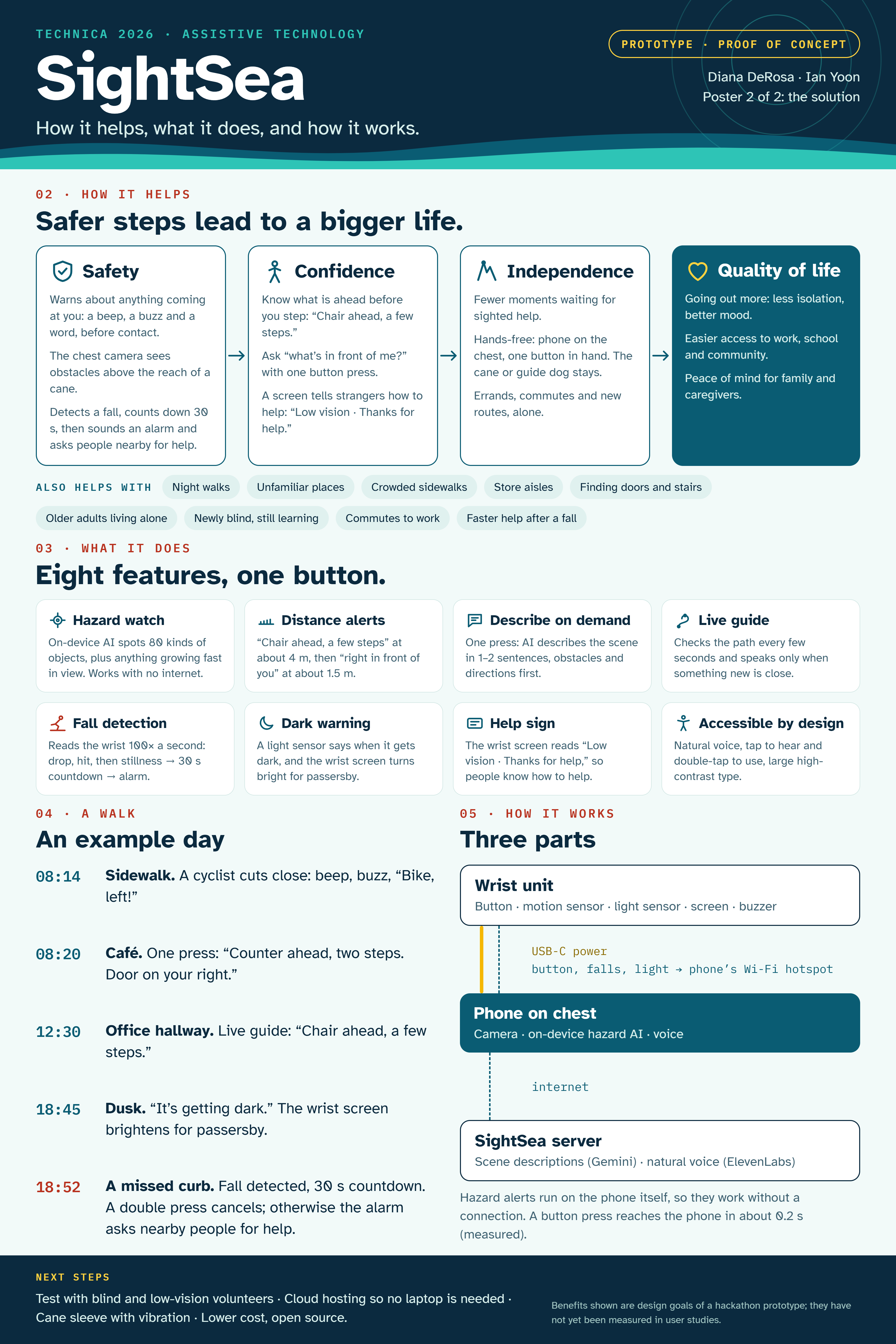
Impact Outline #2
-
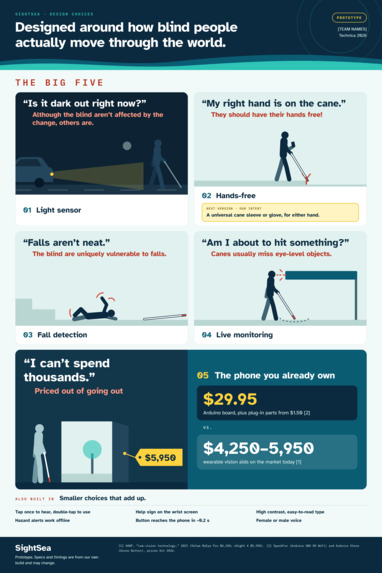
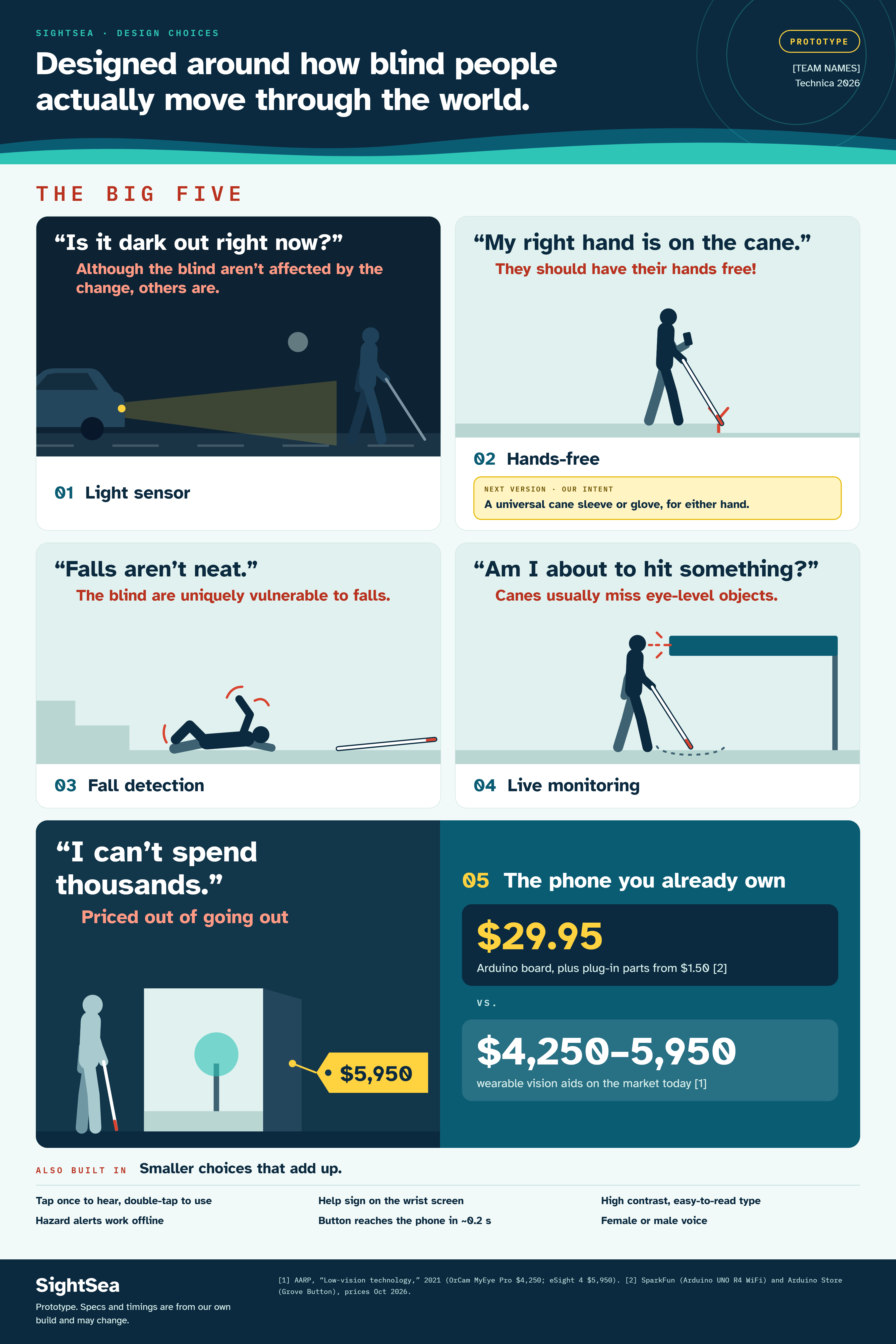
Purposeful Builds
-
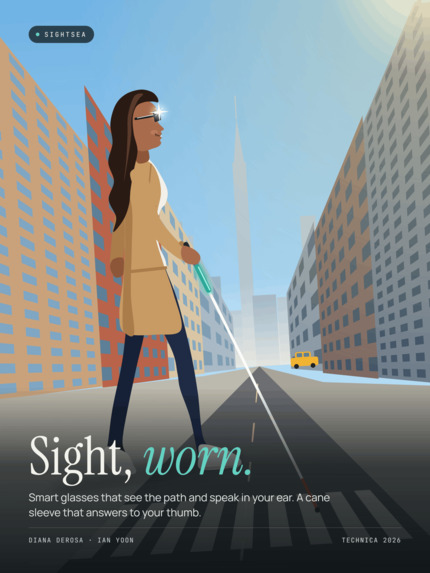
Ultimate Vision
-
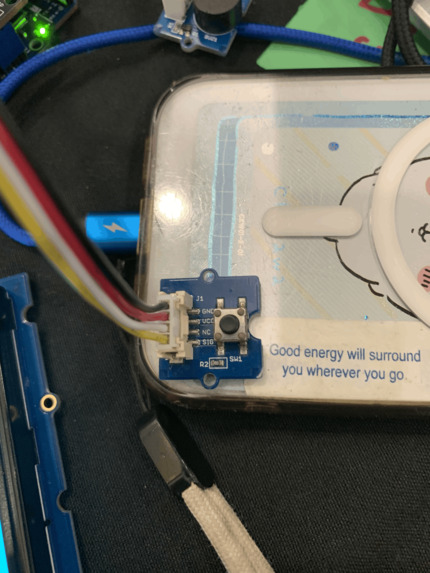
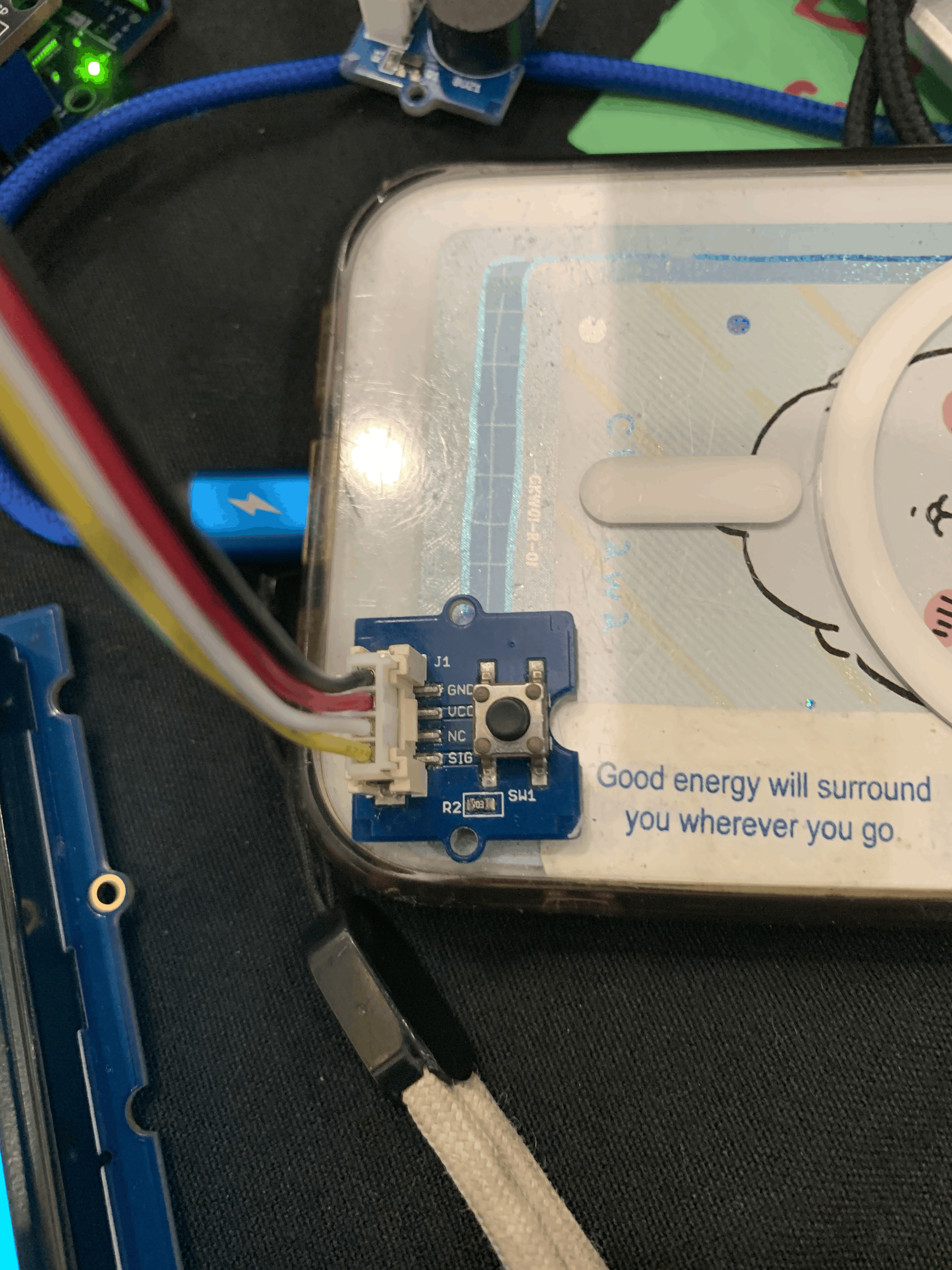
Button. Button used for all Arduino controls.
-
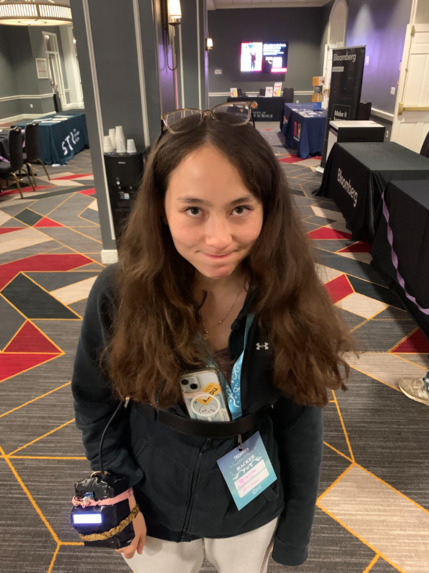
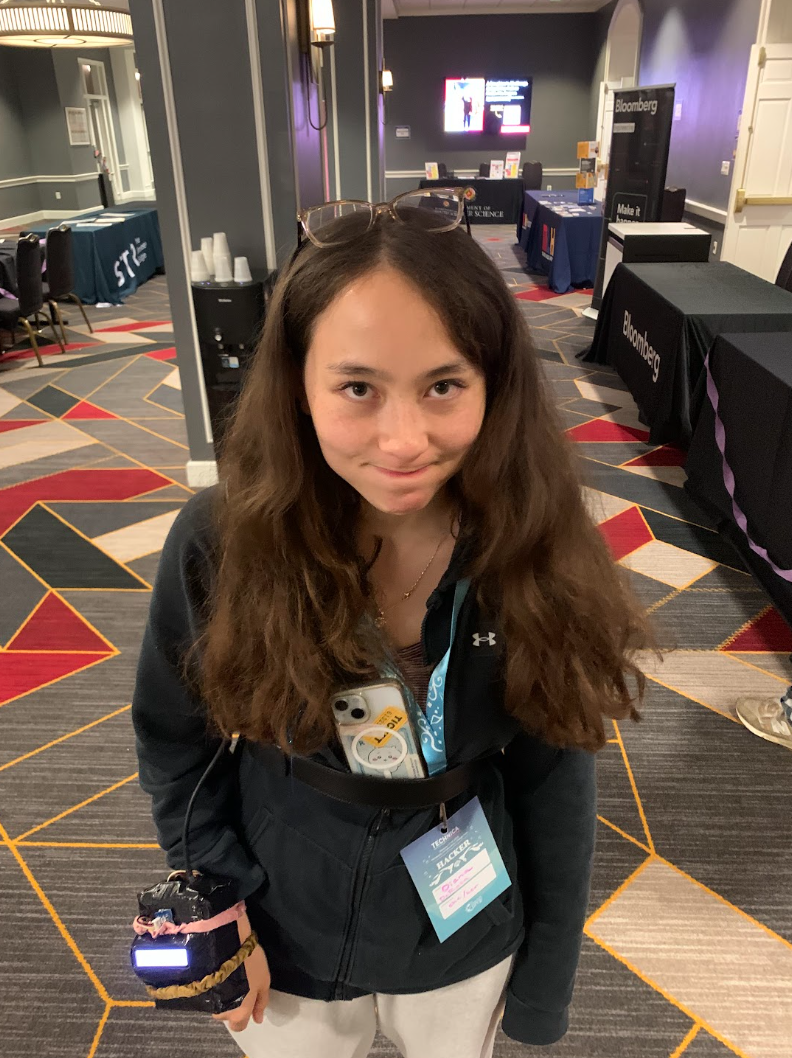
Diana testing our device
-
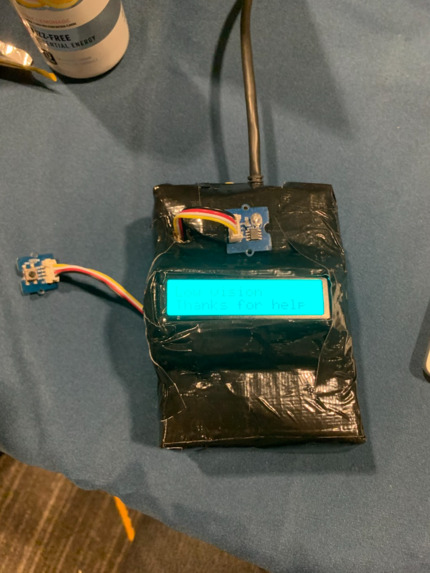
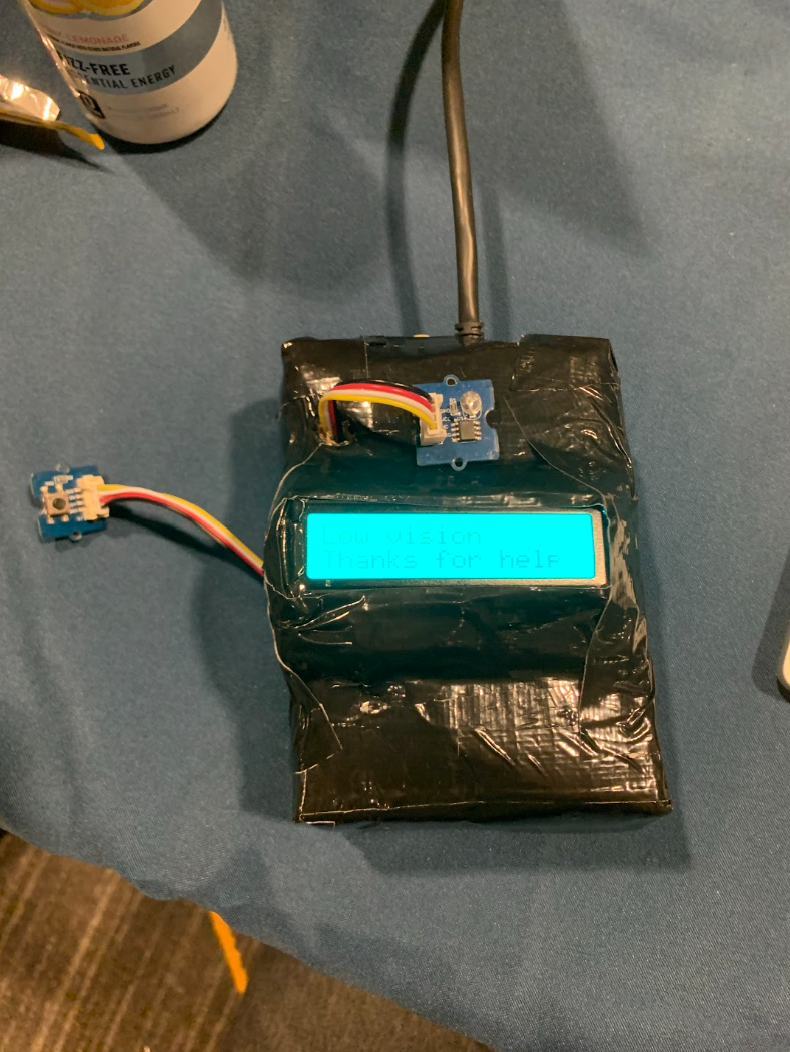
Our Arduino hardware packaged inside a container.
Inspiration
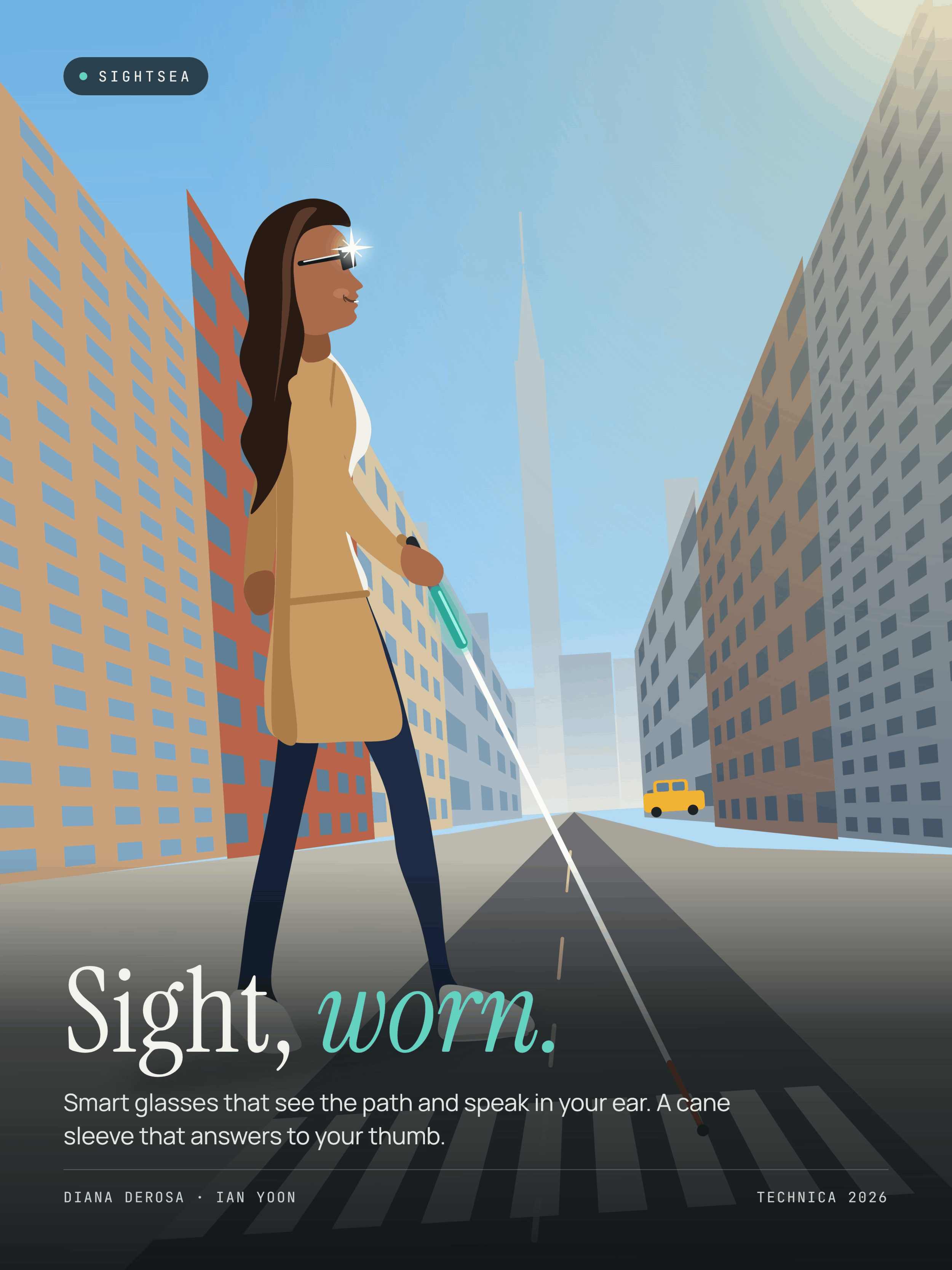
Millions of people all over the world deal with vision loss. For many, they navigate a world built for sighted people. Getting around can mean constant guessing, like what does that sign say? Is there someone in front of me? A cane can help you find what's at your feet, but not in front of your face. People with impaired vision are also at a significantly higher risk of falling. We wanted to create something that helps people feel empowered to navigate through the world and explore their surroundings by relaying their surroundings out loud and on demand, with a natural voice and without having to look at a screen. We also wanted to build in protection for those who may need help when they encounter a dangerous situation.
What it does
SightSea connects your phone to a physical device on your wrist through WiFi. You can either use your phone's camera to detect your surroundings, or connect a camera and attach it to your body at your chest, wrist, etc. Then, the user points the camera at whatever they want to be detected and the phone will describe the scene in a natural voice. In Tap Mode the user will press a button on the device when they want their surroundings to be described. In Live Guide, the users surroundings will be relayed to them live when something new appears. The wearable device also contains an accelerometer to detect falls. When a potential fall is detected, a 30 second spoken countdown begins, which can be cancelled with a double press of the button. If it is not cancelled after 30 seconds, an audible alarm will sound to alert nearby people to come assist the fallen person. The device also contains an LCD screen that will turn red and display "I've fallen, please help me!". The LCD screen can also be used to display anything the user desires. For example, it can display "please help me navigate to the nearest convenience store". Finally, we also implemented a light sensor in order to alert the user when they are getting to darker areas where the functionality of SightSea might be limited by the lack of light.
How we built it
Wearable: Arduino UNO R4 WiFi with a Grove Base Shield, accelerometer, light sensor, button, buzzer and RGB LCD. It joins the phone's hotspot, and the laptop finds it by itself over Wi-Fi (USB works too). Fall detection looks for free-fall or impact followed by stillness. Server: Python and Flask on a laptop. Google Gemini describes images, with automatic fallback across models and OpenRouter as a backup. ElevenLabs turns text into natural speech, with a cache so repeated alerts play instantly and use fewer credits. OpenCV reads the wrist webcam. Phone app: a React web app reached through ngrok, so any phone browser works with nothing to install. Hazard watch uses MediaPipe object detection plus our own "looming" detector, which tracks small patches between frames to measure how fast each part of the view is expanding. Keys stay safe: API keys live only on the server, never in the app or on GitHub.
Challenges we ran into
Getting the Arduino onto Wi-Fi: iPhone hotspots use 5 GHz unless you turn on Maximize Compatibility, and the board only supports 2.4 GHz. We added on-board messages that say why joining failed. Free-tier API limits: Gemini and ElevenLabs quotas ran out mid-testing, so we added model fallback, response caching and a test mode with fake descriptions. Making an app usable without sight: every button had to speak, taps had to be safe to explore, and the layout had to fit one screen so nothing moves while you use it. Tuning fall detection so it catches real falls without going off every time you move your arm. Merging two people's work on the same files under time pressure.
Accomplishments that we're proud of
We are really proud of our UI, because we designed it with visually impaired people in mind throughout the entire process to make it as accessible as possible. Every button can be read out to you, the color scheme is high contrast, each button is as large as possible, and everything is super intuitive. This way, the interface is as easily usable as possible for everyone. We are also proud of how our Live Guide hazard detection can work offline, in cases of dropped signal. Finally, we are very proud of how we were able to get our hardware to work reliably and have a real proof of concept to be able to showcase. Having a hardware aspect to this project greatly increases the accessibility and the detection possibilities. Actually having a physical button that the user can press while having their hands free makes the project a lot more realistic and useful for real people.
What we learned
We learned a lot about the process of debugging and the trial and error of getting a project to fruition in a way that is satisfying and actually usable. This project also gave us both a lot of experience using git and AI agents. We learned a lot about utilizing AI with API keys and staying within its usage limits and costs. It was also our first time connecting a microcontroller wirelessly using WiFi. Overall, this project gave us tons of experience in hardware, software, AI, user-friendly design, and teamwork.
What's next for SightSea
We want to improve the hardware to make it a lot more compact to be easily and discretely worn on a user's wrist, or implemented through glasses, similar to the style of the Meta glasses. We also want to implement a much smaller camera on the device along with a compact battery pack to be stored in one place. We also want to run the server completely on the phone itself, so that it is not dependent on the connection to the laptop. Finally, we would implement a vibration motor for silent alerts, and get feedback from real visually impaired people through testing and receiving feedback.
Built With
- arduino
- c++
- claude
- cloudflare
- elevenlabs
- figma
- flask
- git
- github
- google-ai-studio
- google-gemini
- grove
- javascript
- mediapipe
- ngrok
- opencv
- openrouter
- python
- react
- vscode

Log in or sign up for Devpost to join the conversation.