-
-
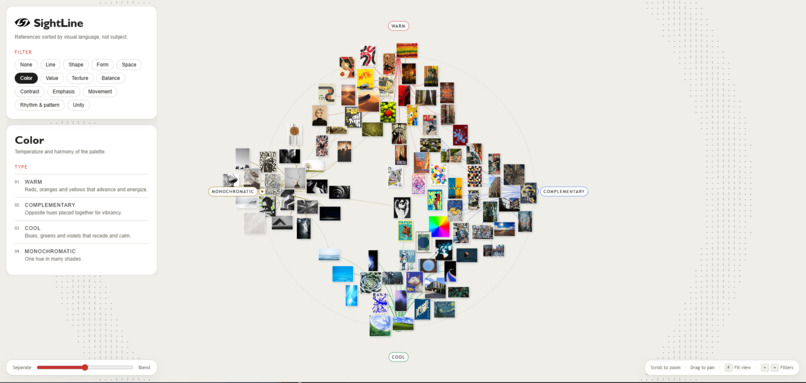
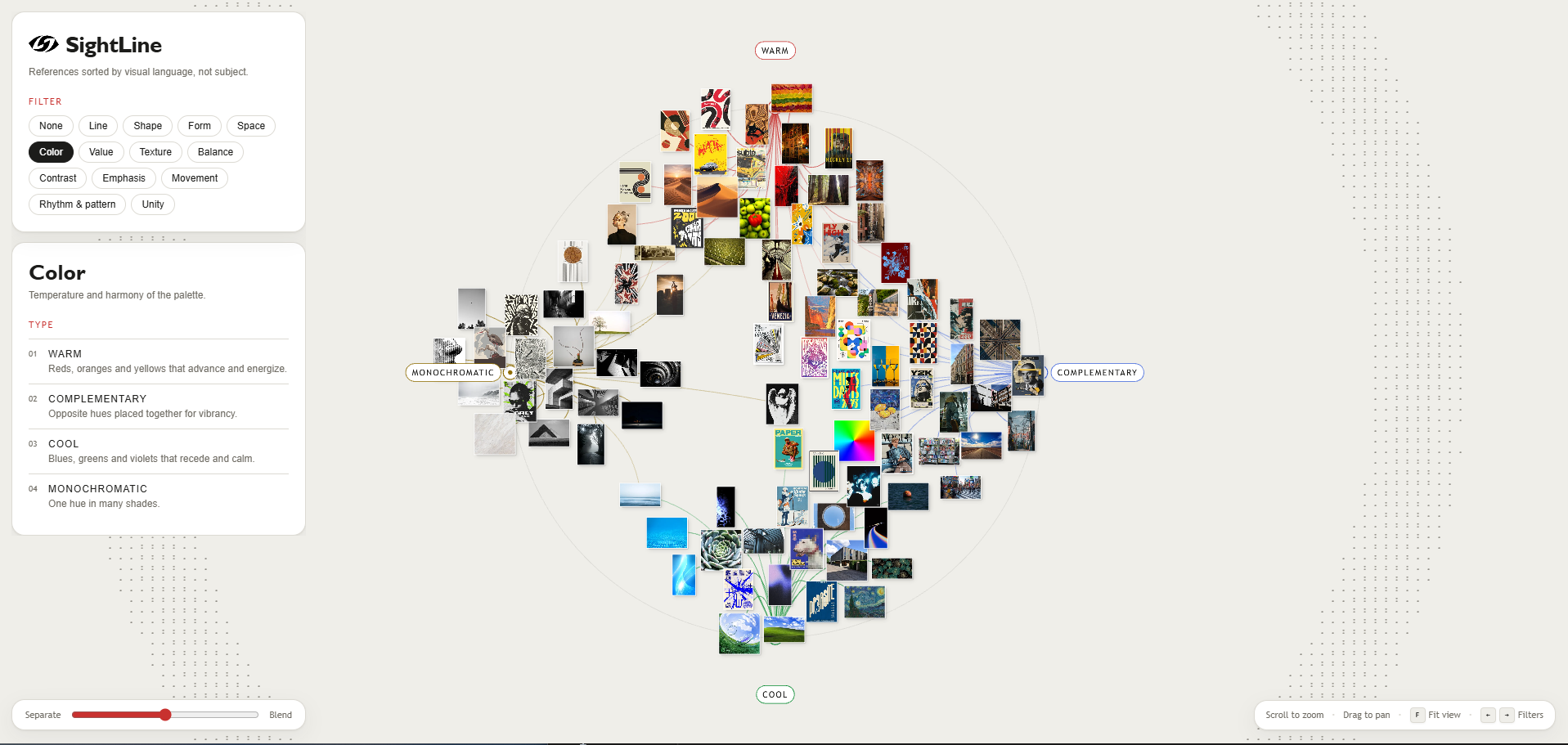
Color Sort, Medium Spread
-
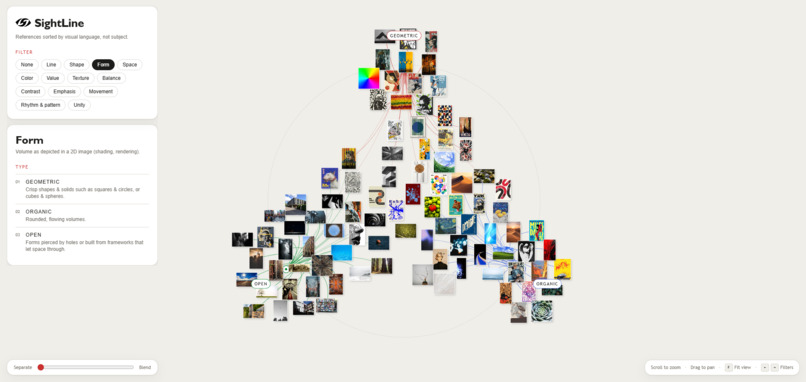
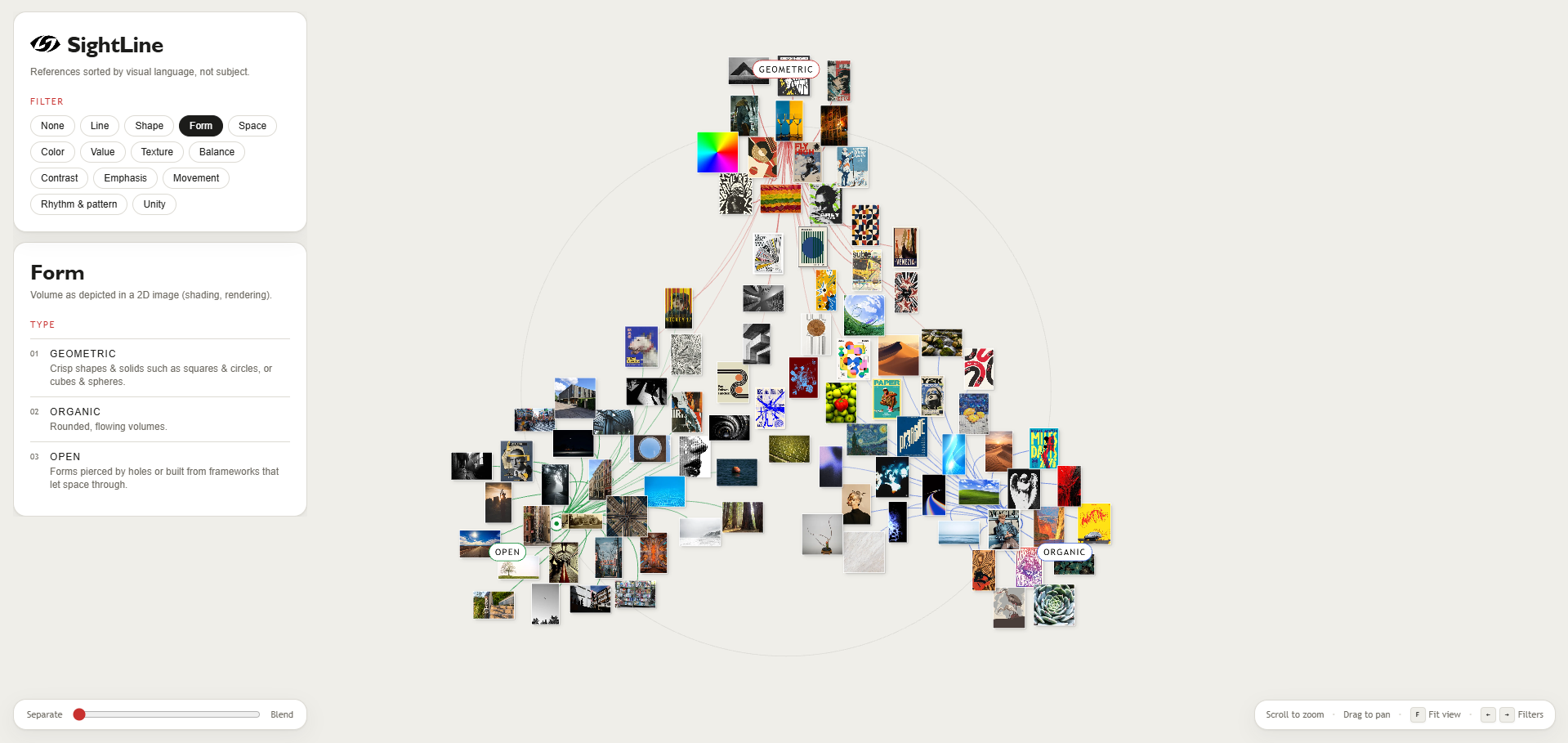
Form Sort, High Spread
-
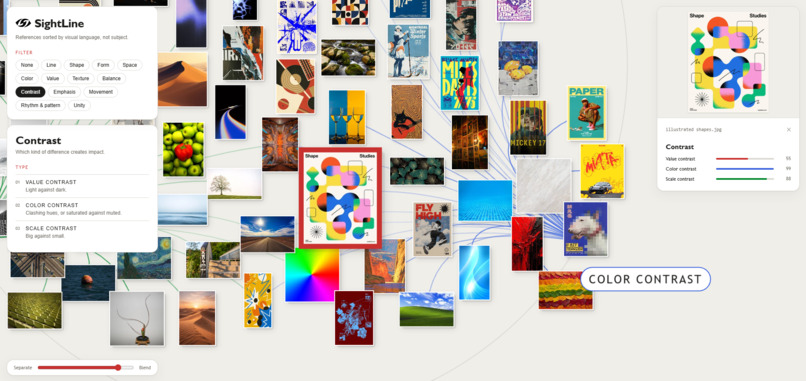
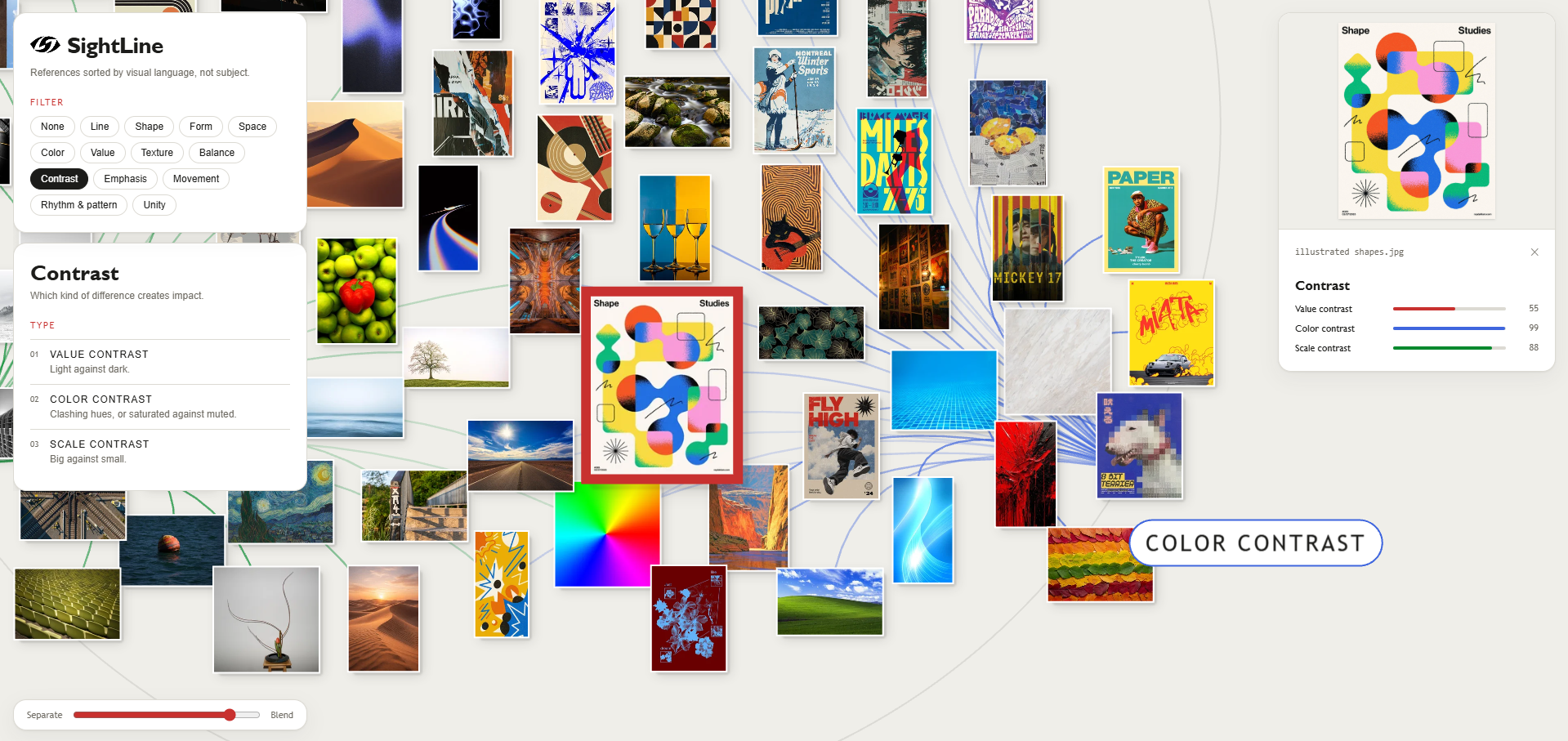
Zoomed in view
-
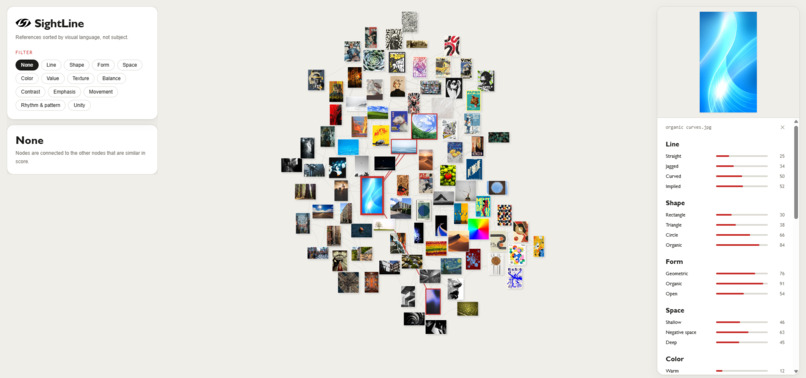
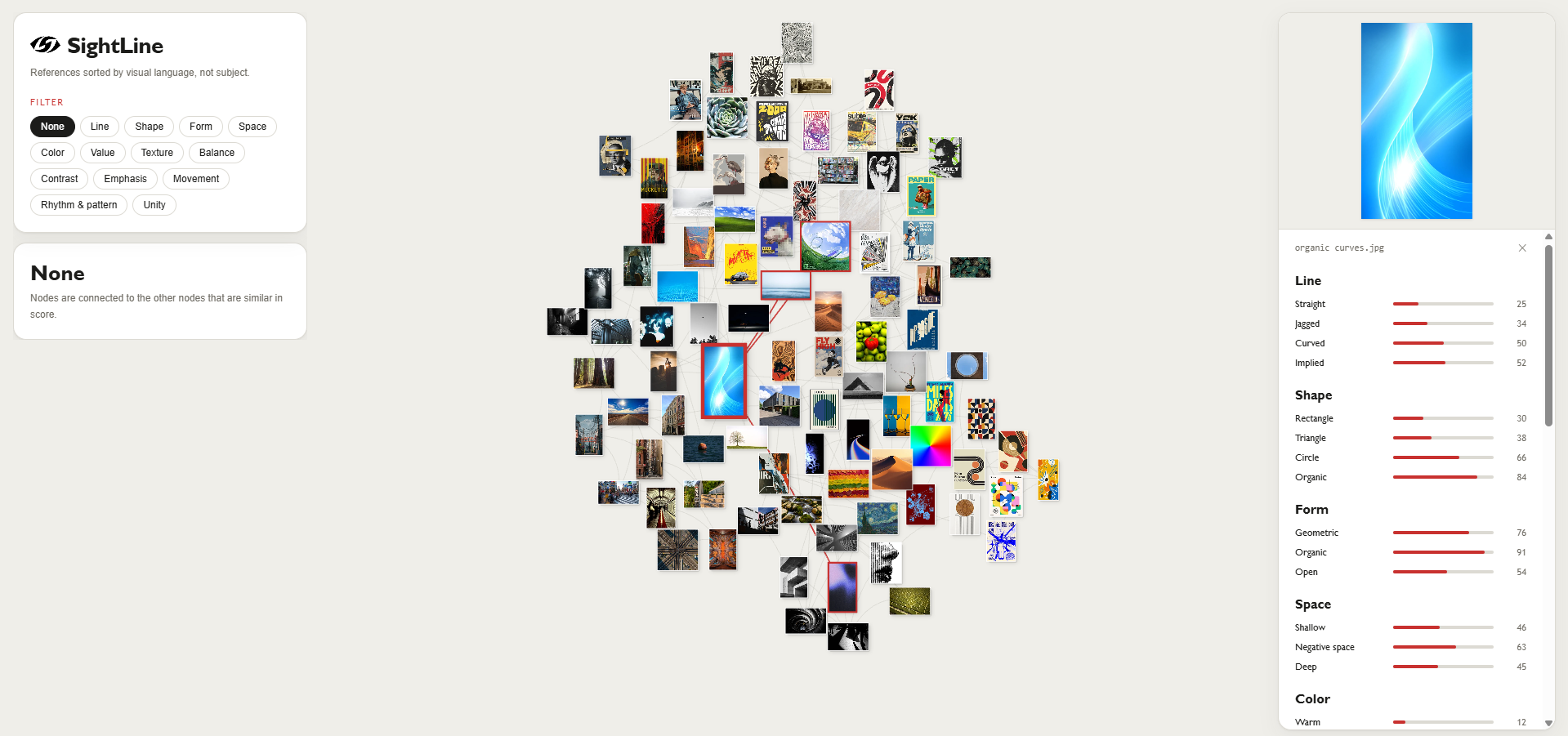
Similarity map (No Sort)
Inspiration
Most artists and designers keep a reference folder that grows incredibly quickly. Pinterest boards and mood boards store things by subject or by vibe ("posters," "Y2K," "stuff I like"). You can sense that the pieces you save have something in common, but you can't point to it, making it difficult to purposefully apply it. We wanted a tool that names that common thread.
What SightLine does
SightLine is a self-organizing graph of visual references, sorted by how images look rather than what they show. Every image is scored on the vocabulary of a design foundations course: 13 categories (line, shape, form, space, color, value, texture, balance, contrast, emphasis, movement, rhythm and unity) broken into 40 subclasses such as jagged line, radial symmetry and high-key value.
Pick a category and the collection rearranges itself. Under Line, the subclasses become anchors on a ring. Straight-line images gather at one anchor, jagged-line images toward another, and so on for curved- and implied-line images. Each image is pulled toward the anchors in proportion to its scores, so pure examples sit on an anchor and mixed ones float between. Two-sided spectrums such as Value lay out as a left-to-right gradient.
With no category, a UMAP layout over all of an image's scores places images with similar overall visual language near each other, with faint lines linking each image to its closest matches.
A Blend to Separate slider controls how strongly each image commits to its dominant quality: Blend keeps the nuance, Separate pulls the clusters apart.
Hover or click any image to see its scores. Each score is a percentile across your collection, so "0.9 radially symmetry" means more radially symmetric than 90% of your references.
How we built SightLine
Taxonomy as data: Categories, subclasses, definitions and model prompts all live in one YAML file that gets seeded into the database. Changing what SightLine looks for means editing text, not code.
A Python image-analysis pipeline: Managed with uv and built with OpenCV, NumPy, PyTorch, and pre-trained models to process each new image.
Pixel math: About 40 deterministic measurements, including luminance, hue histograms, mirror symmetry, Hough lines, edge orientation, saliency, and FFT repetition, for qualities that can be measured directly.
SigLIP 2: Zero-shot image-text similarity against 1–3 hand-written prompts per subclass, for perceptual qualities pixel math cannot capture, such as implied lines or swirling movement. No model training required.
DINOv2: Structural image embeddings stored in pgvector for visual-similarity and nearest-neighbor search.
Collection-wide normalization: Raw scores sit on different scales (brightness runs 0–1; cosine similarity sits around 0.05–0.15), so each score becomes a percentile across the whole collection. Pixel and SigLIP percentiles are then blended with a per-subclass weight. A UMAP pass computes the unfiltered layout.
Front end: Next.js and Tailwind, with PixiJS rendering thumbnails as interactive canvas sprites and d3-force running the graph physics. Images ease toward score-weighted targets and their collision radius expands as thumbnails grow on hover. A rubber-band camera boundary resists dragging too far into empty space, gently pulling the view back toward the image cluster.
Supabase: Postgres, pgvector, and Storage is the runtime source for image files, thumbnails, embeddings, scores, and the seeded taxonomy. The Next.js web app reads this data through Supabase’s auto-generated REST API, while a development upload route triggers the Python ingestion pipeline for new images.
Challenges we ran into
Making qualitative vocabulary measurable: Turning ideas like "implied line" or "convergence" into something a model can score meant rewriting SigLIP prompts many times so they describe the visual mechanism rather than a subject. We also had to decide, subclass by subclass, how much to trust pixel math versus the model.
Incomparable scores: SigLIP similarities are squeezed into a tiny band, while pixel metrics span the full range. Percentile normalization fixed that, but it makes scores relative, so the combine step has to rerun across every image whenever new ones are added.
Refining the physics: Our first force simulation pulsed and jittered. Hovering an image reheated the whole layout, and hovered thumbnails jumped a full frame to clear a pinned one. The fix was a much gentler reheat on hover plus easing hovered nodes away from pinned ones in small steps.
Coordinating a four-person team around one database: a shared hosted Supabase project, public read keys for everyone, and a secret write key only for whoever was adding images.
What's next for SightLine
Image comparison mode: Select two images and view their shared and contrasting visual qualities side by side.
Accounts: Create personal accounts to save reference libraries, preferences, boards, and analysis history.
Sharing boards: Share curated reference boards with teammates, clients, or collaborators through links and permissions.
More filters and subfilters: Add more detailed visual categories and allow users to create custom filters for their own visual language.
Collaboration: Support shared boards, comments, annotations, reactions, and collaborative reference curation.
Live upload: Add a FastAPI
/uploadendpoint that reuses the scoring pipeline, allowing new images to be analyzed, stored, and added to the graph within seconds.Multiple boards: Allow each user to create and manage separate boards for distinct projects, moods, clients, or collections of images.
Personal taste reports: Generate summaries of visual trends within a collection, such as recurring color palettes, contrast levels, composition styles, and design principles.
Built With
- claude
- codex
- d3-force
- dinov2
- github
- hugging-face-transformers
- next.js
- node.js
- numpy
- opencv
- pgvector
- pixijs
- postgresql
- python
- pytorch
- react
- siglip-2
- supabase
- supabase-storage
- tailwind-css
- typescript
- umap
- uv



Log in or sign up for Devpost to join the conversation.