-
-
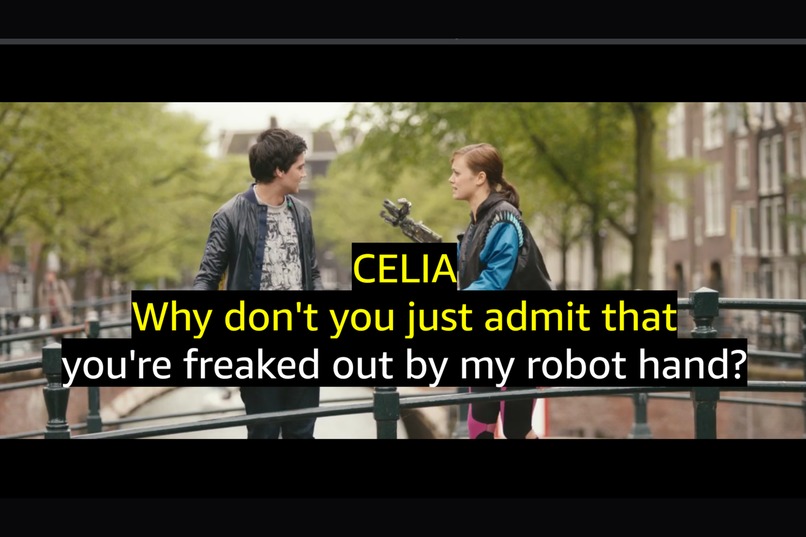
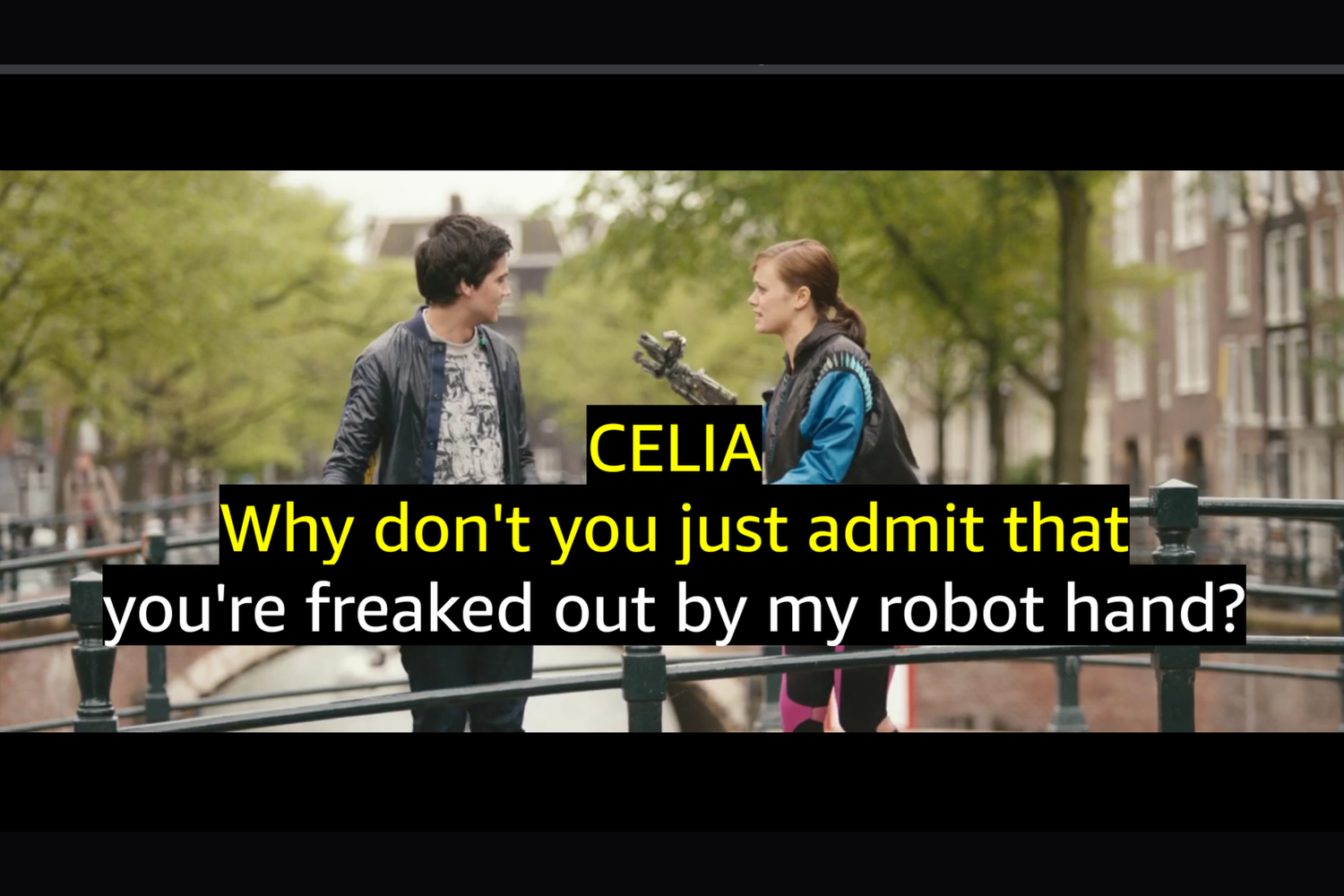
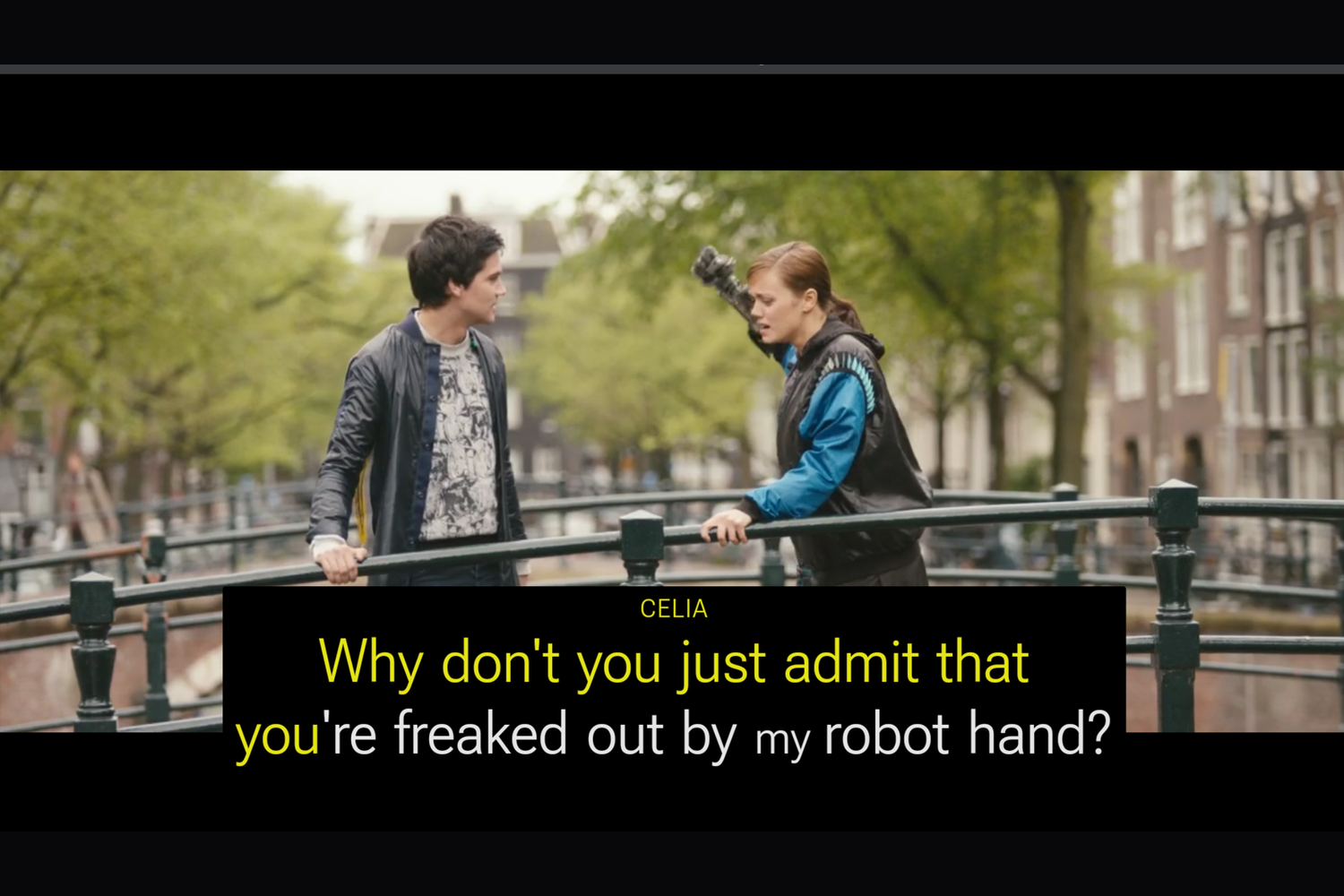
Speaker-aware: a name and a colour per speaker, each word turning to the colour as it is said. Drawn by Fire TV's own renderer.
-
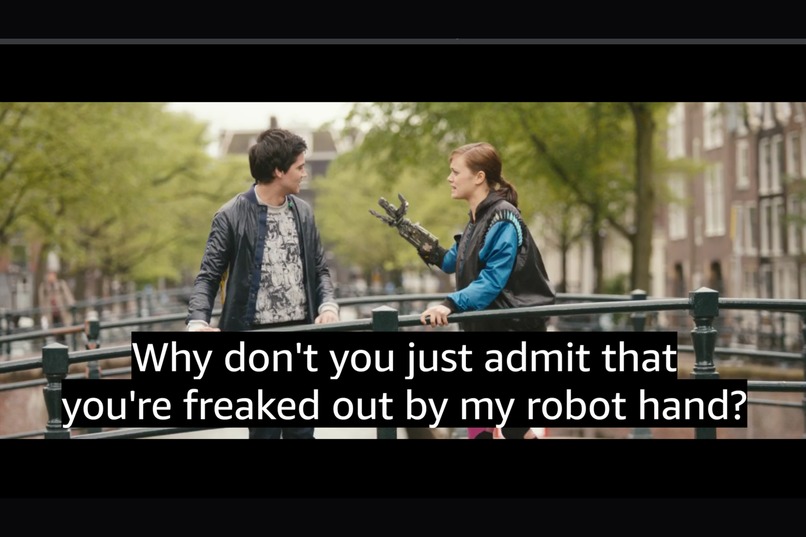
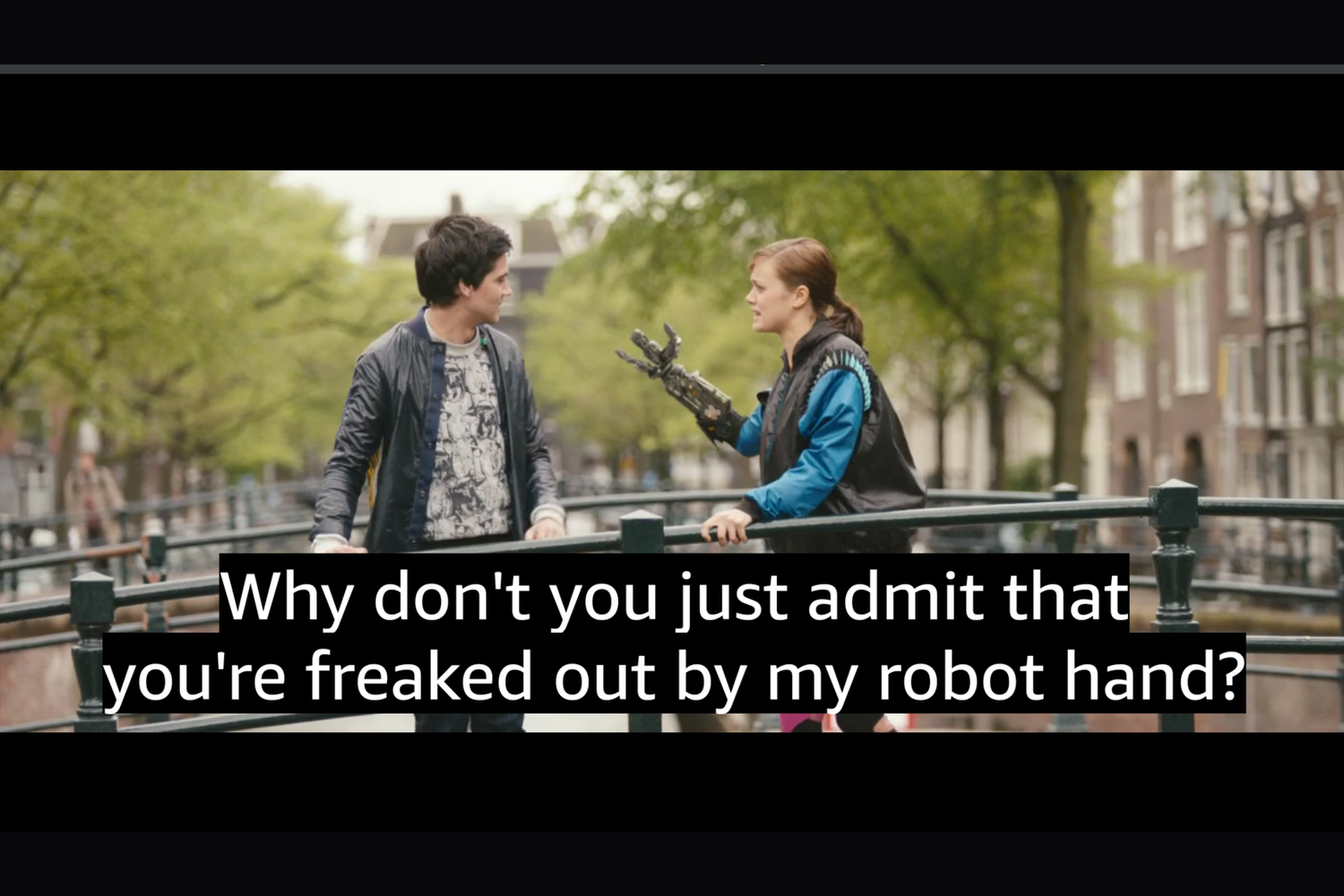
Standard: the captions as written, drawn by the TV in the viewer's own caption style.
-
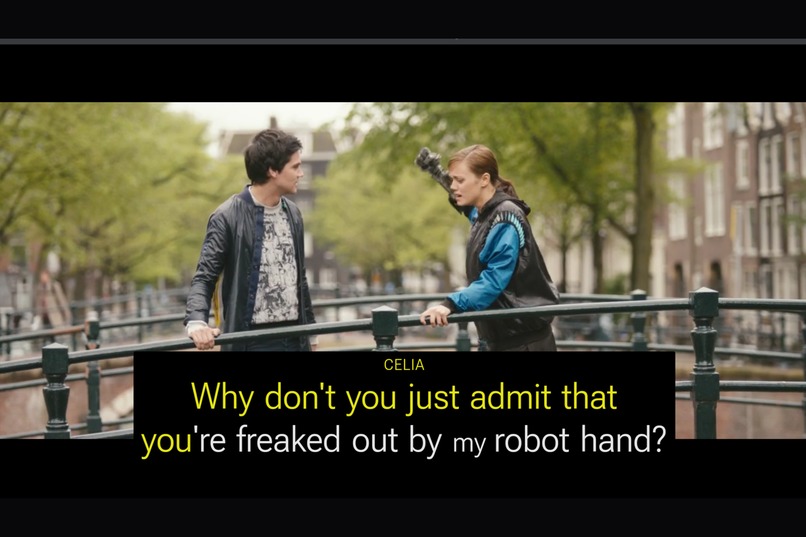
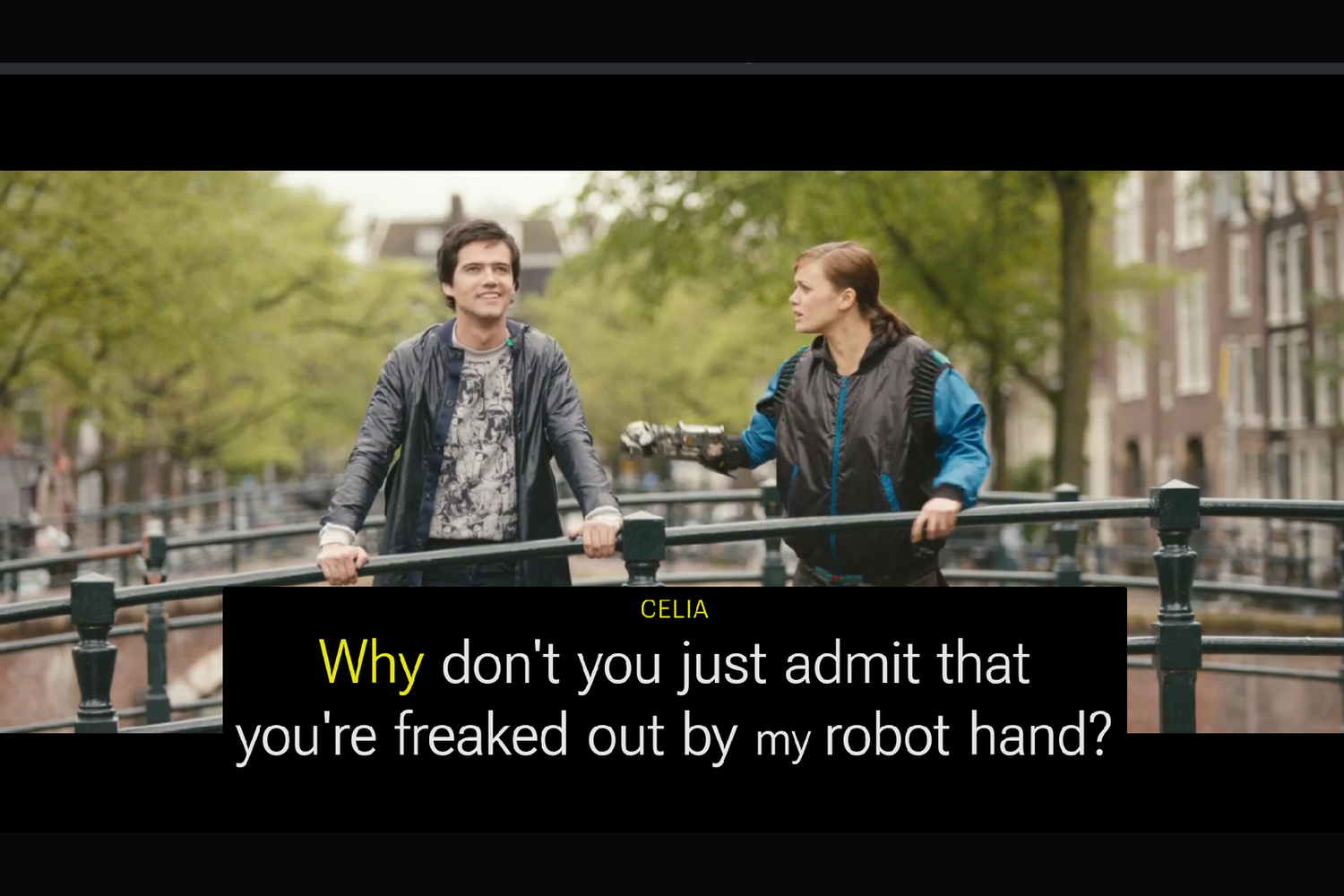
Detailed: the Caption with Intention design system. Size follows loudness, weight follows the voice, off-camera lines in italics.
-
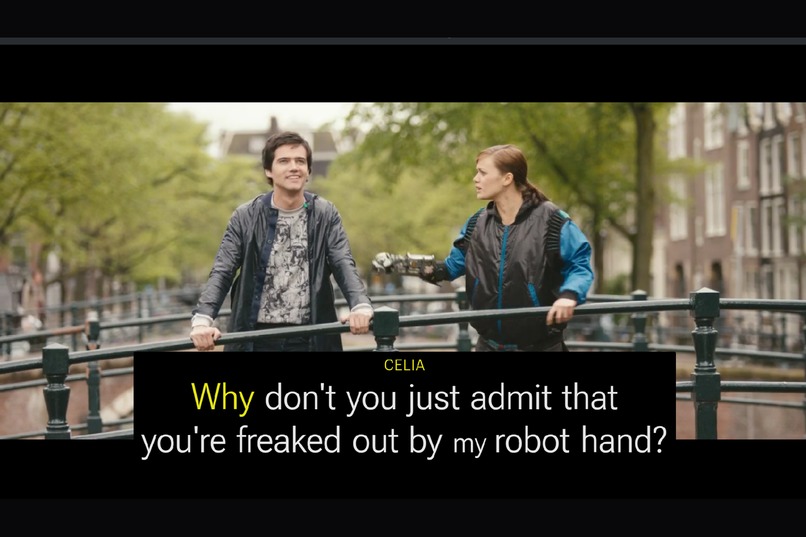
Detailed with motion on: the word being spoken lifts for a moment. Off by default.
-
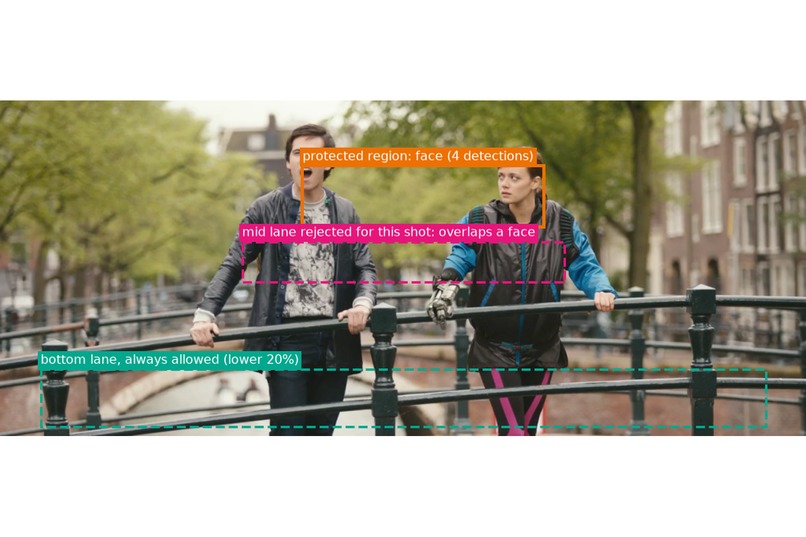
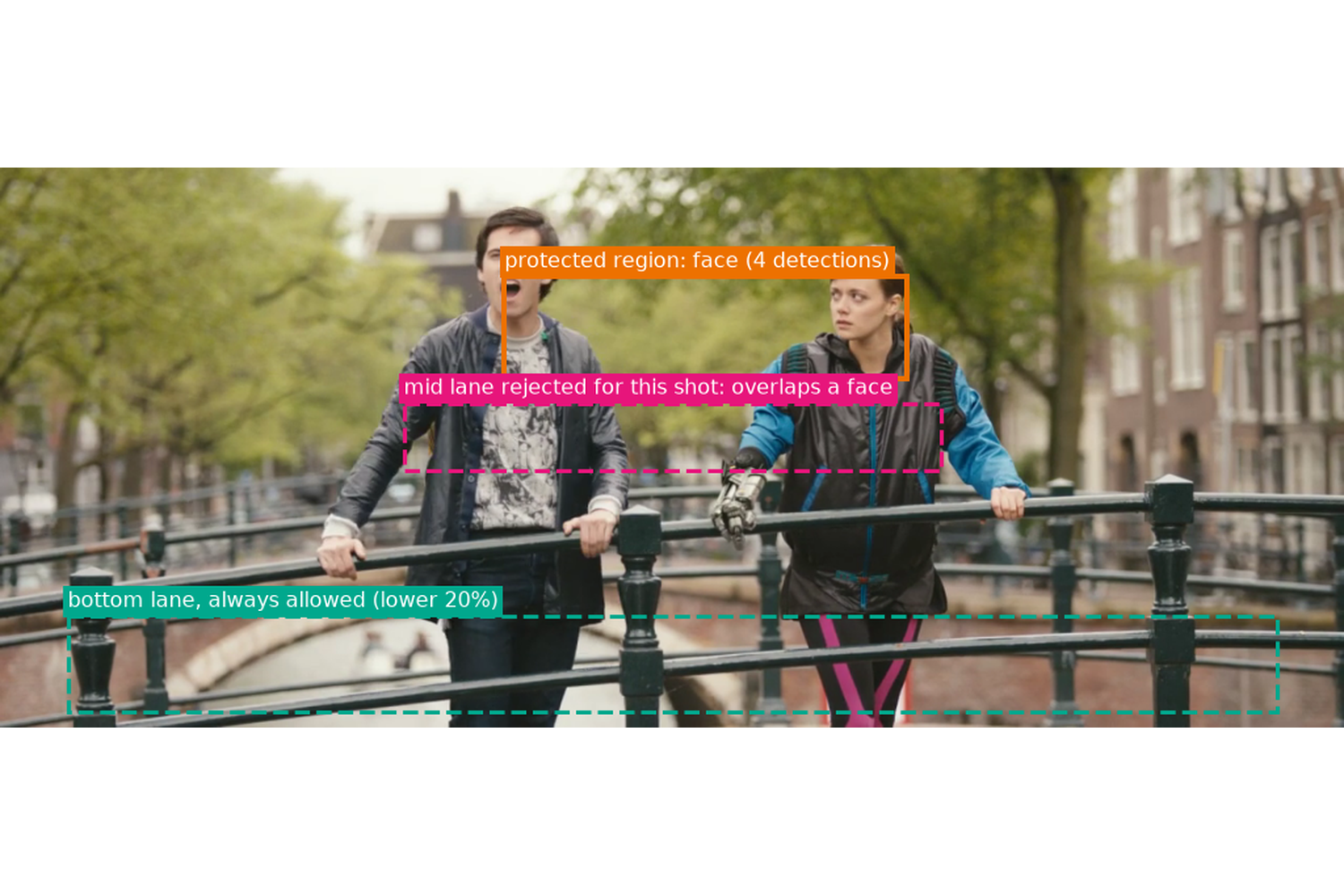
Face detection marks where a caption must not go. A line that would cover a face moves to the bottom.
-
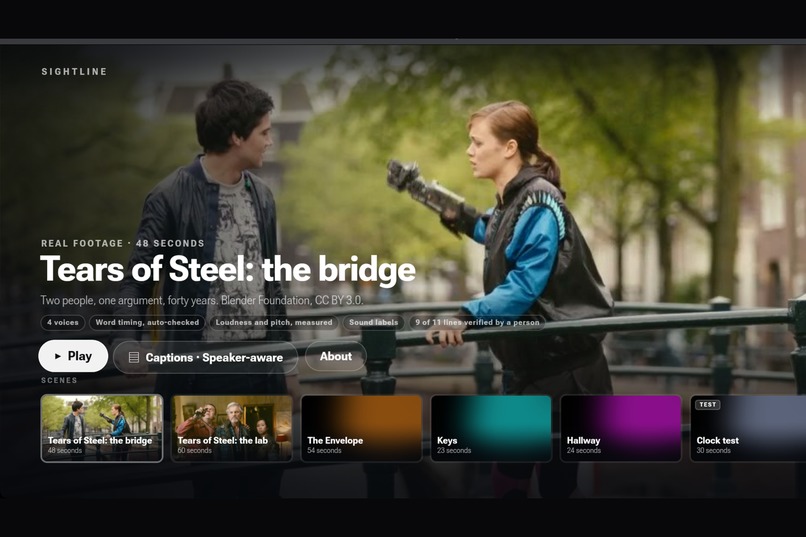
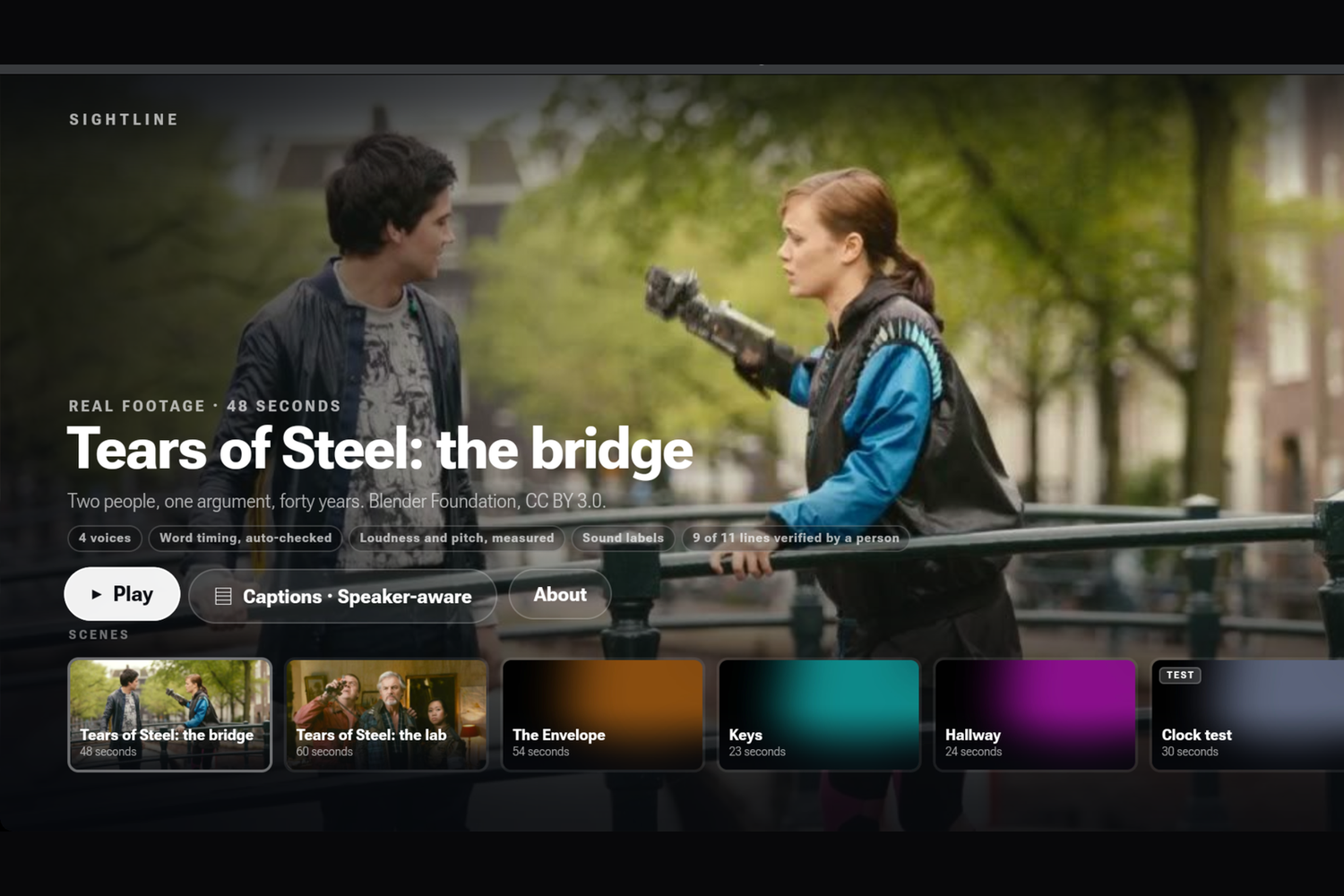
The landing screen: scenes, the current caption mode, and what has been verified for each scene.
-
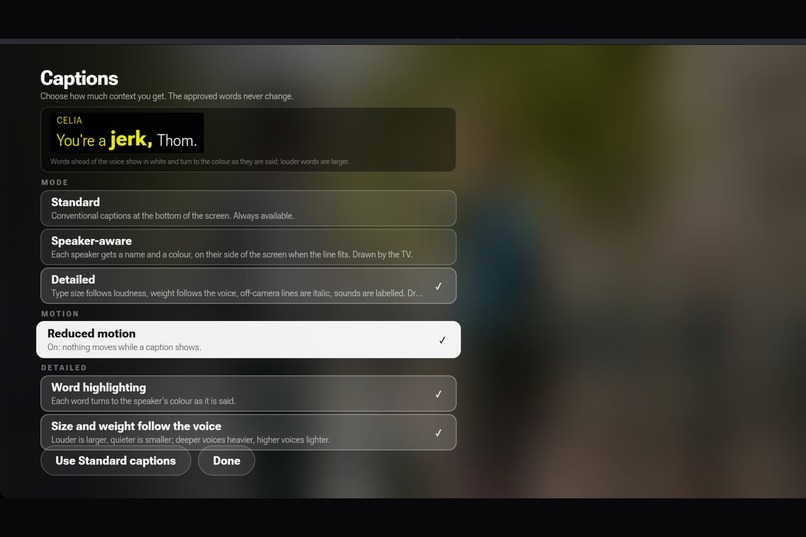
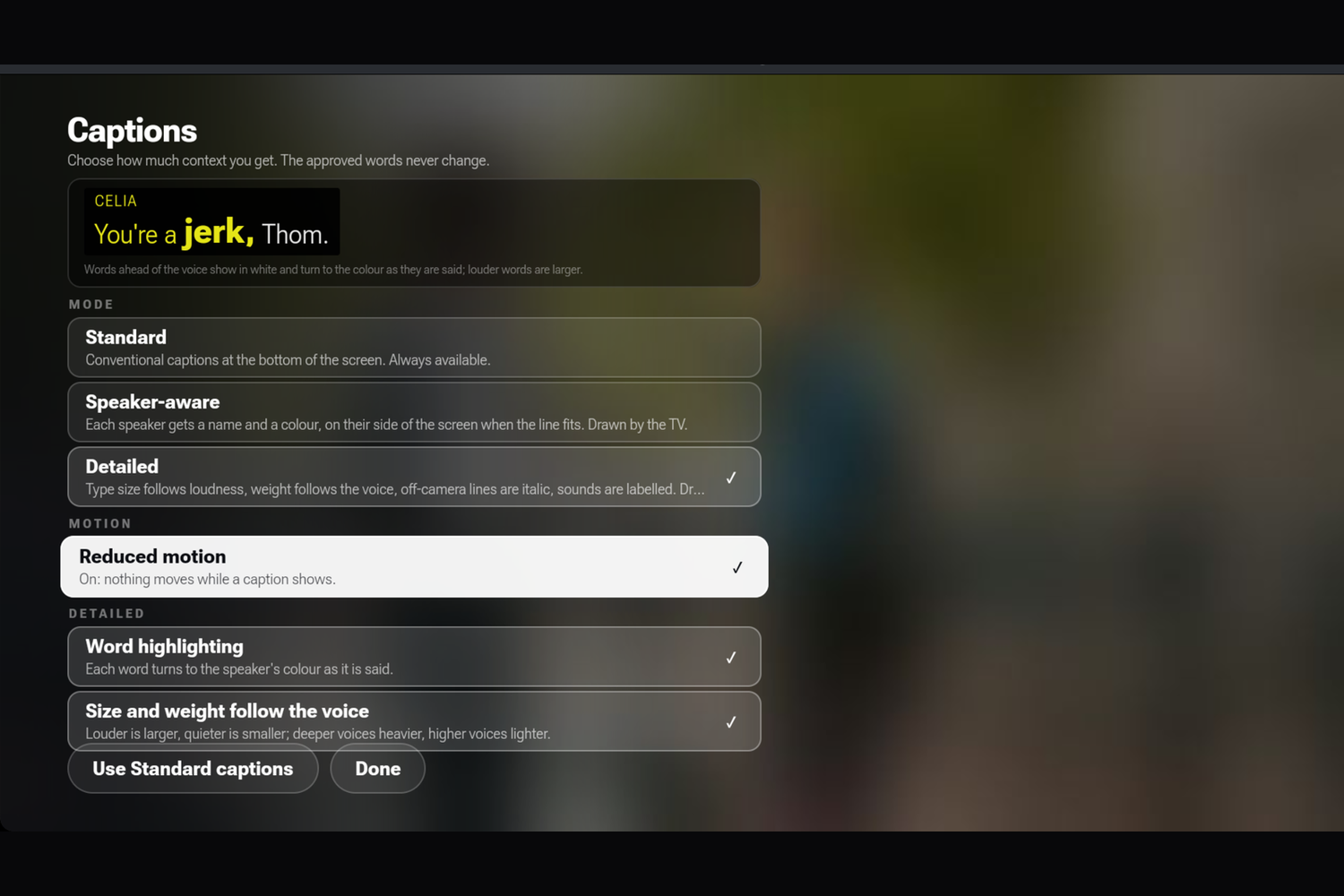
The Captions sheet: mode, motion and the Detailed toggles, with a live preview. Standard captions are always one press away.
-
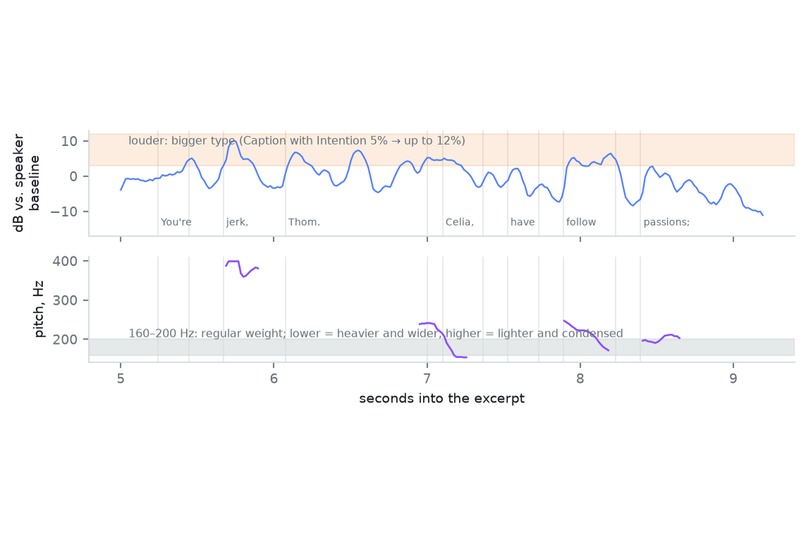
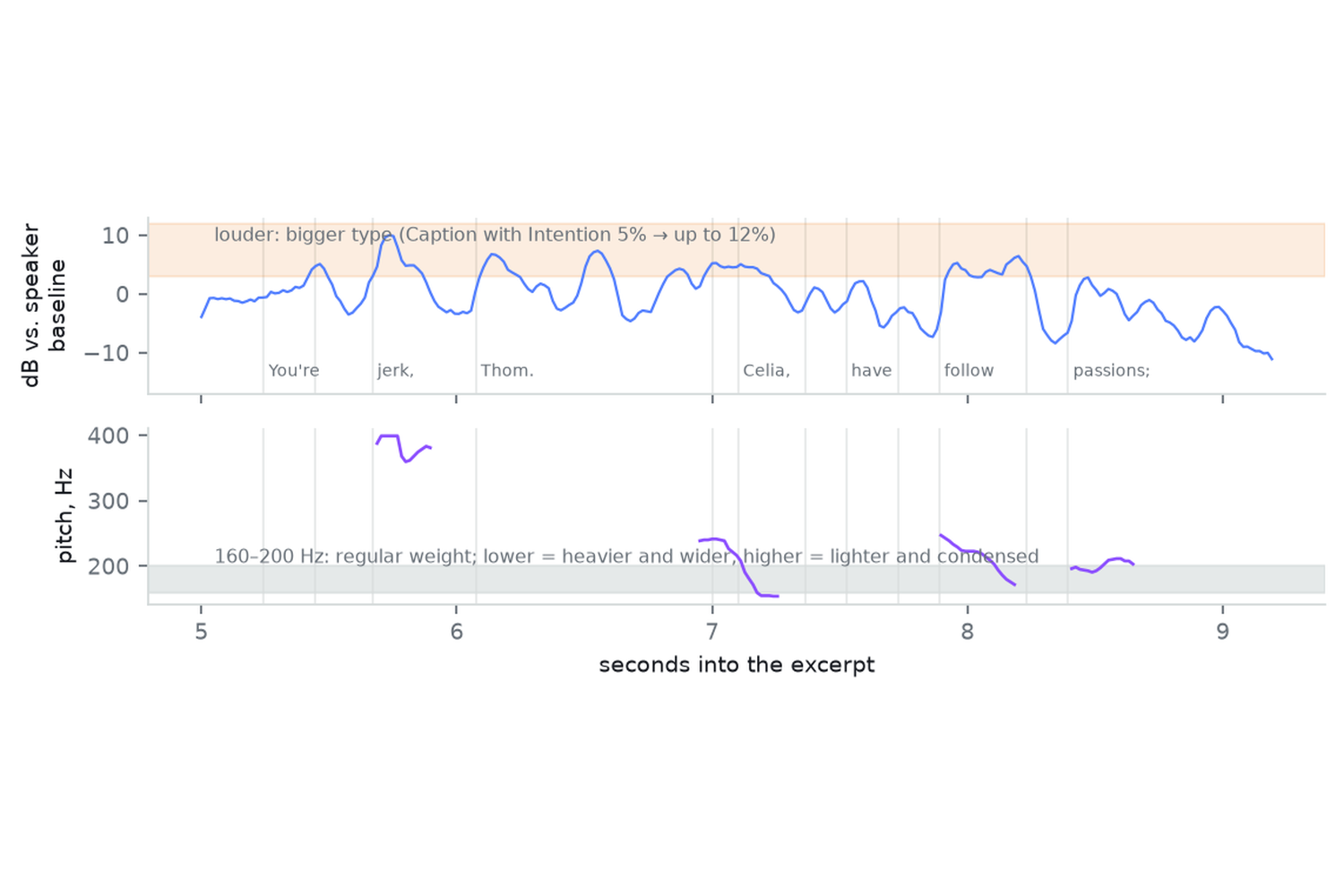
Loudness and pitch measured per word against the speaker's own normal. These numbers set the size and weight of the type.
-
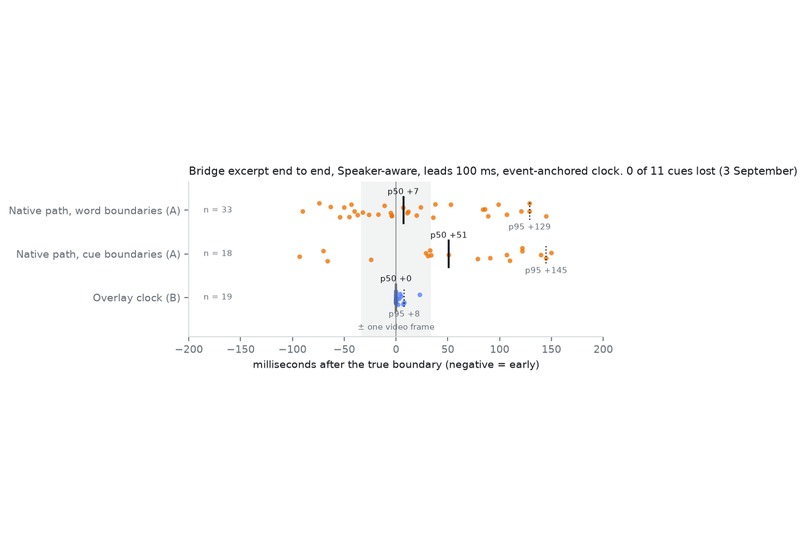
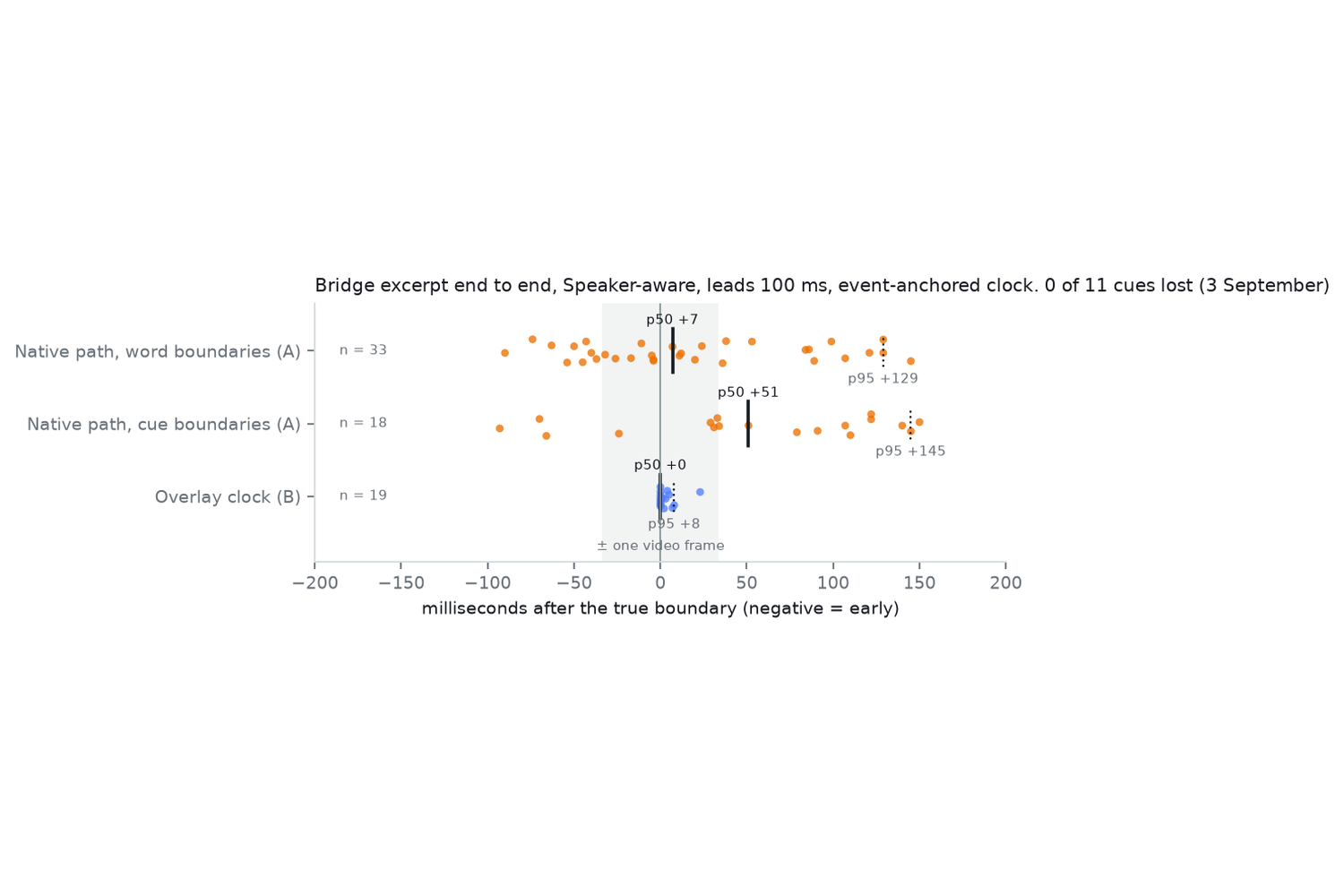
Sync measured on the Vega Virtual Device: word changes within about 10 ms of the boundary at the median, no cue lost.
-
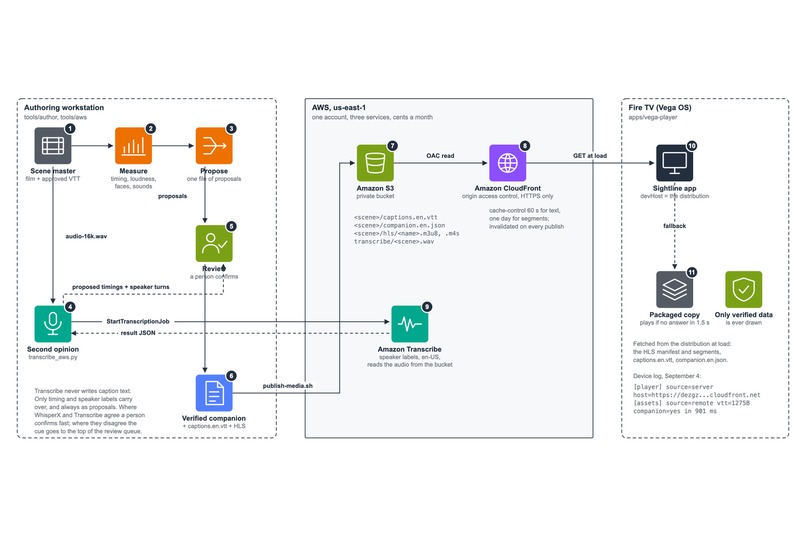
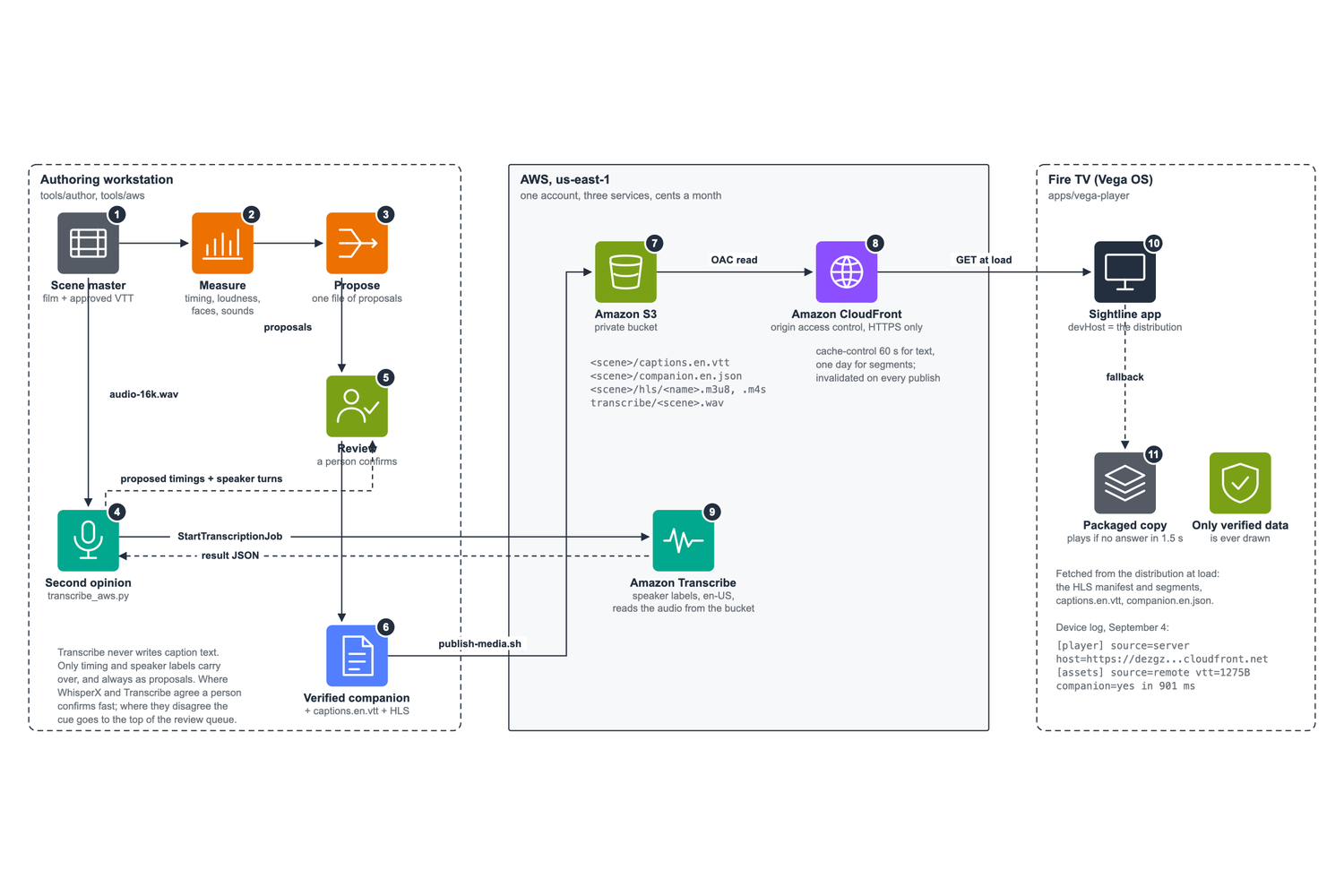
On AWS: caption files and HLS from S3 behind CloudFront, the app fetching at load with a packaged fallback, Transcribe feeding proposals.
-
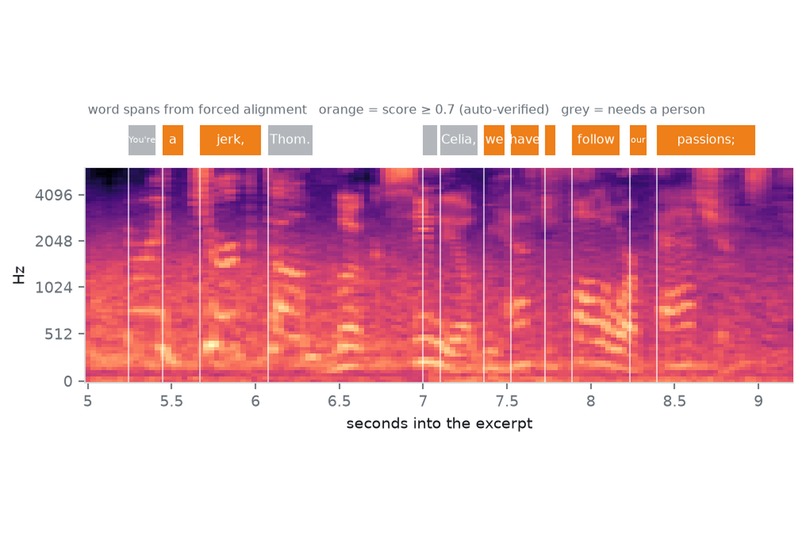
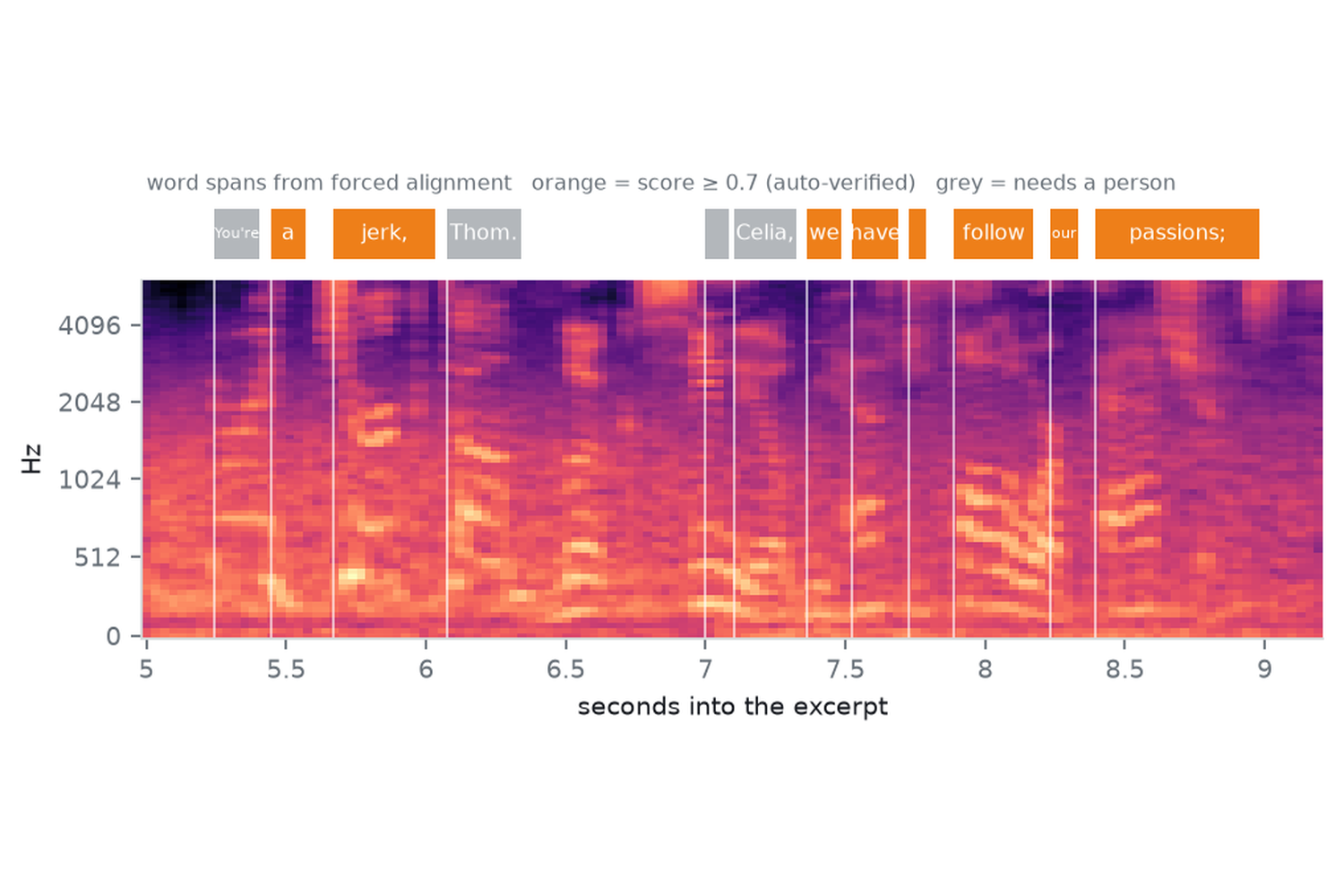
Word timing: the approved words lined up with the sound. Orange spans pass the confidence bar; grey ones wait for a person.
Inspiration
Captions have looked the same since the 1970s: words at the bottom of the screen. For the 430 million people the World Health Organization counts with disabling hearing loss, the captions are the film, and they leave out who said the line, how loud it was, and the moment each word was said. Caption with Intention showed in 2025 that type can carry all three. Nobody had put it on a TV, on top of the caption track the TV already has, without changing a word. So we built that.
What it does
Sightline is a caption runtime for Fire TV. It takes an approved WebVTT track and a verified companion file, and draws the captions at the richest level the viewer, the TV's caption settings and the verified data allow.
Three modes, one press apart:
- Standard: the captions as written, drawn by the TV in the viewer's own caption style.
- Speaker-aware: a name and a colour per speaker, on the speaker's side of the screen when the line fits, each word turning to the colour as it is said. Still Fire TV's own renderer, in the viewer's size and font.
- Detailed: the Caption with Intention design system. Size follows loudness, weight follows the voice, off-camera lines are italic, sounds get a label. Motion is off by default; when it is on, the word being spoken lifts for a moment.
Anything unverified falls back, one cue at a time, to ordinary captions. The approved words never change. All of it is the viewer's choice in one sheet on the TV, saved on the device, with Standard captions always one press away.
How we built it
- The app: React Native for Vega 0.83 on Vega SDK 0.24. Standard and Speaker-aware are drawn by Fire TV's own caption view from positioned VTTCue objects the app creates. To colour words on that path, each cue is split at verified word boundaries and uses WebVTT colour classes, which the renderer honours. Detailed hides the native track and draws an overlay from a media clock anchored to player events. The app reads the viewer's caption preferences from the system and applies them to the enhanced rendering.
- The data: a companion file beside the caption track, locked to it by a SHA-256 hash of each cue's text. Five measurements run on every scene: word timing against the sound (WhisperX forced alignment), loudness and pitch per word against the speaker's own normal (librosa), voice separation (pyannote), face regions a caption must not cover (YuNet), and sound events (PANNs). One step merges them into proposals with a confidence gate. A person confirms them in a local review page. The TV shows only what was confirmed; a cue no person has checked plays as a plain caption.
On AWS: each scene's caption track, companion file and HLS rendition are served from a private S3 bucket behind a CloudFront distribution with origin access control. The app fetches all three from the distribution at load; on the virtual device the log reads
[player] source=server host=https://dezgz1h32vkd1.cloudfront.netand[assets] source=remote vtt=1275B companion=yes in 901 ms. If the host does not answer within 1.5 s, a packaged copy plays. Amazon Transcribe runs as an independent second measurement of word timing and speaker turns: it uploads the scene audio, runs a job with speaker labels, and writes proposals in the pipeline's own formats. Its transcript is never used as caption text and nothing from it is verified automatically. Against the local aligner it lands a median 27 ms from the same word onsets on the lab scene (91% within 100 ms) and 58 ms on the bridge scene, and its speaker labels agree with the track on 17 of 18 and 8 of 11 cues.The package: the runtime is a package other Vega apps can embed, and the core (WebVTT parser, cue hashes, the companion JSON Schema and validator, label and lane rules, resolver) has no framework imports and runs in Node, browsers and Hermes. 79 tests across core, runtime, app and pipeline.
Challenges
- URL playback fails on the Vega Virtual Device for every source, including Amazon's own sample forced into URL mode, so playback runs through the Vega-patched Shaka player and HLS.
- Polled media time on the platform is stale by up to 700 ms. The value carried by timeupdate events is fresh, so one clock anchored to those events drives everything, and native cues are scheduled 100 ms early to land on the boundary.
- Third-party apps cannot write the TV's caption preferences and the virtual device has no accessibility settings page, so the size-change path was exercised through development keys.
- Focus routing needed the Kepler focus APIs rather than the React Native TV props, and the on-device input tool had to be discovered to script the measurements at all. Every one of these is in the friction log with a workaround and a suggestion, 31 entries in total.
Accomplishments
Measured on the virtual device, one scene start to finish: word changes land within about 10 ms of the boundary at the median, cue changes within about 50 ms, p95 near 145 ms, and no cue was lost across pause, seek and mode changes. Positioned native cues, colour on the platform renderer, and an overlay timed from a hidden track all work on the device today. The app is installable from the v0.1.0 release with one command, and the delivery path runs on AWS.
What we learned
Deaf and hard-of-hearing participants in the CHI 2024 Caption Royale study preferred speaker colour, weight and size, and rejected shadows, opacity and spacing tricks. We used the first three and none of the rest. And a runtime that only shows verified data is safe to ship early: a wrong guess never reaches the screen, and one press returns the plain captions.
What's next
Sessions with Deaf and hard-of-hearing viewers, a physical Fire TV Stick, and the path for publishers to ship a companion file with their captions.
Built With
- amazon-cloudfront
- amazon-transcribe
- amazon-web-services
- ffmpeg
- fire-tv
- hls
- librosa
- node.js
- python
- react-native
- shaka-player
- typescript
- vega-os
- webvtt
- whisperx

Log in or sign up for Devpost to join the conversation.