-
-
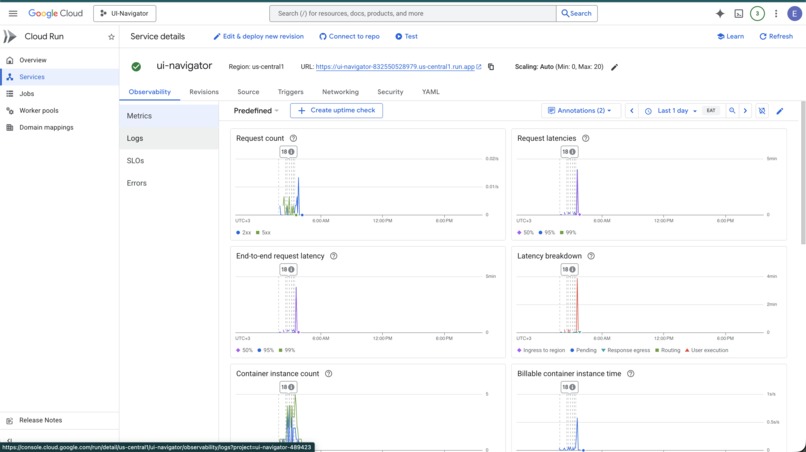
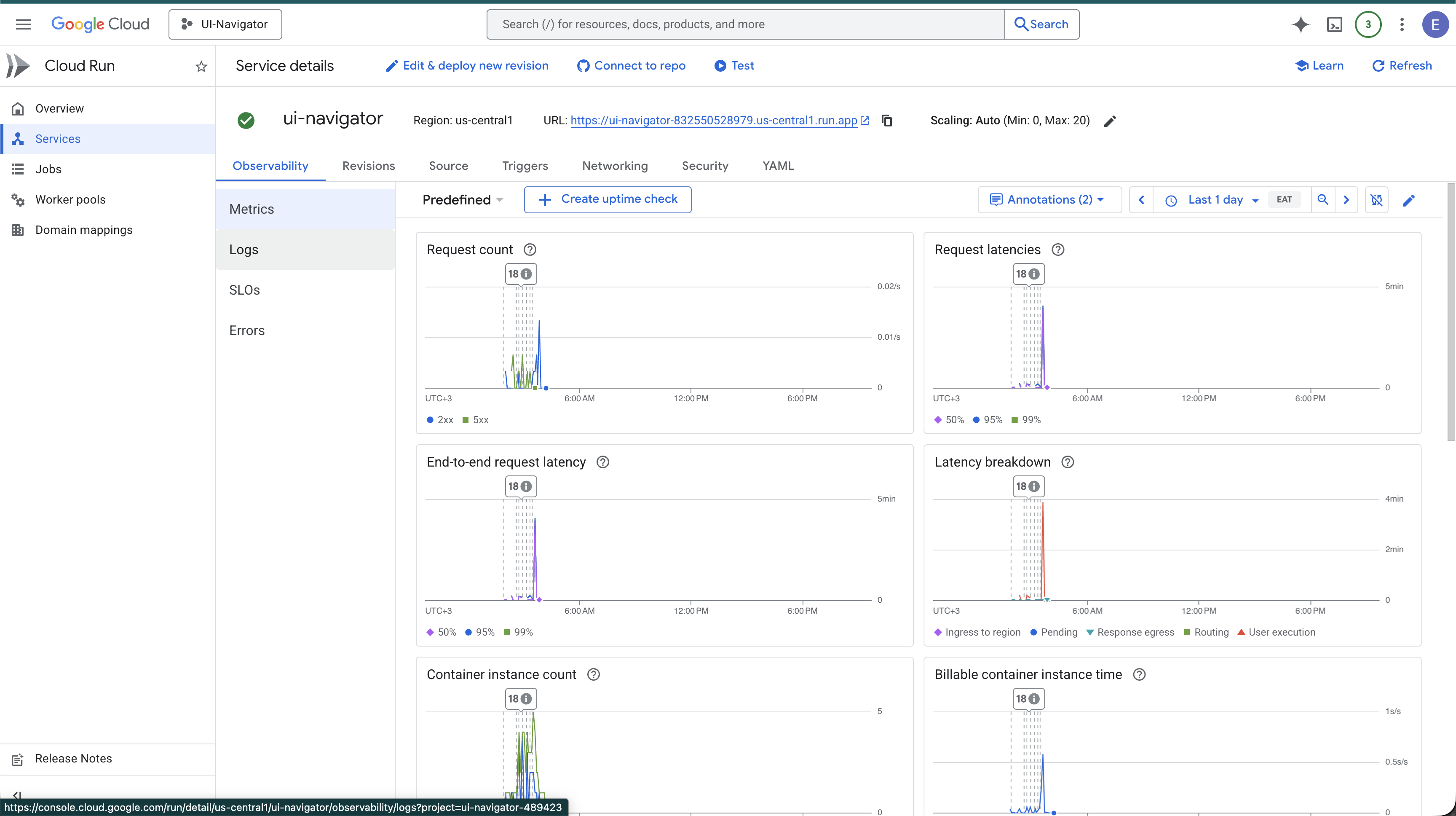
Cloud Run Deployment Proof
-
Inspiration
Manual UI testing doesn't scale. Every new feature means someone clicks through the same flows, fills the same forms, and hopes they didn't miss a screen. Automated test scripts help — but someone still has to write and maintain them for every page, every button, every edge case. We asked: what if an AI could just look at any app and explore it the way a human tester would — but faster, more thorough, and with zero scripts to maintain?
What it does
Give UI Navigator a URL. That's it. It autonomously explores the entire application:
- Sees every screen — takes screenshots and sends them to Gemini to identify every interactive element (buttons, inputs, links, dropdowns)
- Acts like a human — generates and executes real browser automation code on the fly, no predefined scripts
- Detects what changed — compares before/after screenshots to understand if an action opened a new page, triggered an error, or stayed on the same screen
- Builds a map — constructs a complete navigation graph of the app: every screen, every action, every transition
- Skips the obvious — detects repeated UI patterns (90 product cards? It tests 6 representative ones and skips the rest)
- Navigates strategically — uses BFS pathfinding to reach unexplored areas instead of getting stuck
- Guided user flows — supports directed exploration of specific user journeys (e.g. "test the checkout flow"), combining autonomous discovery with human intent
The output is a full exploration report with coverage stats, a visual navigation graph, and detailed per-screen breakdowns.
How we built it
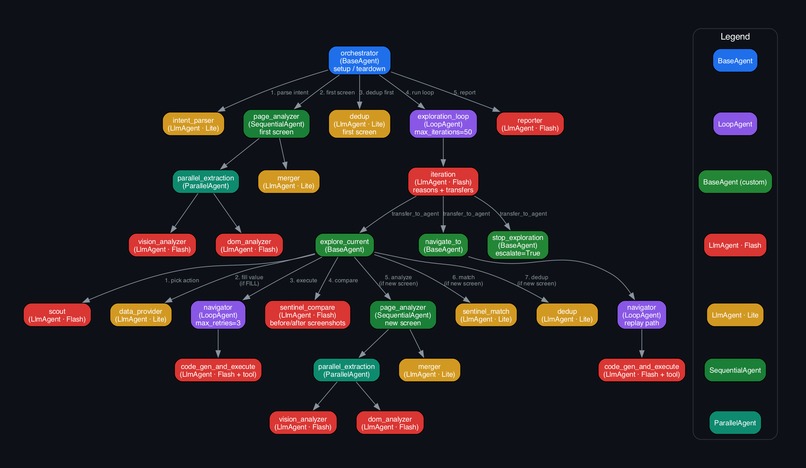
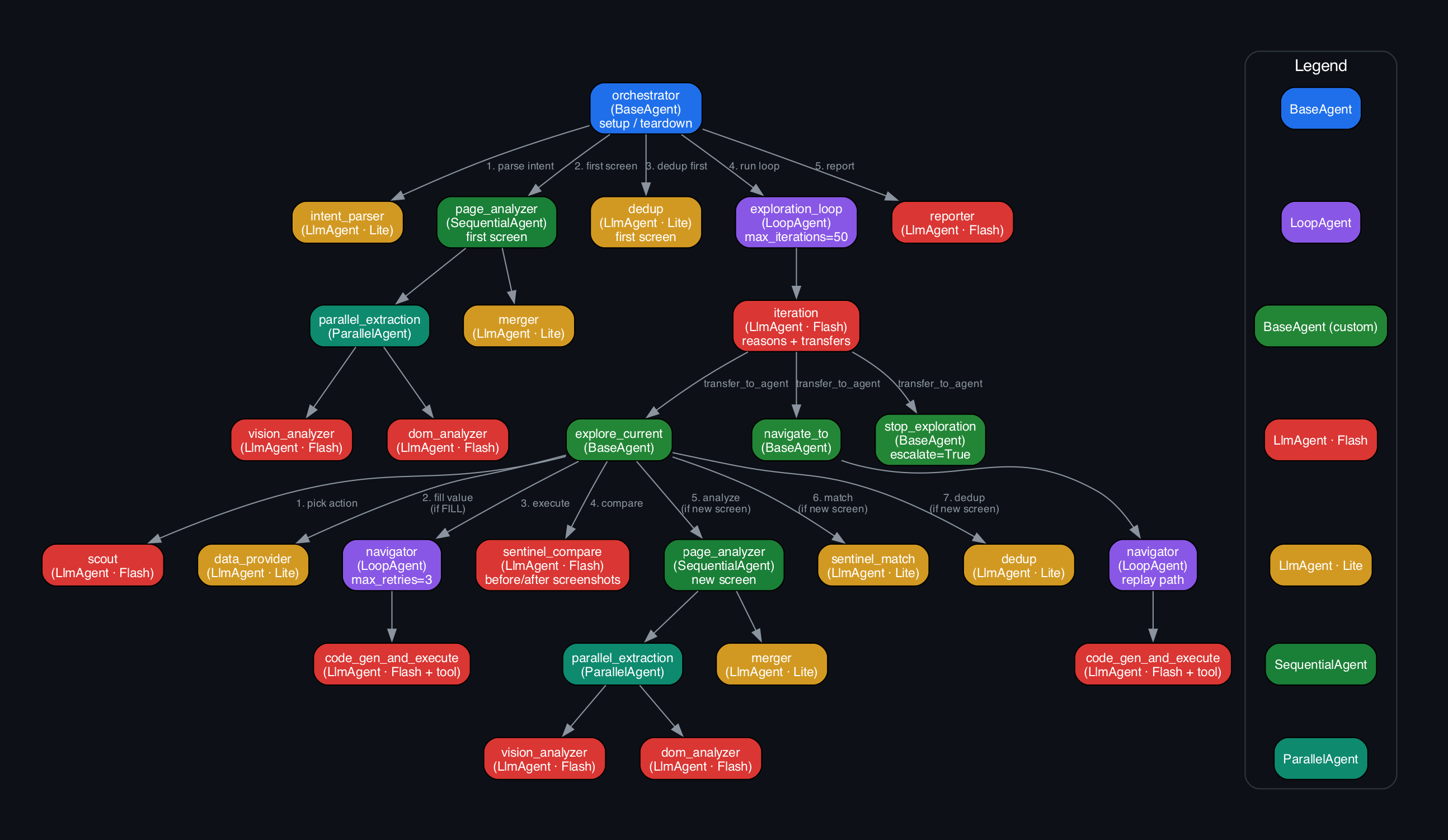
9 specialized AI agents orchestrated through Google ADK in a hub-and-spoke architecture (27 nodes total):
- Page Analyzer runs vision + DOM analysis in parallel — Gemini Flash sees the screenshot while Gemini Lite parses the HTML, then a merger reconciles both into a unified element list. This dual approach catches what either alone would miss.
- Navigator generates Playwright code at runtime. No tool schemas, no predefined actions — the LLM writes the exact browser automation needed for each element. A 5-stage retry strategy pivots tactics on failure (selector → coordinates → alternative selector → explicit wait → keyboard fallback).
- Sentinel receives before/after screenshot pairs and classifies state changes as same-screen, new-screen, modal, or error.
- Scout picks the next action to explore, avoiding recent failures and ensuring forms are filled before submission.
- Dedup detects structural patterns and selects diverse representatives, cutting redundant exploration by 90%+.
- Iteration Agent is the strategic brain — it sees the full exploration map, decides whether to continue exploring, navigate elsewhere, or stop.
All state flows through Firestore. Screenshots go to Cloud Storage. The whole system deploys as a single Cloud Run service.
Challenges we ran into
Browser back doesn't work. Our first approach used the browser's back button to return to previous screens. It broke constantly — single-page apps don't respect browser history, some pages redirect on back, and state gets corrupted. We replaced it with a reset-and-replay strategy: reload the app from scratch, use the navigation graph we've already built, and BFS the shortest path to the target screen — replaying each action along the way. More expensive, but deterministic and reliable.
DOM is a liar. Scrolling adds new DOM nodes but you're still on the same page. Single-page apps swap content without navigation events. We learned the hard way that DOM hashing is unreliable for screen identity — switching to vision-first identification (Gemini decides what screen you're on by looking at it) solved this completely.
Vision alone hallucinates selectors. Gemini can see a button but might invent a CSS selector for it. Running DOM analysis in parallel and merging results gives us accurate selectors from the real HTML with accurate bounds from vision.
Dynamic code execution is fragile. LLM-generated Playwright code often has missing
awaits, wrong selectors, or timing issues. The auto-fix layer patches common mistakes, and the 5-stage retry with strategy pivoting handles the rest.Exploration can loop forever. Without dedup, a product listing page generates hundreds of near-identical actions. Pattern detection and representative sampling made exploration tractable.
Accomplishments that we're proud of
- Zero-config exploration — point it at any URL and it works. No selectors to write, no page objects to maintain, no test scripts to update.
- Parallel vision + DOM — a technique that's more accurate than either approach alone. Vision provides spatial understanding; DOM provides precise selectors.
- 90%+ redundancy elimination — pattern dedup turns an impossible number of actions into a manageable set without sacrificing coverage.
- The architecture actually scales — hub-and-spoke with ADK means every agent call is traced, every decision is observable, and new agents slot in without rewiring.
What we learned
- Vision-first state identity beats DOM hashing — for modern web apps, what the screen looks like is the most reliable signal for where you are.
- Dual-channel extraction (vision + DOM) avoids hallucinations — neither alone is sufficient; merging them catches errors from both sides.
- Strategic exploration needs a separate reasoning layer — separating "what to do next" (Iteration Agent) from "how to do it" (Navigator) produces dramatically better exploration coverage.
- Dedup is not optional — without it, real-world apps are unexplorable. A single e-commerce page can generate 100+ redundant actions.
- Browser back is a trap — it seems like the obvious solution for backtracking, but reset-and-replay using the navigation graph is far more reliable across different app architectures.
What's next
- Mobile app support — the architecture already supports Appium as a drop-in executor replacement for Playwright. Same agents, same vision pipeline, different automation layer.
- Guided user flows — let users define specific journeys to explore (e.g. "sign up → add to cart → checkout"), combining human intent with autonomous exploration.
- Regression testing — replay recorded exploration paths to detect visual regressions across releases.

Log in or sign up for Devpost to join the conversation.