-
-
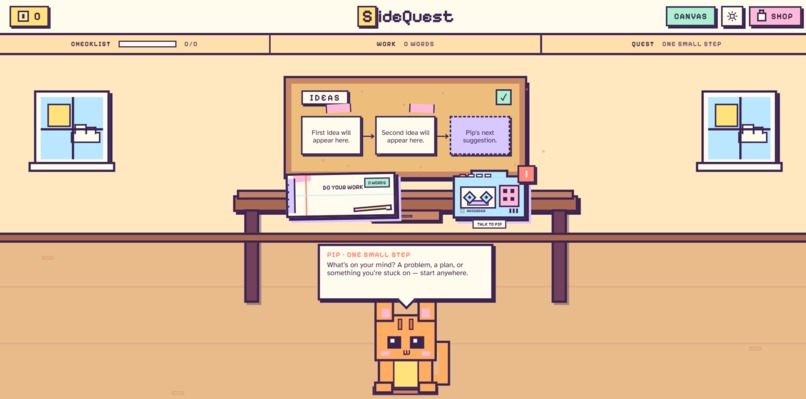
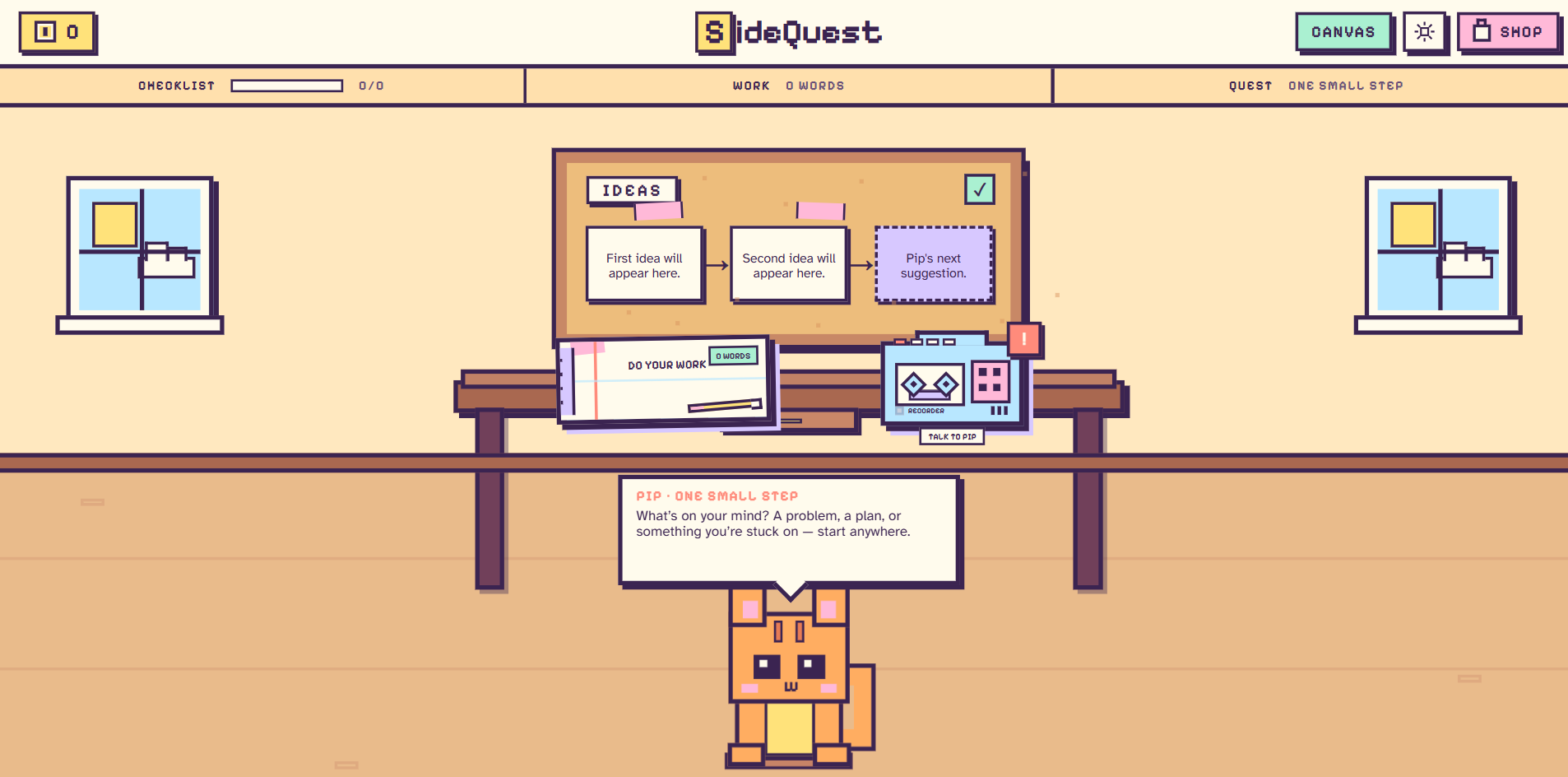
This is the front page of our website, which displays a cozy room that the user can interact with by clicking different objects in the room.
-
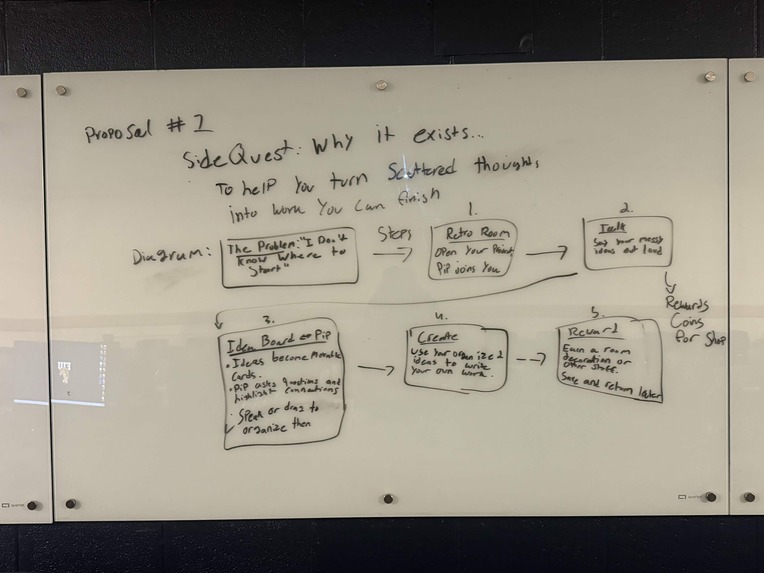
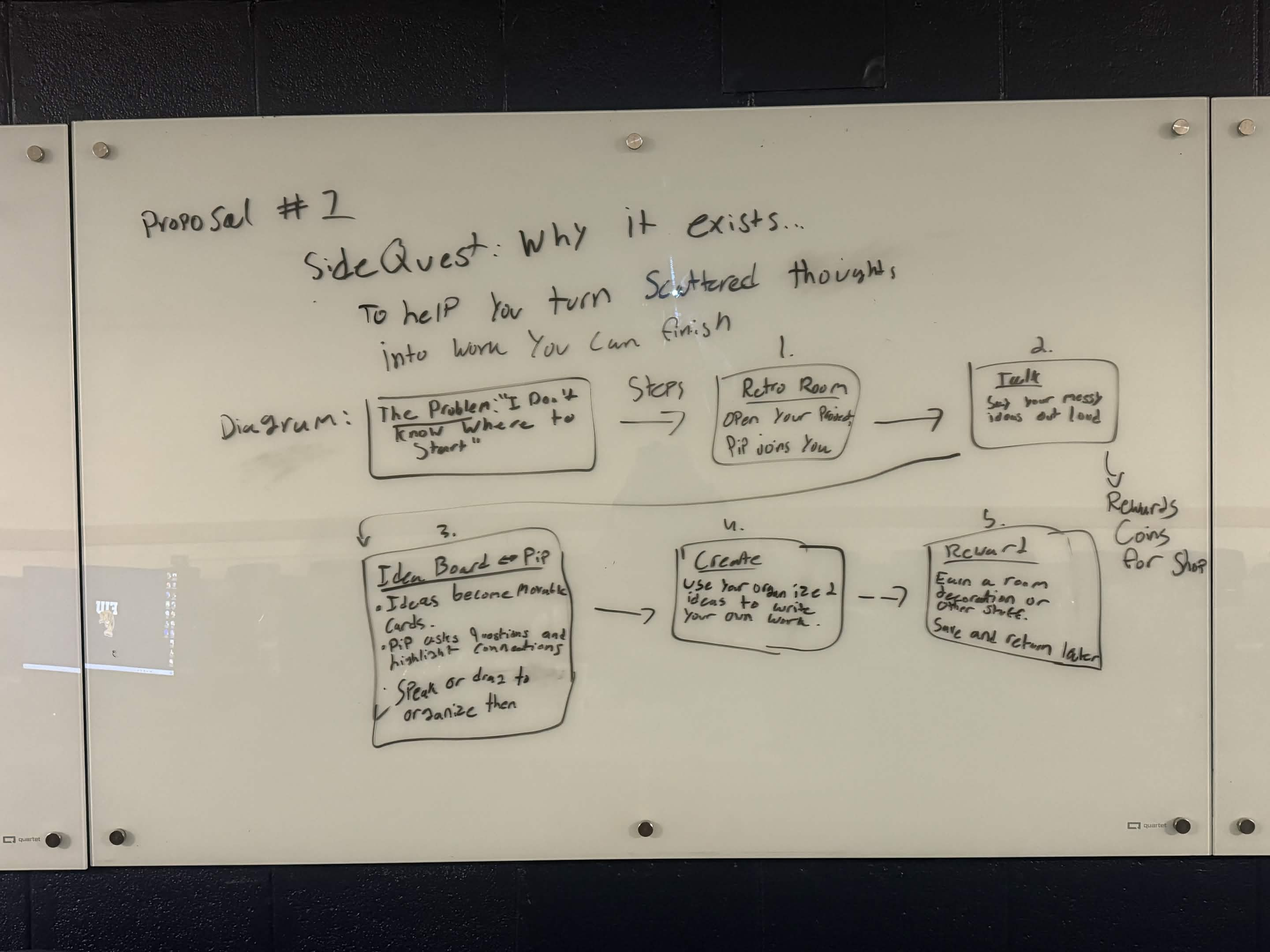
This was our initial proposal idea for Sidequest, which helped give us a general picture of what we wanted our website to be.
-
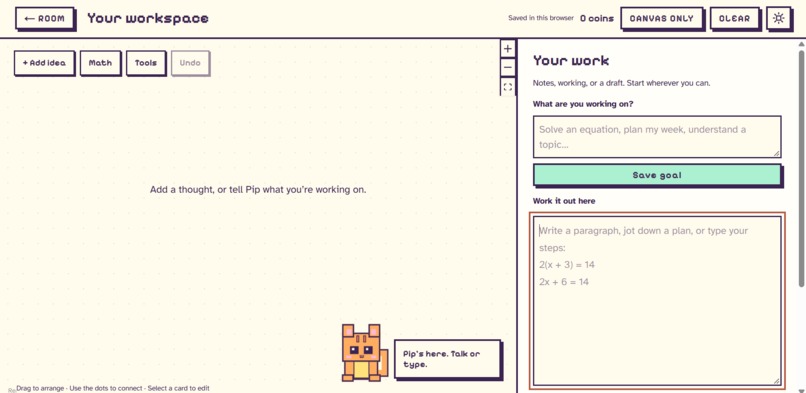
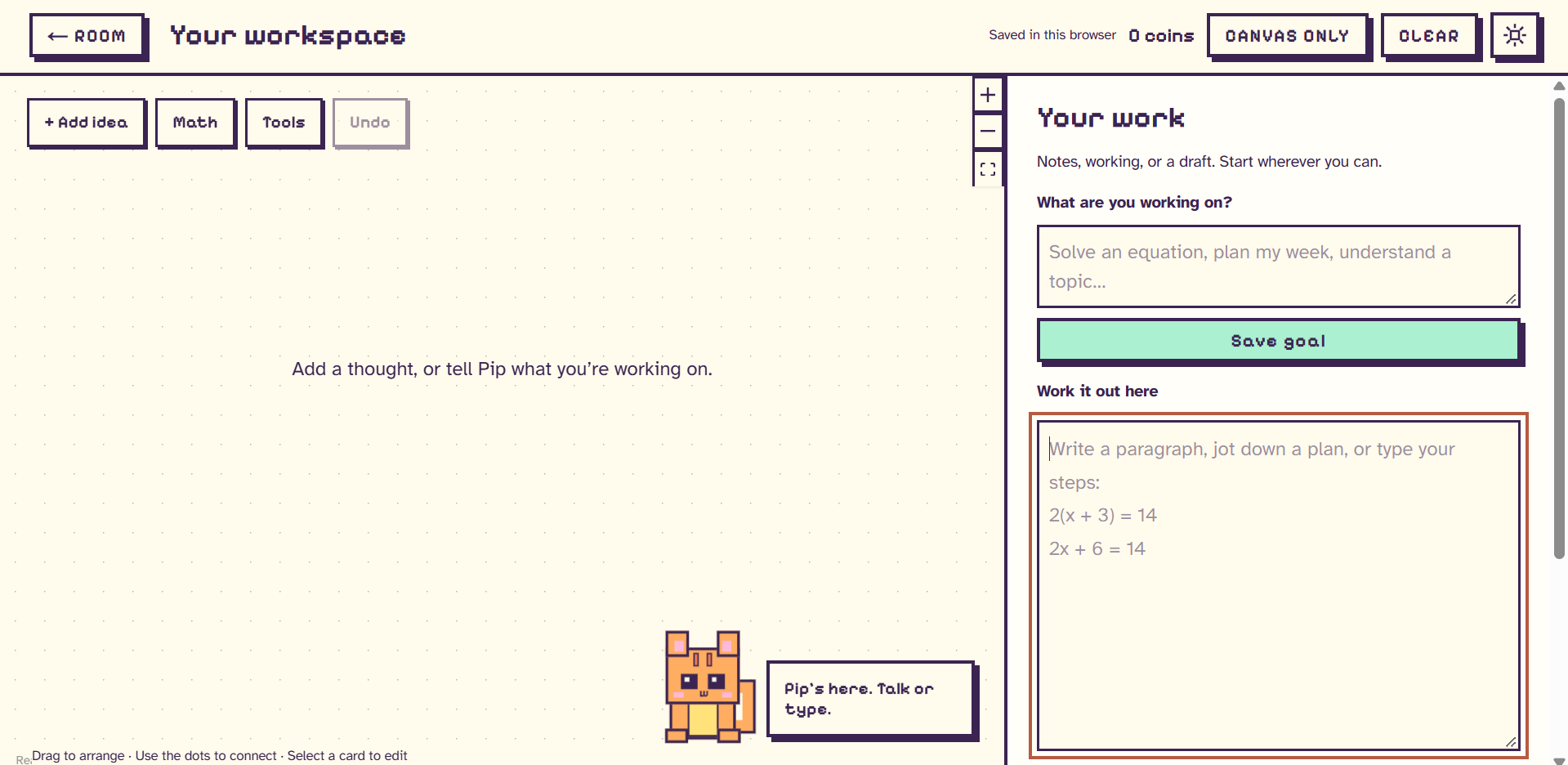
This is the work notebook. Here, you can view your ideas on the workspace and use the notebook on the side to do your assignment or task.
-
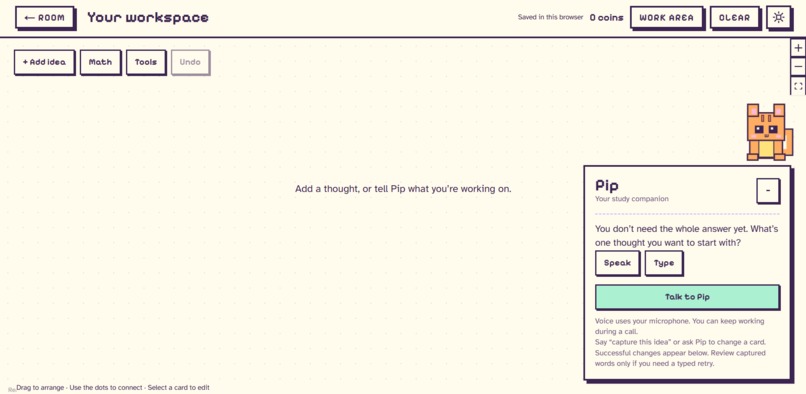
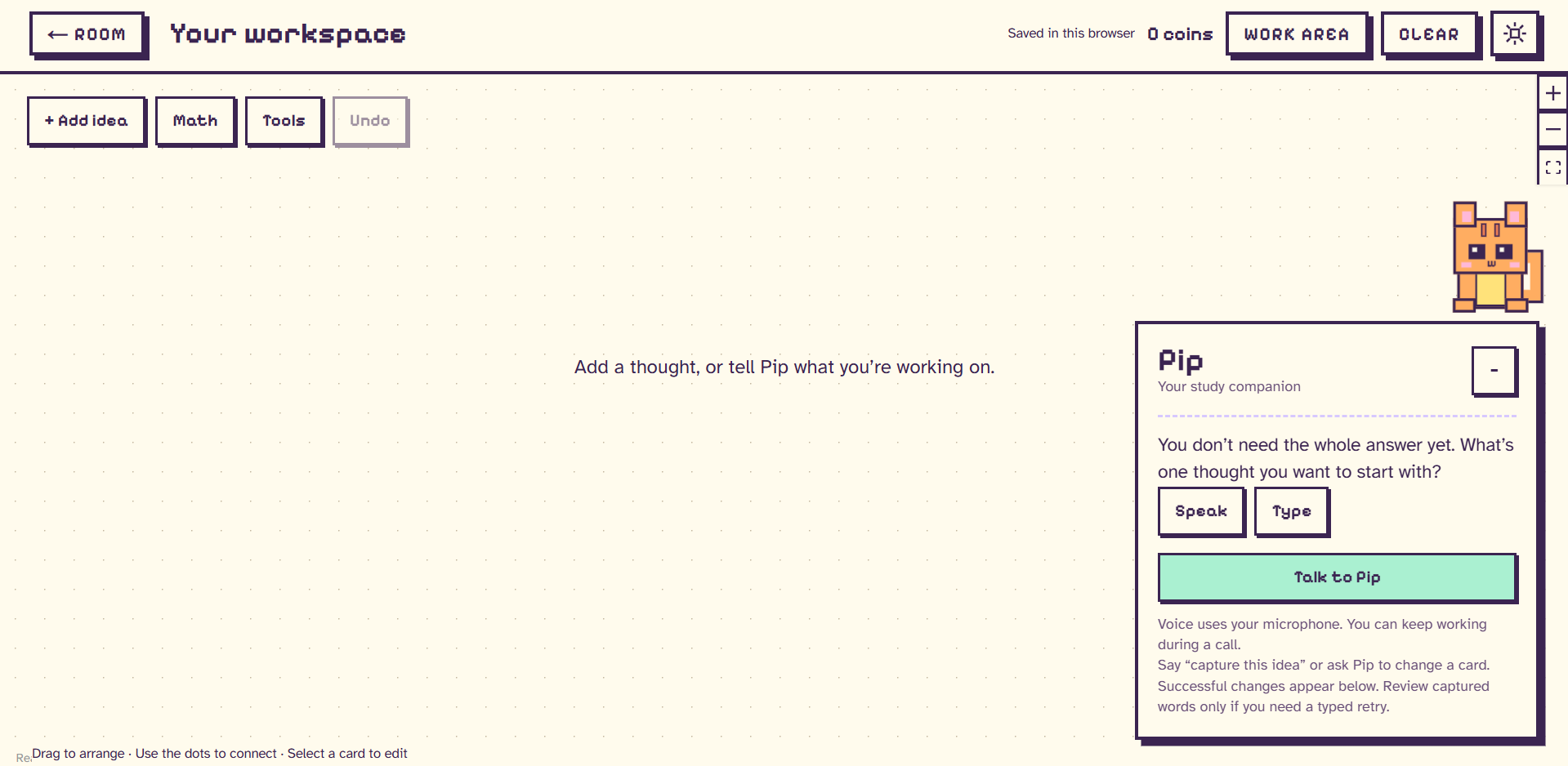
This is the workspace area where you can talk to Pip and discuss ideas, which become cards on the workboard that can help you connect them.
-
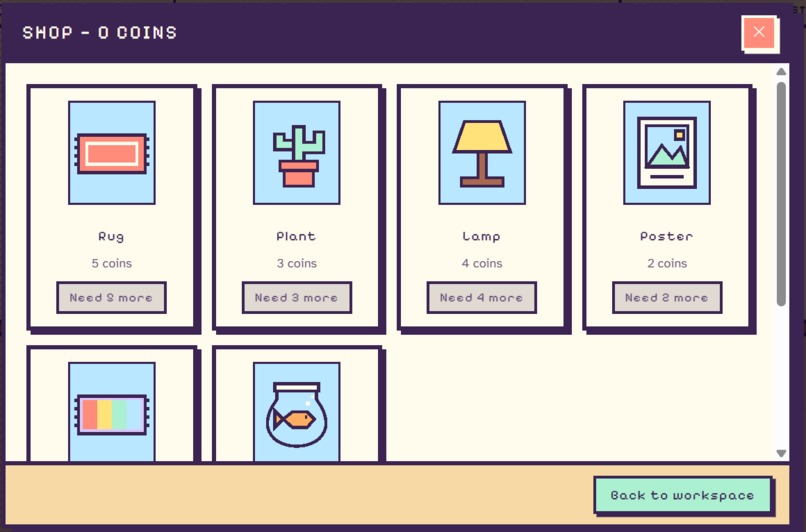
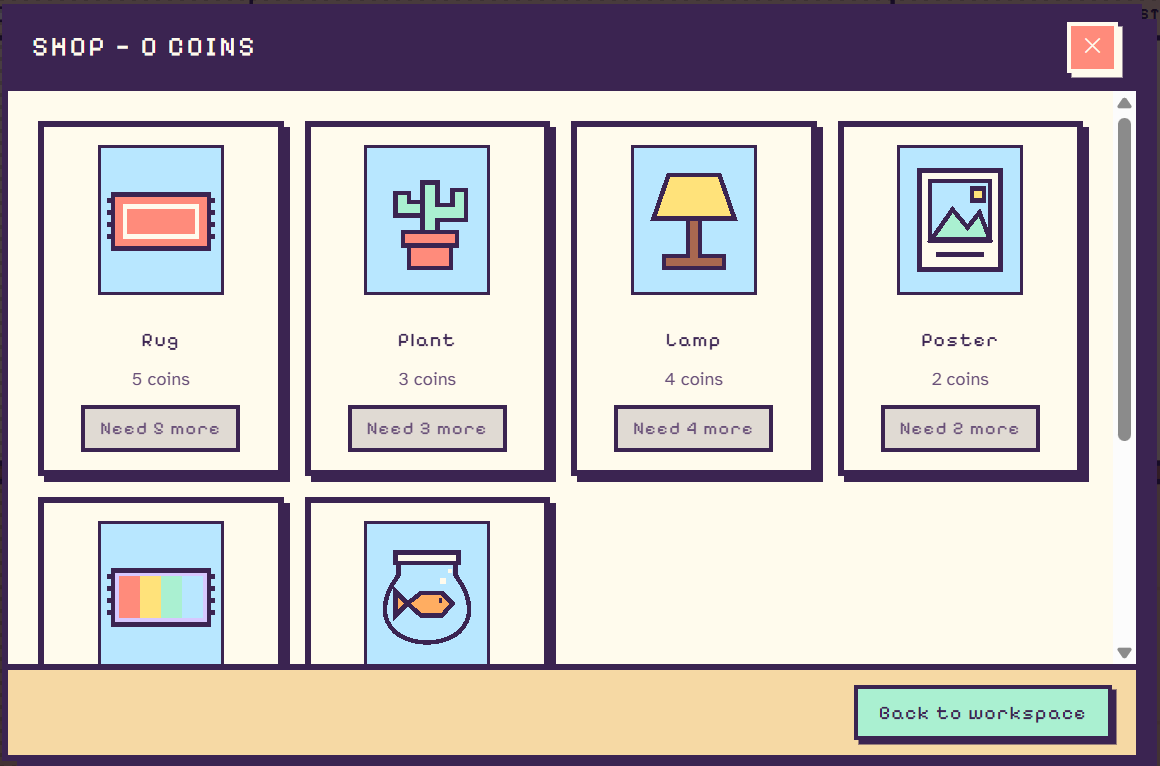
This is the shop tab. After the player completes tasks and earns in-game currency, they can spend the money here to upgrade their room.
Inspiration
Starting can be the hardest part of an assignment. You might have ideas but struggle to organize them, or stare at a problem without knowing where to begin.
We built SideQuest with ADHD students in mind: a cozy place to think out loud, find a starting point, and work through one manageable step at a time.
What it does
SideQuest pairs Pip, a pixel cat and AI companion, with an interactive workspace. Students can:
- Talk or type to Pip for guidance on schoolwork and everyday tasks.
- Turn scattered thoughts into editable idea cards and small steps.
- Write drafts and work through problems beside the canvas.
- Add equations and explore interactive function graphs.
- Earn coins by capturing ideas and completing steps, then decorate their room.
- Save progress automatically and undo canvas changes.
How we built it
- Design: Figma Make helped us shape the pixel room and interface.
- Frontend: Next.js, React, and TypeScript power the app.
- Canvas: React Flow supports movable cards, connections, and math visuals.
- Voice: Vapi lets students have live conversations with Pip.
- AI: Gemini provides contextual coaching and structured workspace actions.
- Math: A bounded local evaluator calculates function graphs from expressions.
- Persistence: Browser storage keeps the workspace, written work, and room decorations between visits.
AI actions go through validation before changing the workspace, with visible confirmation and Undo.
Challenges we ran into
- Connecting Pip's conversational responses to actual canvas actions.
- Handling repeated tool calls without creating duplicate cards or awarding coins twice.
- Troubleshooting voice connections and assistant configuration.
- Simplifying overlapping controls so students could find where to talk, plan, and work.
- Keeping graphs useful while clearly distinguishing numerical samples from mathematical proofs.
Accomplishments that we're proud of
- Connecting AI coaching to an editable workspace where students can do their own work.
- Getting Pip to create a graph and equation, then explain the graph's sampled results.
- Making progress visible through coins and room decorations.
- Preserving written work through canvas changes, Undo, and page reloads.
- Testing the core experience on desktop and phone layouts.
What we learned
- Short guidance and one useful next step fit the experience we wanted better than long answers.
- A successful AI response needs to produce the intended change in the app.
- Undo and clear feedback matter when an assistant can modify someone's workspace.
- Testing complete user journeys catches problems that isolated feature tests miss.
What's next for SideQuest
- Test with ADHD students to understand what helps them start and return to unfinished work.
- Refine Pip's guidance and controls based on that feedback.
- Expand math support with richer diagrams and step visualization.
- Further test voice actions across different tasks and connection conditions.
- Add optional account sync so students can continue across devices.
Built With
- figma
- gemini
- next.js
- react
- react-flow
- typescript
- vapi



Log in or sign up for Devpost to join the conversation.