
sidequest.
Inspiration
Most long-haul flights have layovers, sometimes hours of dead time in an unfamiliar city. We kept asking ourselves: why do people just sit in airports when there's a whole city right outside? The problem isn't a lack of things to do, it's that planning anything in a tight, uncertain window feels too risky. We wanted to make that decision effortless and turn every layover into a side quest.
What it does
sidequest. helps travellers make the most of their layovers by generating a personalised itinerary of "sidequests" — activities tailored to the time, budget, and city at hand.
- Flight search — enter two IATA airport codes and a date to find real flights via the Skyscanner API, including layover details.
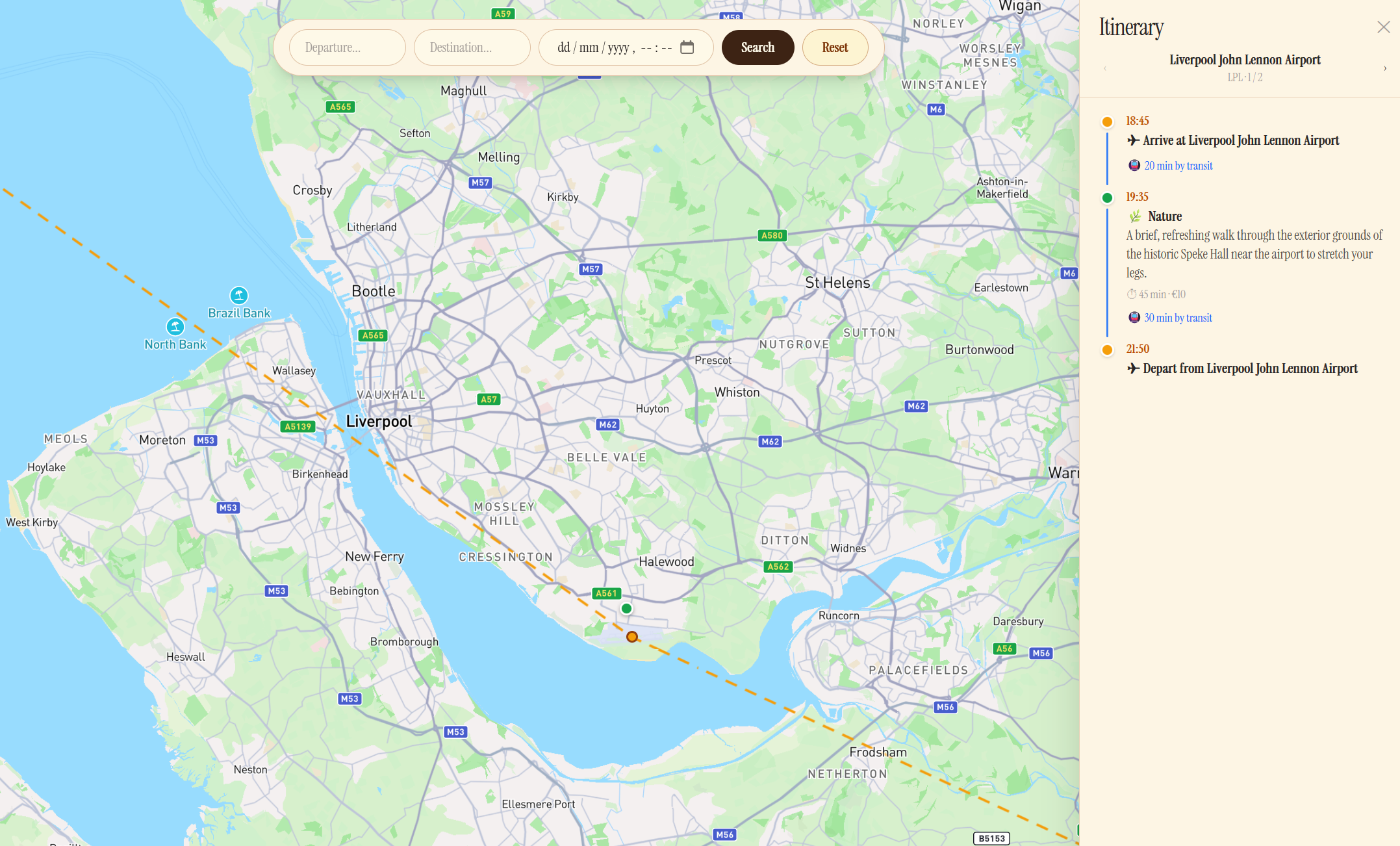
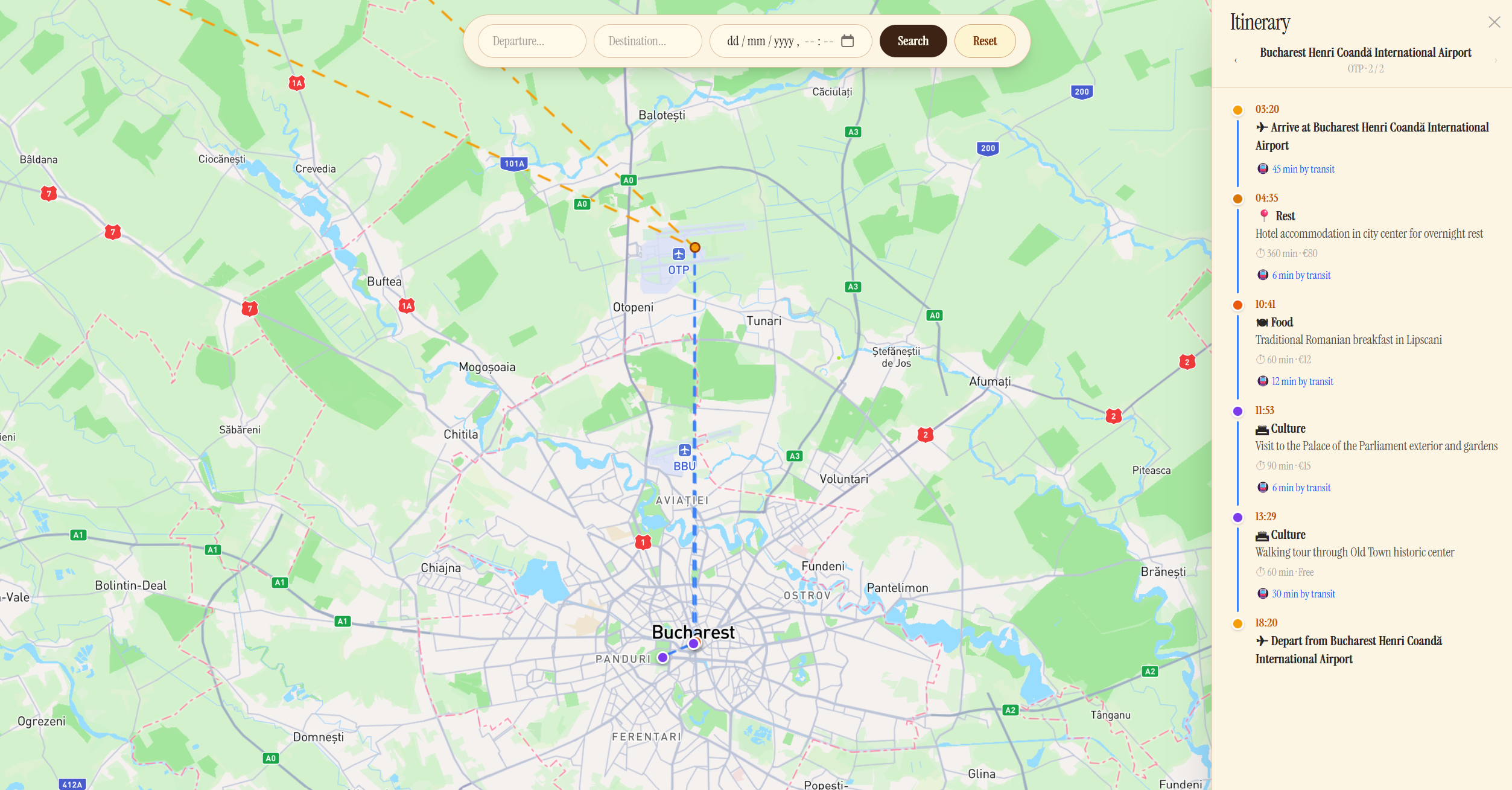
- AI sidequest generation — describe your layover (airport, arrival/departure times, budget, interests), or let our AI choose for you, and receive a curated, time-aware plan of food, culture, nature, and shopping activities with travel times, durations, and costs.
- Smart buffering — every itinerary automatically reserves a 2-hour window before departure so you never miss your connecting flight. Overnight layovers include recommended rest.
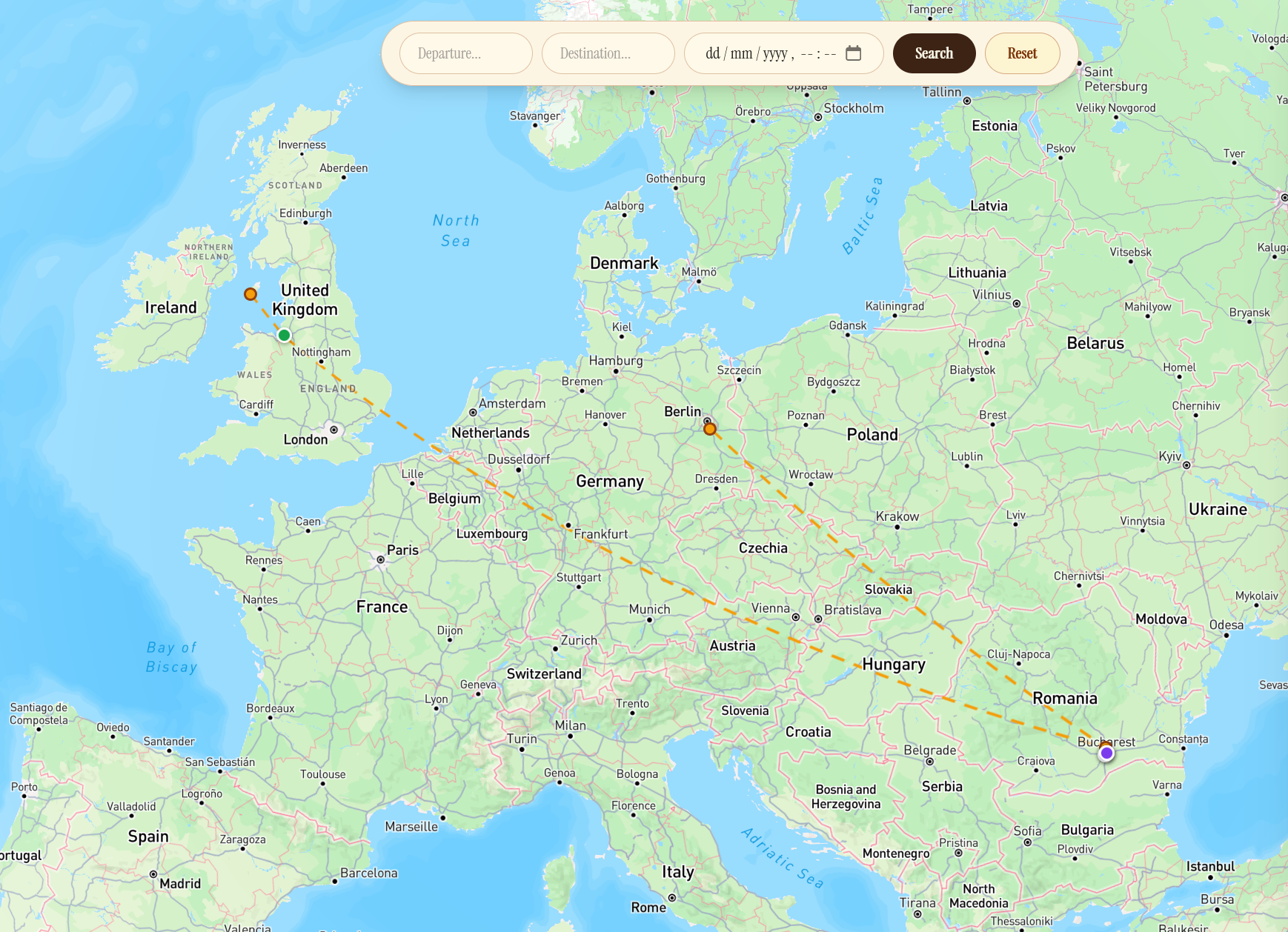
- Interactive globe — use a MapBoxGL globe to choose your start and end locations geographically, and see the adventure you can go on, with routes and waypoints for things to do during your side questing.
How we built it
- Frontend: React + TypeScript (Vite), Tailwind CSS, Three.js for the 3D globe, Mapbox GL for maps, React Router for navigation. The UI uses a warm parchment aesthetic throughout with the Instrument Serif typeface.
- Backend: Python FastAPI serving a REST API. Two main integrations:
- Skyscanner Partners API — live flight search with session polling to retrieve complete results.
- Google Gemini (
gemini-2.0-flash-lite-preview) — a structured JSON prompt with a strict schema extracts layover airport, flight times, activity list (type, description, duration, travel time, price, coordinates) and total time needed.
- The backend exposes a
/api/generateendpoint for sidequest generation and a/flightsendpoint for flight lookup, plus a/api/calculate-valueutility that scores a layover trip against a direct flight.
Challenges we ran into
- Skyscanner's async search model — results are not returned immediately; the API requires creating a session and then polling until
RESULT_STATUS_COMPLETE. We had to implement a polling loop with timeouts and handle partial results gracefully. - Structured Gemini output — getting the model to reliably return valid JSON with the exact schema we needed (especially latitude/longitude and time estimates) required careful prompt engineering and schema enforcement via the
response_schemaparameter. - Time-awareness at the edge — accounting for travel time between activities, open hours, overnight rest, and the 2-hour airport buffer all in a single AI pass without the itinerary becoming inconsistent.
- Globe performance — plotting geographical locations on our MapBox GL globe based on the Skyscanner API we ran into issues with API compatibility, often struggling to get the data from the APIs to work seamlessly with one another.
Accomplishments that we're proud of
- A genuinely useful end-to-end flow: from flight search to a ready-to-follow layover itinerary in seconds.
- Clean, consistent visual identity across every page that feels like a vintage travel journal.
- MapBox GL interactive glove to choose a starting point and destination was a more interesting approach that what we are used to with a standard web app input form.
What we learned
Prompting LLMs for structured, map-ready data
Getting an LLM to return JSON that is immediately usable in a mapping library requires more than asking for coordinates — the model needs explicit constraints at every level. We learned to define a strict response_schema (using Gemini's typed schema API) so the model cannot return a string where a number is expected, cannot omit required fields, and cannot invent new keys. Beyond the schema, the prompt itself needs to anchor coordinates to reality: asking for "the latitude and longitude of the activity location" produces hallucinated values, whereas asking the model to "return the WGS-84 latitude and longitude of the venue's front entrance, suitable for placing a Mapbox marker" produces coordinates that are consistently within metres of the real place. We also found that asking the model to reason about geographic ordering — "suggest activities in a logical walking or transit sequence" — produces coordinate arrays that form a coherent route rather than a scattered point cloud, which means the GeoJSON LineString you construct from them is actually traversable.
Turning AI output into Mapbox GL features
Once the model returns a validated array of activities with latitude and longitude fields, the path to a Mapbox route visualiser is straightforward but has several non-obvious steps:
- GeoJSON FeatureCollection — convert each activity into a
Feature<Point>with its metadata (name, type, duration, price) inproperties. Mapbox'saddSourceaccepts a GeoJSON object directly, so no serialisation is needed. - Ordered LineString for the route — collect the coordinate pairs in itinerary order and wrap them in a single
Feature<LineString>. Add this as a separate source and render it with alinelayer before adding the point markers so the route draws beneath them. - Custom markers vs symbol layers — for interactive popups, HTML
Markerelements give full CSS control and are easier to style to match the app's aesthetic;symbollayers are faster for large datasets but require icon images loaded into the map's sprite. For a per-person itinerary with fewer than 20 points,Markeris the right trade-off. - Fitting the viewport — use
map.fitBoundswith aLngLatBoundsbuilt by reducing over all coordinates, then pass{ padding: 60 }so markers are never clipped by the UI. This is more reliable than manually computing a centre and zoom level. - Reactive updates — when the user selects a different flight or regenerates sidequests, call
getSource('route').setData(newGeoJSON)rather than removing and re-adding the source; this triggers a smooth animated transition instead of a full re-render.
What's next for sidequest.
- Map view — plot activity waypoints on a Mapbox map with a suggested accurate walking/transit route, not just a list, to remove the need for user to have to navigate using other apps.
- Personalisation — let users save preferences (dietary restrictions, mobility needs, preferred activity types) so suggestions improve over repeat use.
- Boarding Pass data integration — allow users to upload their flight information, via photos or PDFs to generate sidequests for users who have already booked their flights.
- Multi-leg trips — support itineraries with several layovers on a single journey.
- Mobile app — a lightweight companion that sends push reminders ("head back to the airport in 30 min").
Built With
- fastapi
- gemini
- mapboxgl
- python
- react
- skyscannerapi
- typescript


Log in or sign up for Devpost to join the conversation.