Inspiration
After most meetings, people spend hours writing the emails, creating the Trello cards, and kicking off the repos that came out of the conversation. We wanted a tool that handled that work directly from the meeting itself, while respecting the fact that people change their minds halfway through a sentence.
What it does
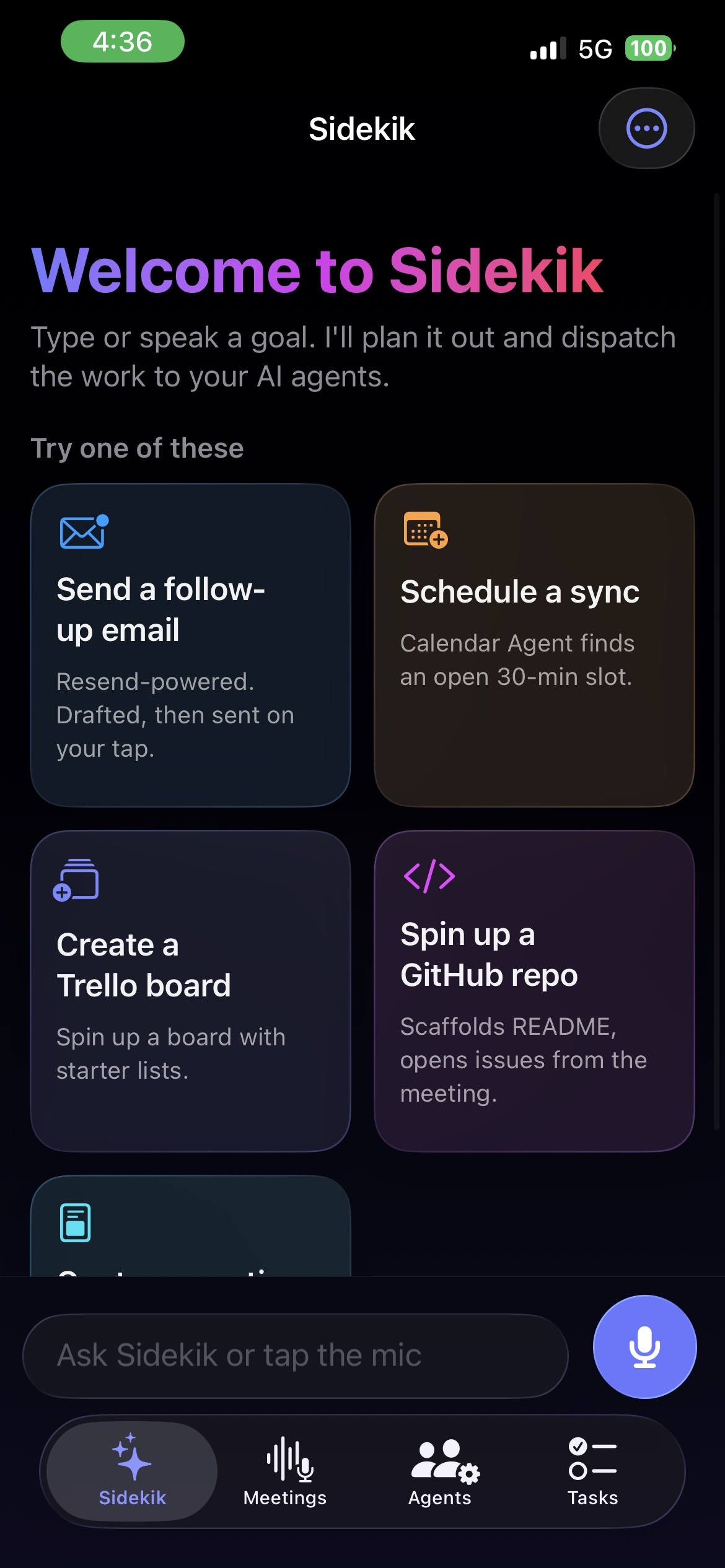
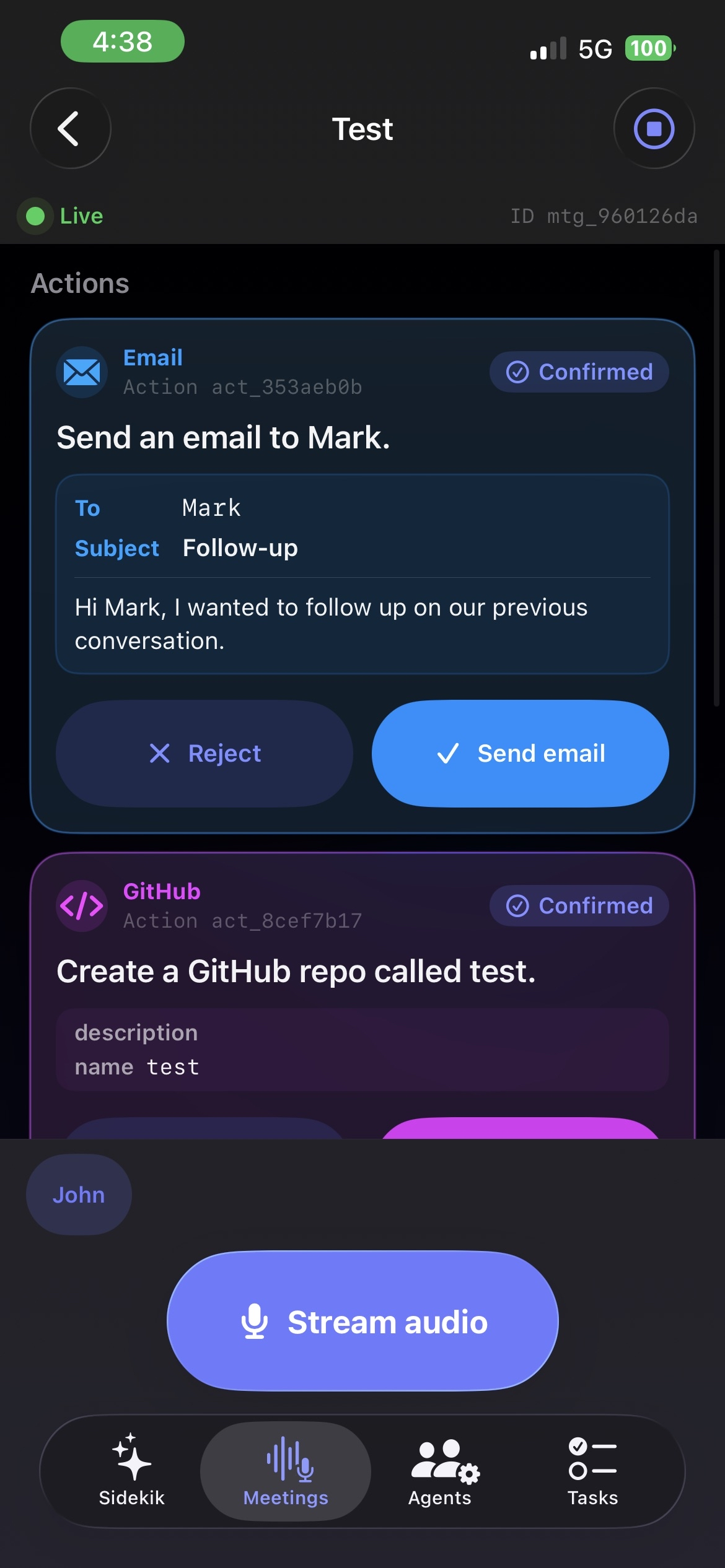
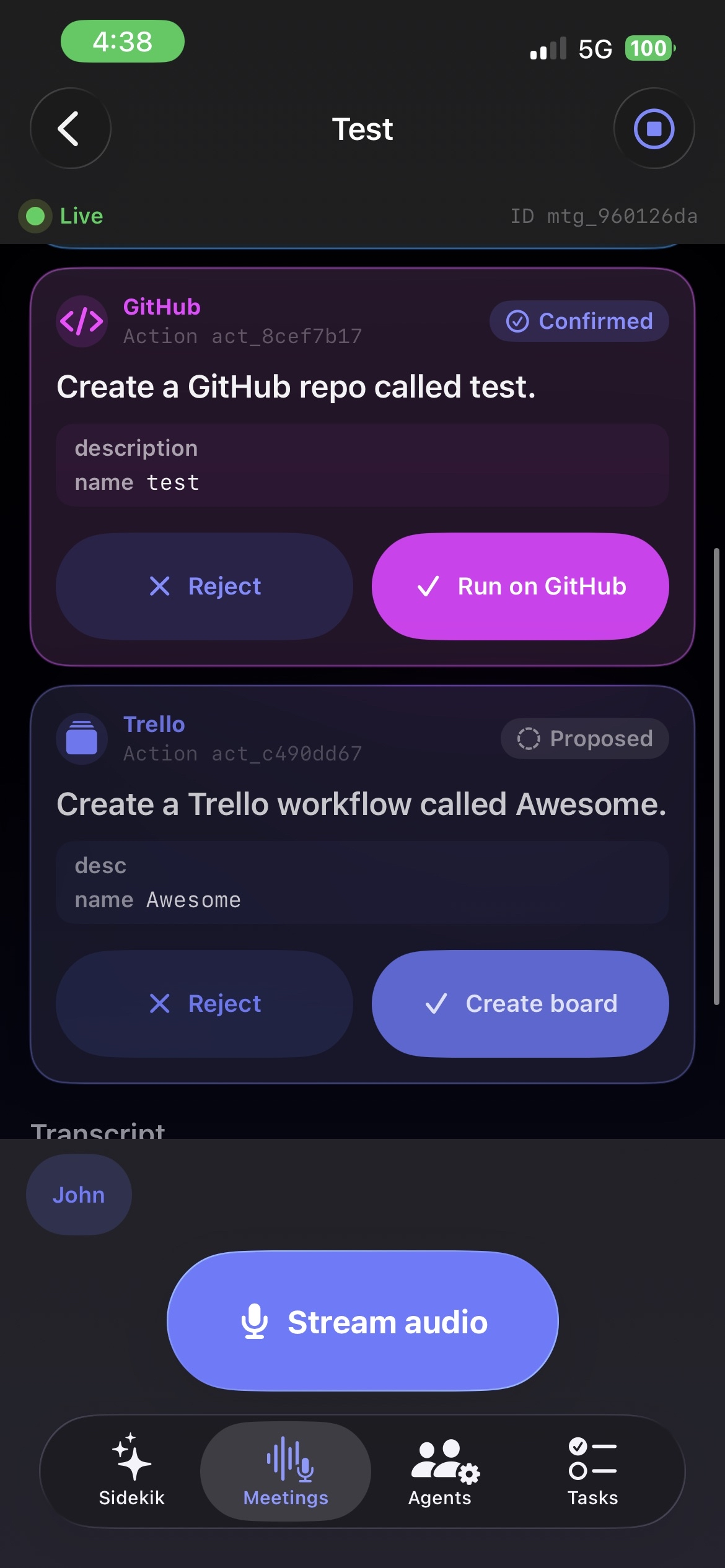
Sidekik is a native iOS app paired with a Python backend. While a meeting is happening, the iOS app streams microphone audio to the server over a WebSocket. The server transcribes the audio with faster-whisper and runs a decision engine that tracks every action item through three states: proposed, confirmed, and rescinded. If a speaker takes something back ("actually, scratch that"), the action is rescinded and never executed. Confirmed actions are dispatched to agents that perform the real work: sending emails, creating Trello boards, and creating GitHub repos. Progress streams back to the iOS UI in real time.
How we built it
- iOS client: Swift and SwiftUI. AVAudioEngine captures 16 kHz mono PCM int16 audio in 200 ms chunks and sends them as binary frames on a
URLSessionWebSocketTask. JSON events flow back the other way and drive views for the live transcript, action cards, and agent progress. - Server: FastAPI on Python 3.11+, managed with uv. One WebSocket route handles audio in and events out per meeting. REST endpoints cover meeting creation, snapshot reads, and approve/reject for actions.
- Transcription: faster-whisper running locally with the
small.enmodel by default. Partial transcripts emit during a window; final transcripts emit on silence or after a short timeout. - Decision engine: every few seconds of new finalized transcript, the engine calls CLōD (OpenAI-compatible) with the running transcript and the current action list. CLōD returns strict JSON describing new actions, confirmations, and rescissions, and the engine reconciles that into the in-memory store.
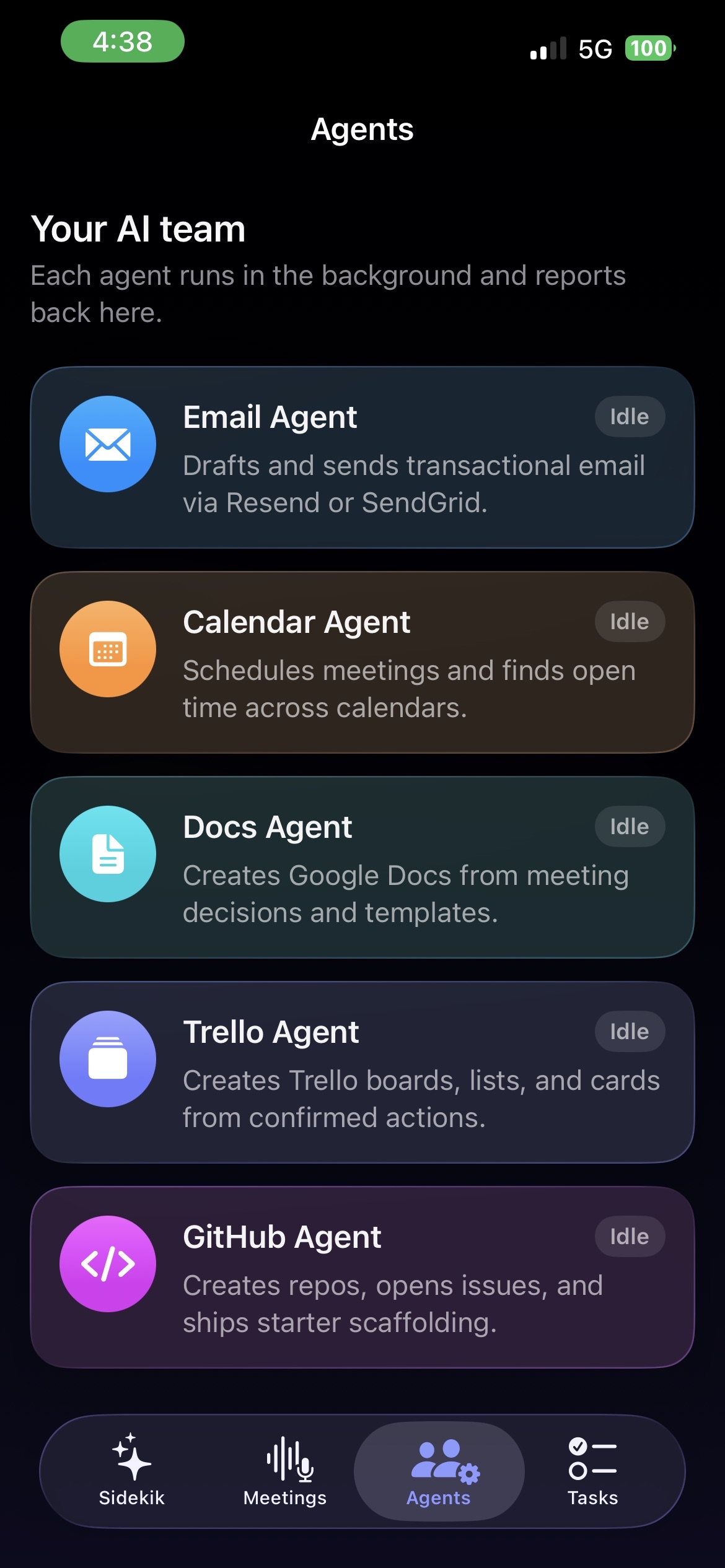
- Agents: each agent is a self-contained Python module that registers a run function in a shared registry. The shipping integrations are Trello, GitHub, and Email (Resend or SendGrid). Every integration is behind a feature flag so the server boots without any third-party keys.
- Demo mode: with
DEMO_MODE=true, the WebSocket loops through a scripted sequence of every event type, so the iOS client can be built against real frames before the live pipeline is wired and so the demo has a fallback if conference wifi misbehaves.
Challenges we ran into
- Audio plumbing on iOS. Getting AVAudioEngine to produce the right PCM format, in the right chunk size, on the right thread, without dropping frames during a long session, took several iterations.
- Time. The project was built during a single hackathon, so we kept the data layer in memory and feature-flagged every external integration.
Accomplishments that we are proud of
- End-to-end pipeline: phone microphone to transcript to decision to real artifact in a browser tab, working live.
- A clean action state machine (proposed, confirmed, rescinded) that handles the "actually, scratch that" case.
- Three working agent integrations behind feature flags.
- A demo path that does not depend on conference wifi.
What we learned
- Strict-JSON LLM output plus a small reconciler is enough to run a useful state machine over an open-ended conversation.
- A WebSocket carrying both audio in and events out keeps the iOS networking layer small.
- Building a backup demo path early pays off more than any feature added in the last hour.
What is next for Sidekik
- Per-user accounts and persistent storage so meetings survive a server restart.
- More agents (Slack, Notion, Linear, Jira, Google Docs, Google Calendar).
- On-device transcription on iOS for low-latency partials, with the server handling the decision engine and agents.
- A team view that shows incoming meeting actions across an organization.
Built with
Swift, SwiftUI, AVAudioEngine, Python, FastAPI, uv, WebSockets, faster-whisper, CLōD, GPT-4o mini via Claude, Resend, SendGrid, Trello API, GitHub API, Pydantic, Cursor.
Sponsors and tools used
- Cursor: the codebase was built in Cursor.
- CLōD: OpenAI-compatible provider used for decision-state extraction and agent reasoning.
- Greptile: used during development for cross-repo code search and PR review. Not part of the running app.


Log in or sign up for Devpost to join the conversation.