
Inspiration
We wanted to build something that made AI feel less like a chatbot on a screen and more like a real learning companion. A lot of students get stuck while solving problems, but they do not always need a full answer. Sometimes, they just need a small nudge at the right moment. That inspired us to create SideKick, a physical AI tutor that can watch a student’s work, understand their progress, and speak helpful hints in real time.
The problem goes beyond just getting stuck, though. Without anyone watching, students often go down the wrong path early on — a small mistake in the first step that quietly corrupts everything that follows. By the time they reach the end, the whole solution is wrong, and all that effort was wasted. SideKick catches those moments before they compound. It does not wait for a student to finish and fail, it notices when something is going sideways and speaks up just in time.
The goal was to make tutoring feel more natural: the student writes, the device observes, and the AI only steps in when it can actually help.
What it does
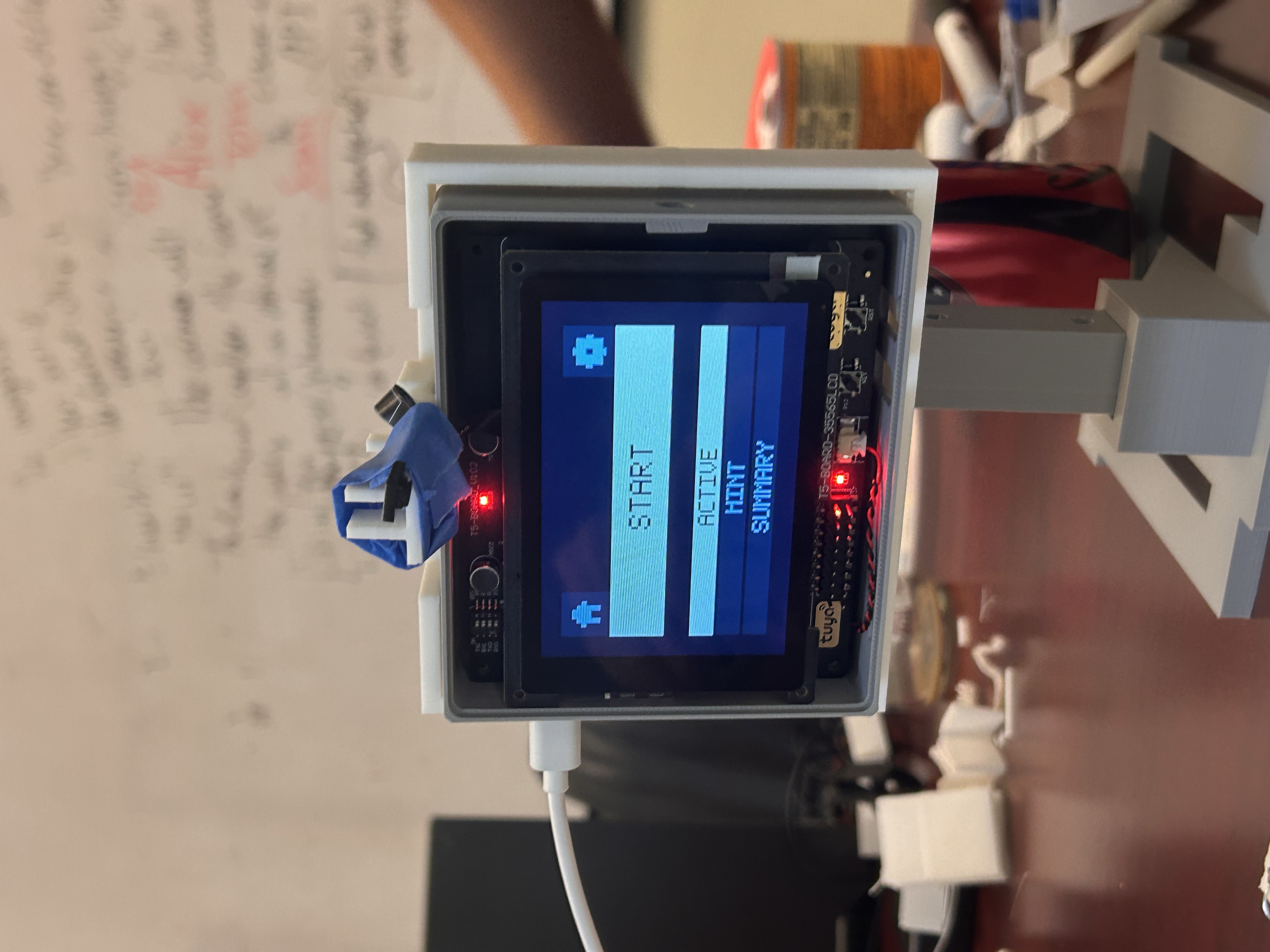
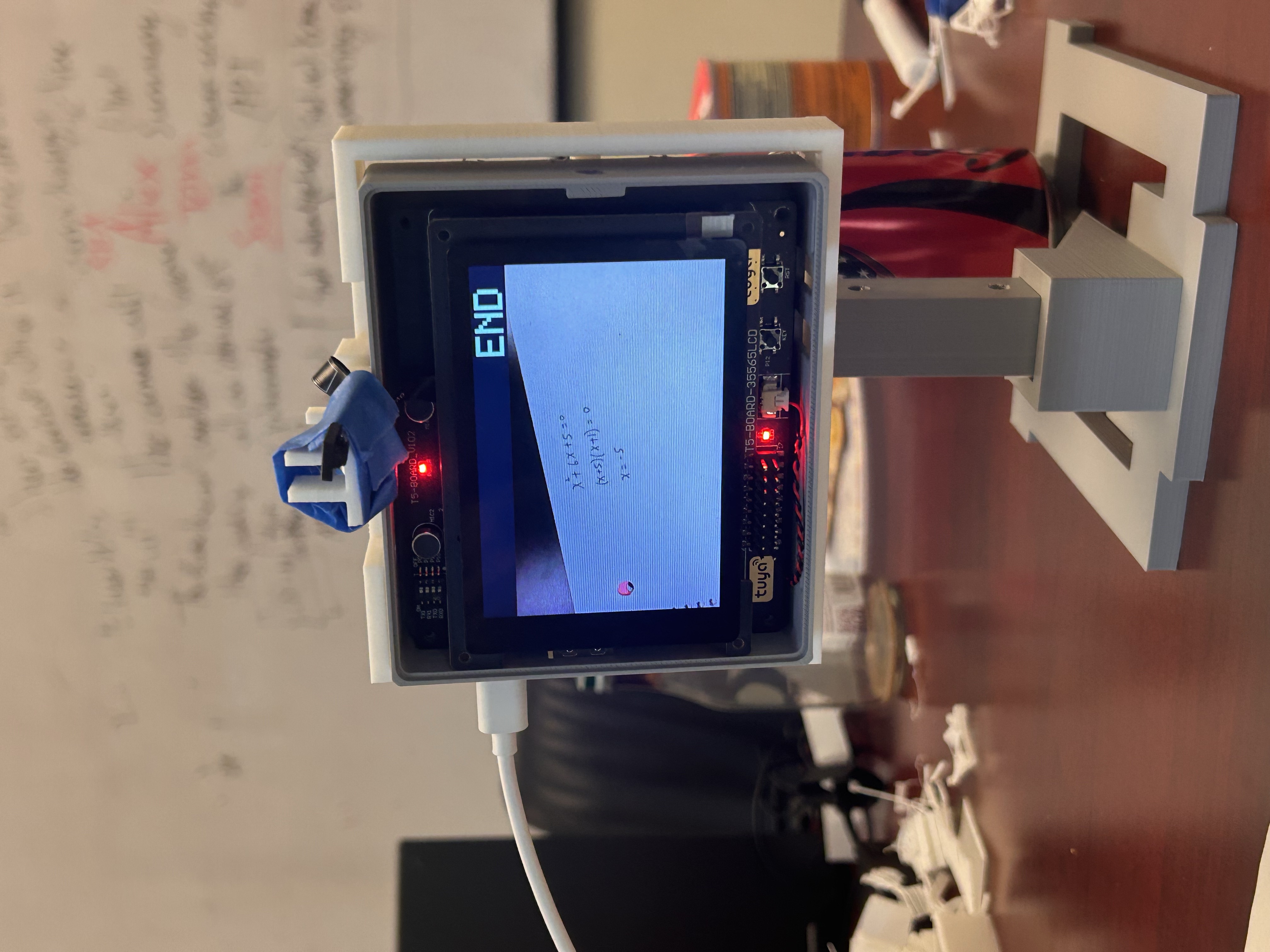
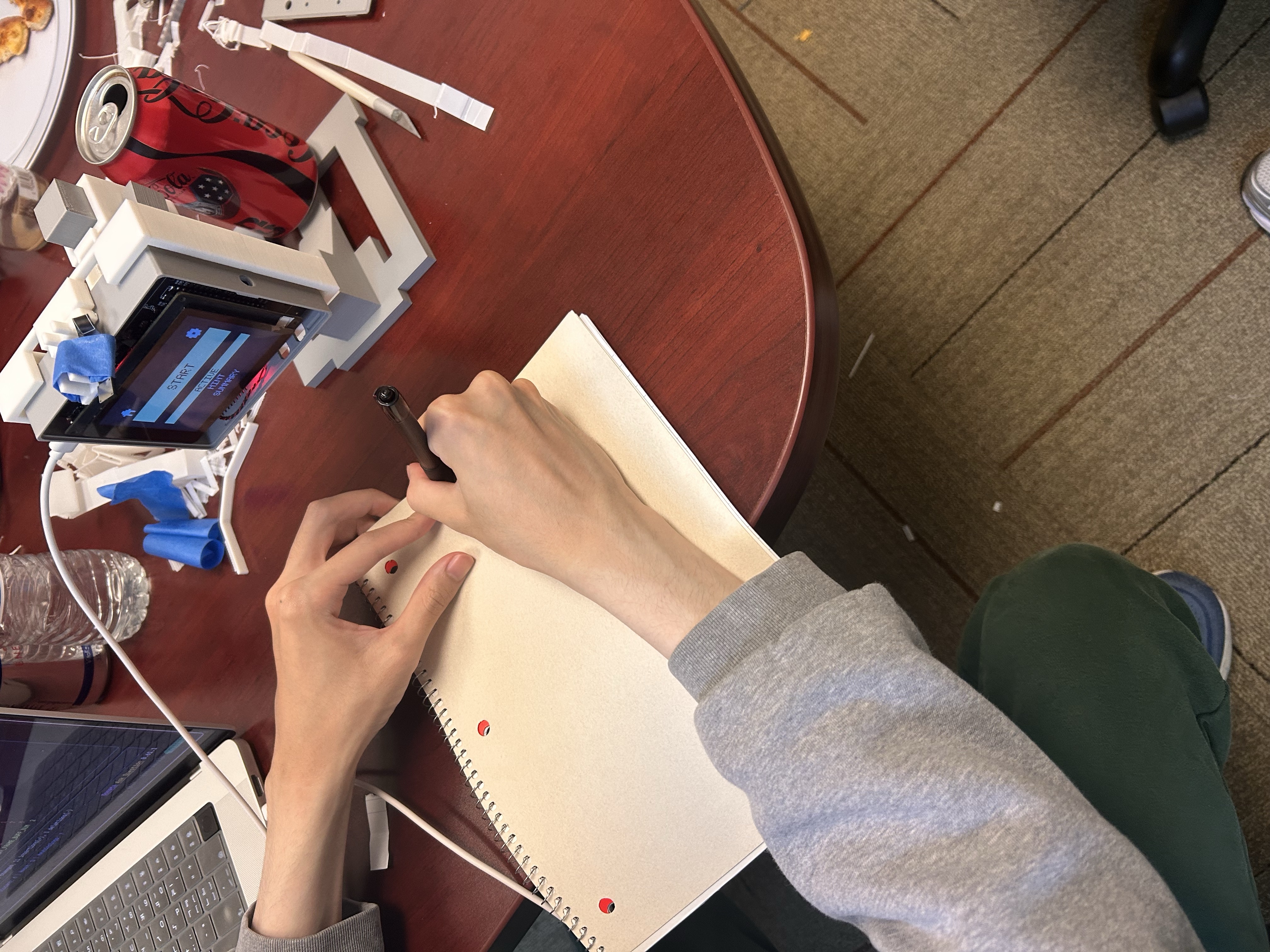
SideKick is a real-time physical AI tutor built on the Tuya T5AI development board. It uses the board’s camera to observe a student’s workspace, sends image frames to a local backend, analyzes the student’s work using a vision-language model, and speaks short tutoring hints through the device speaker.
The workflow is simple from the user’s perspective:
The student writes → SideKick watches → AI analyzes the work → SideKick gives a spoken hint when needed.
SideKick supports different tutoring behaviors, including Active Mode, Hint Mode, and Summary Mode. In Active Mode, it can step in when the student seems stuck or makes an error. In Hint Mode, it stays quiet unless the student is clearly going in the wrong direction. In Summary Mode, it summarizes the student’s progress and next steps at the end of a session.
How we built it
We built SideKick as a full embedded AI system with two major parts: the Tuya T5AI firmware and a local Go backend.
On the firmware side, the Tuya T5AI board handles the physical interaction. The firmware initializes the hardware, display, camera, touch input, audio, timers, work queues, and network stack. We designed the system so the UI and audio boot first, while Wi-Fi and network initialization happen separately, preventing the interface from freezing during startup.
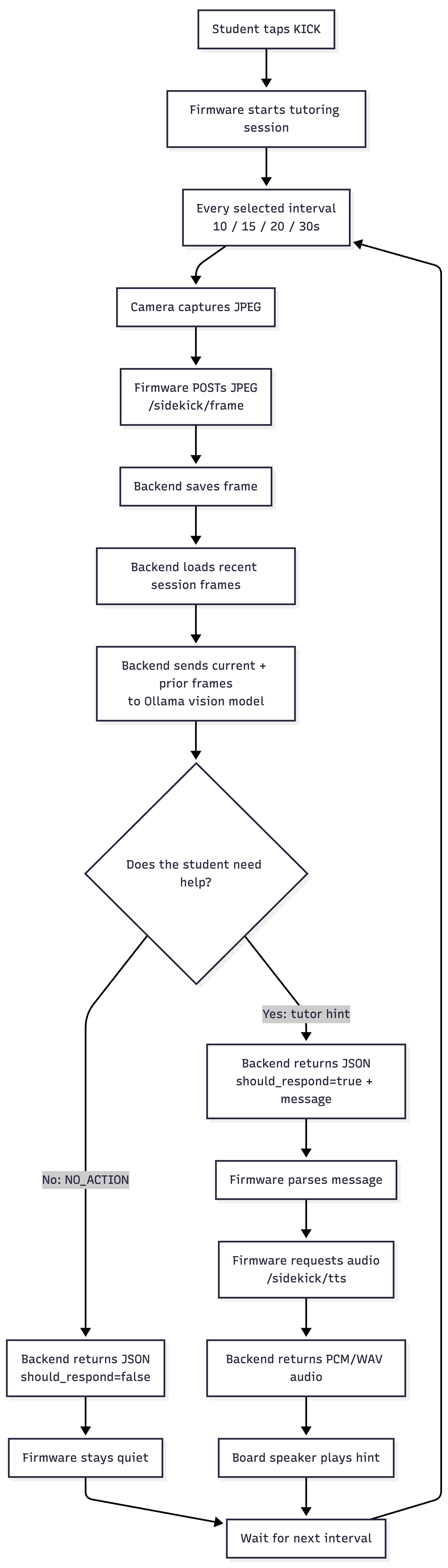
The camera pipeline captures frames from the student’s workspace. The board uses JPEG frames for AI analysis and can also support live preview through the display. A backend client running on the device uploads captured frames to the local Go server and receives either a text response, audio response, or a signal to stay silent. The firmware also handles audio playback by parsing WAV/PCM data and sending it to the speaker through the audio pipeline.
On the backend side, we built a Go HTTP server running on a laptop on the same local network. The board sends frames to endpoints like POST /sidekick/frame, while the backend also supports session ending, health checks, and TTS through endpoints such as POST /sidekick/session/end, GET /health, and POST /sidekick/tts. The diagram shows this full firmware-to-backend ecosystem, including the T5AI board, TuyaOpen SDK, generated device configuration, camera/audio pipelines, local backend, frame context, Ollama vision model, and TTS cache.
The backend uses llama3.2-vision:11b through Ollama to analyze the student’s recent visual context. It maintains a sliding frame context so the model can understand what changed over time instead of analyzing each image as an isolated snapshot. After the model produces a response, the backend cleans the output, decides whether the tutor should speak, and optionally generates speech using OpenAI or ElevenLabs TTS. It also caches generated audio to reduce latency.
Challenges we ran into
One of the biggest challenges was making the system feel real-time. It was not enough to simply capture an image and send it to an AI model. The device had to stay responsive while handling camera capture, HTTP requests, AI inference, and audio playback.
We had to separate blocking operations from the main UI loop so the screen would not freeze during network calls. We also had to manage camera frames carefully so JPEG capture could happen without disrupting preview or corrupting frame data.
Another challenge was audio. The backend could return generated speech, but the embedded device still had to parse the audio format correctly. We handled WAV/PCM parsing on the firmware side so the board could extract raw audio data and play it through the speaker.
We also had to deal with AI reliability. Vision models can sometimes return unnecessary formatting, hidden tokens, or responses that are too long. To solve this, we added backend cleaning logic and constrained the tutor to give short, useful responses or return NO_ACTION when it should stay quiet.
Accomplishments that we're proud of
We are proud that SideKick works end-to-end as a physical AI tutoring loop. The system can capture a real camera frame, send it to a backend, analyze it with a vision model, decide whether to respond, generate speech, and play that response through the physical device.
We are also proud that this is not just an API demo. It combines embedded firmware, camera handling, display control, touch interaction, networking, a Go backend, local vision inference, prompt orchestration, TTS generation, caching, and audio playback into one working system. The ecosystem diagram shows how many different layers had to work together, from the TuyaOpen SDK and T5AI platform to the local backend, Ollama model, and audio cache.
Another accomplishment is the tutoring behavior itself. SideKick does not just describe what it sees. It has different modes that control when it should help, when it should stay silent, and when it should summarize learning progress. That makes the device feel more like a thoughtful tutor than a noisy AI assistant.
What we learned
We learned how difficult and rewarding it is to make AI interact with the physical world. Building SideKick required more than prompting a model. We had to think about firmware architecture, device boot flow, camera formats, network latency, concurrency, backend state, multimodal context, speech generation, and audio playback.
We also learned that real-time AI systems need careful orchestration. A good user experience depends on small engineering decisions: keeping the UI responsive, sending frames at the right interval, caching audio, cleaning model output, and deciding when the AI should stay silent.
Most importantly, we learned that building a useful AI product requires both technical engineering and human-centered design. A tutor should not simply give answers. It should observe, understand, wait, and only step in when the student needs support.
What's next for SideKick
Next, we want to make SideKick more reliable, more intelligent, and more useful across different subjects.
We want to improve the tutor’s ability to detect when a student is stuck, recognize mistakes more accurately, and adapt its hints to the student’s level. We also want to support better session memory, so SideKick can track long-term learning progress instead of only reacting to recent frames.
On the hardware side, we want to improve the camera mount, reduce latency, refine the physical design, and make the device easier to set up. On the software side, we want to add better handwriting/math recognition, stronger prompt evaluation, and a cleaner dashboard for reviewing session summaries.

Log in or sign up for Devpost to join the conversation.