-
-
Sidekic - Managing your online resources
-
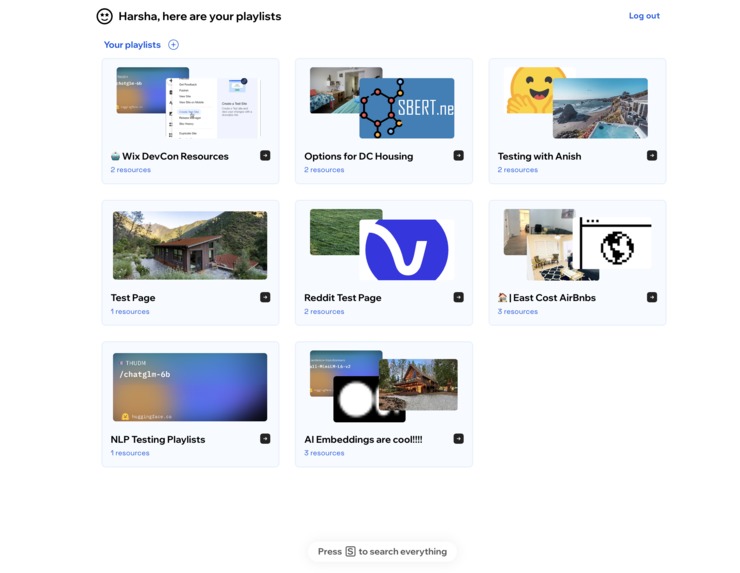
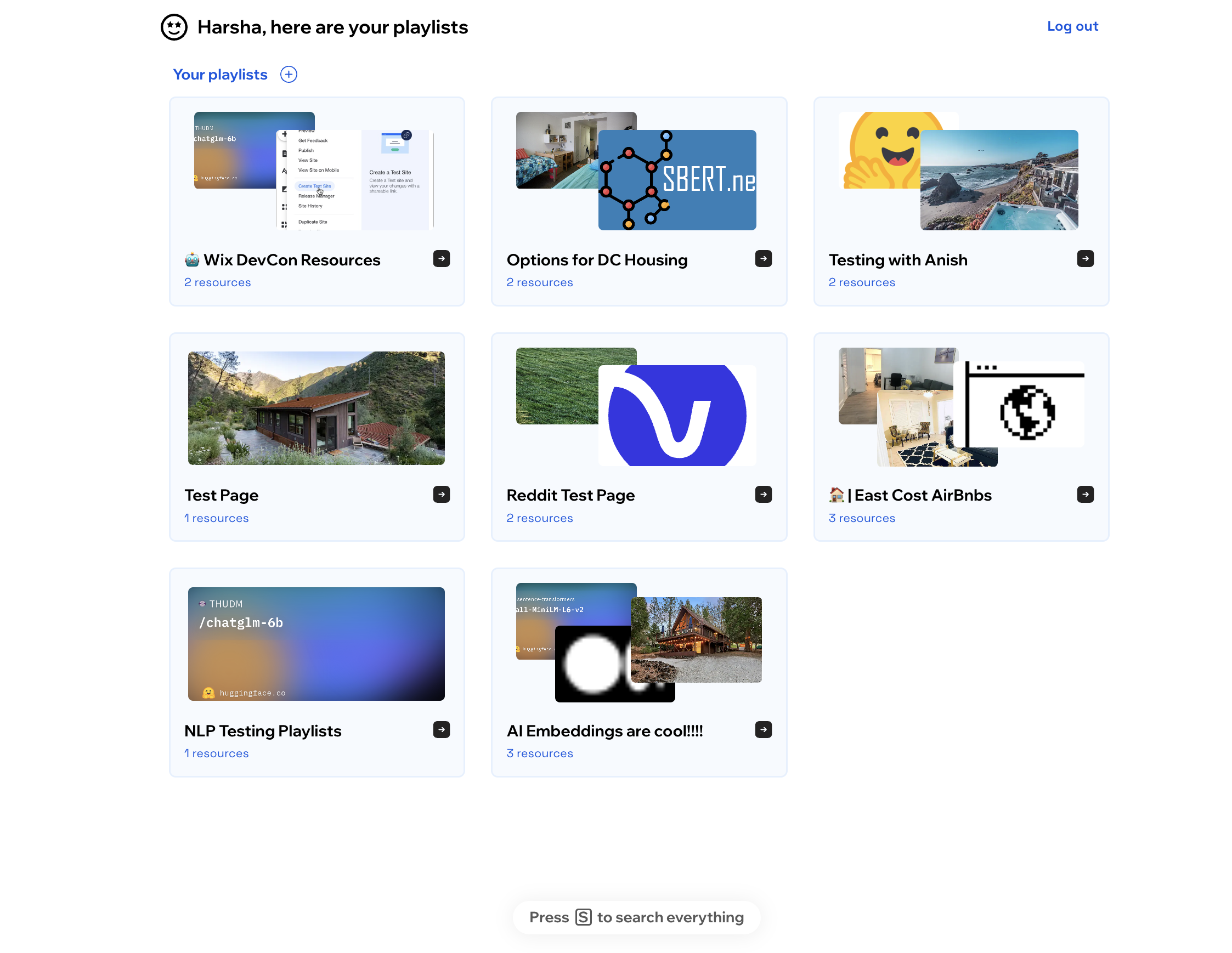
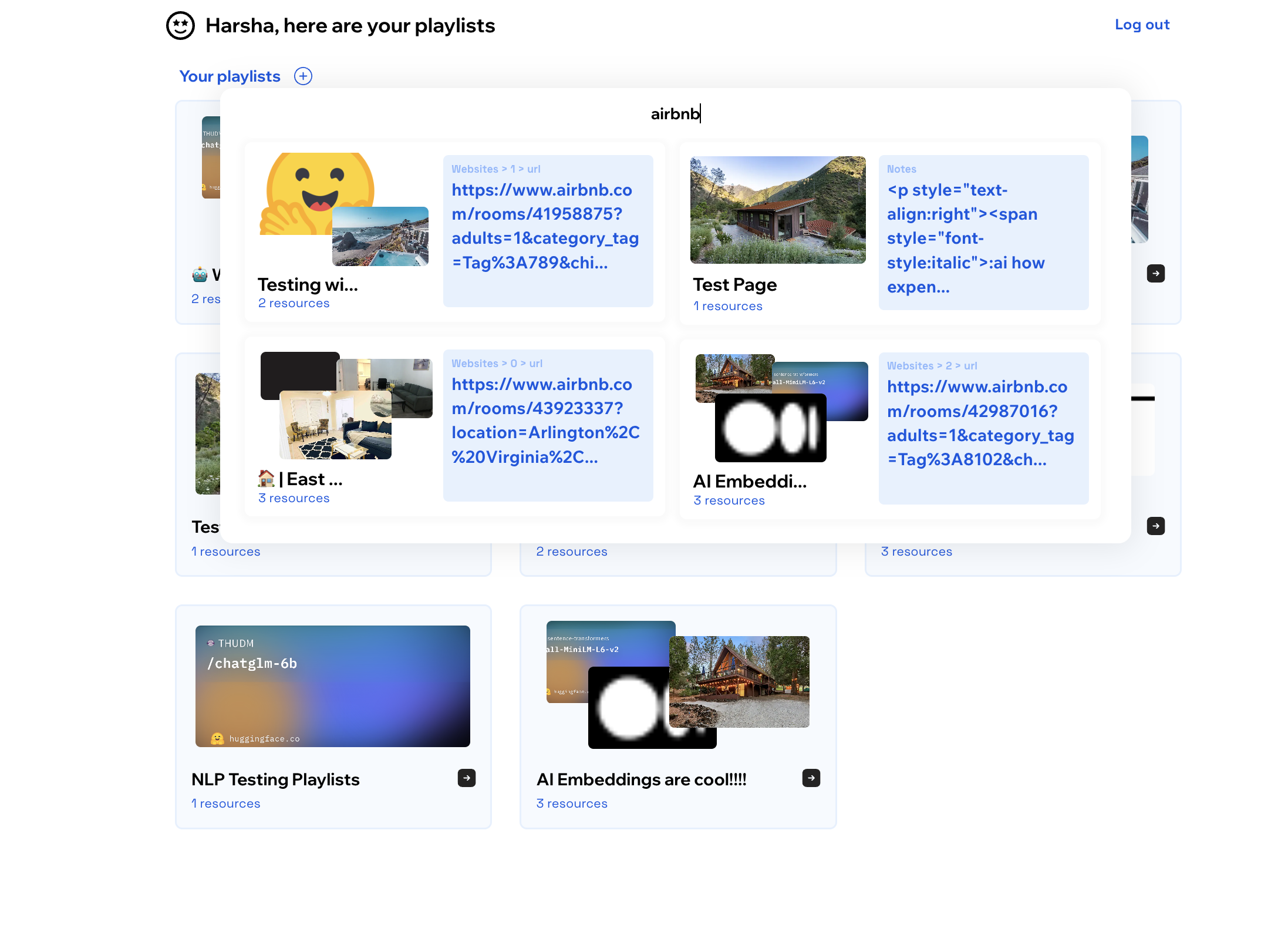
Main playlist viewing page
-
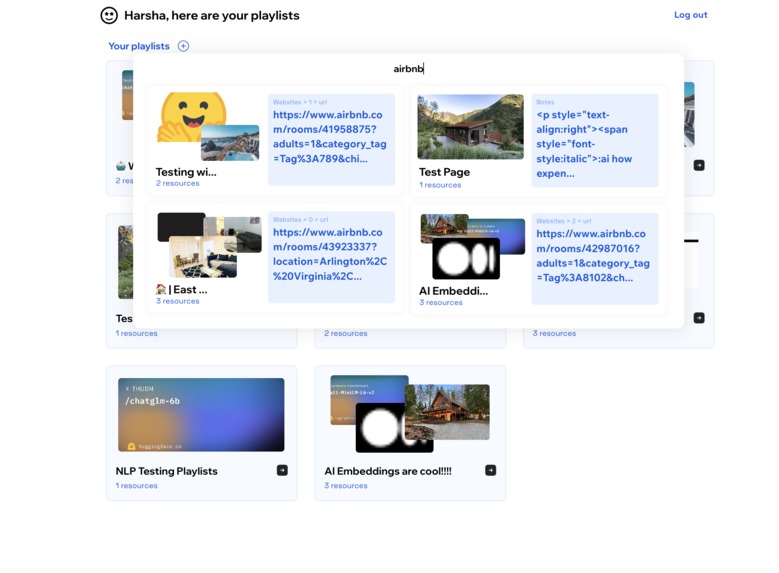
Playlist Search - "airbnb"
-
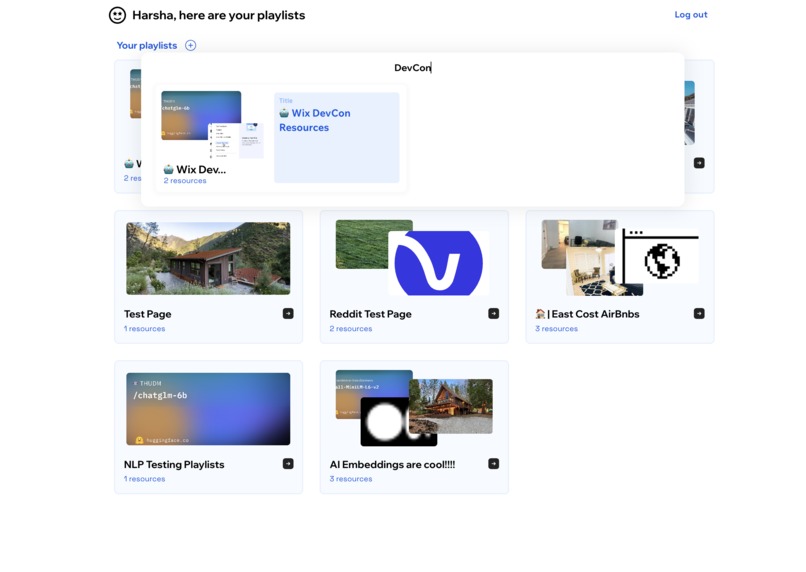
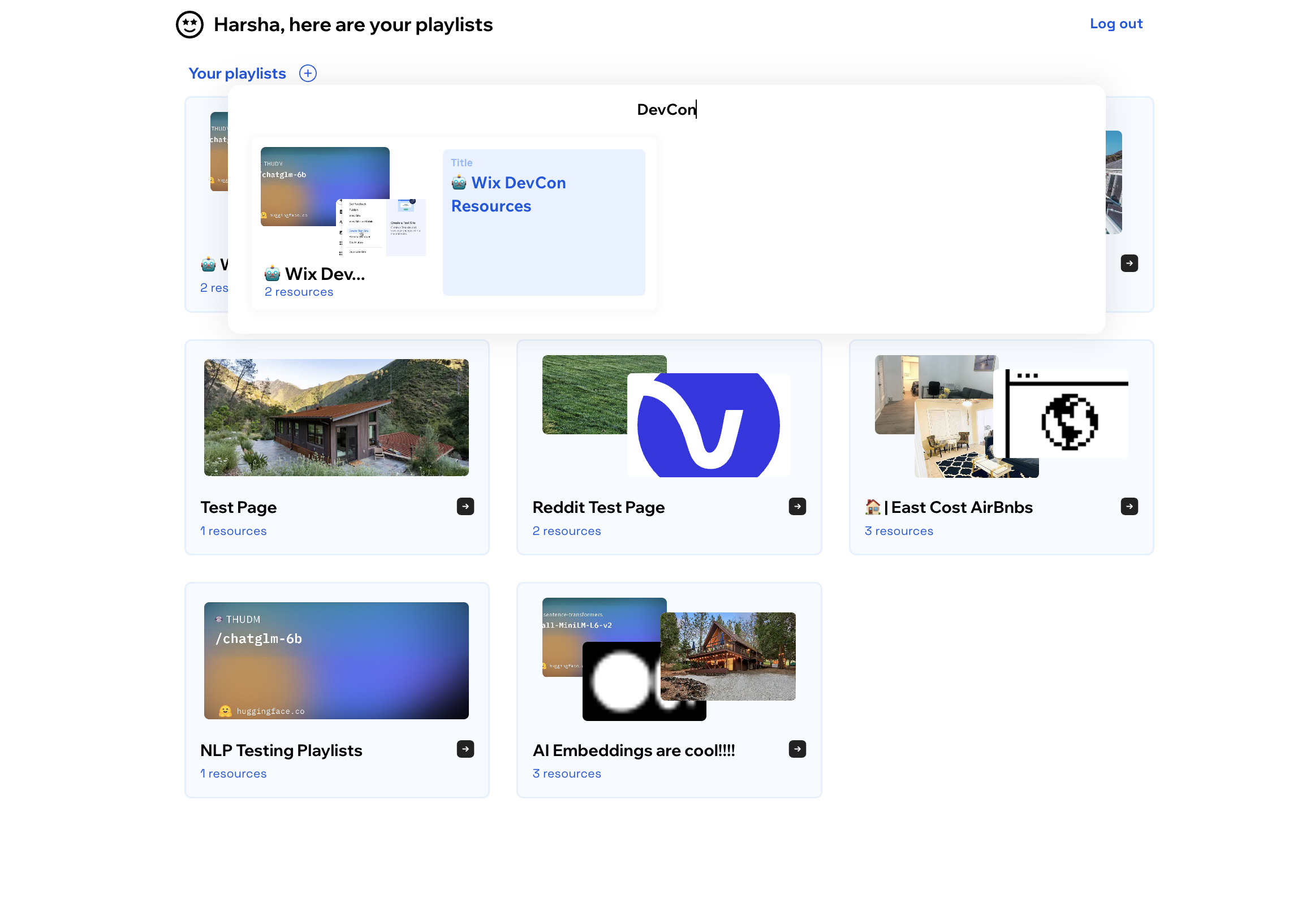
Playlist Search - "DevCon"
-
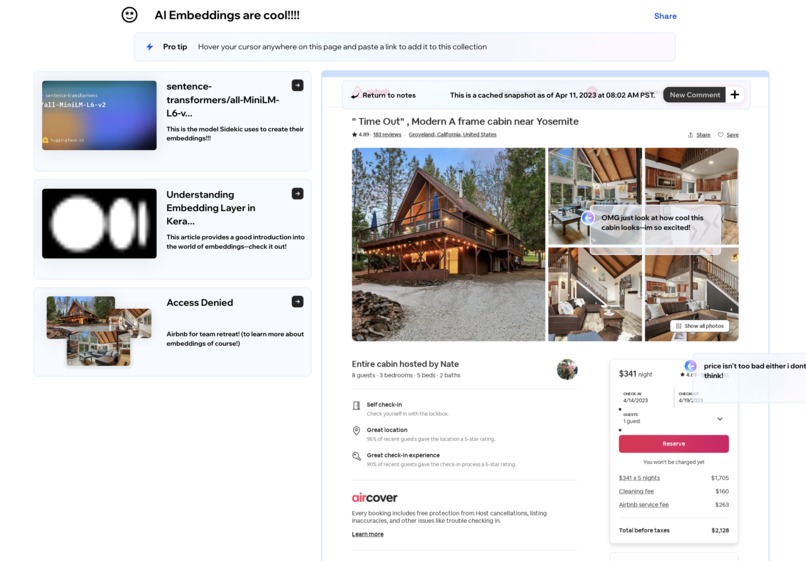
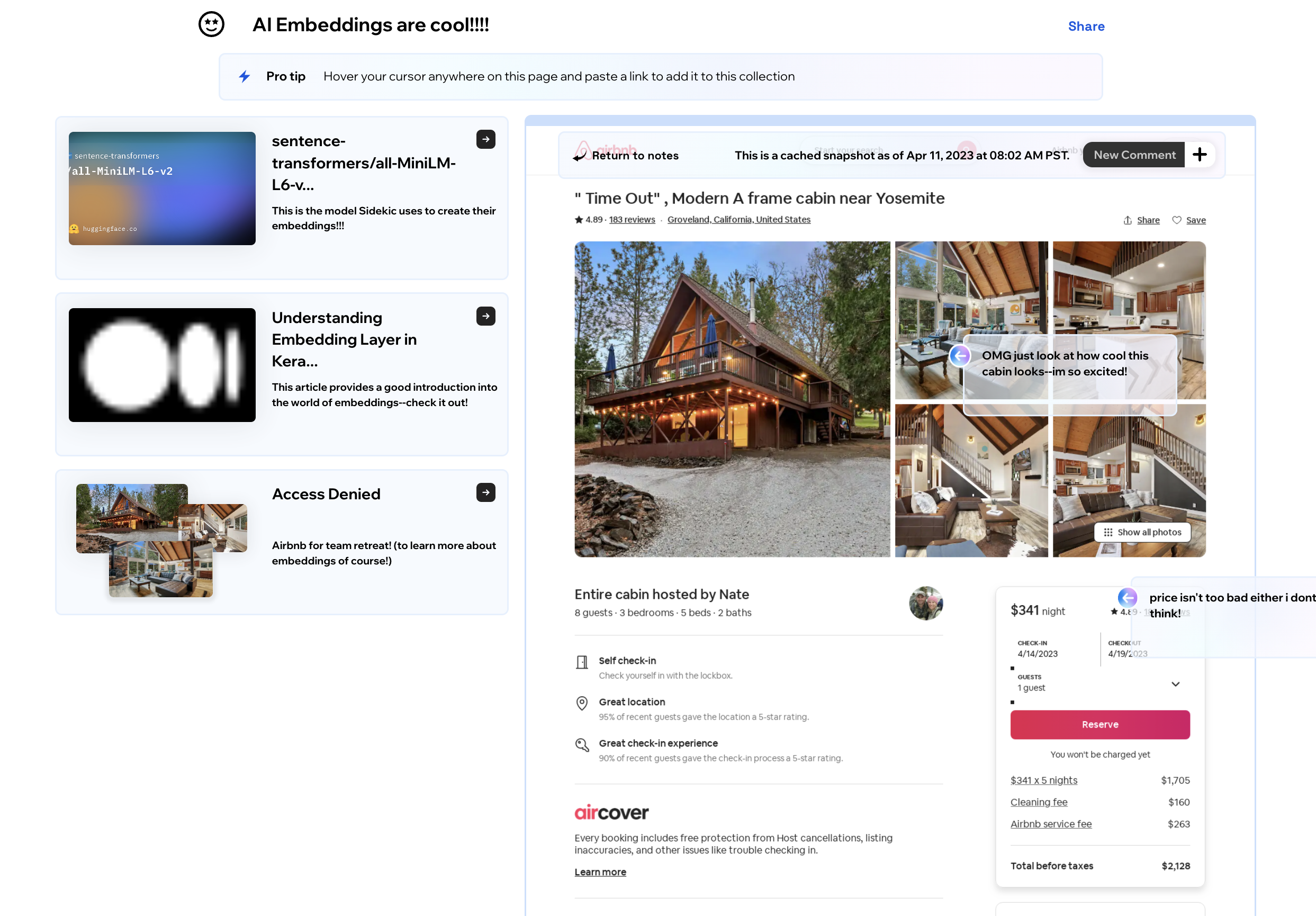
Inside a playlist - Snapshot View
-
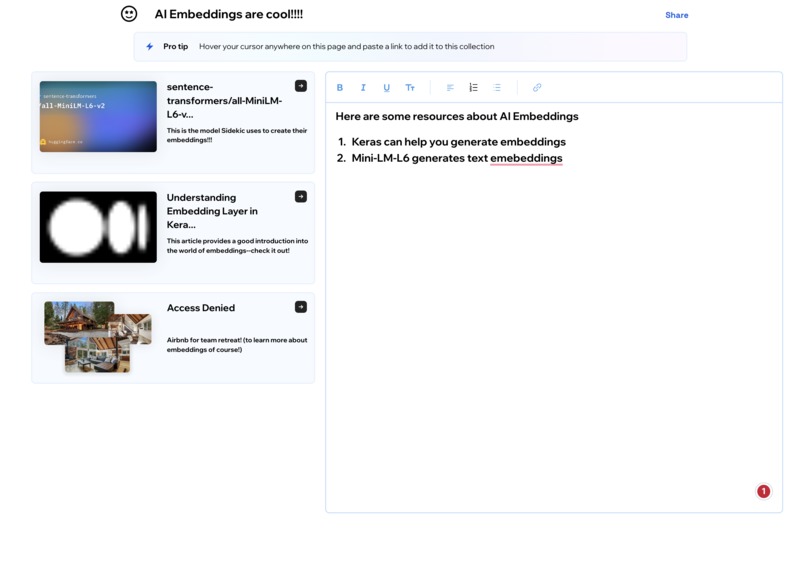
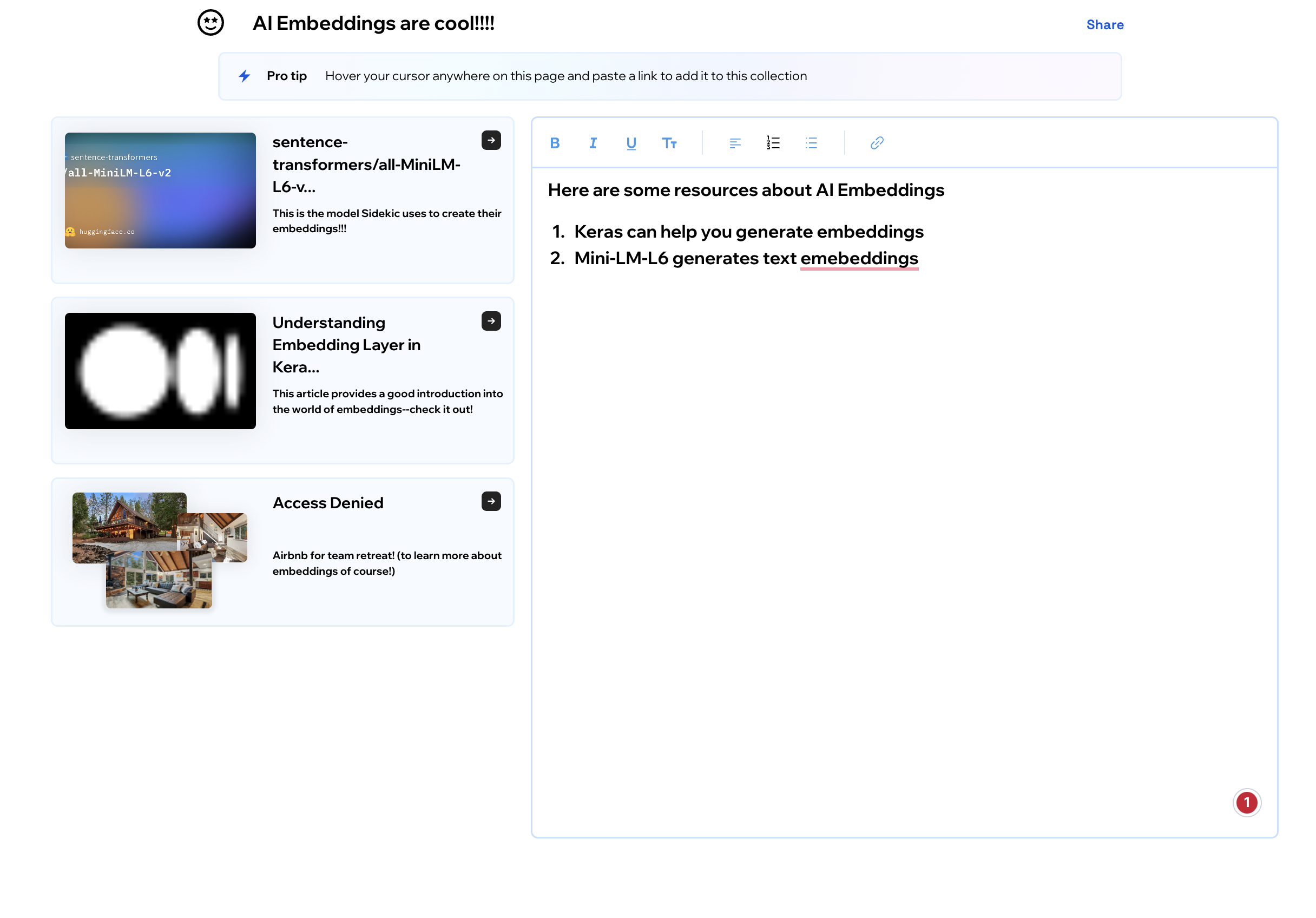
Inside a playlist - Notes View
Inspiration
More than ever, today, humans have access to immense amounts of data on a daily basis. As more information becomes available, particularly online, it feels like the tools we have to manage them are dated. Bookmarks haven't changed since the inception of browsers--it's still just a list. Moreover, there is no good way to share knowledge obtained from web sources, often leading team members to start from scratch even though the problem has been solved before. If you have resources you would like to share with people, the current best way is to send over a text or email them a paragraph of links. Links get mixed up, jumbled, and lost. Even links we try to save for ourselves are hopeless in terms of finding them again when we need them. There must be a better way.
What it does
Sidekic was developed to help organize and manage your internet. By categorizing resources into playlists, we create more searchable repositories of content and knowledge. These repositories can be shared with relevant parties and used as a tool for collaboration, research, and documentation. Instead of just making each playlist a list of links, we wanted it to be a home base for quick documentation. We added functionality to leave comments on a snapshot, letting playlist viewers see important parts of a page at a glance. We implemented AI tools for querying webpages, to quickly obtain relevant information about a topic without even having to open a website. Sidekic also allows for global search, so even if you have just a faint memory of a webpage/topic you previously visited, you can instantly find those relevant resources.
How we built it
The front end was entirely built using the Wix editor and Velo. Every time a new website is added to the playlist, the frontend calls our backend API (which we also made during this hackathon) which scrapes screenshots, images, and text from the website and returns the relevant information to the client. Every time anything is added/modified in the playlist, we call saveBoard() so everything is saved under the hood automatically onto a Wix Collections database. Some details about some cool features include: for the paste-url-anywhere to add to playlist feature, we track when the mouse leaves the window of the page (likely to copy-paste a URL from another window/location) and when the mouse returns to the page, we .focus() a hidden input box for a set period of time, so pasting on "the page" actually pastes into the input text box, and from there, we read the value and obtain the URL. The backend API was built using Python/Flask and is being hosted on AWS.
Challenges we ran into
We ran into numerous challenges, a couple of the more annoying ones being (1) Wix databases have an element size limit which meant we were unable to save the snapshot of the image directly without having to impose a max resource limit per playlist, which we didn't want to do. We ended up storing these in our backend compute server, and Wix queries this information as needed. (2) Getting the comments arrow to disappear when you hover out of the snapshot image was also challenging, you would think it's just a simple .onMouseOut() event, but since the comment box follows your mouse, just using that lead to too many false positives.
Accomplishments that we're proud of
Some stuff I'm proud of is getting free movement comments to work on the snapshot of the page following your mouse, getting repeaters to update content in one of their elements without having a more complex process, and over design ended up looking pretty nice, and I'm proud that the global playlist search ended up working so well. We're also excited that people have started using Sidekic and love it!
What we learned
From this project, I learned so much about obtaining user feedback and iterating. I discovered how easy Wix makes development cycles--new features can be added in minutes and not weeks. It allows product development to be much faster, letting us pivot fast to the needs of our users. I also realized that Wix as a platform is so much more capable than a lot of people think. We learned to create fast load-balanced endpoints that our frontend calls to web scrape a URL, design more elegant UI/UX software, use Wix-Members API for logging people in... and I also learned that 4 cups of coffee makes me very productive ☕
What's next for Sidekic
Right now, we have a tight feedback loop between early users and new feature requests. In the short term, we plan to continue building out what people have been wanting to elevate their experience; things like:
(1) Adding support to add different types of resources extending from webpages into videos, images, documents, etc. (2) Cleaning up UI/UX to be more stable for sharing (for example, adding profile pictures for comments so people know who wrote it) (3) Adding more functionality to AI search, like auto-creating playlists based on content and topics and using AI to recommend other resources to be added to a playlist by itself.
From a non-technical standpoint, we want to continue scaling and validating our product and have a more public launch in the next couple of months. We also want to see if we can make an in on the B2B market, seeing specific knowledge-sharing pain points a team might have in a corporate setting and how we may be able to help with Sidekic.
Built With
- amazon-web-services
- faiss
- flask
- javascript
- openai
- python
- selenium
- velo



Log in or sign up for Devpost to join the conversation.