-
-
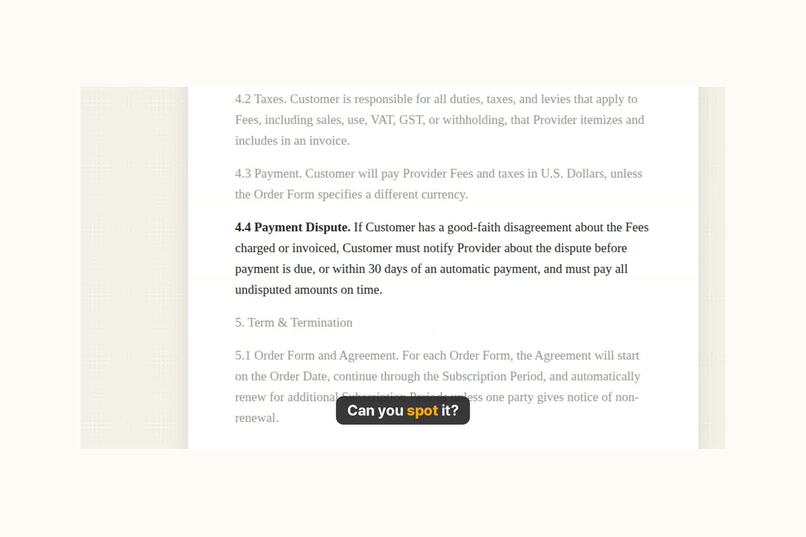
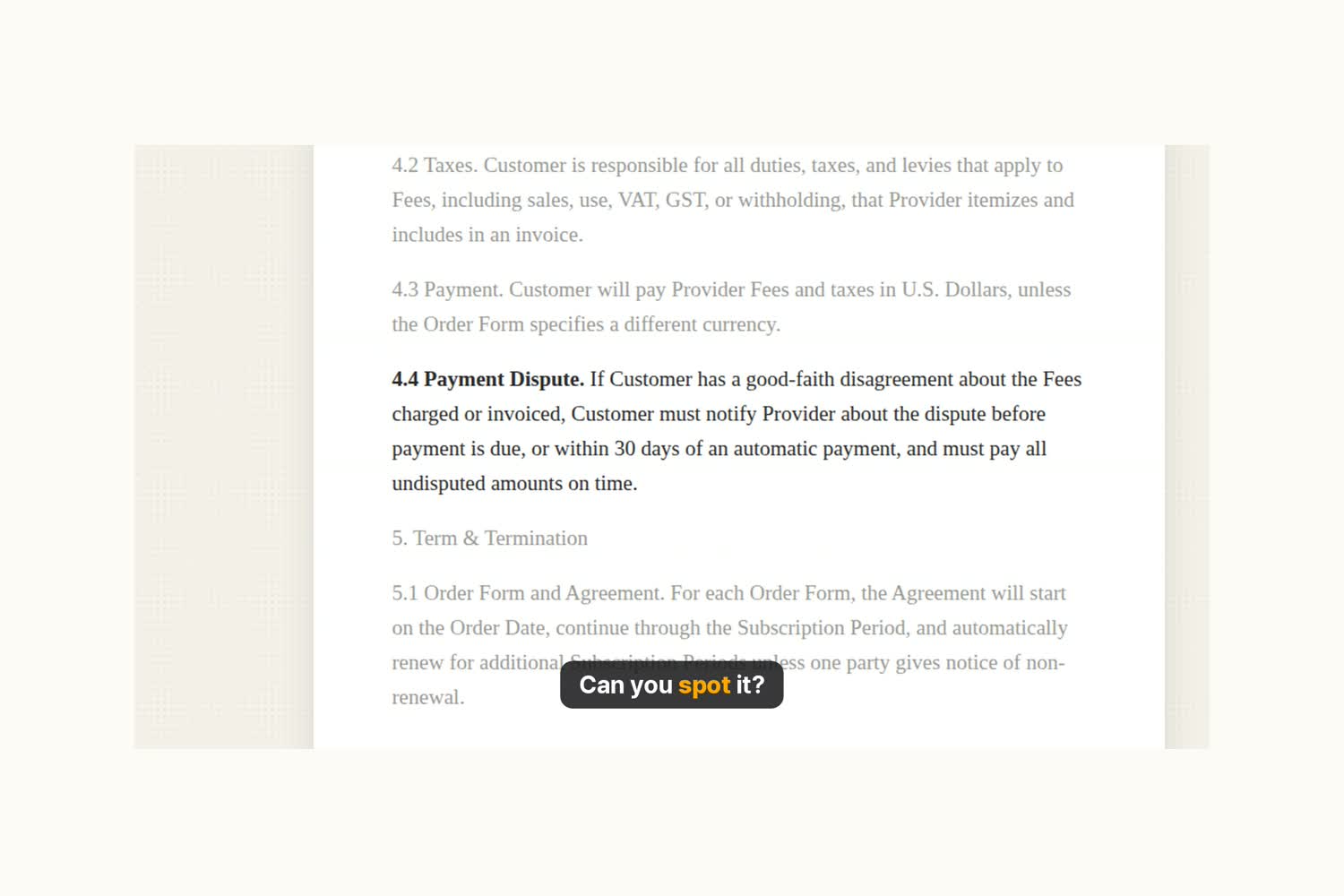
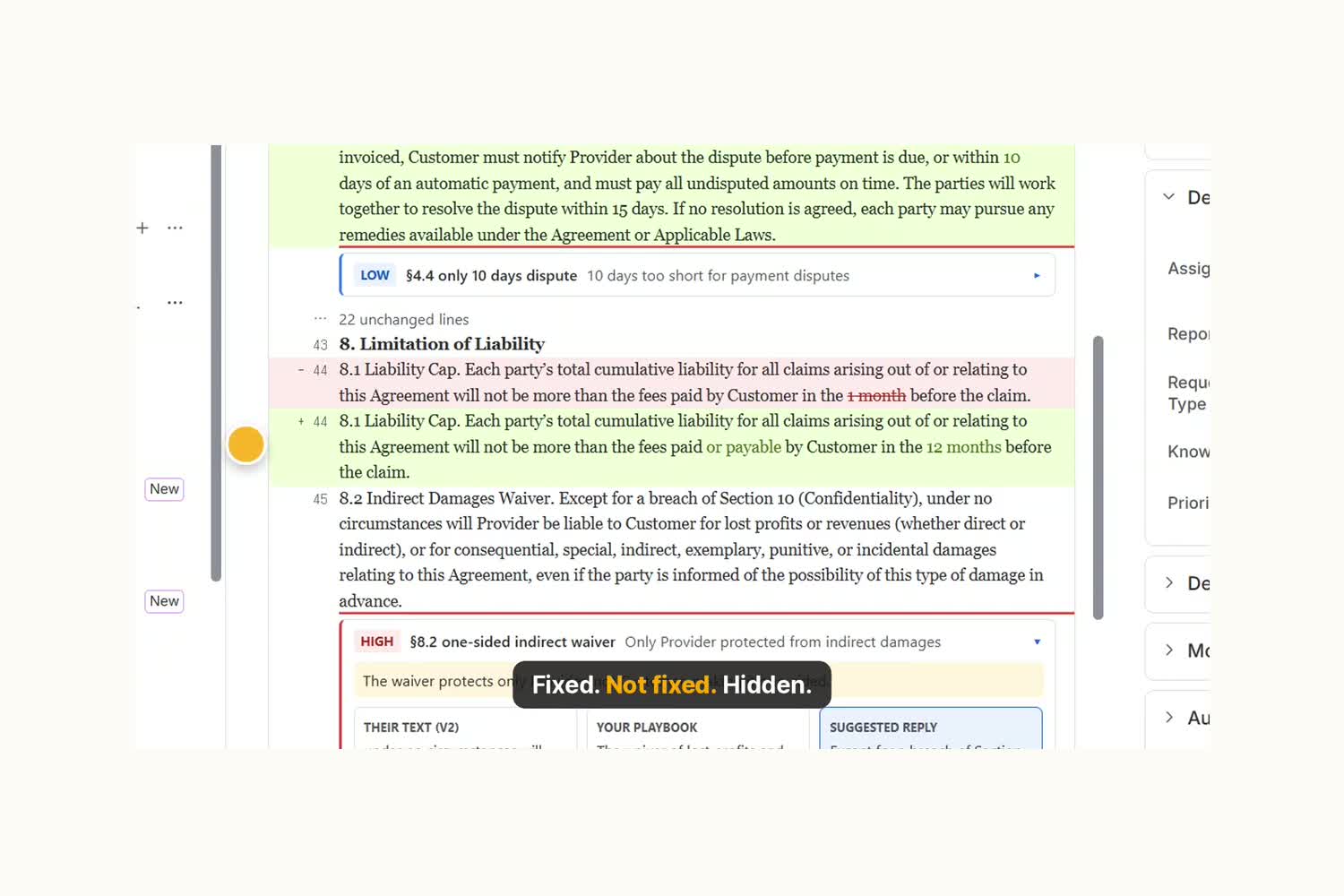
Version two of a contract. One number changed on page four: 30 days became 10.
-
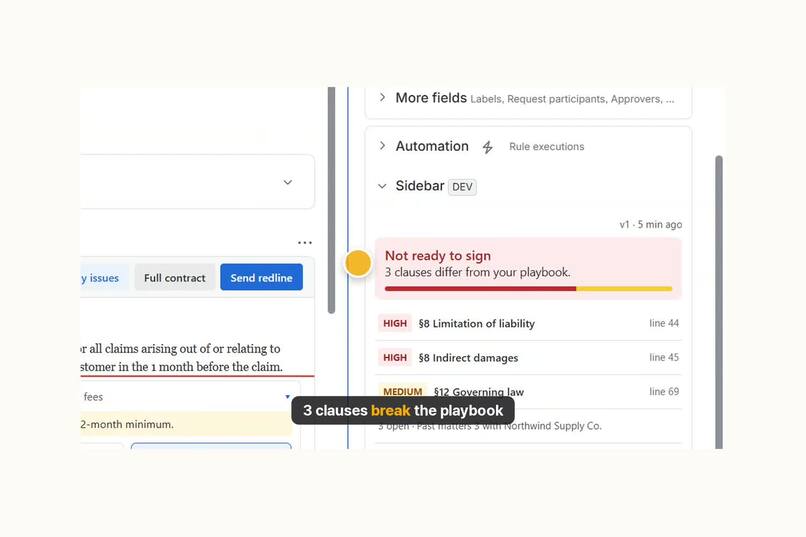
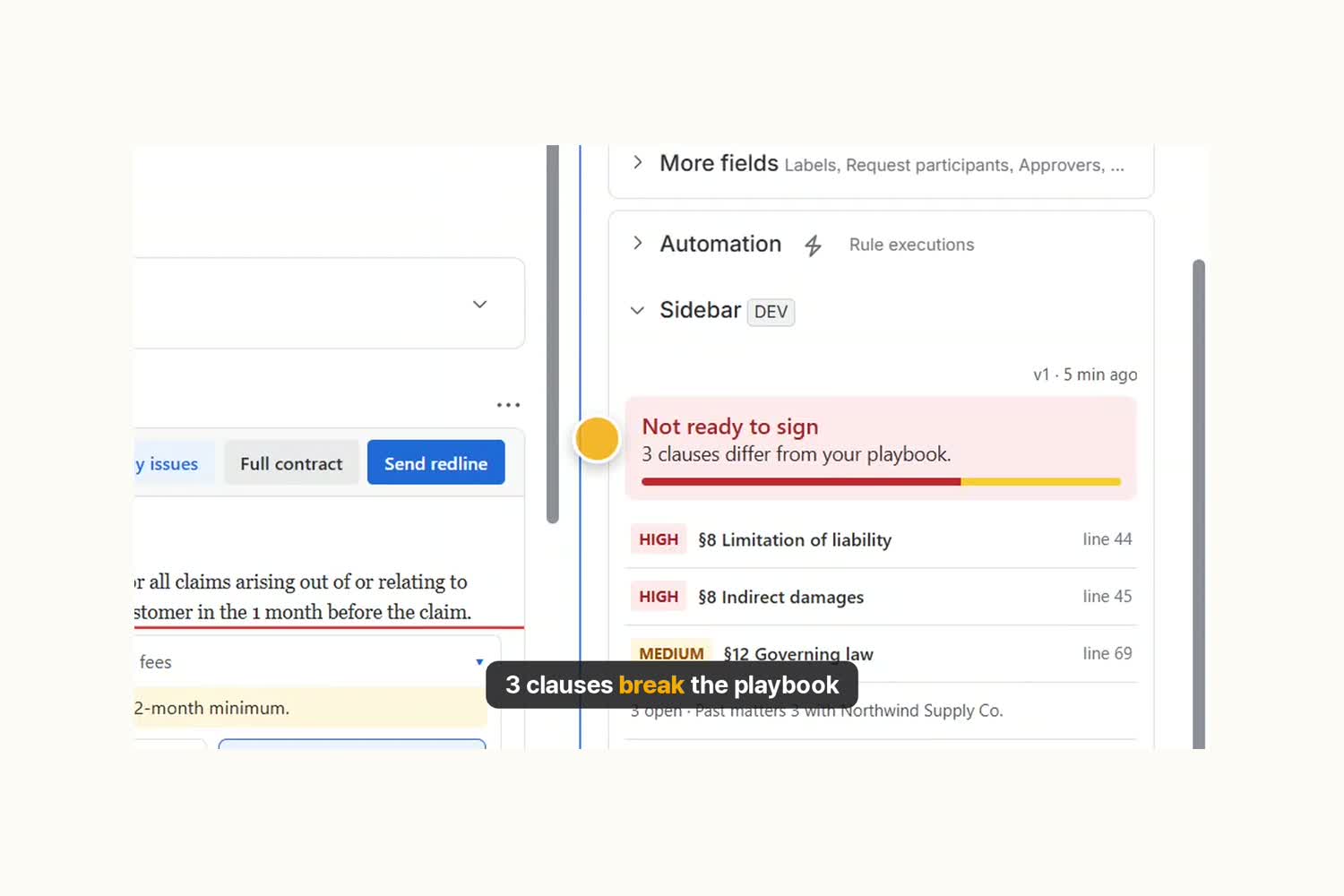
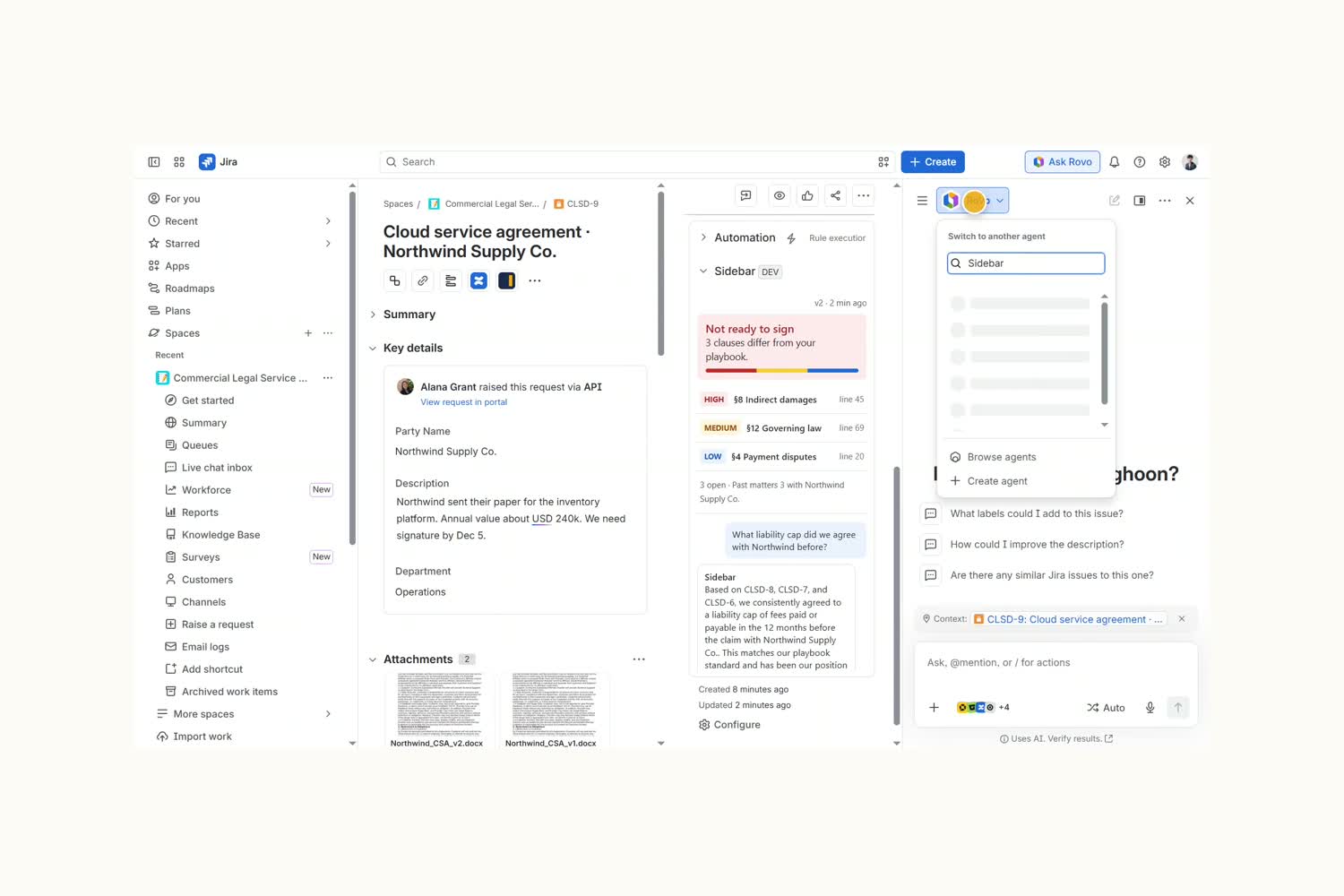
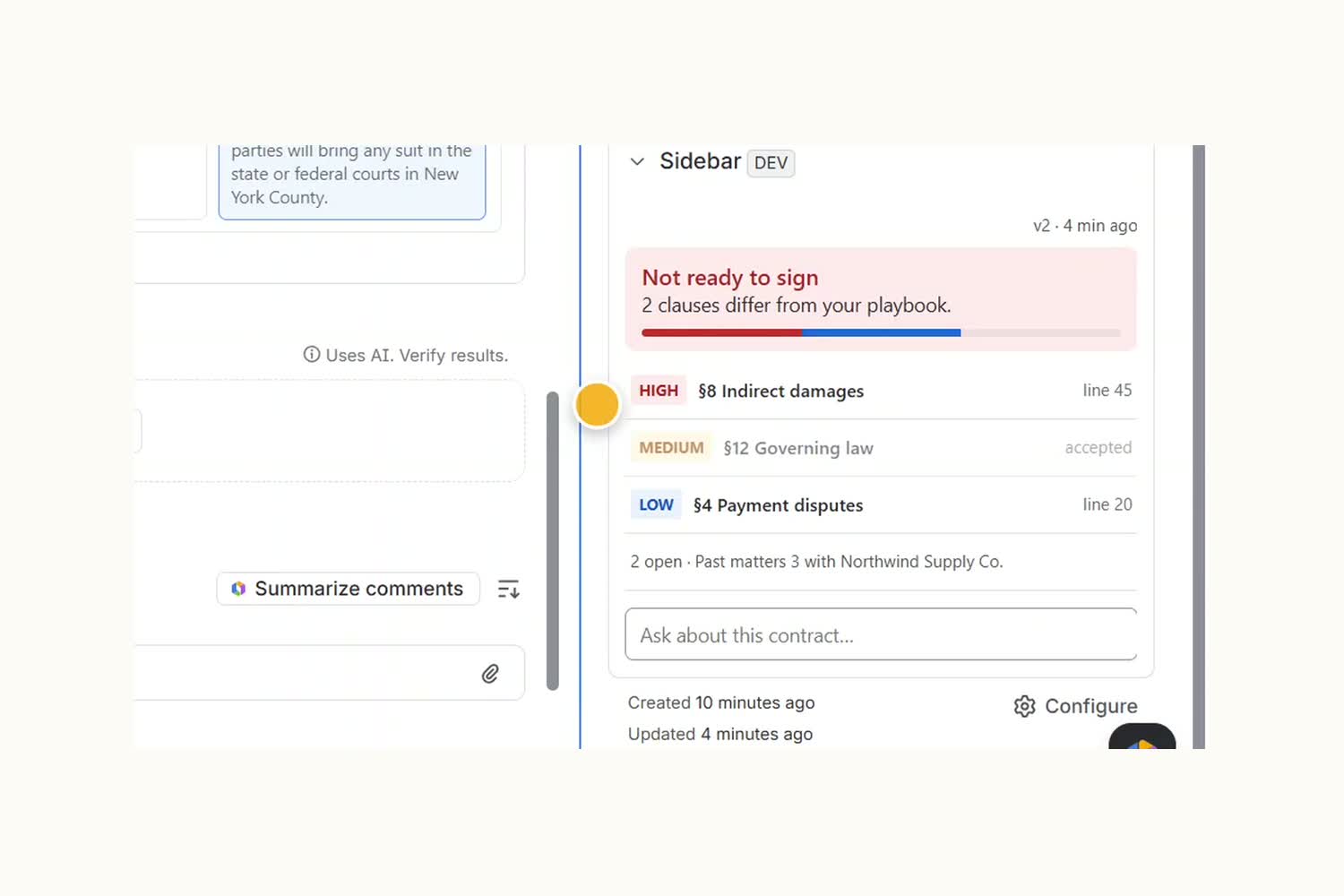
Sidebar reads the contract against the Confluence playbook. Three clauses break it.
-
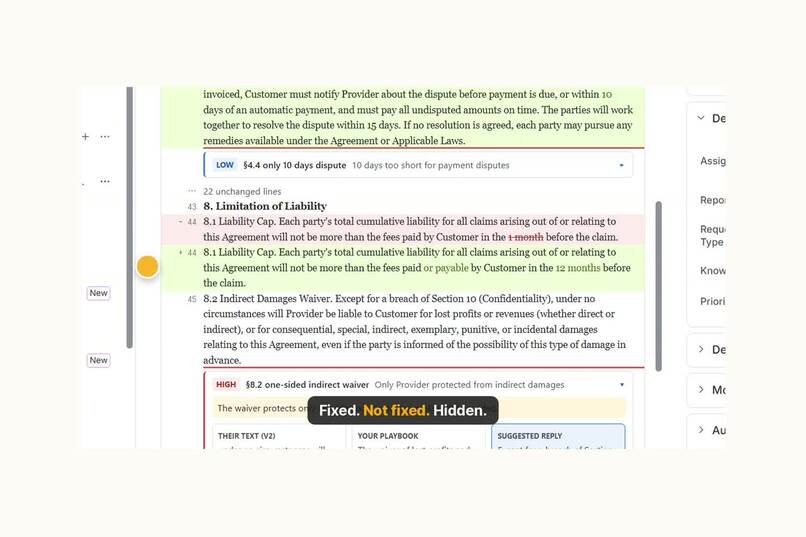
The redline from v1 to v2: what they fixed, what they did not, and what they hid.
-
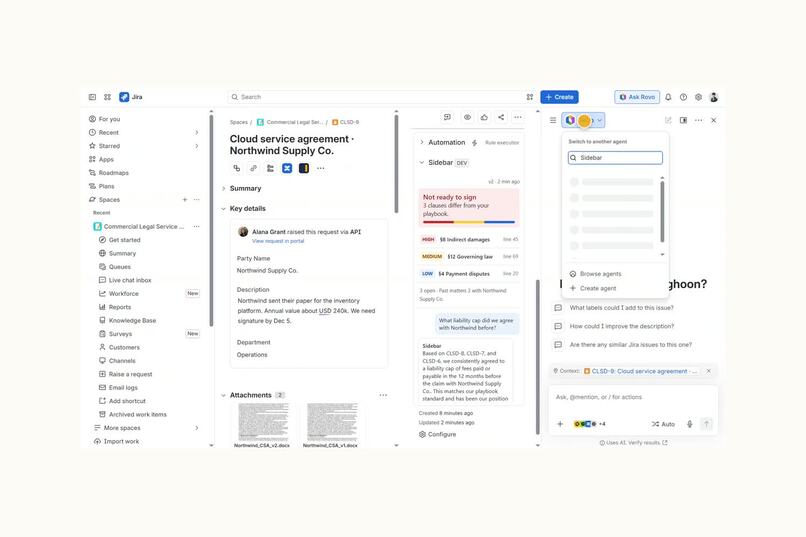
The Sidebar Rovo agent finds what was agreed with this counterparty before.
-
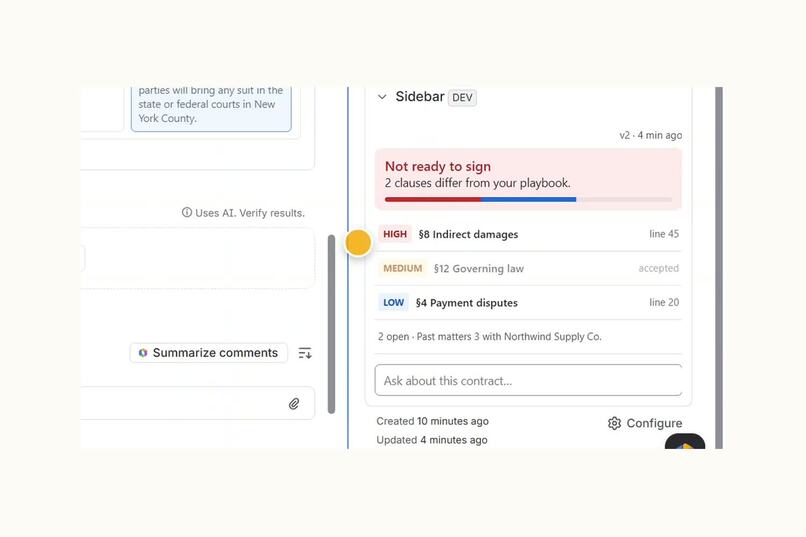
Accepted clauses drop out. The requester gets one clean redline in the portal.
-
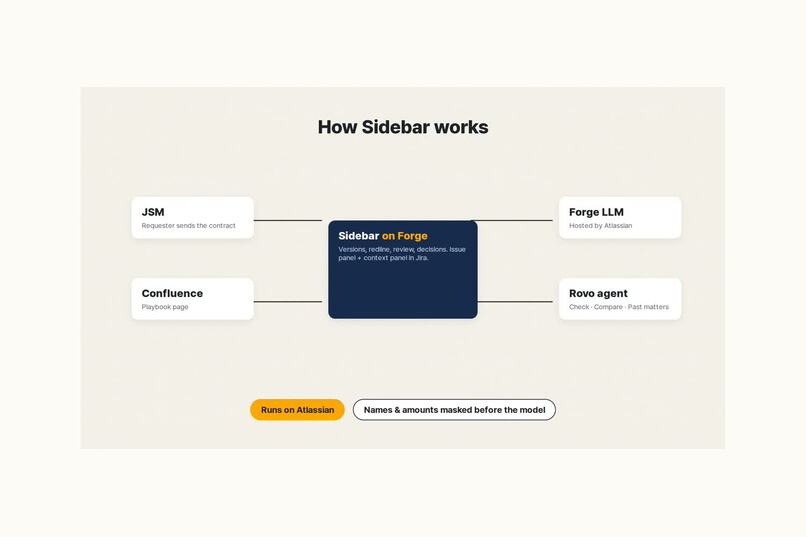
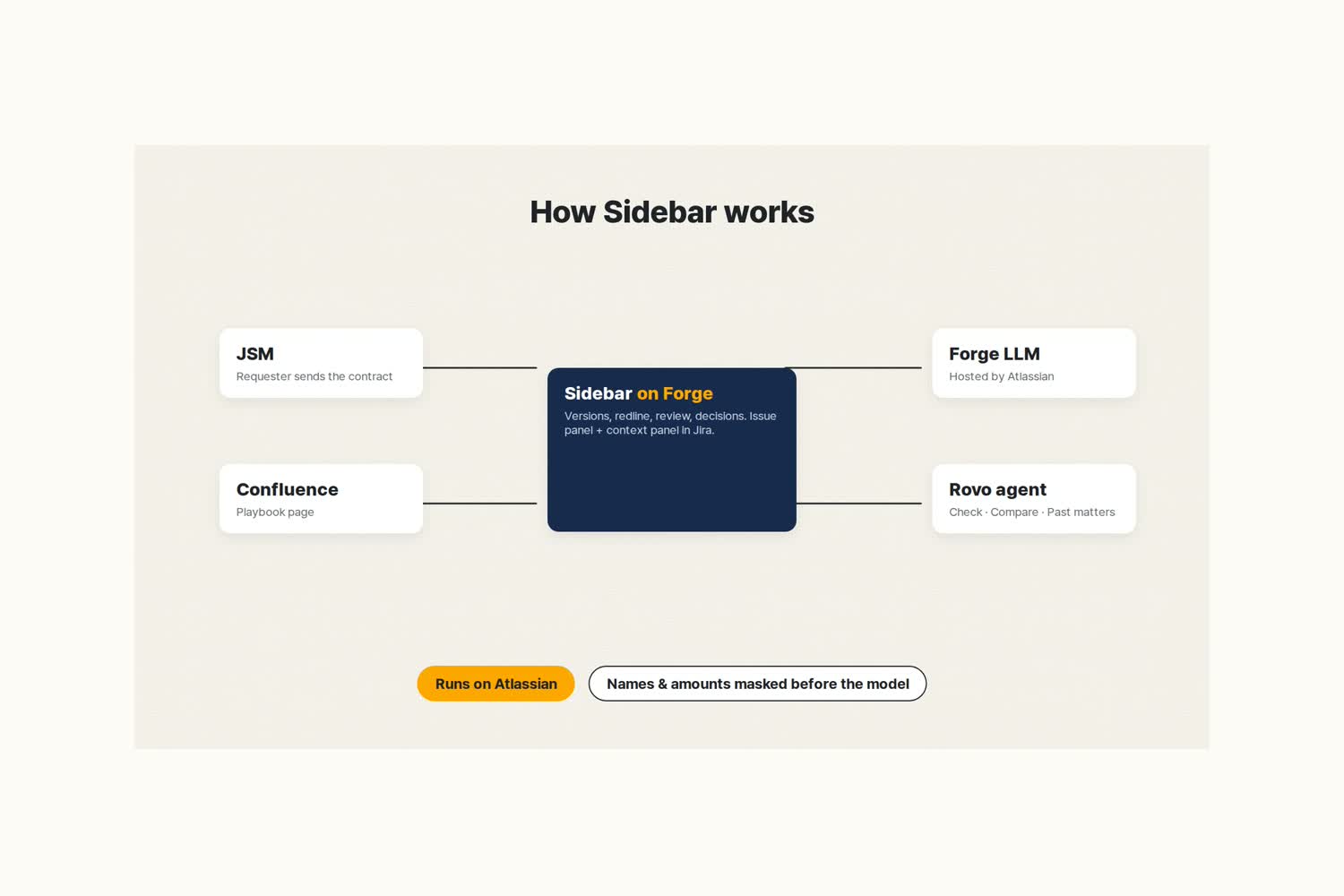
How it works: JSM, Confluence, Forge LLM and a Rovo agent. Runs on Atlassian.
Inspiration
In-house legal teams already take contract requests in Jira Service Management. The review itself still happens somewhere else: a Word file, a playbook in someone's head, and a hunt through old email for what was agreed with this customer last year. The other side sends version two, and the one number they changed on page four is the one nobody catches.
What it does
Sidebar is a Forge app that gives an in-house legal team a second opinion on every contract, inside Jira.
- Redline. Every
.docxattached to a request becomes a version. Sidebar compares the versions paragraph by paragraph and shows only what changed. - Review. Forge LLM checks the changed clauses against the company playbook and rates each difference HIGH, MEDIUM or LOW, with their text, the playbook position and suggested wording.
- Reply. "Reply with this wording" posts a public comment to the requester in the portal. "Accept" records the decision in an internal note.
- Send redline. Accepted clauses drop out, and the requester gets one clean redline.
- Ask. The context panel answers questions like "What did we agree with Northwind before?" from earlier requests with the same counterparty.
- Rovo agent. The Sidebar agent has three actions: check against the playbook, compare versions, and find past matters, so the same answers work in Rovo chat.
The playbook is a normal Confluence page. Change the page and Sidebar changes with it. Swap it, and the same app reviews NDAs, purchase terms, offer letters, security questionnaires, vendor and partner deals.
How we built it
- Forge, end to end. A Jira issue panel and an issue context panel (Custom UI, React), resolver functions, Forge KVS for versions and decisions, Forge LLM for the review, and a Rovo agent with three actions. No outside servers, so the app is eligible for Runs on Atlassian.
- Word files in a function.
.docxattachments are unzipped and read inside a Forge function, so no container is needed. - Masking. Party names, emails, phone numbers, bank numbers and amounts are replaced with placeholders such as
[PARTY_1]before any text goes to the model, and put back in the answer. - The playbook as data. Each clause on the Confluence page is a heading with Match, Risk, Standard, Allowed, Fallback and Red flags lines. If a model call fails, Sidebar checks the same playbook by rule (its red flags), so the panel still answers.
- Demo. The video was recorded on a real Jira site with Playwright and OBS, voiced with Amazon Polly and cut with ffmpeg.
Challenges we ran into
- One Forge app cannot hold Jira and Bitbucket permissions together, so versions live in the app's own storage instead of a Bitbucket repository.
- Forge functions have a short time limit, so the review sends only the changed clauses to the model in one call, and the panel shows progress until it finishes.
- The app reads the playbook as the app and falls back to the viewing user, so it works with restricted Confluence spaces.
Accomplishments that we're proud of
- The demo catches the change it was built to catch: a payment dispute window cut from 30 days to 10 inside an otherwise "fixed" version two.
- Accepted clauses really drop out of the next redline, so the requester gets one clean list.
- The whole review runs on Atlassian, with names and amounts masked before the model sees them.
What we learned
A playbook written as a normal Confluence page is easier for a legal team to own than any settings screen, and it makes the same engine useful for every team that reviews documents.
What's next for Sidebar
- Playbook templates for NDAs, purchase terms and offer letters.
- Clause history across all matters with a counterparty, not only the last one.
- A Marketplace listing.
Built With
- amazon-polly
- atlassian-forge
- confluence
- custom-ui
- ffmpeg
- forge-kvs
- forge-llm
- javascript
- jira
- jira-service-management
- node.js
- playwright
- react
- rovo
- rovo-agent
- vite
