-
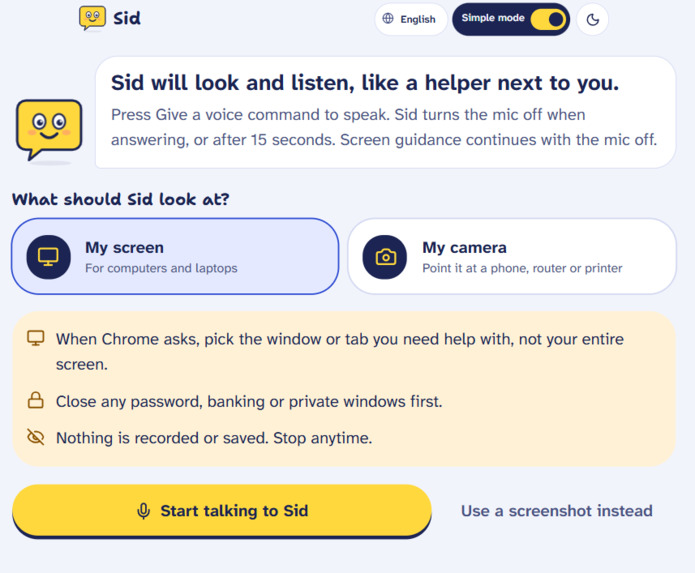
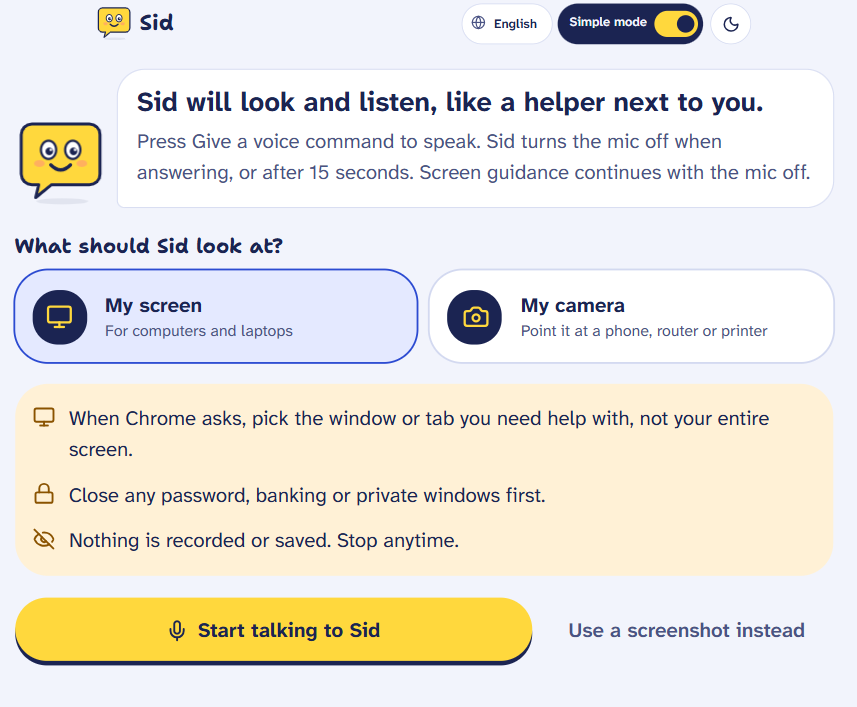
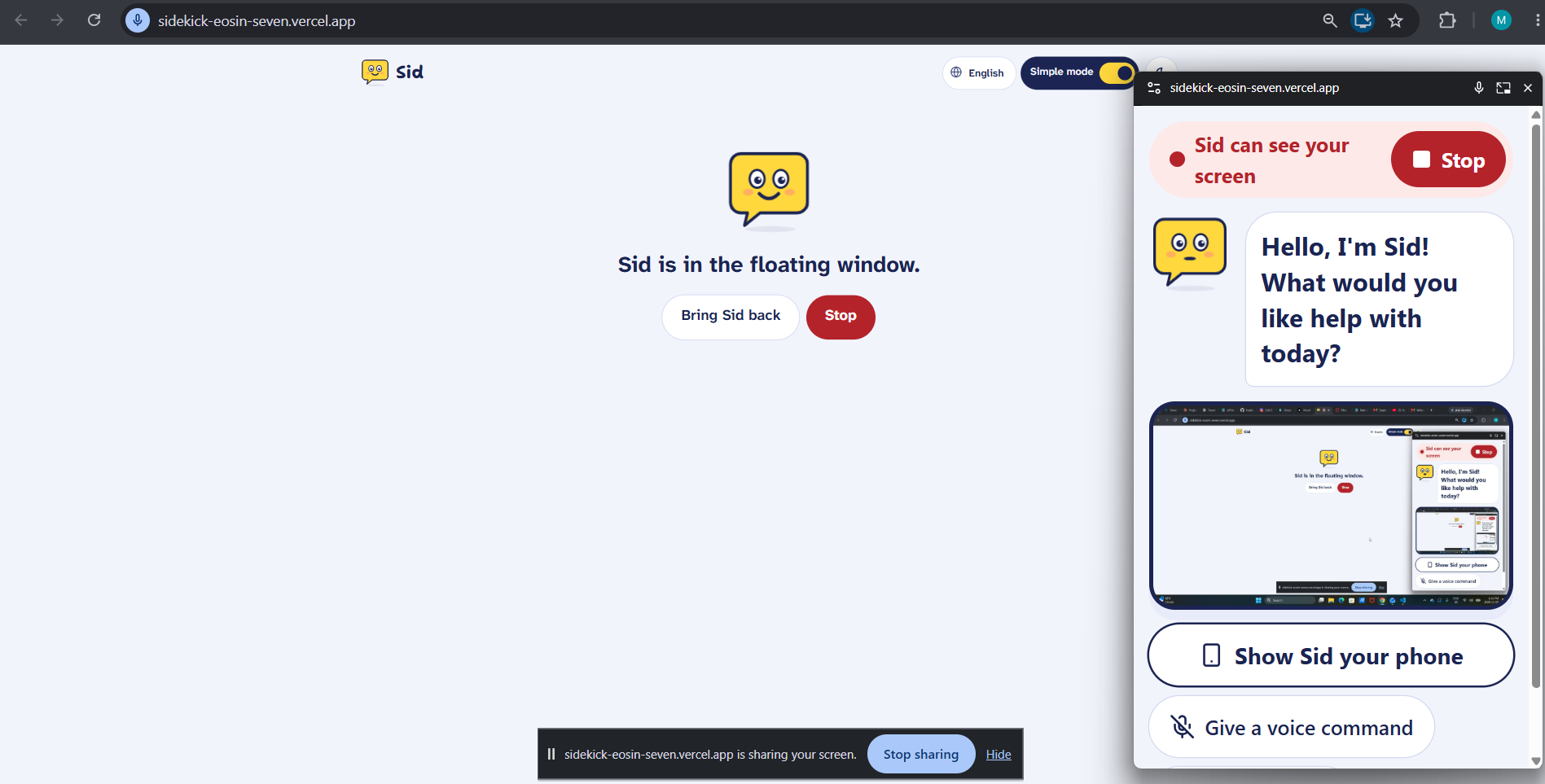
Sharing screen option
-
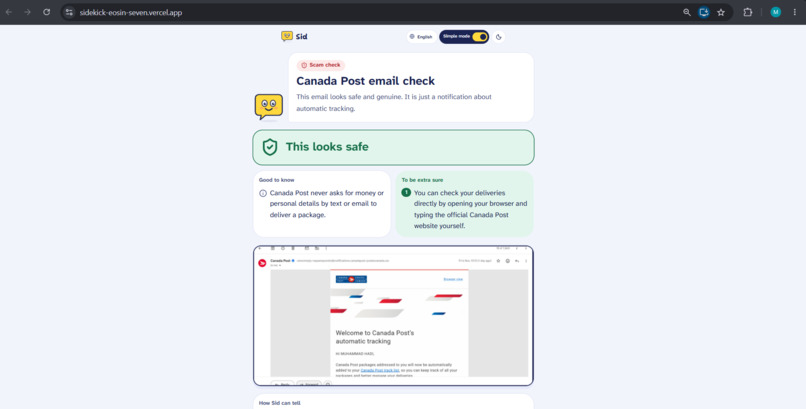
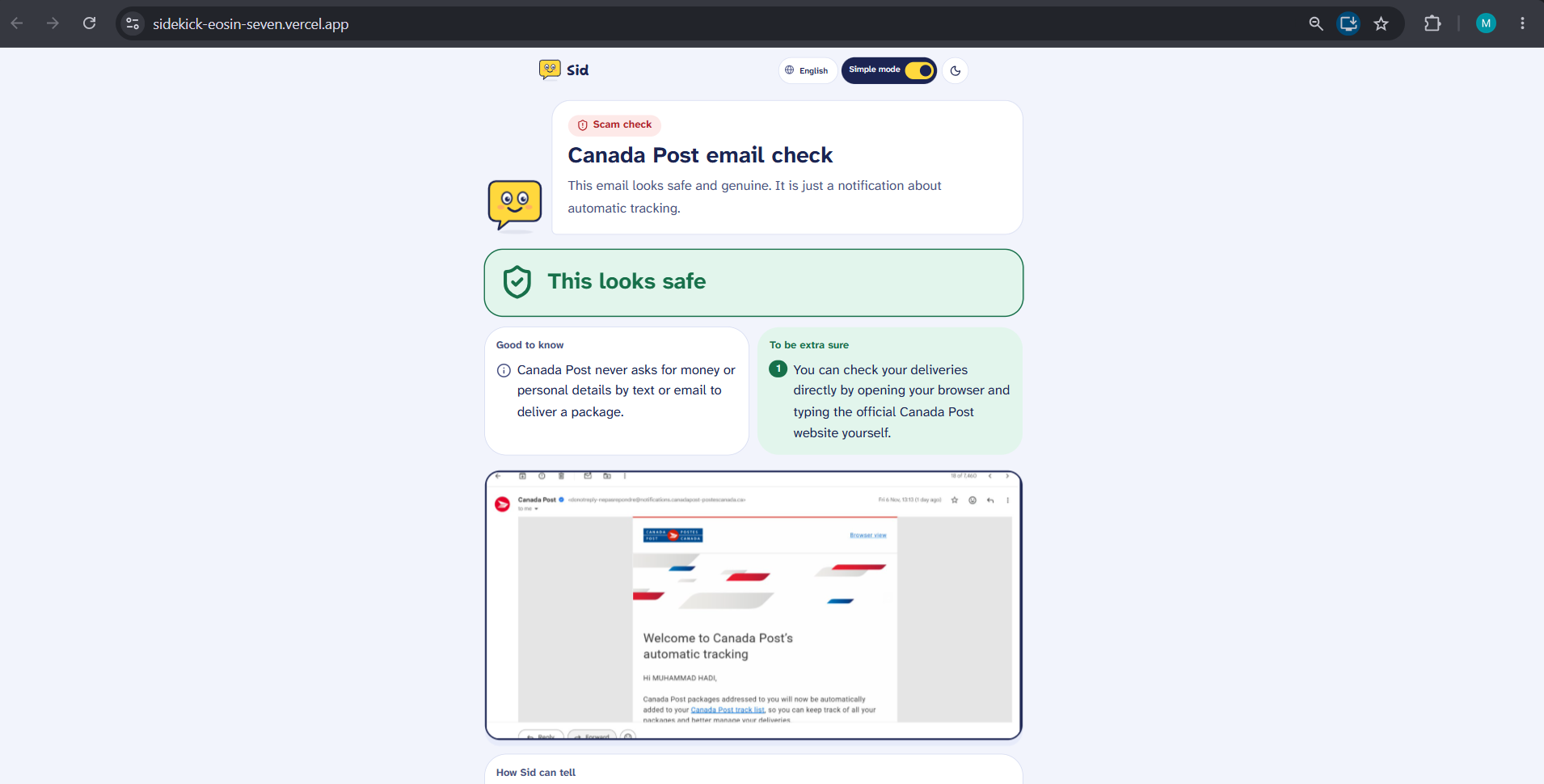
Scam check with real email from Canada Post
-
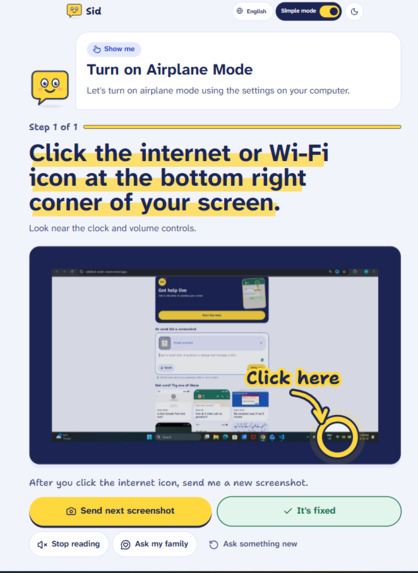
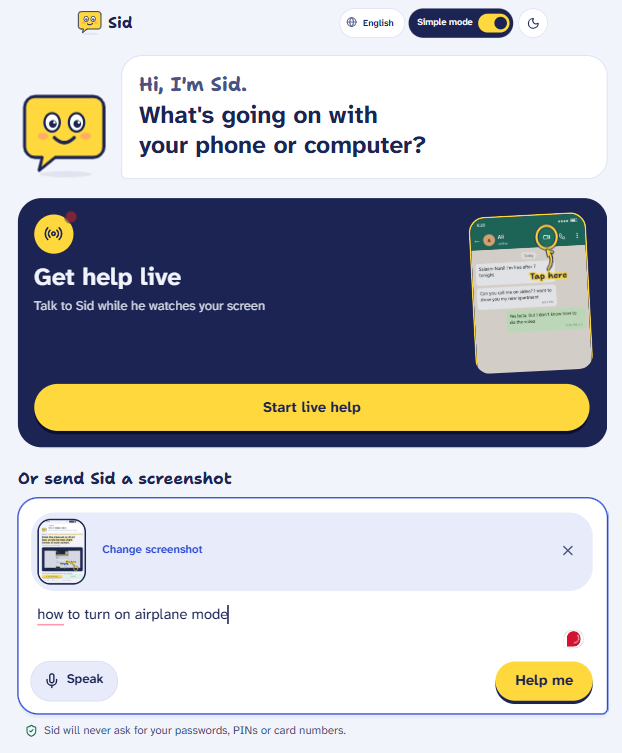
Shared a live screenshot with prompt "how to turn on airplane mode".
-
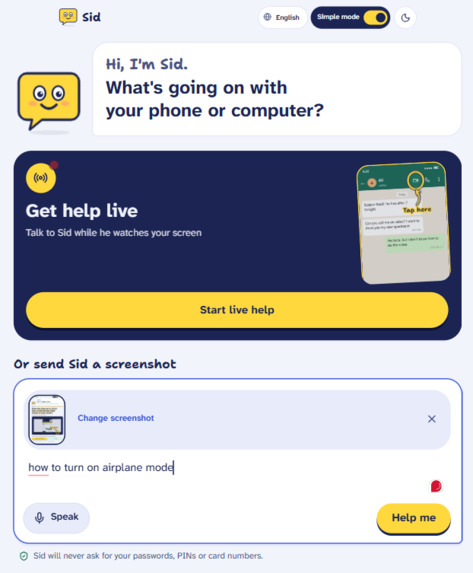
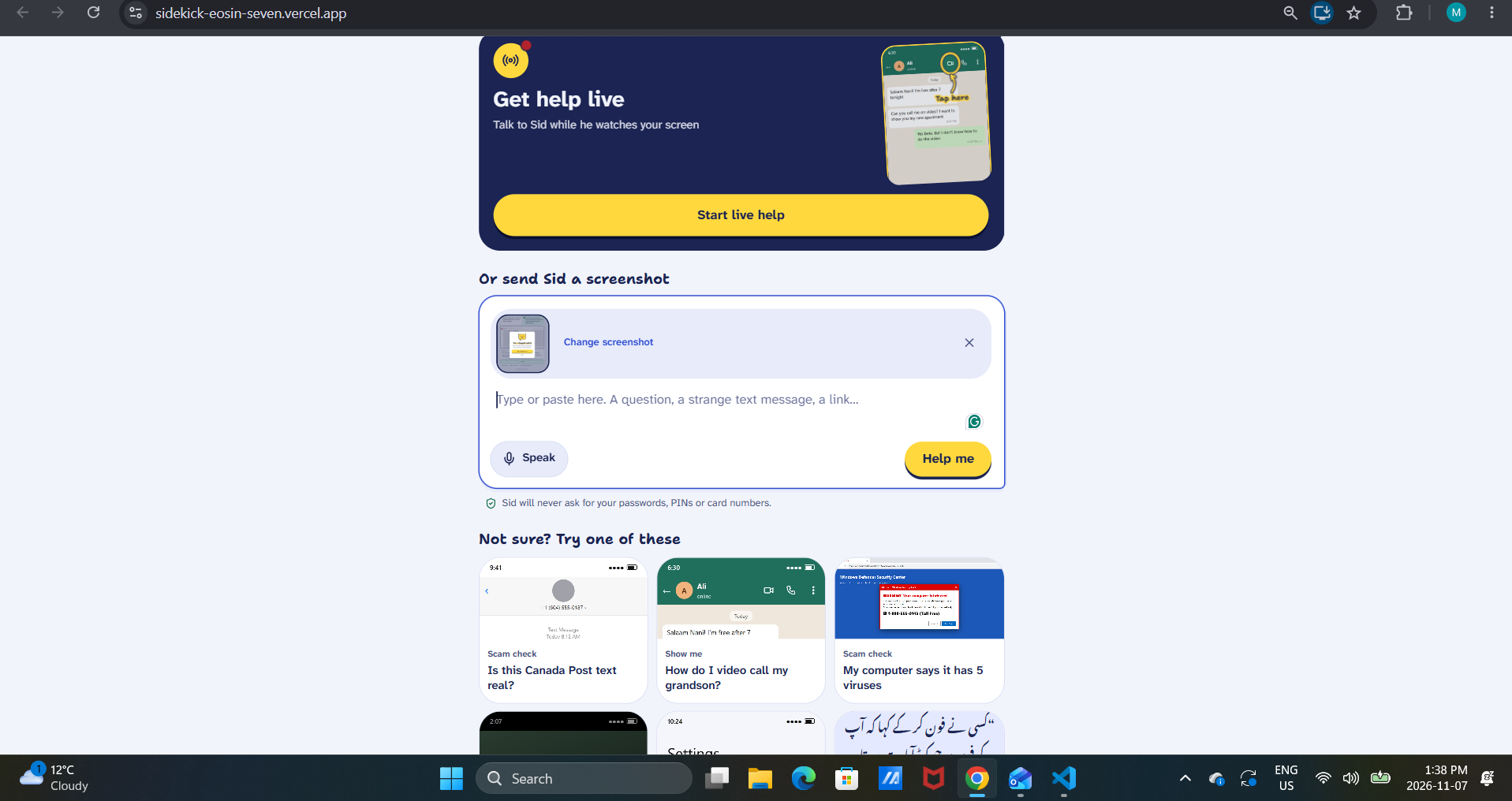
Prompting with screenshot
-
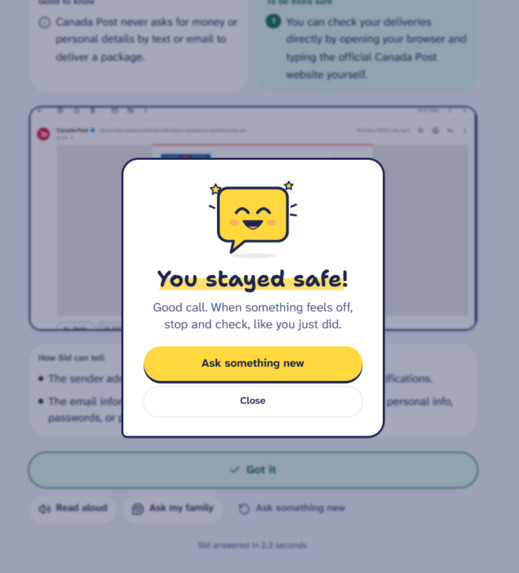
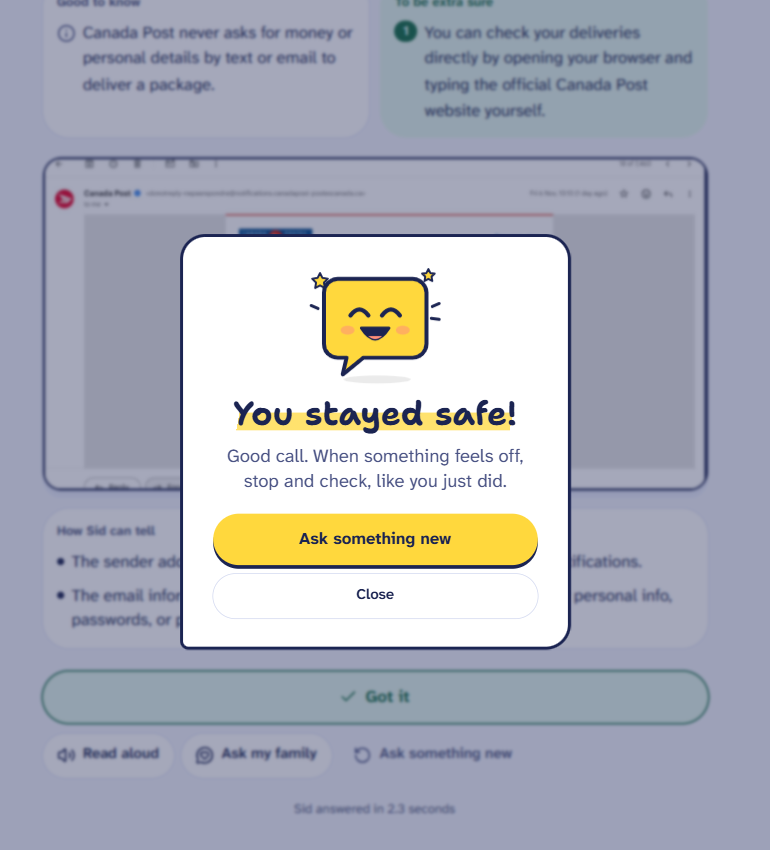
Popup after problem is solved
-
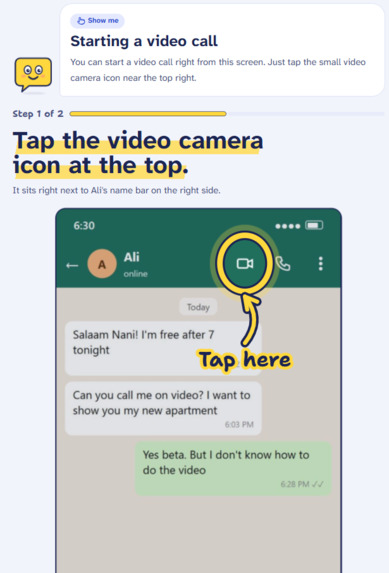
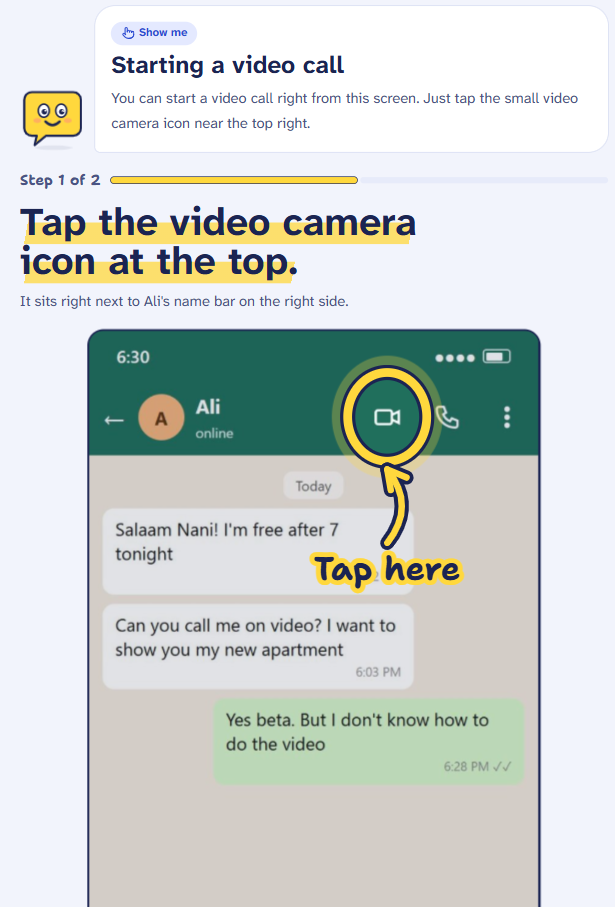
Prompting with screenshot, worked with circle on how to video call.
-
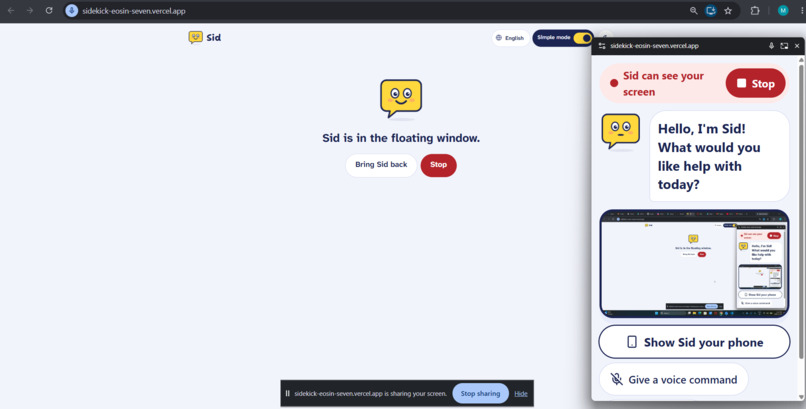
Sid is up and running with live screen sharing and voice command.
-
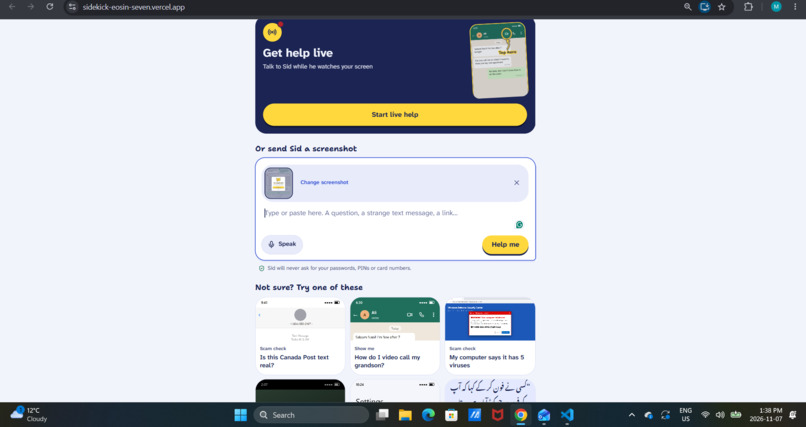
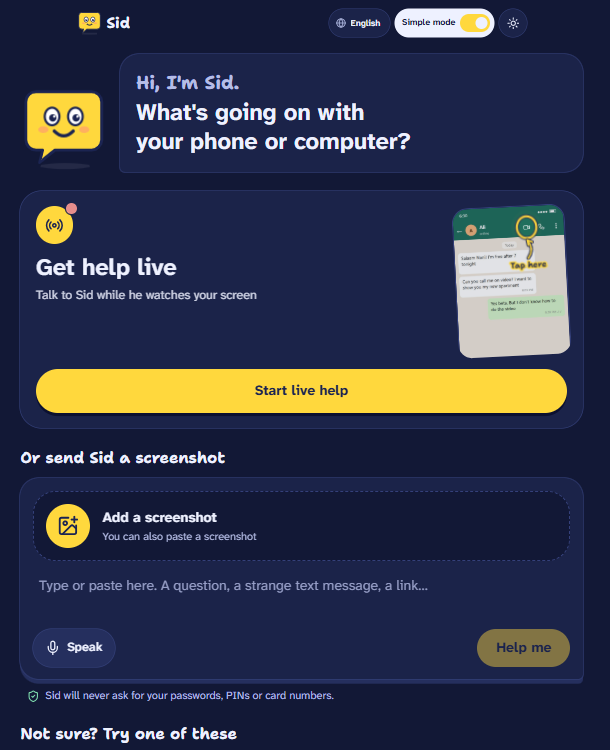
Main page with option to ask in text, share screenshot, or live screen sharing for tech help.
-
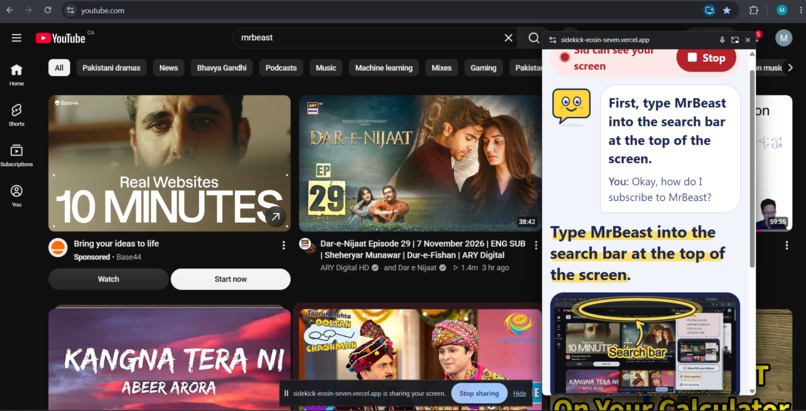
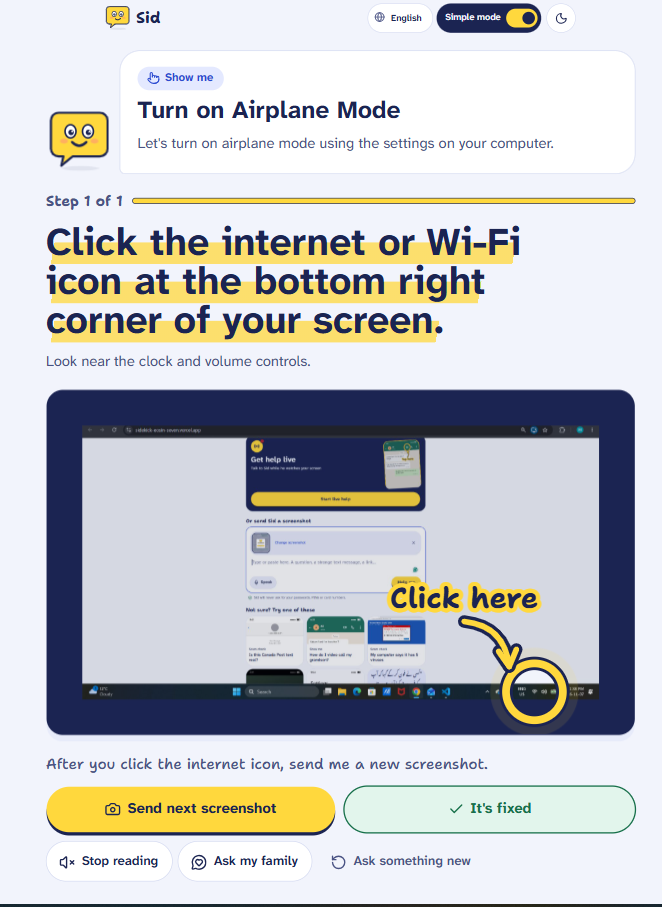
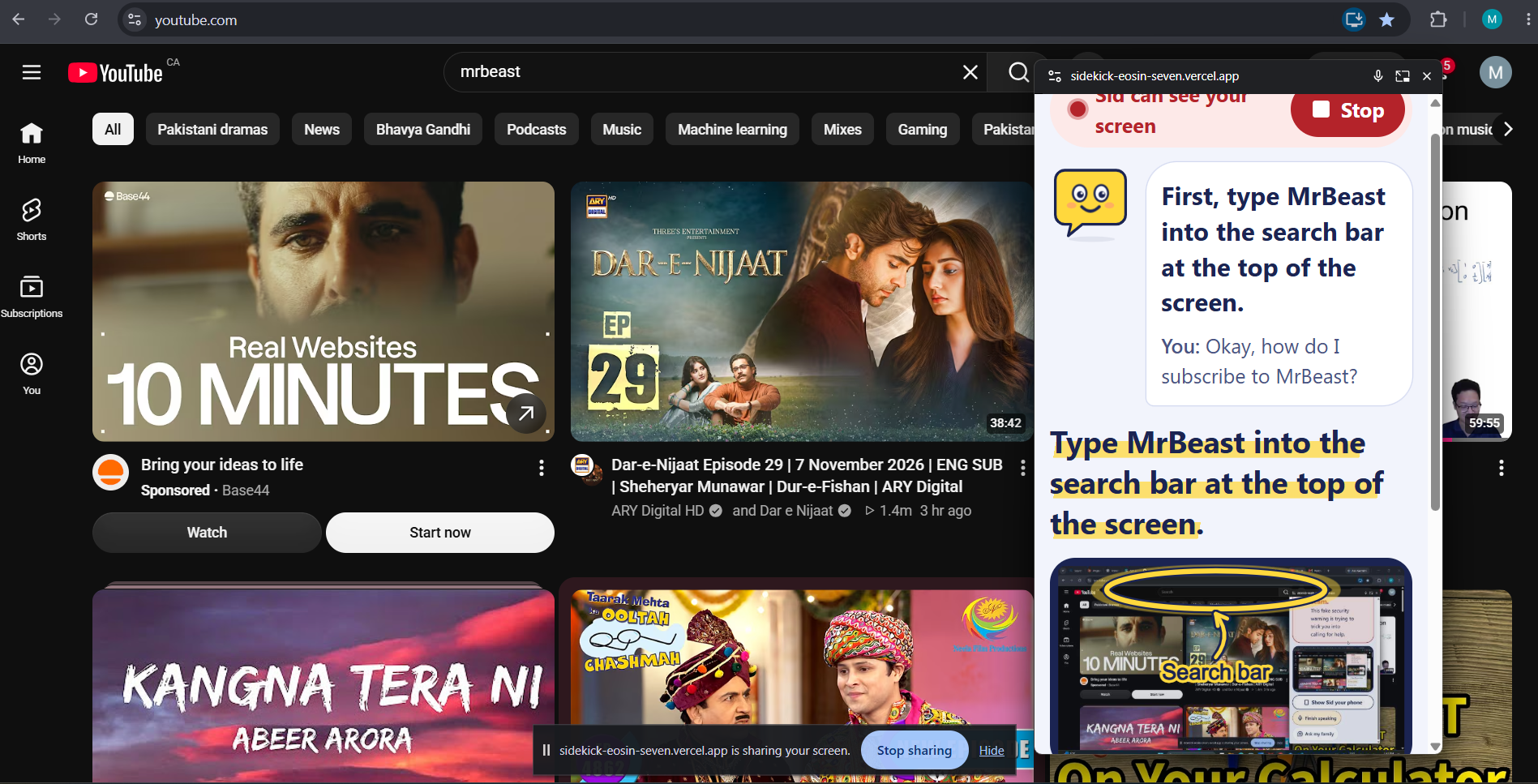
Asked a simple tech question and Sid replied on live screen with circle and arrows on how to do.
-
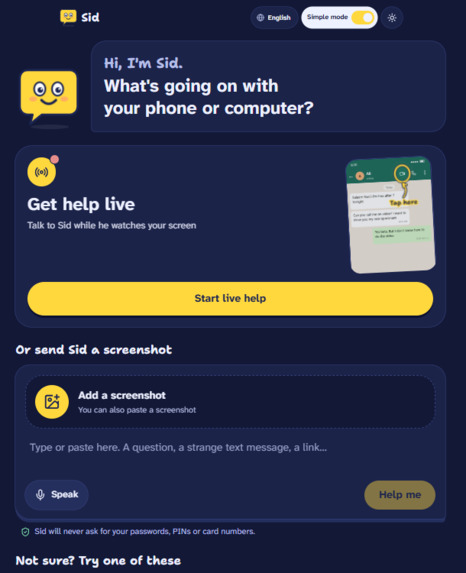
Dark Mode
Inspiration
Every family has someone who gets the tech support phone calls. "The Wi-Fi isn't working." "There's a message saying my computer has a virus." "How do I video call the grandkids?"
Helping over the phone can be difficult because you can't see their screen, and they often don't know how to explain what they're seeing. On top of that, our parents and grandparents are constantly exposed to fake Canada Post, CRA and Interac messages that can be difficult to tell apart from real ones.
We wanted to build something that feels like having a tech-savvy family member available whenever you need one, someone who can actually see what's happening, explain things simply and help in your own language.
What it does
Sid is a tech sidekick that helps people with everyday technology problems. There are two ways to use it.
Live Help
Share your screen or point your phone's camera at a device, then talk to Sid like you would talk to a person.
Sid can see what's on your screen, answer out loud and guide you through things one step at a time. Instead of just telling you which button to press, Sid draws a big pulsing circle and arrow around the exact spot. You can interrupt and ask questions whenever you want, and Sid keeps track of your progress.
Sid also watches for suspicious content on your screen and can warn you if something looks like a scam. A floating window keeps Sid accessible while you're using other apps.
Screenshot Help
You can also upload a screenshot, paste a strange text or link, or simply type or speak a question. Sid figures out what kind of help you need:
Show Me: Tells you what to do next and highlights exactly where to tap.
Fix It: Explains what went wrong, why it happened and how to fix it.
Scam Check: Checks suspicious messages, emails and links, explains the red flags, tells you what not to do and how to close them safely.
Explain It: Answers technology questions in simple language without unnecessary jargon.
We also built a Simple Mode with larger text and spoken instructions. Sid supports English, French, Spanish, Urdu and Arabic, including proper right-to-left layouts.
There's also an "Ask My Family" button that prepares a message with your screenshot and problem so you can share it with someone you trust. It never sends anything automatically.
Sid never asks for passwords, PINs or card numbers, and doesn't require an account.
How we built it
We used:
Next.js 16, TypeScript and Tailwind CSS 4 for the application.
Vercel for deployment.
Google's Gemini API for AI and multimodal capabilities.
For Live Help, we used the Gemini Live API (gemini-3.8-live) for real-time voice and vision. Our server generates single-use ephemeral tokens with Sid's instructions and tools, so our permanent API key never needs to be exposed in the browser.
The browser streams microphone audio at 16 kHz using an AudioWorklet and sends screen frames approximately once per second. Sid's responses are played back using the model's native voice.
We also use Gemini function calling to let Sid interact with the interface:
highlight(box_2d, label) draws a circle around the button or element Sid wants the user to press.
scam_alert displays a warning when something looks suspicious.
step_done marks a completed step.
ask_family prepares a message for a family member.
For Screenshot Help, we use Gemini Flash with structured JSON output. It identifies the type of problem and returns instructions, scam verdicts and bounding-box coordinates (box_2d) on a 0–1000 scale, which we convert into pixel positions for the visual overlay.
We also built a separate scam watchdog using Flash-Lite. Since the live model doesn't always speak on its own, this watches for screen changes and can prompt Sid to warn the user about suspicious content.
Finally, we use Document Picture-in-Picture to keep Sid floating over other windows, with an in-page fallback when it's not supported.
Challenges we ran into
One of our biggest challenges was getting Sid to be proactive. The live model generally responds when spoken to, but we wanted it to warn users when something suspicious appeared on their screen. We ended up using a second, cheaper model to monitor screen changes for potential scams.
Audio was another challenge. Browsers can suspend audio contexts that are created after an await, which caused problems when opening the screen-sharing picker. We fixed this by creating the audio contexts immediately when the user clicks to start.
We also found that sending screen frames only when something changed caused the model to lose visual context. Sending frames steadily at around one per second worked better.
Getting Urdu right took some extra work too. Nastaliq text needs more line spacing than Latin text, otherwise the letters can overlap and become difficult to read.
Finally, free-tier API limits made testing difficult, so we had to think about model fallbacks and how to use our API calls more efficiently.
Accomplishments that we're proud of
We're proud that Sid goes beyond giving someone a written answer and actually guides them through what they see on their screen.
The visual circle and arrow landed on the correct buttons in our tests, including mock-ups and real websites like canada.ca and GitHub.
Sid started speaking around 1–2 seconds after we finished asking a question in our tests.
We got Sid speaking naturally in Urdu and displaying Urdu labels.
We built a separate scam watchdog so Sid doesn't have to wait for someone to ask whether something is suspicious.
We made accessibility a part of the product from the beginning, rather than something to add later.
Most importantly, this is something we'd genuinely want our own parents and grandparents to use.
What we learned
We learned a lot about working with real-time multimodal AI, especially audio and video streaming, ephemeral tokens, function calling and keeping conversations going across multiple screen frames.
We also learned that small design decisions matter much more than we expected. Things like text size, line spacing, tap targets and spoken instructions can make a huge difference to whether someone can actually use a product.
What's next for Sid
We'd like to add session resumption so longer conversations don't lose context, and expand support to languages like Punjabi, Tagalog and Mandarin.
We also want to explore an opt-in family check-in feature that lets users share a summary of their support sessions with someone they trust.
Longer term, we'd love to take Sid beyond giving instructions and let it perform certain actions on a user's device with their permission.
Our goal is simple: make technology easier for the people who struggle with it the most.
Built With
- gemini-live-api
- google-genai
- nextjs
- shadcn-ui
- tailwindcss
- typescript
- vercel
- web-audio-api
