-
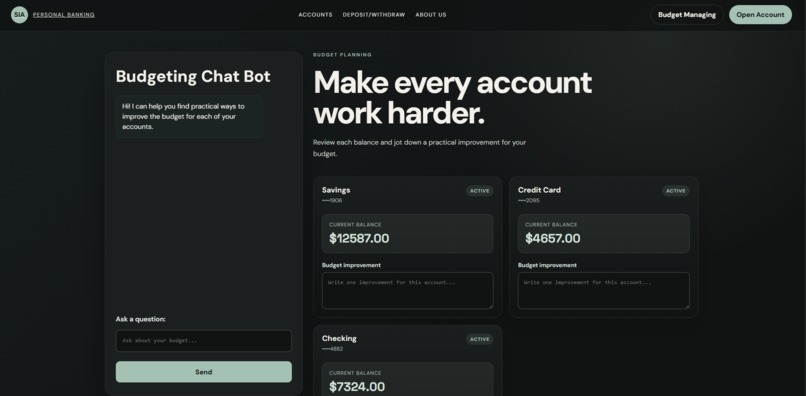
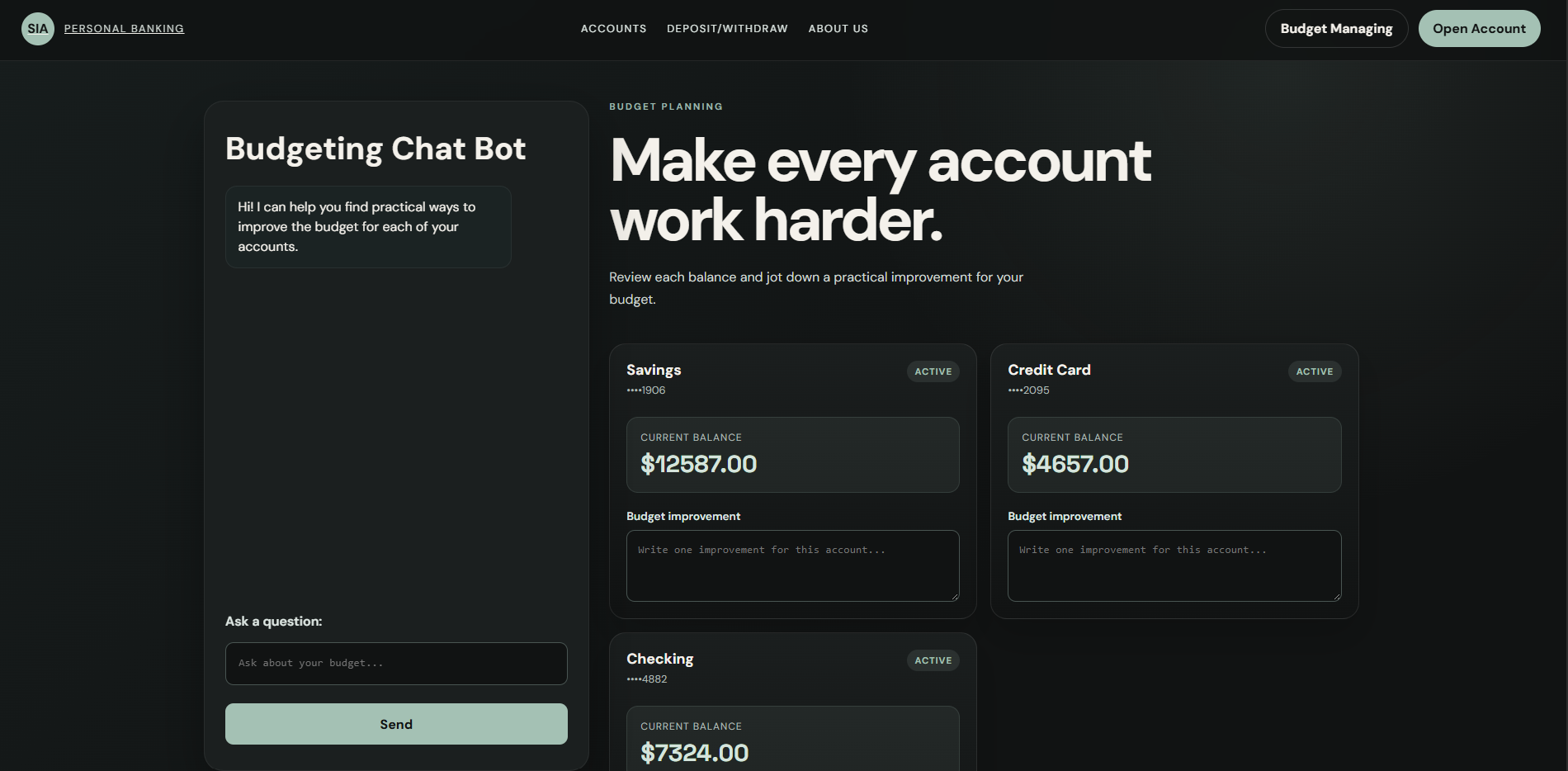
The Budget Management Page
Inspiration
- We quickly grew attraction to Capital One's Nessie and what it does and provides
- We researched other banking apps/sites to get more ideas and inspiration
What it does
- SIA Banking app works almost just like any other banking app but with the distinction of it having 2 different chatbots and a budget manager page
- One chat bot is as we described it - "General Financial Advisor"
- The 2nd one is described as - "Budget Manager"
How we built it
- We used Javascript with the React Framework.
- HTML & CSS
- Used Capital One's Nessie API to create and retrieve data for our app users
- Used Groq Cloud's openai/gpt-oss-20b model for out chatbot's LLM
Challenges we ran into
- The most difficult part for us was actually uploading the submission, mainly because we couldn't stop messing with the files, and git and vercel didn't like that
- Also choosing and planning on how to integrate the chatbots were fun, but also challenging.
Accomplishments that we're proud of
- All of us are proud of the work we've done in a short period of time
- The layout and design we also were happy about
- It WORKS - the most important part of course
What we learned
-Git version control
- Better understanding of APIs like Capital One's Nessie and Groq Cloud by reading loads of documentation
- How to implement a chatbot in our own projects
What's next for SIA Banking App
- Looking ahead to some bright 4 years, with some serious and dedicated developers, we would see SIA Banking app being popular not only because of the chatbots, but because of the budget managing, it eliminates other apps that could be in use.

Log in or sign up for Devpost to join the conversation.