-
-
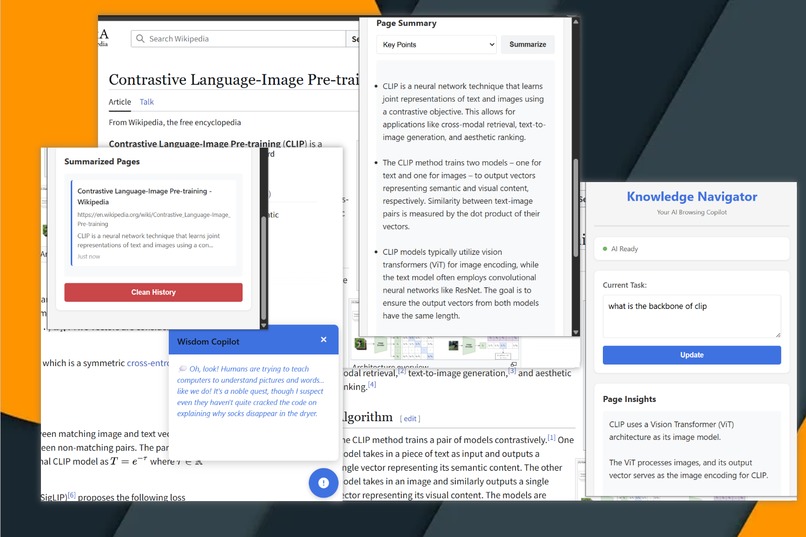
BrowerWithMe main features
-
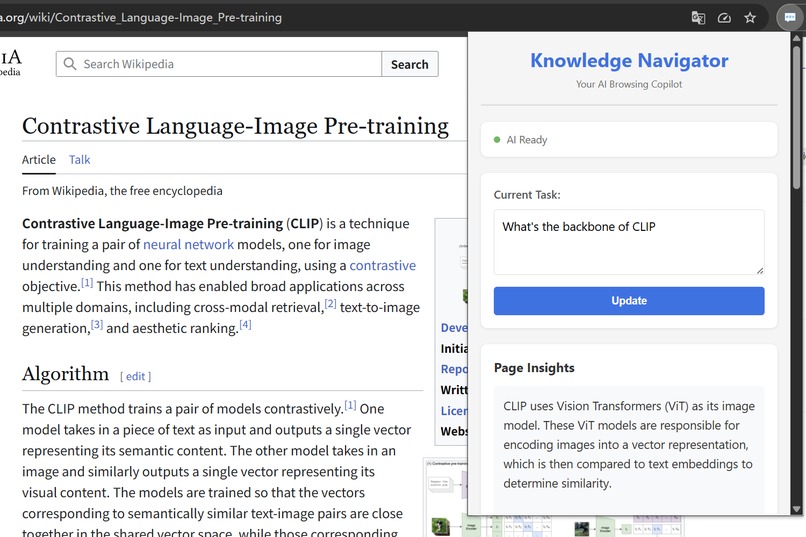
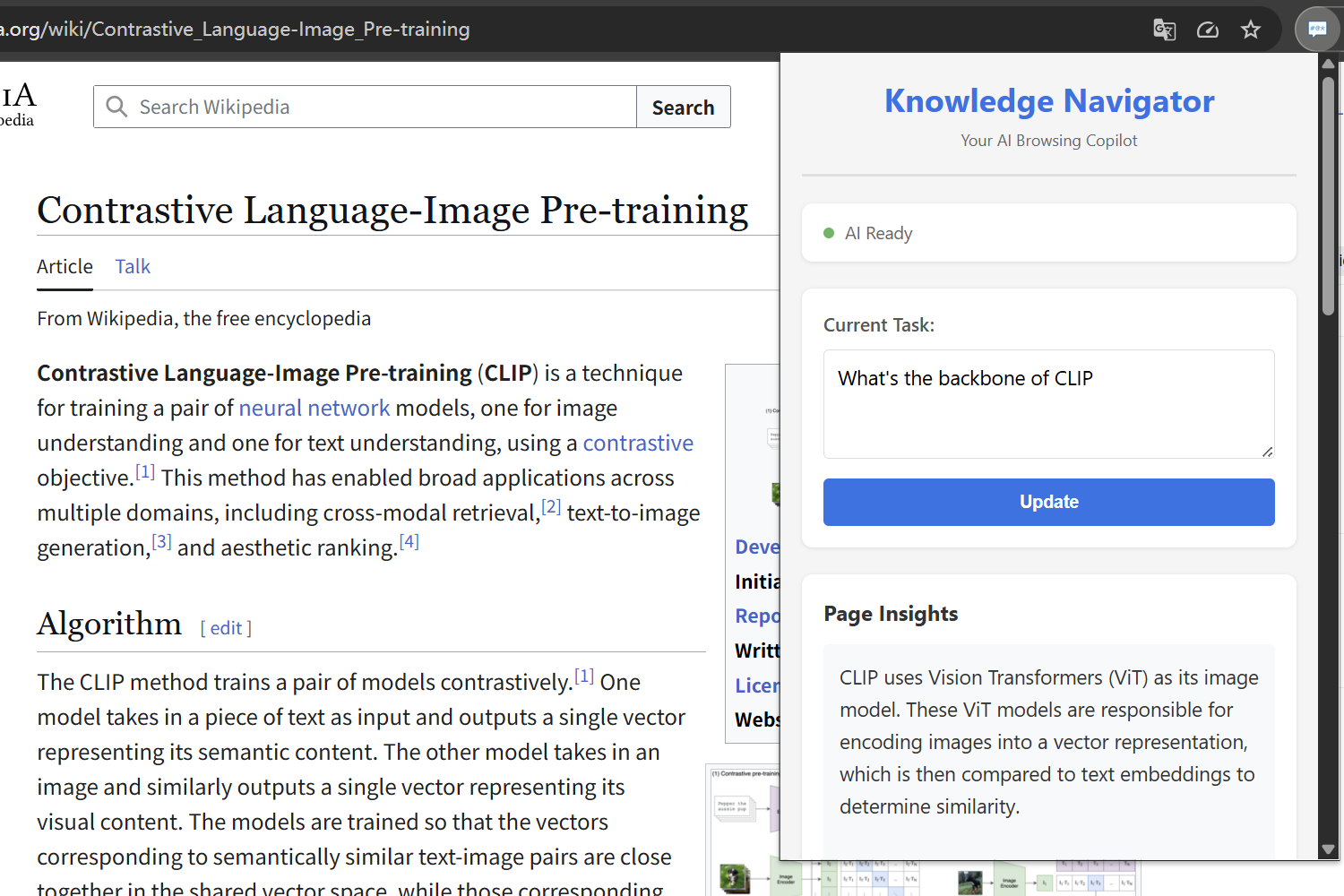
Page Insights
-
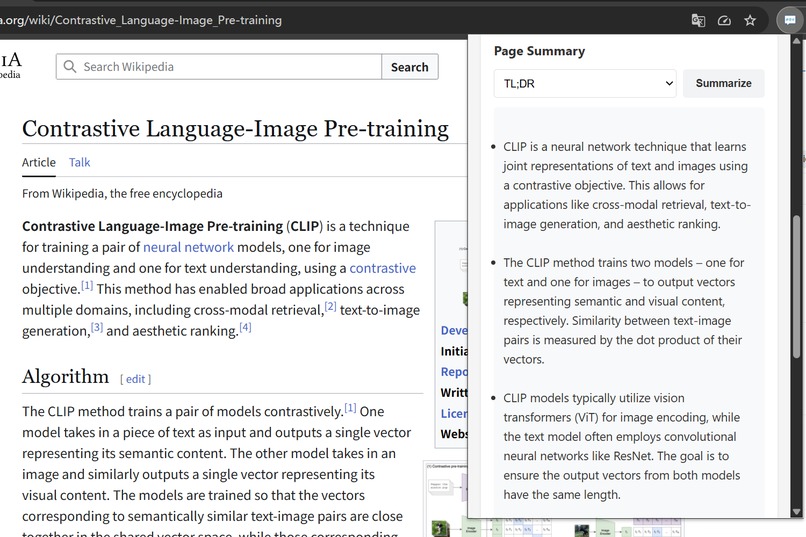
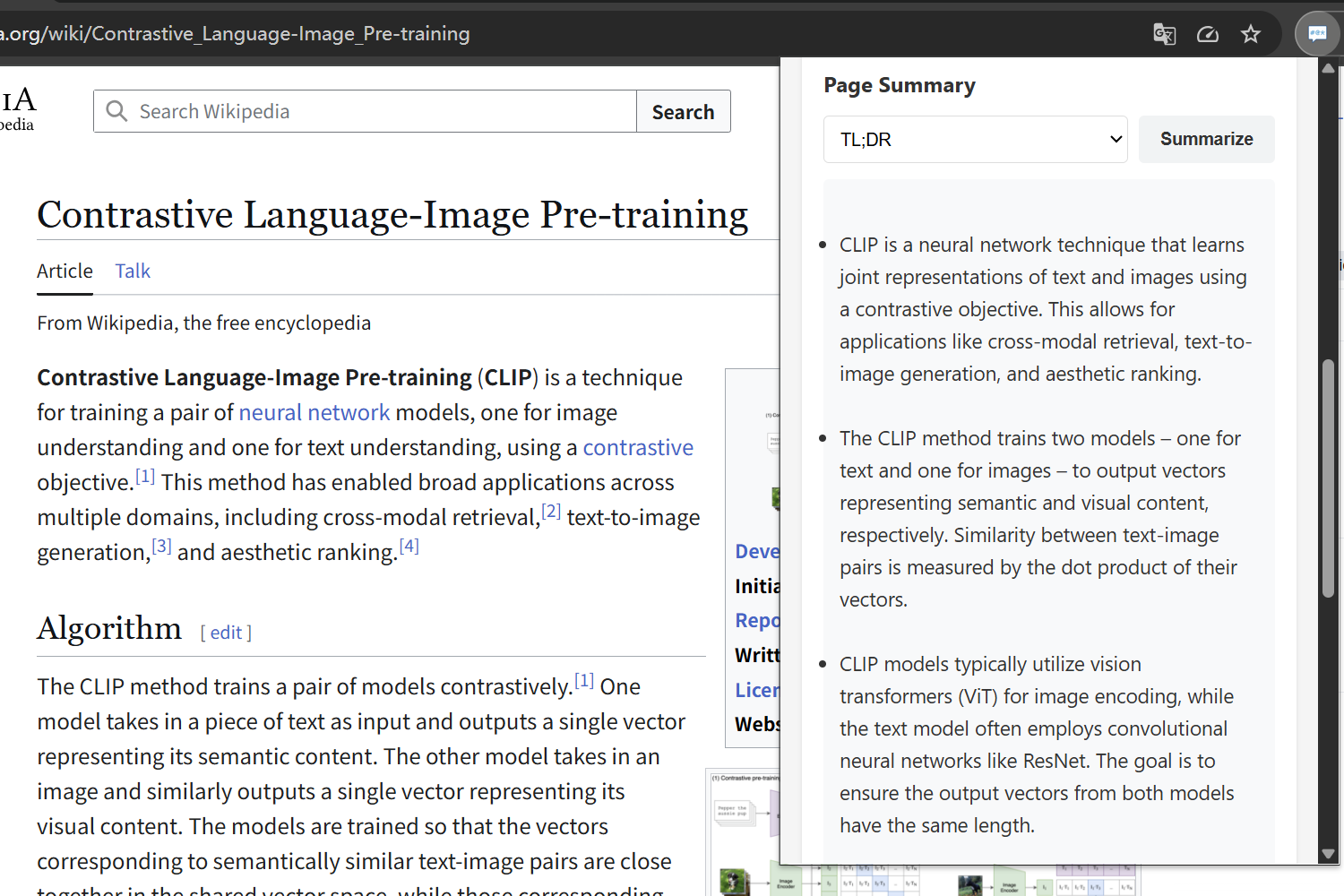
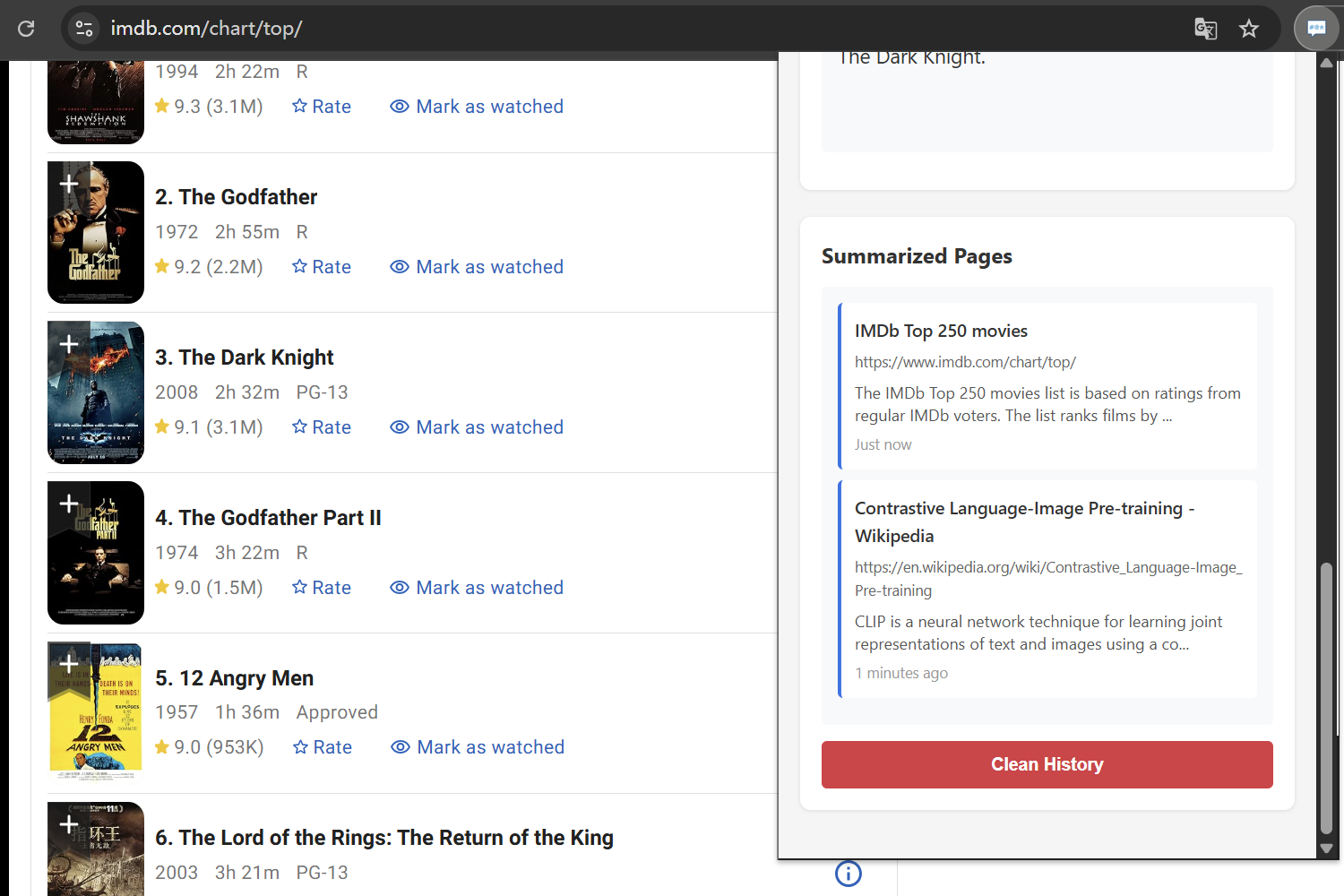
Page Summary
-
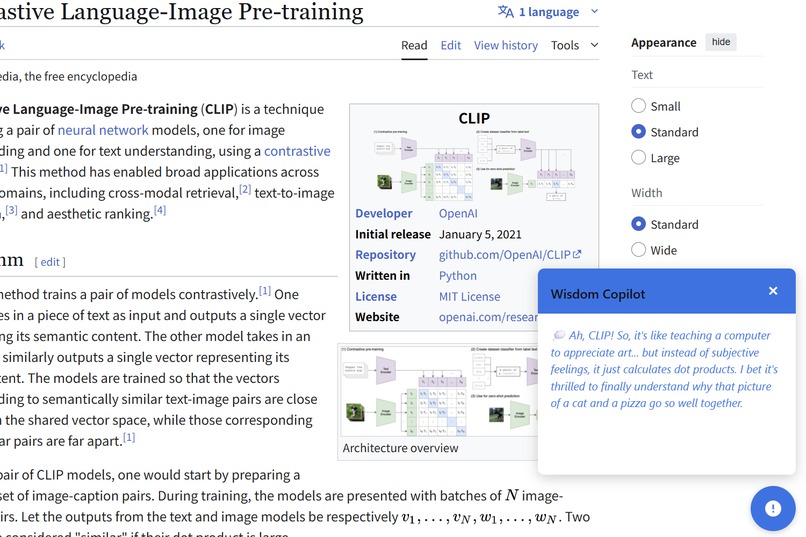
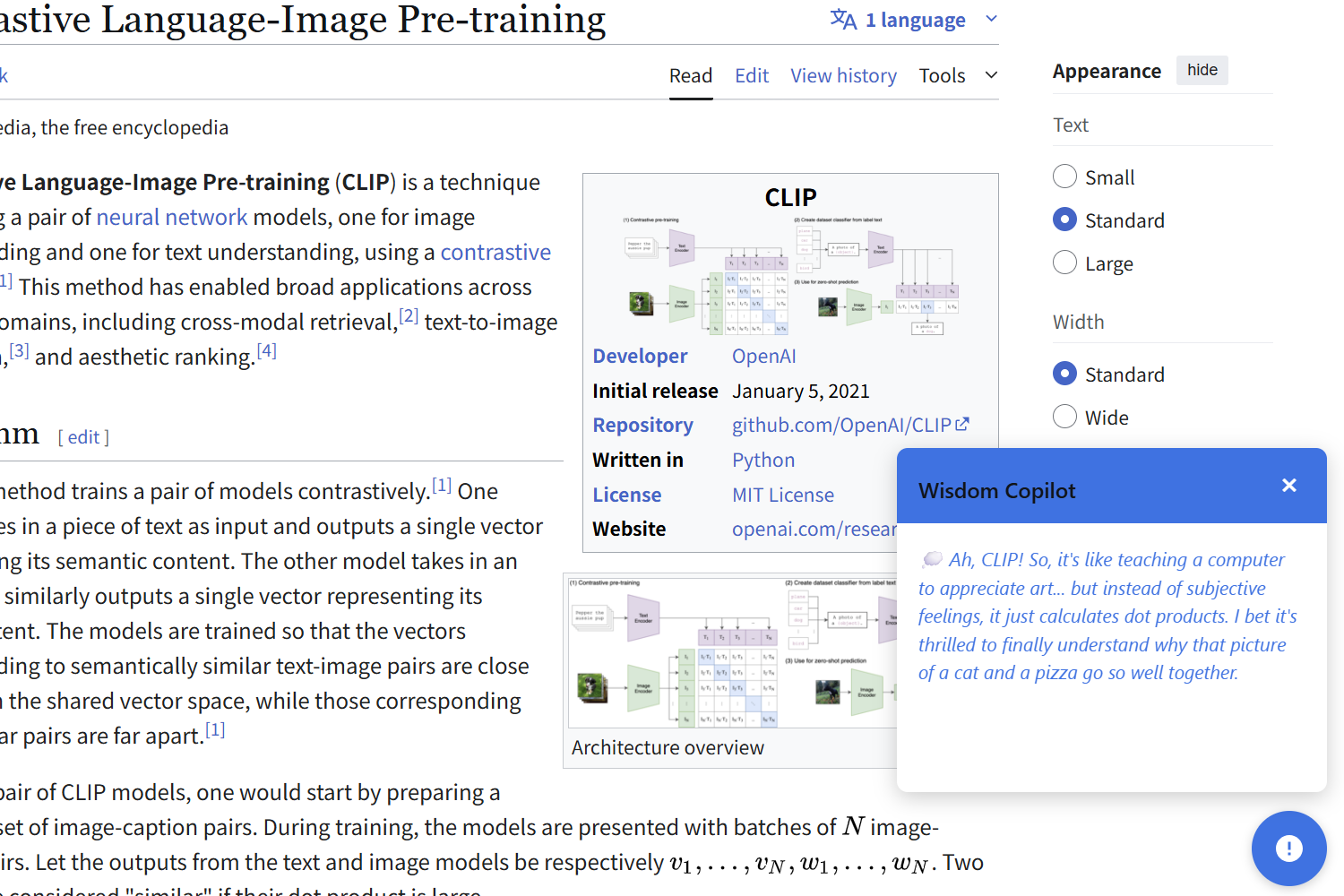
Witty Comments
-
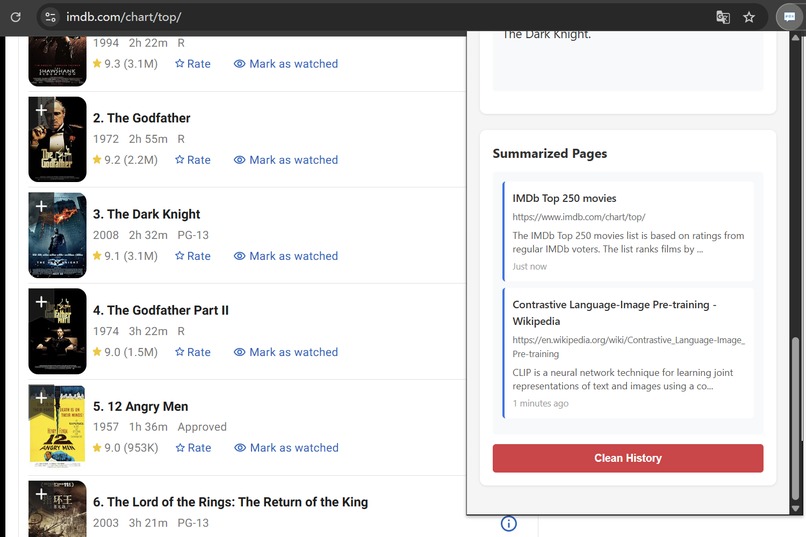
History Keeping
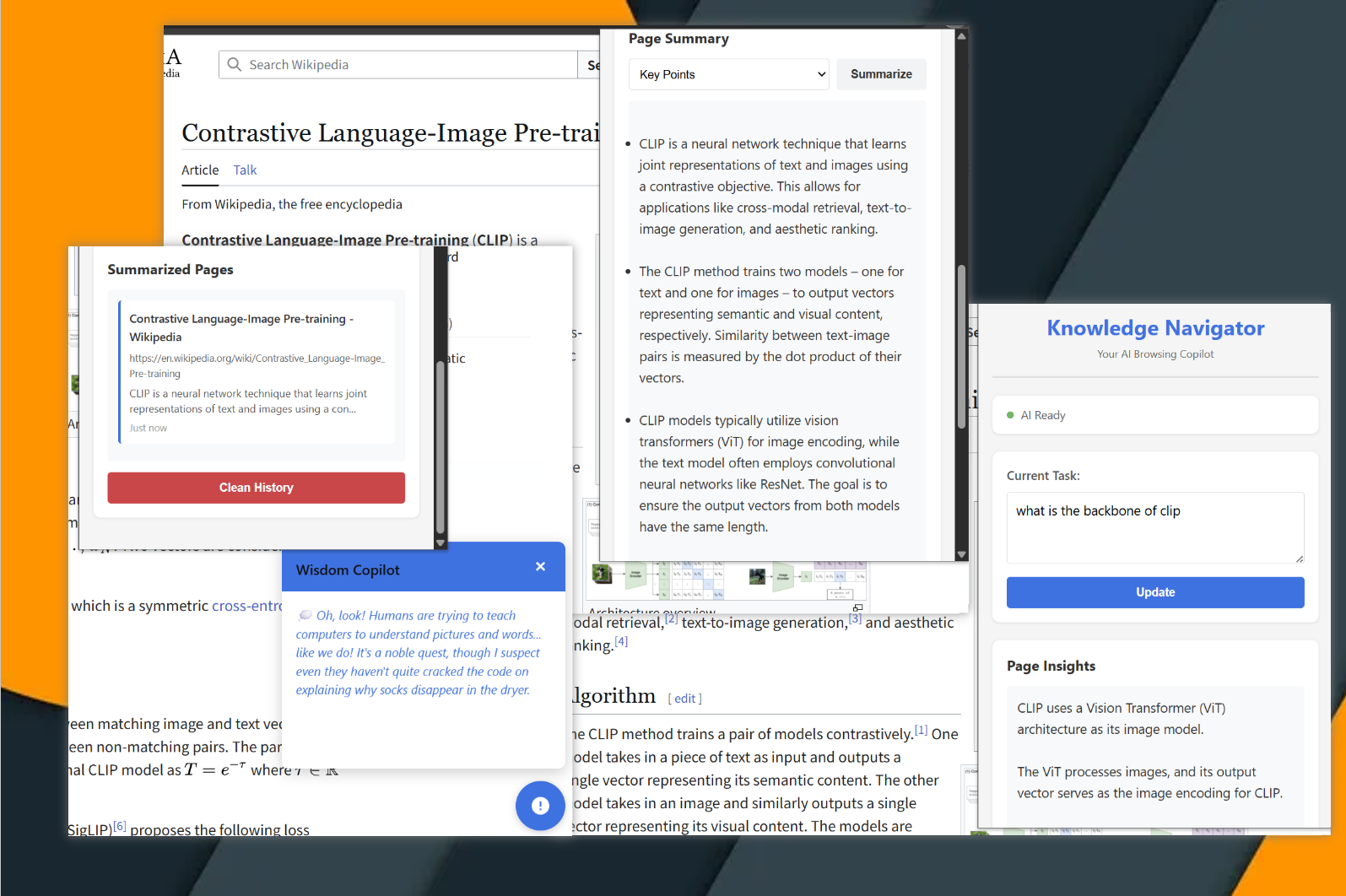
Inspiration
The initial inspiration came from a fleeting thought I had while scrolling through countless pages trying to debug a Java Bean error. I wondered—what if I didn’t have to waste time reading all these pages? Most of them don’t actually solve my problem; they just happen to appear at the top of search results. What if something could simply tell me whether the answer I need is really in a page or not?
Of course, modern LLMs can already access online resources. But they still can’t explore the web the way humans do—by following hyperlinks, uncovering small clues, and tracing subtle trails that might lead to the real solution. And even when they claim to have read a page, their tendency toward hallucination makes it hard to fully trust them.
The second inspiration comes from a more sentimental place: the memory of browsing the Internet with friends during childhood. Back then, our parents often limited our computer time, worried that too much Internet would distract us from studying. Now, as adults, we have unlimited access—but we rarely share those online moments together anymore. Still, I often miss the feeling of sitting side by side in front of a computer, exploring the web together.
These two threads—the practical idea and the nostalgic memory—came together and inspired the creation of this Chrome extension : BrowseWithMe (BWM) .
What it does
BWM consists of two main components: Knowledge Navigator (KN) and BrowseWithMe Copilot (BC).
Knowledge Navigator (KN) handles the summarization and analysis of webpages. When you’re on a page and click the Summarize button, KN generates a summary of the current page and stores it for future reference. A variety of summary styles can be chosen — TL;DR, Key Points, Teaser, or Headline — depending on the user’s needs.
The analysis function forms the core of KN. It operates in two modes: Task-Oriented and Free Insight. During analysis, cached summaries from previously visited pages and recent browsing history are packaged and sent to the LLM as contextual background information. In Task-Oriented mode, the LLM is prompted to provide information specifically relevant to the user’s stated task. In Free Insight mode, the LLM instead offers potentially useful observations or insights from the page, optionally taking browsing history into account.
BrowseWithMe Copilot (BC), on the other hand, brings a touch of humor and companionship. It’s designed to generate witty comments about webpage content and occasionally crack jokes — making the browsing experience both informative and fun.
How we built it
This extension leverages Chrome’s Summarizer API and Prompt API, and it runs entirely locally.
In the early development stage, I used an LLM to generate the initial framework, upon which I implemented all core functionalities using JavaScript.
From a technical perspective, when either of the APIs is invoked, the DOM elements of the current webpage are extracted, combined with additional prompts, and then sent to the LLM. These additional prompts may include chat history and stored browsing history, providing richer contextual information. The LLM’s output is then stored using Chrome’s API.
To manage memory consumption, the extension limits the number of stored history records and provides a “Clean History” button for users to manually clear cached data when needed.
Challenges we ran into
This was actually the first time I had ever developed a browser extension. Although I had prior experience programming with JavaScript, I still expected the process to be challenging.
One particularly tricky bug occurred when calling certain methods — sometimes the auxiliary script had already been released or hadn’t been executed yet, causing the receiving end to be unreachable. It took quite some time to track down the issue. The solution was to implement a fallback mechanism: if the script was found to be released, the extension would automatically reinject it.
Accomplishments that we're proud of
I’m proud that the core design ideas have been successfully implemented and that most features work as intended.
What we learned
Through building this project, I learned how to develop a Chrome extension from the ground up. As someone who has long been a user of many extensions, it was exciting to finally understand how they actually work — especially the details of their internal communication mechanisms and storage management APIs.
What's next for BrowseWithMe
From the program’s perspective, there are still many areas that could be improved — such as performance, a more customizable UI, and support for a larger context window. Fixing potential bugs is also important, especially in the LLM download interface, which I didn’t test thoroughly due to my reluctance to repeatedly delete and re-download the large model files. So, for now, it’s best to ensure the models are properly downloaded before running the extension.
I think I would continue updating this project in my spare time.

Log in or sign up for Devpost to join the conversation.