
Inspiration
Every day, people share screenshots, documents, receipts, student cards, and personal photos without realizing how much private information those images can reveal.
A simple screenshot may expose an email address, phone number, account number, or private conversation. Even when someone knows what they want to hide, manually editing every sensitive detail can be tedious and error-prone.
We wanted to make privacy protection easier without taking control away from the user.
That inspired Privacy X-Ray: a browser-based tool that helps people discover content in their images, choose what they want to hide, and create permanently redacted copies before sharing.
Our guiding principle is simple:
Your information. Your choice. Your privacy.
What it does
Privacy X-Ray helps users inspect and redact information from images and PDF pages.
The workflow is designed to be straightforward:
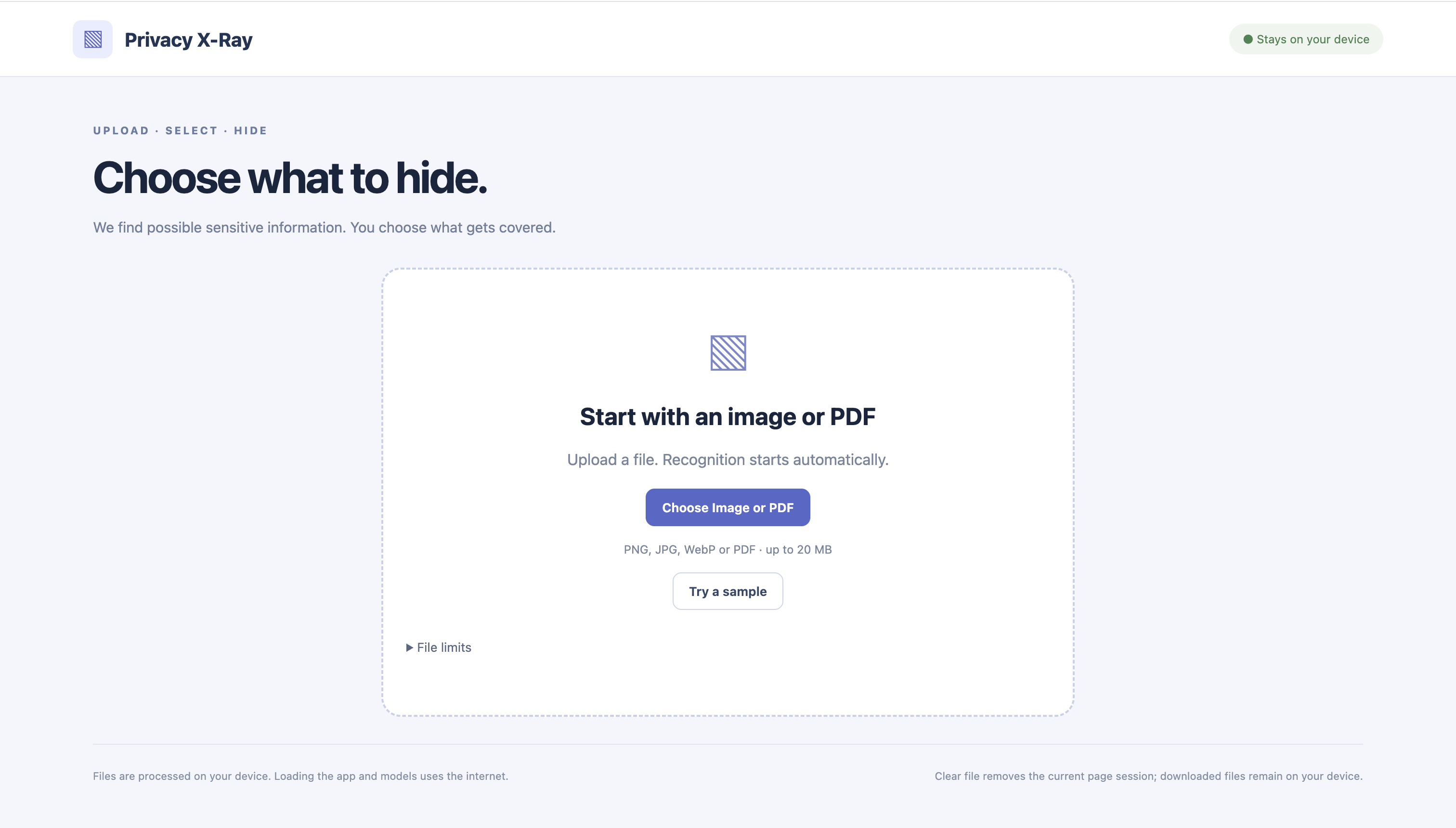
- Upload: Choose an image or PDF document.
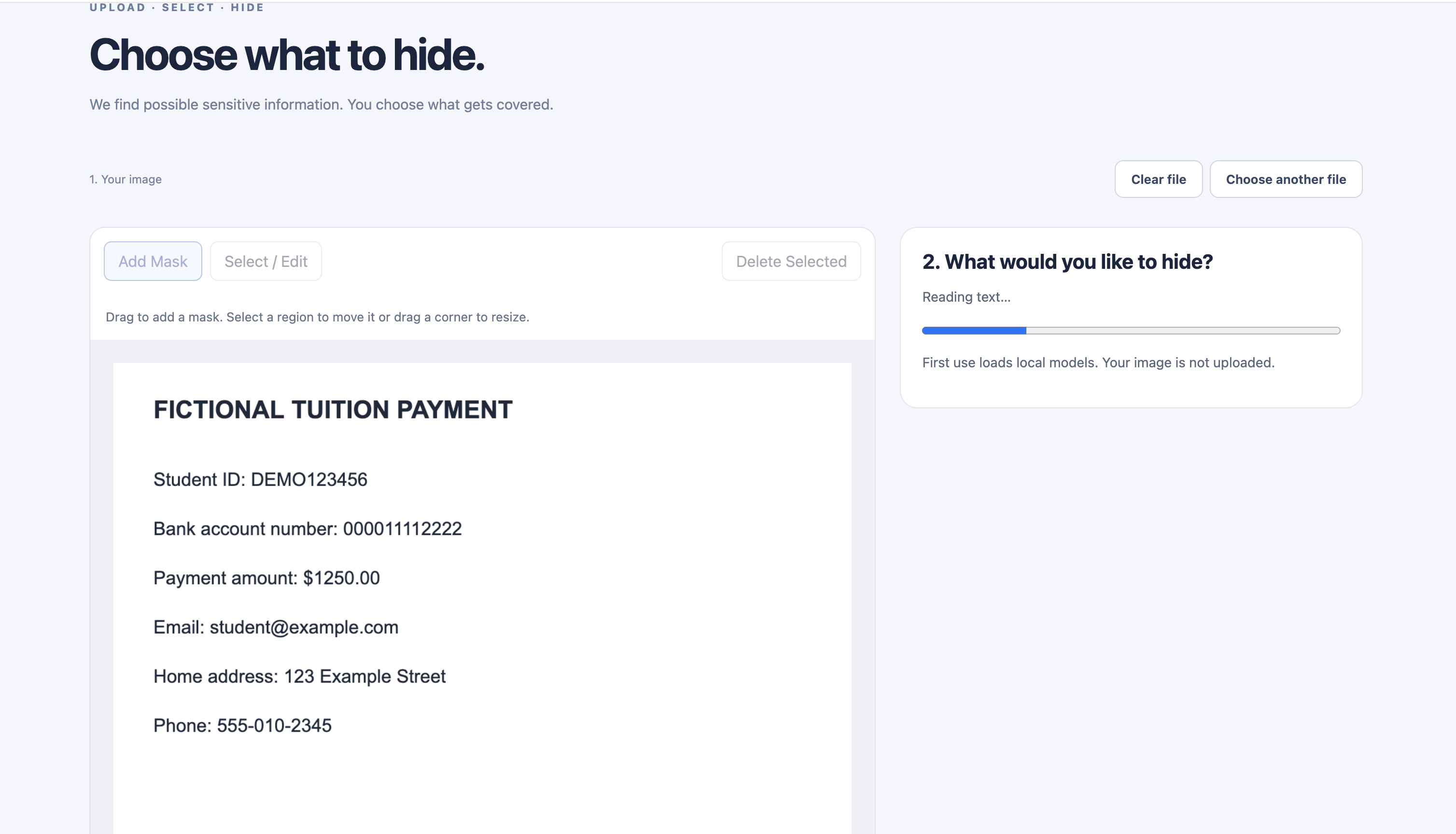
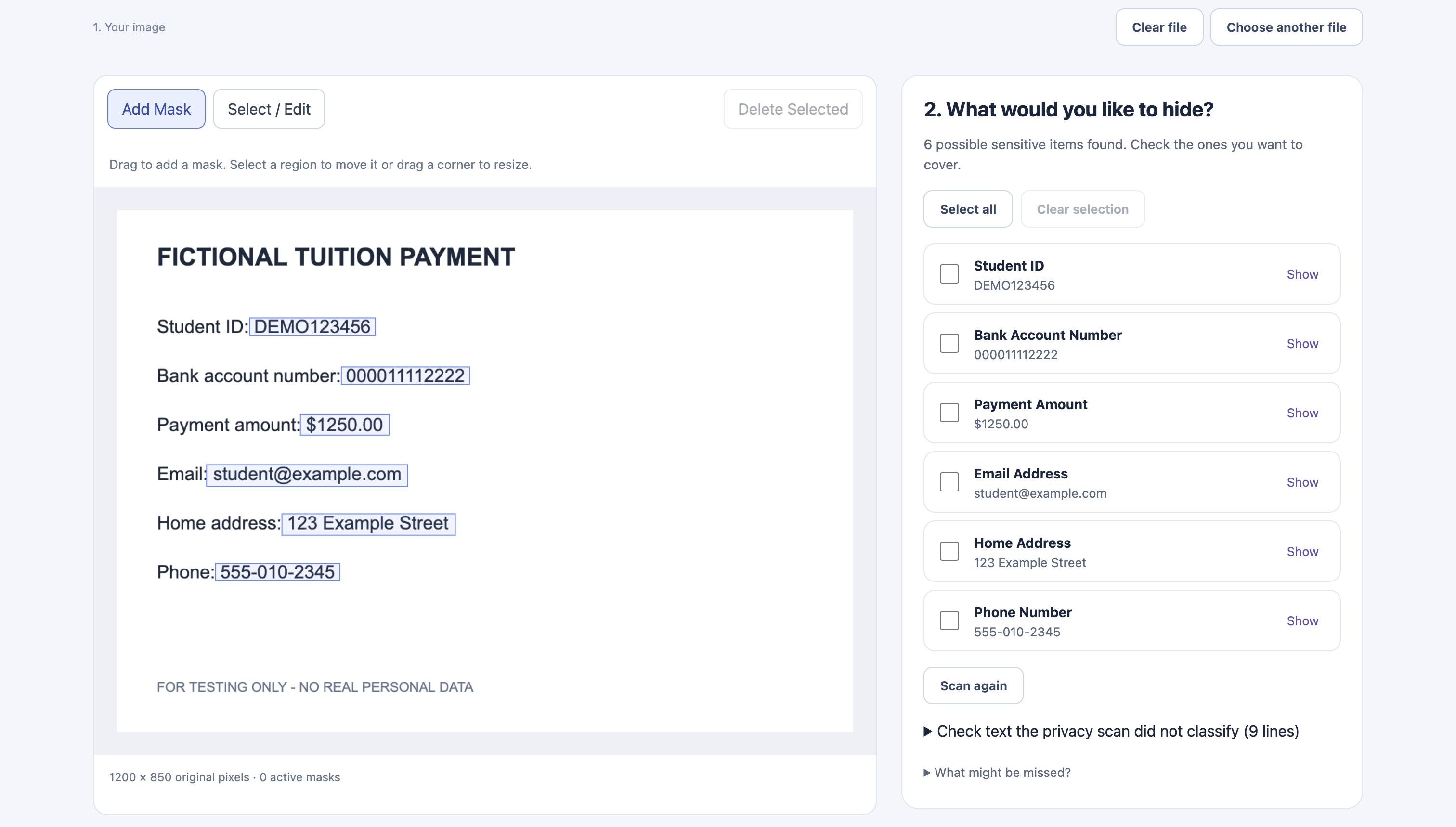
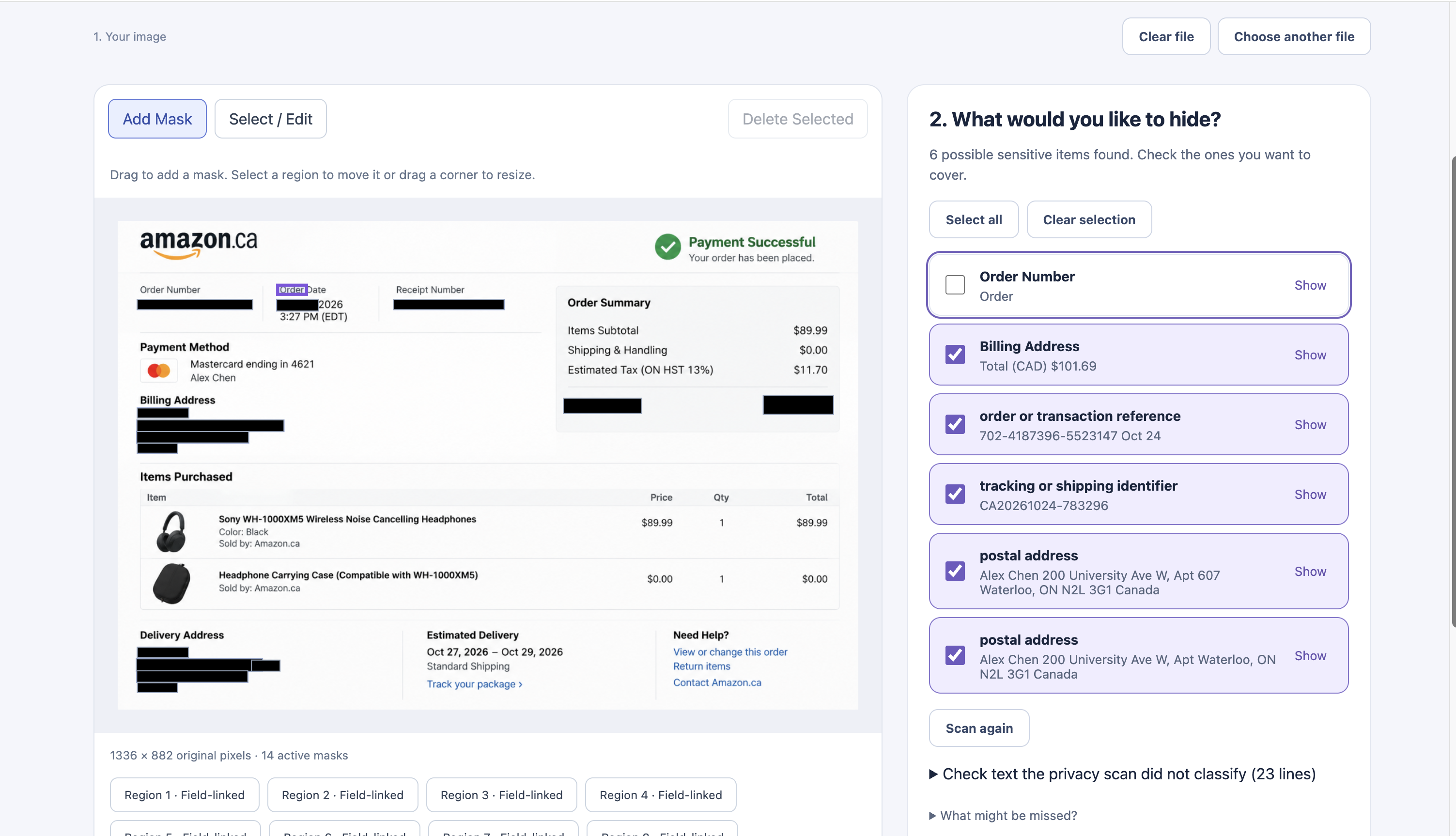
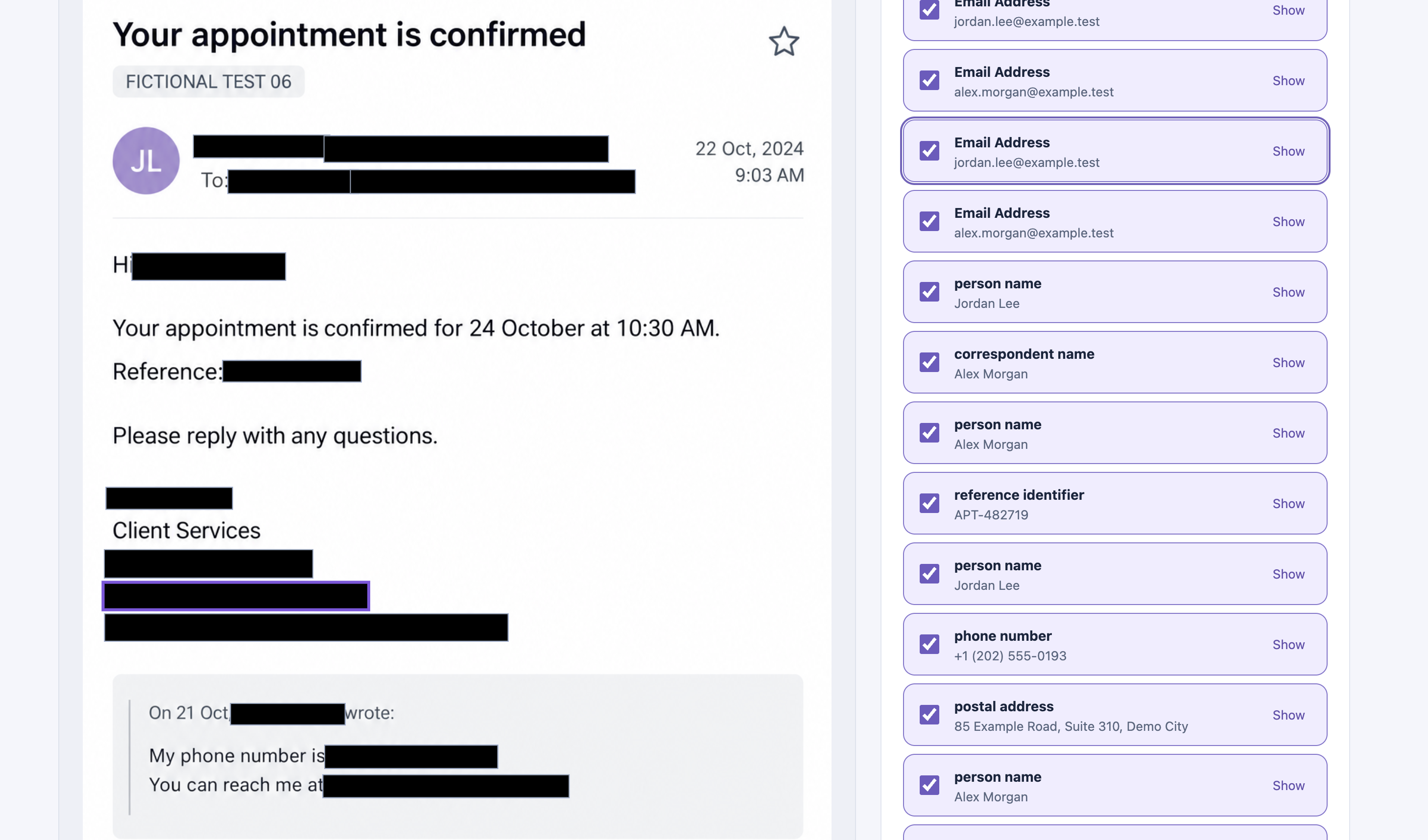
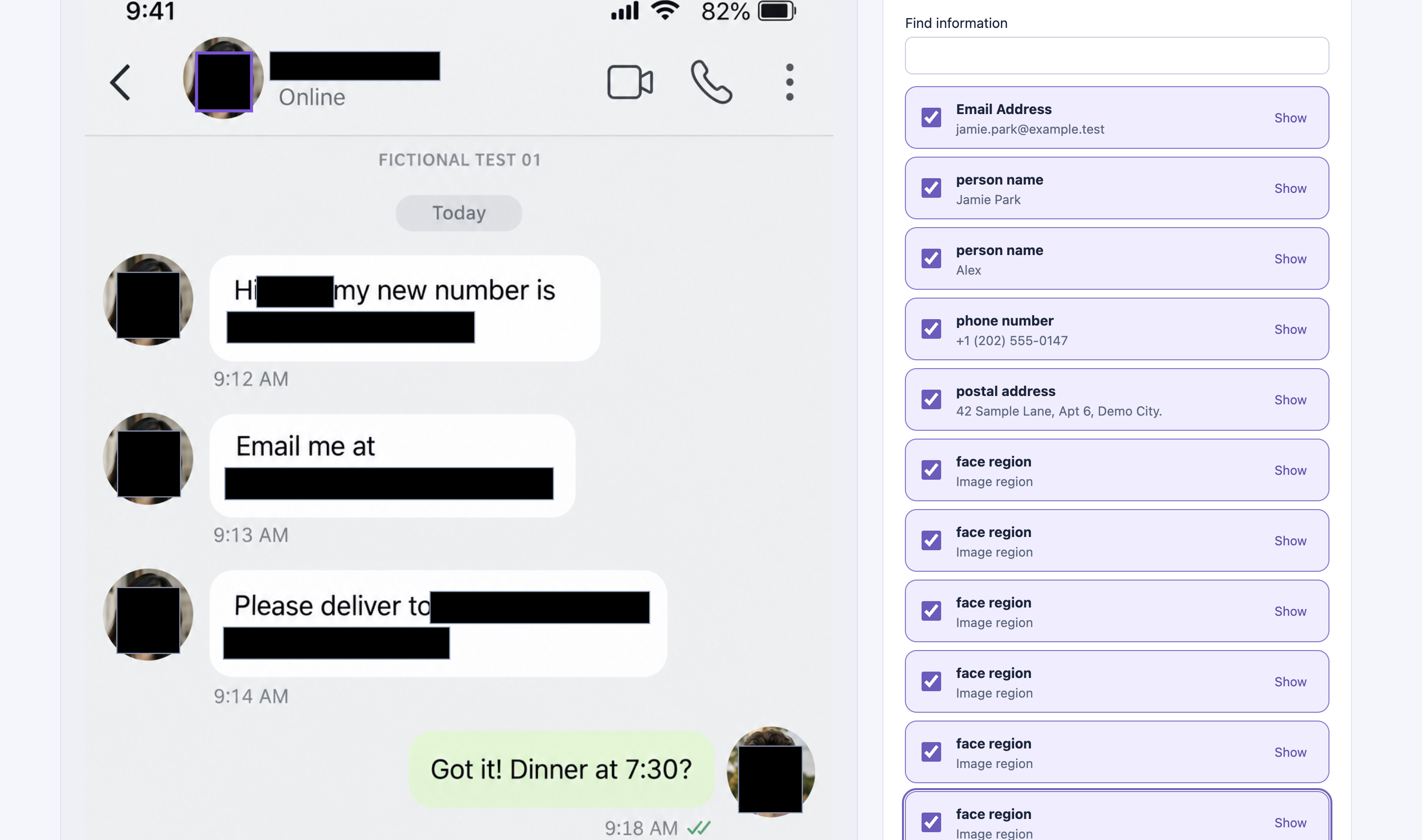
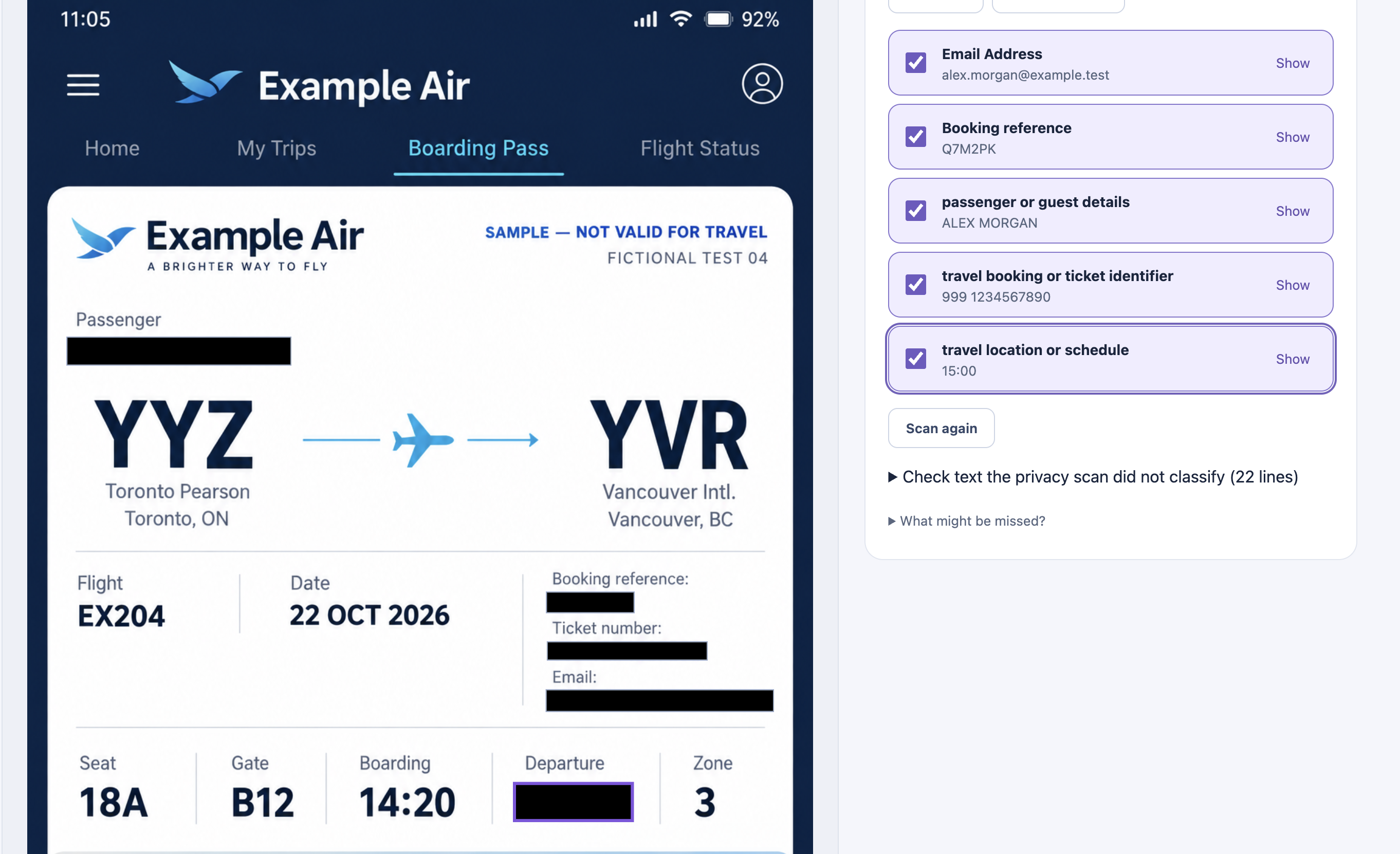
- Recognize: The application uses local OCR and visual detection to identify readable text and potential sensitive regions.
- Review: Users inspect the recognized content and its location in the original image.
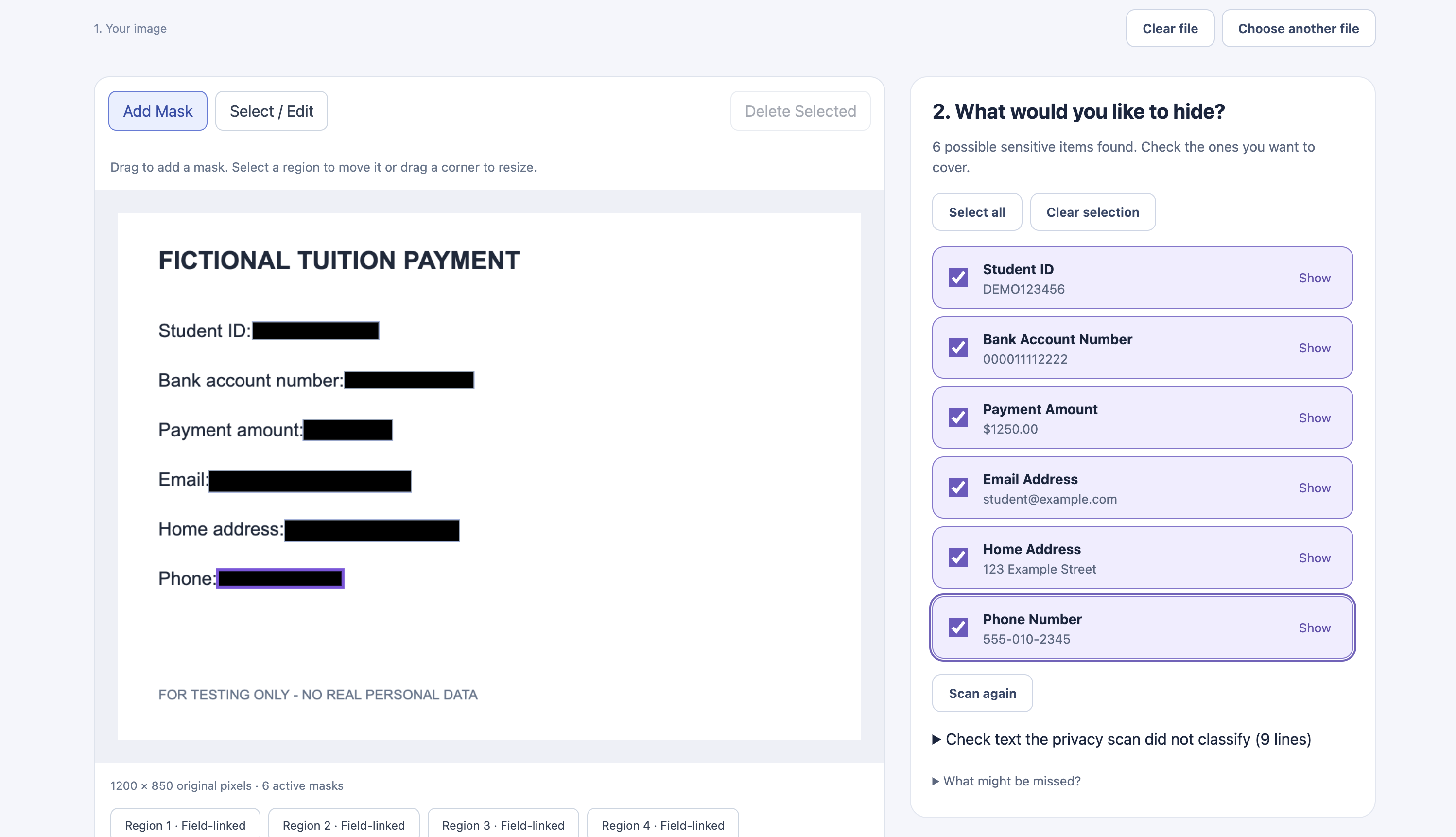
- Select: Users decide which information to hide, with manual masking available for anything the system misses.
- Export: Download a PNG image with the selected regions permanently covered.
Privacy X-Ray supports recognition of English and Chinese text, including text in screenshots and photographed documents. It also includes detection of possible faces, QR codes, and common sensitive-information patterns.
Unlike tools that automatically decide what is safe to share, Privacy X-Ray keeps the final decision in the user's hands.
Image processing happens locally in the browser, without uploading the original documents to a cloud OCR service.
How we built it
We built Privacy X-Ray as a web application using React, TypeScript, and Vite.
The recognition system combines several technologies:
- Tesseract.js for browser-based optical character recognition (OCR).
- Adaptive OCR processing for rotated, low-confidence, small, and densely arranged text.
- Local visual detection for possible faces and QR codes.
- Document and text-pattern analysis to identify potentially sensitive information.
- Original-image coordinate mapping to connect recognized text with precise locations in the uploaded image.
- HTML Canvas for generating permanently redacted PNG images.
One important engineering decision was separating recognition from the user's privacy decisions. The OCR system extracts recognizable information, while the user remains responsible for choosing what should be hidden.
We also built automated tests for OCR accuracy, coordinate transformations, mask coverage, and exported image pixels.
Throughout development, we prioritized local processing, transparent limitations, and maintaining control over personal information.
Challenges we ran into
Our biggest challenge was making OCR work reliably across different kinds of images.
Clean screenshots and photographed documents behave very differently. Real photographs may contain perspective distortion, reflections, shadows, rotated text, small characters, and complex backgrounds.
We encountered several difficult problems:
1. Missing and incorrectly recognized text
Our early recognition pipeline sometimes missed important information on photographed documents, even when the text was visible to a human reader.
We experimented with image enhancement, rotation recovery, local rescanning, and alternative OCR approaches.
2. Incorrect OCR result merging
Multiple recognition passes could disagree. In some cases, a small high-confidence fragment replaced a complete word or identifier, causing information to disappear.
We improved the merging logic to preserve complete text and recover content from detailed image regions.
3. Accurate redaction
Recognizing text was not enough. We also needed to ensure that selecting text would cover its actual pixels in the original-resolution image.
Chinese characters, rotated text, grouped words, and image resizing exposed difficult coordinate and mask-boundary problems.
4. Privacy versus convenience
Automatically recognizing content does not mean a system can guarantee that every sensitive detail has been found.
We therefore kept manual redaction available and made human review an essential part of the workflow.
Accomplishments that we're proud of
We are especially proud of turning a complex privacy problem into a simple, user-controlled experience.
Our key accomplishments include:
- Building a functional image recognition and redaction workflow that runs in the browser.
- Combining OCR, visual region detection, and manual masking in one interface.
- Supporting recognized text review and user-controlled redaction instead of relying entirely on automatic privacy decisions.
- Improving text recognition on complex screenshots through adaptive scanning and more reliable result merging.
- Preserving recognized regions in original-image coordinates, even when OCR uses resized or rotated images.
- Verifying complete coverage of annotated, selected text pixels in our tested PNG exports.
- Building an automated regression-testing system to catch recognition and redaction errors.
In one of our development benchmarks, we recovered all 44 annotated lines across two previously problematic long screenshots after fixing OCR result merging.
These results come from controlled testing, and we recognize that real-world image recognition remains an ongoing challenge.
What we learned
This project taught us that recognizing information and protecting information are two different problems.
A strong OCR result does not automatically guarantee a safe image. The system must also preserve accurate locations, handle uncertainty, and allow users to correct mistakes.
We learned how to combine browser-based machine learning with practical frontend engineering, how to evaluate OCR using measurable benchmarks, and how small implementation decisions—such as text grouping or coordinate mapping—can significantly affect privacy.
We also learned that more AI processing is not always better. Some image transformations increased processing time while making recognition less accurate.
Most importantly, we learned that privacy-focused AI should assist users rather than replace their judgment.
What's next for Privacy X-Ray
Our next priority is improving recognition of real-world photographs, especially documents captured under difficult lighting, perspective, or background conditions.
We also want to explore:
- More robust multilingual OCR and handwriting recognition.
- Better text-region detection for challenging camera photographs.
- More efficient local recognition on mobile devices.
- Improved review controls for dense documents and complex layouts.
- Broader document-format support and more convenient multi-page workflows.
- Continued security, accessibility, and usability testing.
Our long-term vision is to make Privacy X-Ray a practical tool that anyone can use to inspect and protect visual information before sharing it.
Privacy should not require advanced editing skills—and the final choice of what to share should always belong to the user.
Built With
- css
- github
- html5
- javascript
- mediapipe
- pdf.js
- playwright
- react
- tesseract.js
- typescript
- vite
- vitest
- webassembly


Log in or sign up for Devpost to join the conversation.