-
-
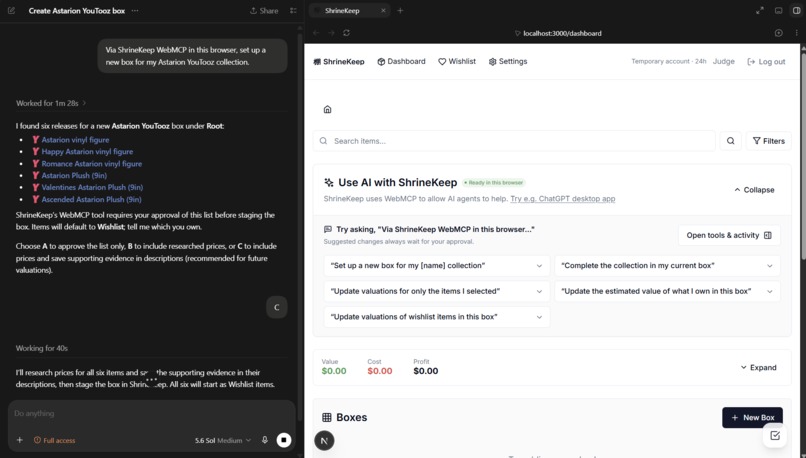
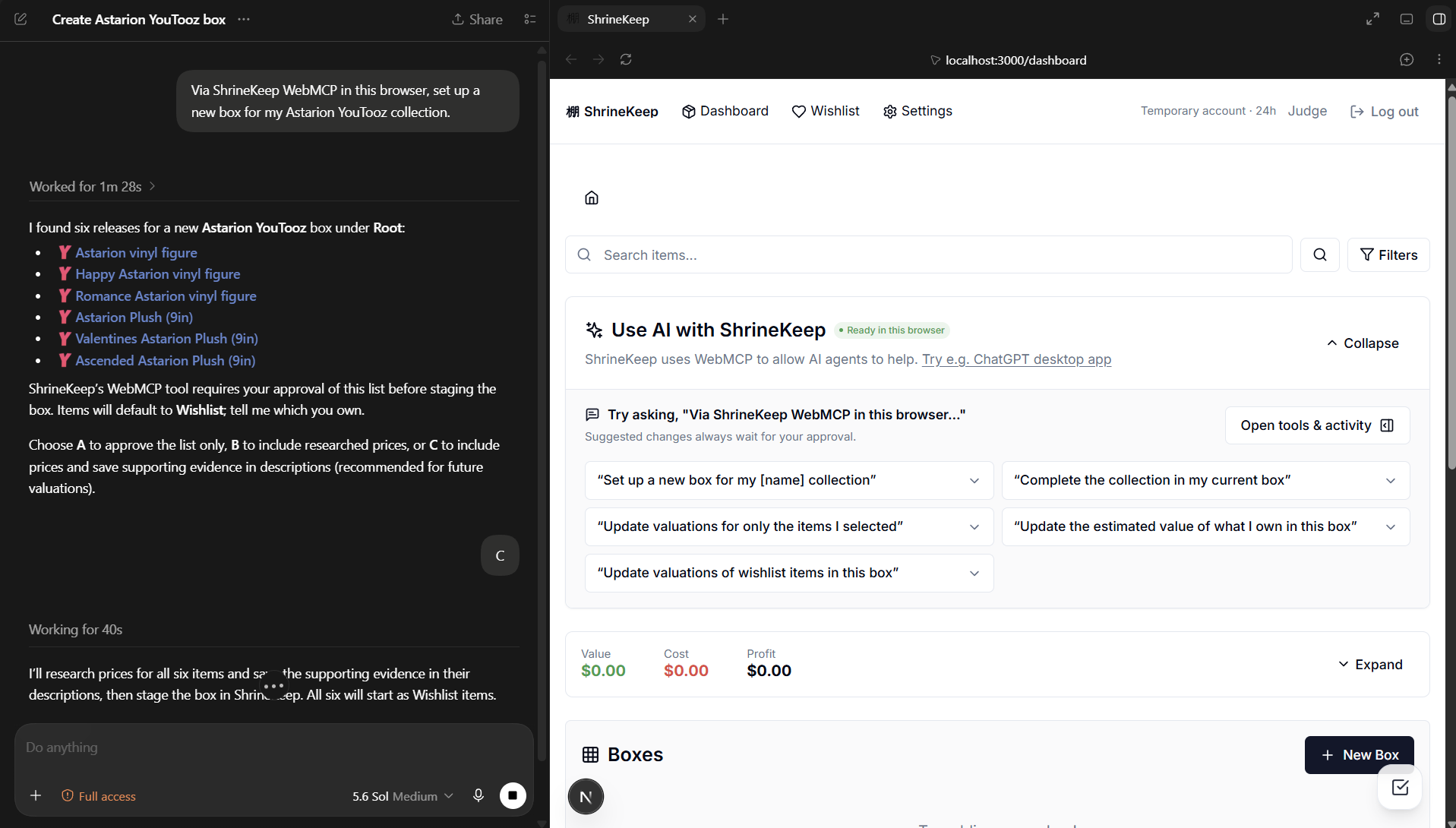
Agent asked to set up data for a collection of the user's choice
-
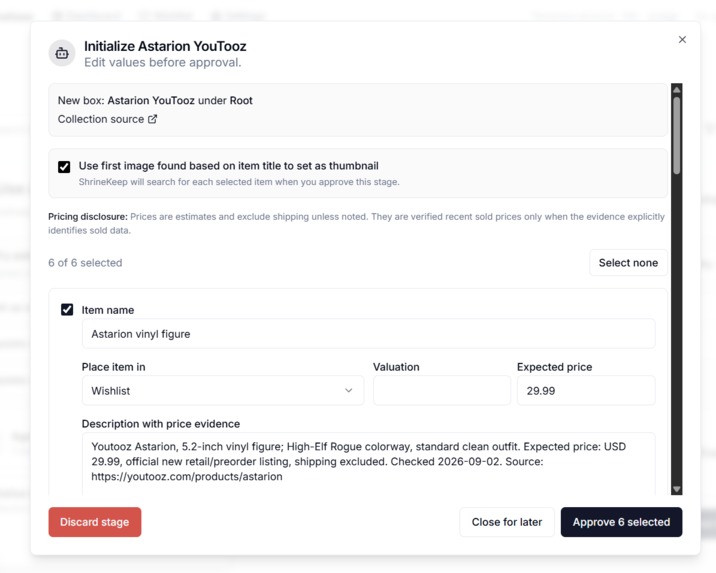
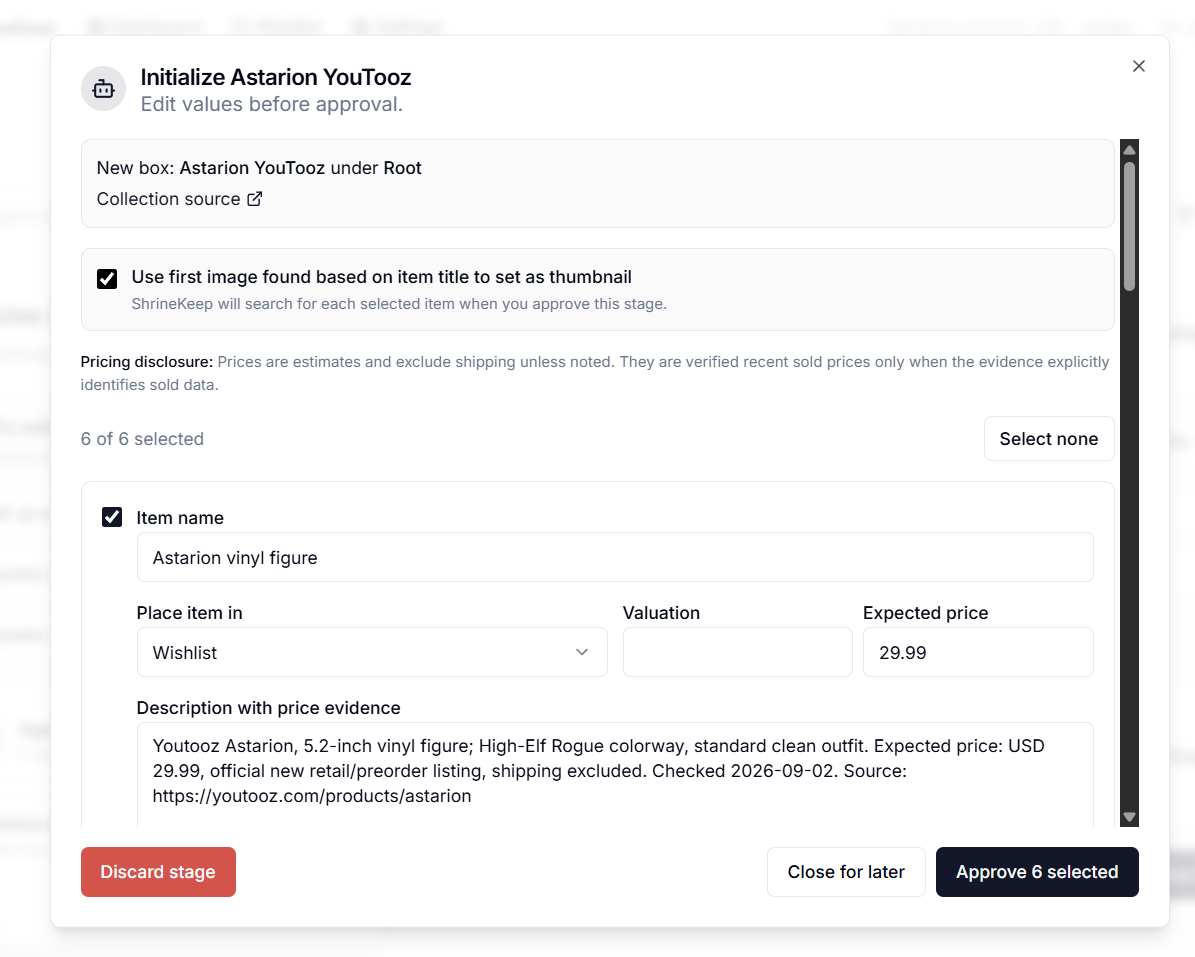
All edits are staged and require approval
-
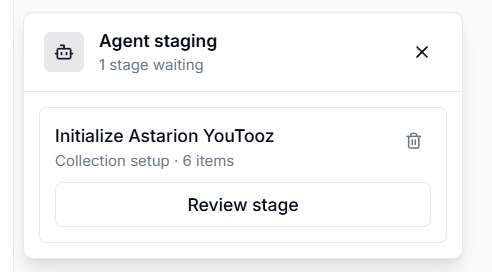
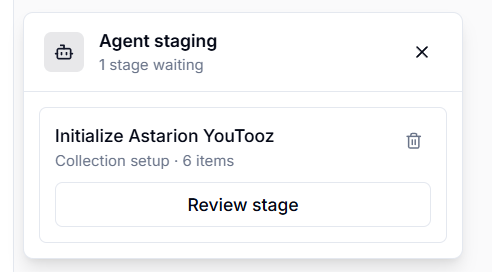
Staged edits that are not yet accepted are put in the review inbox
-
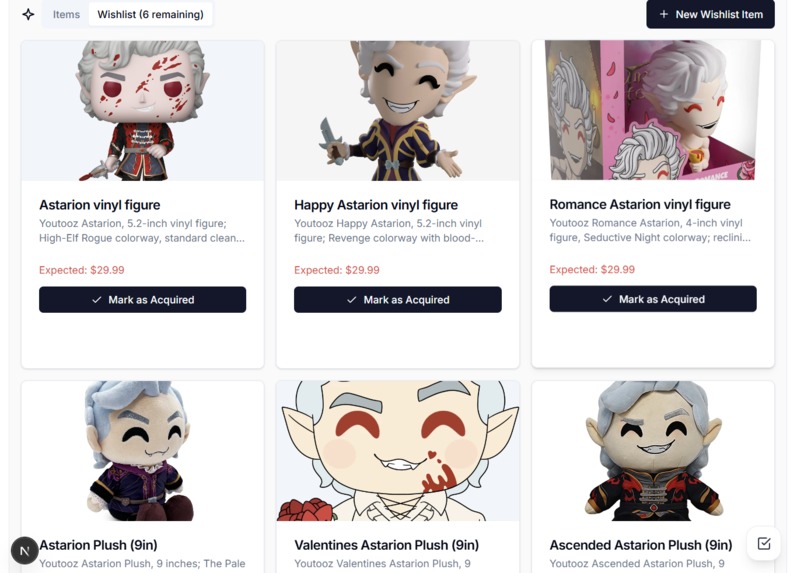
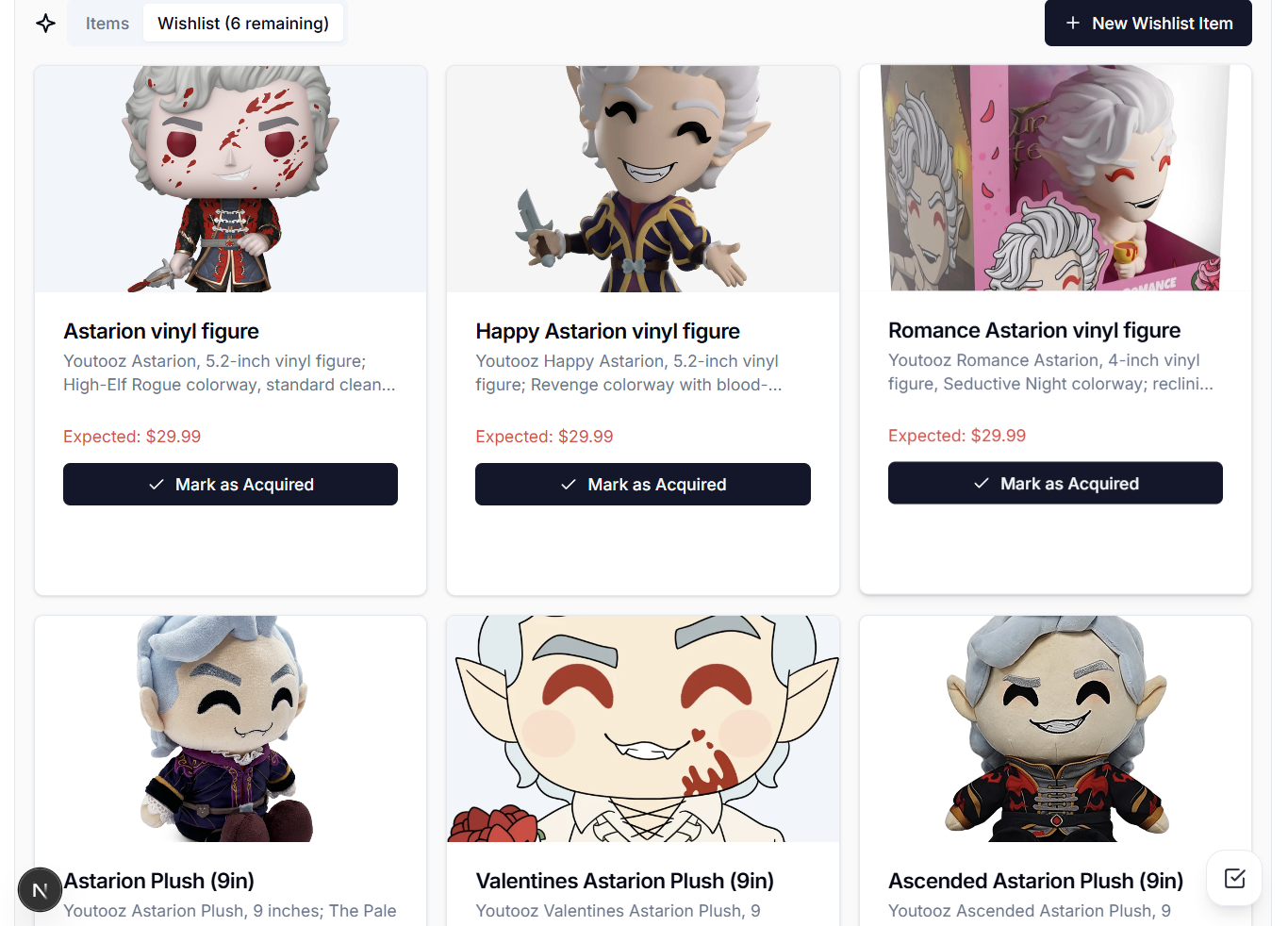
Example output
-
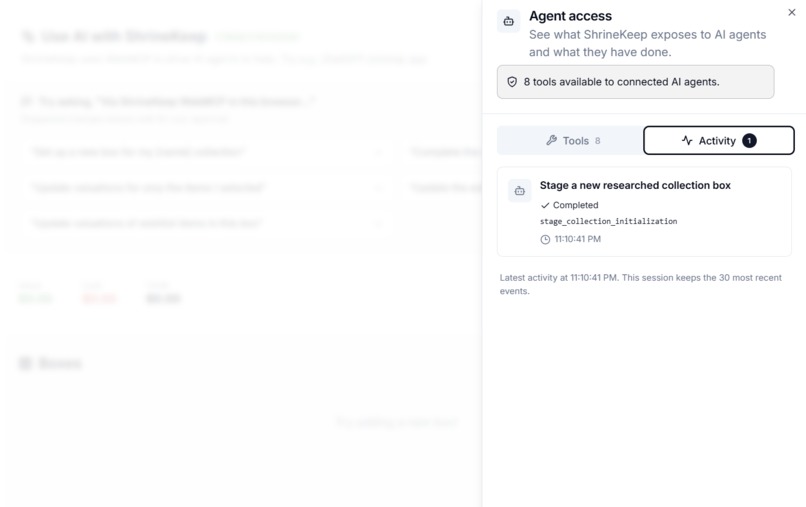
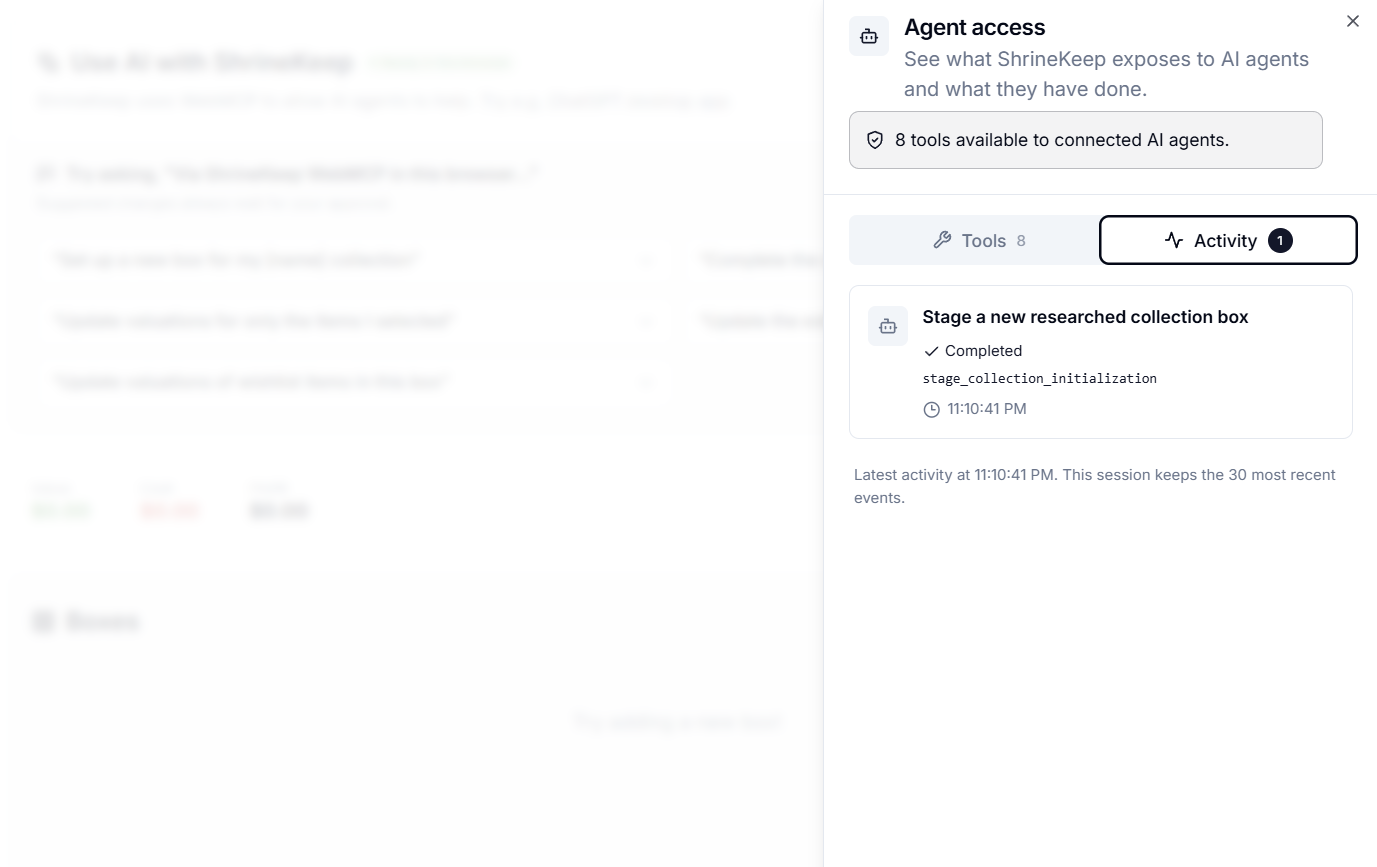
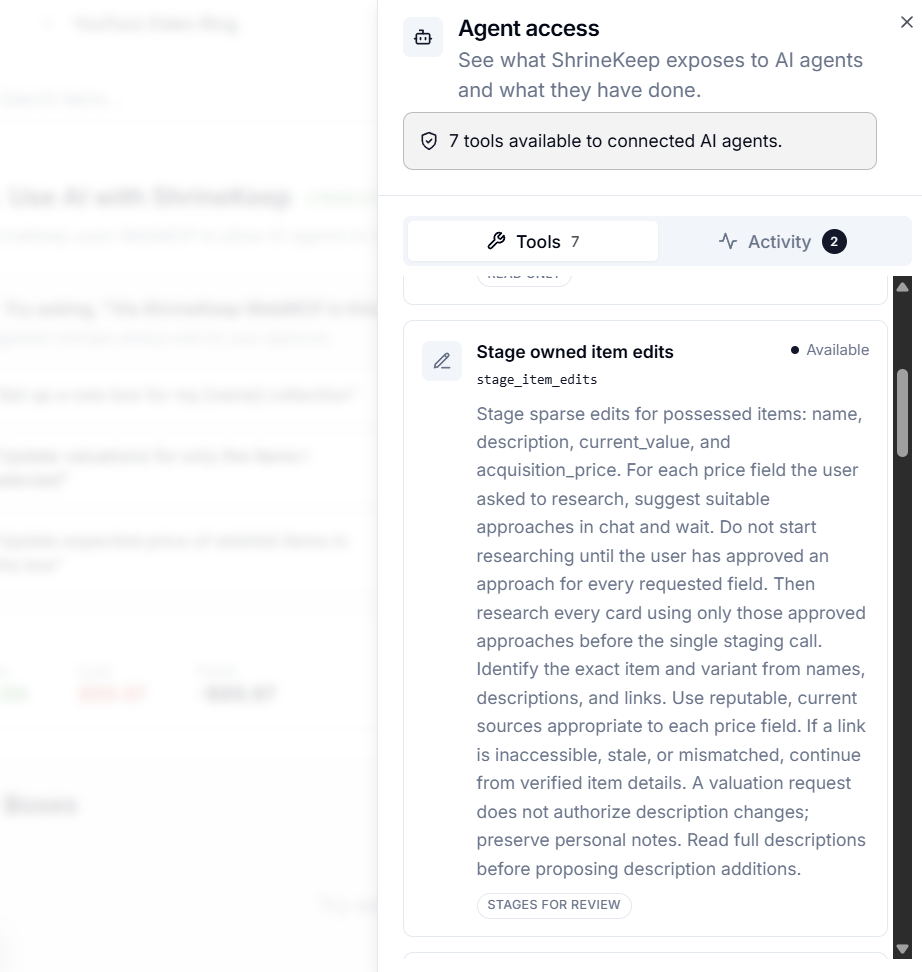
Activity of each tool use is recorded for technical users to debug
-
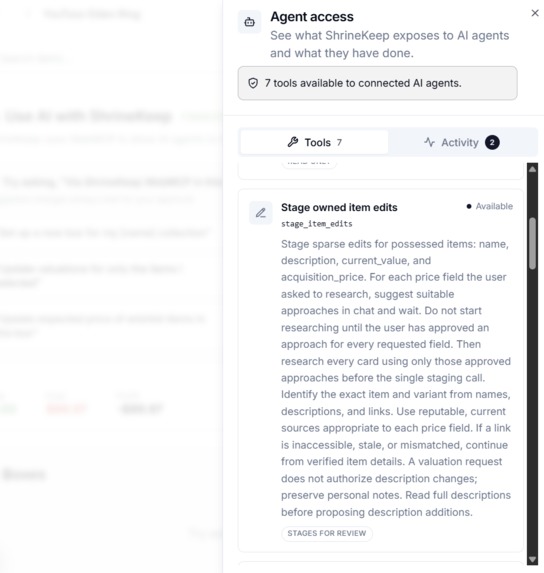
Tool descriptions are also provided so technical users can be more productive and write more complex prompts
-
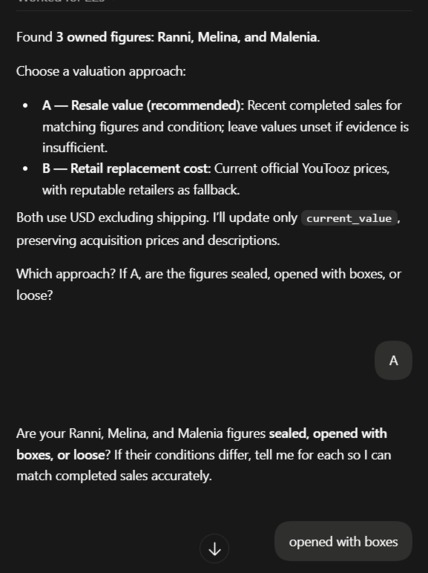
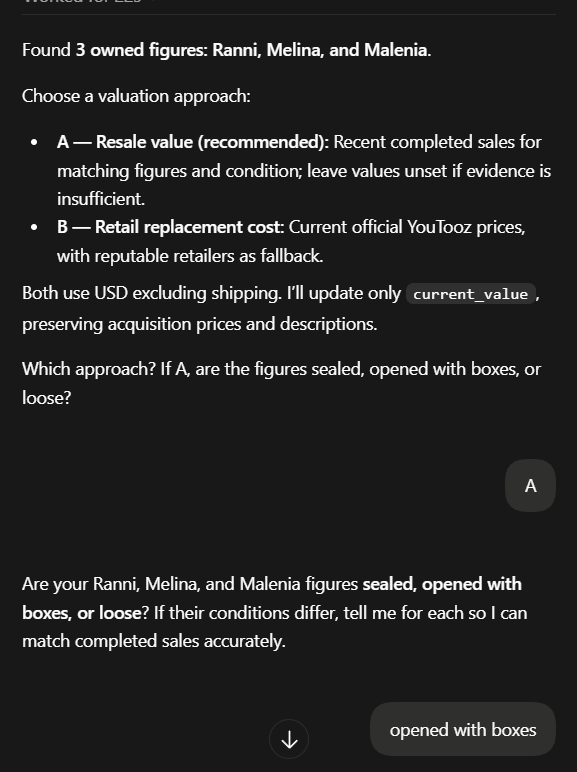
Agent making decisions gives effective and reasonable automation of item valuation
ShrineKeep + WebMCP project story
Inspiration
Collectors can end up hoarding rather than collecting, leaving them with questions. What do I already own? How much have I spent? What is all of this worth now? A lot of people have to manually make use of notes or spreadsheets, if they track them at all.
That is the problem I made ShrineKeep to solve. It can organize collections in nested boxes and give you useful analytics, but there was an awkward catch: first, you had to manually add everything. Names, dates, purchase prices, current values, wishlist prices, and so on. The more useful I made the app, the more data it asked the user to enter.
I've wanted to use agents for this for a while. An agent can research a niche product line, tell similar editions apart, find price references, and do in minutes what would be a very boring evening of data entry. But running those agents for every user would be expensive. Locking the feature behind a subscription would solve my problem by creating a new one for users.
WebMCP and it solved my problems well! The user can bring an agent they already have, and ShrineKeep can give it the right context and a safe way to help. The agent does the research and reasoning; ShrineKeep knows what box is open, what the user owns, and what is actually allowed to change. I don't have to run an AI service or pass that cost on to the user.
What it does
On the dashboard or wishlist, a user can now talk to a compatible browser agent and ask it to work with the collection that is already in front of them. It can:
- research and initialize a new collection box;
- compare a complete set with the current box and stage only the missing items;
- estimate current values or likely acquisition prices for owned items;
- research expected prices for wishlist items;
- edit item names and descriptions through the same review flow;
- work only with the items explicitly selected in the interface; and
- optionally find a thumbnail for each newly approved item.
The agent gets small, structured pieces of context instead of trying to scrape the screen. It can read the open box, include its child boxes when that is actually needed, look at the relevant wishlist, or ask for only the cards the user selected. There are seven tools on the dashboard and three on the wishlist page, each limited to what makes sense there. Tools are written in accordance to Chrome's WebMCP Best Practices
The important part is that none of those tools silently changes the collection. Anything the agent wants to add or edit goes into a staging inbox. ShrineKeep shows the user the proposed names, prices, Owned/Wishlist choices, before-and-after values, reasons, sources, and possible duplicates. Every row can be edited, unchecked, approved, or thrown away. Only approved rows reach the real write APIs.
I also built a new tutorial around these agent features. WebMCP will undoubtedly be unfamilar to most users, and I feel it is an essential UX requirement to introduce users to a newly adopted technology. It asks what the user collects, gives them a prompt to take to their agent, and walks them through confirming the researched set, reviewing the new cards, opening the created box, and trying a valuation. They learn the app by setting up something they already collect. They can skip individual steps, leave the tutorial, or use sample data instead.
If WebMCP isn't available, ShrineKeep still works normally.
How we built it
ShrineKeep is built with Next.js 16, React, and TypeScript, with Supabase handling authentication, Postgres, row-level security, and image storage. The collection manager existed before the hackathon. During the submission period, I added the WebMCP tools, their staging and approval flow, and the new agent-based tutorial directly to the existing app.
A reusable React hook checks for document.modelContext and registers the right tools for the page the user is on. Registrations are cleaned up with an AbortController when that scope changes. The same hook records calls as they happen, which let me show a status panel without pretending that “the browser accepted a registration” means “an agent is connected and understands everything.”
The read tools use small authenticated routes that check ownership and return only the fields needed for the job, with pagination so a large collection doesn't become one giant prompt. Selection is even smaller: get_selected_items reads the current React selection state directly. I generalized the edit tools to accept just the fields being changed, so the same operation can fix a name, update a description, or suggest prices without a separate tool for each field. Shared tool copy lives in one module so those contracts stay consistent.
Tools that can lead to a write only build typed suggestion batches. A shared client-side provider keeps those batches around while the user moves between the dashboard and wishlist. When the user finally applies one, the server authenticates them again, checks ownership and price fields, catches stale records through updated_at, and then reuses ShrineKeep's normal item and box operations. That also means value updates still appear in the existing value history. Optional thumbnail lookup reuses the regular image search and is allowed to fail without blocking the batch.
The tutorial runs as a state machine inside the existing agent panel. It listens for the relevant tool calls, successful approvals, and box navigation. Tutorial progress is saved for the session, while completion or dismissal is saved to the account. The state also needs to handle someone skipping creation, opening a different box, or coming back after navigating away.
Challenges we ran into
The hardest part was deciding where the agent should stop. Niche product research is messy, and secondhand prices are even messier. I wanted the agent to save real time without letting a confident mistake rewrite someone's collection. The model I kept coming back to was a code review: let the agent prepare a useful diff, then let the person who owns the data decide what lands.
The tutorial became a major challenge of its own. Exposing the tools didn't explain to a new user what to ask for, or why they were moving between an agent chat and ShrineKeep. I had to build a walkthrough that taught both sides of that interaction while helping them make a real collection. There also had to be a useful way through for someone without a compatible agent, or someone who just wanted to skip ahead.
Another early mistake was treating “set up this collection” and “complete the collection in this box” as the same operation. They sound close, but one should create a new box and the other should reconcile against what is already there. Using the first flow for both produced duplicate cards and unnecessary child boxes. I split them into separate tools, and the completion flow now checks both owned and wishlist cards before proposing only what is missing.
Choosing how many tools to expose was another balancing act. I didn't want a separate tool for every small task, with more schemas and descriptions for the agent to read. But making one tool do everything would bring back the scope confusion. I kept separate operations where the destination or approval flow really differs, and generalized edits within those boundaries. Furthermore, I directly acknowledge that destructive, relocation, and exploration actions should not be accessible to the agent, as these can destroy data, confuse users, and waste tokens, respectively. It was not worth it to implement this when users already have fast batch deletions and movement options.
Pricing caused a different kind of ambiguity. Original retail, a current listing, a secondhand asking price, and a recent sold price are all valid approaches to price an item. I experimented with defaults, but collections from different spaces just aren't compatible with it and often lead to lots of time and tokens wasted looking at obviously wrong decisions. I ended up with just asking the agent to suggest a research approach for each requested field, wait for user approval on all of them, then research. The review still keeps the explanation and links next to the number.
Accomplishments that we're proud of
I'm proud that this became a complete bring-your-own-agent loop rather than a chat demo. The agent can get authenticated context, research a real collection, stage a proposal, and hand it back to ShrineKeep for an editable review and a validated write.
It also still feels like ShrineKeep. The Site tools panel, staging inbox, review dialog, and new tutorial use the same visual language as the rest of the app. The tutorial now gives someone a path from an empty account to their own collection and a first valuation. Someone who never uses WebMCP shouldn't have to work around it or wonder why the product was redesigned for an agent.
The safety model held up as the idea grew. Whether the agent is changing one selected card or proposing a few hundred items for a new box, nothing is added to the real collection until the user approves it in ShrineKeep.
One of my tests used a genuinely specific example: METAL BUILD Evangelion releases, by a specific manufacturer Tamashii Nations. The agent worked from official and retailer sources, found the relevant units, discussed with the user on their pricing rationale, attached useful USD estimates and evidence, and staged the result.
What we learned
I learned that a MCP tool description is like API documentation. The tool needs to explain when to use it, when not to use it, what it will act on, and what approval still belongs to the user. Generalizing a tool is useful when it removes repetition, but not when it makes the agent guesses what to do next.
I also learned how valuable semantic application state is. A tiny, authoritative response saying “these are the selected cards” is better than asking an agent to inspect the whole page and decide what a border color means. It is quicker, cheaper in context, and much harder to misunderstand.
“Human in the loop” turned out not to be one checkbox either. When starting a researched collection, it helps to first agree with the agent that it found the right set. Then, separately, the user reviews the actual cards that would be created. The first decision answers “did we research the right thing?” The second answers “do I want these changes in my collection?” Building the tutorial made me explain that distinction to the user as well as to the agent.
Most of all, I learned that WebMCP is great for open-source, non-profit projects that still wants to deliver on agentic involvement. ShrineKeep can become much easier for someone with a compatible agent, without becoming dependent on one model company or one paid plan.
What's next for ShrineKeep + WebMCP
For the hackathon, I’m using item descriptions to save price references when the user asks for them. That helps the agent find the same item again, but descriptions are also where people put their own notes. Later, I want separate metadata fields for item details and research links so those don’t get mixed together and waste tokens.
To speak more generally, token consumption is something I want to spend more time on. Bringing your own agent avoids an AI bill for ShrineKeep, but the user still spends tokens and time. Researching a price for every item can be heavy even when the tools themselves return compact context. Price research is already optional during creation; next I'd like to measure whole-task consumption, cut redundant reads and repeated instructions, and find where related items can share research without losing item-specific evidence. Keeping the tools small is only part of that problem.
Next, I want to make staged suggestions durable, with history, rollback, and proper provenance for valuations. I also want currency conversion and a default location users can set to reduce ambiguity for shipping, availability, and exchange.
There are a few directions I'm especially excited about: actions that require more agent reasoning like photo-assisted intake can be something more explicitly supported, and speed up importing a collected items a lot. Recommendations based on the collector's actual goals are also plausible the agent can suggest the user what they can get into next to expand their collection. This can potentially make way for ShrineKeep to be monetizable and bridge users to marketplaces where they're free to trade, buy, or sell.
ShrineKeep is still a versatile collection manager for any niche field, while a compatible agent they choose can become a knowledgeable assistant on top of it.
Built With
- next.js
- posthog
- radix
- resend
- sentry
- serpapi
- shadcn
- supabase
- tailwind
- turnstile
- webmcp

Log in or sign up for Devpost to join the conversation.