


Inspiration
Most AI explains through text. However, many ideas are spatial, sequential, or dynamic. You cannot fully understand an orbit by reading a paragraph about it. You need to see the forces, watch the path change, and control the variables. The same is true for a circuit, a graph, program flow, or an unfamiliar interface. Some things become clear only when the explanation is visual.
I was also uncomfortable with the fact that AI can easily do the work without teaching people how to perform these tasks themselves. It can solve an equation, write code, or complete a task within seconds. That is useful, but there is no guarantee that the user will actually learn from it.
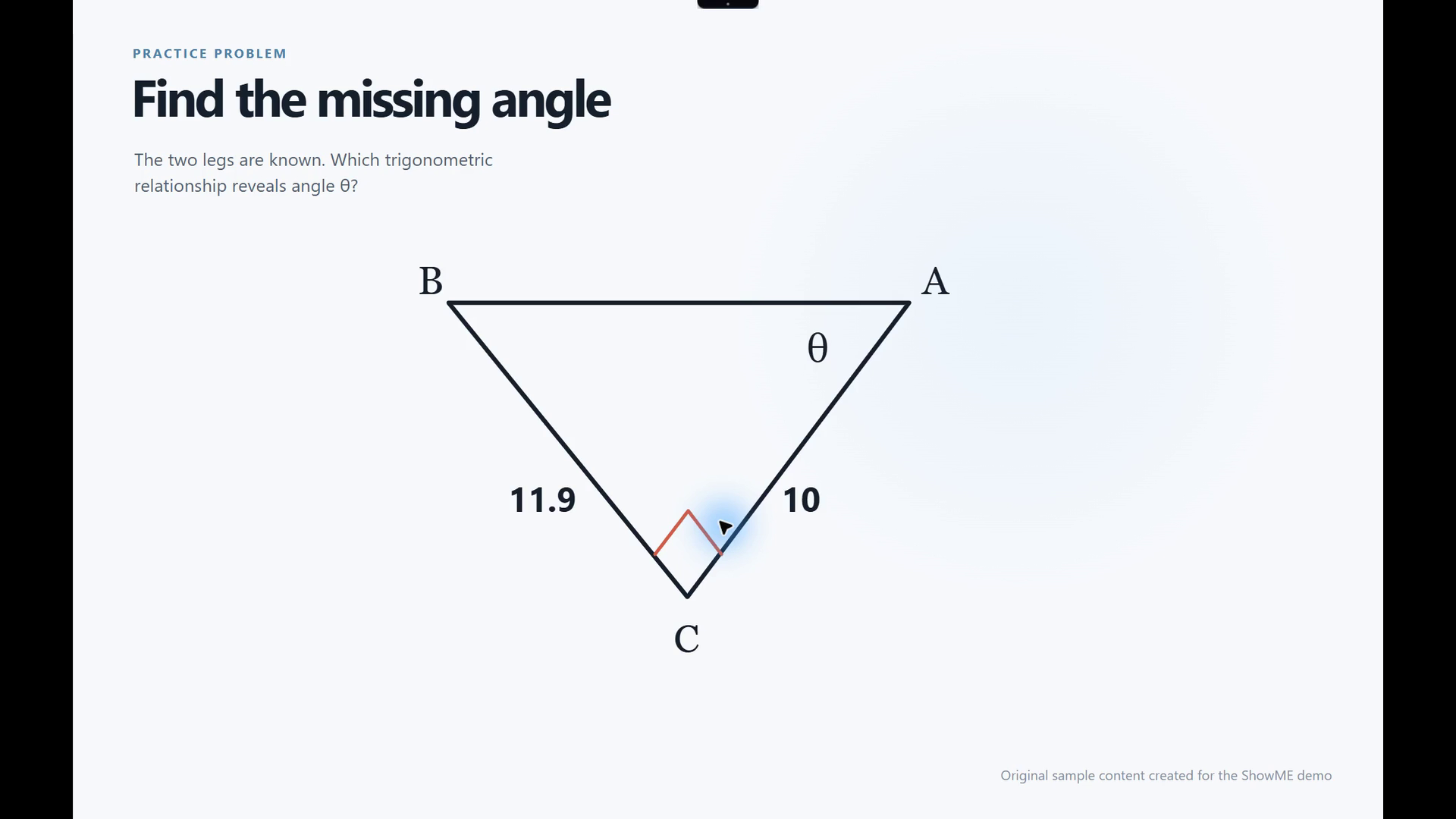
That became the idea behind ShowME. The learner points to the exact thing causing confusion, and the explanation forms around it with annotations, narration, motion, questions, and controls. Instead of describing a diagram that is already visible, I can point to it and say, “Show me.” Instead of receiving a finished answer, I can see why it works and explore what changes.
Don’t explain it. Make it visible.
What it does
ShowME is a visual lesson compiler for the desktop. It lives on a small dynamic island at the top of the screen and stays out of the way until I need it.
I can say “ShowME,” use a keyboard shortcut, or open the dynamic island. Then I can select an area, draw a lasso, point to one detail, mark a sequence, draw an arrow, or choose the full display. I ask a question by voice or text. ShowME captures only the visual context I chose and turns it into a lesson built around that exact context.
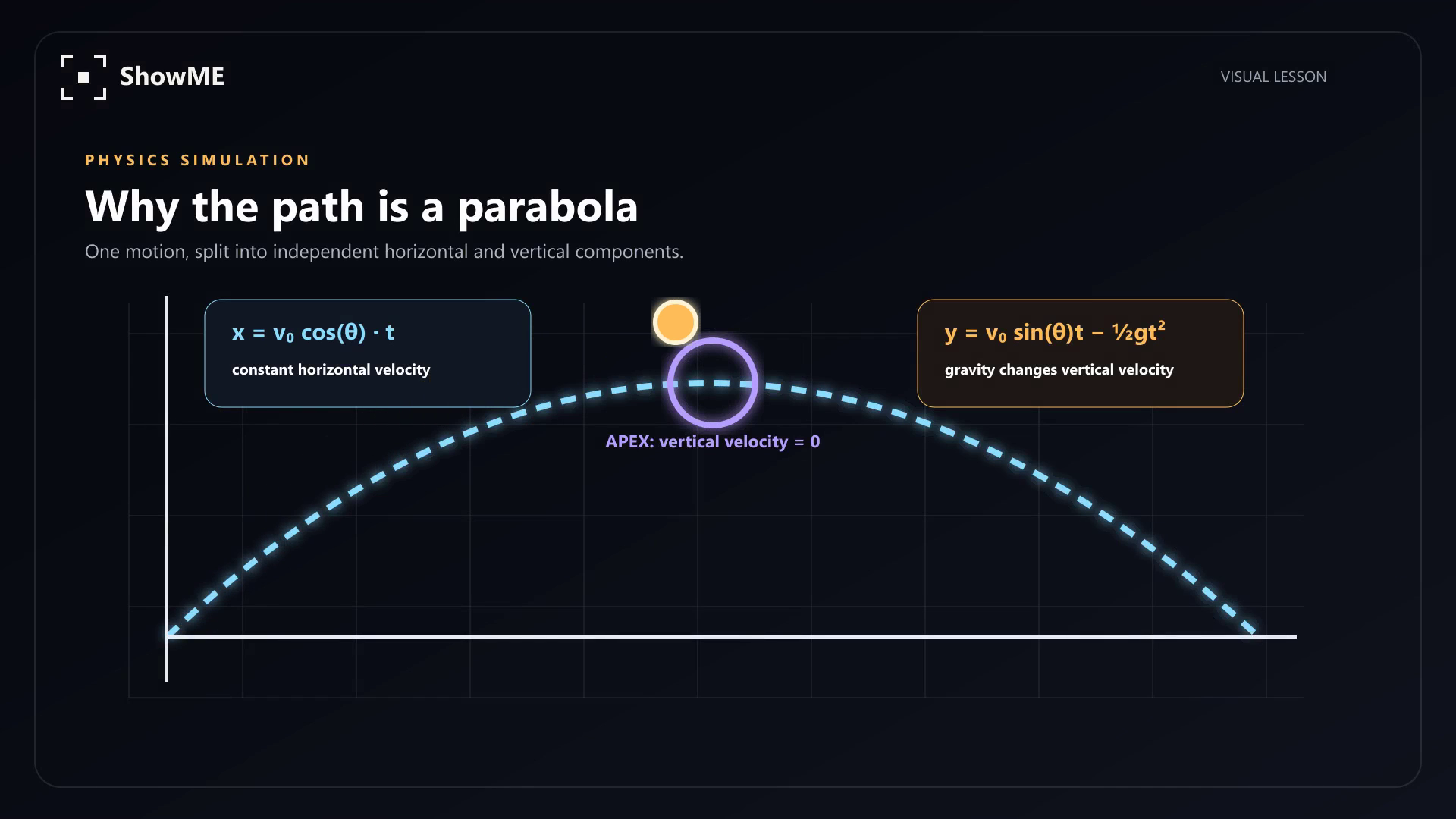
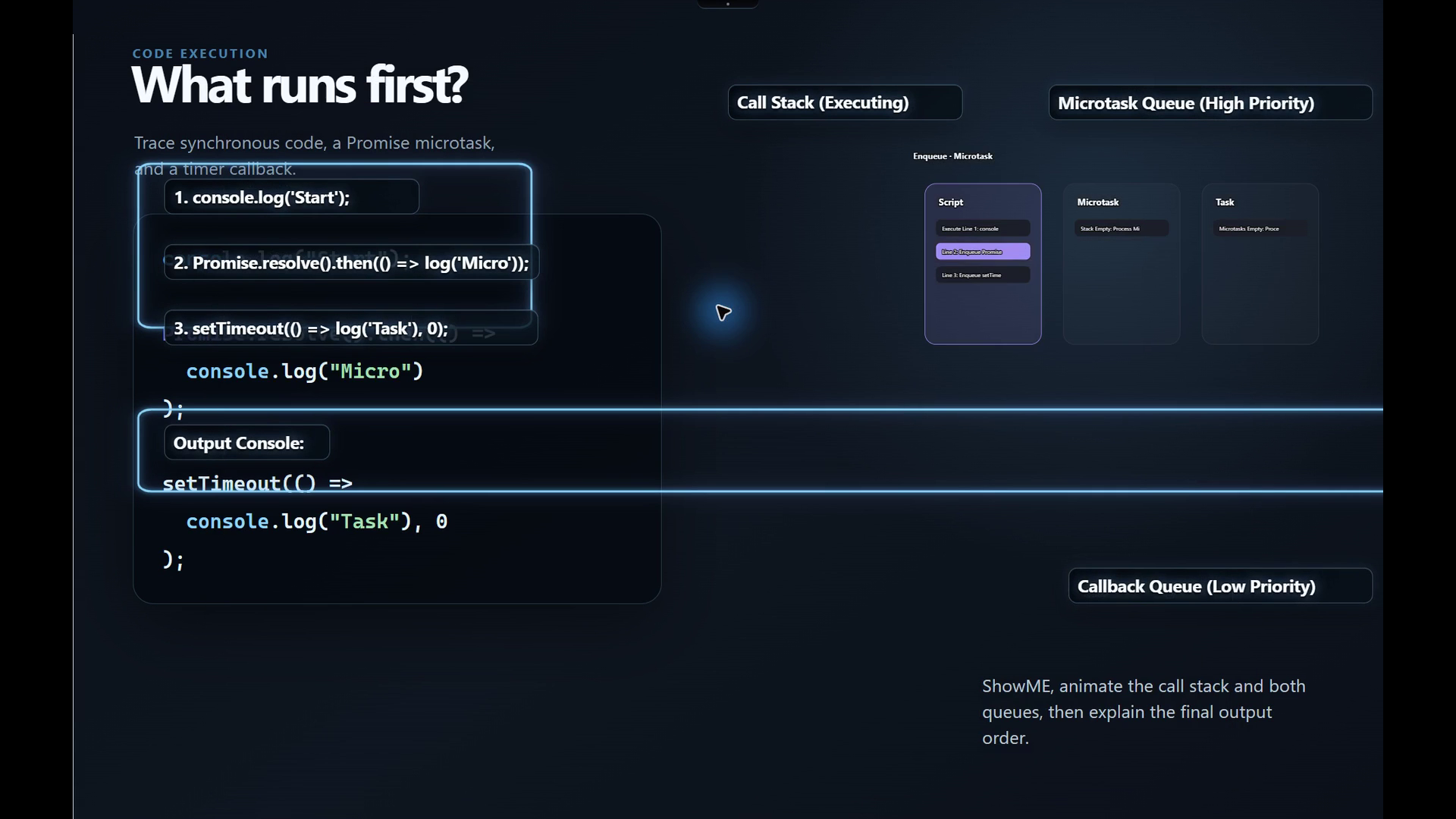
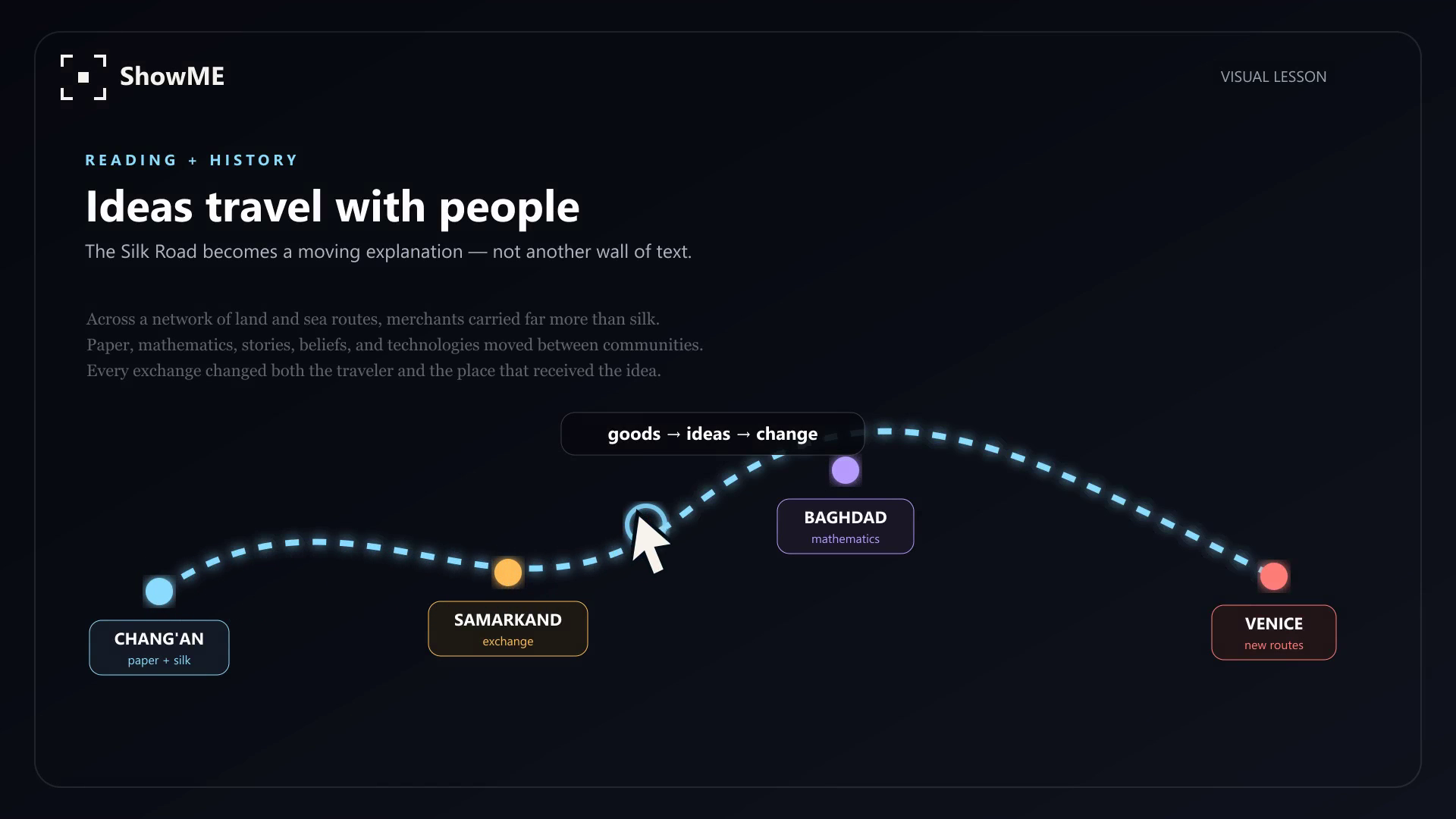
The result is not a standard chat reply. ShowME lessons combine explanations, progress, annotations, voiceover, motion, quizzes, student controls, and deterministic interactions. Physics diagrams become experiments, and functions become graphs that I can explore. A circuit becomes an exploration of voltage, current, resistance, and power. A complex interface becomes an instructional visual tour.
The top dynamic island informs me about what the system is doing without occupying the whole screen. It shows an audio spectrum while listening, a progress state while reasoning, and a thin blue border while the model analyzes the capture. Voice capture ends naturally after I finish speaking, without requiring an end-recording button.
Privacy is part of the product rather than a settings footnote. Wake-phrase recognition runs locally on Windows. Capture begins only after a deliberate action or a recognized wake phrase. Screenshots stay in short-lived memory and expire instead of being written to lesson history. Provider keys are protected by the operating system and never exposed to the renderer.
How we built it
I built ShowME with Electron, TypeScript, React, and Node.js. The application uses separate desktop windows for the dynamic island, screen selection, the workspace, the screen reading indicator, and the lesson player. A small typed preload bridge connects the sandboxed interface to privileged operations without giving the renderer direct access to Node.js.
The Electron main process controls screen captures, provider requests, credential encryption, local storage, and window behavior. A Rust worker manages physical-pixel cropping for high-DPI screens and key protection through Windows DPAPI. A restricted Python worker independently verifies deterministic lesson calculations. A local SQLite database stores settings, validated lessons, feedback, and optional learning memory.
The most critical engineering decision in the project is that model outputs are treated as untrusted data. GPT-5.6 does not create interface code for ShowME to run. Instead, it generates a declarative lesson plan through the OpenAI Responses API. Before trusted React components render it, the lesson plan must pass a closed JSON schema, Zod validation, reference checks, numerical limits, citation resolution, and deterministic evaluation.
This separation gives the model freedom to decide what is worth teaching while the application remains responsible for permissions, safety, calculations, and presentation.
I used Codex with GPT-5.6 throughout the build. I gave Codex the previous application, five detailed product specifications, screenshots of broken states, and direct feedback from repeated desktop tests. Codex helped me trace failures across the renderer, IPC layer, native workers, provider adapters, and packaged Windows application. It accelerated work on the coordinate system, lesson schema, provider integrations, voice pipeline, interface refinement, security boundaries, tests, and packaging.
Inside ShowME, gpt-5.6-sol is the default OpenAI lesson model. Quick mode favors speed. Deep mode gives the model more reasoning time and can use web search when the lesson needs current sources. The model can propose a lesson, but it cannot bypass the local contract that makes the result safe to render.
Challenges we ran into
Screen capture was much harder than taking a screenshot. Windows can report positions in logical pixels while the captured image uses physical pixels. Multiple displays can have different scale factors and even negative coordinates. The selection overlay also has to disappear at precisely the right moment so that ShowME does not capture its own interface. I had to trace the same rectangle through Electron, normalized coordinates, Rust cropping, and the final lesson overlay before the result stayed aligned.
The dynamic island created a different class of problem. It needed to feel present without becoming another toolbar. Transparent desktop windows can leave invisible regions that block clicks, and a smooth animation can still feel wrong if the window changes size before the content is ready. The final design uses small role specific states and keeps listening, reasoning, reading, and speaking visually distinct.
Voice recognition requires patience. One version accepted ordinary conversation as the wake phrase. A stricter version ignored a real person saying ShowME. Recording could also stop in the middle of a thoughtful pause. I replaced overlapping audio guesses with local utterance segmentation, a fixed ShowME grammar, calibrated speech detection, and a natural three to four second end of speech pause. I also found a race where a recognizer that was already shutting down could invalidate a manual screenshot. Testing the packaged application exposed it, and filtering late recognizer events fixed it.
The largest architectural challenge was allowing expressive lessons without executing arbitrary model output. A free form generated interface would have been easier to prototype, but it would also have made security, consistency, accessibility, and testing much weaker. The declarative lesson contract took more work, but it gave ShowME a dependable foundation.
Accomplishments that we're proud of
I am proud that ShowME is a working Windows application rather than only a design demonstration.
The full path works: screen selection, visual model input, structured lesson generation, local validation, trusted rendering, narration, follow up questions, and local history. The wake phrase works locally. Microphone and speaker devices can be selected. Voice questions can use several transcription services, while narration can remain local or use a configured speech provider. Credentials are encrypted for the current Windows user.
I am especially proud of the lesson boundary. Model output cannot inject HTML, JavaScript, SVG markup, shell commands, Python, or Rust. It can only select from a vocabulary that the application owns. This makes interactive explanations possible without handing the renderer over to generated code.
The verification work is also real. The project includes TypeScript application tests, dedicated wake-phrase audio tests, Rust capture and credential tests, and Python verification tests. In the latest release check, 82 targeted tests passed, the production application packaged successfully, and a real screen capture completed the full path through a vision model into a validated three-step lesson.
Most importantly, the interaction now feels like the original idea. I can point at the thing that confused me, ask the real question, and see the explanation form around it.
What we learned
I learned that a useful AI interface does not always begin with an empty text box. The screen already contains evidence, structure, and intent. Letting the learner point to that context can remove most of the work required to ask a good question.
I also learned that good AI software depends on a clear division of responsibility. The model is strong at interpreting and planning. The application should own consent, credentials, validation, deterministic calculations, rendering, and recovery. Treating the model response as a proposal instead of executable truth made the product safer and easier to reason about.
What's next for ShowME
The next step is testing on real Mac hardware and creating a signed macOS release. Electron is cross-platform, but I still need to verify screen-recording permissions, secure storage, global keyboard shortcuts, and packaging on Apple hardware before I declare that version complete.
Beyond that, I want to add progressive display for longer tutorials, better recognition of accents and environmental noise, deeper support for assistive technologies, and a larger library of trusted simulations across more subjects. My objective isn’t to generate more content. It is to make every explanation more responsive to what the student is seeing and doing.

Log in or sign up for Devpost to join the conversation.