-
-
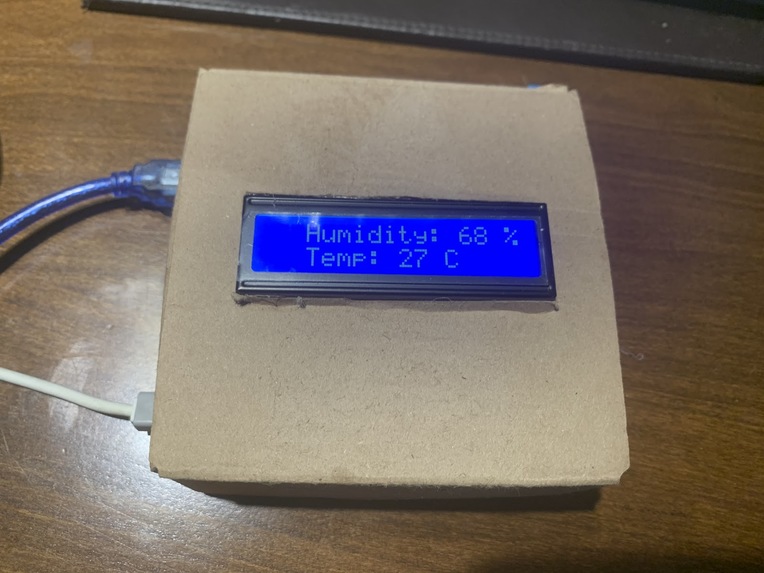
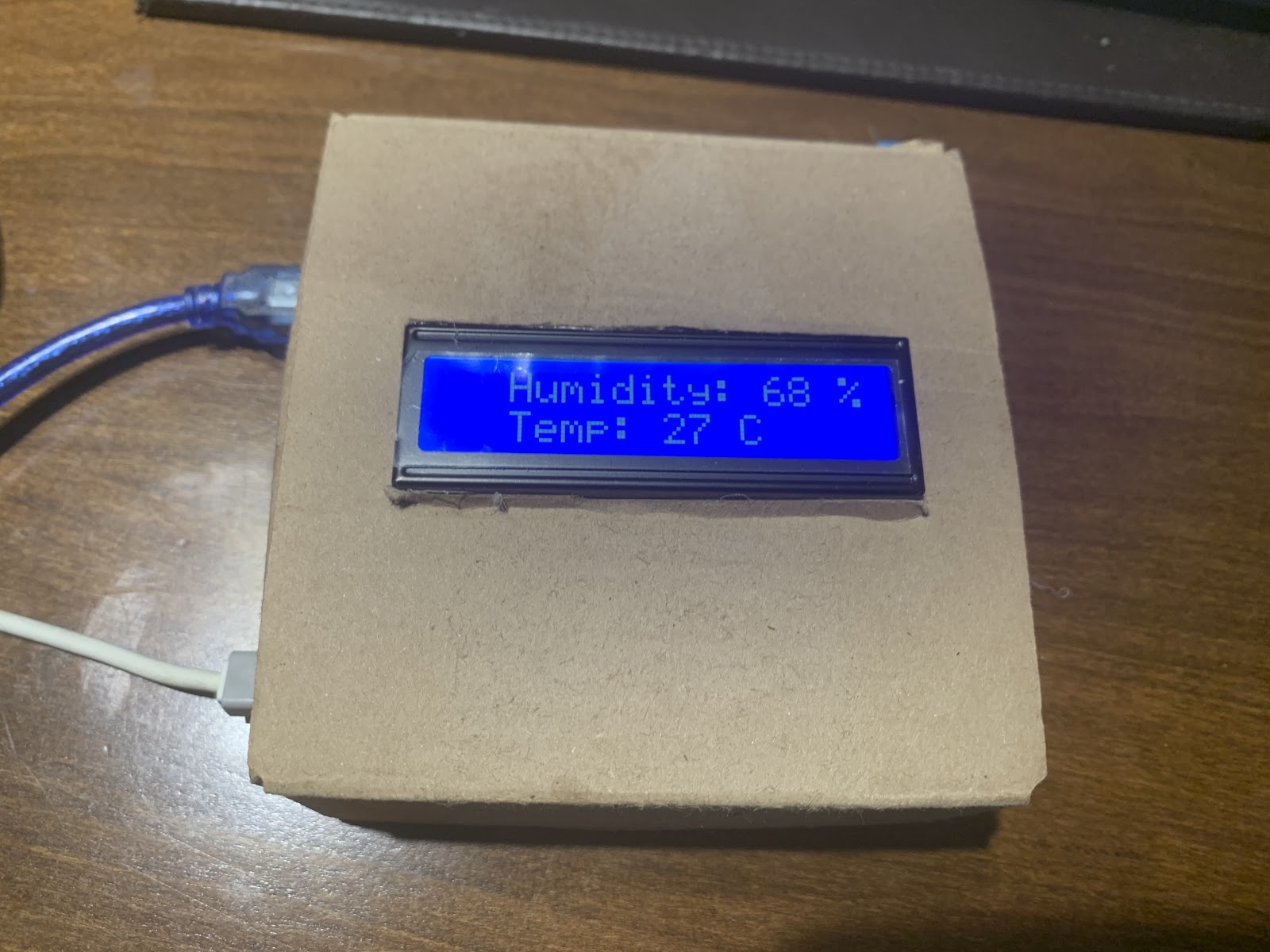
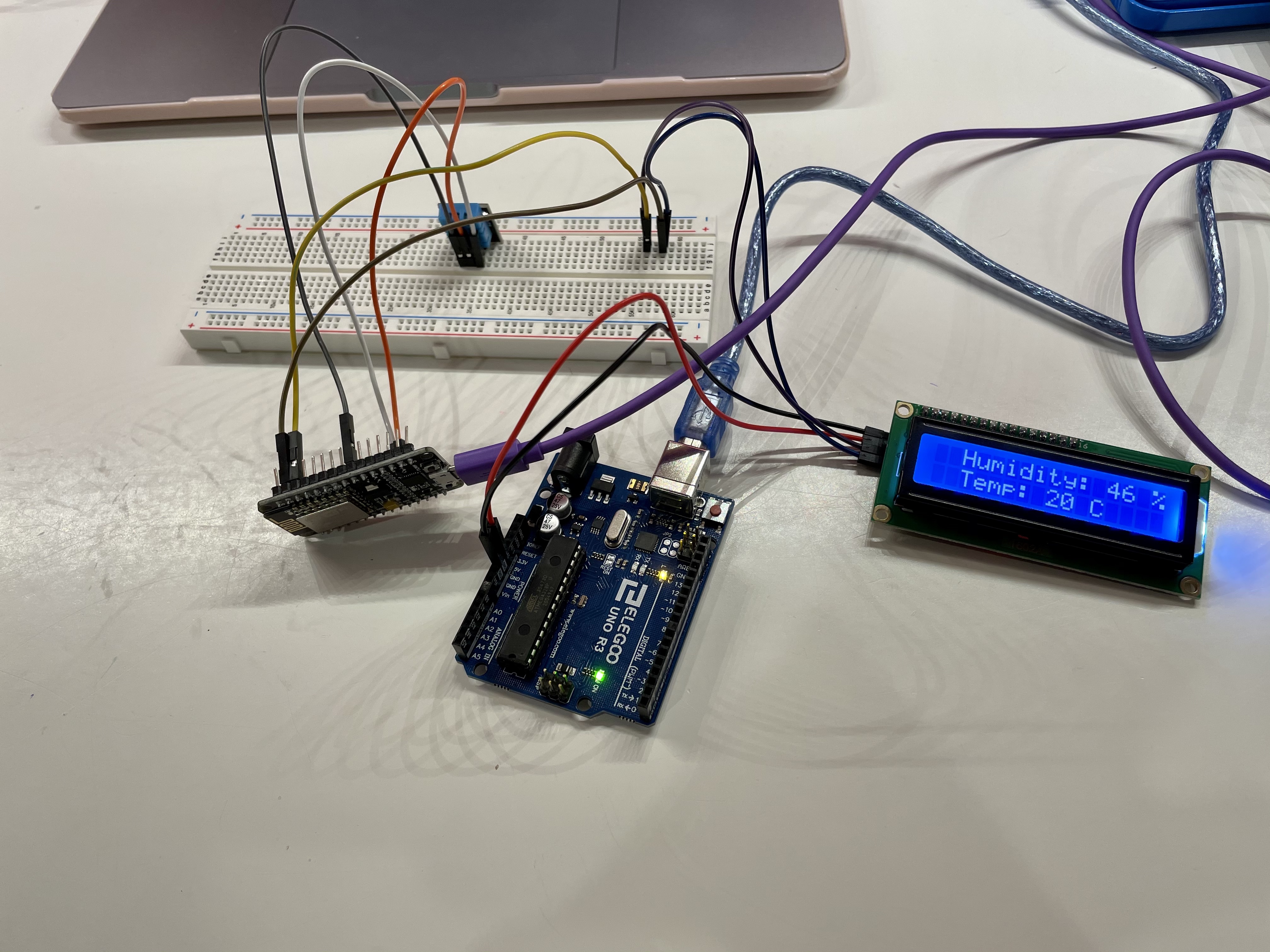
Front view of the finalized Shower Ready prototype displaying temperature and humidity
-
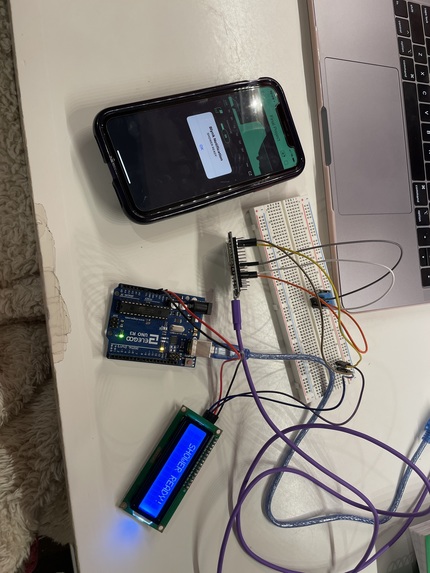
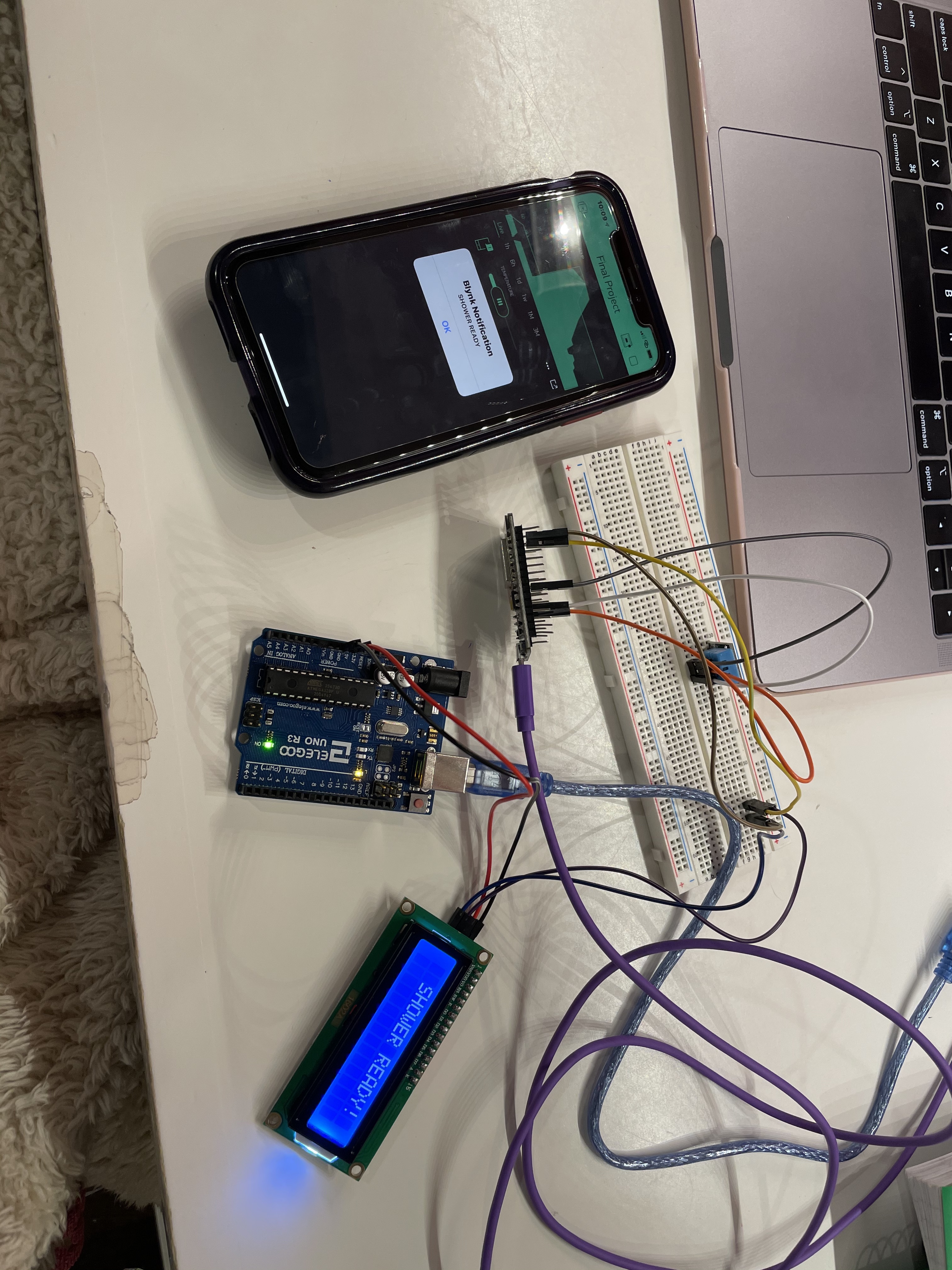
Our device displaying the "SHOWER READY" notification on the LCD and in Blynk
-
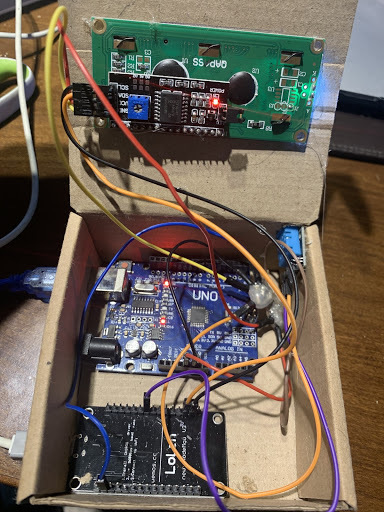
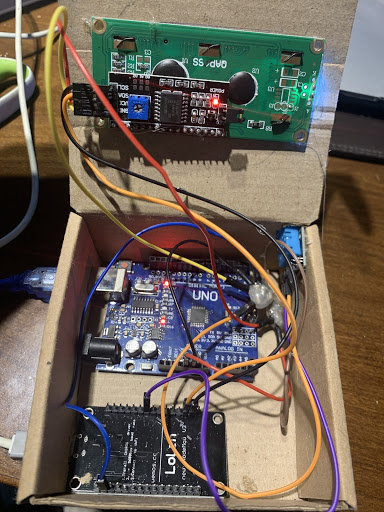
A look at the device attached to the inside of the compact, portable box
-
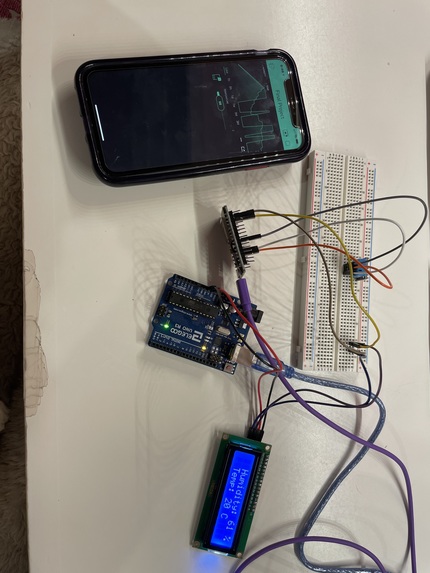
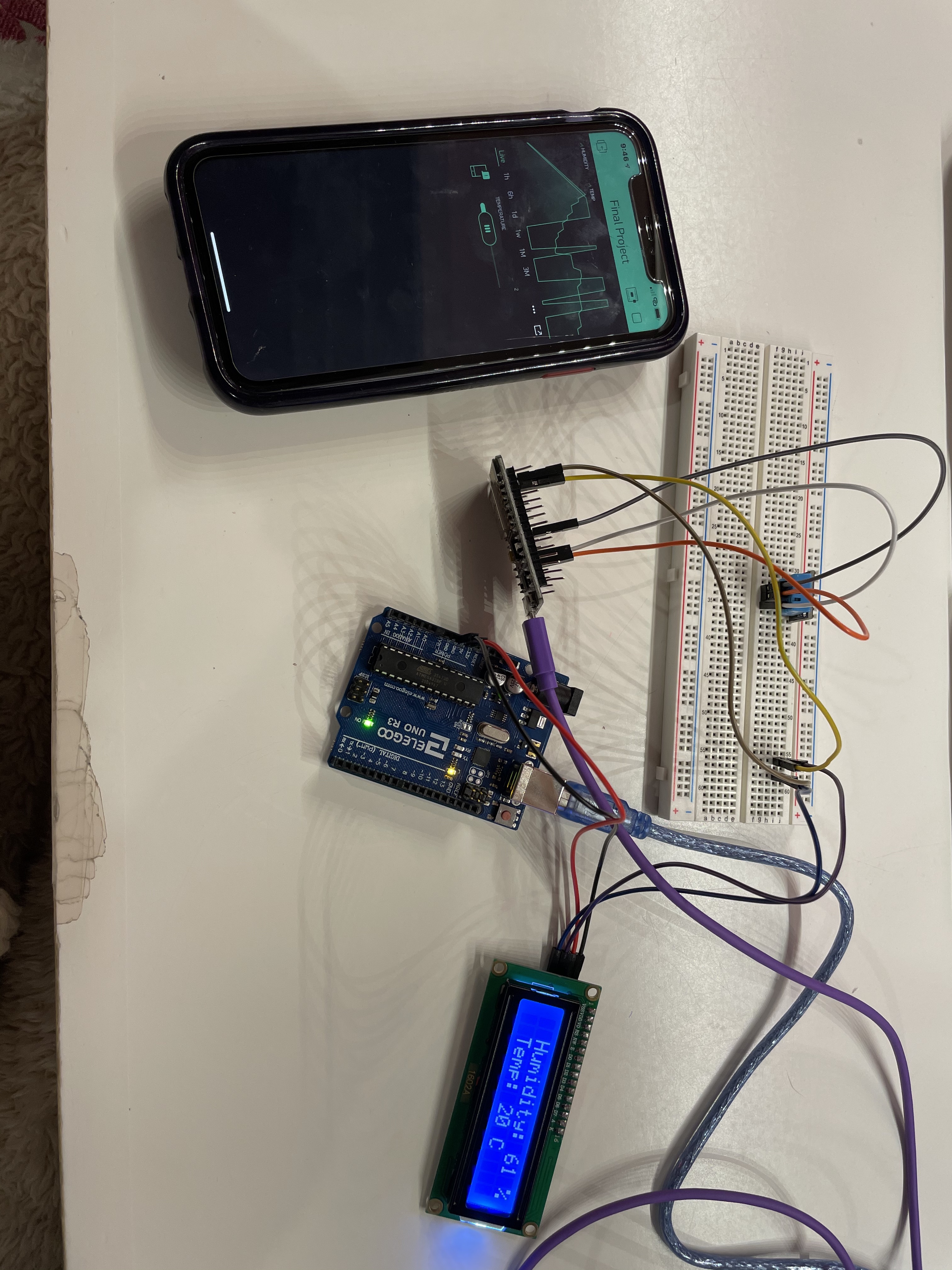
The set shower temperature has not yet been reached, as shown by the image and lack of notification
-
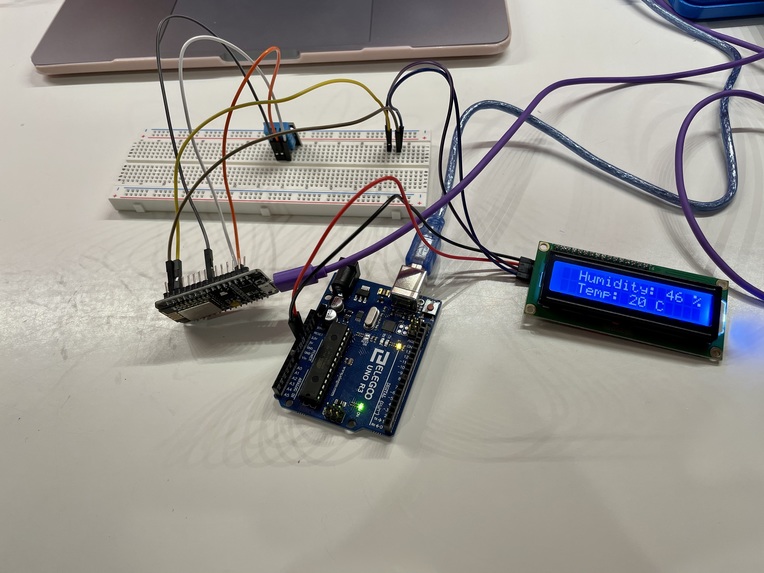
Hardware of Shower Ready
Inspiration
While spending a lot of time at home during the pandemic, we noticed that we often wasted water while waiting for our showers to reach our ideal temperatures. Many times we turn our showers and continue with an everyday activity only to come back and find that either that bathroom has transformed into a sauna or that the water temperature is the same of that when you initially turned on the shower. In either case, there was water that could have been saved. After researching this issue, we found that for the average 8 minute shower where water is emitted at 2.5 gallons per minute, about 4 gallons of water is wasted while people wait for the shower to heat up. All of this wasted water could be saved if we knew exactly when our showers reached the perfect temperatures, which can be achieved with Shower Ready.
What it does
Shower Ready works dually as a temperature and humidity sensor, as it also shows these detected values on the LCD display in real time. In the Blynk app, the user is able to input their desired shower temperature using the slider tool, which has been normalized on a scale of 1-10. Shower Ready will track the temperature of the shower and humidity in the surrounding air in the shower and then notify the user through the Blynk App when their shower has reached their desired temperature. At this moment, the simultaneous combination of the Blynk App notification and the LCD display reading "SHOWER READY" will let the user know that they don't need to wait for their shower any longer.
How we built it
We have connected our DHT sensor and LCD display to the Node MCU, which has the wireless capabilities required for communication with Blynk. We used the DHT as our sensor and the LCD display as our actuator for this project. As for the DHT sensor, it detects the surrounding air temperature and humidity, sending this information to the Node MCU and LCD display. The LCD with I2C backpack is powered by the Arduino Uno and displays real time values detected by the DHT. These are both connected to Blynk through Wifi. Within the Blynk app, we set up the slider tool, temperature and humidity graph, and notifications. The graph provides live data detected by the DHT in an easily digestible manner. The slider tool allows the user to set the threshold which the shower temperature must reach in order to get a notification when their shower has reached their perfect temperature. For simplicity, we calibrated this sensor on a scale of 0-10 where 0 is the coolest temperature and 10 is the hottest.
To further elaborate on the hardware, we noticed that the breadboard was being used for the sole purpose of powering the circuit. We realized that the breadboard was hindering our ability to create a compact, portable prototype and that it significantly increased the total size of our project, so we decided to get rid of it by joining the necessary connections together using a tin solderer. We then covered the unions with a glue gun to insulate the circuit. This way, we fitted our components into a ten by ten centimeter box to create our minimum viable product for our project.
Challenges we ran into
While building this project, we found it challenging to create a system to determine when the shower is ready based off of only temperature and humidity readings. We needed an implementation that would be as efficient and generic as possible. To solve this problem, we came up with a scale based on the DHT sensor's first read, and incremental increases in humidity. For every increase of the slider by one, the humidity increased 2% from the sensor's first read, which we used to evaluate the temperature and readiness of the shower.
We also found it difficult to incorporate the LCD display, as we initially ran into many bugs which eventually became extremely tiresome to solve. To combat this issue, we researched and ordered an LCD with I2C backpack which reduced the number of ports from 16 to 4 and made the wiring much simpler overall.
Accomplishments we are proud of
We are extremely proud of the way we took the initiative to increase the complexity of our project from the beginning of the project. While we had an LED actuator working well, we decided to push ourselves to use the LCD. While this required more effort and problem-solving, we were able to get this component of the project working and we feel it really adds to Shower Ready as a whole.
Moreover, we are proud of creating an end product that is both completely functional and wireless in the sense that it only needs to be connected to a battery instead of a fixed power source. It is really rewarding to see your effort transform into a working product which is being used for its actual purpose.
What we learned
We learned that while it can be daunting to try something new, it can result in a more rewarding experience overall. Pushing yourself out of your comfort zone requires determination, but it teaches you to troubleshoot and practice patience which are both important life skills in any field.
We also learned how to build circuits ourselves, solder components together and design our final product so that it meets our criteria and expectations.
What's next for Shower Ready
The next obvious step for Shower Ready is to further reduce the volume of the end product and incorporate the battery into the system. This would bring the project closer to its end goal: a convenient, portable, and user-friendly product. Another feature that would further improve Shower Ready would be to implement a dynamic display. By this we mean to have the LCD display change the information displayed over a certain period of time. This would allow the user to view important information in real time such as the current time, the duration of the current shower, how many liters of water the user has used or whatever other additional statistic that the user might find of value. The possibilities are endless.
This feature is easily implemented using the right libraries but it comes at a cost. Because of the linearity of the code, we could not find a way to initialize a sequence and drop it if the Shower Ready notification was to be invoked. For example, if the loop of the dynamic display had just began and immediately after the program would indicate that the shower is ready, the code would run through the entire loop before iterating over the entire code once again and indicating that the shower is ready. For this reason, we decided to omit the dynamic display and keep the program agile and responsive.
From a more environmental standpoint, we also came up with the idea of creating a dashboard that would display the statistics of the user's activity and compare the user's data with other historical trends. We did not implement this dashboard because of Blynk App's limitation for widgets to users not subscribed to Blynk's premium service. Still, this dashboard would raise awareness and hopefully influence the user to make a better use of water, therefore benefitting the environment as well.
Built With
- arduino
- blynk

Log in or sign up for Devpost to join the conversation.