-
-

-
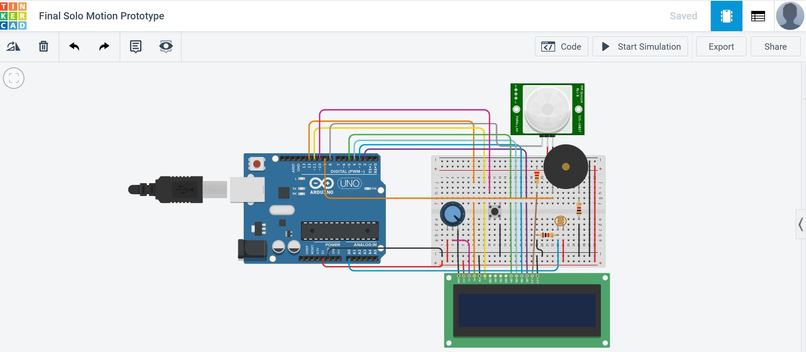
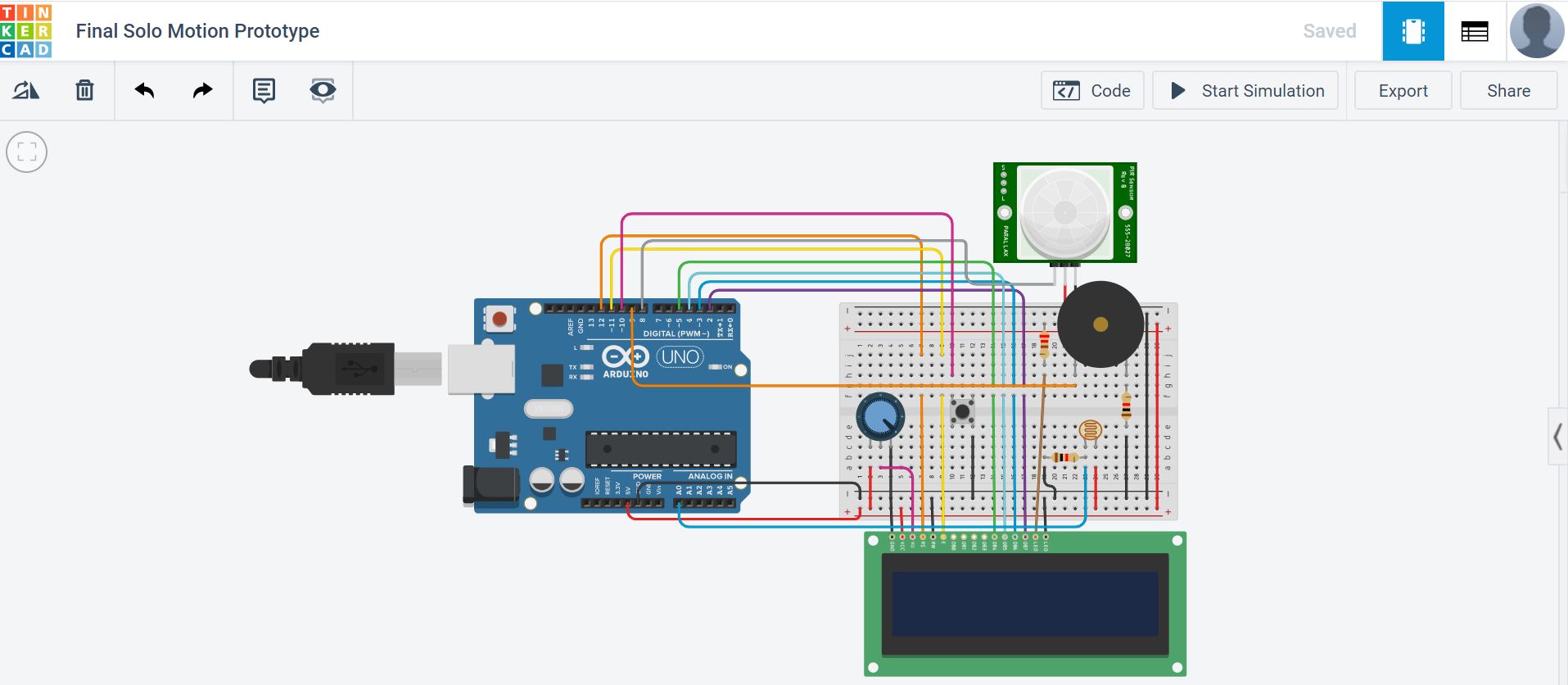
Virtual Circuit Prototype of Solo Motion
-
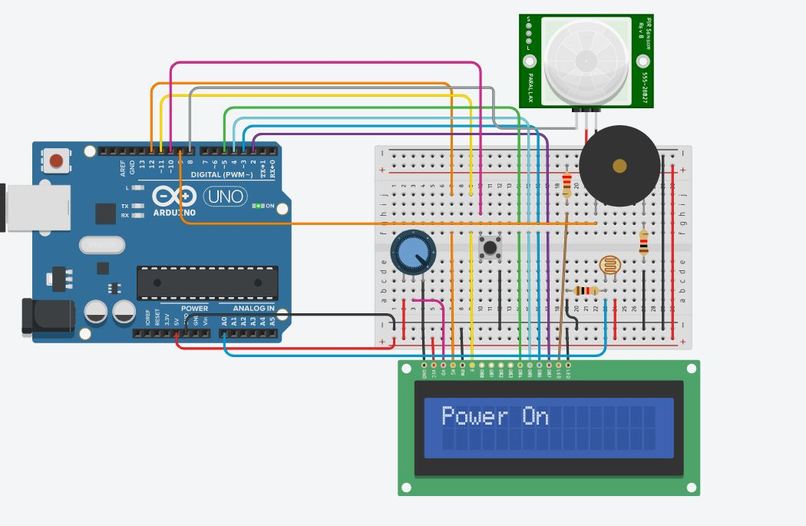
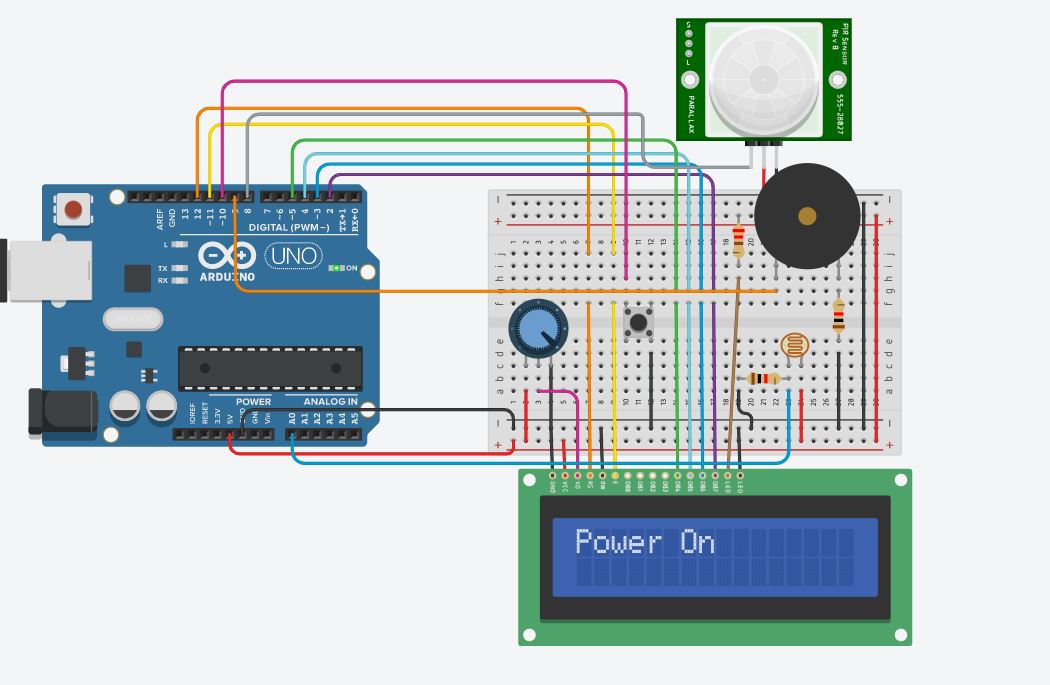
Power On
-
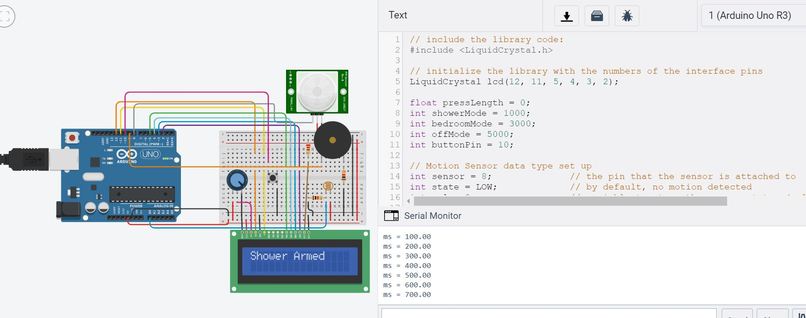
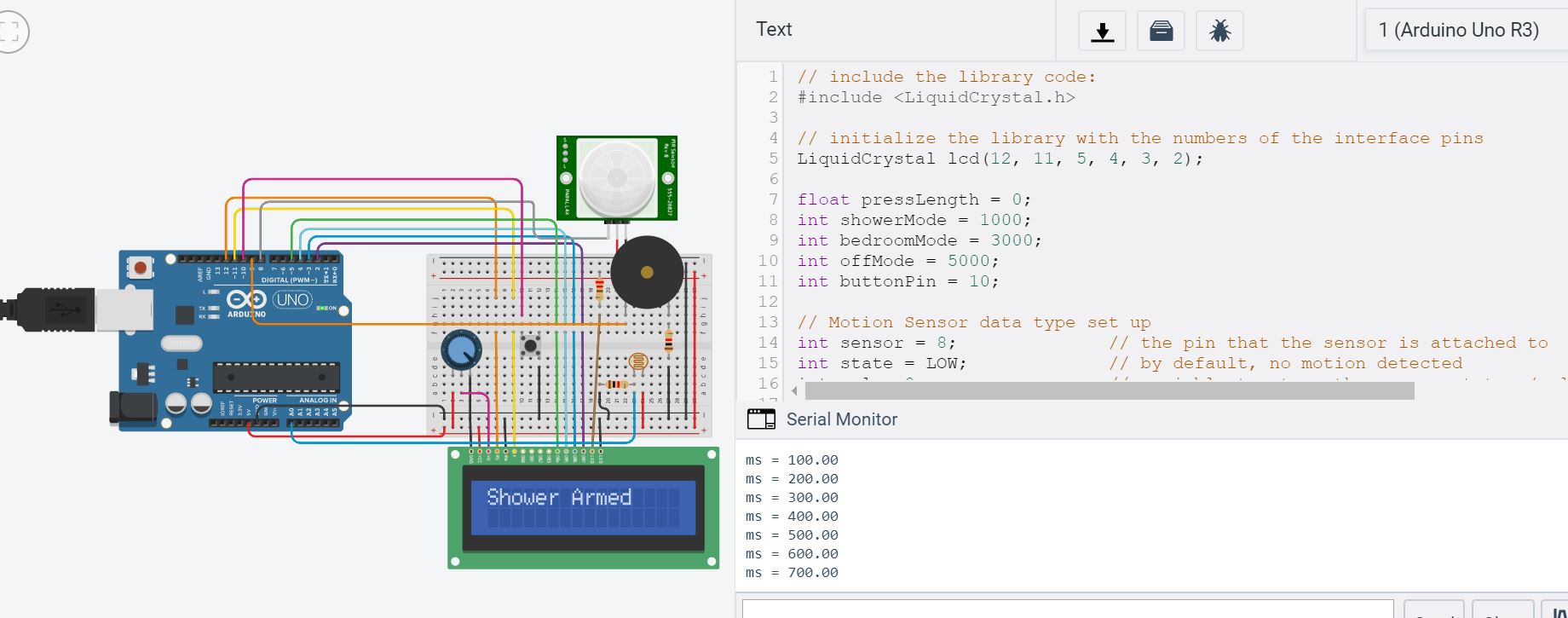
Shower Mode
-
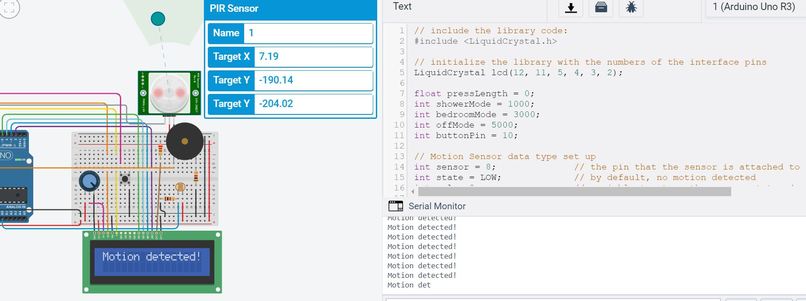
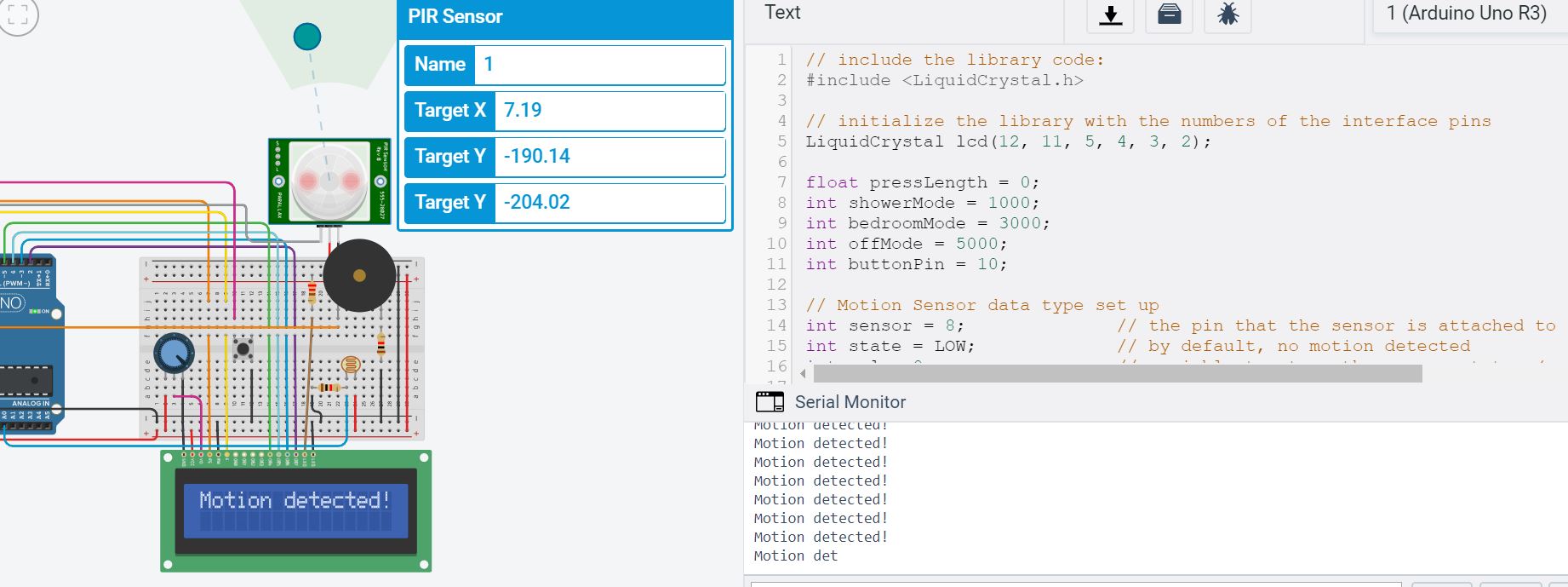
Motion Detection

Project Idea
How many times has someone been in the shower, and everything seems to be going fine. Personal concerts are being given, thoughts about life are being considered, and imaginary acceptance speeches are being practiced. Then suddenly, it is time to wash off the shampoo on your head, and an eerie feeling approaches in your stomach. What if someone comes in and I cannot hear the door open? Is there someone already in the bathroom? Who is on the other side of the shower curtain? If not the bathroom, then have you ever had to keep something safe in your bedroom, a diary perhaps, or your favorite electronic device?
Fear No More, Solo Motion is here for you. Why not have a personal motion detector that can be suction attached to the bathroom door to detect motion of the door and anyone trying to open the door? It can serve as a warning to an unknowing family member to ensure they do not disrupt your shower, and you can finally wash that shampoo off without thinking about who may be waiting for you to drop your guard on the other side of the shower curtain. With Solo Motion's has multi-purpose use applications, the same device can be placed in your bedroom to guard your most valuable possessions. Finally, it can be placed in sleep mode with an attached LCD screen, in which case motion sensing will be off.
Explanation of the hardware & Software
Hardware Solo Motion utilizes a PIR Motion Sensor, LCD Screen, Buzzer, and Push Button to provide 3 modes of motion detection that an individual can use to get piece of mind when they are away from their room, in the bathroom, or even asleep. By pressing and holding the push button for different amounts of time, shower mode, bedroom mode, and sleep mode can be activated. When set to a particular mode, the device will permit 60 seconds before activation. After 60 seconds, the motion sensor will activate. Any movement that comes within range of the device will cause the motion sensor to go off, and the LCD screen will display "Motion Detected". In sleep mode, there motion detection will not be activated.
Software The code first declares all of the sensors and their respective pins, while also establishing the 16x2 LCD screen. The setup loop displays "Power On" on the LCD screen to indicate that the device is prepared to take inputs into the push button. The while loop begins when an individual first pushes the push button. While it is pushed, the code prints the length of time the button is pushed for in the serial monitor and stores it in a global variable called pressLength. This value is placed through a while loop that will be analyzed while the push button is not pressed. When pushed between 0 and 2.900 seconds, the pressLength value will be evaluated in the shower Mode. Inputs from the motion detector will be taken and analyzed constantly, and if motion if detected, the buzzer will play a tone for a few seconds to alert the owner. Additionally, "Motion Detected" will be displayed on the LCD screen. Each time motion is detection, the alarm will continue to buzz and will record it in the serial monitor. Motion detection can be reset to a different mode by pressing the push button again to reset to a different detection mode. These while loops are applied to the other modes as well.
What was the process like building your product?
The process of building our product was a great learning experience. We first had to figure out which parts we needed for the project. Originally, we were going to use a ping sensor for distance to detect the door opening. After discussing with the TA, we found that a PIR motion sensor would get the job done more efficiently and allow for more flexibility since then we could place the Arduino anywhere. We also originally thought to use a buzzer and LED light to signal that someone was in the room/shower, but decided on using a buzzer and LCD instead to improve user interface and display the different modes. Building the circuit for each of the parts (push button, LCD, buzzer, PIR sensor) was not too difficult since we had access to online resources. One challenge we had was that the LCD screen wasn’t working even though it was wired correctly. After asking a TA, we figured out that the potentiometer wasn’t turned the right way. Writing the code was also challenging. We got some of the code online for each of the parts, but had to tailor a lot of it for our project to work, such as making sure the conditions were correct and the while/for loops were where they needed to be. It took us a while to figure out how to program the buzzer to only buzz when the PIR sensor detected motion, but we finally got it after testing different pieces of code.
Physical Additions: What would we add to a physical Solo Motion Prototype?
We would add a feature where a notification would be sent to your phone via WiFi/signal the moment someone walks into your bedroom while you’re not there. We would also have a feature where you can allow the Arduino to turn on automatically when you’re asleep. This would require a light sensor and timer, where if the Arduino senses no light for more than one hour, it would turn on automatically and start buzzing if an intruder enters while you’re asleep. This would require a light sensor and timer.


Log in or sign up for Devpost to join the conversation.