Inspiration
"Check your shoulder!" is one of the first things a midfielder hears from a coach, and one of the hardest habits to build. The best players scan the pitch over both shoulders before every pass, so when the ball arrives they already know where the free man is. You can't practise that on a phone or a laptop: a screen shows you everything at once, so there's nothing to turn your head for.
Spectacles are different. Their narrow field of view hides whatever is behind you until you physically turn and look. That's exactly what a real pitch does. So I built a drill where turning your head is the whole skill.
What it does
You stand as a central midfielder on a full-size pitch, waiting for a pass from your centre-back. Life-size players stand around you at real distances: teammates in blue, opponents in red, some of them behind you, out of view.
- The pass: the centre-back winds up and strikes the ball. While it rolls toward you (about 2 seconds), defenders run to mark your teammates and one teammate is left free. Which one changes every round.
- Scan: turn your head over your left and right shoulder to see who's where. A turn of 60°+ and back within 1.5 s counts as one scan. There are no arrows or hints: finding out-of-view players by turning is the skill.
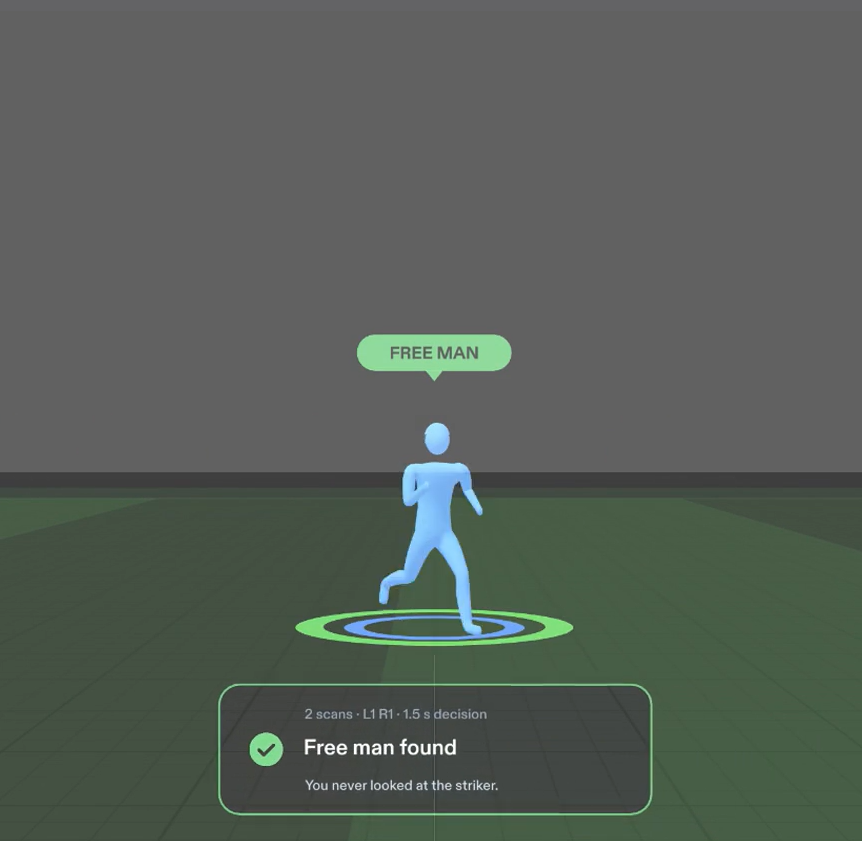
- The freeze: the instant the ball reaches you, play freezes mid-stride and every player in the drill turns into an identical grey silhouette. You have a few seconds to pinch the one who was free, from memory.
- The result:
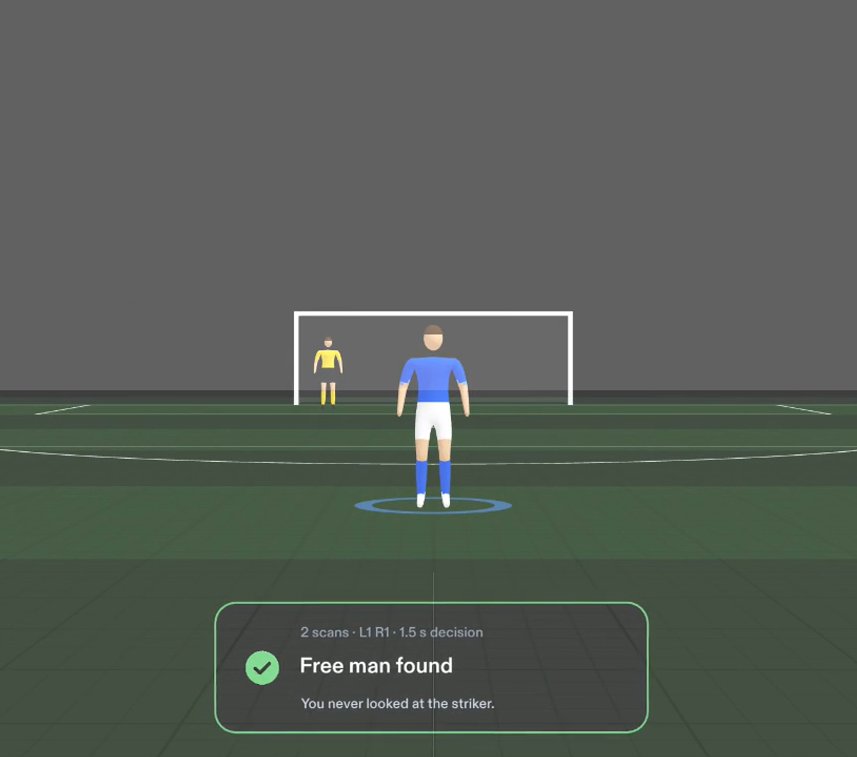
- Free man found: a green FREE MAN tag appears on him, plus a ghost pass line.
- Marked teammate: MARKED and MARKER tags show who was covering him.
- Opponent: a red OPPONENT tag on your pick.
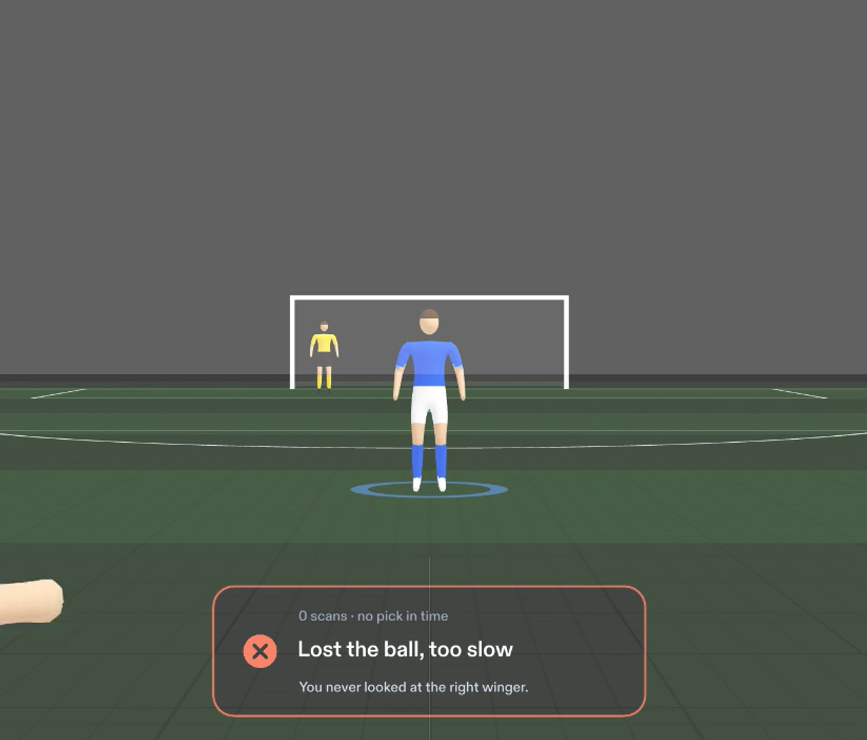
- Too slow: the presser behind you steps in and WON THE BALL.
A short card follows your gaze with the result, your scan count, your decision time, and one tip, for example "You never looked at the right winger."
- Levels: two correct answers move you up. Each level adds a player and speeds up the pass, down to a firm 1-second ball. Two wrong in a row drops you back a level.
By round five you're checking your shoulders before the ball is even played, and when it freezes you already know the answer.
Why it belongs on glasses
- It uses what you're looking at. Scans are measured from real head direction. The Lens records which players were inside the glasses' view window during the pass, which powers tips like "You never looked at the left winger."
- It puts things in your space. Players stand at real distances (3 m to 25 m). The answer is pinned to the player it's about, not shown in a menu in front of your face.
- It frees your hands and keeps your eyes up. Feet planted, head does the work. The only hand input is one pinch at the freeze, on a big target: a whole player.
How I built it
- Lens Studio 5.24 for Spectacles (SPECS 27), in TypeScript, using Spectacles Interaction Kit for picking and UI Kit patterns for the in-world cards.
- Drill logic is split into small, testable pieces:
- a scan counter (60° away and back, 1.5 s hold limit, no double counting);
- a round planner that guarantees exactly one free teammate;
- level progression;
- a "seen in the view window" record for the coaching tips.
- The pitch is built in code: a 105 × 68 m pitch with mowing stripes, every marking, and goals with nets. The markings draw over the grass without z-fighting at 60 m+.
- The players were made in Blender 5.2, scripted end to end:
- a footballer modelled with code;
- a 15-bone rig with automatic weights;
- a ready stance, a 12-frame run cycle and a 3-frame kick, baked to meshes and exported as GLB.
In the Lens, each player runs or stands based on their own speed. The passer plays the kick on the strike. Kits come from small palette textures (shirt, shorts, socks, boots, skin, hair), so each player is one draw call. That's 22 players on the pitch, 13 of them background players filling out both teams.
- Notifications follow glasses design guidance:
- put information on the thing it's about;
- show it when needed, then get out of the way;
- keep it where the user is already looking.
World tags sit above players' heads and keep a constant size at any distance. A dark rounded card with an outcome-coloured border lazily follows your gaze, 12° below eye level, so it never covers the pitch.
- Testing: 8 LEAF scenarios, one per done criterion: scan counting, the freeze, all four outcomes, hidden players staying hidden, and the panel following your head. All pass in the Lens Studio preview. A glasses-view frame (37° × 32°) in the preview checks what the real display would show, not the wider preview window.
- The video was recorded from a scripted LEAF "demo reel" that turns the head and pinches, so every beat is reproducible. Captions and narration are timed from the Lens log.
- Built with Claude Code (Lens Studio agent toolkit) as a pair-programmer, from a design brief I wrote first.
Challenges I ran into
- Testing head turns without a headset. In the preview, device tracking overwrites the camera's rotation every frame, so the tests turn the head by rotating a parent of the camera and feed exact yaw values. This was the riskiest check in the brief.
- Freeze-frames that didn't freeze anything. Players originally eased to a stop exactly as the ball arrived, so the freeze always caught them standing. Changing their movement to ease in only (same end spots, so the same answers) means the freeze now catches runners mid-stride.
- Animating a procedural body. The Blender skin modifier rebuilds its surface differently in each pose, so frames didn't line up. Freezing the surface at rest and bending it with an auto-weighted rig fixed it.
- The additive display. Black renders as transparent on Spectacles, so dark UI disappears. Text and borders carry the design; dark card fills only add contrast in the preview.
- Toolchain snags.
- The newest LEAF release didn't compile with this Interaction Kit, so the project uses LEAF 2.0.2.
- A runtime-inspection tool installed helper packages that broke the build, so I verified with screenshots and log prints instead.
Accomplishments I'm proud of
- A drill where turning your head is the input, which is something only glasses can do well.
- 22 animated footballers, a full pitch and in-world feedback, still light enough for the glasses: one draw call per player, and flipbook animation with no skinning cost.
- Every done criterion in the design brief is covered by an automated test, and all 8 pass.
What I learned
- Design for glasses, not for a screen. My first result panel was a block of stats floating in front of your face. Moving the answer onto the players themselves, and cutting the card to one line plus one tip, made it far easier to read at a glance.
- Write the brief first. Exact rules ("60° away and back within 1.5 s", "exactly one free teammate") turned directly into tests.
- Be honest about what the preview can prove. The logic is proven; the feel is not yet.
What's next for Shoulder Check
- Test on real Spectacles: comfort over a session, how readable 25 m figures are, pick timing (3 s on device), and frame rate with 22 players.
- Train on your real pitch: turn off the virtual grass so the players stand on your own pitch, back garden or five-a-side cage.
- Animate the background players, and add more patterns of play (overlaps, third-man runs, pressing traps).
- Session history: scans per pass over time, so players and coaches can see the habit forming.
Built With
- blender
- claude
- edge-tts
- ffmpeg
- gltf
- interaction
- kit
- leaf
- lens
- studio
- typescript
- ui


Log in or sign up for Devpost to join the conversation.