-
-
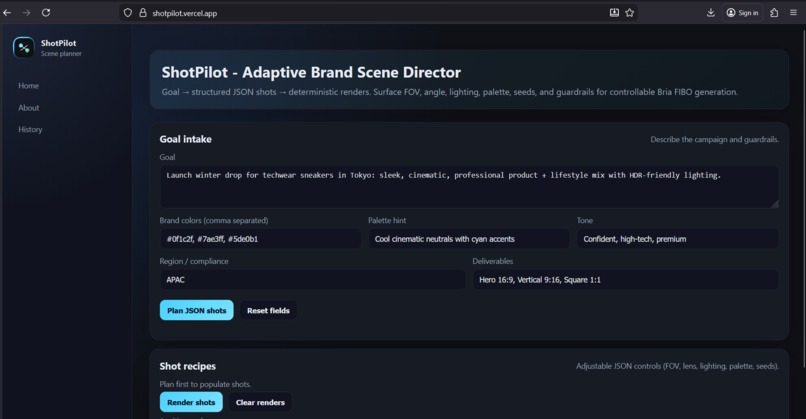
Dashboard
-
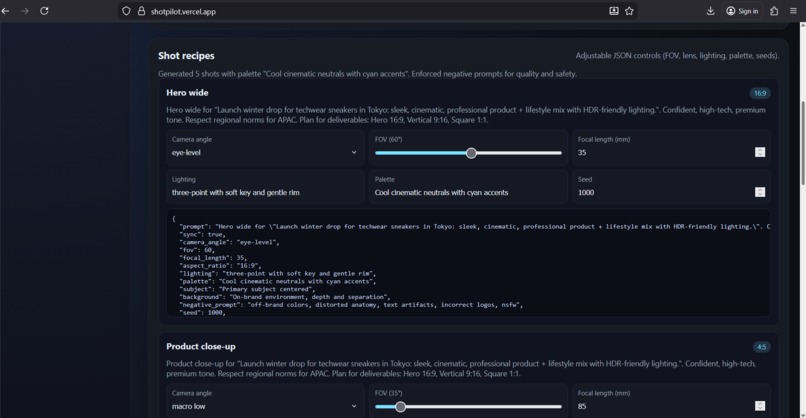
Structured JSON Shots
-
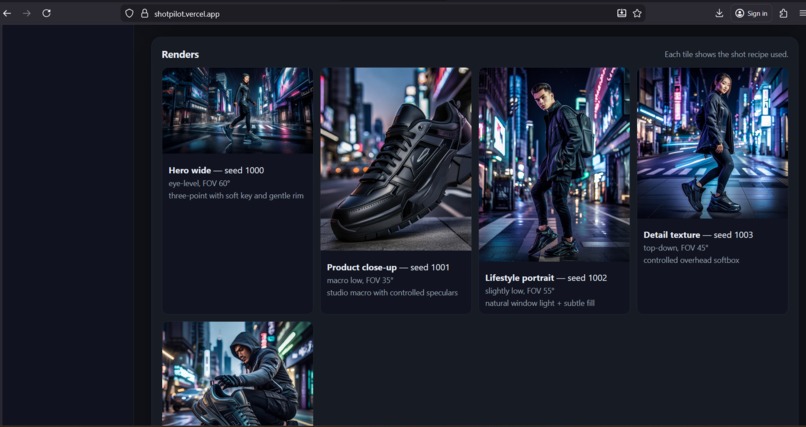
Visual Rendered Images
-
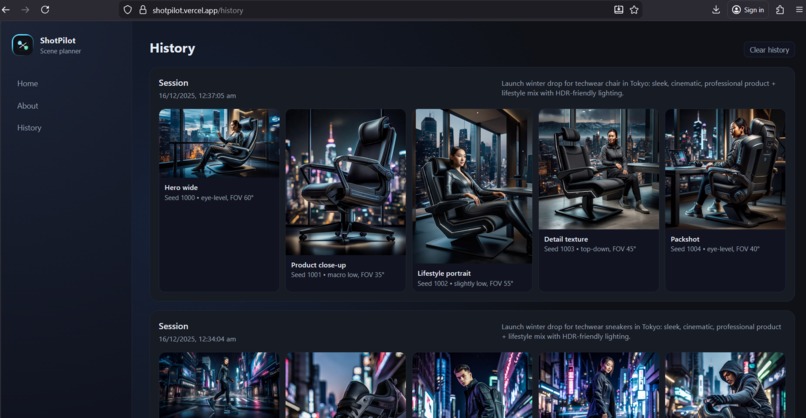
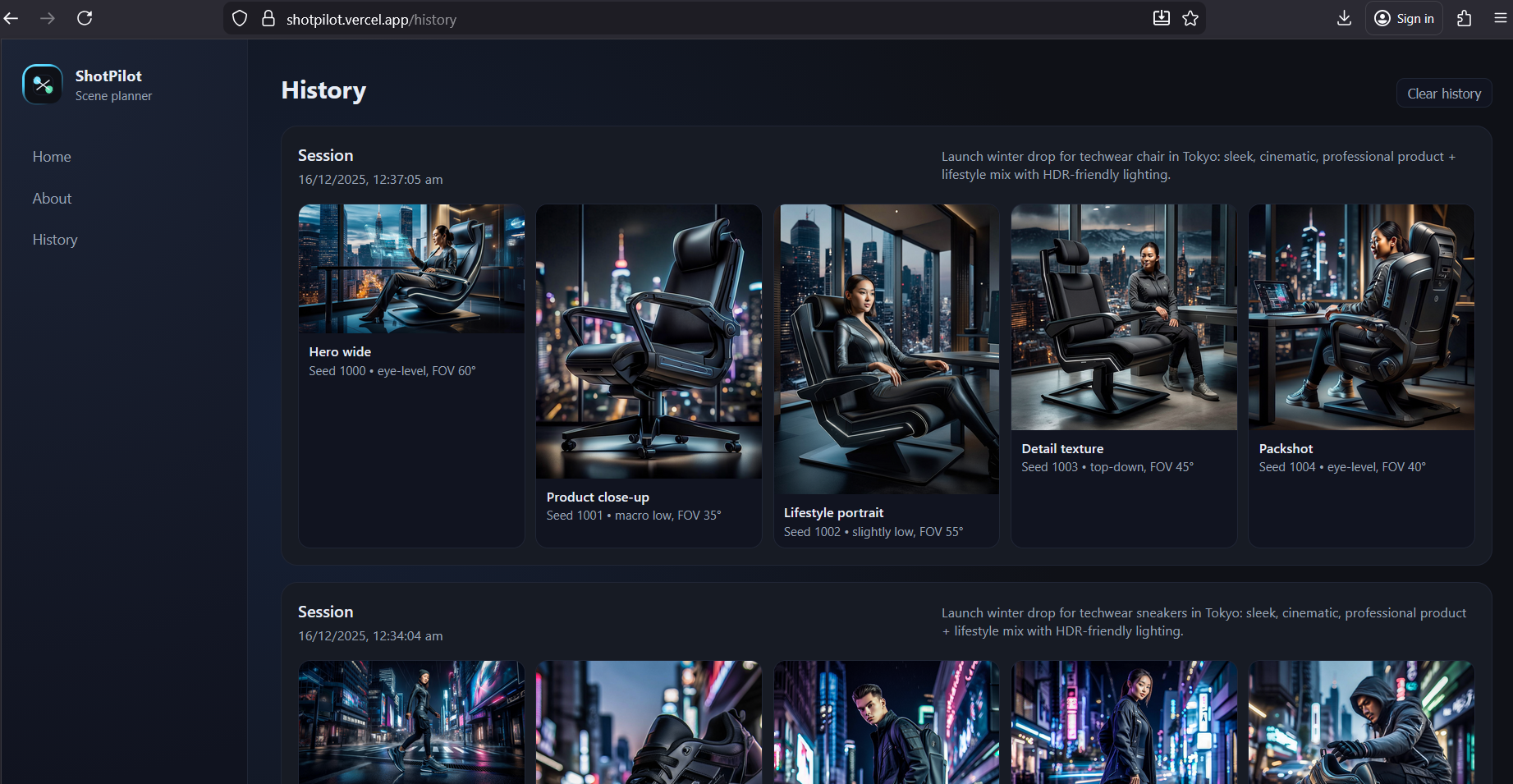
History Tab
-
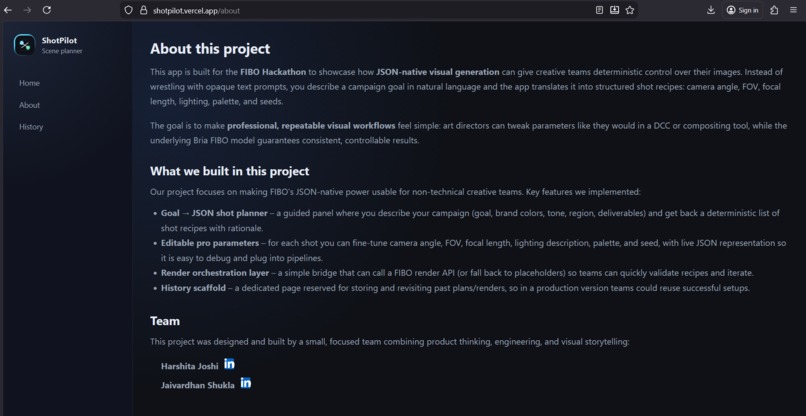
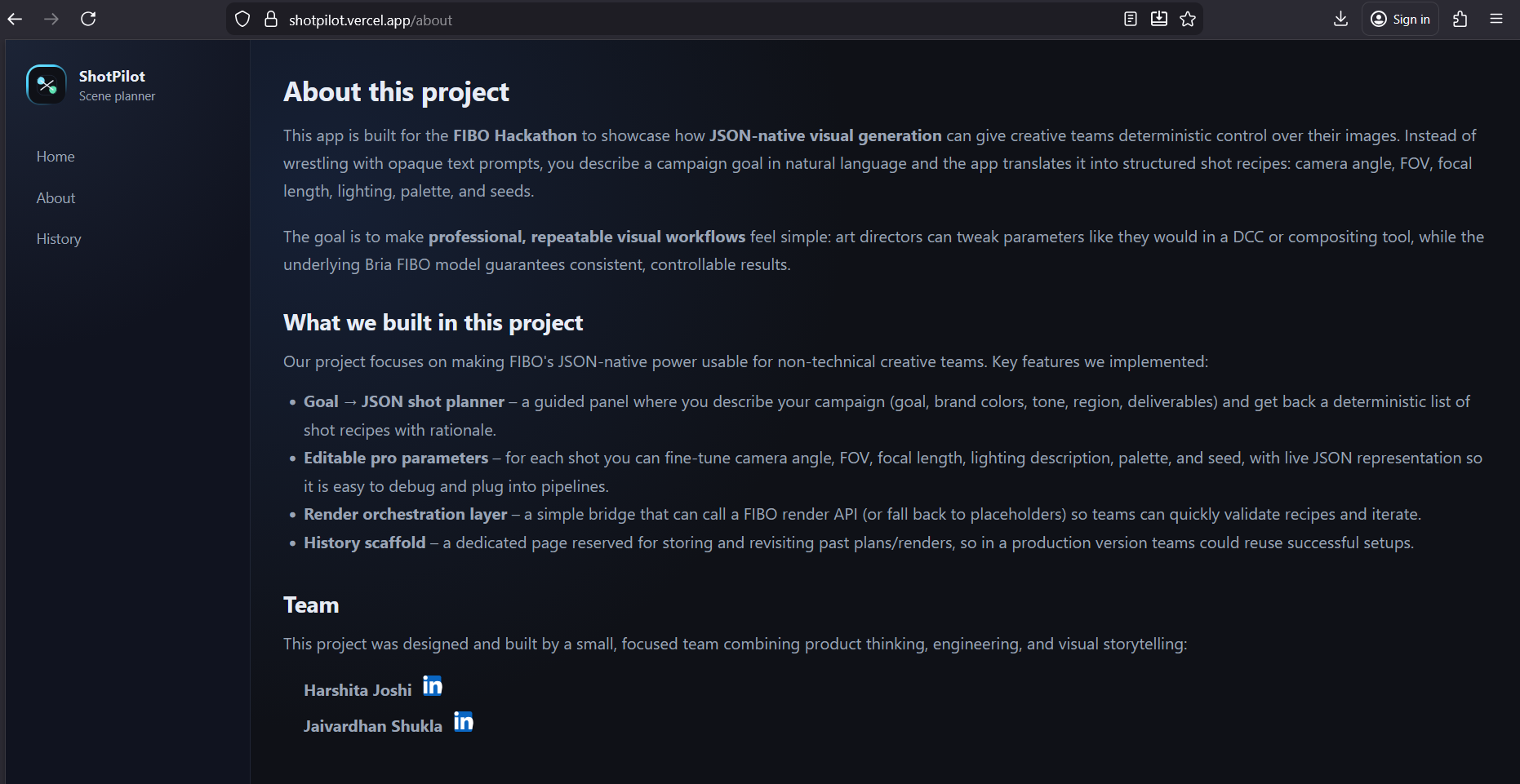
About Tab
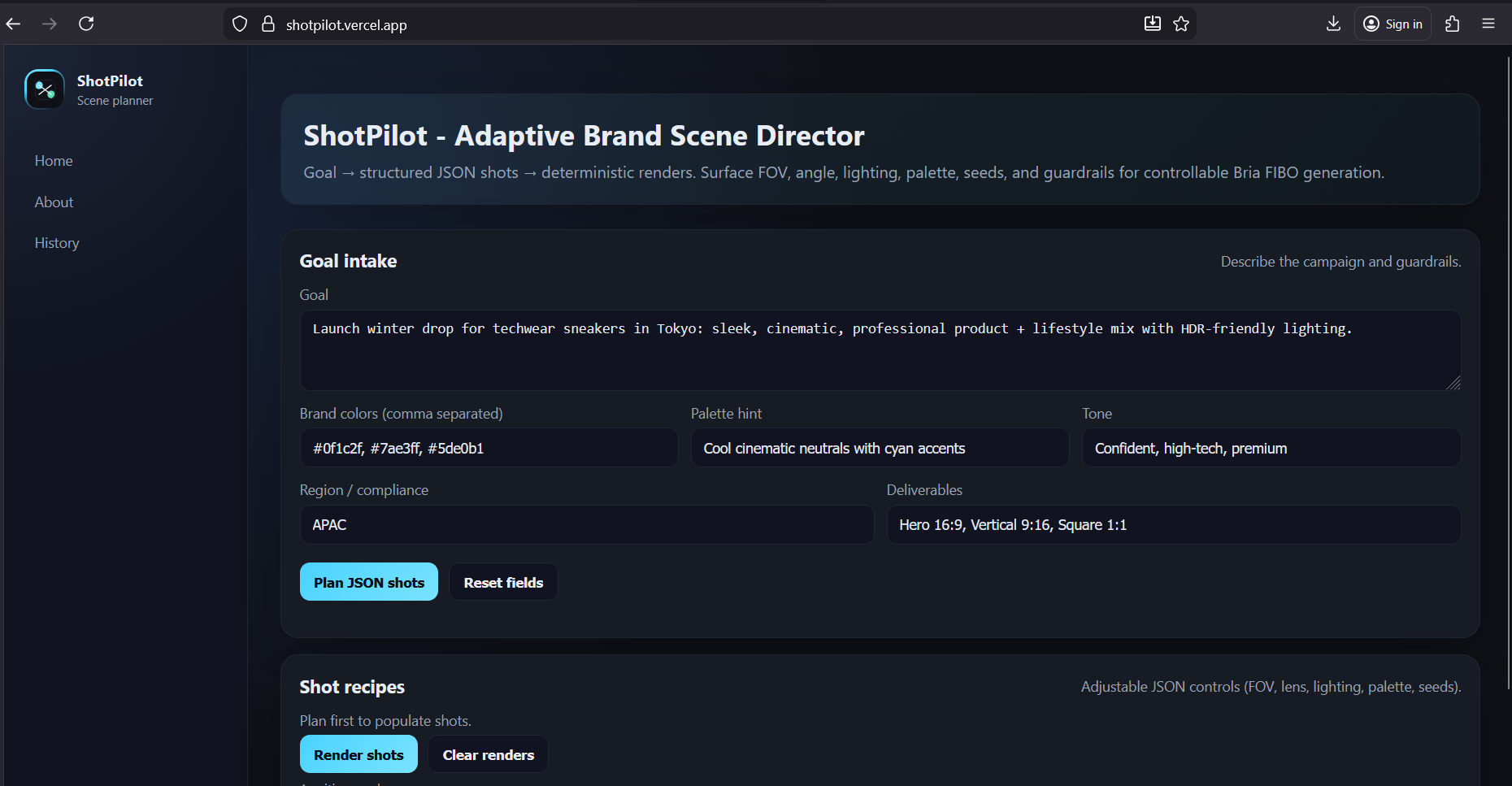
Inspiration
Our motivation for ShotPilot came from seeing creative teams struggle to turn vague campaign briefs into consistent, production-ready visuals. Traditional prompt-based image generation is fragile: small wording changes can break a look, and recreating a successful shot weeks later is nearly impossible. With Bria FIBO’s JSON-native control, we saw an opportunity to build a tool that lets art directors think in terms of shots, lenses, lighting, and palettes instead of prompt magic creating a repeatable, inspectable pipeline that fits real creative workflows.
What it does
ShotPilot is a web-based “scene director” that helps you go from campaign idea to a structured shot plan and renders: Goal → Shot Plan Start with a high-level goal (campaign brief, brand colors, tone, region, deliverables). ShotPilot generates a deterministic list of shot recipes with titles, descriptions, and rationale.
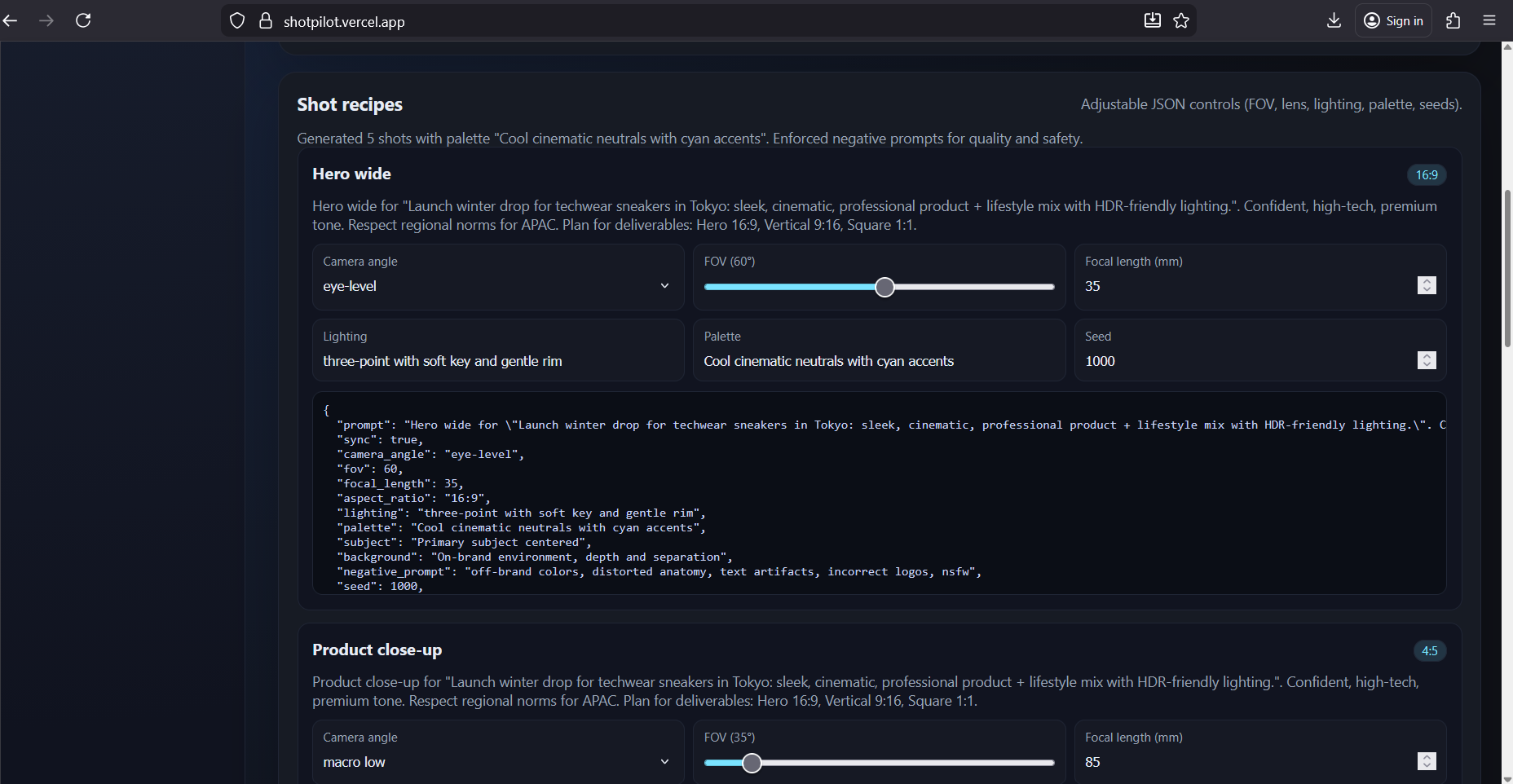
Pro Grade Shot Controls For each shot, fine-tune camera angle, FOV, focal length, lighting, palette, seed, and more. See the exact JSON recipe that will be sent to FIBO so changes are transparent and debuggable.
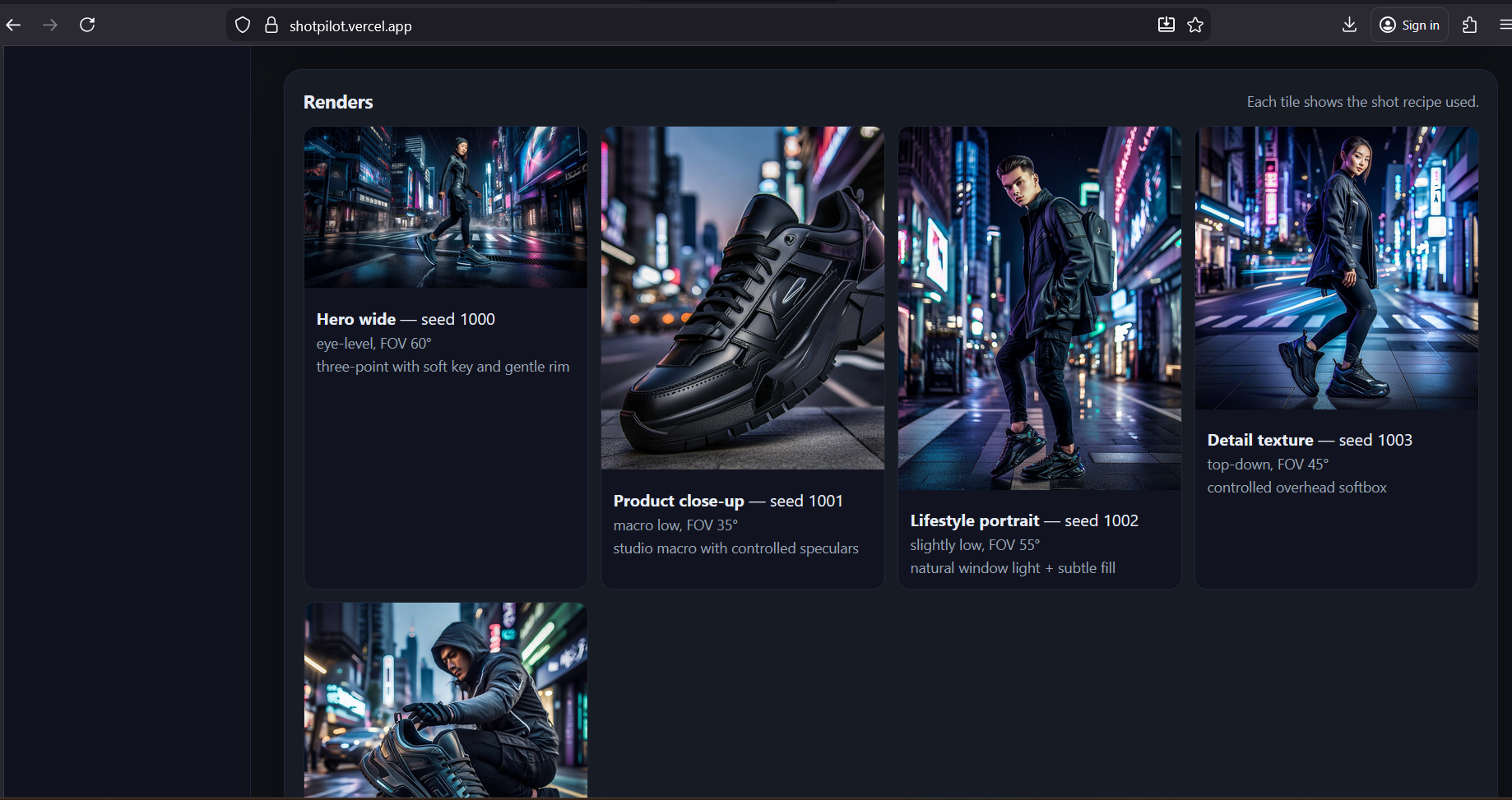
Render & History Trigger renders (real FIBO API) directly from the UI. Every render session is stored locally in a History view, with thumbnails and key parameters, so teams can compare versions and reuse successful setups.
Everything is structured around FIBO’s JSON schema so the same configuration always yields the same type of result.
How we built it
Template-driven planning Seeded a set of reusable shot types (hero, close-up, lifestyle, texture, packshot), then specialize them for each goal using tone, region, and deliverables.
JSON-native shot controls Each shot exposes friendly controls for camera, FOV, focal length, lighting, palette, and seed, while also showing the exact JSON recipe that will be sent to FIBO, making it easy to debug and integrate into other tools.
Local, session-based history After every render, a compact record { goal, shots, renders, createdAt } is stored in local browser storage and presented as a visual history with timestamps and per-shot metadata, so teams can revisit and compare past runs.
Challenges we ran into
Designing a Useful Shot Schema Balancing simplicity (few fields) with real creative control (camera, FOV, lighting, palette, subject, background, negative prompts) required several iterations.
JSON Readability vs. Power Exposing full JSON recipes while keeping them readable for non-engineers meant carefully choosing naming, grouping, and default values.
Seamless FIBO Integration We designed around FIBO’s JSON-native generation while still supporting placeholder images when the API isn’t configured, so the tool is demoable in any environment.
Accomplishments that we're proud of
Goal → JSON → Render Loop A complete pipeline from natural-language goal, through structured shot JSON, to rendered outputs, all visible and adjustable in one interface.
Production-Oriented Controls First-class support for professional parameters camera angle, FOV, focal length, lighting, palette, seed, negative prompts rather than opaque prompts.
Local Session History A practical History view that lets teams revisit successful setups, compare campaigns, and understand how parameter changes affect output.
What we learned
The Power of JSON-Native Workflows Treating prompts as structured data (not strings) makes it dramatically easier to debug, iterate, and automate visual generation.
Importance of Repeatability Seeds, templates, and saved sessions are critical teams need to re-run and tweak successful shots rather than starting from scratch each time.
Bridging AI and Production A thin but well-designed layer (like ShotPilot) between FIBO and humans can turn powerful models into tools that actually fit into day-to-day workflows.
What's next for ShotPilot
Deeper FIBO Integration Plug in live Bria FIBO endpoints by default and expose more advanced parameters (HDR, 16-bit workflows, disentangled controls).
Richer Shot Semantics Add more shot types (motion-friendly frames, social crops, alt regions) and richer control hints (pose, segmentation, depth, layout guides).
Team Workflows Support tagging, comments, and sharing of shot plans so teams can collaborate on campaigns.
Agentic Extensions Let an agent propose alternative shot sets, auto-optimize parameters for specific channels, or adapt plans to new regions and compliance rules.
Built With
- bria
- css
- fibo
- javascript
- json
- next.js
- react
- typescript


Log in or sign up for Devpost to join the conversation.