Why I built it
I’ve always wanted to be one of those people who can fly around their computer without touching the mouse. The problem is that I really don’t want to sit down and memorize a giant sheet of keyboard shortcuts.
Most shortcuts are only useful when you are already trying to perform that action. So I started wondering: what if your Mac could teach you the shortcut at that exact moment?
That idea became Shorty.
What Shorty does
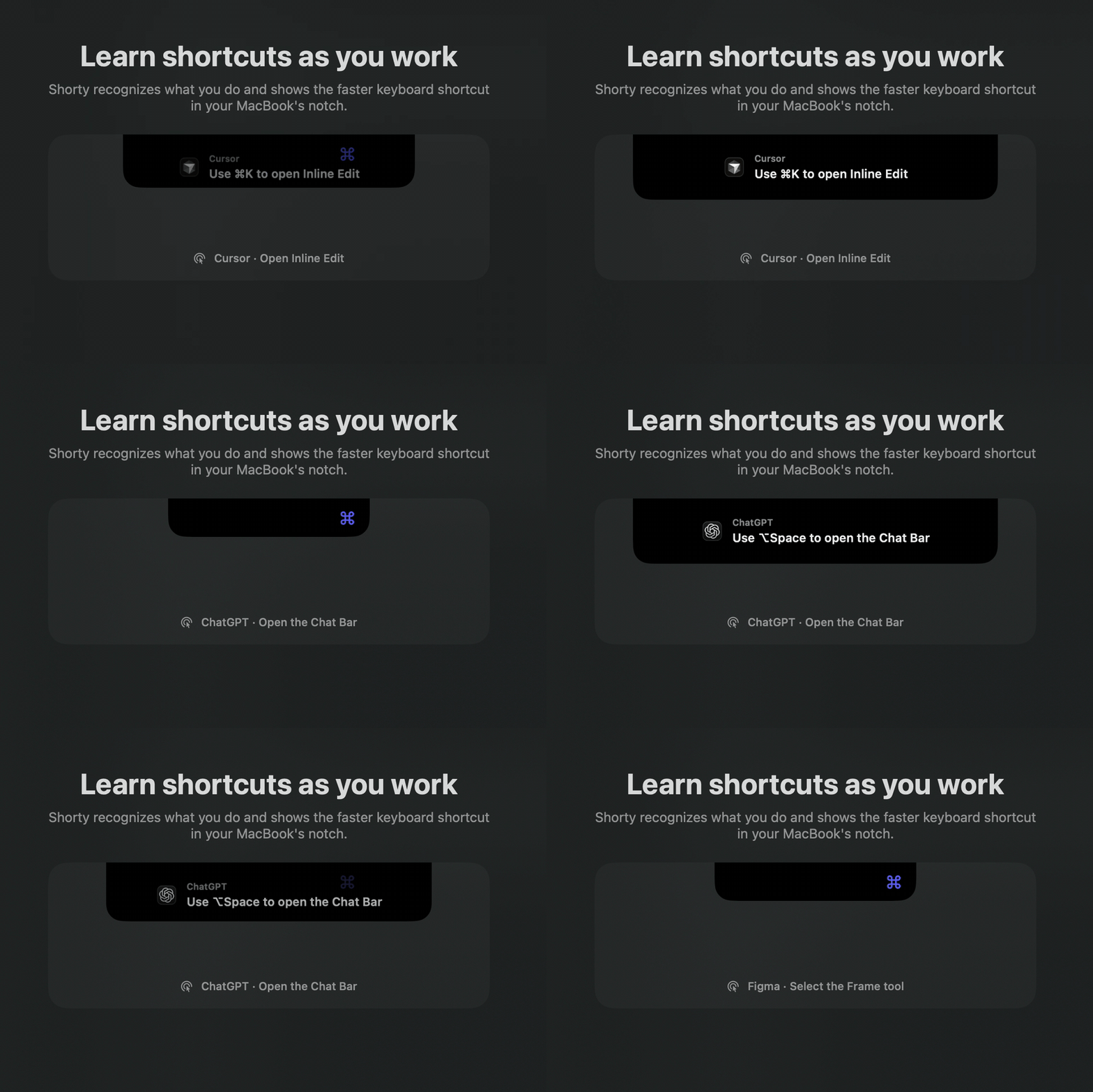
Shorty is a native macOS app that lives in the MacBook notch. It quietly pays attention to the app you are using and the action you perform manually. If there is a keyboard shortcut for that action, it briefly shows it in the notch.
For example, if you close a browser tab by clicking the little cross button, Shorty shows you ⌘W. If you drag a file into the Trash, it shows you ⌘Delete.
It can recognize menu actions, buttons, context menus, browser controls, drags, and some trackpad gestures. I have tested it across apps like Finder, Brave, Cursor, Xcode, ChatGPT, Figma, Sketch, Photoshop, and Final Cut Pro.
If Shorty is not confident that an action has a real shortcut, it simply stays quiet. I would rather show nothing than teach someone the wrong shortcut.
How it works
The first version was honestly pretty brute-force. I wanted the idea to work, so almost every unknown action could end up going through screenshots, AI, and web search.
It worked, but it was slow and expensive. Once I saw the idea working, I realized that I needed a much smarter pipeline before it could feel like a real product.
Shorty now tries the fastest and most reliable options first. It checks the app’s menu bar, custom keymaps, and a bundled collection of shortcuts for popular apps. It also remembers actions that it has already verified.
Only when those options are not enough does it use the cloud pipeline. GPT-5.6 Sol looks at the visual context and tries to understand what the user intended to do. If the action is understood but the shortcut still needs to be verified, GPT-5.6 Terra can search trusted documentation.
Once Shorty verifies the result, it can remember that interaction. This means the first unknown action may take a few seconds, but the same action can be much faster the next time.
Shorty only captures the active app window, blocks sensitive contexts, and prepares the visual evidence locally before sending anything to the cloud.
Building it with Codex
I built Shorty in Codex using GPT-5.6 Sol. It helped with the Swift macOS app, the Cloudflare backend, shortcut knowledge, caching, gesture detection, testing, and release process.
The part I enjoyed most was Computer Use.
Because this app lives in the notch, I knew the interface would need a lot of small visual iterations. I could ask Codex to interact with Shorty, expand the notch, toggle its controls, take screenshots, inspect the result, change the code, and try again.
That feedback loop was incredibly useful. I would perform a real action in an app, Codex would inspect the logs, we would figure out why the wrong shortcut appeared, and then it would update and test the pipeline.
Codex also helped me archive the app in Xcode, sign it, notarize it with Apple, staple the approval ticket, and package the final DMG. This was my first time distributing a macOS app outside the App Store, so that saved me a lot of trial and error.
The hardest part
Finding lists of shortcuts was not the hardest problem. The hard part was understanding what someone was actually trying to do.
A click could mean closing a tab, selecting an object, opening a menu, or absolutely nothing. Shorty has to tell those situations apart without sending every random click to AI.
Caching was another difficult problem. Remembering that something happened at a particular screen position is not enough because windows and controls move. The cache needed to understand the app, the control, and its visual identity without accidentally reusing a result for something unrelated.
GPT-5.6 helped me work through both of those problems and turn the initial experiment into a layered system that feels much faster.
What’s next
I want to keep expanding Shorty’s built-in knowledge for more desktop apps and web apps. I also want it to learn which shortcuts a user has already mastered, so it can stop repeating those and focus on shortcuts they still need.
The goal is simple: help people become faster on their Mac without ever asking them to study a shortcut sheet.