-
-
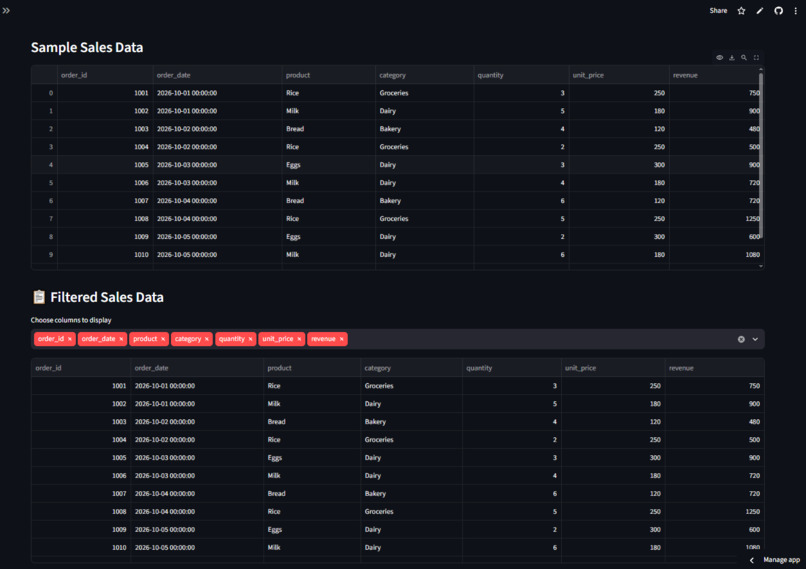
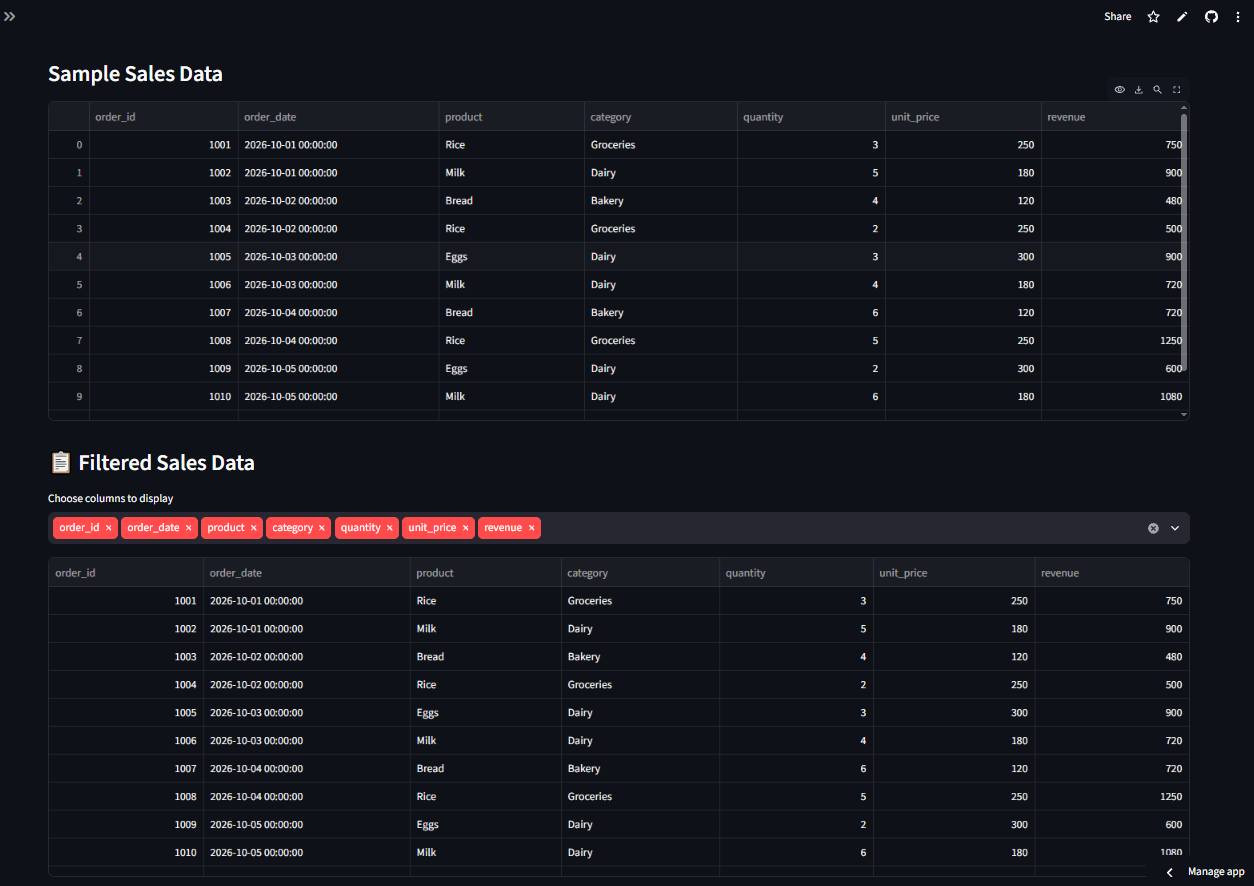
Interactive sales data table featuring raw order entries alongside dynamic column-filtering capabilities.
-
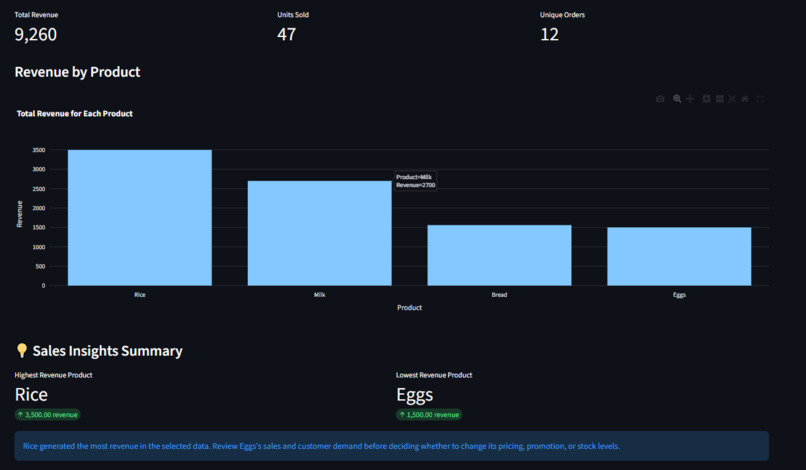
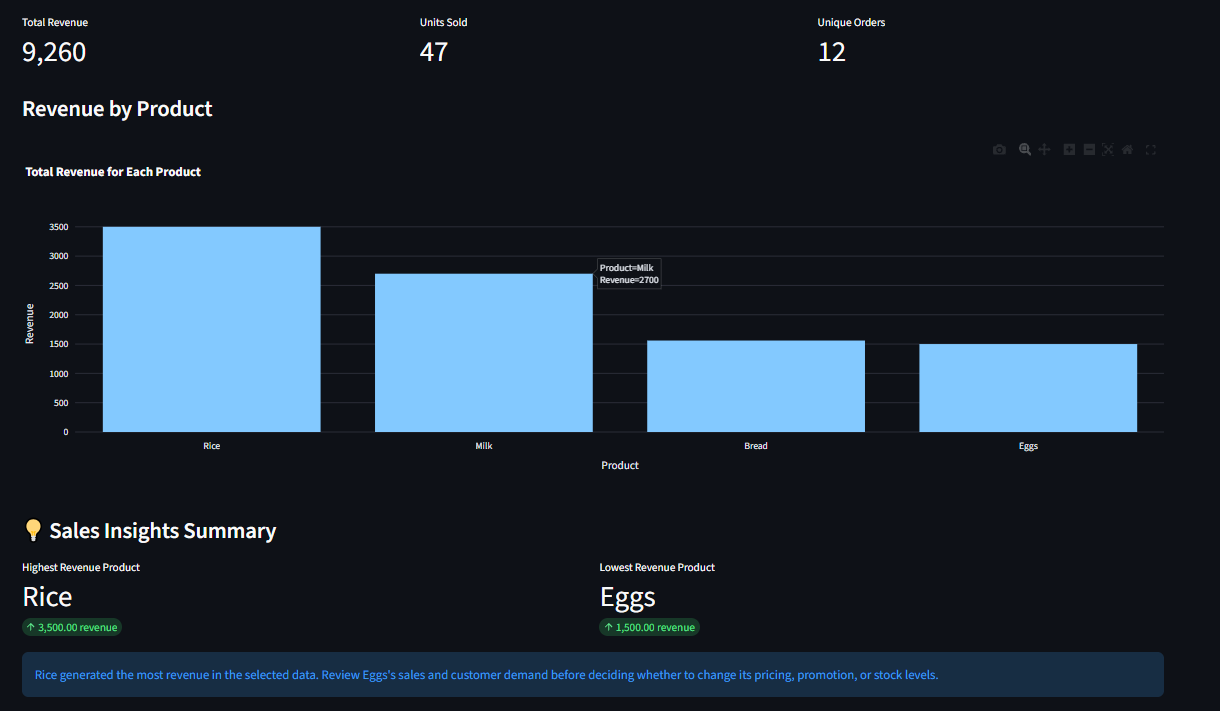
Sales dashboard showcasing top KPIs, revenue by product bar chart, and automated sales insights
-
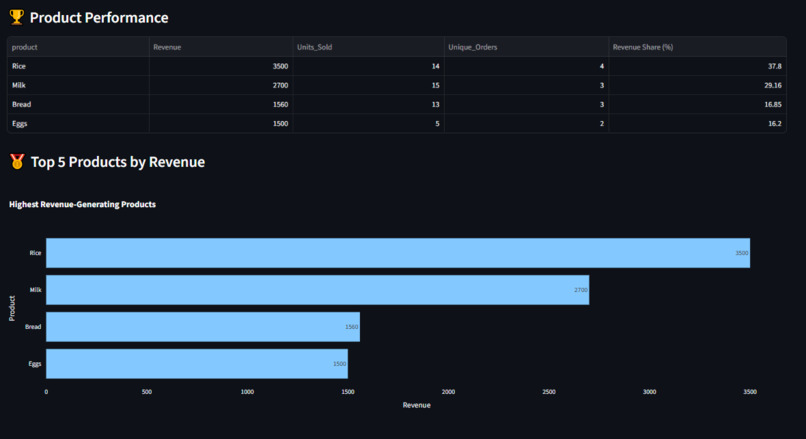
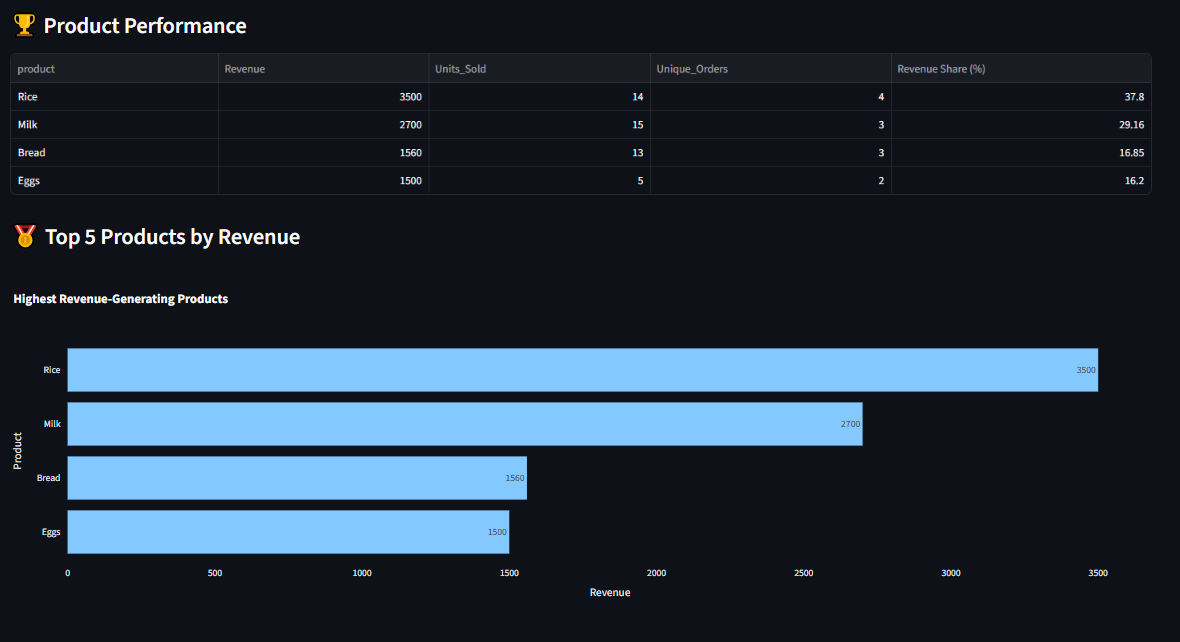
Product performance summary table detailing revenue share, paired with a top-performing product chart.
-
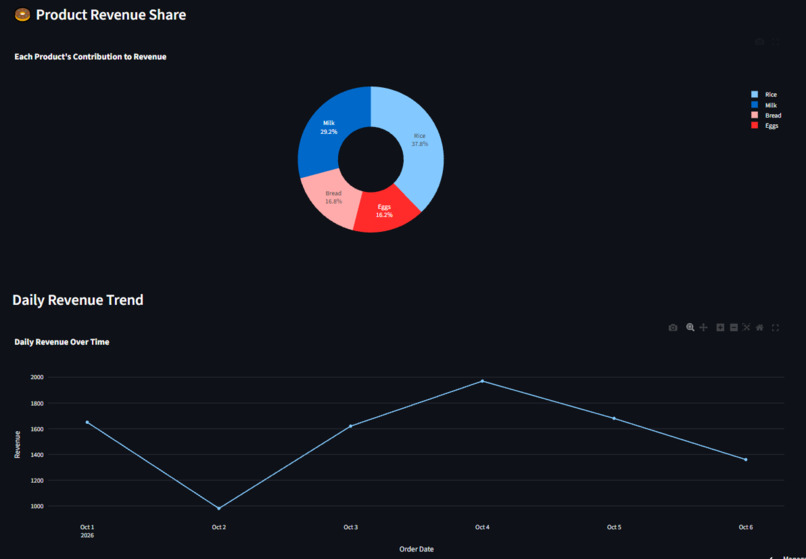
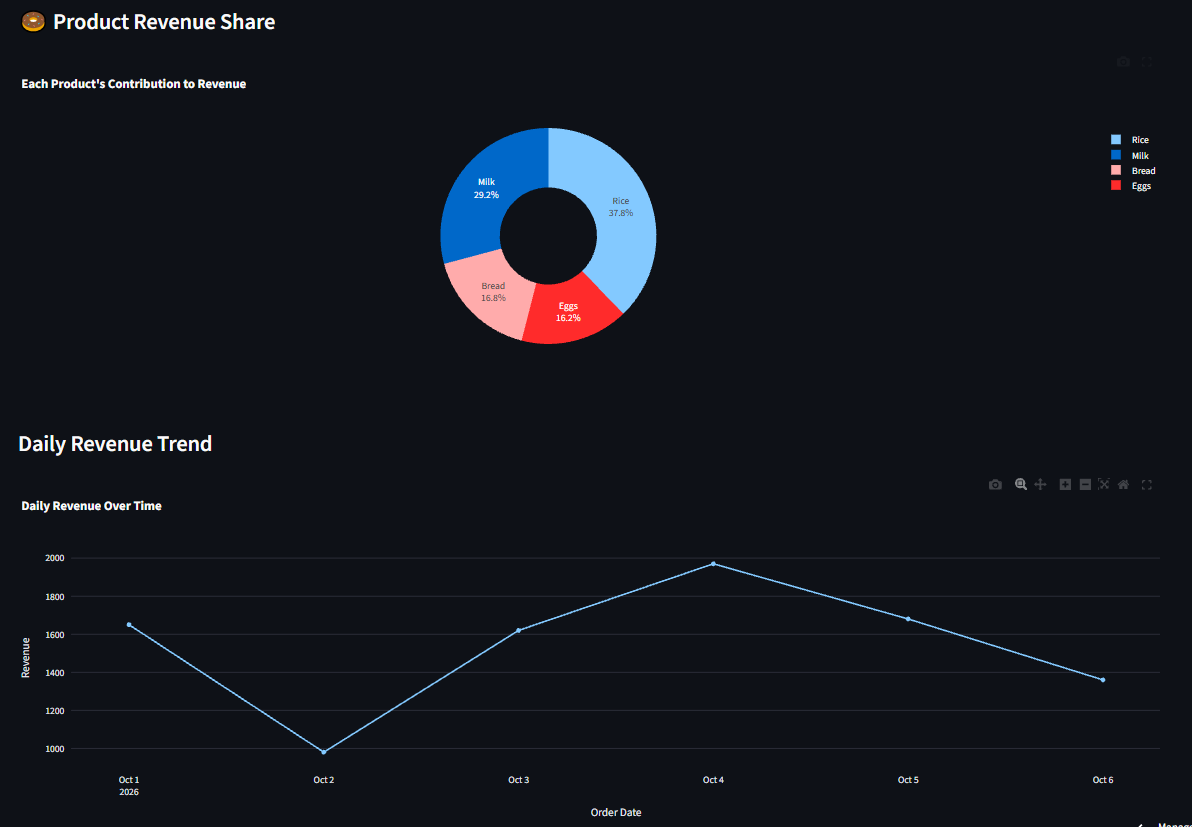
Product revenue share donut chart paired with a multi-day sales revenue trend line graph
-
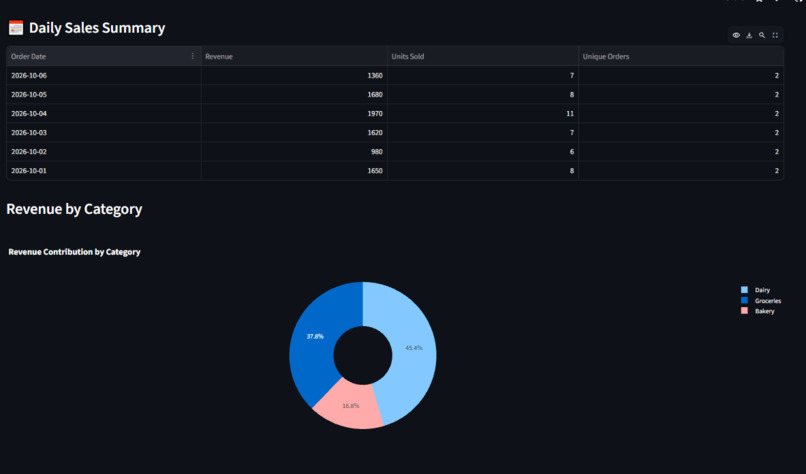
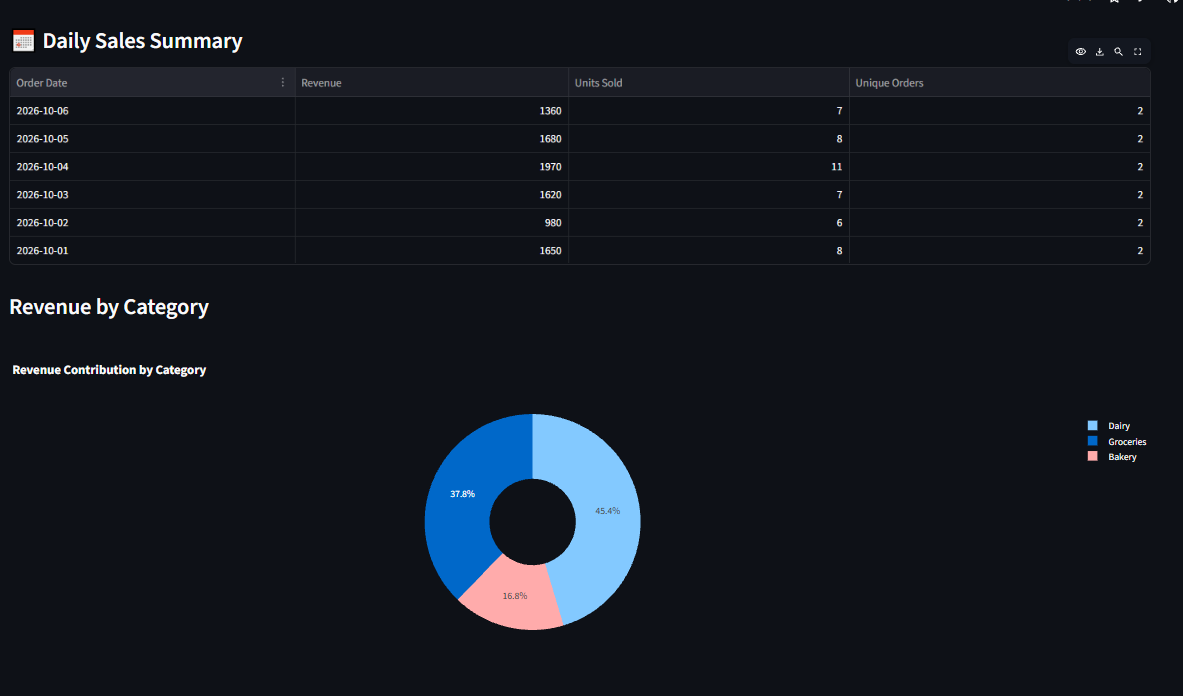
Daily sales summary data table alongside a visual revenue contribution breakdown by category.
-
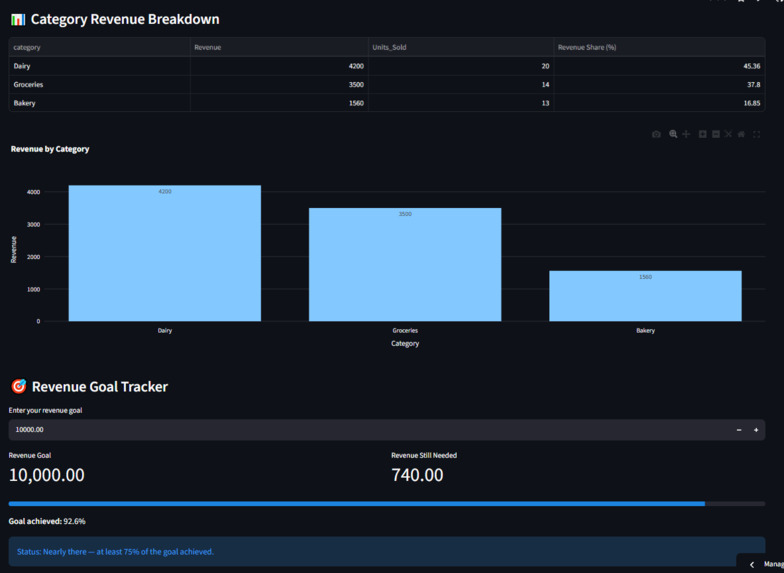
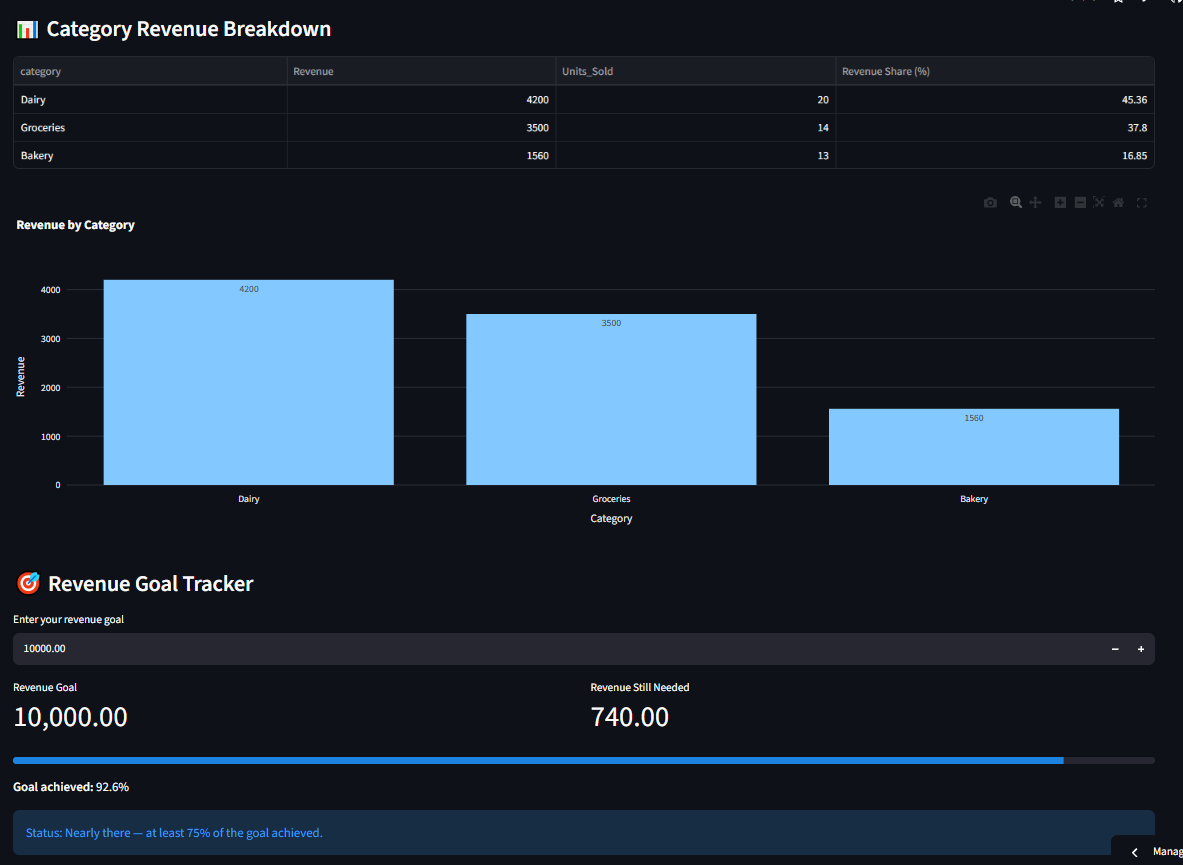
Category revenue breakdown chart accompanied by an interactive revenue goal tracking progress bar.
Inspiration
I created ShopSage AI — Your AI-Powered Business Decision Assistant because I wanted to help small shop owners understand their sales data and make better business decisions.
Many businesses collect sales records, but raw data alone does not always explain which products perform best, which categories generate the most revenue, or whether a shop is progressing toward its sales goals. I wanted to build a simple tool that turns sales records into useful insights.
As someone learning data analytics and Python, I also wanted to apply my knowledge to a practical problem and build a project that connects data analysis with real business needs.
How I Built It
I built ShopSage AI using Python, Streamlit, and Pandas. I developed an interactive web application that allows users to upload a sales CSV file or explore sample data.
The application includes:
- Sales analytics dashboard: Displays key metrics such as total revenue, units sold, and unique orders.
- Interactive filters: Allows users to explore sales by product, category, and date.
- Revenue goal tracker:Helps users compare sales performance with a revenue target.
- Data-quality checks: Identifies issues such as missing values, duplicate rows, invalid dates, and invalid numeric data.
- Smart Business Recommendations:Uses sales patterns and rule-based logic to suggest areas for business owners to review.
- Ask ShopSage AI:Answers supported business questions using predefined question patterns and the available sales data.
- Business reports: Allows users to download sales data and business summaries for further analysis.
I focused on making the application practical and easy to use, so users can explore their sales performance without needing to write code.
Challenges I Faced
One of my biggest challenges was connecting different parts of the application while keeping the dashboard easy to understand. I needed to make sure that the metrics, charts, and recommendations reflected the selected filters.
Another challenge was handling data-quality problems. Real-world CSV files may contain missing values, duplicate records, invalid dates, or incorrect numeric values. I worked on validation checks to make the application more reliable.
I also worked on making the business recommendations more useful and preventing errors when filtered data does not contain valid sales results. Testing the application and fixing issues helped me understand the importance of validation and careful debugging.
What I Learned
Building ShopSage AI helped me improve my practical understanding of Python, Pandas, Streamlit, data validation, interactive dashboards, and business analytics.
I learned that a useful analytics application is not just about displaying charts. It should help users understand what the numbers mean and identify questions worth investigating before making business decisions.
I also learned how to connect data processing with a user interface, test features with sample data, debug problems, and improve an application step by step.
What's Next
I want to continue improving ShopSage AI by making its business insights more useful, strengthening its data-handling capabilities, and exploring more advanced AI-powered features.
My goal is to develop ShopSage AI into a practical decision-support tool that helps small businesses turn their sales data into clearer, more informed decisions.
ShopSage AI is my step toward combining data analytics, software development, and AI to solve practical business problems.


Log in or sign up for Devpost to join the conversation.