-
-
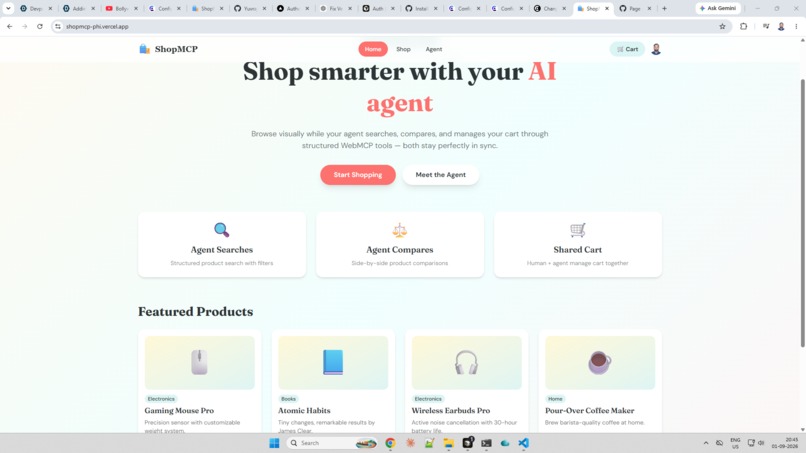
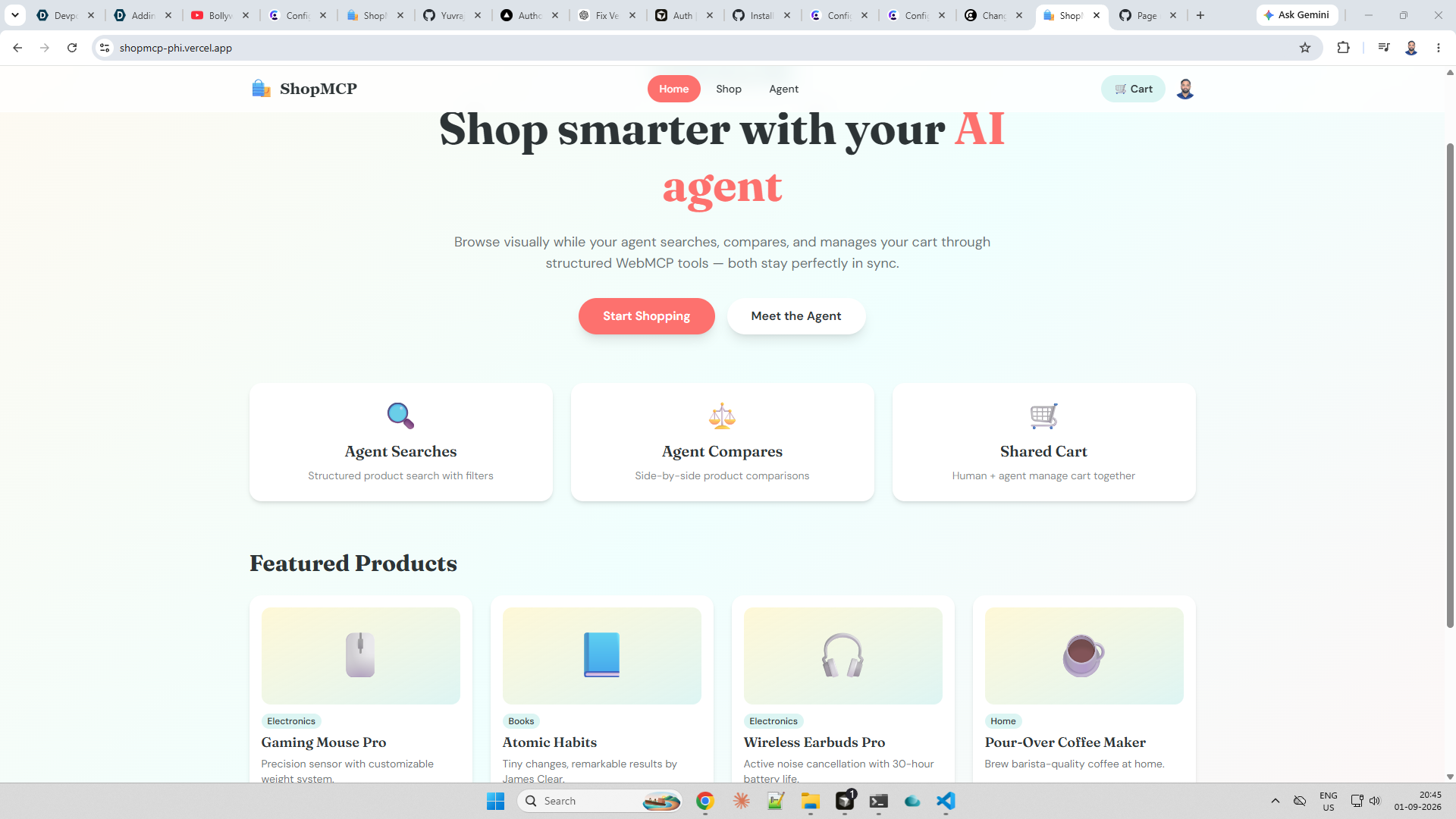
Home Page
-
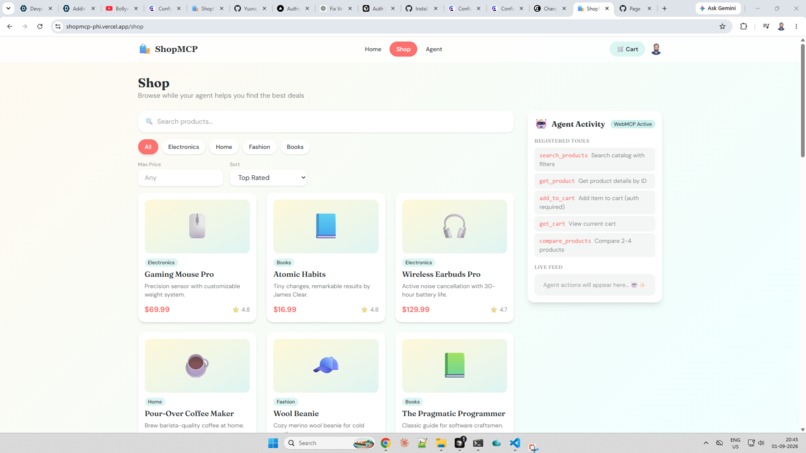
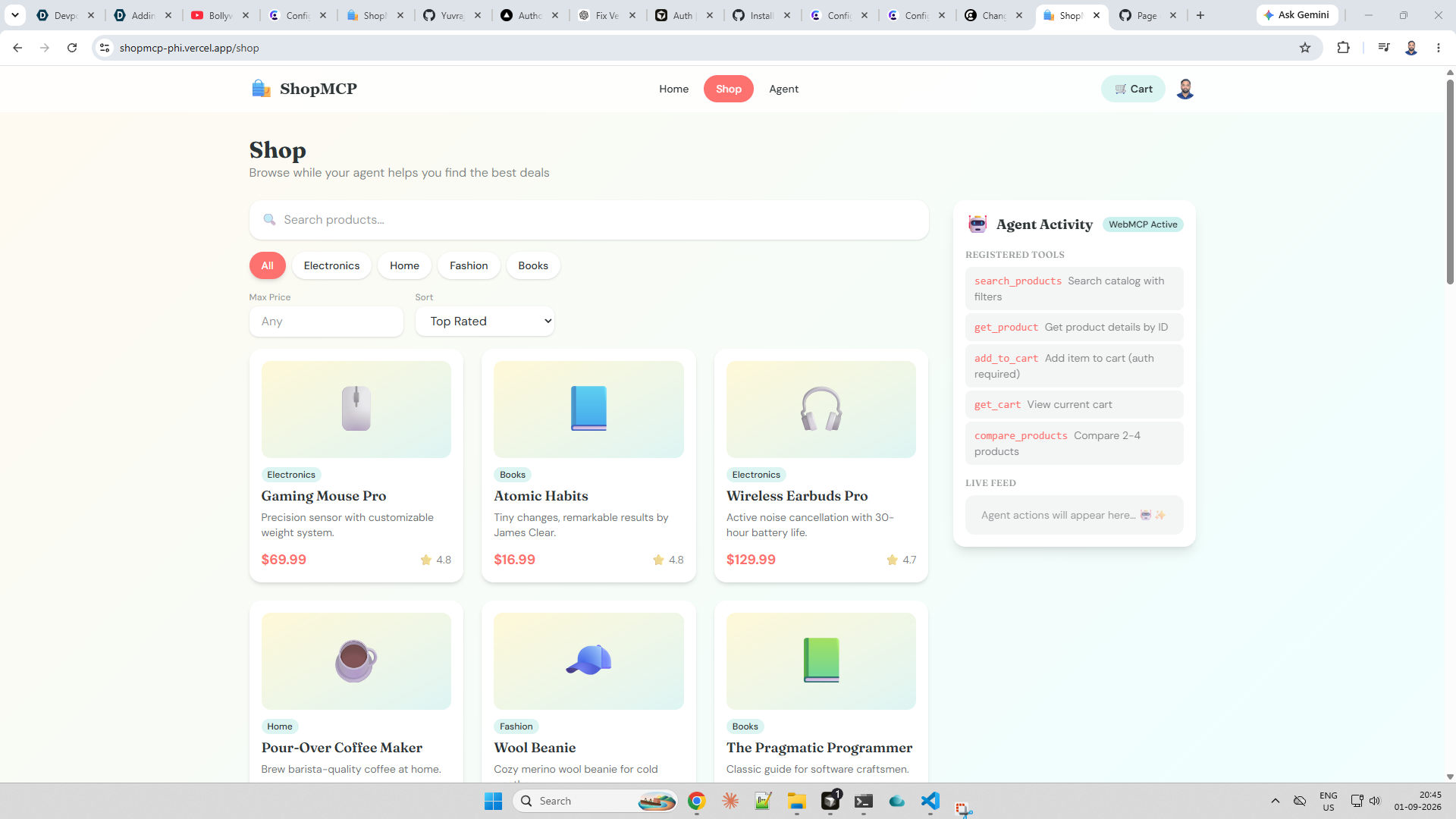
Human Shop Page
-
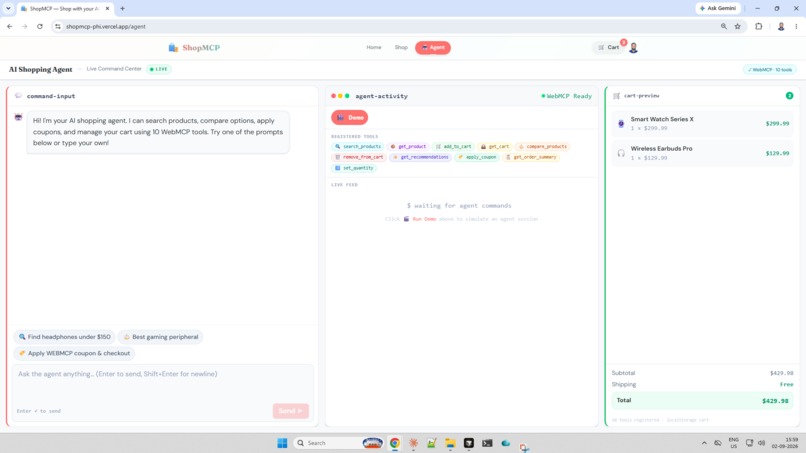
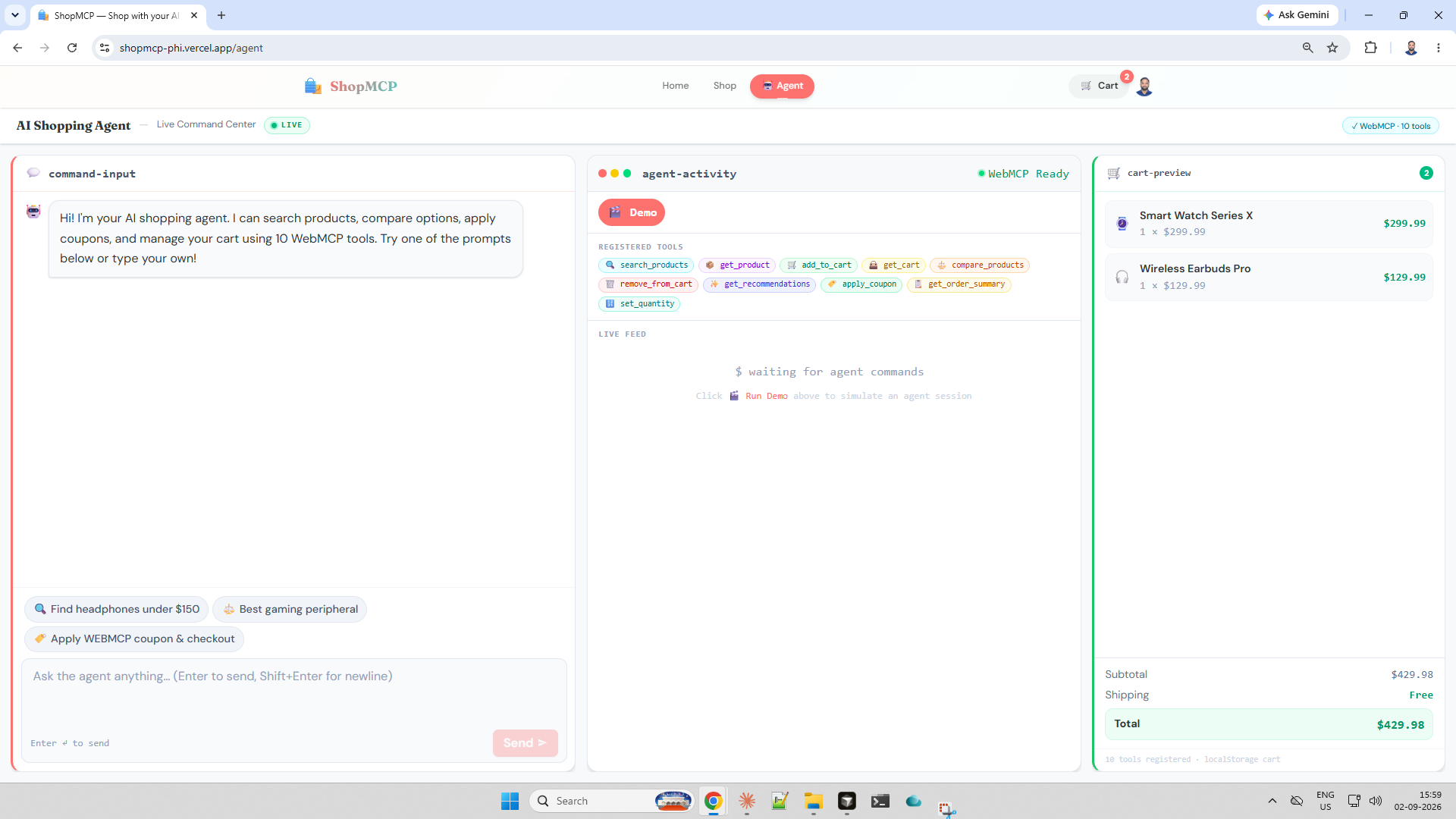
Agent Page
Inspiration
Online shopping is one of the clearest places where humans and AI agents want the same outcome — find the right product, compare options, and buy — but use completely different interfaces.
Humans want a visual storefront: images, filters, a cart they can see update. Agents want structured actions: search with parameters, fetch product details, compare specs, add to cart. Today, most agents are forced to scrape UIs or guess which button to click. That’s slow, brittle, and frustrating.
WebMCP changes that. It lets a website expose tools directly to agents via document.modelContext.registerTool(). That inspired ShopMCP: an e-commerce app where you browse normally while your agent uses purpose-built tools on the same backend — so both stay in sync.
We wanted to answer one question for the OpenAI WebMCP Challenge:
What becomes possible when a web app is designed for people **and* their agents from day one?*
What we built
ShopMCP is a playful e-commerce storefront with:
- 24 products across Electronics, Home, Fashion, and Books
- Human UI: search, category filters, product pages, cart, Google sign-in
- Agent tools (WebMCP):
search_products— query, category, max price, sortget_product— full product details by IDadd_to_cart— add items (auth required)get_cart— view current cartcompare_products— side-by-side comparison of 2–4 products
- Agent Activity panel — live feed when tools run, so human + agent collaboration is visible
Live demo: https://shopmcp-phi.vercel.app
How we built it
| Layer | Tech |
|---|---|
| Frontend | Vite, React, TypeScript, Tailwind CSS v4 |
| Auth | Clerk (Google + email) |
| API | Vercel serverless functions (/api/*) |
| Data | In-memory cart + seeded product catalog |
| WebMCP | Imperative API in src/webmcp/registerTools.ts |
Architecture principle: one API, two clients.
Both the React UI and WebMCP tools call the same endpoints. When an agent runs add_to_cart, the human’s cart updates on the next refresh — and the agent panel logs the action in real time via a webmcp:action event bridge.
Human (Browser UI)  ──┐
                      ├──►  /api/products, /api/cart  ──►  Shared state
Agent (WebMCP tools) ─┘
WebMCP tools are registered on app mount when document.modelContext is available:
await document.modelContext.registerTool({
  name: "search_products",
  description: "Search the product catalog",
  inputSchema: { type: "object", properties: { query: { type: "string" } } },
  execute: async (input) => { /* calls same API as UI */ }
});
What we learned
WebMCP is a UX design problem, not just an API. Tool names, descriptions, and JSON schemas matter as much as UI copy. A vague tool confuses agents like a vague button confuses users.
Shared state is the collaboration layer. The win isn’t “agent can click buttons” — it’s “agent and human see the same cart.” Single source of truth via API was essential.
Auth boundaries need to be explicit. Product search is public; cart actions require sign-in. Tools return clear errors (
"Sign in required") instead of failing silently.Human-visible agent activity builds trust. The live feed on
/shop,/cart, and/agentmakes collaboration tangible — you see what the agent did and when.WebMCP is still emerging. Testing needs Chrome’s
chrome://flags/#enable-webmcp-testingor ChatGPT’s in-app browser. Graceful fallbacks (banner when WebMCP is off) improve the judge experience.
Challenges we faced
1. Vercel serverless import paths
API routes failed in production with FUNCTION_INVOCATION_FAILED. Vercel’s TypeScript build required explicit .js extensions and correct relative paths (../../lib/ from nested routes). Local vite dev masked this until deploy.
2. Clerk + production domains
Google sign-in worked locally but needed the Vercel URL added in Clerk’s dashboard. A small config step, easy to miss.
3. Build-time vs runtime env vars
VITE_CLERK_PUBLISHABLE_KEY must be set in Vercel before build so the client bundle includes it. We learned to configure env vars first, then redeploy.
4. Designing tools agents can actually use
Early drafts had overly generic tools. We split into focused actions (search vs compare vs cart) with strict inputSchema — closer to how a good REST API is designed.
5. Making collaboration obvious in 3 minutes
Judges need to see human + agent value quickly. The Agent Activity sidebar and /agent dashboard were added specifically to make WebMCP visible without opening DevTools.
Why this fits WebMCP
E-commerce is a strong WebMCP use case because shopping is intent-rich:
- “Find earbuds under \$150” →
search_products({ query: "earbuds", maxPrice: 150 }) - “Compare these three” →
compare_products({ productIds: ["p1","p3","p8"] }) - “Add the best one” →
add_to_cart({ productId: "p1", quantity: 1 })
That’s hard to do reliably via UI automation. WebMCP exposes what the user means, not where to click.
What’s next
- Persistent cart (database instead of in-memory)
- Agent-initiated checkout flows
- Declarative WebMCP for HTML forms
- Deeper ChatGPT in-app browser integration
ShopMCP — Shop together: humans browse, agents act.
Built With
- agent
- ai
- clerk
- codex
- e-commerce
- javascript
- json
- node.js
- openai
- react
- restapi
- shoppingcart
- tailwind
- typescript
- vercel
- vite
- webmcp


Log in or sign up for Devpost to join the conversation.