-
-
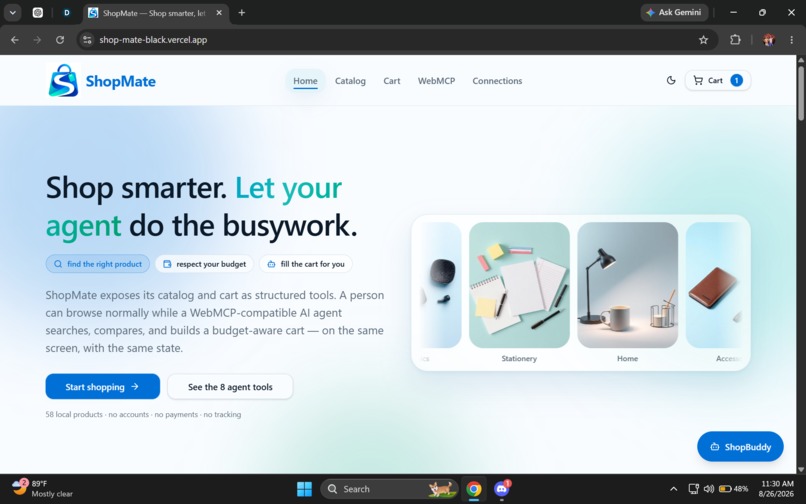
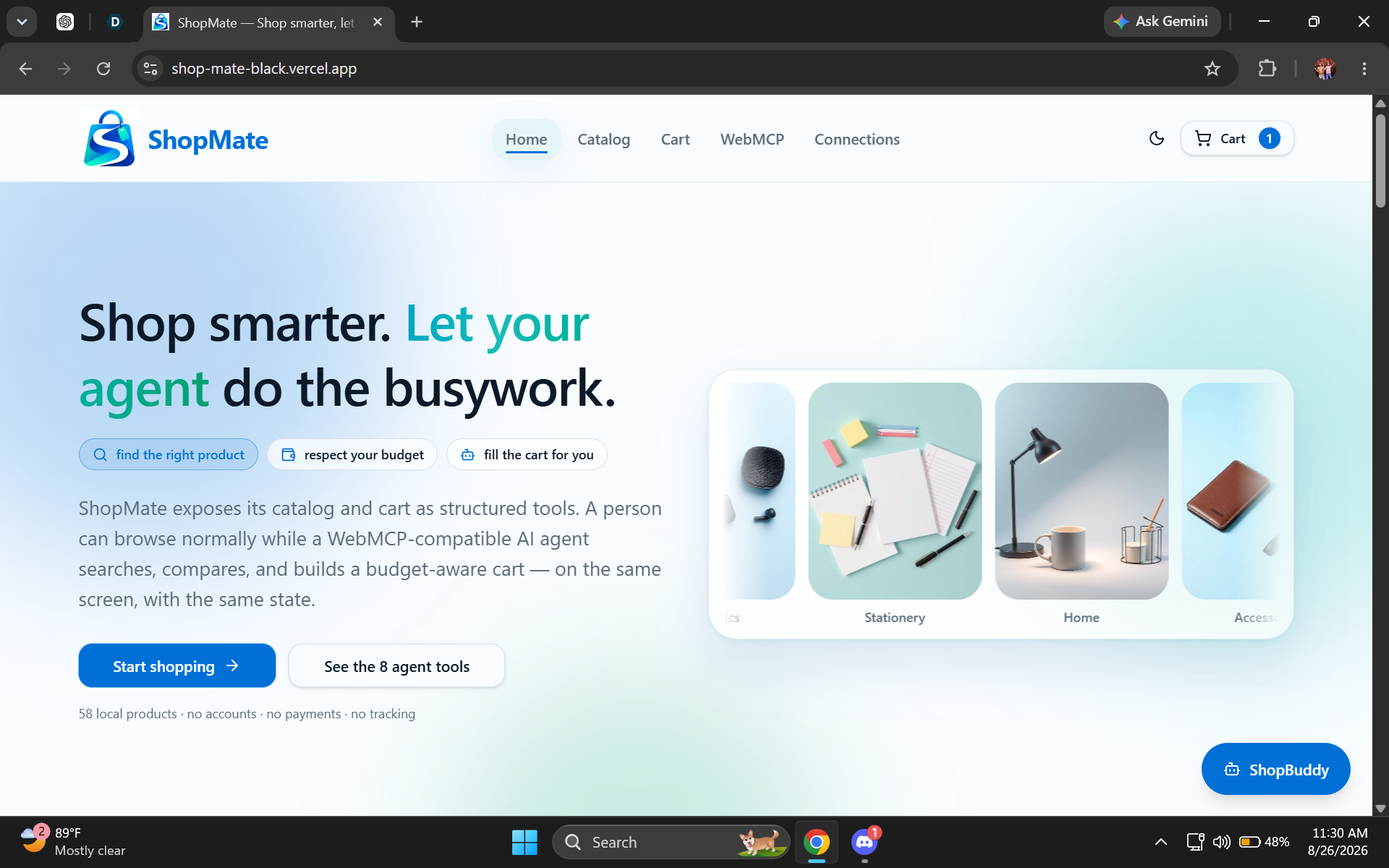
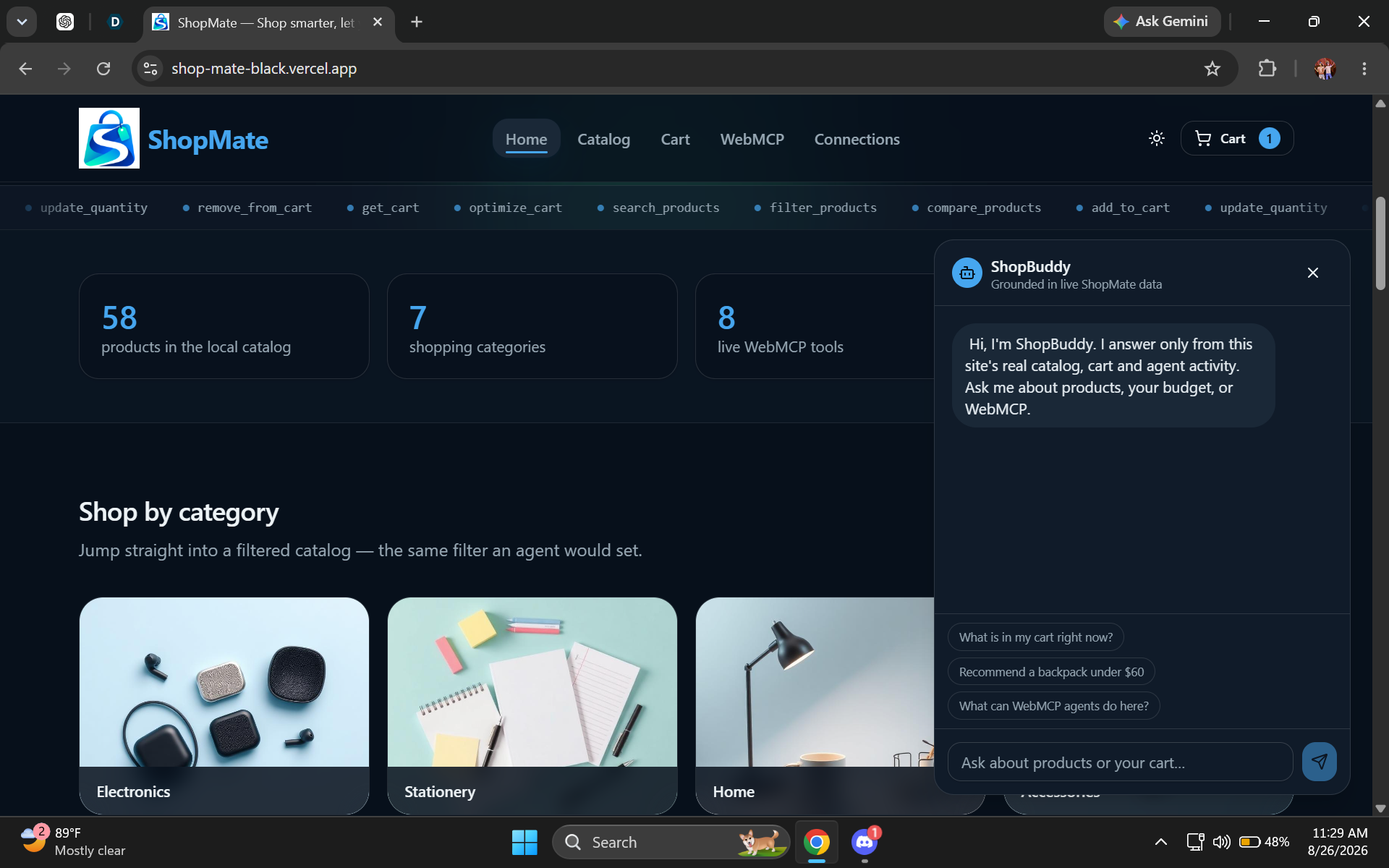
ShopMate homepage: A modern agent-native shopping experience where people and AI agents can shop together.
-
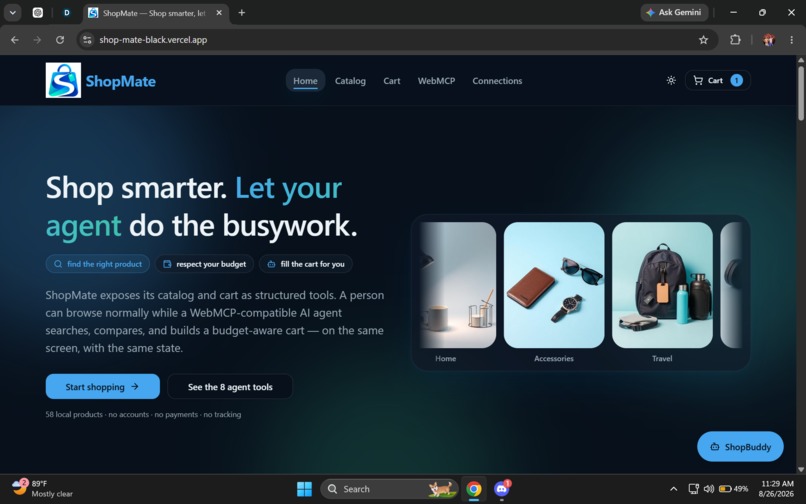
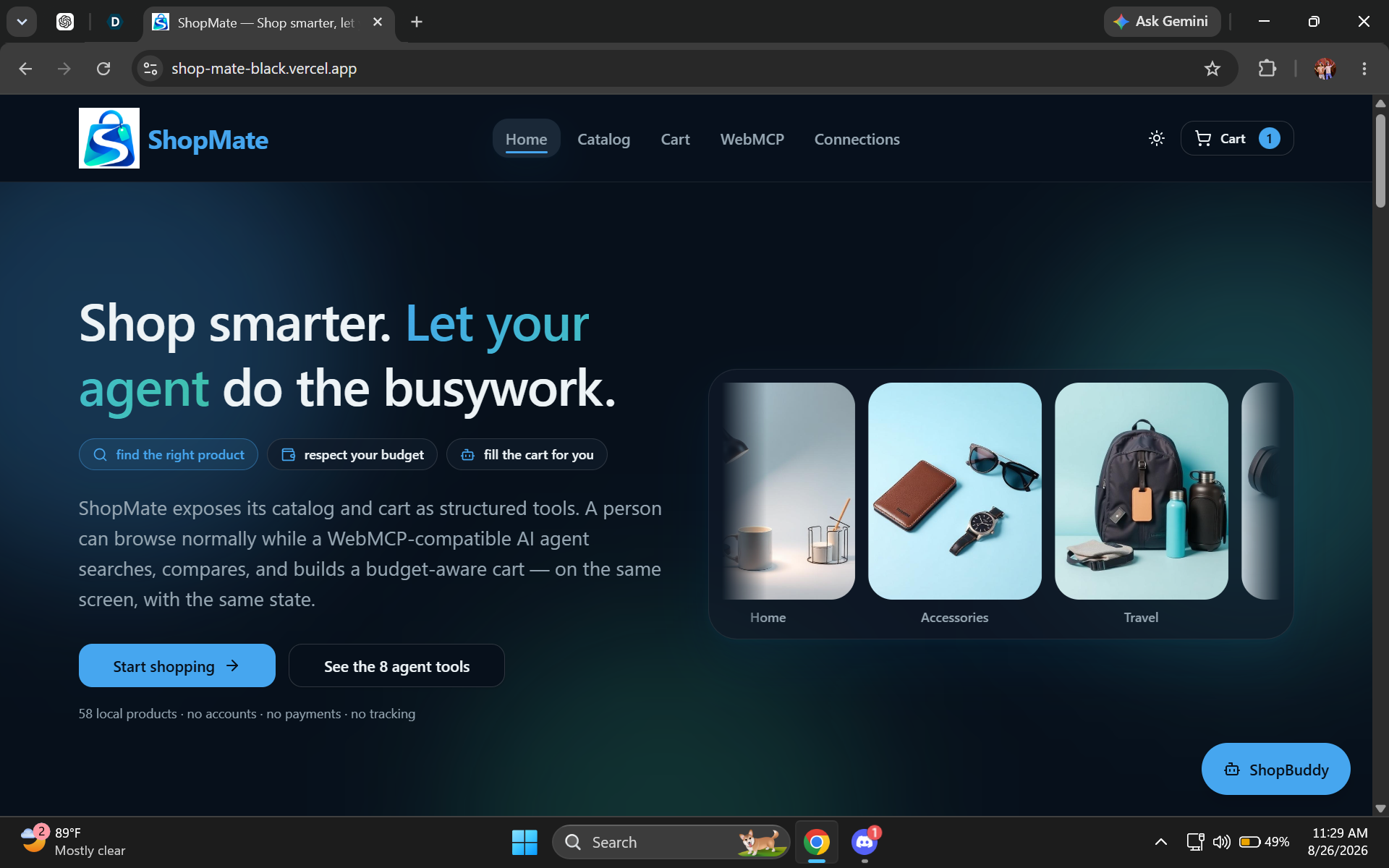
ShopMate homepage — dark mode: Explore products normally while agents use structured tools to handle shopping tasks.
-
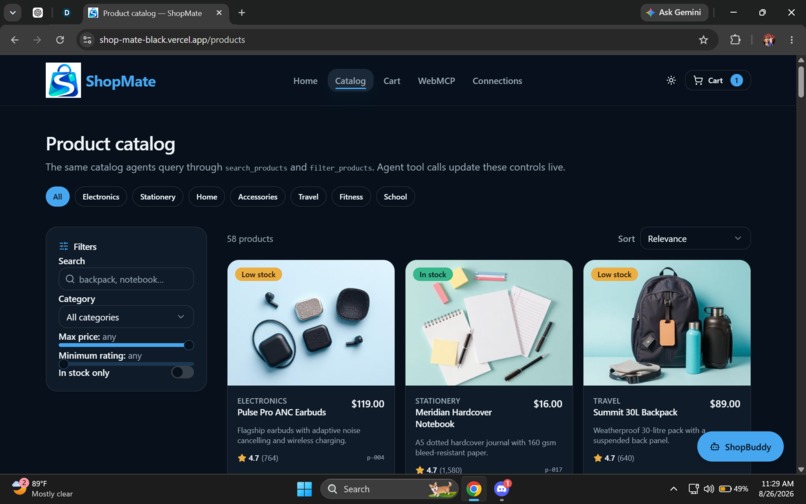
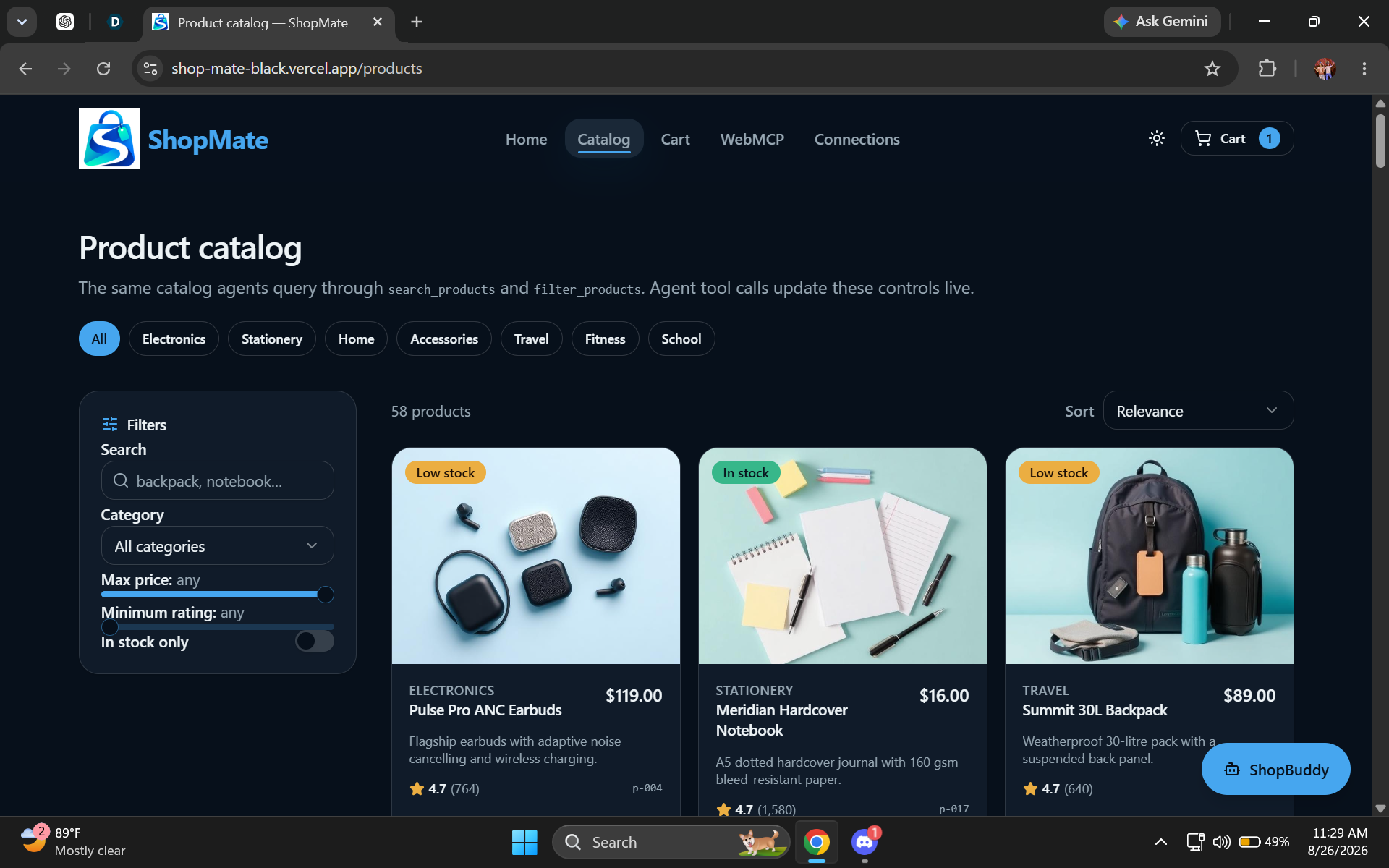
Product catalog: Search, filter, sort, compare, and browse 58 products across seven shopping categories.
-
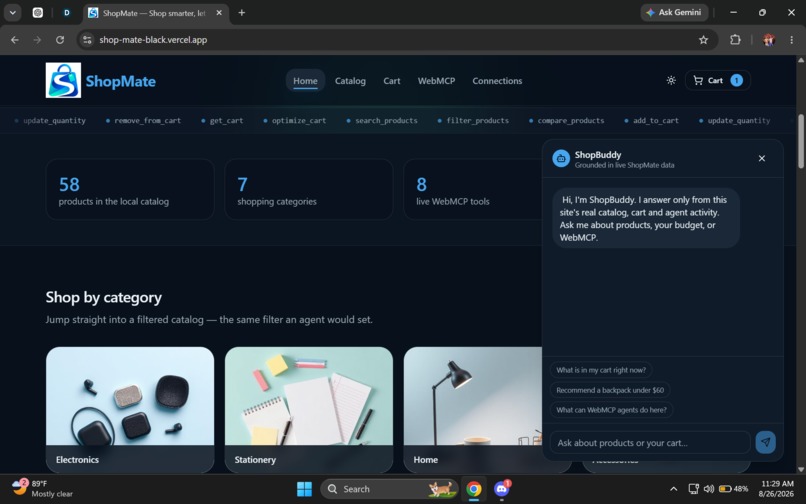
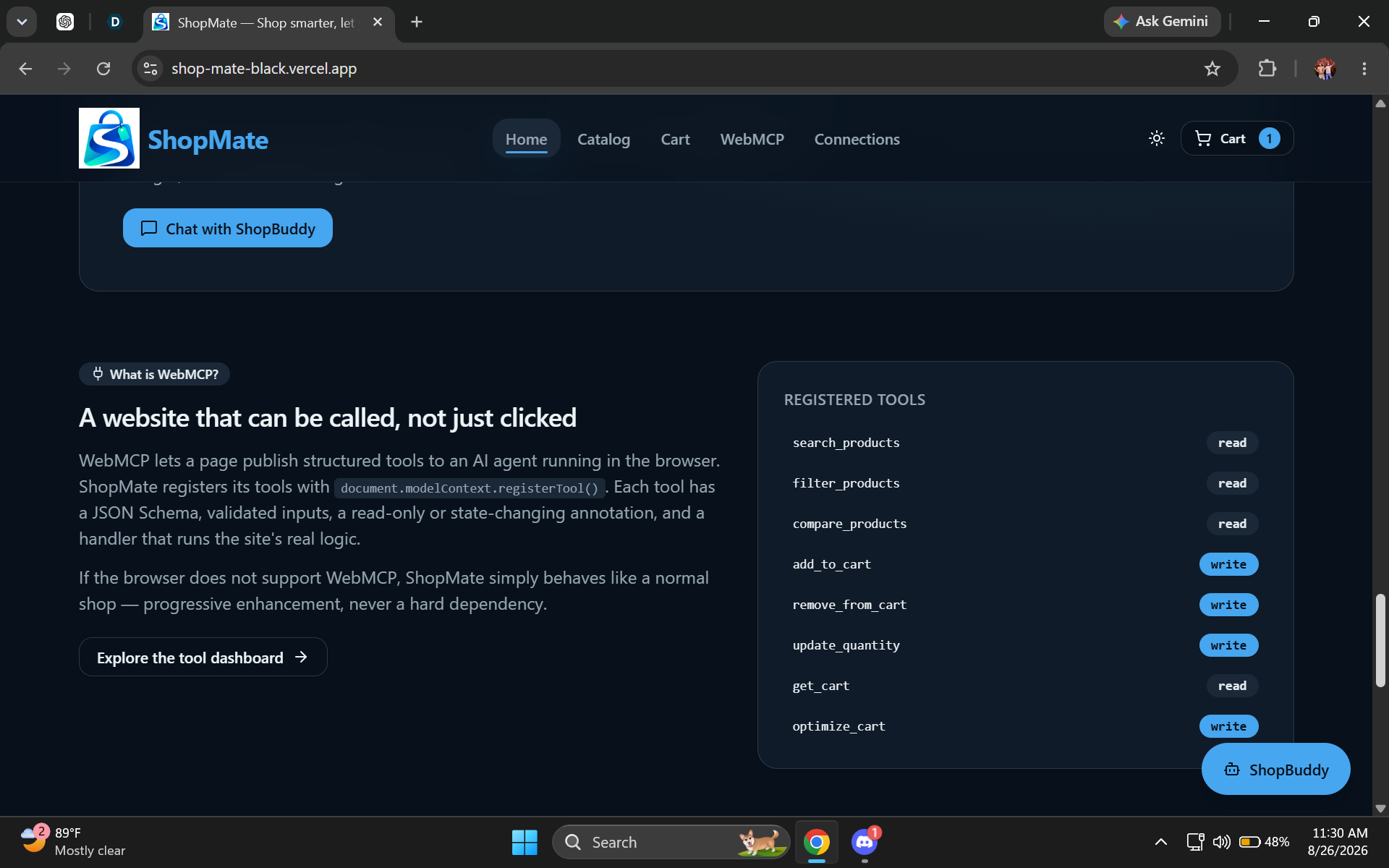
WebMCP overview: ShopMate exposes eight structured tools so AI agents can search, compare, and manage the same shopping state.
-
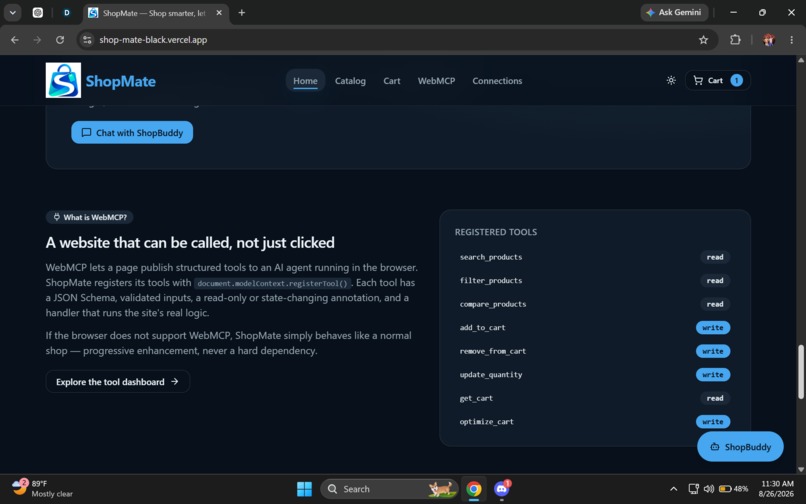
WebMCP tools: Real agent tools, activity tracking, and shared state connect AI actions directly to the ShopMate experience.
-
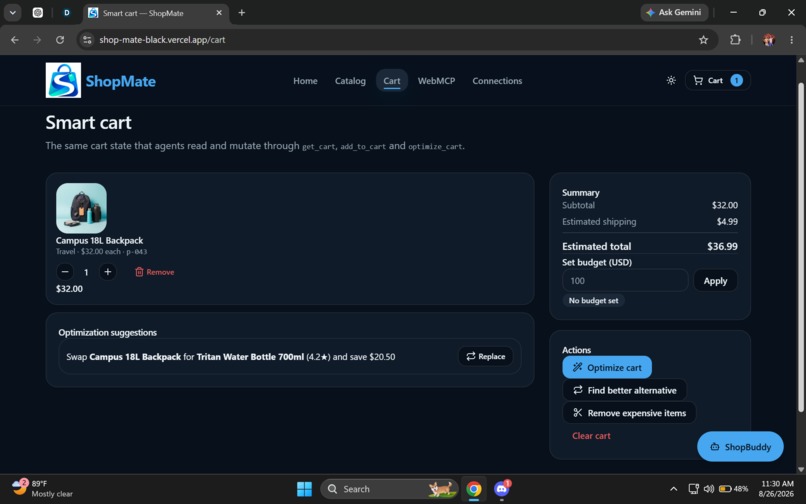
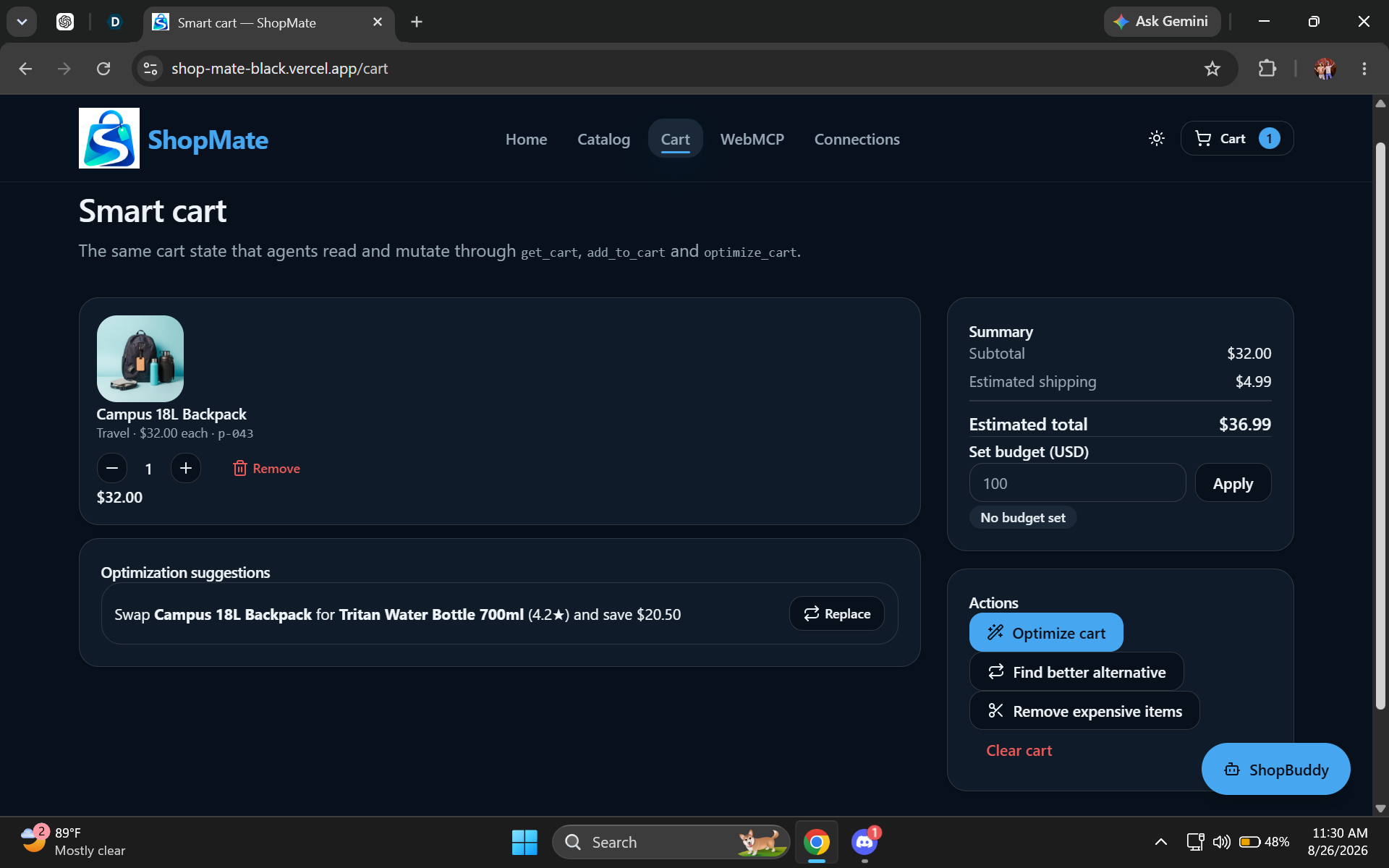
Smart Basket: Manage quantities, budgets, alternatives, and optimization while keeping the human in control.
-
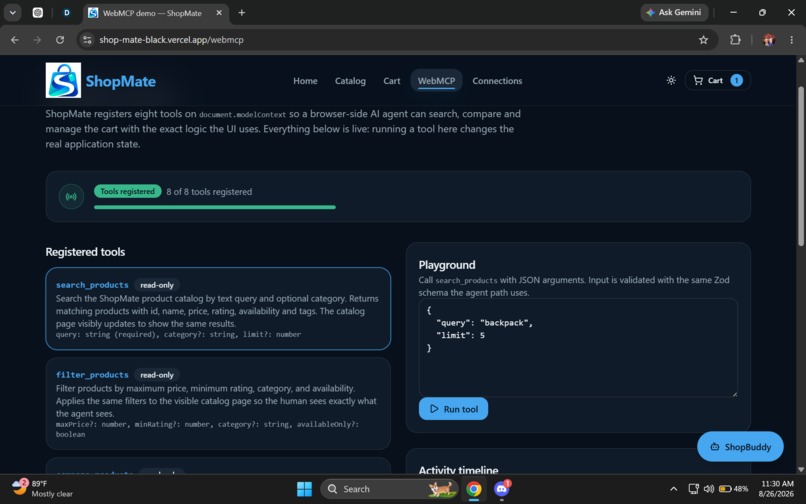
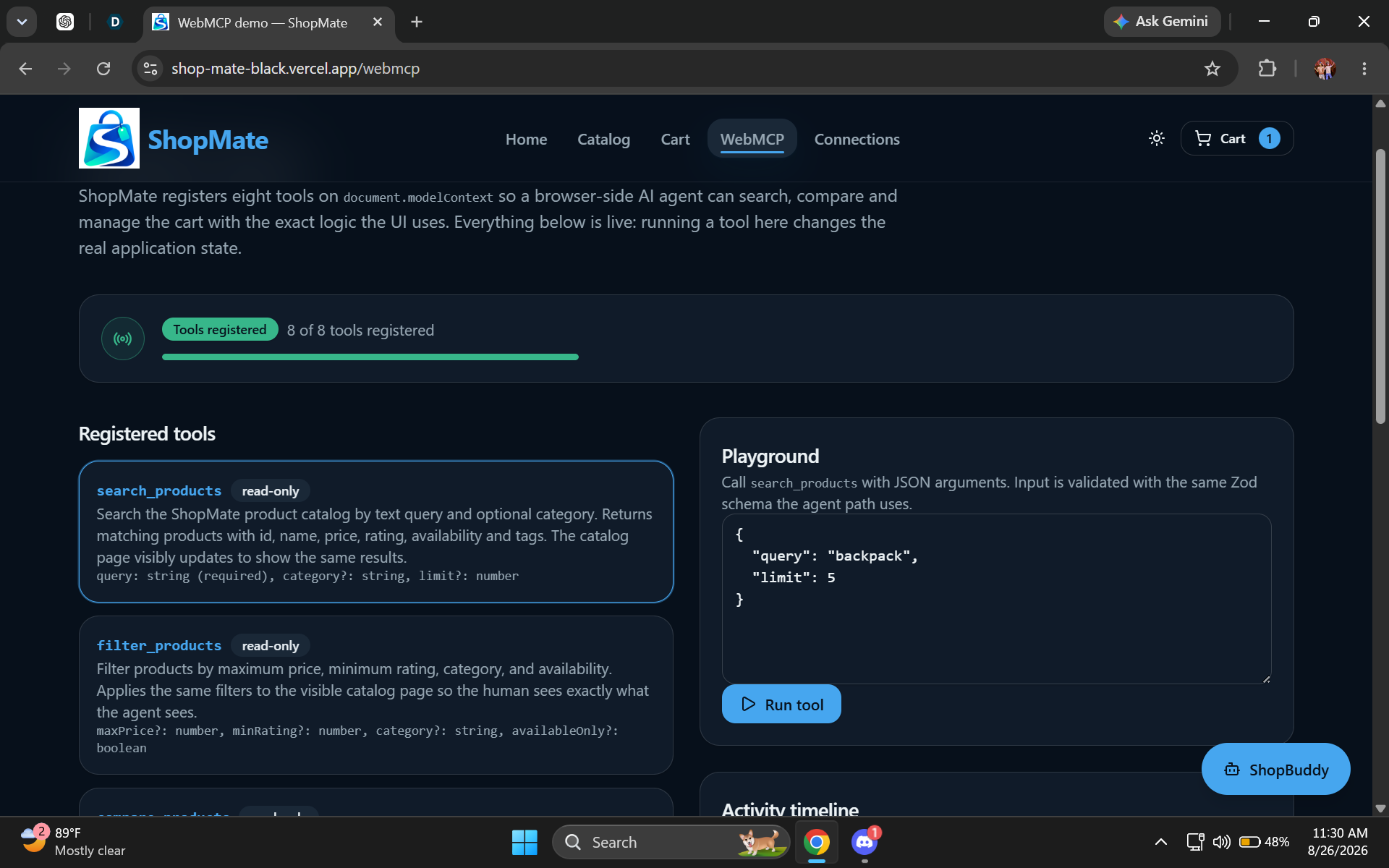
ShopMate WebMCP dashboard showcasing registered browser-side tools and an API playground.
-
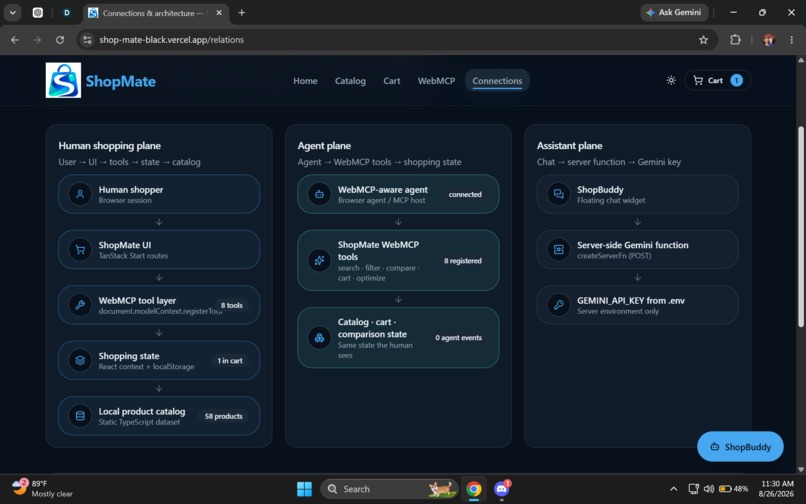
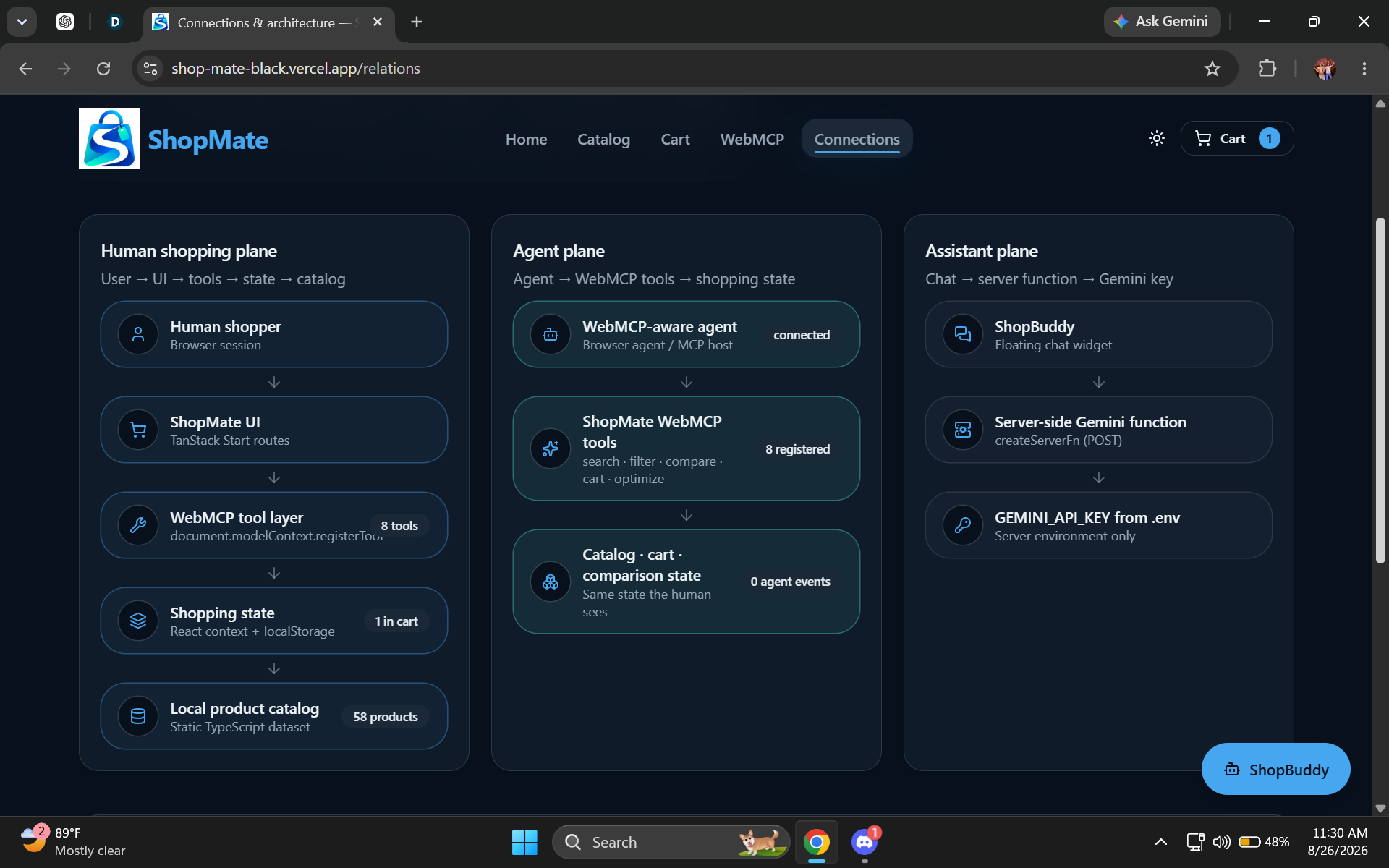
Architecture overview diagram splitting operations into human, agent, and assistant planes.
-
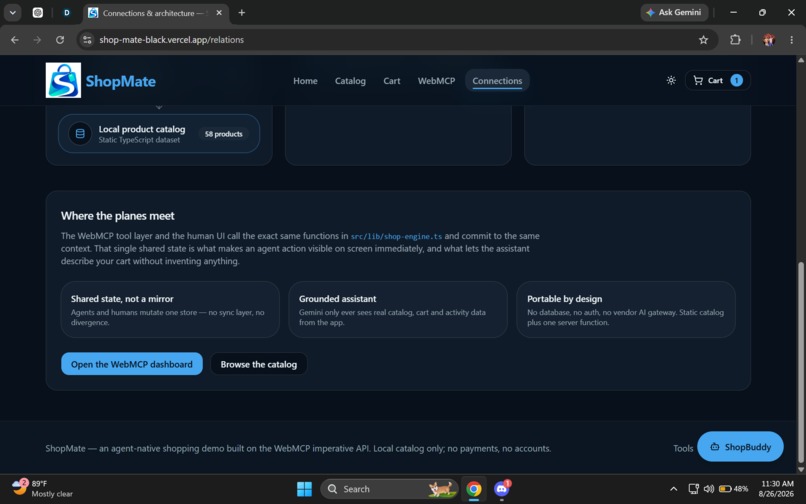
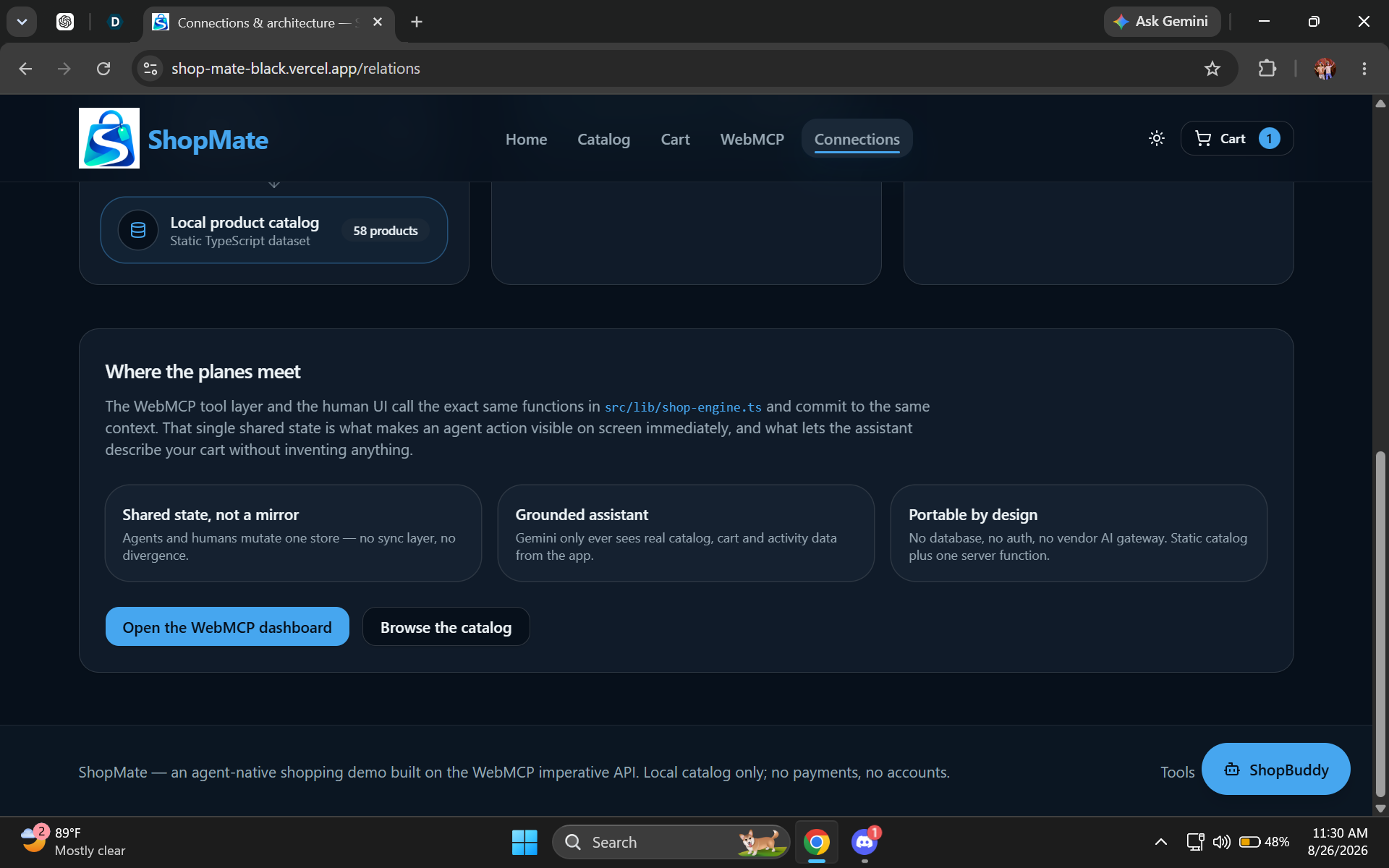
Technical project overview page explaining state sharing and grounded assistant mechanics.
Inspiration
I started thinking about how shopping online might be different if websites actually worked for both people and AI agents. Now most shopping sites are just a maze of filters, cards and small add-to-cart buttons. I thought. What if an AI agent could use the site side by side with you but you are still in charge?
That is how I came up with ShopMate.
What it does
ShopMate is a shopping site where you can browse, compare products manage your basket and set a budget. Much what you would expect.
Here is the twist: any WebMCP-compatible agent can do all those things through ShopMate's built-in tools. So say you want to find school supplies under $100 and add the best ones to your basket; you just ask:
"Find school supplies under $100 and add the best options to my basket."
The agent handles all the searching, filtering and adding items for you.
Not liking something? You can say,
"Remove anything over $20 and optimize my basket."
The agent updates everything. You instantly see your new basket.
Why WebMCP?
Let's be honest a lot of shopping actions are simple to describe but annoying to do. WebMCP fixes this by letting ShopMate offer those actions as structured tools instead of making agents poke around the interface blindly.
Now ShopMate has eight tools. Searching, filtering, comparing and managing your basket. Right out of the box. It just feels much smoother for you and the agent.
What people and agents can do together
It's a back and forth:
You ask → agent works → site updates → you review → agent tweaks
You are always in control but the agent handles all the work. Since you both use the same products and basket you are not getting a watered-down "AI" version of the shopping experience.
How I built it
I built ShopMate alone using React, TypeScript, TanStack Start, Tailwind CSS, Zod, WebMCP and Google Gemini. The core of ShopMate lives in these WebMCP tools, which I register like this:
document.modelContext.registerTool(...)
Each tool has its schema, validation and real app logic. I also added a global ShopMate Assistant for answering product or basket questions connecting Gemini through the server so the API key stays private.
Everything runs off a product catalog and stores your stuff in browser storage. Meaning there is no database, no logins and no payments to worry about.
Challenges I faced
Getting my head around WebMCP in practice was a struggle at first. I had to make tools only registered once (React loves to re-run things at weird times) and always stayed in sync with what was really on the site.
Testing was tricky too. I kept switching between an old browser and a WebMCP-compatible one to check that everything behaved the way I expected.
What I'm proud of
I got all eight WebMCP tools built. They really work. Search, filter, compare, add, remove, update, inspect even optimize your basket. But more than that ShopMate isn't a tech demo; it's a full-on shopping experience with a catalog, a Smart Basket, a dedicated Demo page and a Relations page.
What I learned
This project completely changed how I think about web apps. Instead of designing just for people clicking buttons I realized you can build websites that clearly lay out what agents can do too. I learned a lot around tools, validation keeping state in sync playing nice across browsers and how humans and agents can actually interact.
What's next
In the future ShopMate could connect to live product catalogs handle complex shopping needs or even walk through longer step-by-step tasks. For this challenge I really wanted to try out a simple idea:
What if websites were built for both humans and agents from the start?
Built With
- google-gemini
- react
- tailwind-css
- tanstack-start
- typescript
- vercel
- webmcp
- zod

Log in or sign up for Devpost to join the conversation.