-
-
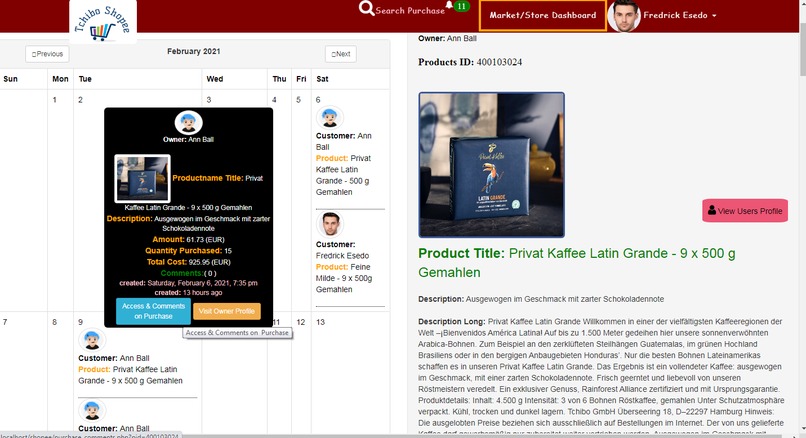
Customers Daily Purchase Calendar Based Management System
-
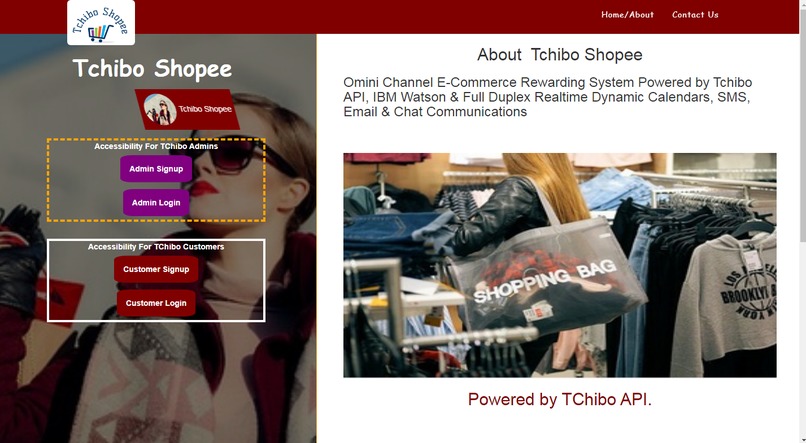
Application Landing Page
-
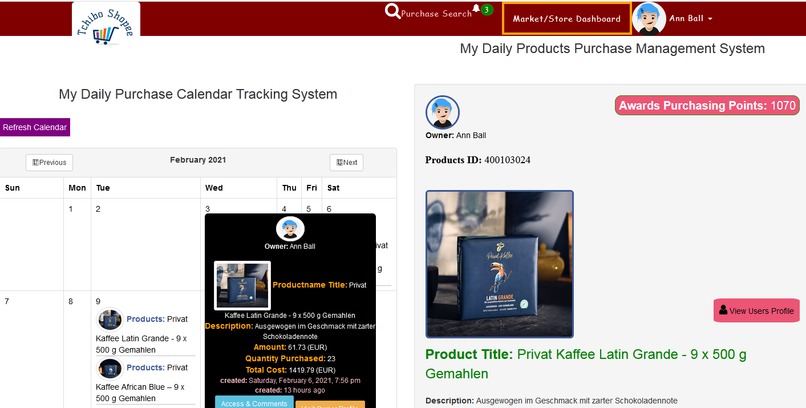
Customers Daily Purchase Tracking System
-
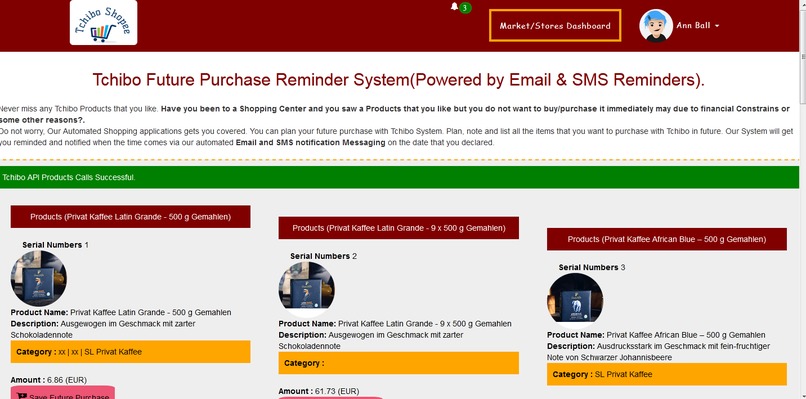
Customers Future Purchase Planning
-
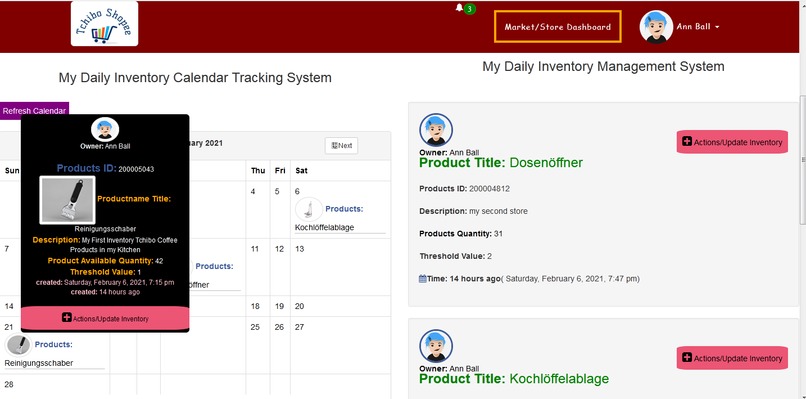
Customers Inventory Calendar based management System
-
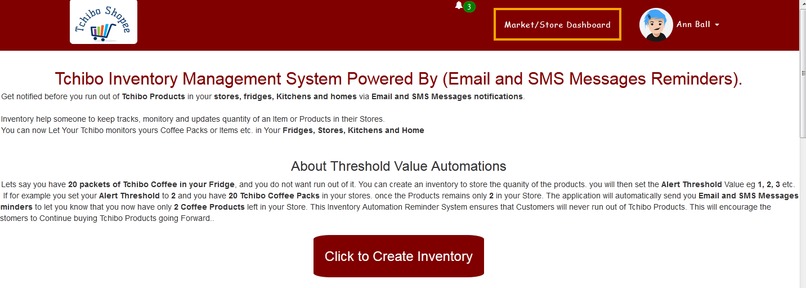
Customers Inventory management System
-
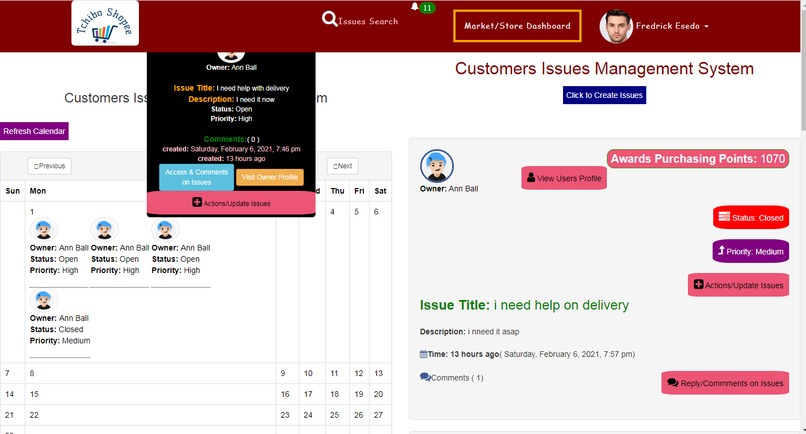
Customers Issues Calendar based management System
-
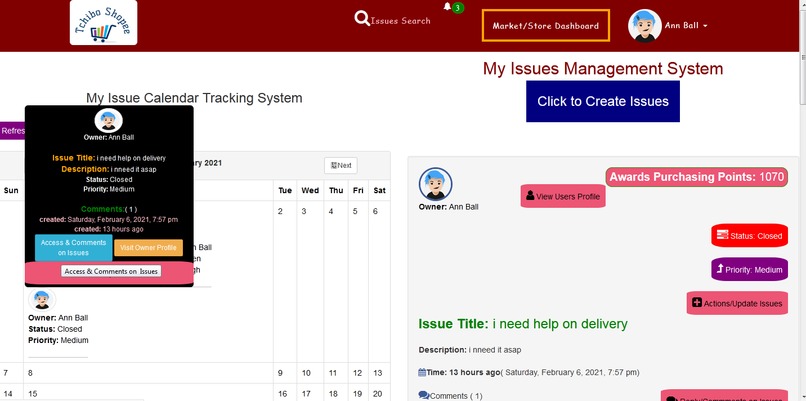
Customers Issues Creations and Calendar Mangement System
-
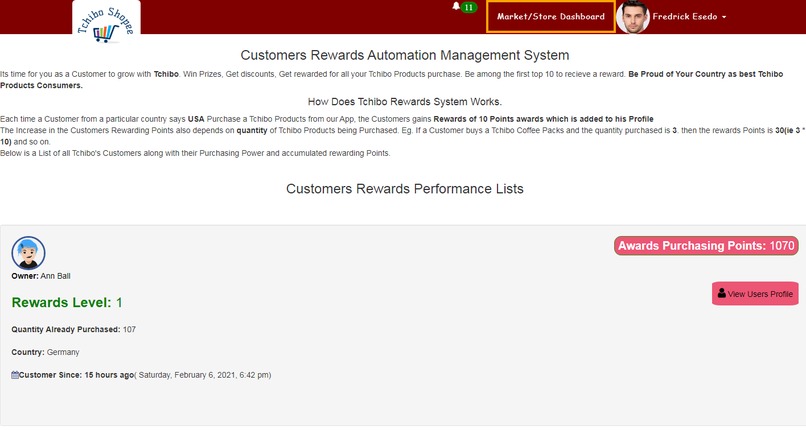
Customers Rewarding System
-
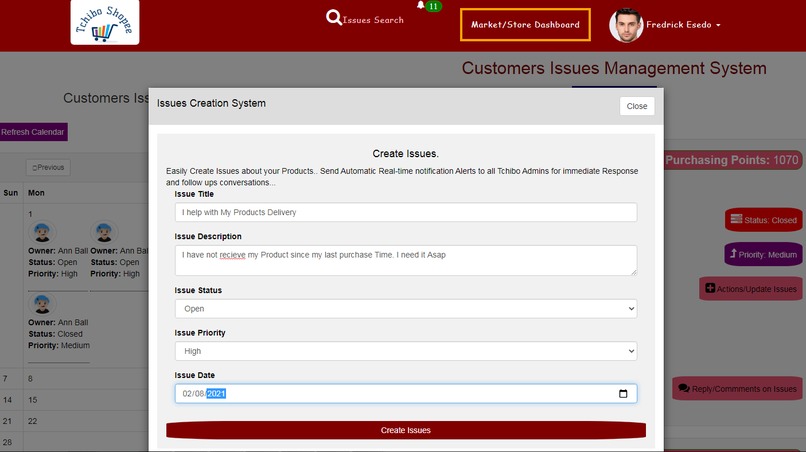
Issue creation and update Form system
-
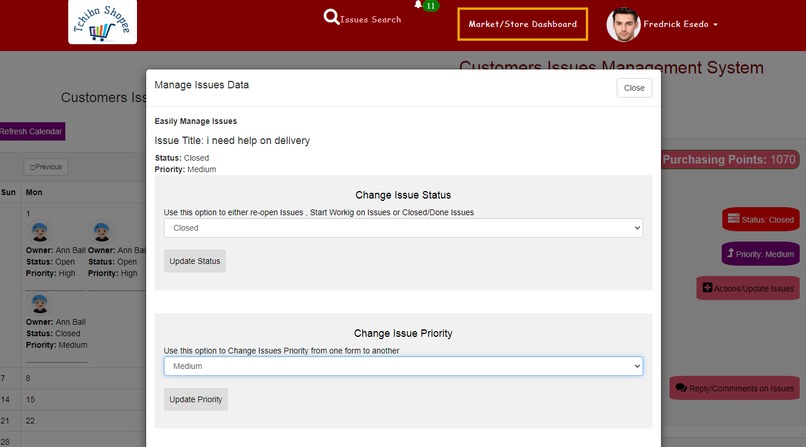
issue status and priority updates form system
-
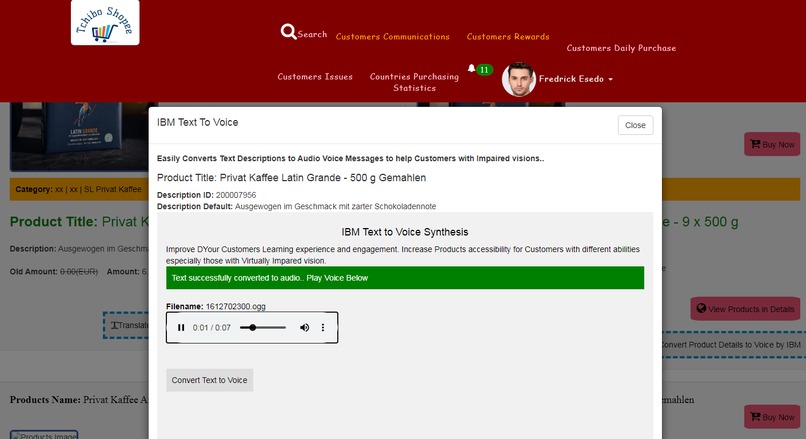
product details been coverted from Text to Voice using IBM Text to Voice Synthesis
-
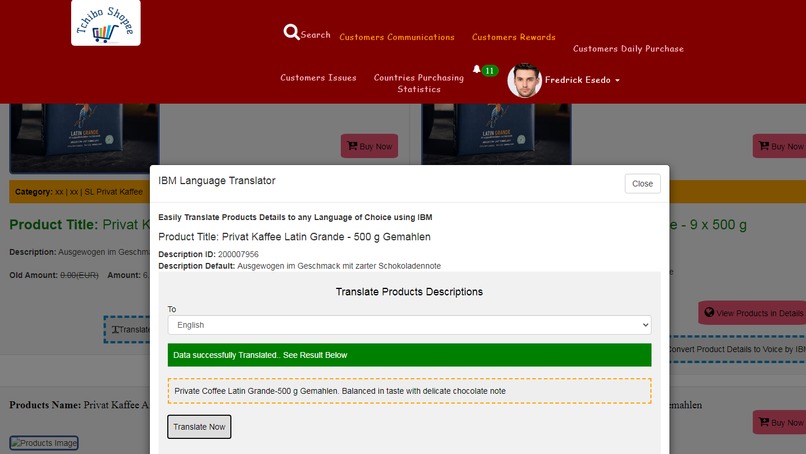
Products details been translated from German to English via IBM Watson Language Translator
-
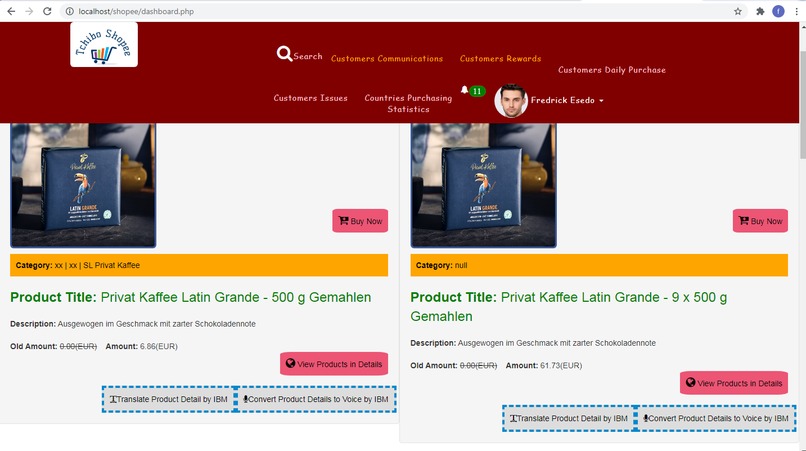
Products Pages
-
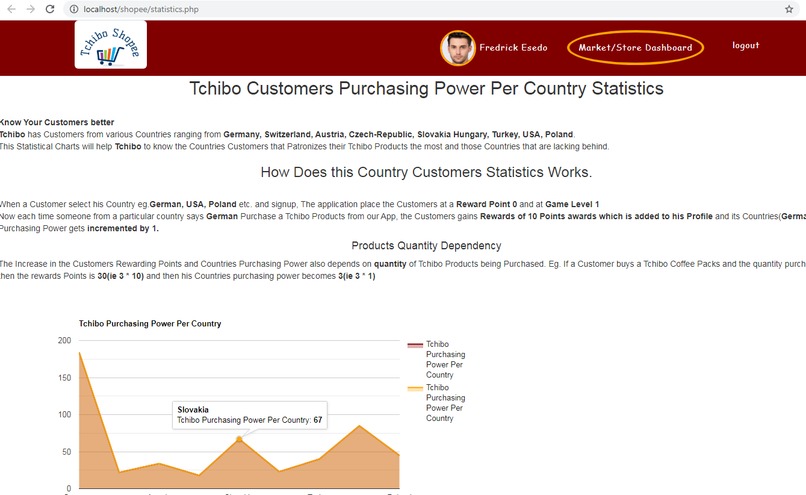
Tchibo Countries Purchasing Power Statistics 1
-
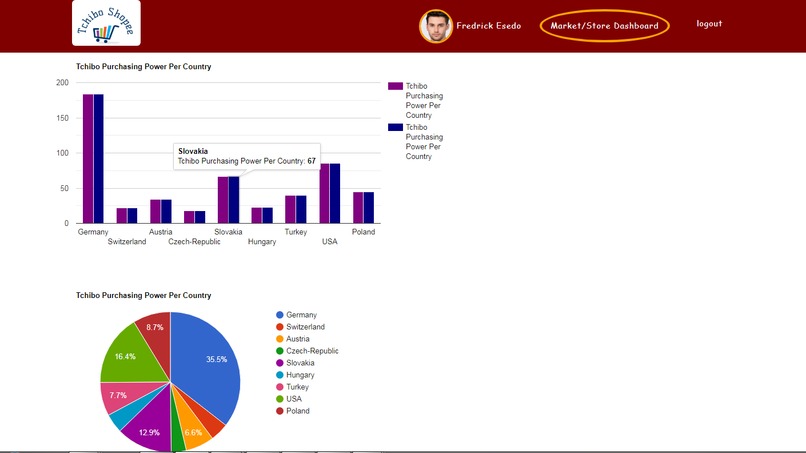
Tchibo Countries Purchasing Power Statistics 2
-
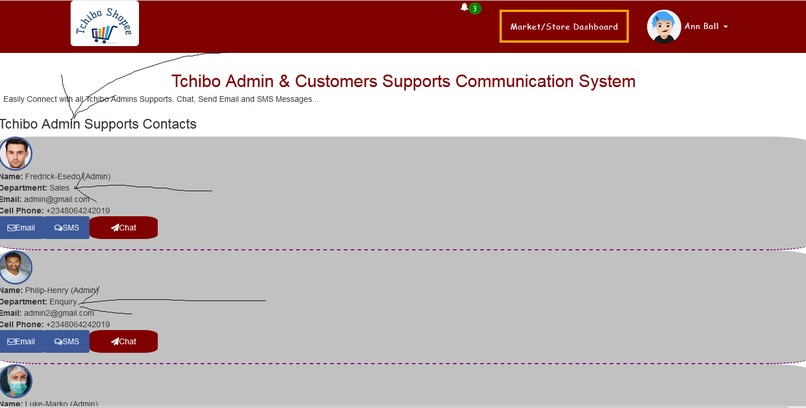
Tchibo Admin Supports Management System
-
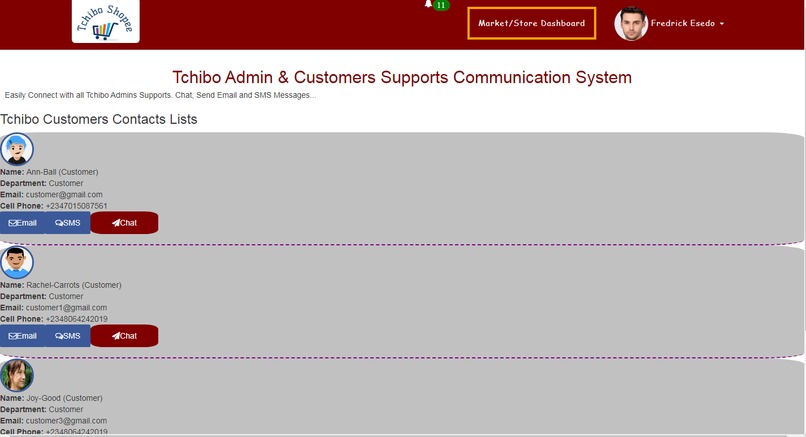
Customers Communication Contacts Lists
-
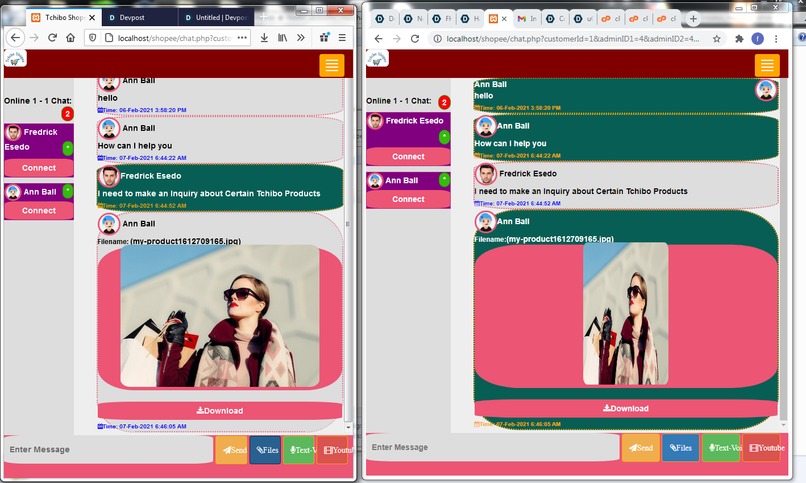
One to one Chat Collaboration between between Tchibo Admin and Customers
-
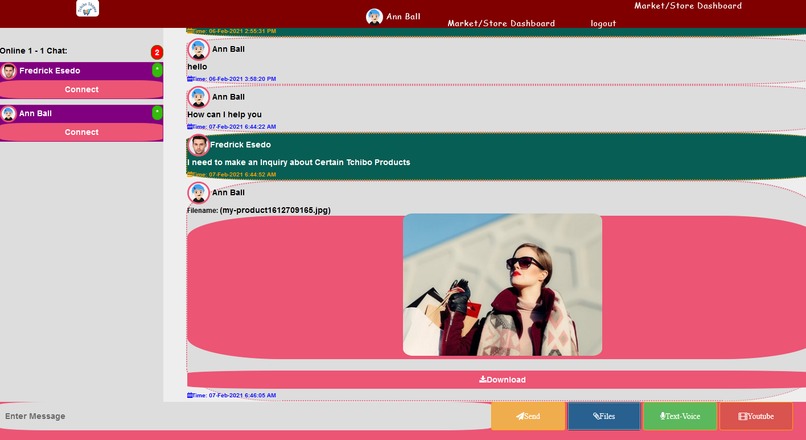
One to one Chat Collaboration between between Tchibo Admin and Customers


Short description of how it it flows.
Inspiration
An Amazing E-Commerce Experience heavily depends on the interactions between the various Tchibo Admins and their respective Customers.
How you threat your Customers matters alot. Here we go...
Tchibo Shopee as an Interactive Web rewarding and dynamic calendar based online digital application that provides an amazing E-Commerce learning Experience
for Tchibo Admins and their Customers
The User Experience
The application has two Interface one for Customers Signup and Login and the other for Tchibo Admins Signup
and Login
From Tchibo Customers End
The Tchibo Customers signup into the app using his Bio Data. Customers Email Address and Phone Number is very essentials for this Registrations to enable Customer to recieve Email and SMS Automation messages.
Since Tchibo Operates in Countries like German, USA, Poland, Slovekia etc., The Customer
will also pick up her country during signup and the Customers Purchasing Rewarding Points is set 0 since there
is no Current Purchase by the Customer at this point.
When Customer Login into the App, The applications displays the list of Tchibo Products by Making a call to Tchibo Products API, The Products is automatically paged 9 items per call. To Load More Products from Tchibo API, The Customer will Click Load More Content Button, This will load and display More Tchibo Products dynamically from the Tchibo Products API via an Ajax Call.
The Application leverages
1.) IBM Watson Language Translator: to Translate Products Description Contents from German to English
to provide better understanding of The Tchibo Products Descriptions to all Tchibo Customers from Tchibo English Speaking Countries
hence better Communications and more sales
2.) IBM Watson Text to Speech: This technology is leveraged to allow Tchibo Customers to convert the Products Description
text to Voice Message. This will boast more Products Sales especially from Tchibo Customers with impaired visions
The Tchibo Customers has the following Systems on his/her Dashboard when Loged in.
1.) Purchasing System & Products Calendar Tracking.
2.) Tchibo Admin Supports(Via Email, SMS and Realtime One to one Chat with Voice message and file exchange options)
3.) Future Purchase Planning & Calendar Plan Tracking
4.) Customers Purchasing Power Rewards Systems
5.) Issues Creations and Management System with Calendar Tracking
6.) Inventory Management Reminders System with Calendar Tracking Analysis
7.) Tchibo Customers Purchasing Power Per Country Statistics and Charts
8.) Tchibo Customers Daily Products Purchase Calendar Management System.
9.) Products Search Engine, Issues Search Engine Systems.
10.) Realtime Notifications alerts on Products Purchases, Comments, Issues etc to and from the various Tchibo Admin and the Customers
Lets Explain the functions one after the other.
1.)
Purchasing System & Products Calendar Tracking.
When a Customer Purchase a single TChibo Products from the applications, He gains a Purchasing Rewards of 10 Points If the Quantity of the Item Purchased is 3 then Rewarding Points is 3 * 10.
Now lets Assume the Customer is from USA then, the Customers Country(Eg. USA) Purchasing Power gets incremented by
1 so if the Quantity of Products purchased is 4 then it becomes 1 * 4 = 4
.
The Application uses this Customers Purchasing Power Per Country Statistics Updates to Evaluate the Tchibo
Customers Countries that Patronizies the Tchibo Products the Most. The Applicatio uses the Updated data to dynamically plot
a Customers Purchasing Power Per Country Statistical Charts for easy evaluations.
2.)
Tchibo Admin Supports:
This option allows the Tchibo Customers to have direct one to one interactions with various Tchibo Admin Sections via Email and SMS
The Chat Options is Powered by Real-time Socket.io and Nodejs Full-Duplex Communications
Realtime Chat Features includes:
a.) Ability to send Chat text messages one to one between Various Tchibo Departments and Customers in realtime.
b.) Ability to Share Files, Documents, Pdf, Videos etc. between Various Tchibo Departments and Customers in realtime.
c.) Ability to Convert Text Messages to Voice/Audio to help Tchibo Customers with impared vision powered by
IBM Watson Text to Speech Synthesis
d.) Ability to send and share Youtube Education Videos one to one in chats between Various Tchibo Departments and Customers in realtime.
e.) Displaying Typing Notifications during chat.
f.) Displaying Online Presence between communicating Tchibo Departments and Customers in realtime.
g.) Triggers realtime alert Sound Notifications on Message arrivals and receptions etc.
3.)
Future Purchase Planning & Calendar Plan Tracking:
This Option allow Tchibo to create more Sales and Revenue by allowing Customers who has Immediate Financial problems
to plan their Products Pourchase ahead of time.
Customers will never miss any Tchibo Products that they like again. As a Customers, have you been to a Shopping Center and you saw a Products that you
like but you do not want to buy/purchase it immediately may due to financial Constrains or some other reasons?.
Do not worry, Our Automated Shopping applications gets you covered.
You can now plan your future purchase with Tchibo System.
You can Plan, note and list all the items that you want to purchase with
Tchibo in future. Our System will track the Products in your Plan Calendar and then get you reminded and notified
when the time comes via our automated Email and SMS notification Messaging on the date that you declared.
4.)
Customers Purchasing Power Rewards Systems:
Use this System to view your Fellow Customers Purchasing Rewarding Points to see who is on the top. This will encourage the Customers to do more turn up, buy more products to be able to stay on top and between to win a Rewarding Prize for his/her Tchibo Products Purchasing Power.
5.) Issues Creations and Management System with Calendar Tracking:
You are having an Issue with your Tchibo Products may be your Products delivery was delayed by Tchibo due to some reasons. You can use this options to open an Issiue with Various Tchibo Admin. You can set and update Issue Status(Open or Closed) and Issue Priority(Eg: High, Medium, Low)
When a Tchibo Customer Creates an Issue, The applications Updates the Customers Calendar System with the Issue details and then send a realtime message broadcast to all Tchibo Admins about the issues. The Tchibo Admins can access the Customers published issue from either
a.) the Customer Issues Calendar and Issues Post Timeline and then Get back to the Customer in the Comments section.
b.) The Tchibo Admin can also access the Customers published issue from the Real-time Notification Icons and can get back to the Customer from their in the comment section.
Always Refresh the Calendar or Notification Alert System by clicking on their Refreshing Buttons Respectively.
Once the issue is resolved, the Customer can update the Issue Status to Closed and a Notification message Count is sent to all Tchibo Admin to that Effect.
6.) Inventory Management Reminders System with Calendar Tracking Analysis:
This System enable Tchibo Customers store Products and get notified before they run out of Tchibo Products in their stores, fridges, Kitchens and homes via Email and SMS Messages notifications.
Inventory help Customers to keep tracks, monitory and updates quantity of an Item or Products in their Stores. You as as TChibo Customers can now monitors and updates your Coffee Packs or Items etc. in Your Fridges, Stores, Kitchens and Home etc.
About Inventory Threshold Value Automations:
Lets say you have 20 packets of Tchibo Coffee in your Fridge, and you do not want run out of it. You can create an inventory to store the quanTity of the products. you will then set the Alert Threshold Value eg 1, 2, 3 etc. If for example you set your Alert Threshold to 2 and you have 20 Tchibo Coffee Packs in your stores. once the Products remains only 2 in your Store. The application will automatically send you Email and SMS Messages Reminders to let you know that you now have only 2 Coffee Products left in your Store.
This Inventory Automation Reminder System ensures that Customers will never run out of Tchibo Products. This will encourage the Customers to Continue buying Tchibo Products going Forward..
7.)Tchibo Customers Purchasing Power Per Country Statistics and Charts:
Know Your Customers better.
Tchibo has Customers from various Countries ranging from Germany, Switzerland, Austria, Czech-Republic, Slovakia, Hungary, Turkey, USA, Poland.
This Statistical Charts will help Tchibo to know the Countries Customers that Patronizes their Tchibo Products the most and those Countries that are lacking behind.
How Does this Country Customers Statistics Works. When a Customer select his Country eg.German, USA, Poland etc. at signup, The application place the Customers at a Reward Point 0 and at Game Level 1.
Now each time someone from a particular country says German Purchase a Tchibo Products from our App, the Customers gains Rewards of 10 Points awards which is added to his Profile and its Countries(German) Purchasing Power gets incremented by 1.
Products Quantity Dependency
The Increase in the Customers Rewarding Points and Countries Purchasing Power also depends on quantity of Tchibo Products being Purchased. Eg. If a Customer buys a Tchibo Coffee Packs and the quantity purchased is 3. then the rewards Points is 30(ie 3 * 10) and then his Countries purchasing power becomes 3(ie 3 * 1)
8.)Tchibo Customers Daily Products Purchase Calendar Management System:
This Components allows the Customers to track all the Products he/she has already purchase directly from his Dashboard Post Timeline and from the Tracking Dynamic Calendars for future recalls.
9.) Products Search Engine, Issues Search Engine Systems:
This components allows the Customer to Search Tchibo Products by Product Id. There is also another Search Engine for Each search management options for the Customers.
10.) Realtime Notifications Alerts
The Alerts Notification System keeps track of all realtime messages on Products Purchases,
Comments, Issues etc to and from the various Tchibo Admin and the Customers
Very Important
1.) Always use The Notification Refresh Button to refresh the notification alerts to see if there is a new alerts updates.
2.) Always use The Calendar Refresh Button to refresh the Calender alerts to see if there is a new alerts updates in the Calendar data tracking.
From Tchibo Admins End
The Tchibo Admin signup into the app using his Bio Data. Customers Email Address and Phone Number is very essentials for this Registrations to enable Customer to recieve Email and SMS Automation messages.
During Signup, The Tchibo Admin will indicates its Working departments/Section Eg: Enquiry Section, Operations, Customer Services, Sales Departments etc..
Once Logged In, the Tchibo Admin is Presented with the Following Features on its Dashboards.
1.) Customers Supports Communications
2.) Customers Rewards System
3.) Customers Daily Products Purchase Postline and Calendar Tracking System.
4.) Customers Daily Published Issues and Issues Calendar Tracking System.
5.) Tchibo Customer Countries Products Purchasing Power Statistics.
6.) Products Management Search Engine.
Lets take them one after the other.
1.) Customers Supports Communications:
This option like I stated above allows the Tchibo Admins to have direct one to one interactions with their Customers via Email and SMS
The Chat Options is Powered by Real-time Socket.io and Nodejs Full-Duplex Communications. The Chat options allows the one to one Chat Text Messages, Voice message and Files Sharing options between Tchibo Admins and their respective Customers one to one.
2.) Customers Rewards System:
The Tchibo Admins use this System to view all Customers Purchasing Rewarding Points to see who is on the top. This will help various Tchibo Admin departments to access and award a winning Prize to the best and top Customers who Purchase their Products the most. The More the Customer tries to Patronize Tchibo Products, the cahnces is that He/She will be on the top of the winning list.
3.) Customers Daily Products Purchase Postline and Calendar Tracking System:
This Options allows various Tchibo Admin departments to access all the Products Purchase made daily by their Customers either from the
the Purchase Timeline or directly from the Purchase Daily Calendar Tracking System.
All Purchase made daily are stored in the Calendars. This make tracking of the Products Purchase easy.
Consequently, the Tchibo Admin can also Click on the Purchase Item and send a Thank you Message
to the Customer on that Products Comments Sections . This automatically send
a Realtime notification message Count to the Customer. The Customer can also reply back in the Comment section which also
sends an alert to Tchibo Admin and so on.
4.) Customers Daily Published Issues and Issues Calendar Tracking System:
This options allow various Tchibo Admin to access and respond to Complaints/issues published by their Customers. All this issues are sent with Issue Status(Open or Closed) and Issue Priority(Eg: High, Medium, Low) depending on the urgency.
When a customer creates an issues. This is what happened to The Tchibo Admin Ends.
A.) The issues are automatically Broadcasted to all the various section of Tchibo Admins via our apps Realtime notification System.
Always Click on Refresh Notification Button to get new alerts updates
B.) The issue is automatically stored on the Issue calendar at the various Tchibo Admin ends for easy access.
Always Click on Refresh Calendar Button to get new Calendar storage updates
C.)The issue are displayed on the Admin Issue Timeline.
The Admin can reply the issues back to the Customers and this will send a Realtime Notification Message back to Customers and interactions
continues to flow. Once the issue is resolved, the Customer who created the Issue can update the Issue status to Closed and various
Tchibo Admin will recieve a notification updates to that effects.
5.) Tchibo Customer Countries Products Purchasing Power Statistics: This has been explained above.
6.) Products Management Search Engine: Currently, The Tchibo Products API allows products search by PRODUCT ID.
This option allow the admin to search Products from the API via an ajax auto suggestion search.
Accessing the Application with already made account.
For Admins:
Email: [email protected]
Password: 123
For Customers:
Email: [email protected]
Password: 123
How we built it
The application was built using TChibo Products API, IBM Watson Language Translator, IBM Watson Text to Speech, Google StatistIcaL Chart API, SMS Gateway API,
IBM Foundry for Nodejs app hosting, PHP, Curl, Mysql, Ajax/Jquery, Bootstraps etc.
For Real Time Chat System, I leverage Nodejs and Socket.IO. This is because it offers full duplex communications. Instructions on how to run the Nodejs Server can be found in the readme.txt file in the uploaded source Code Realistically, The nodejs Server will be running at Port 8080. and it can be set or seen at Chat.php file.
// set chat Url
var url_chat ="http://localhost:8080";
If you are using notepad++, the line of code above should be seen at 1311 code line
Challenges we ran into
my little issue is Creating Pagination with the TChibo Products API. Am glad it was successful. I was able to perform Products API Paginations via an Ajax Call Dynamically Load Contents

Log in or sign up for Devpost to join the conversation.