-
-
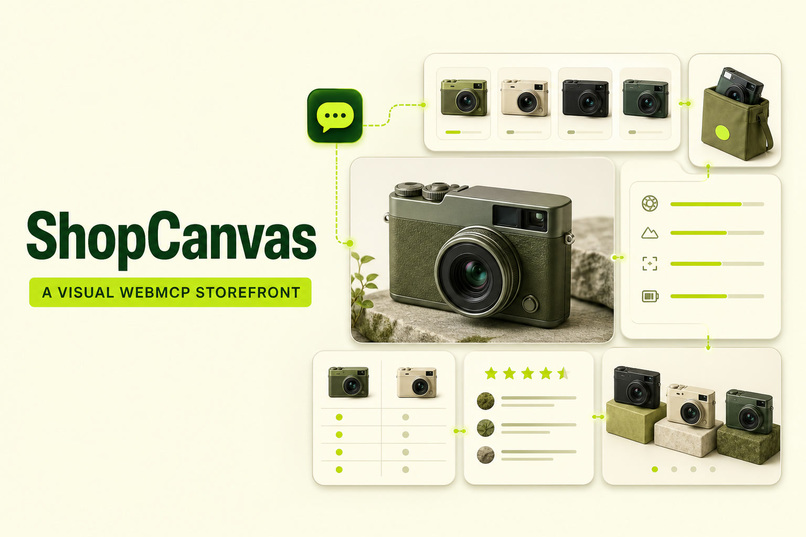
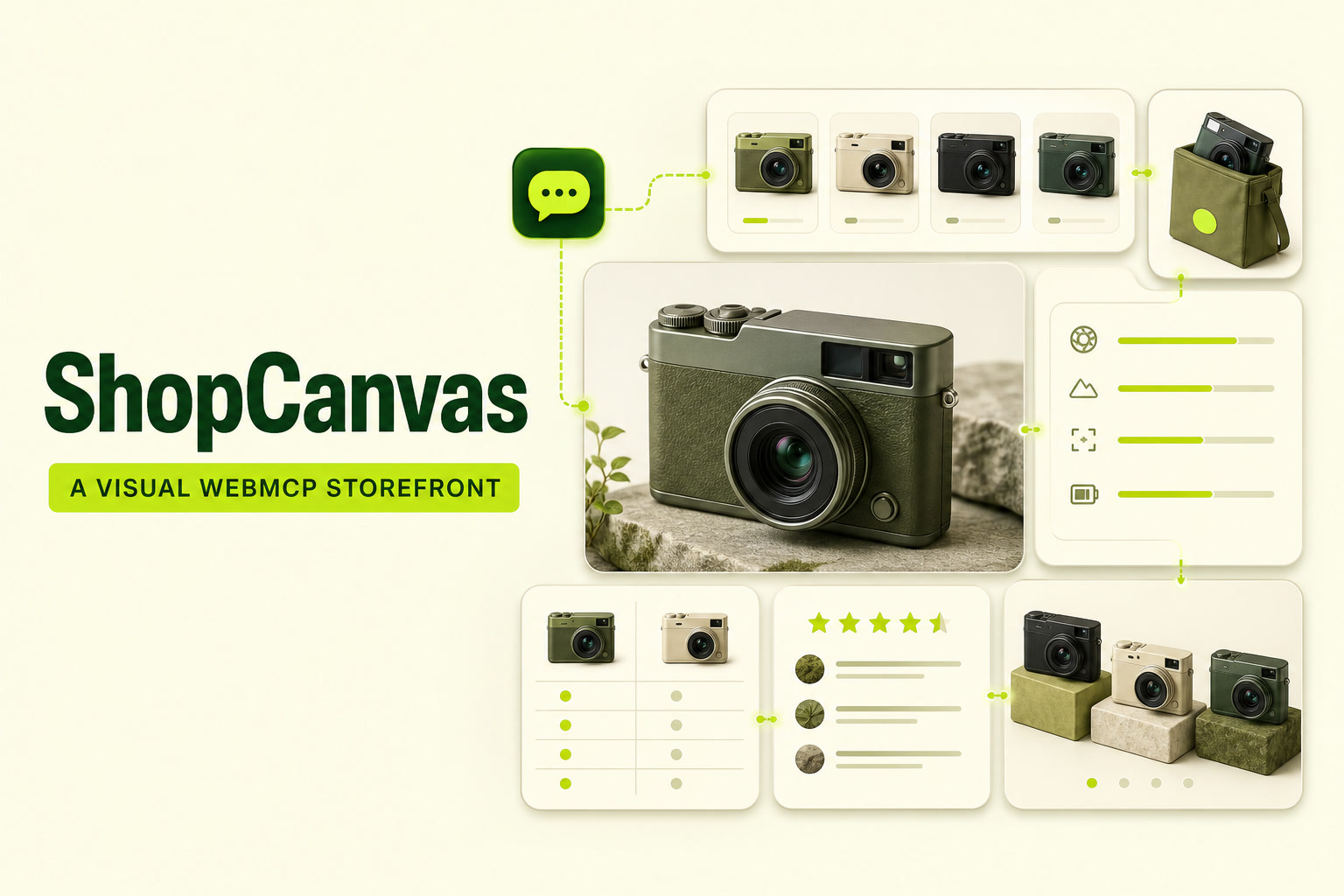
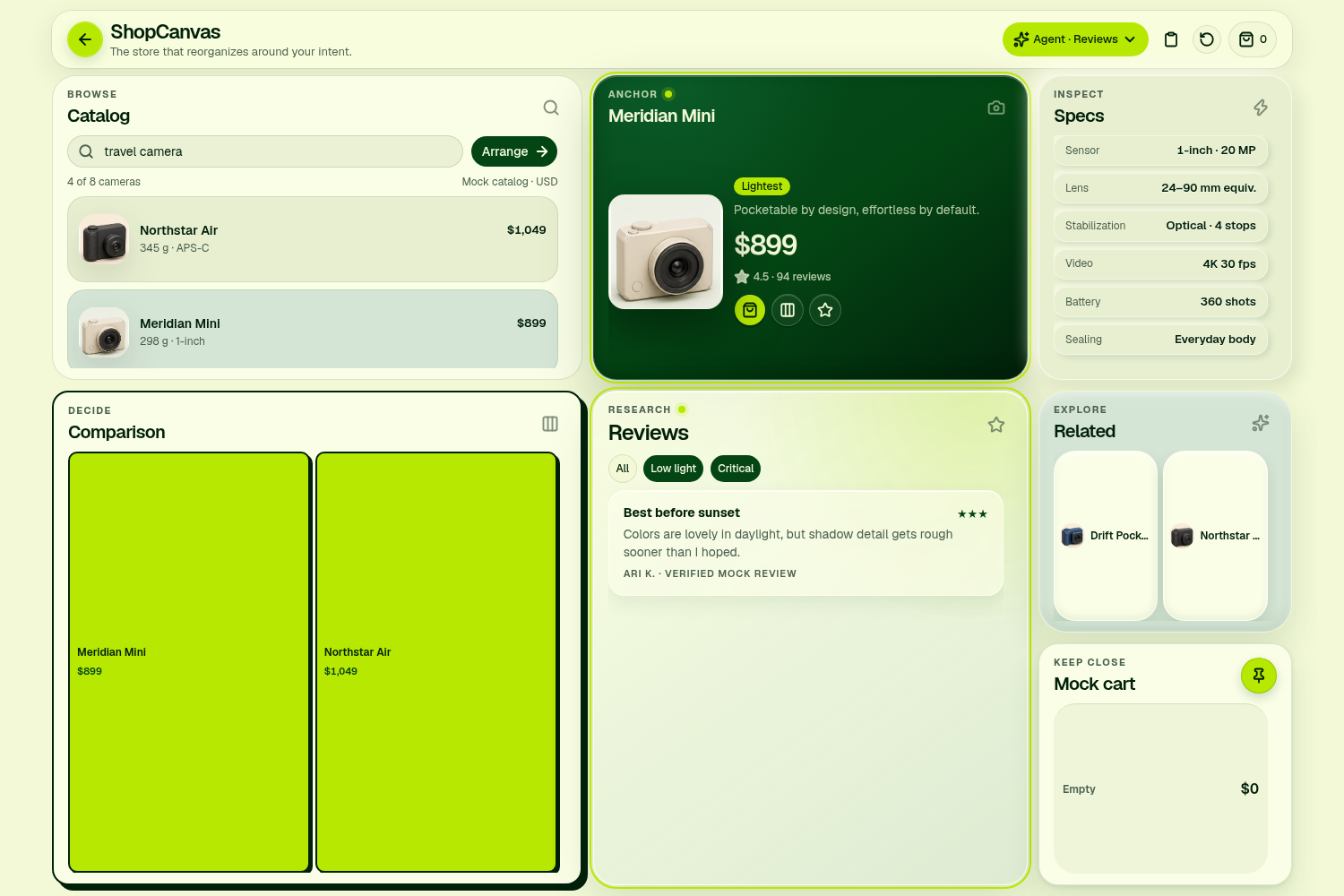
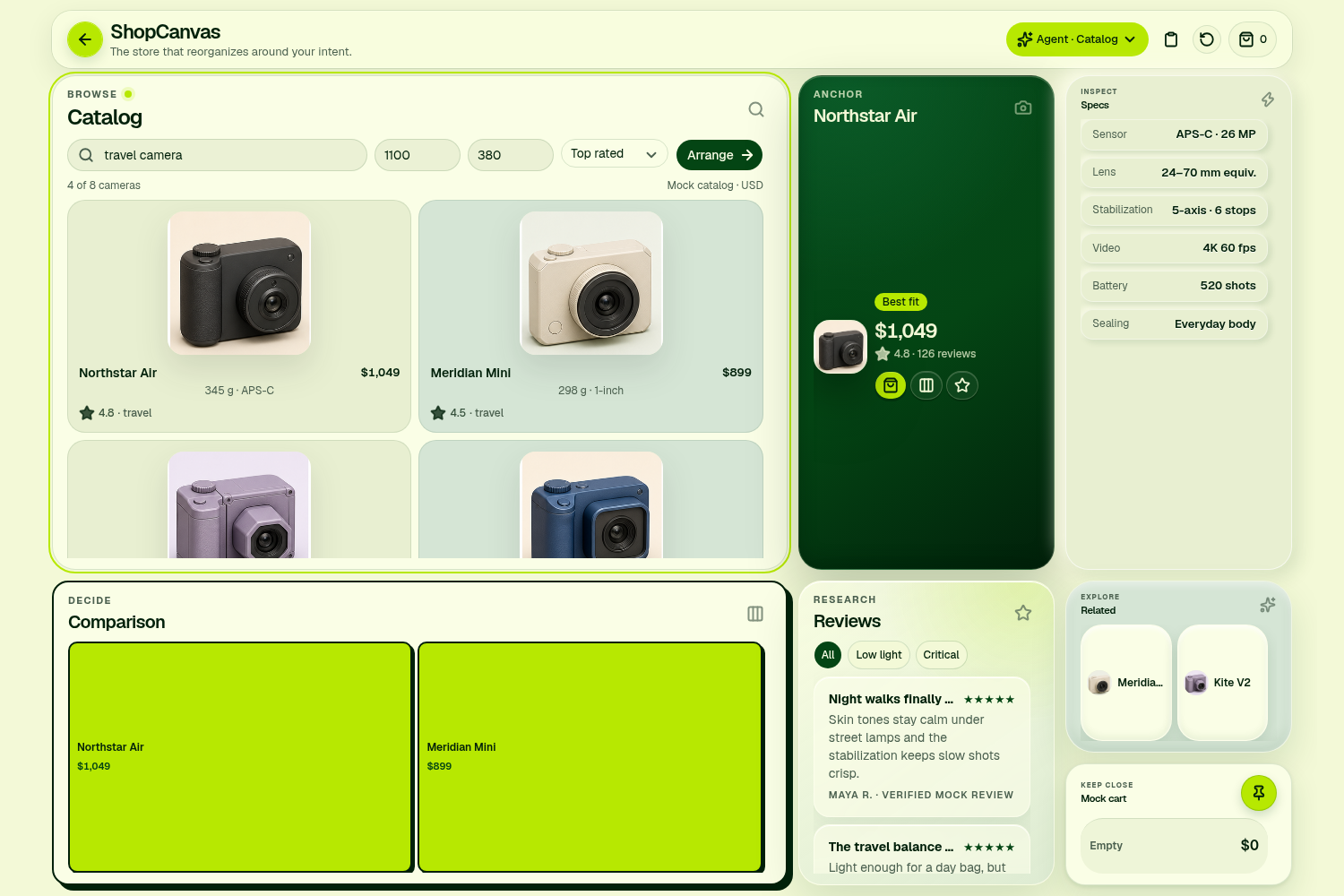
ShopCanvas: a visual WebMCP storefront.
-
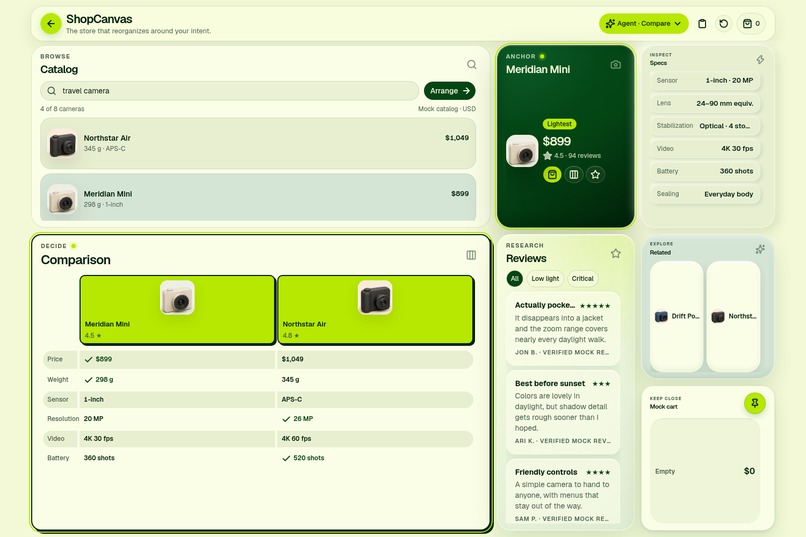
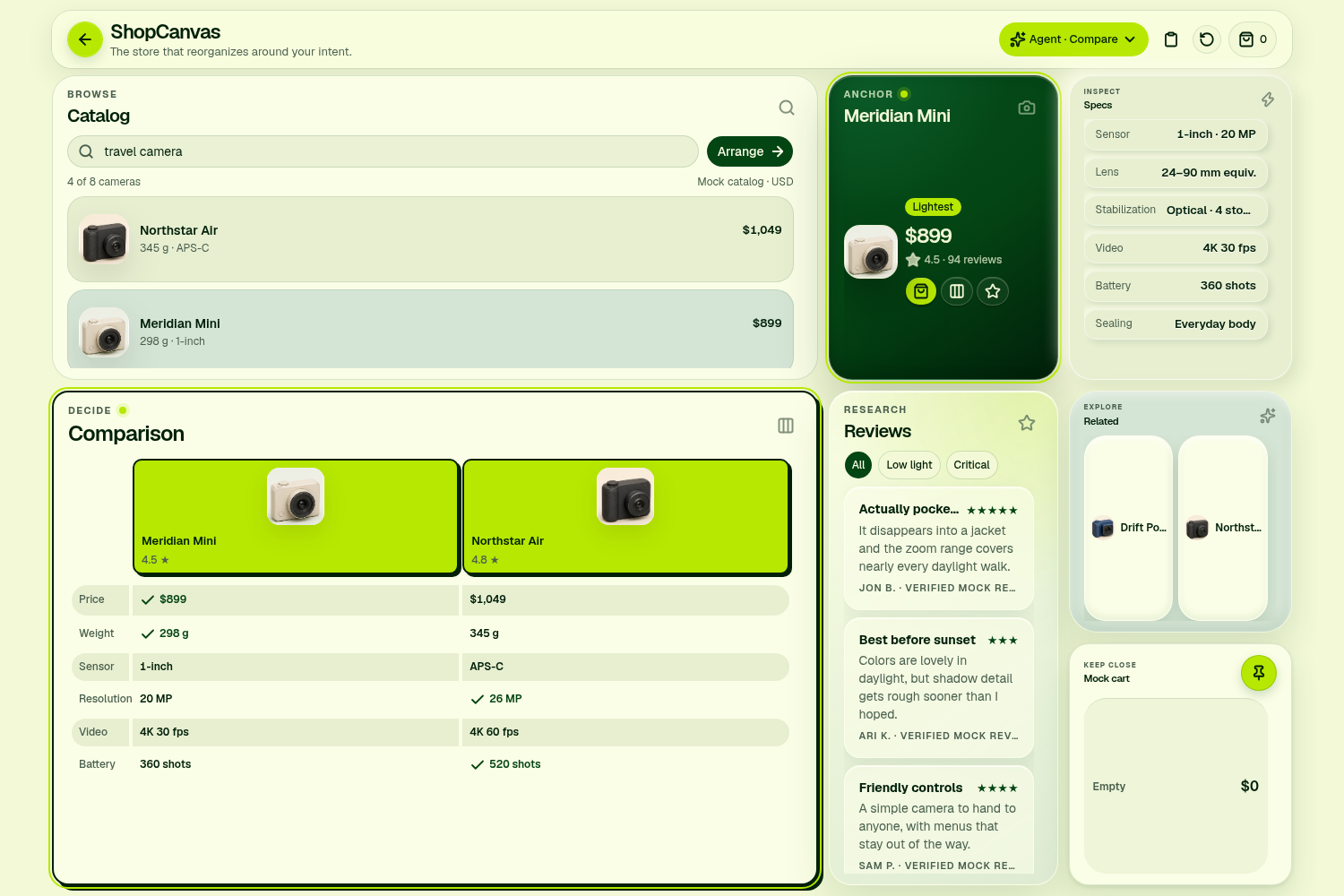
compare_products presents key tradeoffs side by side.
-
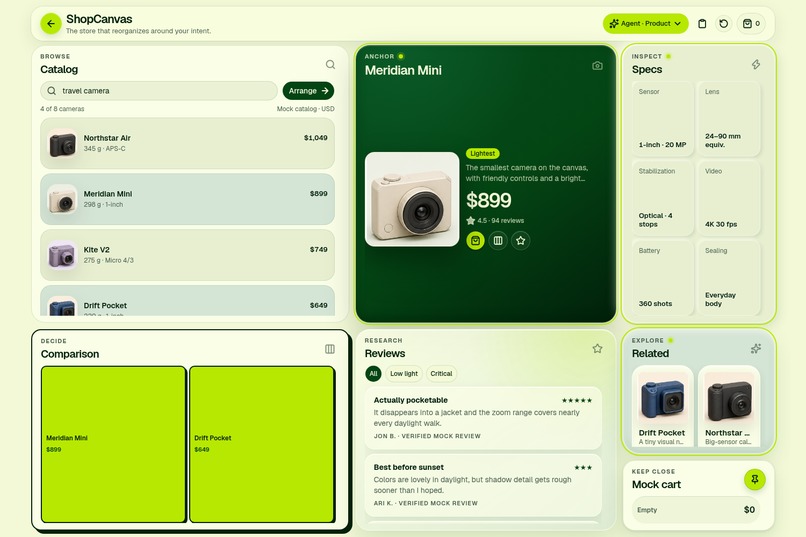
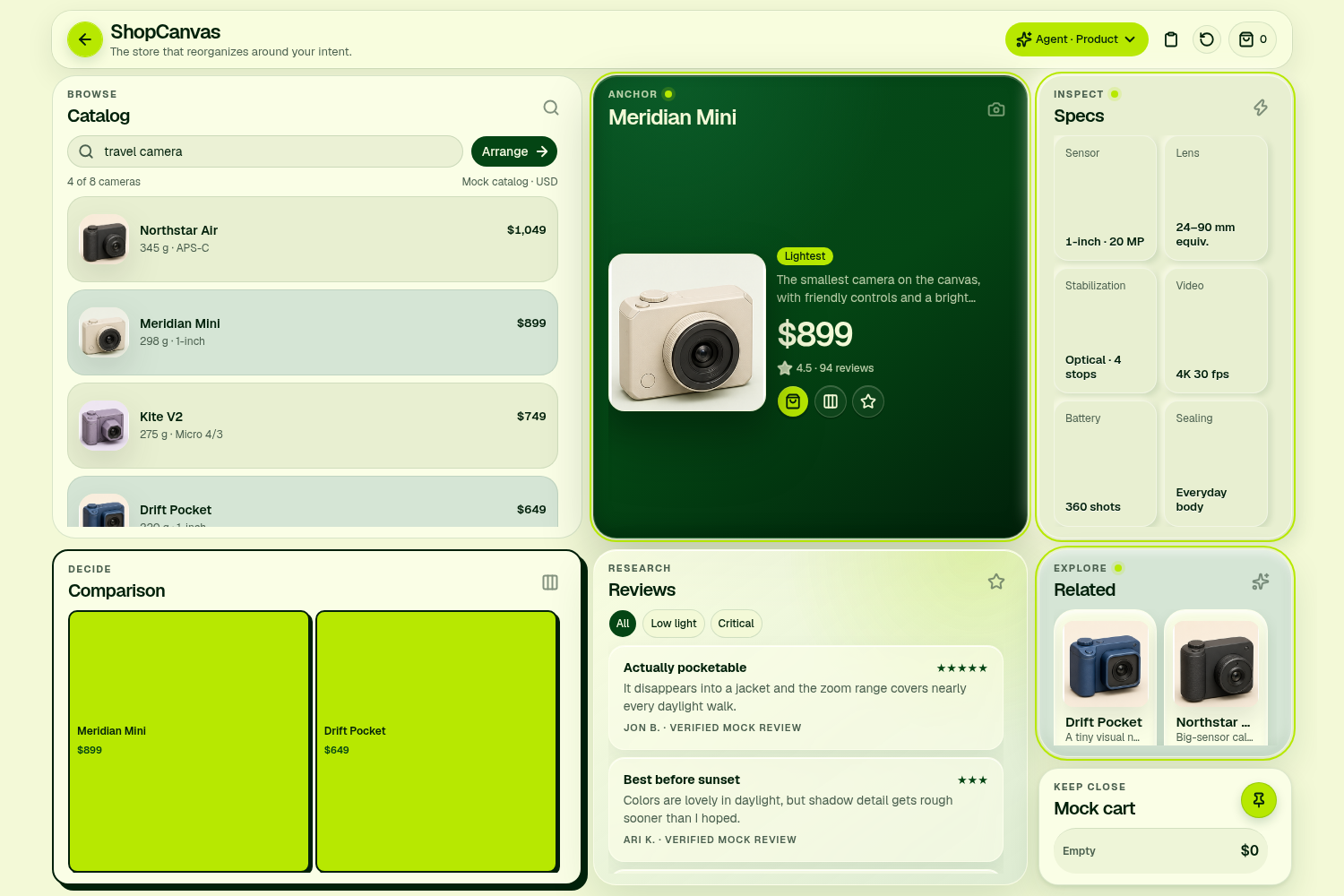
inspect_product expands product details within stable bento cells.
-
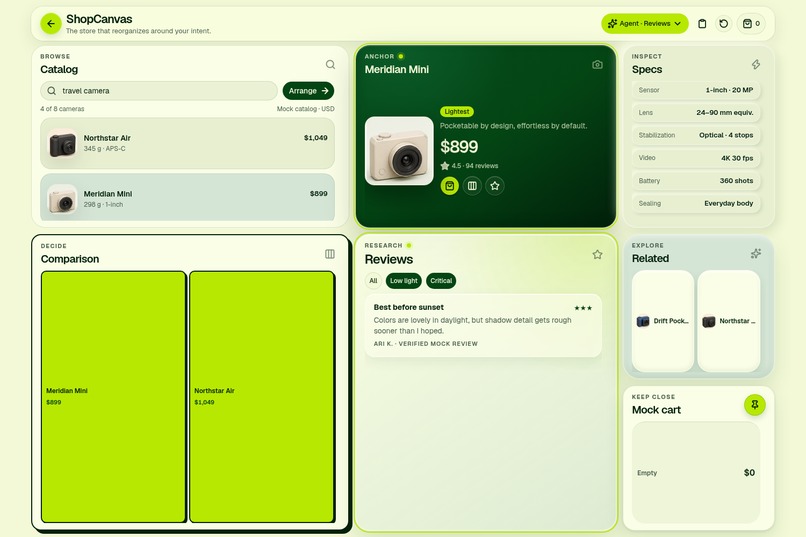
show_reviews filters critical low-light feedback.
-
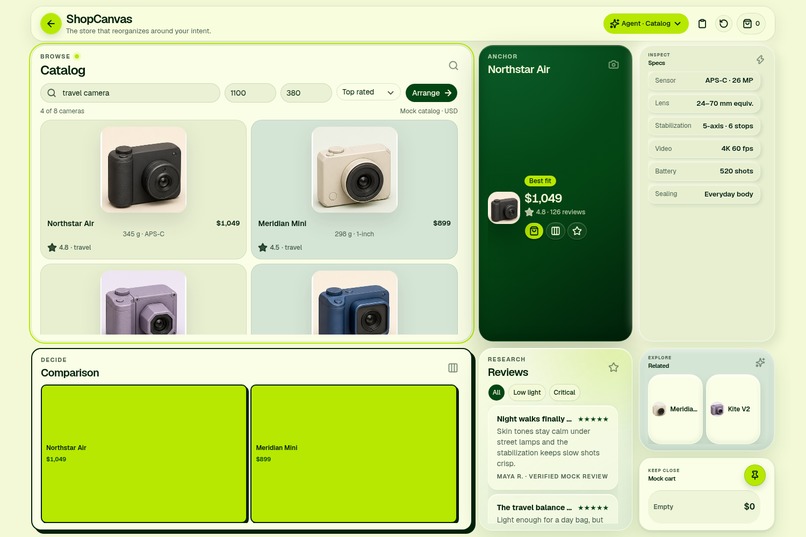
search_products reshapes the catalog around the request.
Inspiration
Shopping online often means repeatedly leaving the product you are considering. Specifications live in one section, reviews farther down the page, comparisons somewhere else, and the cart on another route. That visual travel creates cognitive travel: shoppers must remember their original question while the interface continuously changes context.
At the same time, browser agents can feel disconnected from the websites they operate. Actions happen in the background, and users only see the final response in a chat.
ShopCanvas began with a question: what if using an agent felt like having a conversation directly with the website? We wanted every request to produce an immediate, understandable visual response on one shared surface.
What it does
ShopCanvas is a fictional camera store presented as an adaptive bento-grid workspace.
Users can ask a browser agent to:
- Search and sort products
- Focus on a specific camera
- Compare multiple cameras
- Filter product reviews
- Update a local mock cart
ShopCanvas exposes these capabilities through five imperative WebMCP tools: search_products, inspect_product, compare_products, show_reviews, and set_cart_quantity.
Every tool call visibly affects the page. The relevant cells expand smoothly, receive a temporary highlight, and display an acknowledgement naming the agent’s action. An accessible live region also announces what changed.
All seven cells remain mounted in permanent grid positions. They expand or contract without teleporting, reordering, or appearing from nowhere. Dense content scrolls inside its cell while the overall page remains fitted to the viewport.
Manual controls and agent actions use the same state transitions, so the user and agent always share one source of truth. A Back control restores previous canvas states, while session data persists locally between reloads.
How we built it
ShopCanvas is a static React and TypeScript application built with Vinext, Tailwind CSS, shadcn/ui, Zustand, Motion, and AJV.
The mock catalog, reviews, product names, and imagery are bundled locally. There is no authentication, backend database, payment processing, or checkout flow.
WebMCP tools are registered from the top-level document using document.modelContext.registerTool(...). Each tool includes:
- A bounded JSON Schema
- Runtime AJV validation
- Rejection of unknown properties
- Cancellation support
- Concise, JSON-serializable results
- A visible UI acknowledgement
- A result returned only after the interface commits the change
Both manual interactions and WebMCP calls dispatch the same semantic store actions. Session state is versioned and persisted in localStorage. Agent mutations are serialized, and cancelled operations use guarded rollback logic to avoid corrupting later changes.
Because reviews represent user-generated content, review results are explicitly marked with untrustedContentHint: true.
We used Playwright to validate the interface across desktop, tablet, mobile, and short-laptop viewports. Tests cover all five tools, persistence, malformed input, cancellation, concurrent calls, keyboard navigation, internal scrolling, fixed panel identity, responsive geometry, and visual regressions. A separate native-browser test discovers and executes the tools through the browser’s real document.modelContext implementation.
Challenges we ran into
The hardest challenge was preserving spatial continuity. Our early layouts replaced and reordered cells whenever the user entered a new state. Although functional, the result felt abrupt and contradicted the core idea of a stable workspace.
We redesigned the grid so every cell has a permanent named slot. State changes now animate only the grid-track dimensions, allowing panels to expand and contract without being removed or moved.
Fitting seven useful panels inside one viewport was another significant challenge. We avoided shrinking text until it became unreadable. Instead, each cell received a carefully bounded layout and its own keyboard-accessible scrolling region.
We also had to coordinate asynchronous tool execution with visible feedback. Updating application state was not enough: the tool result needed to wait until the user could actually see the committed interface. Cancellation, overlapping calls, local persistence, and manual actions all had to remain consistent.
Finally, WebMCP is still an evolving draft. We needed to accommodate differences between the current specification and native browser implementations while keeping the public tool surface small, predictable, and testable.
Accomplishments that we're proud of
We are especially proud that ShopCanvas makes agent activity visible without turning the interface into a debug console.
Every successful tool call has a clear visual consequence:
- The action is named
- The affected cells are highlighted
- The content changes on screen
- The grid resizes smoothly
- The tool waits for the visible commit
- The user can reverse the state with Back
We also maintained the identity and position of all seven panels across every state transition. The same interface works from a 320-pixel mobile viewport through desktop layouts without introducing page-level scrolling.
The complete application uses fictional data and original visual assets, requires no account, and remains fully usable through manual controls when WebMCP is unavailable.
What we learned
We learned that good agentic UX is not only about exposing capable tools. Users need to understand what the agent changed, where it changed, and whether the action completed.
Tool schemas are also part of the user experience. Small, bounded tools produced more predictable behavior than one large tool with many ambiguous responsibilities.
Another important lesson was that a state update and a visible UI update are not the same event. Waiting for the interface to commit made the interaction feel significantly more trustworthy.
Most importantly, spatial stability matters. When panels retain their location, users can build a mental map of the interface even while its proportions change.
What's next for ShopCanvas
Next, we would like to explore:
- Additional fictional product categories and workspace compositions
- Optional adapters for real product data
- Agent explanations showing why an item matched a request
- User-defined layout constraints beyond cart pinning
- Saved comparison workspaces
- Collaborative sessions across devices
- Richer accessibility preferences for motion, contrast, and density
- More advanced multi-step shopping workflows
We also want to continue refining ShopCanvas alongside the evolving WebMCP specification.
The long-term goal is broader than e-commerce: to explore websites as adaptive, shared canvases where people and agents collaborate visibly instead of exchanging commands with hidden background processes.
Built With
- ajv
- chatgpt
- css3
- html5
- json-schema
- localstorage
- motion
- node.js
- playwright
- react
- shadcn/ui
- siteswebmcp
- tailwind-css
- typescript
- vinext
- vite
- webmcp
- zustand

Log in or sign up for Devpost to join the conversation.