Inspiration
As a frequent online shopper, I grew frustrated with missing flash sales and overpaying for products I’d had my eye on—especially big-ticket tech items. I wanted a tool that worked around the clock, like a personal shopping assistant, to take the guesswork out of finding the best deals. The idea for ShopBot was born from that daily frustration: why not build something that monitors prices nonstop and acts fast when savings hit?
What it does
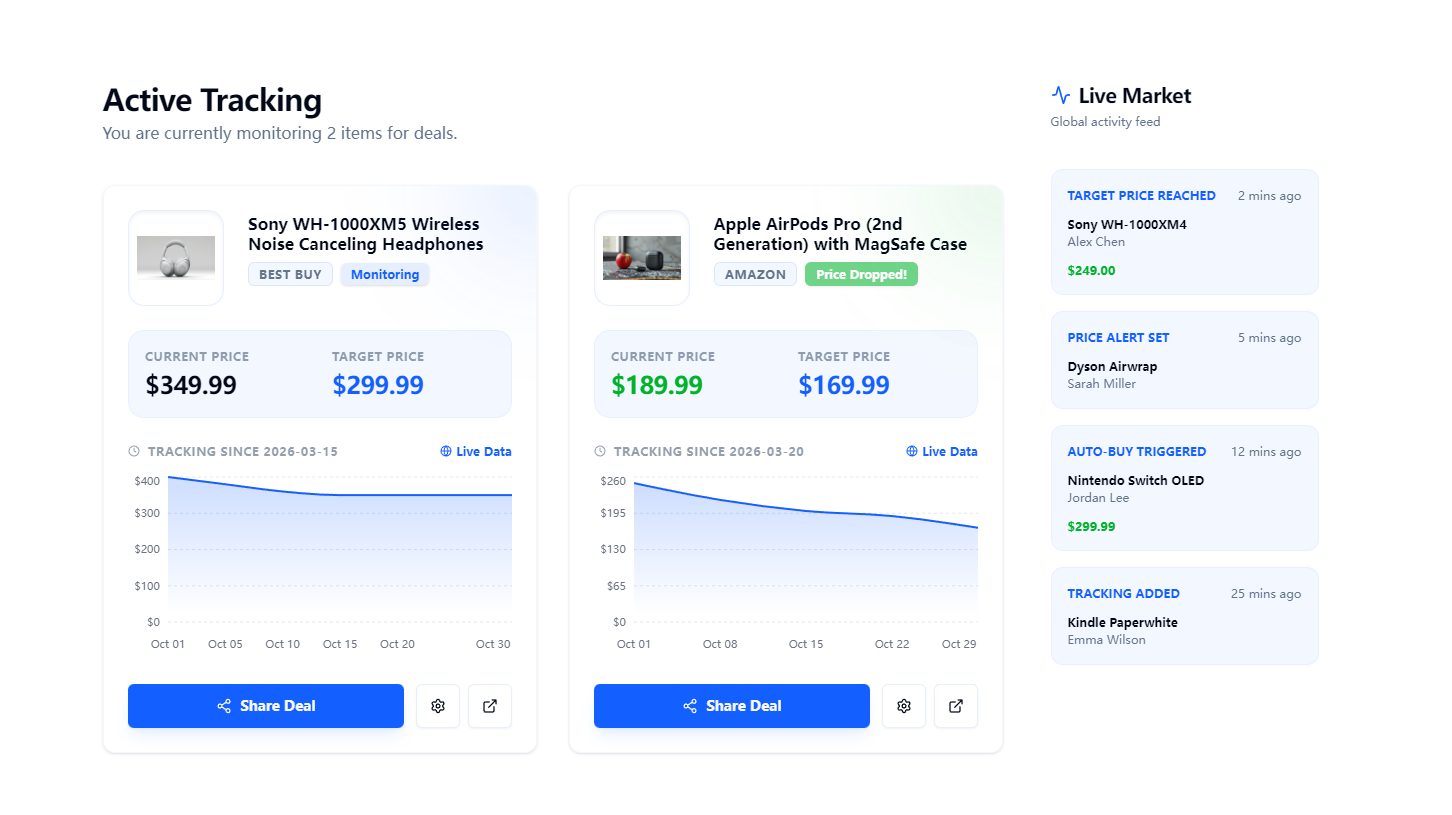
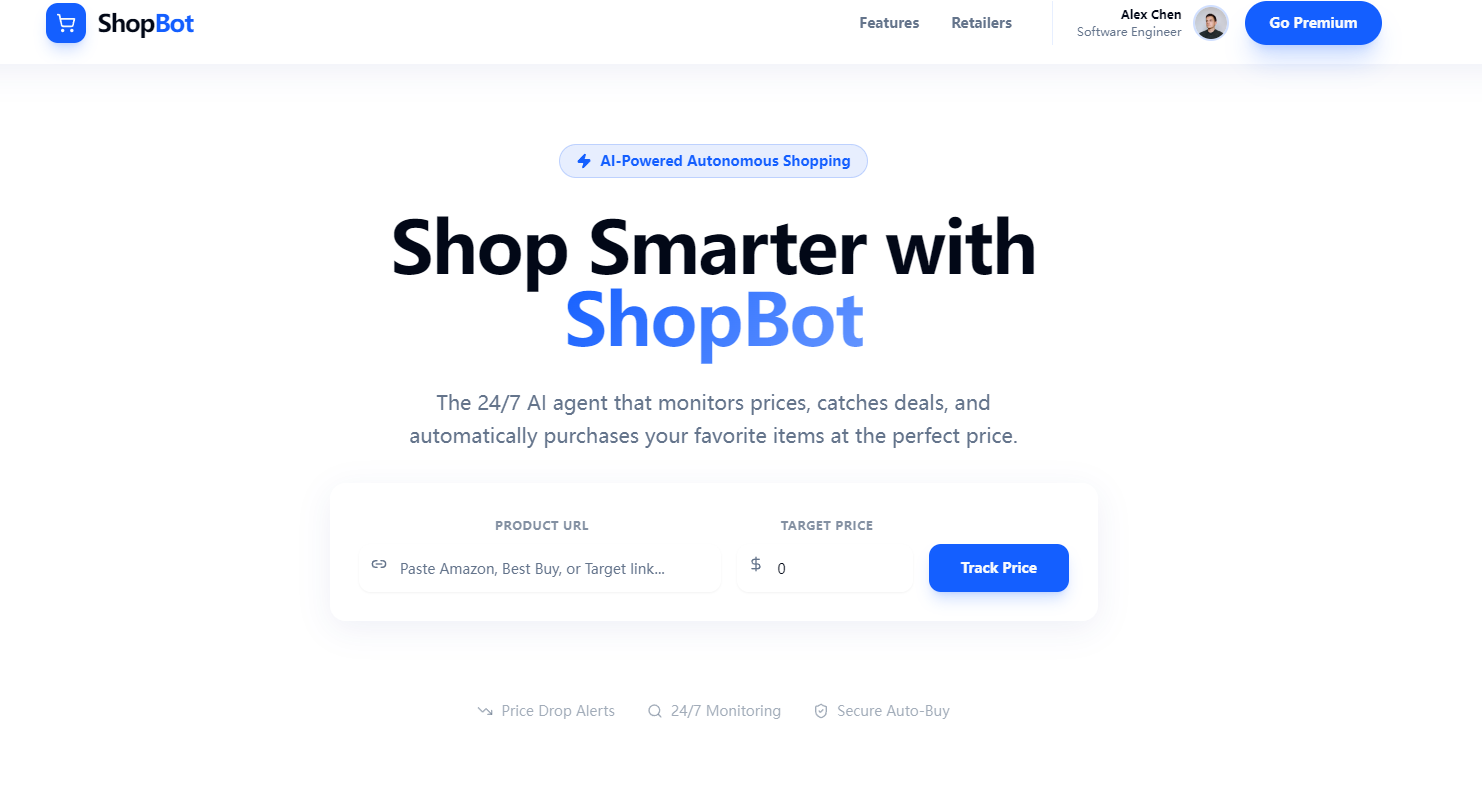
ShopBot is an AI-powered price tracking and autonomous shopping tool that lets users paste product URLs, set target prices, and get instant alerts when prices drop. Premium users unlock auto-checkout, so the tool buys items automatically at their desired price—no more racing to click "add to cart" before a deal ends. It tracks major U.S. retailers, displays price trends, and lets users share deals with friends easily.
How we built it
I started with wireframing the UI/UX in Figma, focusing on dynamic animations and a modern, immersive design to keep users engaged. For development, I used React to build modular components (product cards, dashboard, hero section) and integrated Chart.js to render interactive price history charts. CSS Gradients and the Web Animation API brought the visual vision to life—from sticky frosted-glass headers to scroll-triggered card animations. I prioritized responsive design to ensure seamless use across desktop and mobile.
Challenges we ran into
The biggest hurdle was perfecting the animation timing—getting scroll-triggered effects (like the "How It Works" step connector line) to feel smooth without lag, and price-update animations to be eye-catching but not distracting. Validating product URLs for supported retailers also required careful logic to avoid false errors, and balancing visual flair with performance was a constant tradeoff.
Accomplishments that we're proud of
I’m most proud of the polished, user-centric design that feels both functional and exciting. The product card status animations (like the green sparkle for price drops) make critical updates feel rewarding, and the responsive layout works flawlessly across devices. Seeing the demo dashboard with real-world-like tracking data come to life—with accurate price history and intuitive user flows—was a huge win.
What we learned
I deepened my understanding of front-end animation performance, especially how to trigger effects based on scroll position without hurting load times. I also learned to prioritize user feedback loops (like form validation shake animations) to make the tool feel intuitive, not just technically sound. Most importantly, I realized how small visual details (like glow effects, gradient accents) drive user engagement with utility tools.
What's next for this project
Next, I plan to expand support for more European retailers to serve shoppers across the EU, add personalized deal recommendations based on tracking history, and refine the auto-checkout flow to integrate with more payment methods. I also want to build a mobile-responsive modal for the premium upgrade flow and test the tool with real users to tweak the alert timing and UI microinteractions.

Log in or sign up for Devpost to join the conversation.