-
-
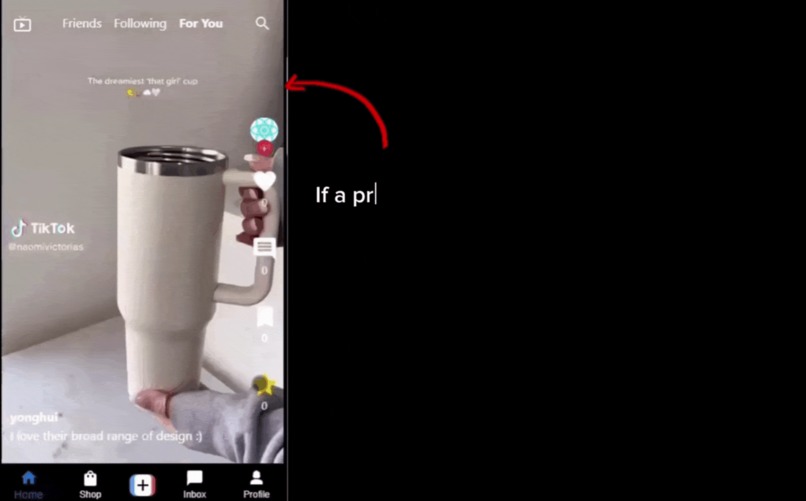 GIF
GIF
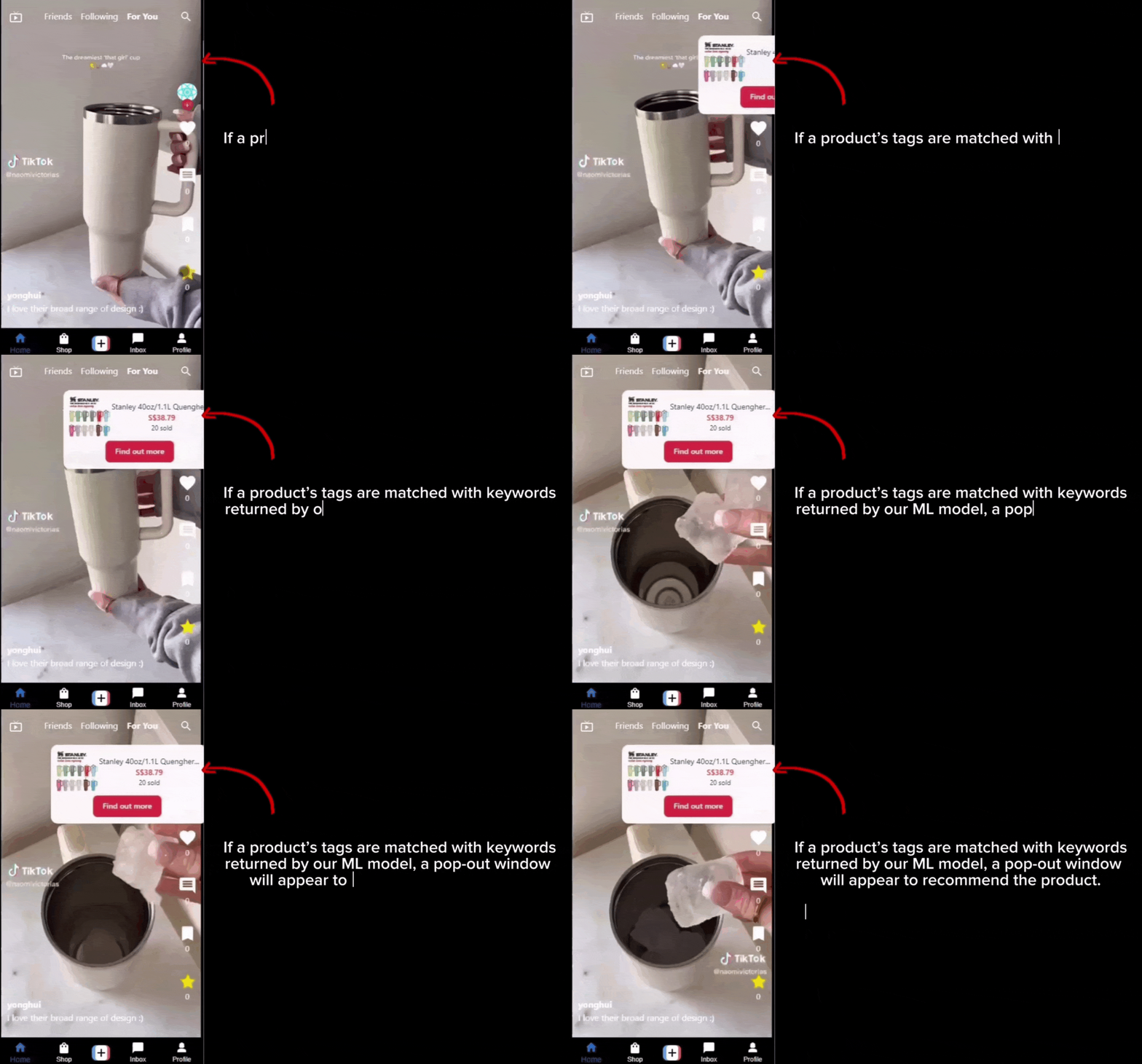
Product link while watching video. Users can choose to turn this off.
-
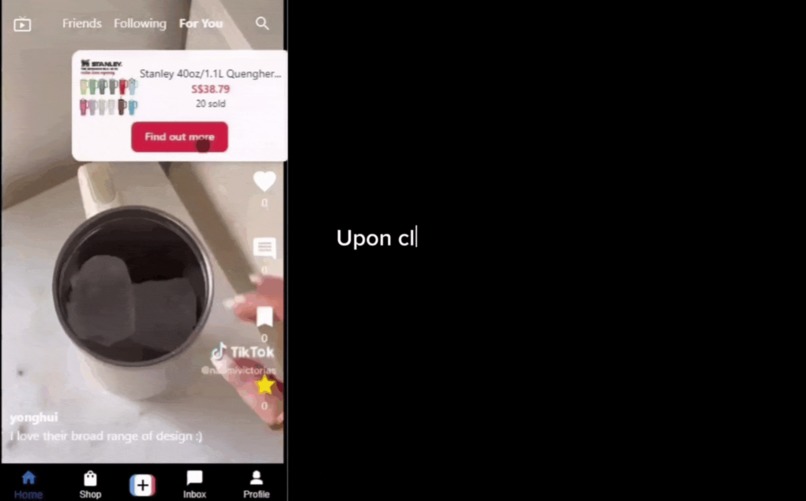 GIF
GIF
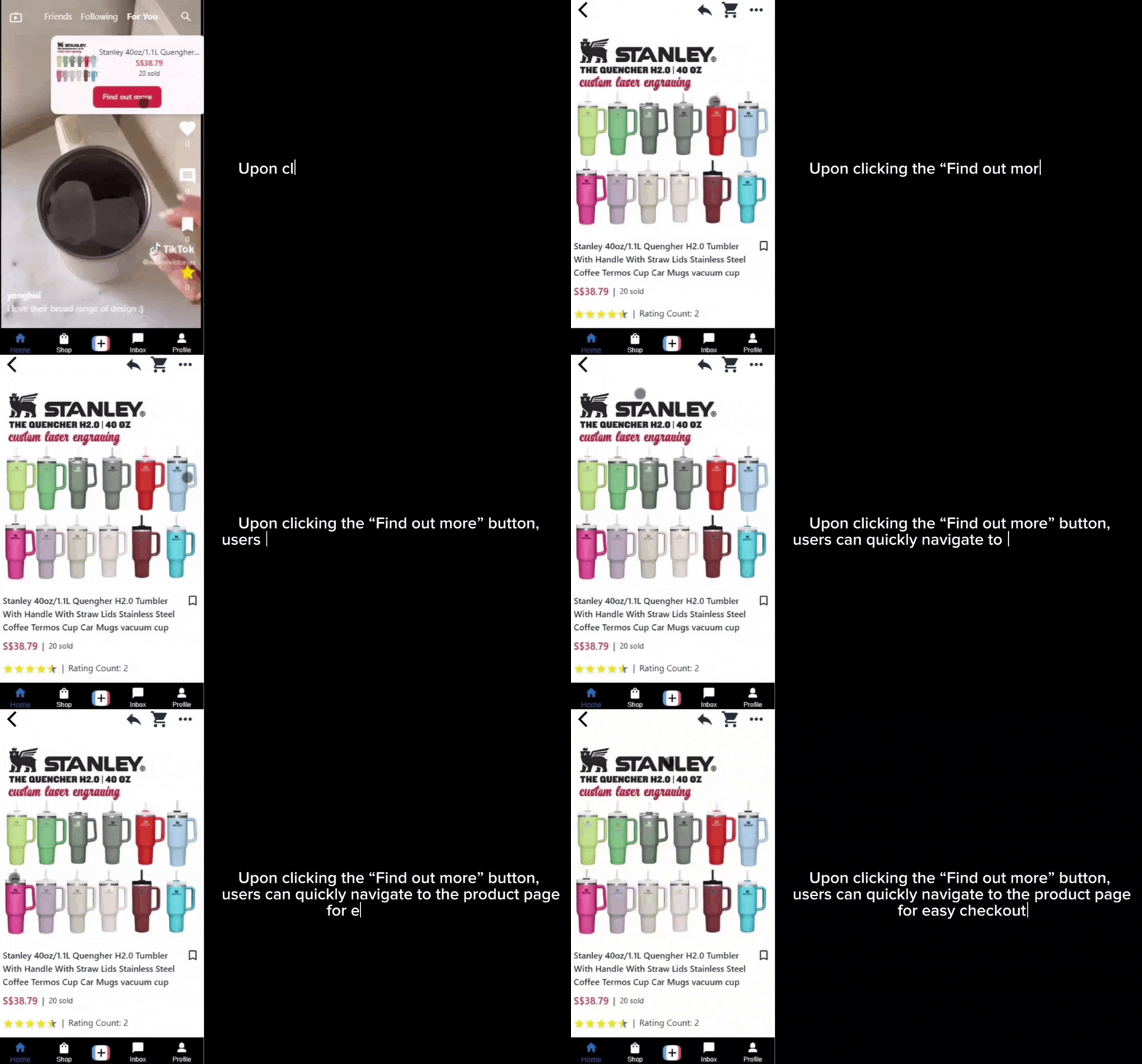
Clicking on "find out more" will bring users to the product page
-
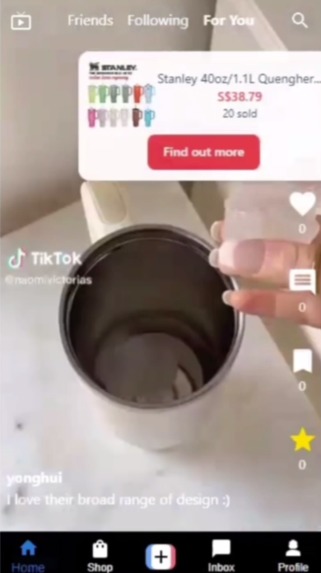
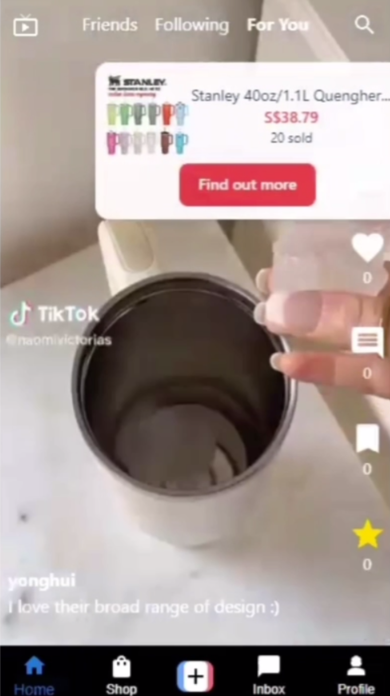
Star button and product link in-video. Clicking on the link would bring you to the exact product page shown in the video.
-
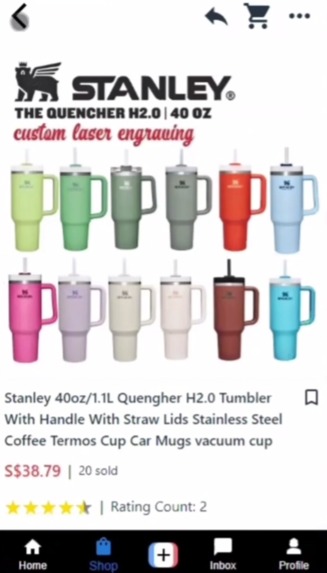
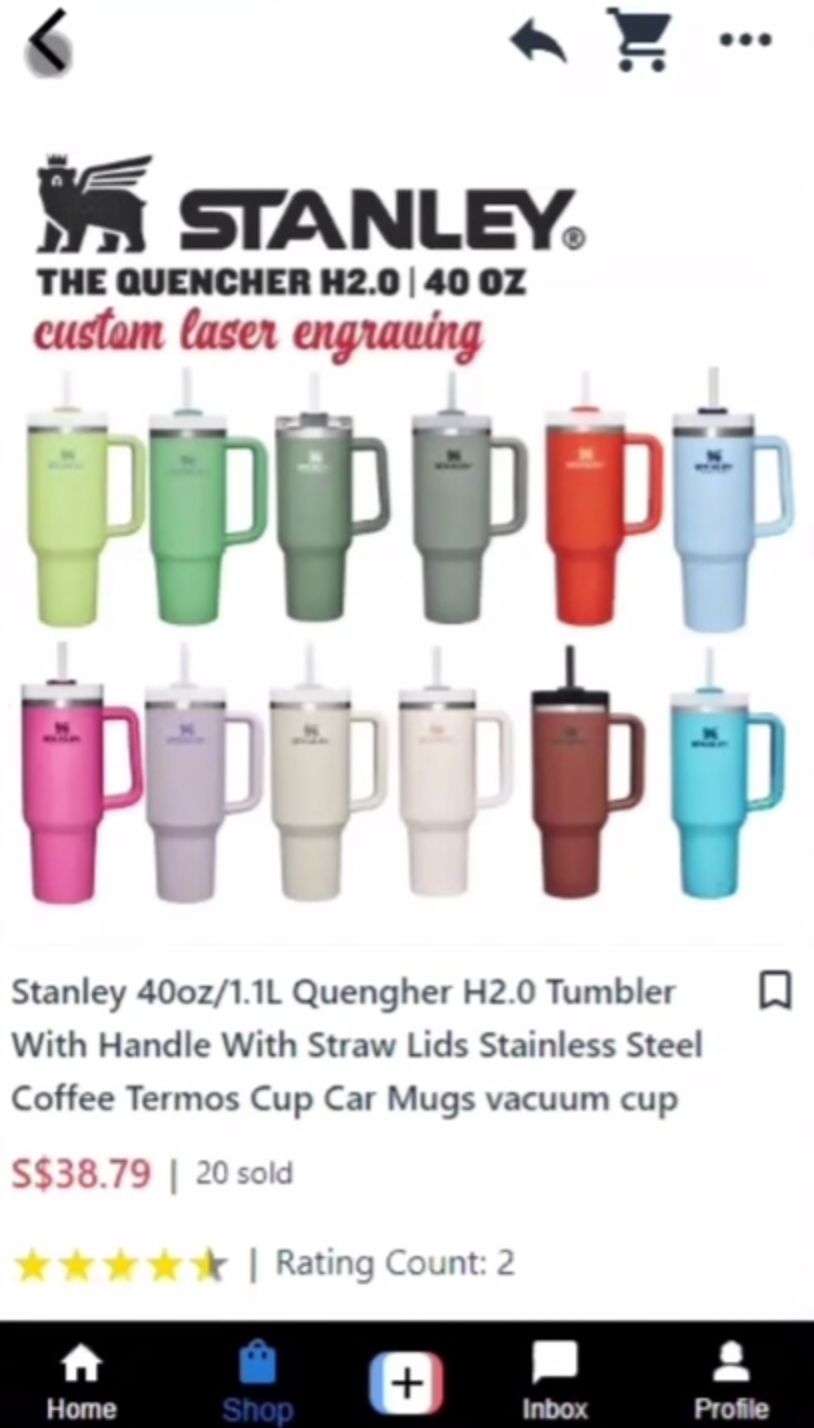
Product page after clicking the link
-
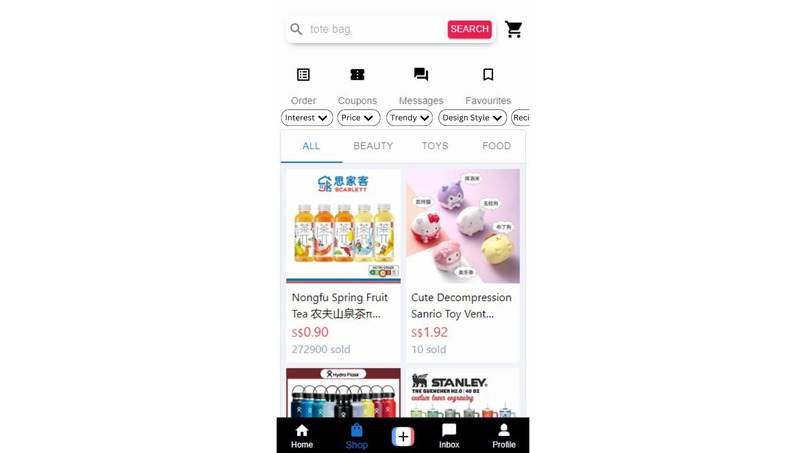
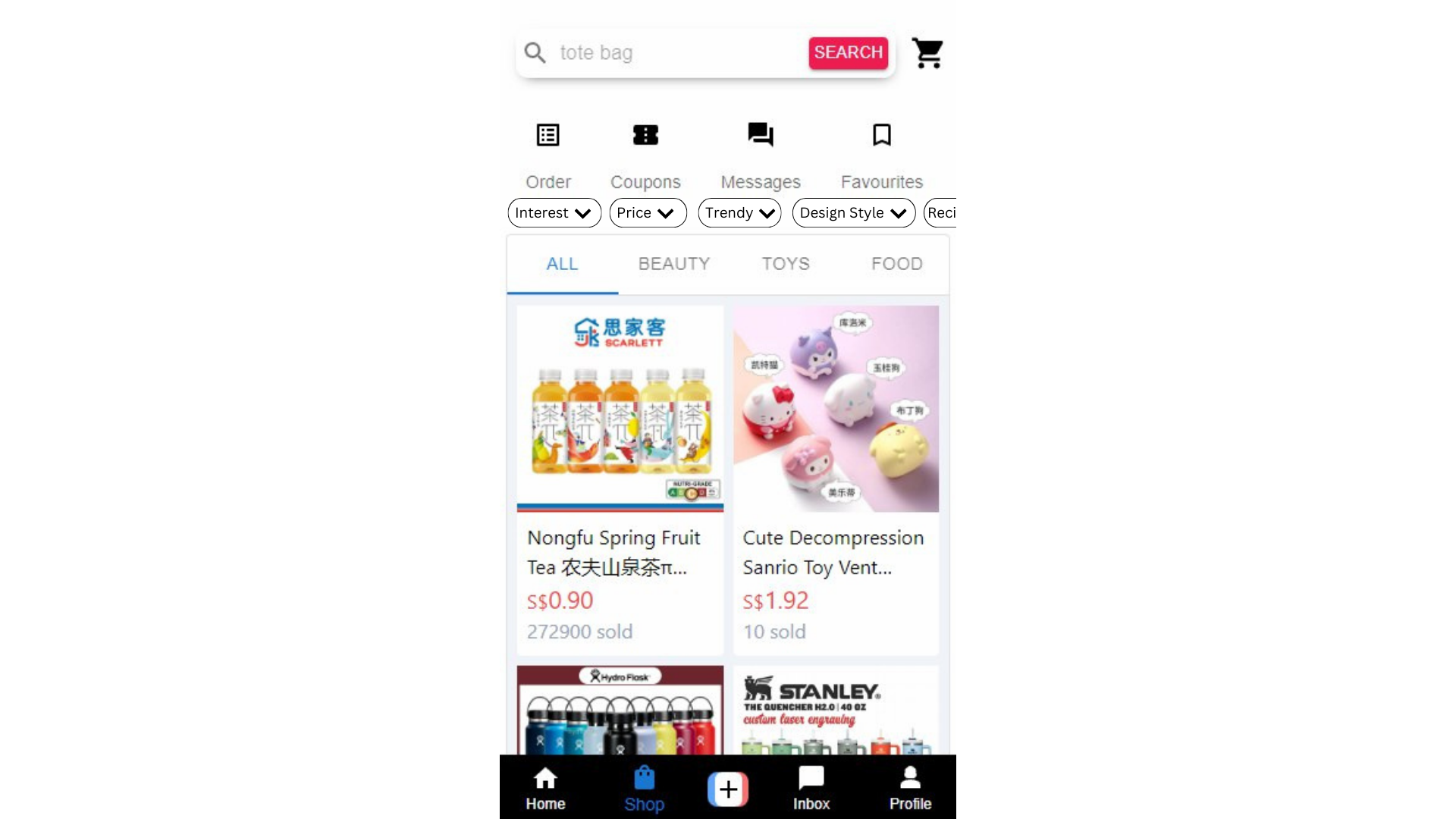
Store page with added filters corresponding to user circumstances
Inspiration
A few months ago, I was browsing TikTok Shop for a birthday gift for a close friend who, like me, loves collecting watches. I was hopeful that TikTok Shop, known for its vast array of creative and diverse products, would help me find something special. However, as I started my search, I quickly realized that the discovery process was not as seamless as I had hoped. The recommendations I received were not tailored to my specific needs and interests, making it challenging to find the perfect gift.
Frustrated, I spent hours scrolling through countless products, many of which were unrelated to what I was looking for. This experience made me think about how much easier and more enjoyable the process could be if the discovery mechanism were more personalized and efficient.
What it does
We implemented a new button named “star”. Users will be able to “star” videos that have products that are of their interest in the video. This gives the higher weightage as we are sure the user is definitely interested.
Watch duration will also impact interests in the product shown in the video. For example, if a user watches for at least 10 seconds, it would be deemed as being a slight interest in the product, hence giving a lower weightage.
The overall weightage of a product will be aggregated (since there may be multiple videos of the same product) and ranked accordingly, with the highest weightage being the product that the user is most interested in. Overall, This allows the recommendation system to recommend products that are similar those in the video in the TikTok shop. This provides a seamless shopping experience for users as their TikTok shop will be a direct representation of their personal interest.
Users who are interested in the product would now be able to view the exact product in the TikTok shop that is showcased in the video. A pop-up link showing the exact product page will be shown in-video. This allows the user to be re-directed to the exact product page without having to search for the product in the video.
How we built it
Model
The model aims to detect the key product from video by extracting frames, detecting objects and text within those frames and subsequently extract meaningful keywords. This is done via Object Detection and Text Extraction. The keywords extracted are then used to search for products within the TikTok shop.
Object Detection
The main model used here is the yolov8l-world from YOLO World Model. It is a real-time based approach for Open-Vocabulary Detection tasks. It is employed as part of our model to detect objects of significant importance in the video. Frames are extracted from the video and converted to RGB format as required by YOLO and runs the YOLO model with a specified confidence threshold to detect the objects. The detected objects are labelled using nothe model’s predefined classes.
Text Extraction
Tesseract OCR is used to extract the texts from the frames. The texts are then processed and tokenized using NLTK to remove noises. The extracted text is processed to remove non-alphanumeric characters, stopwords and words shorter than three characters. Additionally, only valid English words as per NLTK’s word list and word frequency data are retained.
Keyword Extraction
Keywords from object detection and text extraction are combined and processed using TF-IDF to rank them from most to least important. TF-IDF scores are computed for the combined text from object detections and OCR. The top keywords are selected based on their scores. Thereafter, the most important keywords are then used to find the products in the database.
Back-end
S3 buckets: Store product images and videos objects
Cloudfront: CDN to cache product images and videos at edge locations and serve to clients when requested
Node.js server: Handle requests from clients by communicating with redis cache, ML flask server and Postgres database. Contains recommendation algorithms to serve client with ranked products.
Postgres database: Store product and product-related data (ie product_tags, product_ratings, product_reviews), videos and video-related data (ie video_comments, video_saves, video_stars, video_views), tags data, users data and shops data.
ML server: Download video stream from CDN and processed by our model to return keywords based on frames extracted from video.
Redis server: Cache keywords returned by ML server to serve multiple clients with minimal latency.
Front-end
We use the MVVM architecture as it is able to facilitate a clear separation between the UI and business logic, making it suitable for modern front-end development frameworks like React.
The MVVM architecture comprises of three areas:
Model: The model presents the data and business logic of the application.
View: The view represents the UI of the application. It displays data from the ViewModel and sends user interactions (events) back to the ViewModel.
ViewModel: The ViewModel acts as an intermediary between the Model and the View. It holds the presentation logic and state of the View. It handles data binding, automatically updating the View when the Model changes and vice versa.
Challenges we ran into
The hardest part of the project was to integrate the different parts of the project together in order to run the prototype. However, it took lesser time than we initially estimated as our discussion and planning had enabled easier integration since we were all familiar with what each was doing.
Accomplishments that we're proud of
Being able to conceptualise an idea we thought would be difficult to do, but still crazy enough to try it.
What's next for Shop Smarter with ShopSmart
Taking user circumstances/preferences into consideration Our idea is to use toggles, drop down menus, sliders and pickers for users to indicate their preferences. These preferences will be used to filter products on top of their personalised recommendations.
Model usage in recommendation system and adjusted weightages We recognise the benefit of creating a model based recommendation system. However, due to computational limitations of having to host another server for the model, we had decided to opt for a simpler recommendation system in order to showcase our main features instead. Hence, we have included a written model recommendation system that we would have integrated into our solution.
We also want to vary weightage based on watch duration. If a user watches for a longer period of time, it will increase the weightage of their interest accordingly. However, it would never exceed the weightage of using the "star" button directly as "star"ing a video is a more direct way of liking the product.
Enhanced product recognition by using custom vocabulary libraries The product recognition model can be improved to better handle a variety of video content and improve accuracy in product identification.
User privacy and transparency This can be mitigated by allowing users to control their data via settings and being transparent by informing them of the usage of their data for product recommendation.
User experience optimization Users can be allowed to turn off product recommendations whilst watching videos. At the same time, they can allow tracking such that when they navigate to the shop, it would still show their personalised recommendations.
Scalability considerations Cloud computing can be leveraged to handle large processing loads and scale efficiently.
Bias mitigation Use of a more diverse dataset to train models and regularly audit recommendations to ensure fairness and inclusivity.


Log in or sign up for Devpost to join the conversation.